自建docker加速镜像源
·
自建docker加速镜像源
因为国内docker镜像源就只剩下阿里了,docker_hub已经访问不到了。虽然阿里还在,但是里面很多镜像源都是特别老的。比如bitwarden,还是21年的。现在已经用不了了。所以我们可以自建一个docker镜像。
本文章涉及到的应用仅供学习交流使用,不得用于任何商业用途,数据来源于互联网公开内容,没有获取任何私有和有权限的信息(个人信息等)。由此引发的任何法律纠纷与本人无关!未经本人允许,禁止直接转发!
参考文章:https://www.geekxw.top/1467
一 环境准备
- 国外的Linux服务器。
- 宝塔面板 (其他的也可以)
- nginx
二 搭建步骤
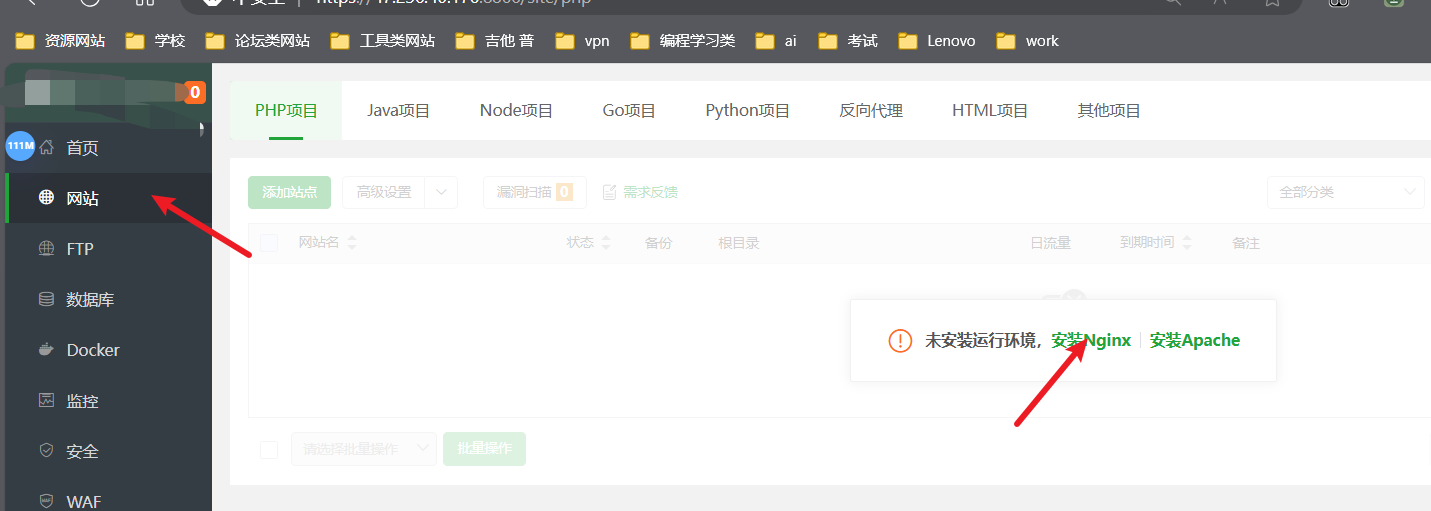
1 安装nginx
打开宝塔面板如下操作。
2 创建网址
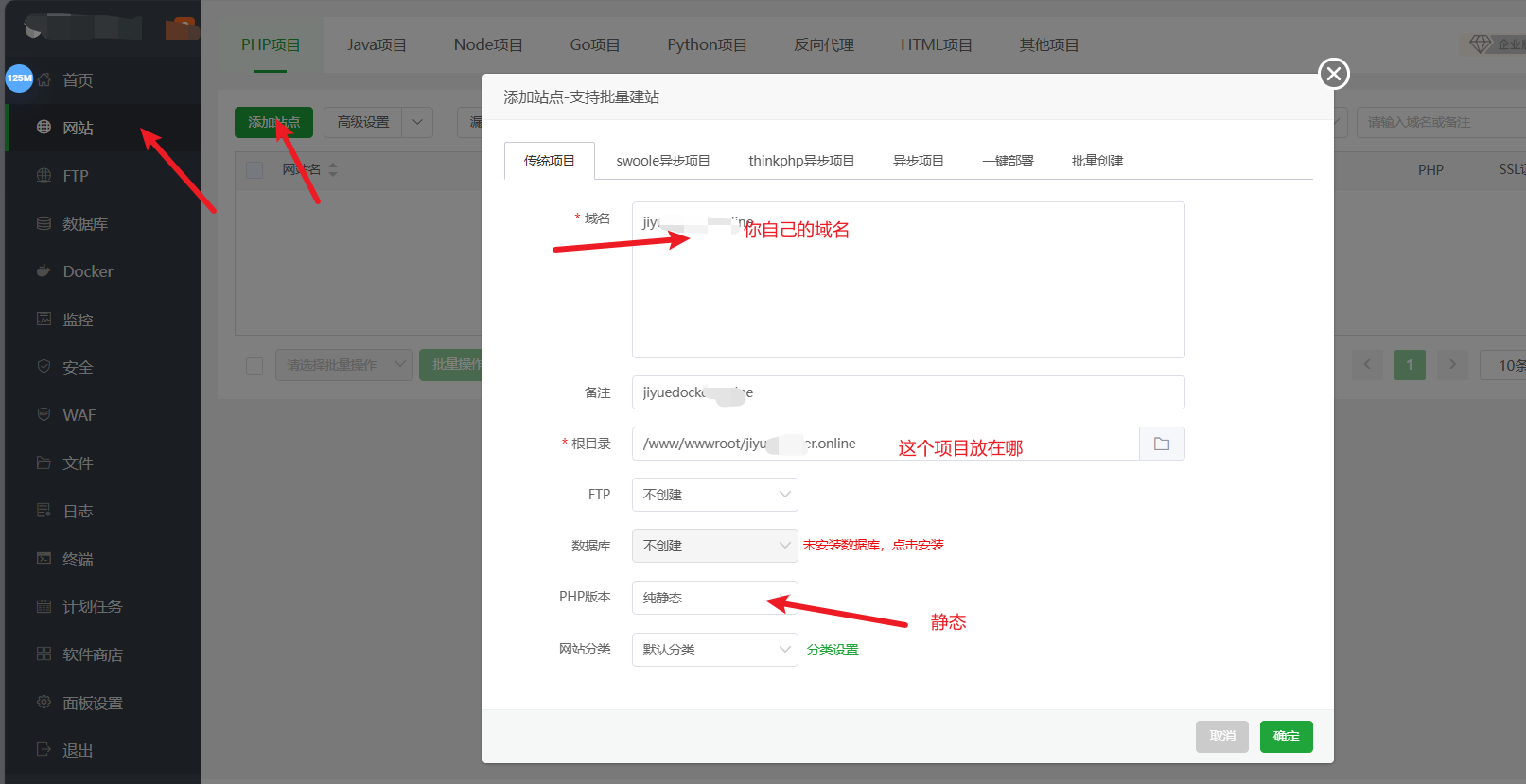
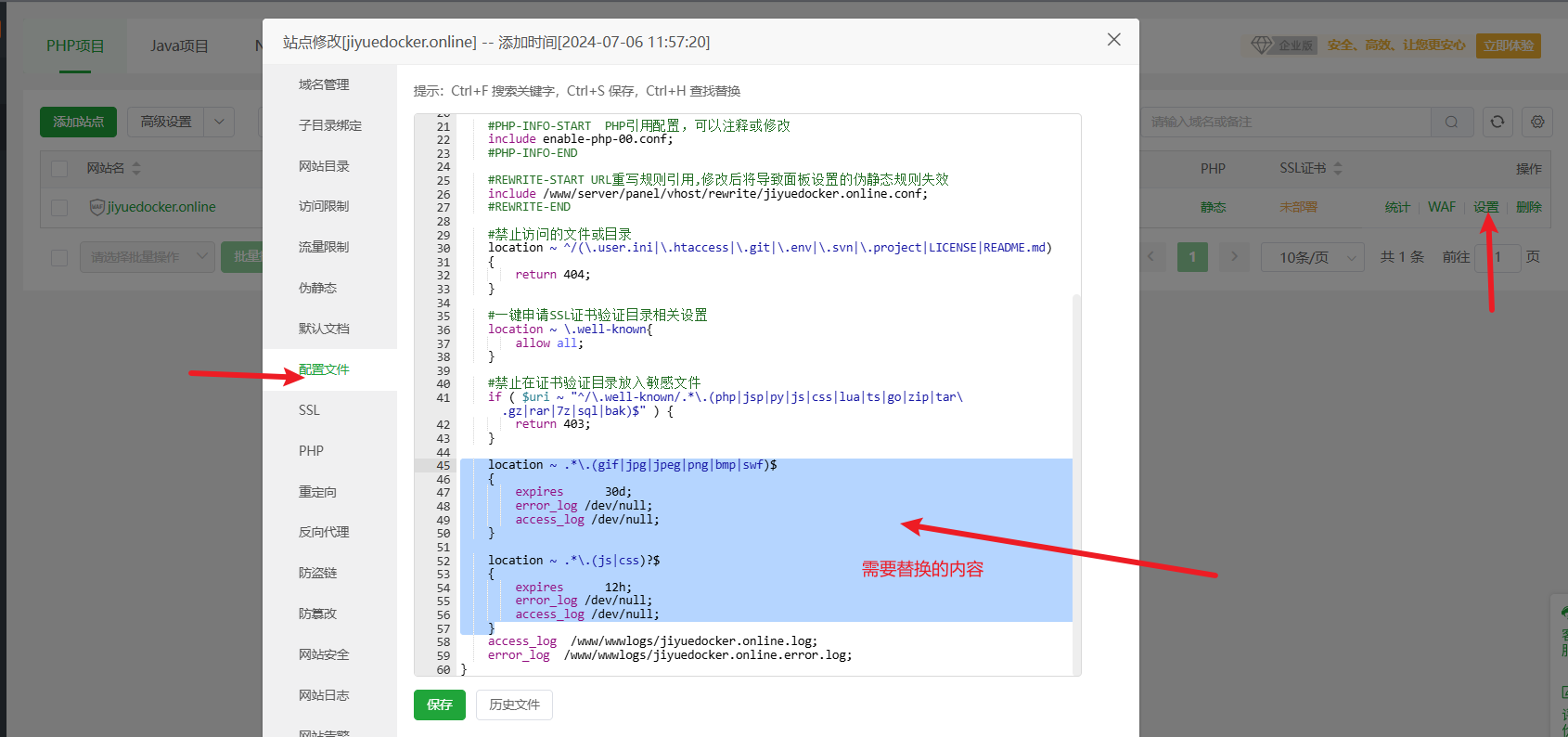
3 配置nginx
如图步骤将下面代码复制到配置文件把选中的东西替换掉。
    location /v2/ {
        proxy_pass https://registry-1.docker.io;
        proxy_set_header Host registry-1.docker.io;
        proxy_set_header X-Real-IP $remote_addr;
        proxy_set_header X-Forwarded-For $proxy_add_x_forwarded_for;
        proxy_set_header X-Forwarded-Proto $scheme;
        proxy_buffering off;
        proxy_request_buffering off;
        proxy_http_version 1.1;
        proxy_read_timeout 7200s;
        proxy_send_timeout 7200s;
        send_timeout 7200s;
        proxy_connect_timeout 7200s;
        proxy_set_header Authorization $http_authorization;
        proxy_pass_header Authorization;
        proxy_intercept_errors on;
        recursive_error_pages on;
        error_page 301 302 307 = @handle_redirect;
    }
    location @handle_redirect {
        resolver 1.1.1.1;
        set $saved_redirect_location '$upstream_http_location';
        proxy_pass $saved_redirect_location;
    }
4 申请ssl证书
申请成功后强制https
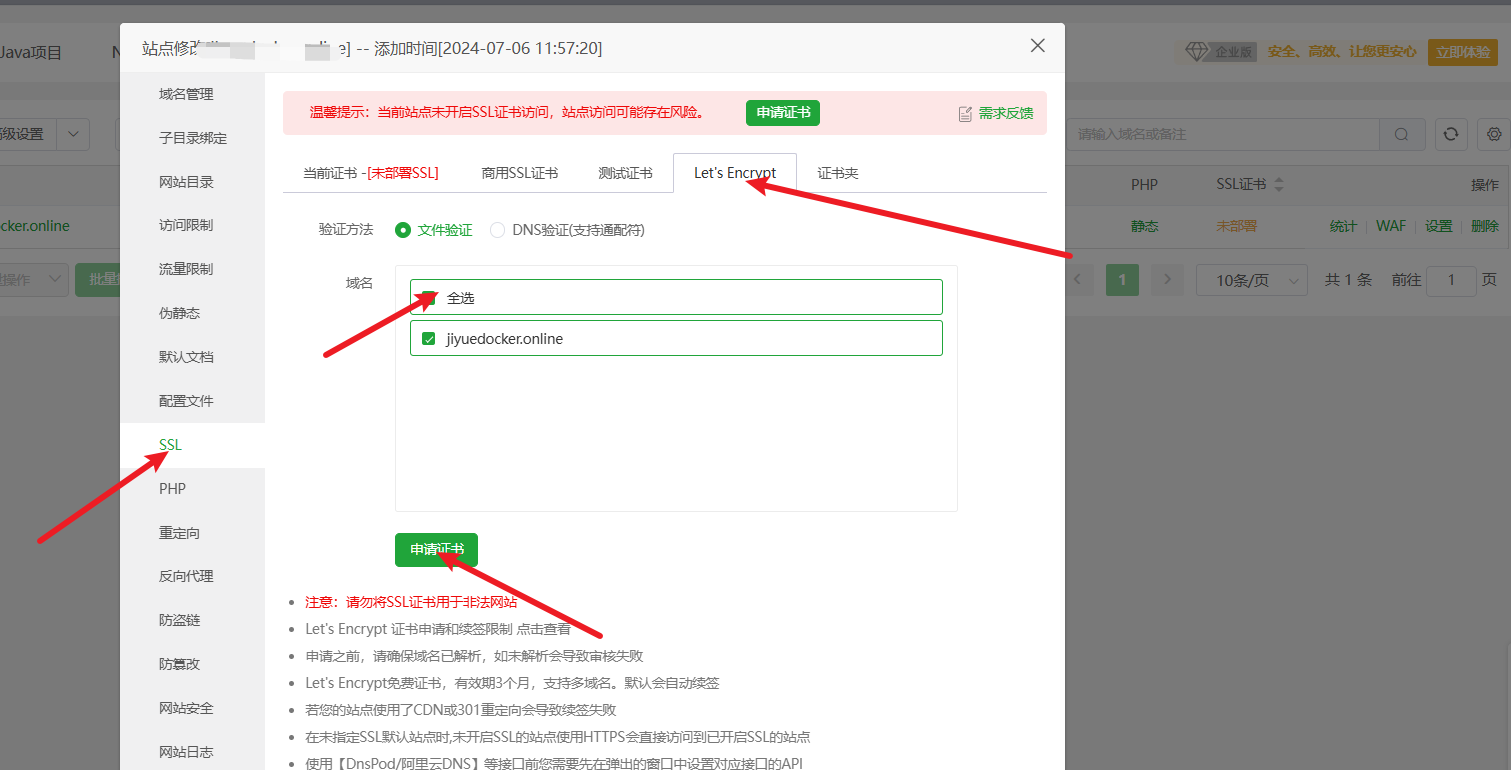
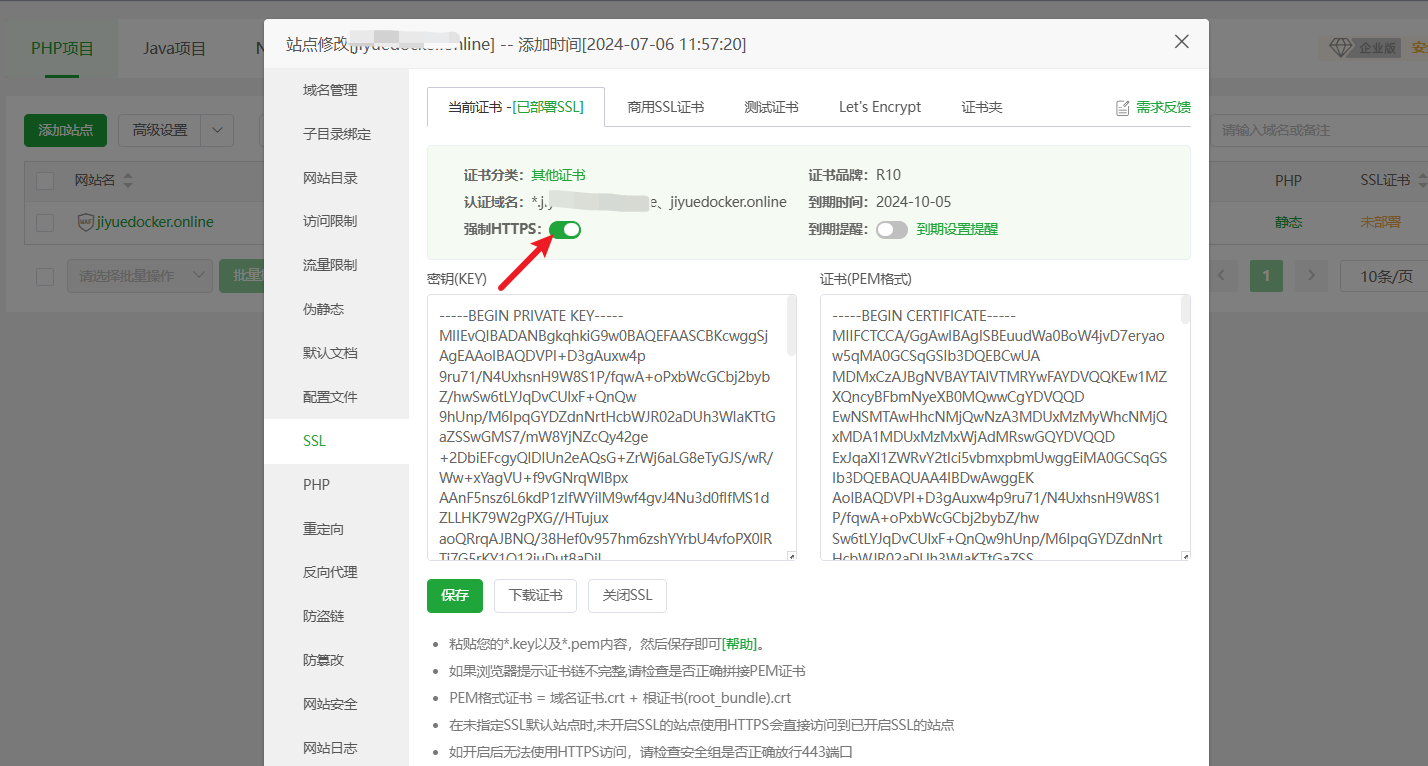
然后就完成了!
5 查看站点
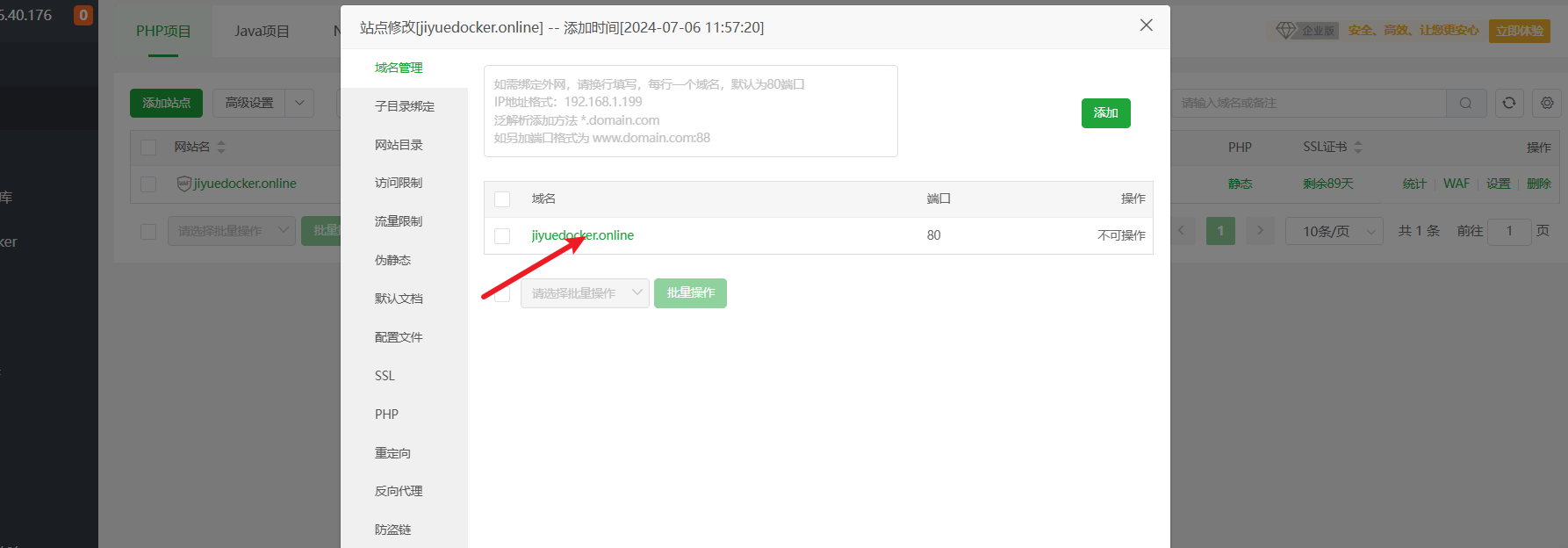
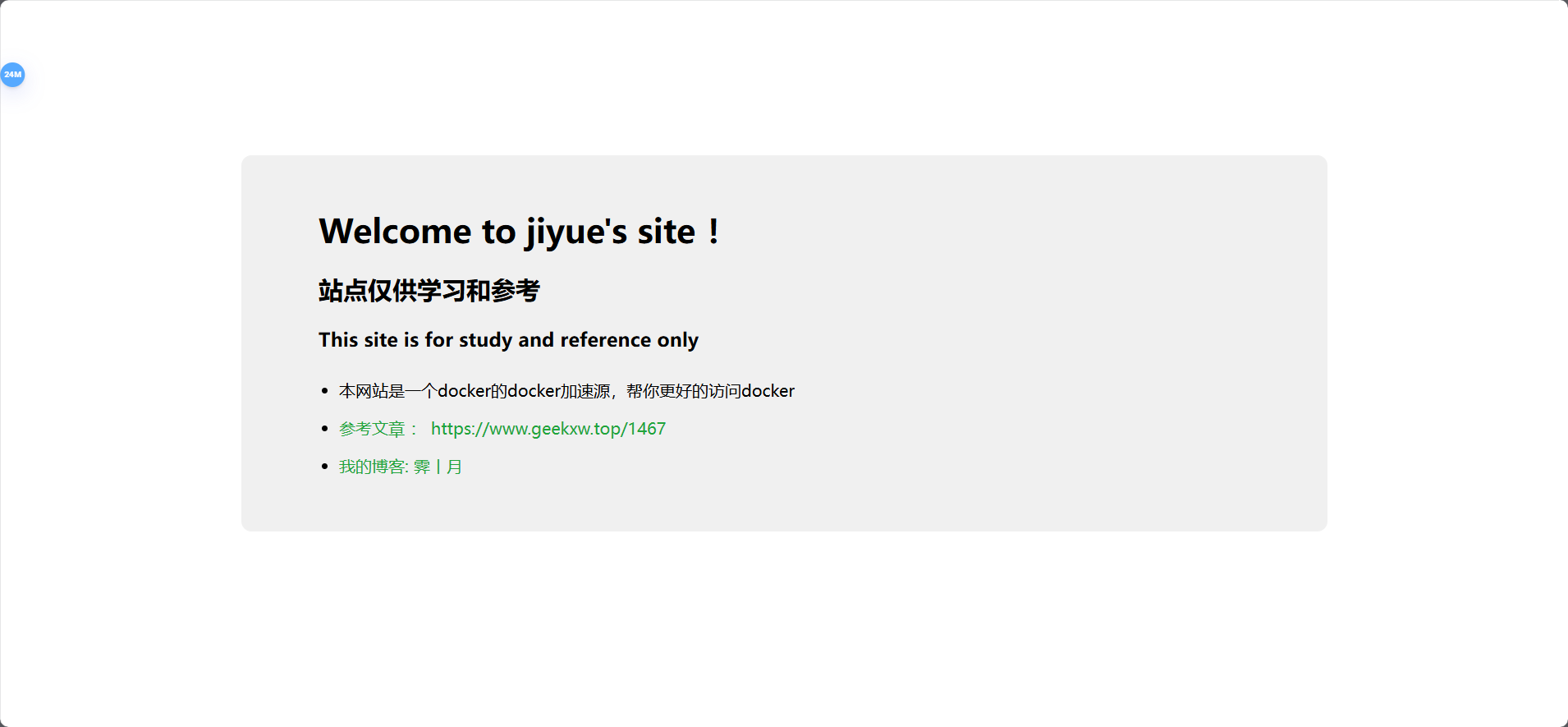
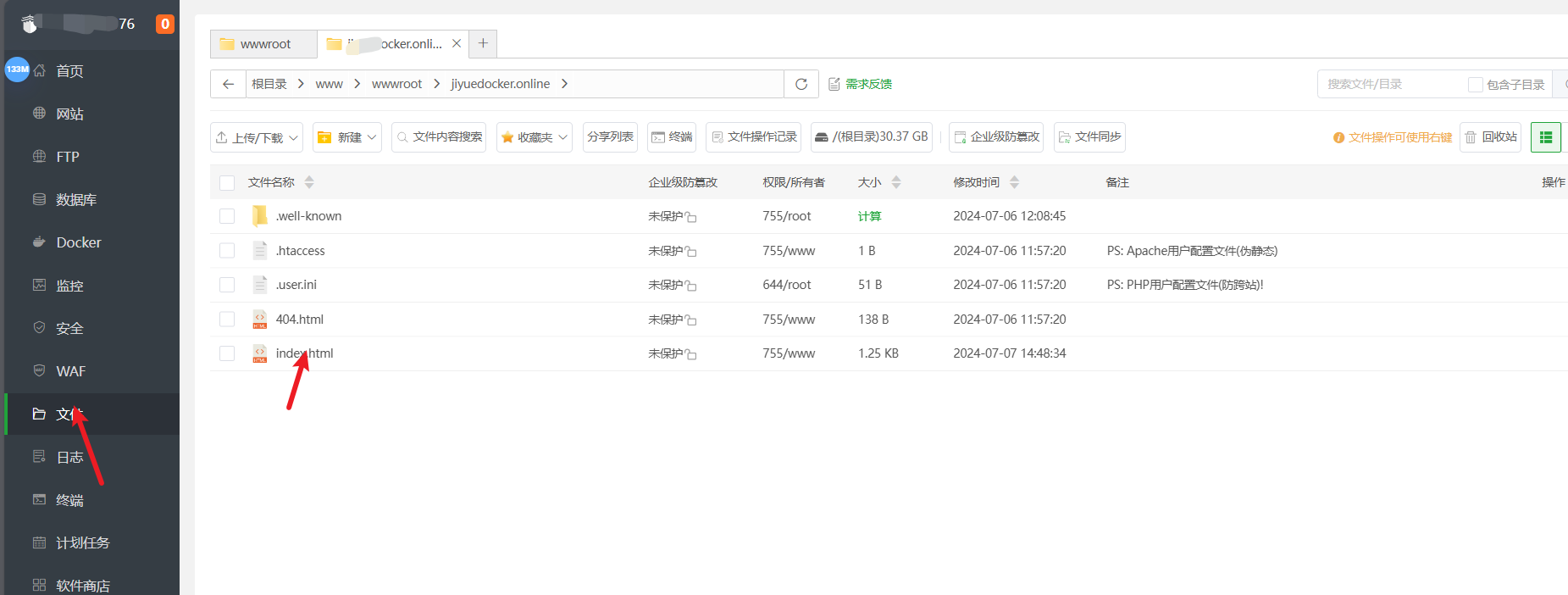
6 自定义站点页面
在文件这编写index.html 就可以自定义自己的主页
三 将他配置到我们的docker上。
# 复制内容,注意把其中的镜像加速地址改成你自己的
tee /etc/docker/daemon.json <<-'EOF'
{
  "registry-mirrors": ["https://xxxxdocker.online"]
}
EOF

# 重新加载配置
systemctl daemon-reload

# 重启Docker
systemctl restart docker
就可以了

腾讯云面向开发者汇聚海量精品云计算使用和开发经验,营造开放的云计算技术生态圈。
更多推荐
 4
4 0
0- 0


 已为社区贡献4条内容

所有评论(0)