mkl-service package failed to import, therefore Intel(R) MKL initialization ensuring its correct解决方法
·
法一:在确保自己安装的情况下,重新打开pycharm,换个项目尝试
法二:卸载并且重新安装 numpy 和 mkl-service(参考文章:python: UserWarning: mkl-service package failed to import, therefore Intel® MKL initialization问题解决)
法三:如果是安装问题导致的, 依次卸载安装过的包,看能否恢复正常。
法三过程:
(安装scikit-image之后运行出现mkl-service报错(具体问题出在哪里不知道,但是稀里糊涂的解决了,可以试下此方法))
方法:安装了什么就卸载什么,卸载过油了,就再安装回来。以此恢复原来环境,保证可以运行。
具体如下:
记录一次bug,
在anaconda中的opencv环境有python=3.6 以及安装了对应版本的opencv,还有matplotlib。等(后来查看时候多了许多不知道的动作)
在安装,scikit-image 安装完成直接报错。
报错内容如下:
G:\2E\anaconda\envs\opencv\python.exe C:\Users\Dell\Desktop\PY!\opencv\lbp.py
G:\2E\anaconda\envs\opencv\lib\site-packages\numpy\__init__.py:138: UserWarning: mkl-service package failed to import, therefore Intel(R) MKL initialization ensuring its correct out-of-the box operation under condition when Gnu OpenMP had already been loaded by Python process is not assured. Please install mkl-service package, see http://github.com/IntelPython/mkl-service
  from . import _distributor_init
Traceback (most recent call last):
  File "G:\2E\anaconda\envs\opencv\lib\site-packages\numpy\core\__init__.py", line 22, in <module>
    from . import multiarray
  File "G:\2E\anaconda\envs\opencv\lib\site-packages\numpy\core\multiarray.py", line 12, in <module>
    from . import overrides
  File "G:\2E\anaconda\envs\opencv\lib\site-packages\numpy\core\overrides.py", line 7, in <module>
    from numpy.core._multiarray_umath import (
ImportError: DLL load failed: 找不到指定的模块。

During handling of the above exception, another exception occurred:

Traceback (most recent call last):
  File "C:\Users\Dell\Desktop\PY!\opencv\lbp.py", line 3, in <module>
    import  matplotlib.pyplot as plt
  File "G:\2E\anaconda\envs\opencv\lib\site-packages\matplotlib\__init__.py", line 107, in <module>
    from . import cbook, rcsetup
  File "G:\2E\anaconda\envs\opencv\lib\site-packages\matplotlib\cbook\__init__.py", line 28, in <module>
    import numpy as np
  File "G:\2E\anaconda\envs\opencv\lib\site-packages\numpy\__init__.py", line 140, in <module>
    from . import core
  File "G:\2E\anaconda\envs\opencv\lib\site-packages\numpy\core\__init__.py", line 48, in <module>
    raise ImportError(msg)
ImportError:

IMPORTANT: PLEASE READ THIS FOR ADVICE ON HOW TO SOLVE THIS ISSUE!

Importing the numpy C-extensions failed. This error can happen for
many reasons, often due to issues with your setup or how NumPy was
installed.

We have compiled some common reasons and troubleshooting tips at:

    https://numpy.org/devdocs/user/troubleshooting-importerror.html

Please note and check the following:

  * The Python version is: Python3.6 from "G:\2E\anaconda\envs\opencv\python.exe"
  * The NumPy version is: "1.19.2"

and make sure that they are the versions you expect.
Please carefully study the documentation linked above for further help.

Original error was: DLL load failed: 找不到指定的模块。


进程已结束,退出代码1
scikit-image:安装细节如下:
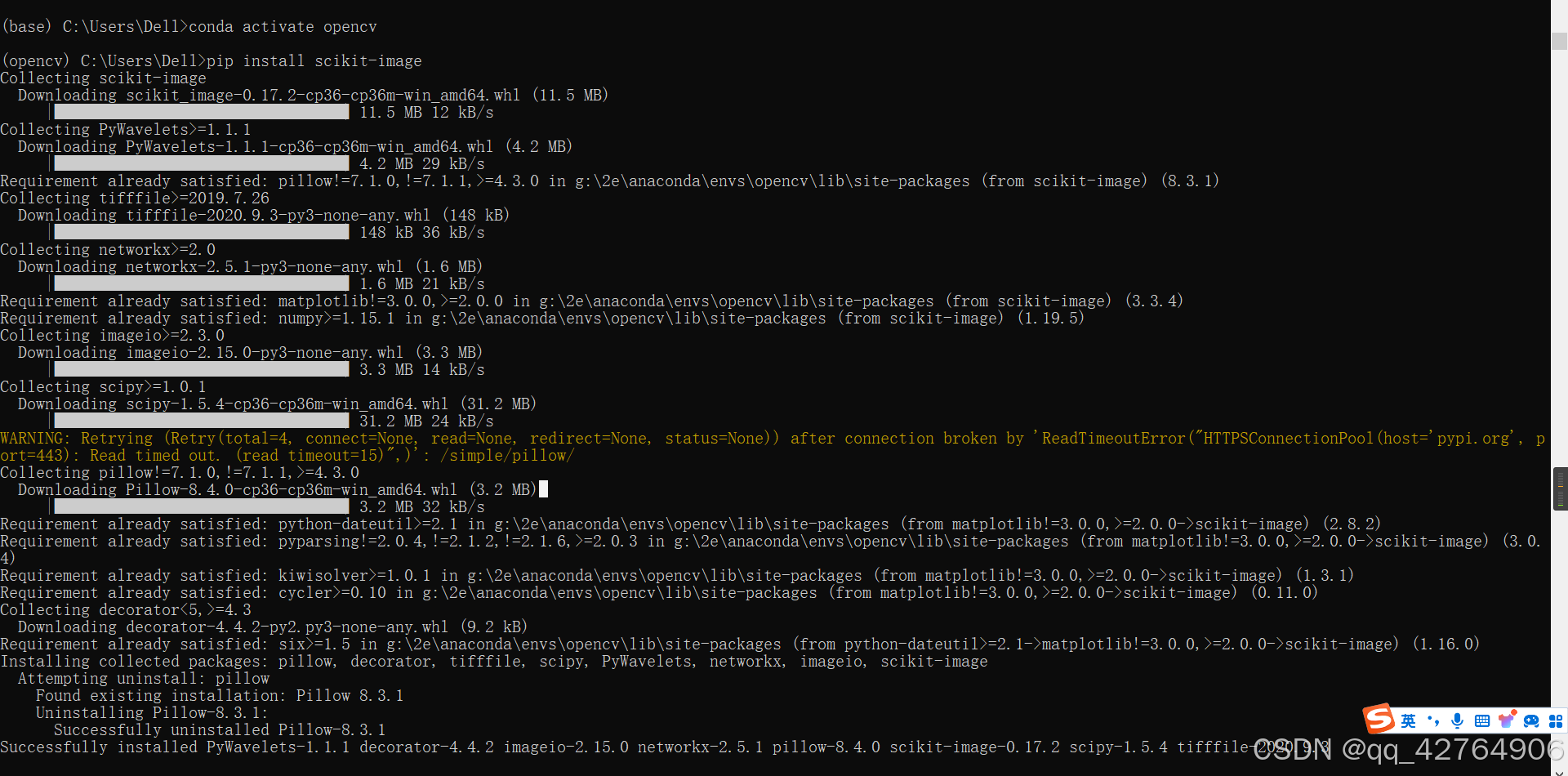
接着用pip uninstall 依次卸载安装的内容【Succseefully installed什么就卸载什么】,再次运行发现缺少pillow,故再次安装pillow。
缺少pillow的报错:
G:\2E\anaconda\envs\opencv\python.exe C:\Users\Dell\Desktop\PY!\opencv\lbp.py
Traceback (most recent call last):
  File "C:\Users\Dell\Desktop\PY!\opencv\lbp.py", line 3, in <module>
    import matplotlib.pyplot as plt
  File "G:\2E\anaconda\envs\opencv\lib\site-packages\matplotlib\pyplot.py", line 36, in <module>
    import matplotlib.colorbar
  File "G:\2E\anaconda\envs\opencv\lib\site-packages\matplotlib\colorbar.py", line 44, in <module>
    import matplotlib.contour as contour
  File "G:\2E\anaconda\envs\opencv\lib\site-packages\matplotlib\contour.py", line 17, in <module>
    import matplotlib.text as text
  File "G:\2E\anaconda\envs\opencv\lib\site-packages\matplotlib\text.py", line 16, in <module>
    from .textpath import TextPath  # Unused, but imported by others.
  File "G:\2E\anaconda\envs\opencv\lib\site-packages\matplotlib\textpath.py", line 11, in <module>
    from matplotlib.mathtext import MathTextParser
  File "G:\2E\anaconda\envs\opencv\lib\site-packages\matplotlib\mathtext.py", line 27, in <module>
    from PIL import Image
ModuleNotFoundError: No module named 'PIL'

进程已结束,退出代码1
安装pillow:

发现这回不再报错,可以正常运行。
再次重新安装 scikit-image
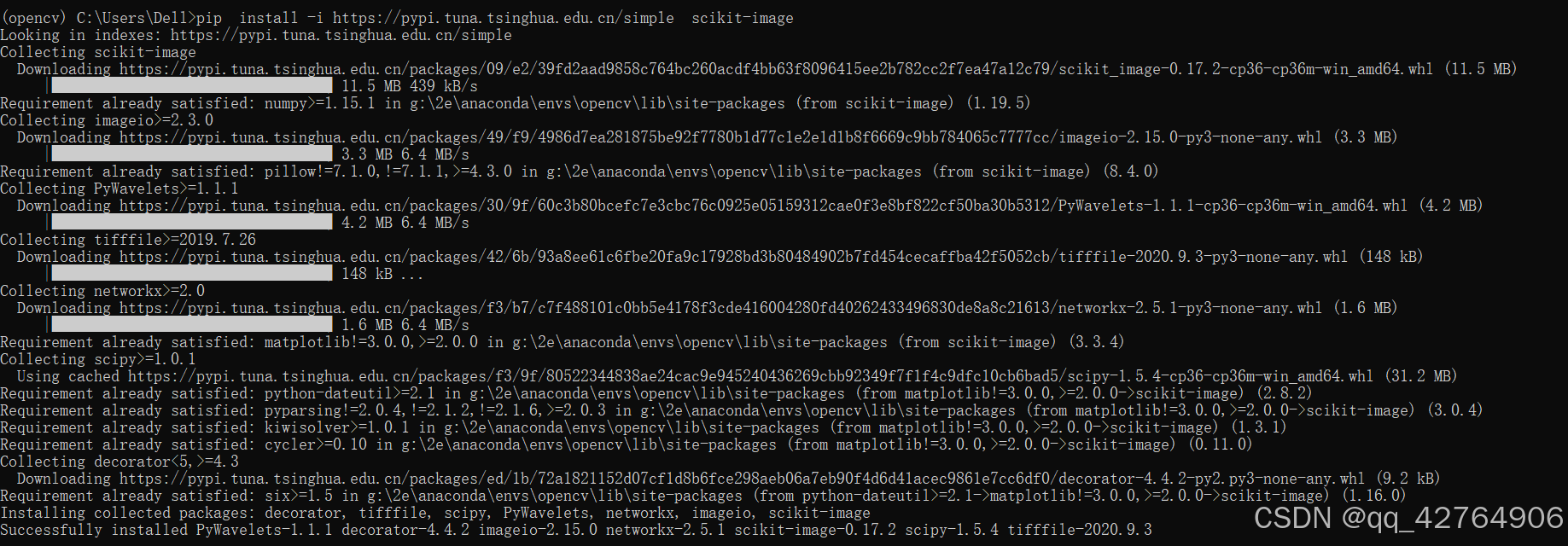
这次再运行不报错。
在安装的过程中,可以发现他把pillow-8.3.1卸载并安装成了pillow-8.4.0
Installing collected packages: pillow, decorator, tifffile, scipy, PyWavelets, networkx, imageio, scikit-image
  Attempting uninstall: pillow
    Found existing installation: Pillow 8.3.1
    Uninstalling Pillow-8.3.1:
      Successfully uninstalled Pillow-8.3.1
Successfully installed PyWavelets-1.1.1 decorator-4.4.2 imageio-2.15.0 networkx-2.5.1 pillow-8.4.0 scikit-image-0.17.2 scipy-1.5.4 tifffile-2020.9.3
但后来单独安装又没事。短时间内的不兼容?百思不得其解!
先后2次在安装失败和成功时候,查看scikit-image:
成功: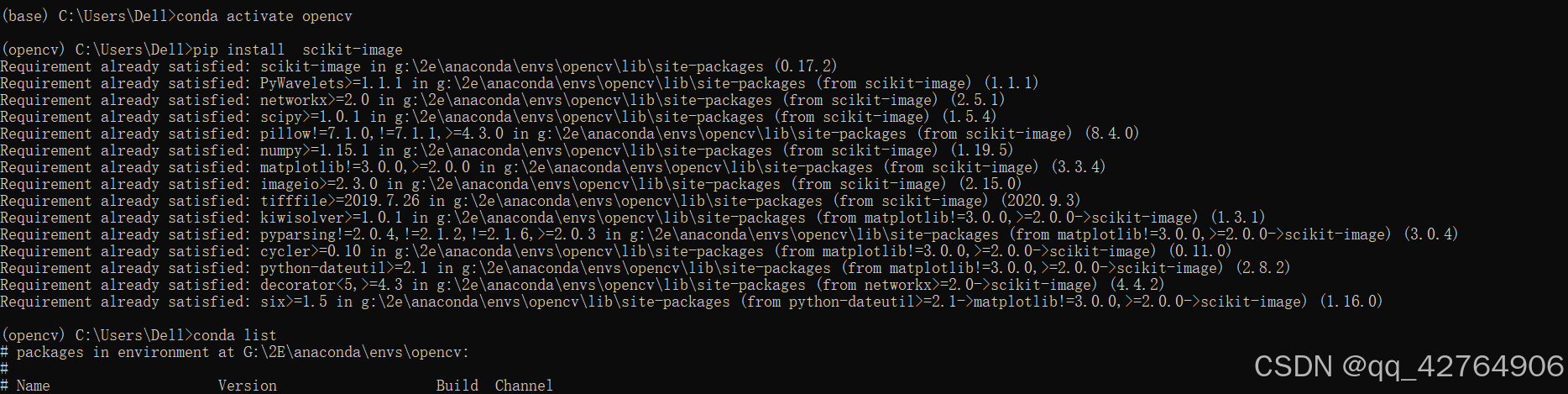
失败: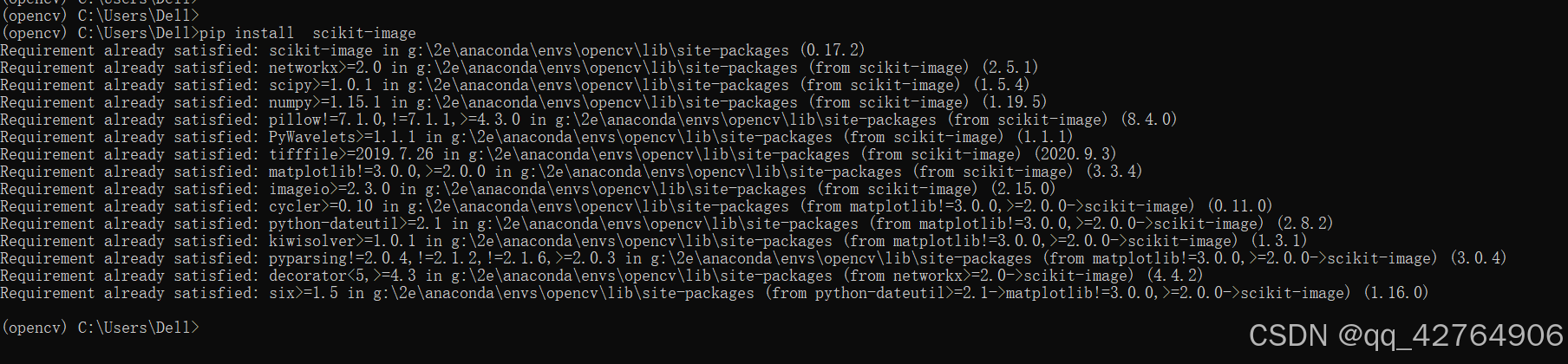
内容一致!
我查了pillow和mkl-service 并无关系,若真有问题,应该是pillow影响了numpy ,numpy影响了mkl-service。
核心报错内容:
G:\2E\anaconda\envs\opencv\lib\site-packages\numpy\__init__.py:138: UserWarning: mkl-service package failed to import, therefore Intel(R) MKL initialization ensuring its correct out-of-the box operation under condition when Gnu OpenMP had already been loaded by Python process is not assured. Please install mkl-service package, see http://github.com/IntelPython/mkl-service
  from . import _distributor_init

Importing the numpy C-extensions failed. This error can happen for
many reasons, often due to issues with your setup or how NumPy was
installed.
可能有用的文章:mkl-service package failed to import解决方法
写于:2024-09-20 13:57:00
法一过程:
于2024.10.11再次遇见同样一个问题
只不过上次是anaconda 下的opencv的报错,这次是pytorch的报错
报错内容如下:
G:\2E\anaconda\envs\pytorch\python.exe C:\Users\Dell\Desktop\PY!\pytorch_tang\mofan-4.1CNN.py
G:\2E\anaconda\envs\pytorch\lib\site-packages\numpy\__init__.py:138: UserWarning: mkl-service package failed to import, therefore Intel(R) MKL initialization ensuring its correct out-of-the box operation under condition when Gnu OpenMP had already been loaded by Python process is not assured. Please install mkl-service package, see http://github.com/IntelPython/mkl-service
  from . import _distributor_init
Traceback (most recent call last):
  File "G:\2E\anaconda\envs\pytorch\lib\site-packages\numpy\core\__init__.py", line 22, in <module>
    from . import multiarray
  File "G:\2E\anaconda\envs\pytorch\lib\site-packages\numpy\core\multiarray.py", line 12, in <module>
    from . import overrides
  File "G:\2E\anaconda\envs\pytorch\lib\site-packages\numpy\core\overrides.py", line 7, in <module>
    from numpy.core._multiarray_umath import (
ImportError: DLL load failed: 找不到指定的模块。

During handling of the above exception, another exception occurred:

Traceback (most recent call last):
  File "C:\Users\Dell\Desktop\PY!\pytorch_tang\mofan-4.1CNN.py", line 1, in <module>
    import matplotlib.pyplot as plt
  File "G:\2E\anaconda\envs\pytorch\lib\site-packages\matplotlib\__init__.py", line 107, in <module>
    from . import cbook, rcsetup
  File "G:\2E\anaconda\envs\pytorch\lib\site-packages\matplotlib\cbook\__init__.py", line 28, in <module>
    import numpy as np
  File "G:\2E\anaconda\envs\pytorch\lib\site-packages\numpy\__init__.py", line 140, in <module>
    from . import core
  File "G:\2E\anaconda\envs\pytorch\lib\site-packages\numpy\core\__init__.py", line 48, in <module>
    raise ImportError(msg)
ImportError:

IMPORTANT: PLEASE READ THIS FOR ADVICE ON HOW TO SOLVE THIS ISSUE!

Importing the numpy C-extensions failed. This error can happen for
many reasons, often due to issues with your setup or how NumPy was
installed.

We have compiled some common reasons and troubleshooting tips at:

    https://numpy.org/devdocs/user/troubleshooting-importerror.html

Please note and check the following:

  * The Python version is: Python3.6 from "G:\2E\anaconda\envs\pytorch\python.exe"
  * The NumPy version is: "1.19.2"

and make sure that they are the versions you expect.
Please carefully study the documentation linked above for further help.

Original error was: DLL load failed: 找不到指定的模块。


进程已结束,退出代码1
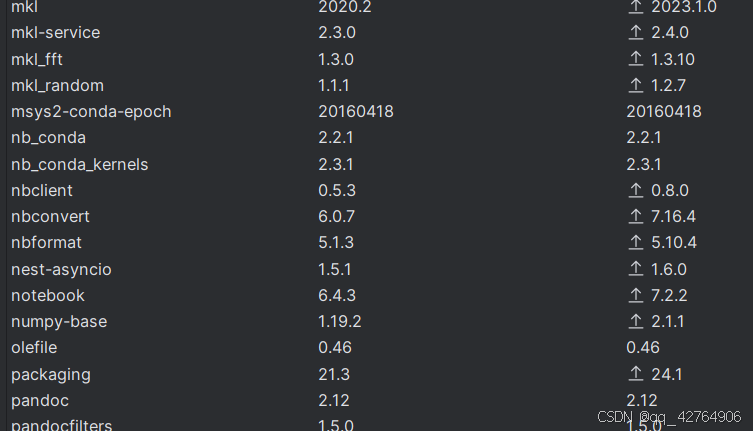
当前,下在pycharm(python解释器中)下安装的包:
在anaconda prompt 里面的list情况(输入anaconda list):
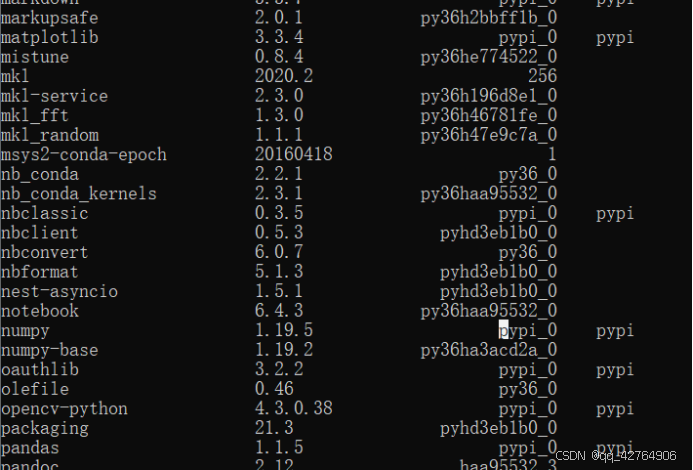
虽然说一些内容对应不上,但是pycharm是显示的软件包,在anaconda prompt 里面的list是显示所有(可能包括一些依赖文件)的内容。也是可理解。mkl-service 和numpy-base都存在,所以应该不是没有包的问题。【numpy 1.19.5 numpy-base 1.19.2 是否由于这个问题导致的2次问题,未知,无法判断! 】
最后我怀疑是加载的问题,没有像参考文章中里的 重新卸载安装,是重新打开了一下pycharm,换了一个项目,等待 右下面pycharm加载完毕,运行就不报错了,之后我再换到我原来的项目中

导致本次可能故障的原因:笔记本年久失修,wifi直接连不上了,在pycharm开着的状态就直接 点击 更新并重启 进而可能导致pycharm异常关闭,再次打开可能就记载一些数据包出现问题,也许不用换项目(我想的是激活一下之前运行成功的项目,进而记载数据包),直接再次关闭打开pycharm也许就好使。
可能有用的文章:python: UserWarning: mkl-service package failed to import, therefore Intel® MKL initialization问题解决

腾讯云面向开发者汇聚海量精品云计算使用和开发经验,营造开放的云计算技术生态圈。
更多推荐
 18
18 0
0- 0


 已为社区贡献3条内容

所有评论(0)