carla运行报错-Engine crash handling finished;re-raising signal 11 for the default handler. Good bye.
·
问题:./CarlaUE4.sh运行报错
4.26.2-0+++UE4+Release-4.26 522 0
Disabling core dumps.
Signal 11 caught.
Malloc Size=65538 LargeMemoryPoolOffset=65554
CommonUnixCrashHandler: Signal=11
Malloc Size=131160 LargeMemoryPoolOffset=196744
Malloc Size=131160 LargeMemoryPoolOffset=327928
Engine crash handling finished; re-raising signal 11 for the default handler. Good bye.

Segmentation fault (core dumped)
当前环境:
lsb_release -aDistributor ID: Ubuntu
Description: Ubuntu 20.04.6 LTS
Release: 20.04
Codename: focal
nvidia-smi Driver Version: 560问题解决:
1、尝试未解决
1、降低分辨率和大小低画质运行
// An highlighted block
./CarlaUE4.sh -quality-level=low -fps=15 -windowed -Resx=600 -Resy=480
2、关闭vscode
2、已解决问题 - 安装低版本nvidia驱动
问题解析:nvidia官网驱动中的给出的中文最新版本是550,但是在ubuntu软件和更新及ubuntu-drivers devices指令中,给出的推荐版本是560,感觉问题应该是出在这里。
建议下载官网最新版本及以下版本,即低于550
nvidia驱动官网;下载 NVIDIA 官方驱动 | NVIDIA
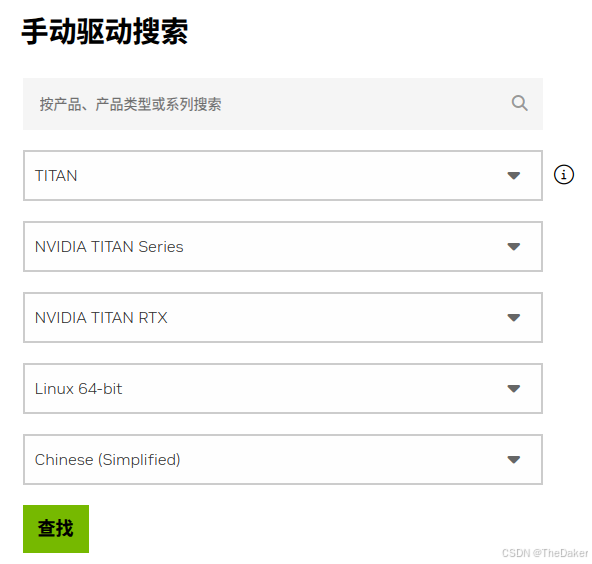
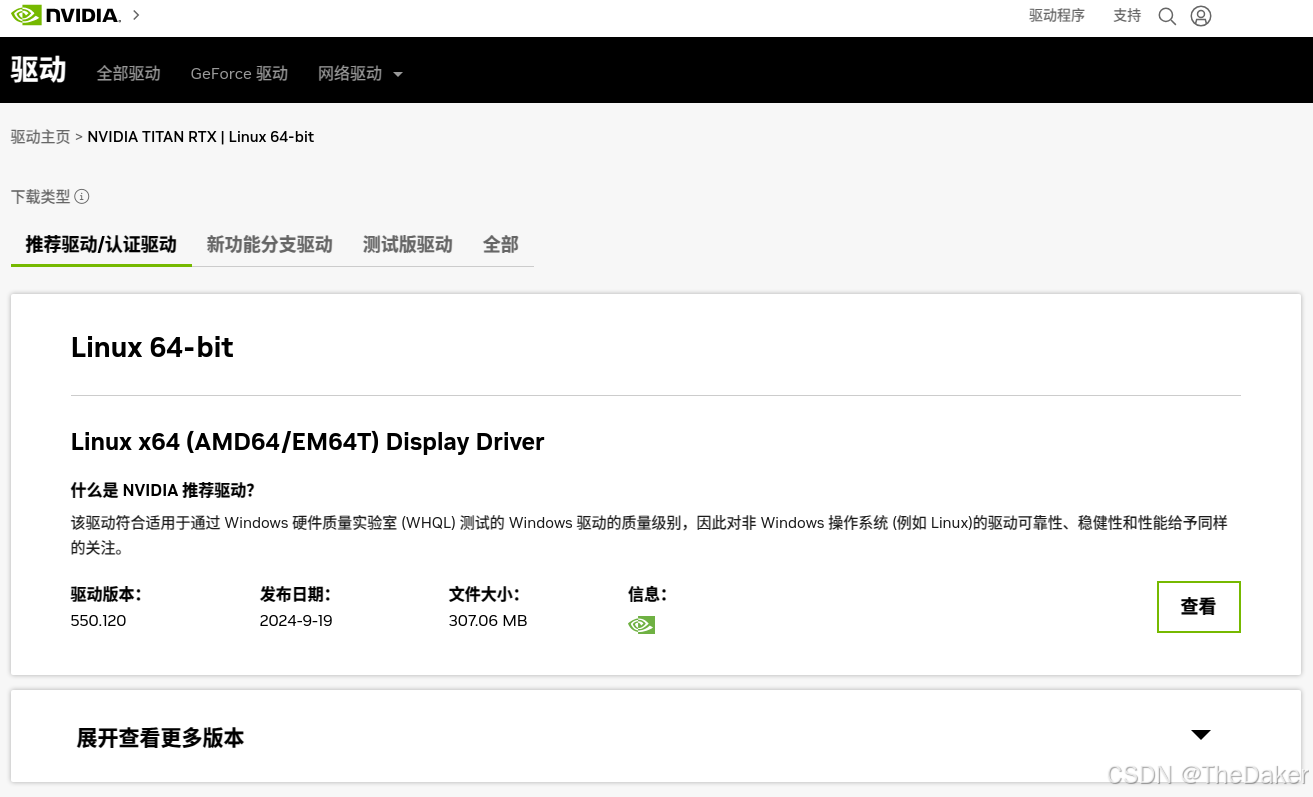
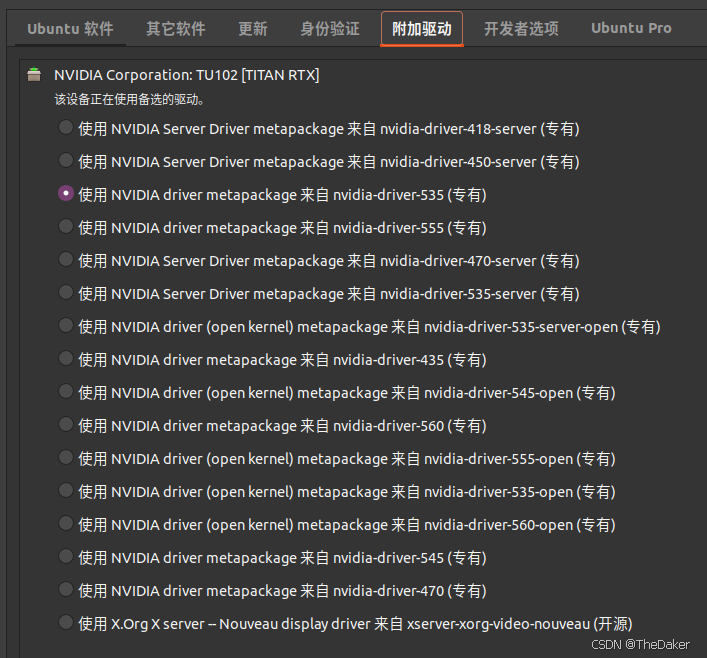
1、ubuntu软件和更新安装(最简单、需要联网)
软件和更新中的附加驱动,选择合适的版本,点击应用更改,等待一段时间即可安装完毕。
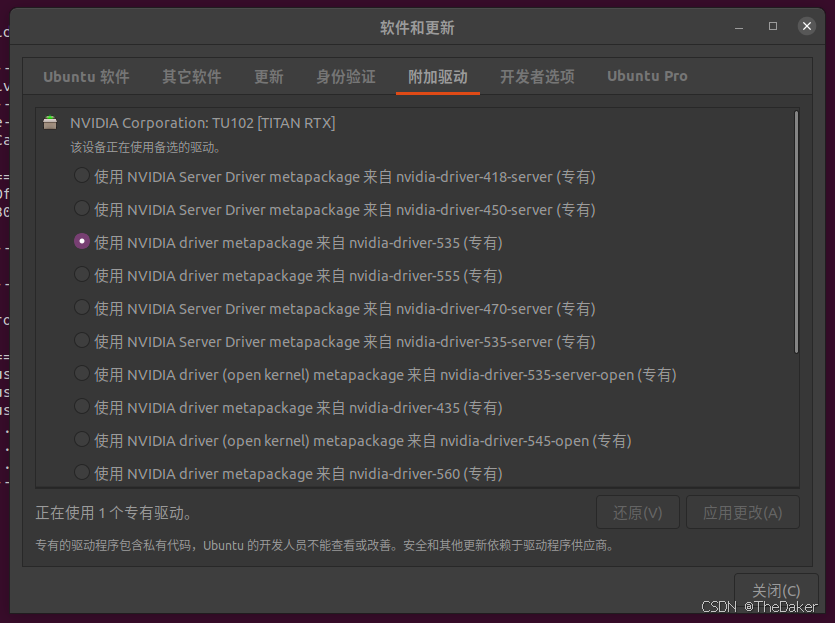
2、终端命令行安装(简单、可视化安装进度)
ubuntu-drivers devices    # 检测n卡的可选驱动
sudo apt install nvidia-driver-510  # 根据自己的n卡可选驱动下载显卡驱动
3、 验证成功安装
nvidia驱动成功更改
nvidia-smi+---------------------------------------------------------------------------------------+
| NVIDIA-SMI 535.183.01 Driver Version: 535.183.01 CUDA Version: 12.2 |
|-----------------------------------------+----------------------+----------------------+
| GPU Name Persistence-M | Bus-Id Disp.A | Volatile Uncorr. ECC |
| Fan Temp Perf Pwr:Usage/Cap | Memory-Usage | GPU-Util Compute M. |
| | | MIG M. |
|=========================================+======================+======================|
| 0 NVIDIA TITAN RTX Off | 00000000:01:00.0 On | N/A |
| 40% 37C P8 16W / 280W | 477MiB / 24576MiB | 15% Default |
| | | N/A |
+-----------------------------------------+----------------------+----------------------+
+---------------------------------------------------------------------------------------+
| Processes: |
| GPU GI CI PID Type Process name GPU Memory |
| ID ID Usage |
|=======================================================================================|
| 0 N/A N/A 1274 G /usr/lib/xorg/Xorg 59MiB |
| 0 N/A N/A 1624 G /usr/lib/xorg/Xorg 272MiB |
| 0 N/A N/A 1763 G /usr/bin/gnome-shell 106MiB |
| 0 N/A N/A 1957 G ...in/bin/sunloginclient --cmd=autorun 12MiB |
| 0 N/A N/A 2070 G ...) Chrome/58.0.3029.81 Safari/537.36 3MiB |
| 0 N/A N/A 2099 G ...en=820DAEB3A78500FA5E09F4F05D0ED176 3MiB |
+---------------------------------------------------------------------------------------+
carla成功运行
(base) sunbs@darker:~/carla_0.9.14$ ./CarlaUE4.sh
4.26.2-0+++UE4+Release-4.26 522 0
Disabling core dumps.
补充:nvidia-smi不显示
重启电脑即可
Failed to initialize NVML: Driver/library version mismatch
NVML library version: 535.183
腾讯云面向开发者汇聚海量精品云计算使用和开发经验,营造开放的云计算技术生态圈。
更多推荐
 13
13 0
0- 0


 已为社区贡献2条内容

所有评论(0)