使用gitlab拉取项目代码
·
部署gitlab
官网地址:el/7/gitlab-ce-17.3.6-ce.0.el7.x86_64.rpm - gitlab/gitlab-ce · packages.gitlab.com
#安装依赖
[root@pro-ex ~]# yum install -y curl policycoreutils-python openssh-server perl
[root@pro-ex ~]# yum install -y gitlab-ce-17.3.6-ce.0.el7.x86_64.rpm
配置gitlab
[root@pro-ex test4]# cd /etc/gitlab/
[root@pro-ex gitlab]# vim gitlab.rb
#添加本机ip地址
external_url 'http://192.168.58.199'
#执行以下命令使其生效
[root@pro-ex gitlab]# gitlab-ctl reconfigure
登录gitlab
查看原始密码,用户名为root
[root@pro-ex gitlab]# cat /etc/gitlab/initial_root_password
# WARNING: This value is valid only in the following conditions
#          1. If provided manually (either via `GITLAB_ROOT_PASSWORD` environment variable or via `gitlab_rails['initial_root_password']` setting in `gitlab.rb`, it was provided before database was seeded for the first time (usually, the first reconfigure run).
#          2. Password hasn't been changed manually, either via UI or via command line.
#
#          If the password shown here doesn't work, you must reset the admin password following https://docs.gitlab.com/ee/security/reset_user_password.html#reset-your-root-password.

Password: 9sRy8E6Ariqhfkswmad/QJZ2OeWe5BHMYe/W6pSQabQ=

# NOTE: This file will be automatically deleted in the first reconfigure run after 24 hours.
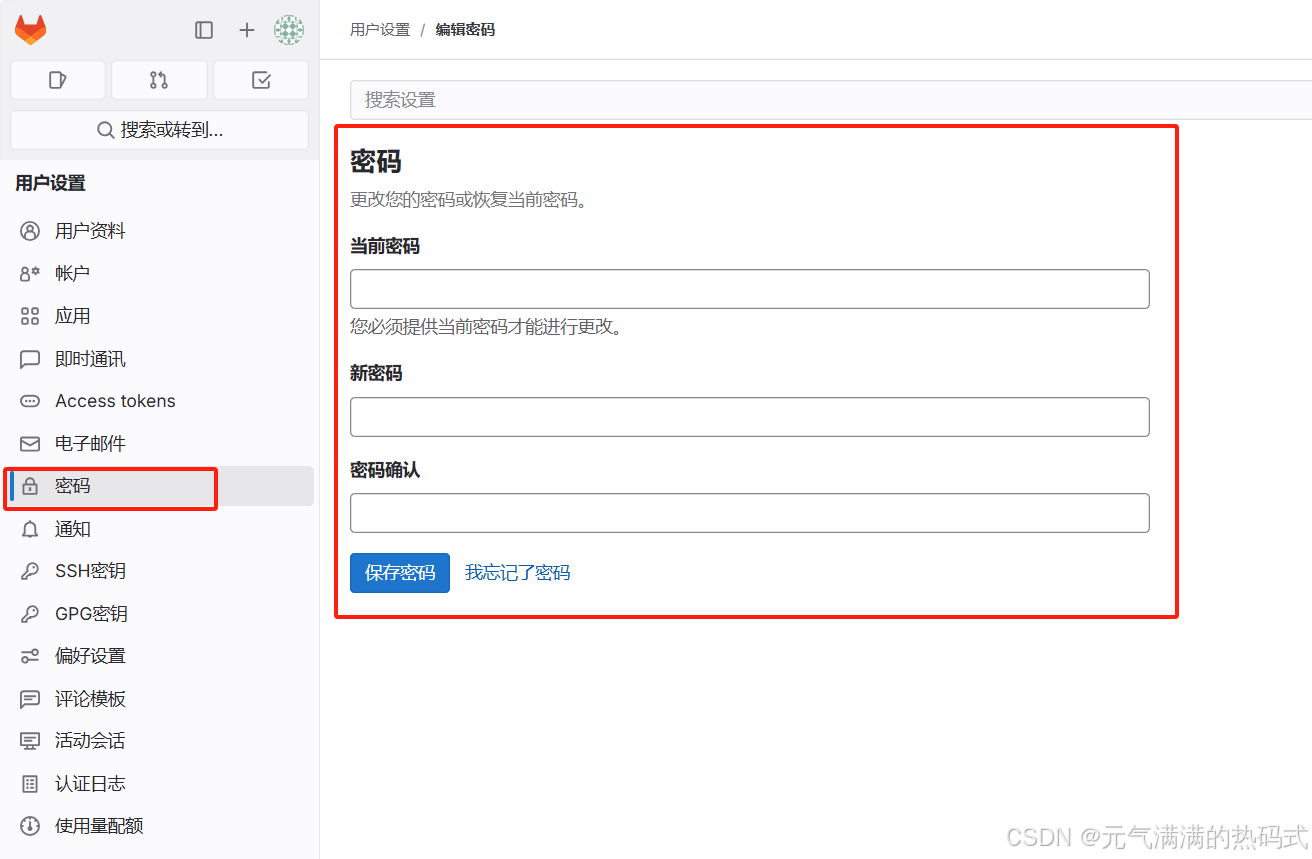
修改新密码
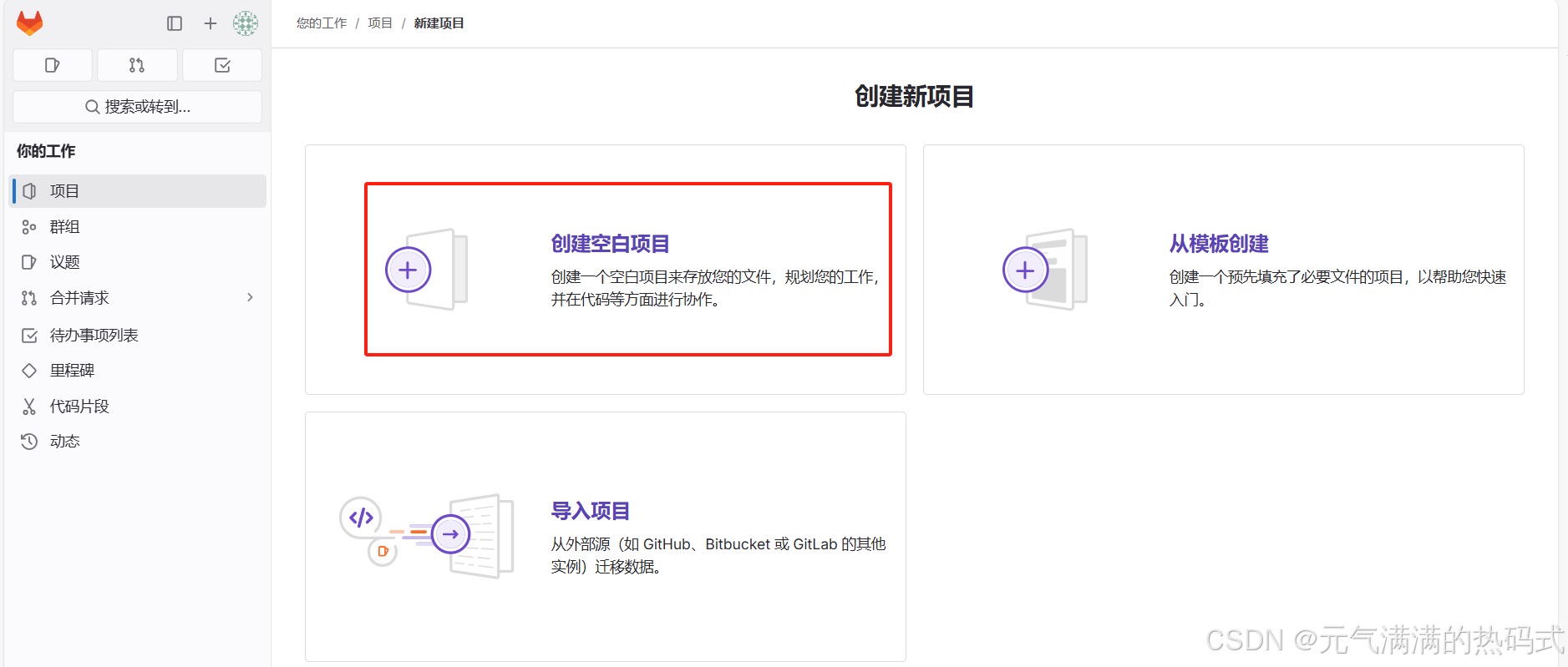
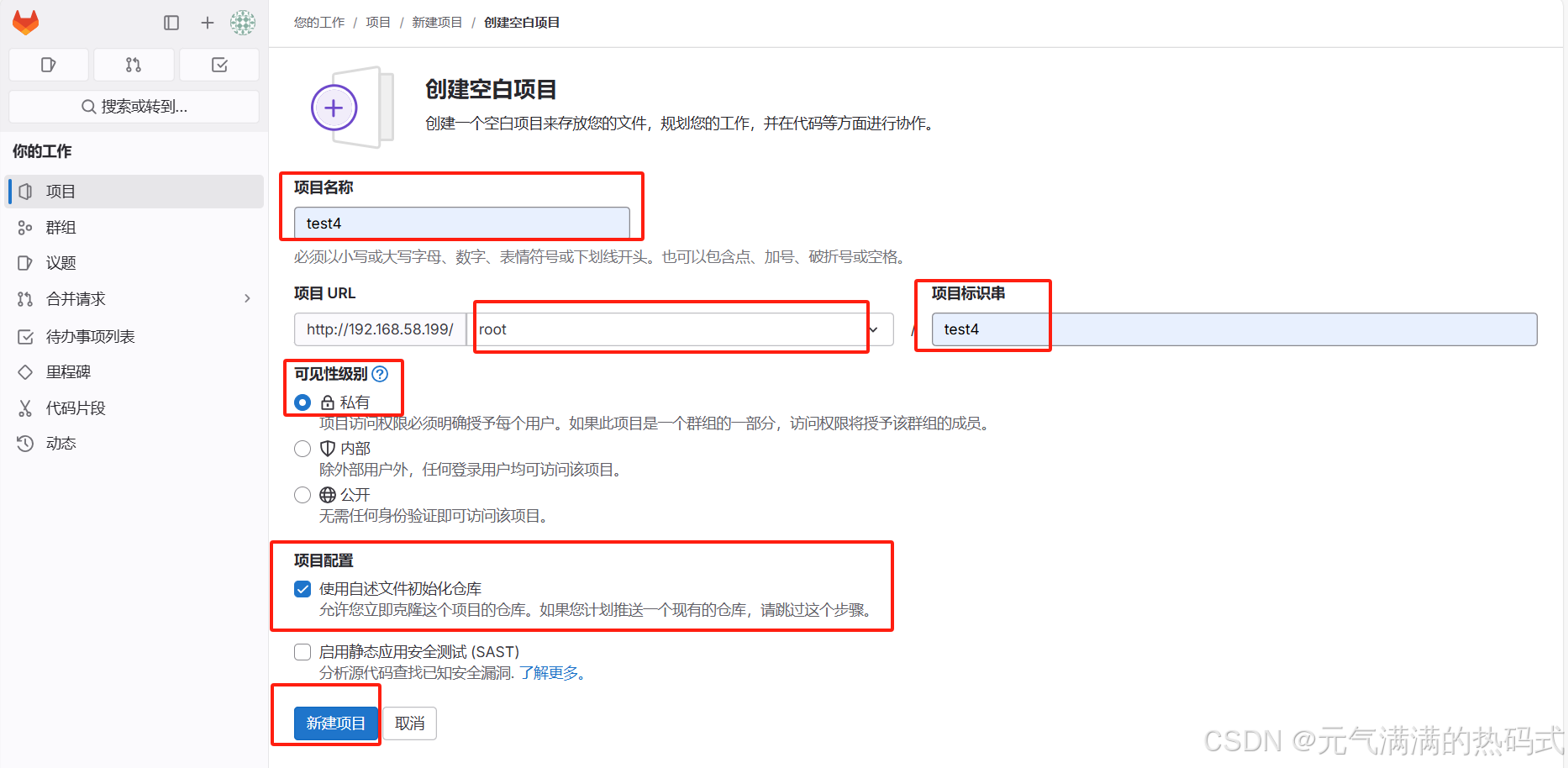
在gitlab中新建项目
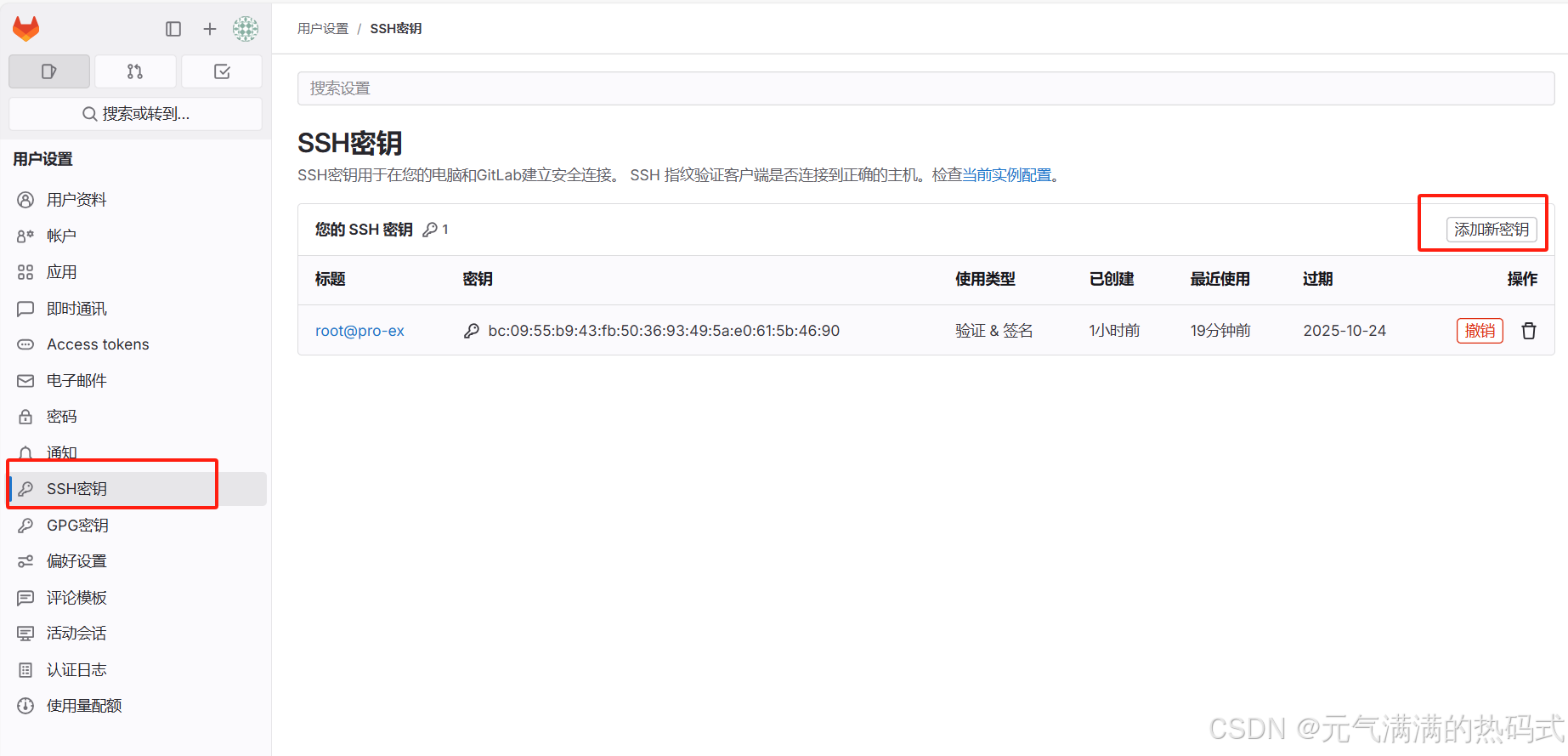
添加ssh密钥
[root@pro-ex gitlab]# ssh-keygen
Generating public/private rsa key pair.
Enter file in which to save the key (/root/.ssh/id_rsa):
/root/.ssh/id_rsa already exists.
Overwrite (y/n)?


[root@pro-ex ~]# cat .ssh/id_rsa.pub
ssh-rsa M1bebVMiw/vCCRVHRIHgjw/bd2Q31q8p4v9BqK8O8+W3k8bK9VSHYw6XdFBoV9+MPbkPlXcO/XK1Y5J/GXFMkWHP4abKOe0DvAxzOzDyKIo4yeAqiCO0oYpKeOlQN6uuxuPzh16hPDsyuOmcMdHbXhCaJzx2/5v3lZo1n4gqjel/vpX8Y4WuxIE4Rk7KGChAoO5O/0SHnEZ6fw72ZeYIePZFDjgkC+d2bUyGFRKNNWZuwR2+qvuTJFAMHh+j+7NGPB50D1YfP root@pro-ex
将获取的密钥填入到方框中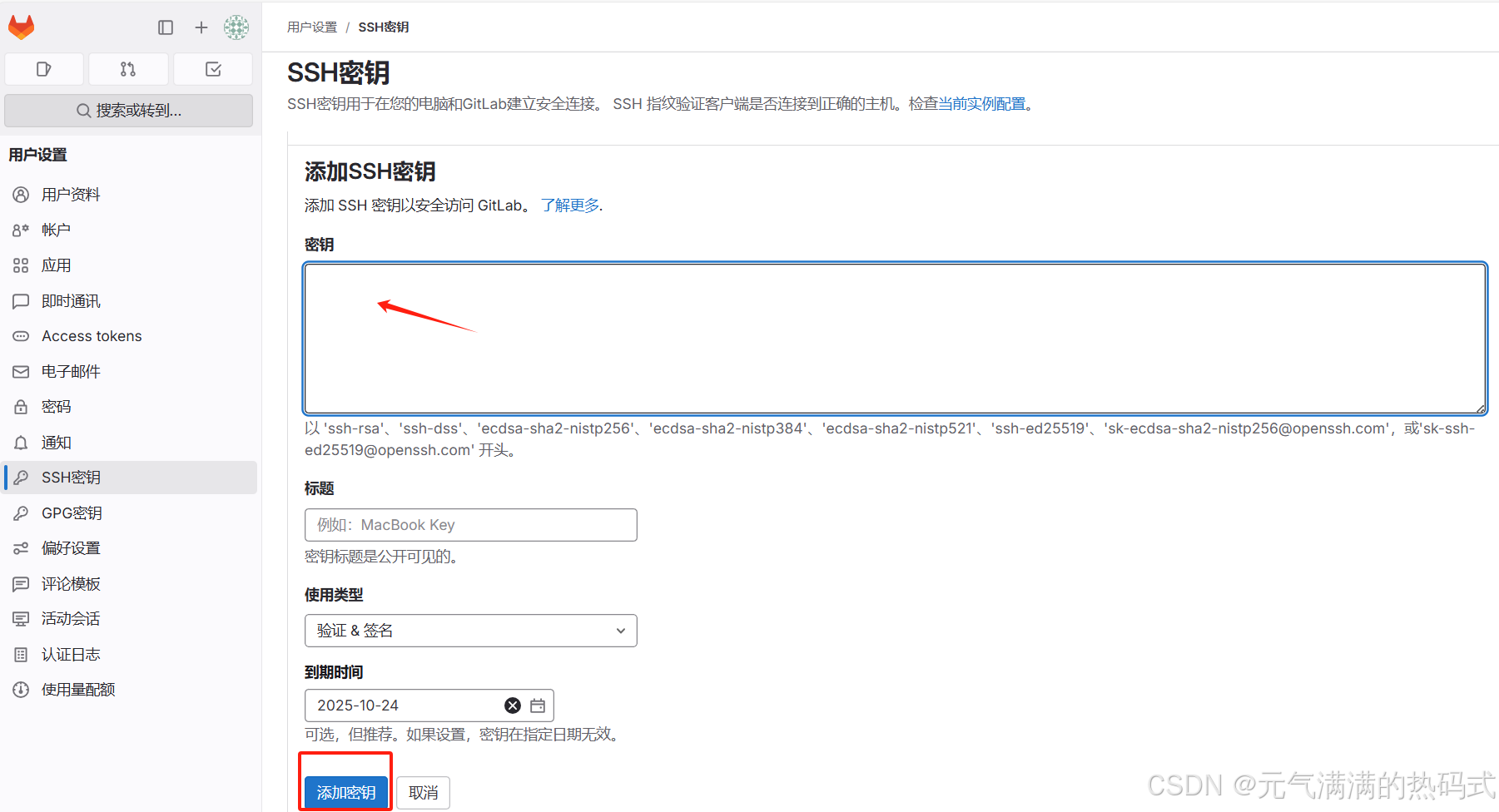
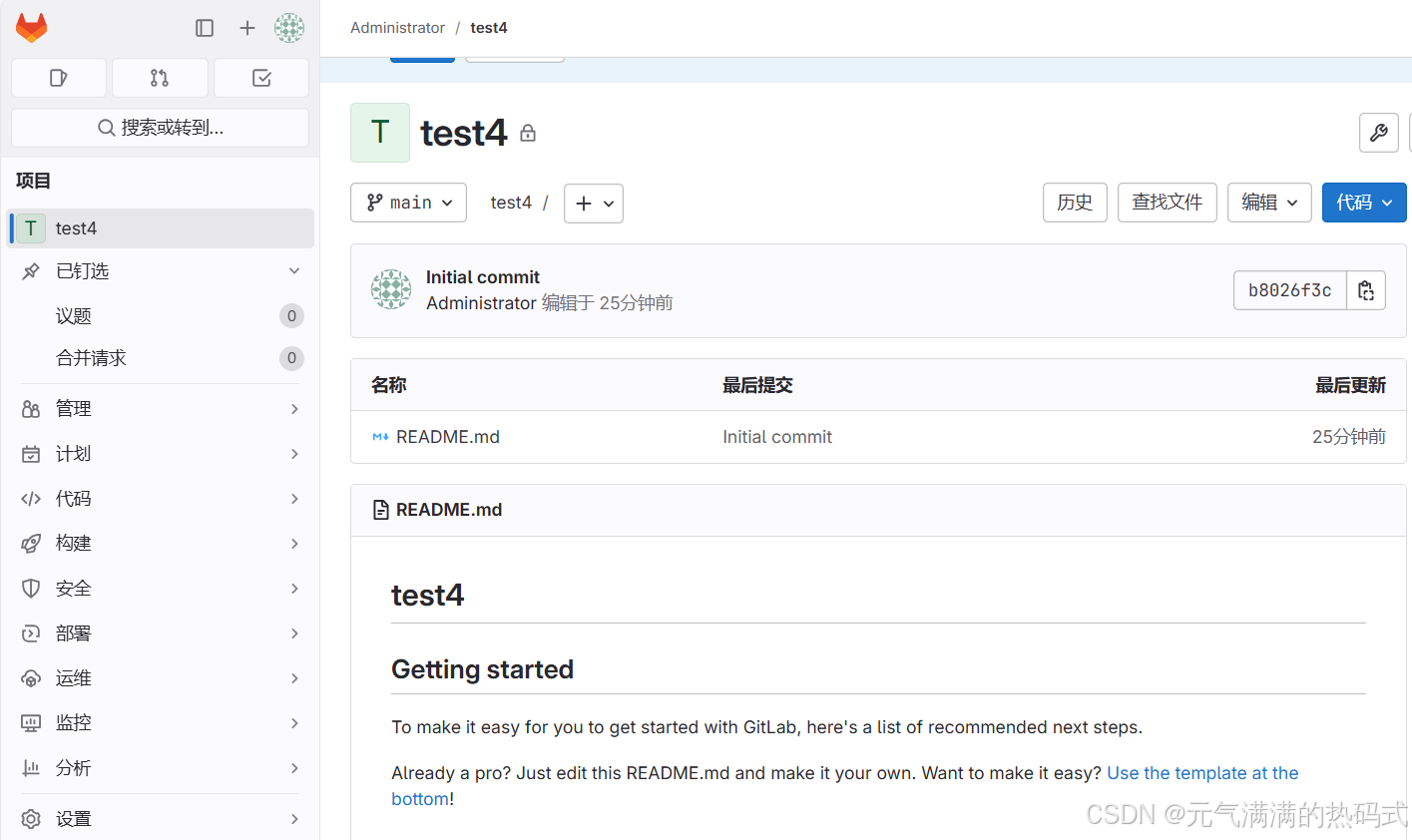
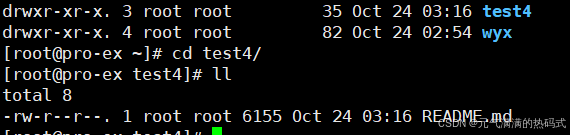
使用克隆命令将代码传输到机器上
[root@pro-ex ~]# git clone git@192.168.58.199:root/test4.git
Cloning into 'test4'...
remote: Enumerating objects: 3, done.
remote: Counting objects: 100% (3/3), done.
remote: Compressing objects: 100% (2/2), done.
remote: Total 3 (delta 0), reused 0 (delta 0), pack-reused 0 (from 0)
Receiving objects: 100% (3/3), done.

腾讯云面向开发者汇聚海量精品云计算使用和开发经验,营造开放的云计算技术生态圈。
更多推荐
 3
3 0
0- 0


 已为社区贡献7条内容

所有评论(0)