快速构建spring boot项目——入门Demo_springboot 入门项目demo
<build>
	<plugins>
		<plugin>
			<groupId>org.springframework.boot</groupId>
			<artifactId>spring-boot-maven-plugin</artifactId>
		</plugin>
	</plugins>
</build>
2.User.java
package com.panhai.SpringbootMybatis.Domain;
import java.util.Date;
import org.springframework.stereotype.Component;
@Component
public class User {
private String username;
private Date birthday;

private Integer id;

private String sex;

private String address;

private String password;

public String getUsername() {
    return username;
}

public void setUsername(String username) {
    this.username = username == null ? null : username.trim();
}

public Date getBirthday() {
    return birthday;
}

public void setBirthday(Date birthday) {
    this.birthday = birthday;
}

public Integer getId() {
    return id;
}

public void setId(Integer id) {
    this.id = id;
}

public String getSex() {
    return sex;
}

public void setSex(String sex) {
    this.sex = sex == null ? null : sex.trim();
}

public String getAddress() {
    return address;
}

public void setAddress(String address) {
    this.address = address == null ? null : address.trim();
}

public String getPassword() {
    return password;
}

public void setPassword(String password) {
    this.password = password == null ? null : password.trim();
}
}
3.UserMapper.java
package com.panhai.SpringbootMybatis.Dao;
import com.panhai.SpringbootMybatis.Domain.User;
public interface UserMapper {
int insert(User record);
int insertSelective(User record);
User checkLogin(User user);
}
4.UserService.java
package com.panhai.SpringbootMybatis.Service;
import com.panhai.SpringbootMybatis.Domain.User;
public interface UserService {
public User checkLogin(User user);
}
5.UserServiceImpl.java
package com.panhai.SpringbootMybatis.Service.ServiceImpl;
import org.springframework.beans.factory.annotation.Autowired;
import org.springframework.stereotype.Service;
import com.panhai.SpringbootMybatis.Dao.UserMapper;
import com.panhai.SpringbootMybatis.Domain.User;
import com.panhai.SpringbootMybatis.Service.UserService;
@Service
public class UserServiceImpl implements UserService{
@Autowired
private UserMapper userMapper;
public User checkLogin(User user) {
	// TODO Auto-generated method stub
	return userMapper.checkLogin(user);
}
}
6. UserMapper.XML
<resultMap id="BaseResultMap" type="com.panhai.SpringbootMybatis.Domain.User" >
    <result column="username" property="username" jdbcType="VARCHAR" />
    <result column="birthday" property="birthday" jdbcType="DATE" />
    <result column="id" property="id" jdbcType="INTEGER" />
    <result column="sex" property="sex" jdbcType="VARCHAR" />
    <result column="address" property="address" jdbcType="VARCHAR" />
    <result column="password" property="password" jdbcType="VARCHAR" />
</resultMap>

<insert id="insert" parameterType="com.panhai.SpringbootMybatis.Domain.User" >
    insert into user (username, birthday, id,
        sex, address, password
        )
    values (#{username,jdbcType=VARCHAR}, #{birthday,jdbcType=DATE}, #{id,jdbcType=INTEGER},
        #{sex,jdbcType=VARCHAR}, #{address,jdbcType=VARCHAR}, #{password,jdbcType=VARCHAR}
        )
</insert>

<insert id="insertSelective" parameterType="com.panhai.SpringbootMybatis.Domain.User" >
    insert into user
    <trim prefix="(" suffix=")" suffixOverrides="," >
        <if test="username != null" >
            username,
        </if>
        <if test="birthday != null" >
            birthday,
        </if>
        <if test="id != null" >
            id,
        </if>
        <if test="sex != null" >
            sex,
        </if>
        <if test="address != null" >
            address,
        </if>
        <if test="password != null" >
            password,
        </if>
    </trim>
    <trim prefix="values (" suffix=")" suffixOverrides="," >
        <if test="username != null" >
            #{username,jdbcType=VARCHAR},
        </if>
        <if test="birthday != null" >
            #{birthday,jdbcType=DATE},
        </if>
        <if test="id != null" >
            #{id,jdbcType=INTEGER},
        </if>
        <if test="sex != null" >
            #{sex,jdbcType=VARCHAR},
        </if>
        <if test="address != null" >
            #{address,jdbcType=VARCHAR},
        </if>
        <if test="password != null" >
            #{password,jdbcType=VARCHAR},
        </if>
    </trim>
</insert>
<select id="checkLogin"    parameterType="com.panhai.SpringbootMybatis.Domain.User"   resultType="com.panhai.SpringbootMybatis.Domain.User"  >
select * from user where username=#{username}  and password=#{password}

</select>
7.application.properties
## 数据源配置
spring.datasource.url=jdbc:mysql://localhost:3306/test
spring.datasource.username=root
spring.datasource.password=1234
spring.datasource.driver-class-name=com.mysql.jdbc.Driver
spring.datasource.type=com.alibaba.druid.pool.DruidDataSource
## Mybatis 配置
mybatis.typeAliasesPackage=com.panhai.SpringbootMybatis.Domain
mybatis.mapperLocations=classpath:mapper/*.xml
8.## 数据源配置
spring.datasource.url=jdbc:mysql://localhost:3306/test
spring.datasource.username=root
spring.datasource.password=1234
spring.datasource.driver-class-name=com.mysql.jdbc.Driver
spring.datasource.type=com.alibaba.druid.pool.DruidDataSource
Mybatis 配置
mybatis.typeAliasesPackage=com.panhai.SpringbootMybatis.Domain
mybatis.mapperLocations=classpath:mapper/*.xml
9.SpringbootMybatisApplication.java
package com.panhai.SpringbootMybatis;

import org.mybatis.spring.annotation.MapperScan;
import org.springframework.boot.SpringApplication;
import org.springframework.boot.autoconfigure.SpringBootApplication;

@SpringBootApplication
@MapperScan(basePackages = "com.panhai.SpringbootMybatis.Dao")
public class SpringbootMybatisApplication {

	public static void main(String[] args) {
		SpringApplication.run(SpringbootMybatisApplication.class, args);
	}
}
10.login.html
 <!DOCTYPE html>
<html xmlns="http://www.w3.org/1999/xhtml">
<head>
<script
 src="http://code.jquery.com/jquery-latest.js"></script>
<meta charset="utf-8" />
<title>用户登录系统</title><base target="_blank" />
<style>
*{
padding:0px;
margin:0px;
}
a{color:White}
body{
font-family:Arial, Helvetica, sans-serif;
background:url(http://keleyi.com/keleyi/phtml/divcss/21/images/grass.jpg) no-repeat center;
font-size:13px;
}
img{
border:0;
}
.lg{width:468px; height:468px; margin:100px auto; background:url(http://keleyi.com/keleyi/phtml/divcss/21/images/login_bg.png) no-repeat;}
.lg_top{ height:200px; width:468px;}
.lg_main{width:400px; height:180px; margin:0 25px;}
.lg_m_1{
width:290px;
height:100px;
padding:60px 55px 20px 55px;
}
.ur{
height:37px;
border:0;
color:#666;
width:236px;
margin:4px 28px;
background:url(http://keleyi.com/keleyi/phtml/divcss/21/images/user.png) no-repeat;
padding-left:10px;
font-size:16pt;
font-family:Arial, Helvetica, sans-serif;
}
.pw{
height:37px;
border:0;
color:#666;
width:236px;
margin:4px 28px;
background:url(http://keleyi.com/keleyi/phtml/divcss/21/images/password.png) no-repeat;
padding-left:10px;
font-size:16pt;
font-family:Arial, Helvetica, sans-serif;
}
.bn{width:330px; height:72px; background:url(http://keleyi.com/keleyi/phtml/divcss/21/images/enter.png) no-repeat; border:0; display:block; font-size:18px; color:#FFF; font-family:Arial, Helvetica, sans-serif; font-weight:bolder;}
.lg_foot{
height:80px;
width:330px;
padding: 6px 68px 0 68px;
}
</style>
</head>

<body class="b">
<div class="lg">
<form action="#" method="POST">
<div class="lg_top"></div>
<div class="lg_main">
<div class="lg_m_1">

<input name="username"  id="username"  class="ur" />
<input name="password"   id="password"   type="password"  class="pw" />

</div>
</div>
<div class="lg_foot">
<input type="button" value="点这里登录" class="bn"  id="bn"  /></div>
</form>
</div>
<div style="text-align:center;">
<p><a href="http://keleyi.com/">首页</a> <a href="http://keleyi.com/keleyi/phtml/">特效库</a> <a href="http://keleyi.com/a/bjae/6asac24d.htm">原文</a></p>
</div>
</body>
<script type="text/javascript">

$("#bn").click(function(){
	var username=$("#username").val();
	var password=$("#password").val();
	console.log(username);
	console.log(password);
	var error="";
	 if (username.length=="") {
			error+="用户名不能为空";
			error+="\n";

		}
	 if (password.length=="") {
	    	error+="密码不能为空";
	    	error+="\n";
	    	}
	 if (error!="") {
			alert(error);
			}
	 else{
		  /* debugger */
			$.ajax({
				type:'POST',
				/* dataType:'json', */
				dataType:'json',
				url:'http://localhost:8080/panhai/login',
				contentType:'application/json;charset=UTF-8',

				data:JSON.stringify({"username":username,"password":password}),

				success:function(data){//返回json结果

					//username==data.username&&password==data.password
					if(username==data.username&&password==data.password){
						//alert("用户名密码错误");//JSON.stringify(data)
						window.location.href="success.html?username="+data.username;
						//data.username
					}

					 else {
						//debugger;
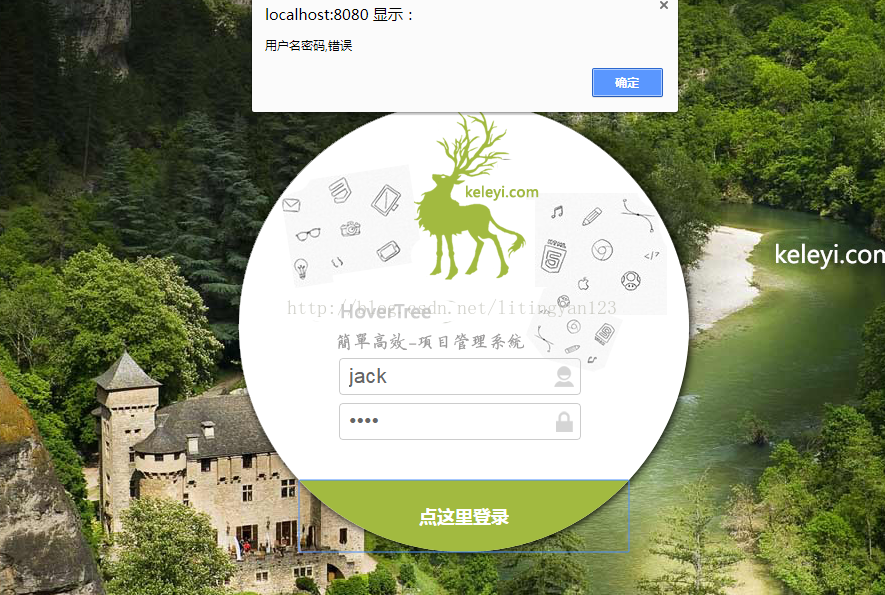
						alert("用户名密码,错误");
					}

				}


			});

			/* console.log({"username":username,"password":password}); */


	}


});

</script>


</html>
11.success.html
<!DOCTYPE html>
<html>
<head>
<script
 src="http://code.jquery.com/jquery-latest.js"></script>
<meta charset="UTF-8">
<title>Insert title here</title>
</head>
<body>
成功登陆

<marquee direction="left" behavior="alternate"><span id="name"></span> ,磐海数据欢迎您!
        </marquee>
</body>
 <script type="text/javascript">

$(function(){

	 var url=window.location.href;
	var records=url.split("=");

	        //var obj=eval('(' + records[1] + ')');
	 document.getElementById("name").innerHTML= records[1];;
	 //          $("#name").html(obj.username) ;

	          // console.log(records);
	          // alert( records[1]);
	           }

	)


</script>
<!-- <script type="text/javascript">
	$(function(){
		$.ajax({
			type:'GET',
			/* dataType:'json', */
			dataType:'text',
			url:'http://localhost:8080/panhai/d',
			contentType:'application/json;charset=UTF-8',

			/* data:JSON.stringify({"username":username,"password":password}), */

			success:function(data){//返回json结果

			alert(data);

			}


		});
	})
</script> -->
</html>
第三步
3.1 登录页面展示:
3.2 成功页面展示:
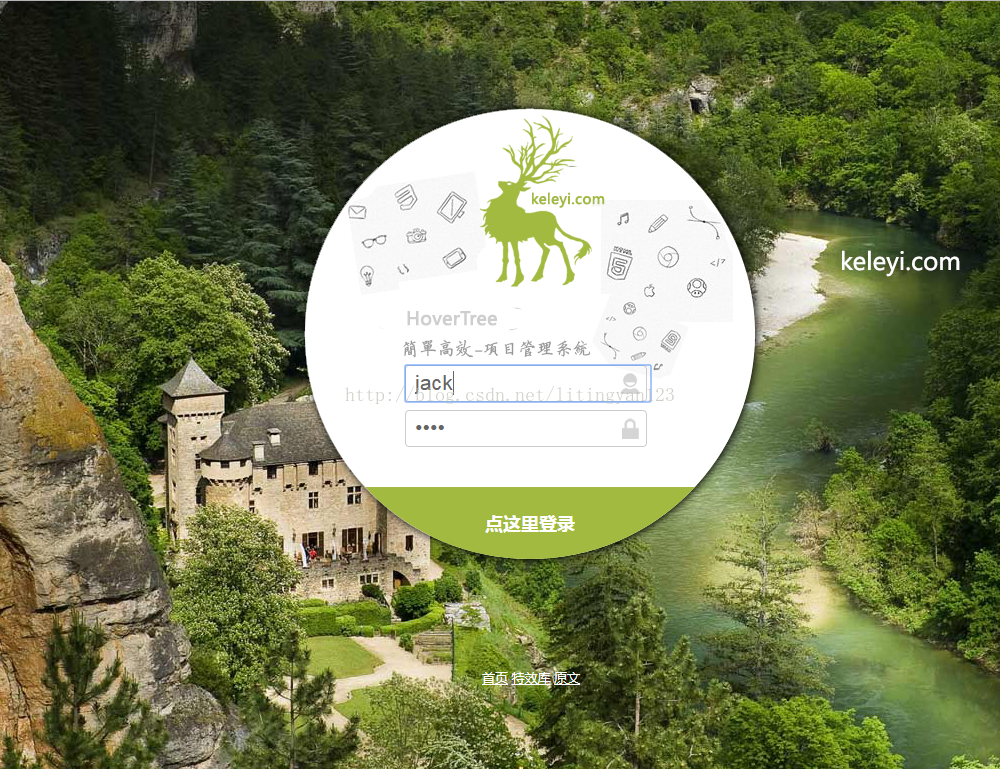

3.3 错误信息提示:

腾讯云面向开发者汇聚海量精品云计算使用和开发经验,营造开放的云计算技术生态圈。
更多推荐
 19
19 0
0- 0


 已为社区贡献3条内容

所有评论(0)