tianai-captcha行为验证码的工具 (旋转、滑动、文字点选、图标、语序验证码等)
🍓 简介:java系列技术分享(👉持续更新中…🔥)
🍓 初衷:一起学习、一起进步、坚持不懈
🍓 如果文章内容有误与您的想法不一致,欢迎大家在评论区指正🙏
🍓 希望这篇文章对你有所帮助,欢迎点赞 👍 收藏 ⭐留言 📝🍓 更多文章请点击

文章目录

一、什么是tianai
tianai-captcha(简称tac)是一款在开源界备受推崇的行为验证码工具。
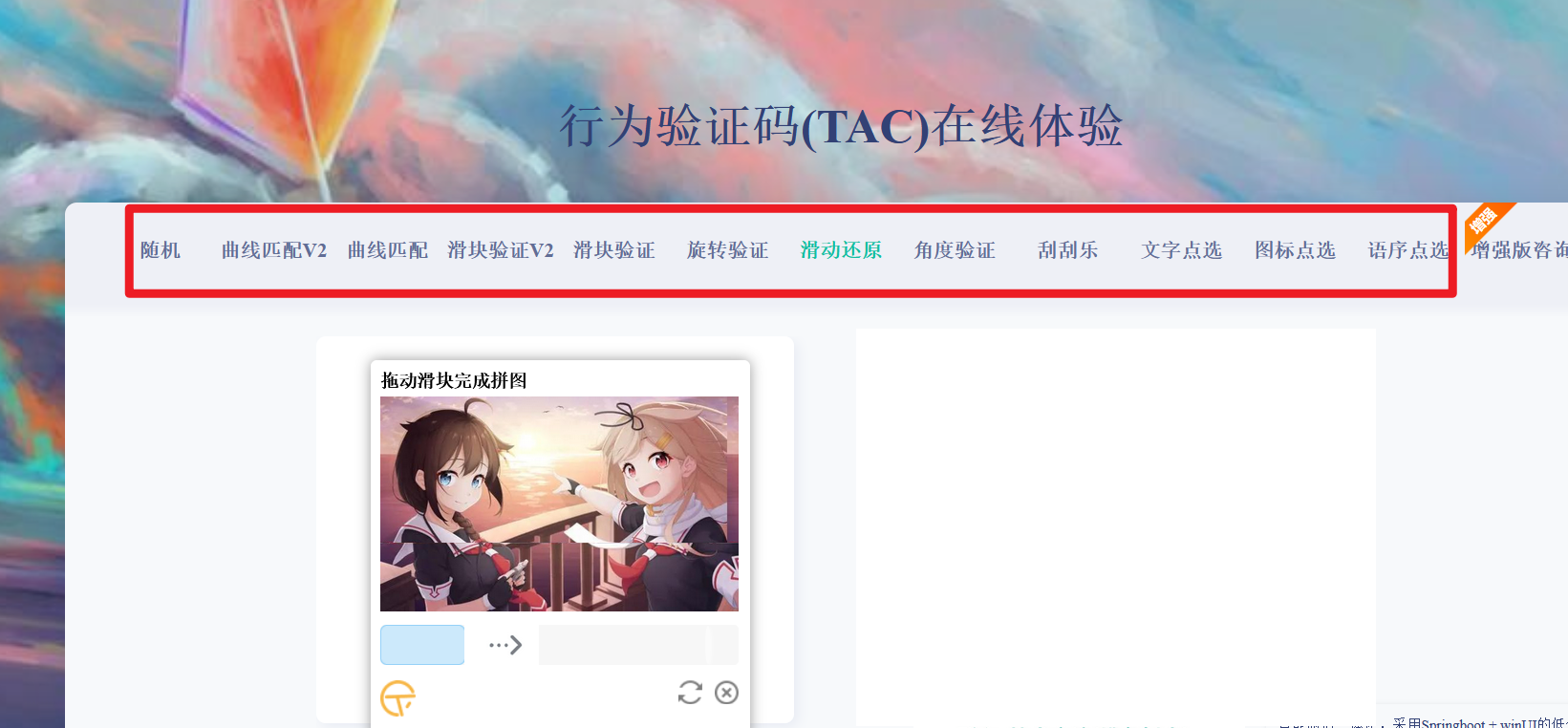
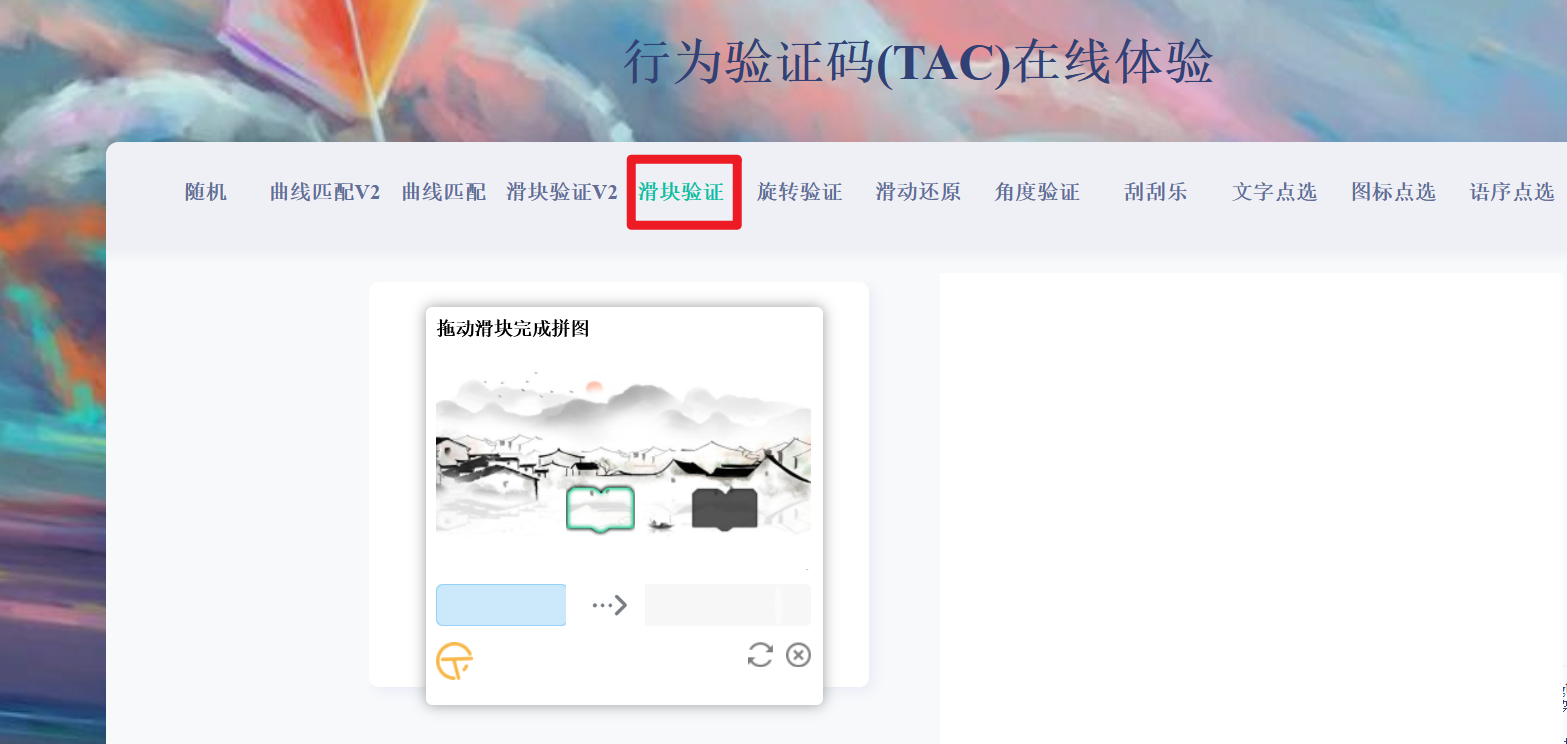
tianai-captcha的功能展示包括但不限于以下几种验证码类型:
滑块验证码:用户需要拖动滑块到指定位置以完成验证。旋转验证码:用户需要旋转图片到正确角度以完成验证。滑动还原验证码:用户需要将分割的图片块滑动到正确位置以还原图片。文字点选验证码:用户需要从给出的文字选项中选择正确的文字以完成验证。图标验证码:用户需要识别并点击正确的图标以完成验证。语序验证码:用户需要将给出的文字或句子按照正确的顺序排列以完成验证。
行为验证码(TAC)在线体验: : https://captcha.tianai.cloud/
二、结构
-
生成器 (ImageCaptchaGenerator)
主要负责生成行为验证码所需的图片。 -
校验器 (ImageCaptchaValidator)
主要负责校验用户滑动的行为轨迹是否合规。 -
资源管理器 (ImageCaptchaResourceManager)
主要负责读取验证码背景图片和模板图片等。-
资源存储 (ResourceStore)
负责存储背景图和模板图。 -
资源提供者 (ResourceProvider)
负责将资源存储器中对应的资源转换为文件流。一般资源存储器中存储的是图片的 URL 地址或 ID,资源提供者则负责将 URL 或其他 ID 转换为真正的图片文件。
-
-
图片转换器 (ImageTransform)
主要负责将图片文件流转换成字符串类型,可以是 Base64 格式、URL 或其他加密格式,默认实现为 Base64 格式。
三、 滑动验证码开发使用
3.1 引入依赖
<!--滑动验证码-->
        <dependency>
            <groupId>cloud.tianai.captcha</groupId>
            <artifactId>tianai-captcha</artifactId>
            <version>1.4.1</version>
        </dependency>
3.2 代码开发
3.2.1 Controller
@RestController
@Slf4j
public class WebSliderCodeController {

    @Autowired
    private WebSliderCodeService webSliderCodeService;


    @PostMapping("slider/get/slidingVerificationCode")
    @ApiOperation(value = "获取滑动验证码", notes = "获取滑动验证码")
    public Result<SlidingVerificationCodeBO> getSlidingVerificationCode(@RequestBody @Validated SlidingVerificationCodeDTO dto) {
        SlidingVerificationCodeBO result = webSliderCodeService.getSlidingVerificationCode(dto.getType());
        return new Result<>(result);
    }


    @PostMapping("slider/check/slidingVerificationCode")
    @ApiOperation(value = "检查验证滑动验证码", notes = "检查验证滑动验证码")
    public Result<Boolean> checkSlidingVerificationCode(@RequestBody @Validated CheckSlidingVerificationCodeDTO dto) {
        Boolean result = webSliderCodeService.checkSlidingVerificationCode(dto.getOnlyKey(), dto.getPercentage());
        return new Result<>(result);
    }

}
3.2.2 DTO
@Data
@AllArgsConstructor
@NoArgsConstructor
public class SlidingVerificationCodeDTO {

    @ApiModelProperty(value = "获取验证码类型,滑动验证码为:SLIDER")
    @NotBlank(message = "获取验证码类型不能为空")
    private String type;
}
@Data
@AllArgsConstructor
@NoArgsConstructor
public class CheckSlidingVerificationCodeDTO {

    @ApiModelProperty(value = "滑块到凹槽的百分比值")
    @NotNull(message = "滑块到凹槽的百分比值不能为空")
    private Float percentage;

    @ApiModelProperty(value = "唯一Key")
    @NotBlank(message = "唯一Key不能为空")
    private String onlyKey;
}
3.2.3 VO
@Data
@AllArgsConstructor
@NoArgsConstructor
public class SlidingVerificationCodeBO {
    @ApiModelProperty(value = "背景图base64")
    private String backgroundImage;
    @ApiModelProperty(value = "模板图base64")
    private String templateImage;
    @ApiModelProperty(value = "唯一Key")
    private String onlyKey;
}
3.2.4 Service
public interface WebSliderCodeService {
    SlidingVerificationCodeBO getSlidingVerificationCode(String type);

    Boolean checkSlidingVerificationCode(String onlyKey, Float percentage);
}
3.2.5 ServiceImpl
@Slf4j
@Service
public class WebSliderCodeServiceImpl implements WebSliderCodeService {
    @Autowired
    private RedisUtil redisUtil;
    private static ImageCaptchaGenerator imageCaptchaGenerator;


    @Override
    public SlidingVerificationCodeBO getSlidingVerificationCode(String type) {
        if (!"SLIDER".equals(type)) {
            throw new BizException(ErrorCodeEnum.PARAM_ERROR);
        }
        ImageCaptchaInfo imageCaptchaInfo = null;
        try {
            //初始化模版生成器
            initializeImageCaptchaGenerator();
            imageCaptchaInfo = imageCaptchaGenerator.generateCaptchaImage(GenerateParam.builder()
                    .type(CaptchaTypeConstant.SLIDER)
                    .templateFormatName("png")
                    .backgroundFormatName("jpeg")
                    // 生成具有混淆的 滑块验证码 (目前只有滑块验证码支持混淆滑块, 旋转验证,滑动还原,点选验证 均不支持混淆功能)
                    .obfuscate(false)
                    .build());
        } catch (Exception e) {
            throw new BizException(ErrorCodeEnum.FREQUENCY_LIMIT);
        }

        // 2.负责计算一些数据存到缓存中,用于校验使用
        // ImageCaptchaValidator负责校验用户滑动滑块是否正确和生成滑块的一些校验数据; 比如滑块到凹槽的百分比值
        ImageCaptchaValidator imageCaptchaValidator = new BasicCaptchaTrackValidator();
        // 这个map数据应该存到缓存中,校验的时候需要用到该数据
        Map<String, Object> map = imageCaptchaValidator.generateImageCaptchaValidData(imageCaptchaInfo);
        log.debug("校验结果:{}", map);
        float percentage = (float) map.get("percentage");
        log.debug("开始计算滑块到凹槽的百分比值:{}", percentage);

        //3.将唯一标识key和百分比值存入redis,有效期1分钟
        String onlyKey = genOnlyKey();
        redisUtil.set(getRedisKey(onlyKey), percentage, BusinessConstants.MIN_EX_TIME);

        SlidingVerificationCodeBO slidingVerificationCodeBO = new SlidingVerificationCodeBO();
        slidingVerificationCodeBO.setBackgroundImage(imageCaptchaInfo.getBackgroundImage());
        slidingVerificationCodeBO.setTemplateImage(imageCaptchaInfo.getTemplateImage());
        slidingVerificationCodeBO.setOnlyKey(onlyKey);
        return slidingVerificationCodeBO;
    }

    @Override
    public Boolean checkSlidingVerificationCode(String onlyKey, Float percentage) {
        if (percentage <= 0 || percentage >= 1) {
            throw new BizException(ErrorCodeEnum.PARAM_ERROR);
        }
        checkPercentage(onlyKey, percentage);
        return true;
    }

    /**
     * 检查唯一值是否有效
     *
     * @param onlyKey
     */
    public void checkPercentage(String onlyKey, Float percentageParam) {
        //验证key
        String redisKey = getRedisKey(onlyKey);
        Double percentageDouble = (Double) redisUtil.get(redisKey);
        if (Objects.isNull(percentageDouble)) {
            throw new BizException(ErrorCodeEnum.CAPTCHA_IS_EXPIRED);
        }
        float percentage = percentageDouble.floatValue();
        //验证百分比
        BasicCaptchaTrackValidator sliderCaptchaValidator = new BasicCaptchaTrackValidator();
        boolean check = sliderCaptchaValidator.checkPercentage(percentageParam, percentage);
        if (!check) {
            throw new BizException(ErrorCodeEnum.CHECK_HUMAN_MACHINE_VERIFICATION_ERROR);
        }
    }

    /**
     * 获取redisKey
     *
     * @return
     */
    public String getRedisKey(String onlyKey) {
        String redisKey = BusinessConstants.WEB_HUMAN_MACHINE_VERIFICATION_KEY + onlyKey;
        if (StringUtils.isBlank(redisKey)) {
            throw new BizException(ErrorCodeEnum.PARAM_ERROR);
        }
        return redisKey;
    }

    /**
     * 生成唯一标识
     *
     * @return
     */
    private String genOnlyKey() {

        String onlyKey = EncryptUtil.getGUID();
        //检查是否有相同的key
        if (redisUtil.hasKey(getRedisKey(onlyKey))) {
            genOnlyKey();
        }
        return onlyKey;
    }

    /**
     * 初始化模版生成器
     */
    public static void initializeImageCaptchaGenerator() {
        //1.生成滑动验证码 给前端返回背景图和模板图在唯一标识
        ImageCaptchaResourceManager imageCaptchaResourceManager = new DefaultImageCaptchaResourceManager();
        ImageTransform imageTransform = new Base64ImageTransform();
        imageCaptchaGenerator = new MultiImageCaptchaGenerator(imageCaptchaResourceManager, imageTransform).init(false);
        // 参数一: 真正实现 滑块的 SliderCaptchaGenerator
        // 参数二: 默认提前缓存多少个
        // 参数三: 出错后 等待xx时间再进行生成
        // 参数四: 检查时间间隔
//         imageCaptchaGenerator = new CacheImageCaptchaGenerator(new MultiImageCaptchaGenerator(imageCaptchaResourceManager, imageTransform), 20, 100, 100).init(false);
        // 通过资源管理器或者资源存储器设置对应的模板
        imageCaptchaResourceManager.setResourceStore(new MyResourceStore());
    }

}
3.2.5 设置对应的模板
负责模板和背景图存储的地方
@Component
public class MyResourceStore extends DefaultResourceStore {

    public MyResourceStore() {

        // 滑块验证码 模板 (系统内置)
        ResourceMap template1 = new ResourceMap("default", 4);
        template1.put(SliderCaptchaConstant.TEMPLATE_ACTIVE_IMAGE_NAME, new Resource(ClassPathResourceProvider.NAME, DEFAULT_SLIDER_IMAGE_TEMPLATE_PATH.concat("/1/active.png")));
        template1.put(SliderCaptchaConstant.TEMPLATE_FIXED_IMAGE_NAME, new Resource(ClassPathResourceProvider.NAME, DEFAULT_SLIDER_IMAGE_TEMPLATE_PATH.concat("/1/fixed.png")));
        ResourceMap template2 = new ResourceMap("default", 4);
        template2.put(SliderCaptchaConstant.TEMPLATE_ACTIVE_IMAGE_NAME, new Resource(ClassPathResourceProvider.NAME, DEFAULT_SLIDER_IMAGE_TEMPLATE_PATH.concat("/2/active.png")));
        template2.put(SliderCaptchaConstant.TEMPLATE_FIXED_IMAGE_NAME, new Resource(ClassPathResourceProvider.NAME, DEFAULT_SLIDER_IMAGE_TEMPLATE_PATH.concat("/2/fixed.png")));
        // 旋转验证码 模板 圆形 (系统内置)
        //ResourceMap template3 = new ResourceMap("default", 4);
        //template3.put(SliderCaptchaConstant.TEMPLATE_ACTIVE_IMAGE_NAME, new Resource(ClassPathResourceProvider.NAME, StandardSliderImageCaptchaGenerator.DEFAULT_SLIDER_IMAGE_TEMPLATE_PATH.concat("/3/active.png")));
        //template3.put(SliderCaptchaConstant.TEMPLATE_FIXED_IMAGE_NAME, new Resource(ClassPathResourceProvider.NAME, StandardSliderImageCaptchaGenerator.DEFAULT_SLIDER_IMAGE_TEMPLATE_PATH.concat("/3/fixed.png")));

        // 1. 添加一些模板
        addTemplate(CaptchaTypeConstant.SLIDER, template1);
        addTemplate(CaptchaTypeConstant.SLIDER, template2);
        //addTemplate(CaptchaTypeConstant.ROTATE, template3);
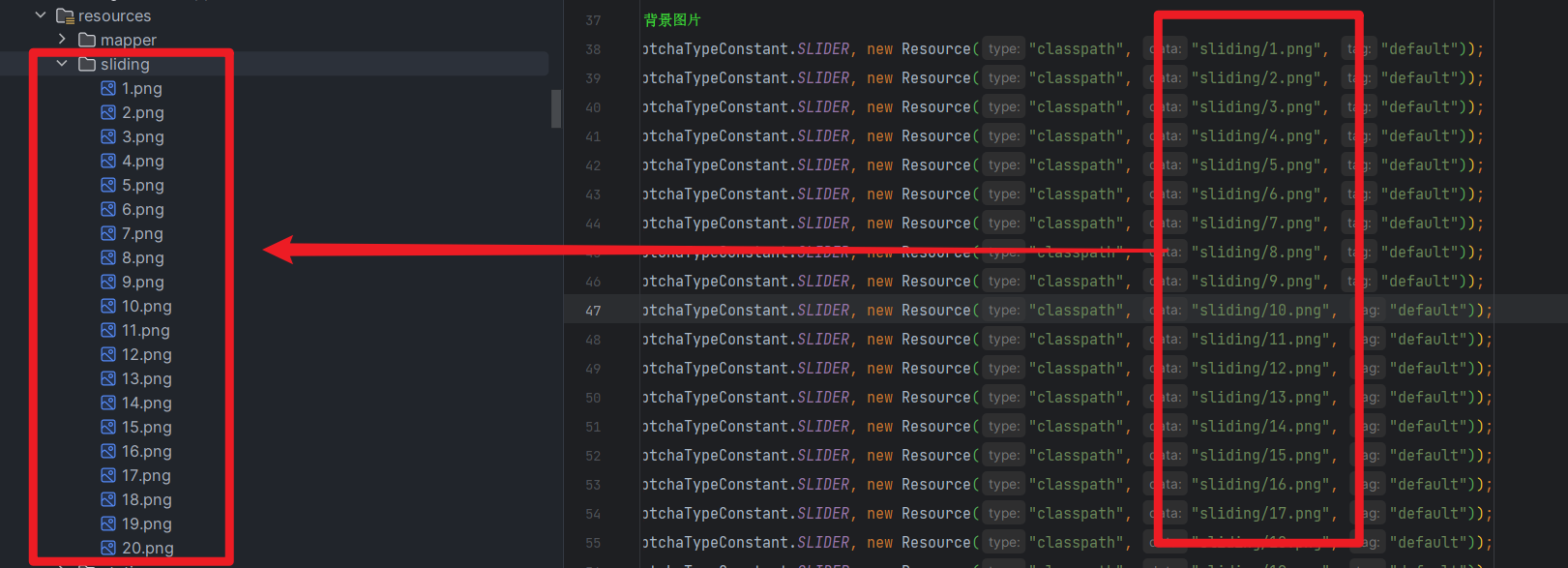
        // 2. 添加自定义背景图片
        addResource(CaptchaTypeConstant.SLIDER, new Resource("classpath", "sliding/1.png", "default"));
        addResource(CaptchaTypeConstant.SLIDER, new Resource("classpath", "sliding/2.png", "default"));
        addResource(CaptchaTypeConstant.SLIDER, new Resource("classpath", "sliding/3.png", "default"));
        addResource(CaptchaTypeConstant.SLIDER, new Resource("classpath", "sliding/4.png", "default"));
        addResource(CaptchaTypeConstant.SLIDER, new Resource("classpath", "sliding/5.png", "default"));
        addResource(CaptchaTypeConstant.SLIDER, new Resource("classpath", "sliding/6.png", "default"));
        addResource(CaptchaTypeConstant.SLIDER, new Resource("classpath", "sliding/7.png", "default"));
        addResource(CaptchaTypeConstant.SLIDER, new Resource("classpath", "sliding/8.png", "default"));
        addResource(CaptchaTypeConstant.SLIDER, new Resource("classpath", "sliding/9.png", "default"));
        addResource(CaptchaTypeConstant.SLIDER, new Resource("classpath", "sliding/10.png", "default"));
        addResource(CaptchaTypeConstant.SLIDER, new Resource("classpath", "sliding/11.png", "default"));
        addResource(CaptchaTypeConstant.SLIDER, new Resource("classpath", "sliding/12.png", "default"));
        addResource(CaptchaTypeConstant.SLIDER, new Resource("classpath", "sliding/13.png", "default"));
        addResource(CaptchaTypeConstant.SLIDER, new Resource("classpath", "sliding/14.png", "default"));
        addResource(CaptchaTypeConstant.SLIDER, new Resource("classpath", "sliding/15.png", "default"));
        addResource(CaptchaTypeConstant.SLIDER, new Resource("classpath", "sliding/16.png", "default"));
        addResource(CaptchaTypeConstant.SLIDER, new Resource("classpath", "sliding/17.png", "default"));
        addResource(CaptchaTypeConstant.SLIDER, new Resource("classpath", "sliding/18.png", "default"));
        addResource(CaptchaTypeConstant.SLIDER, new Resource("classpath", "sliding/19.png", "default"));
        addResource(CaptchaTypeConstant.SLIDER, new Resource("classpath", "sliding/20.png", "default"));
//        addResource(CaptchaTypeConstant.WORD_IMAGE_CLICK, new Resource("classpath", "bgimages/c.jpg","default"));
    }
}
图片文件自行下载和查找,没限制
3.3 代码测试
3.3.1 获取验证码
成功

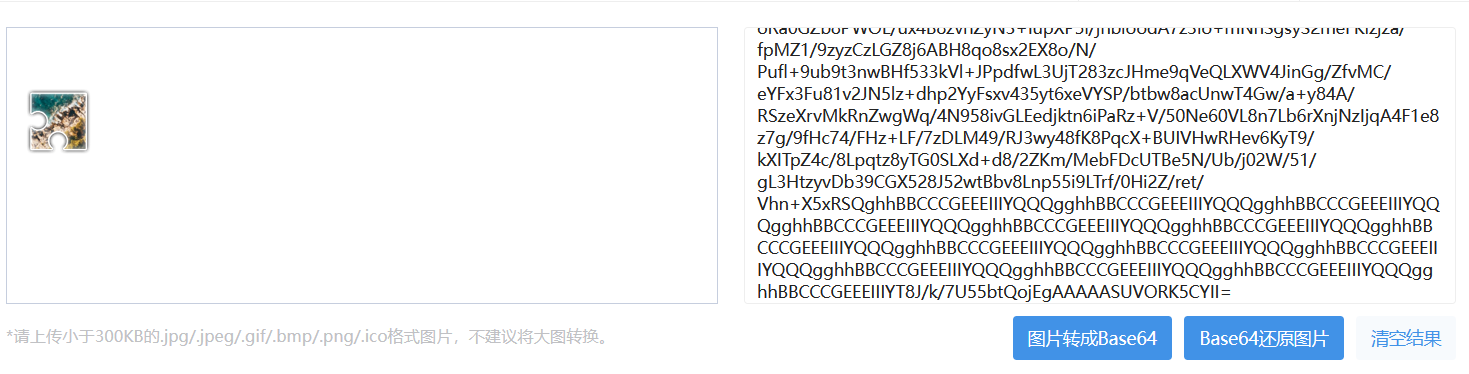
base64互转在线网站https://tool.chinaz.com/tools/imgtobase
背景图base64
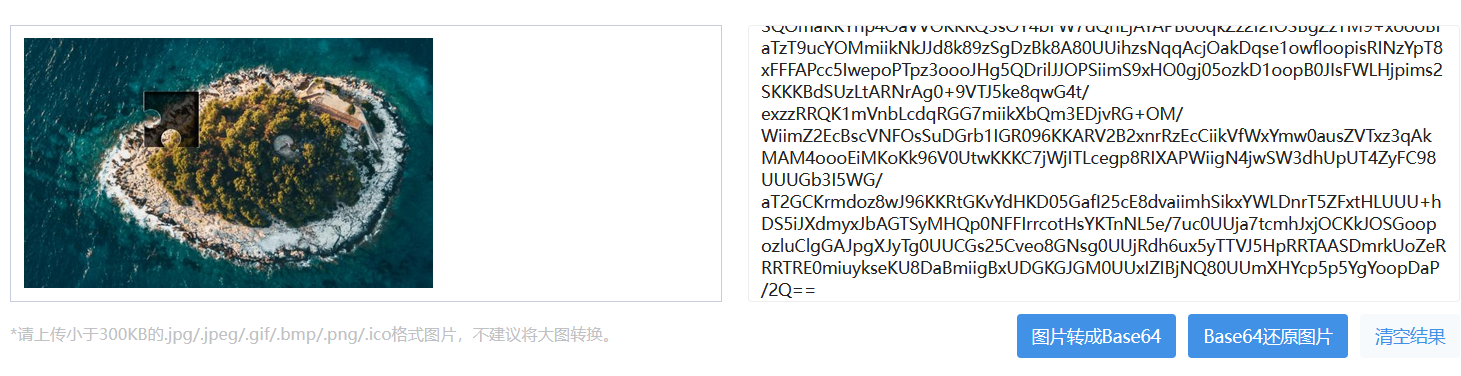
模板图base64
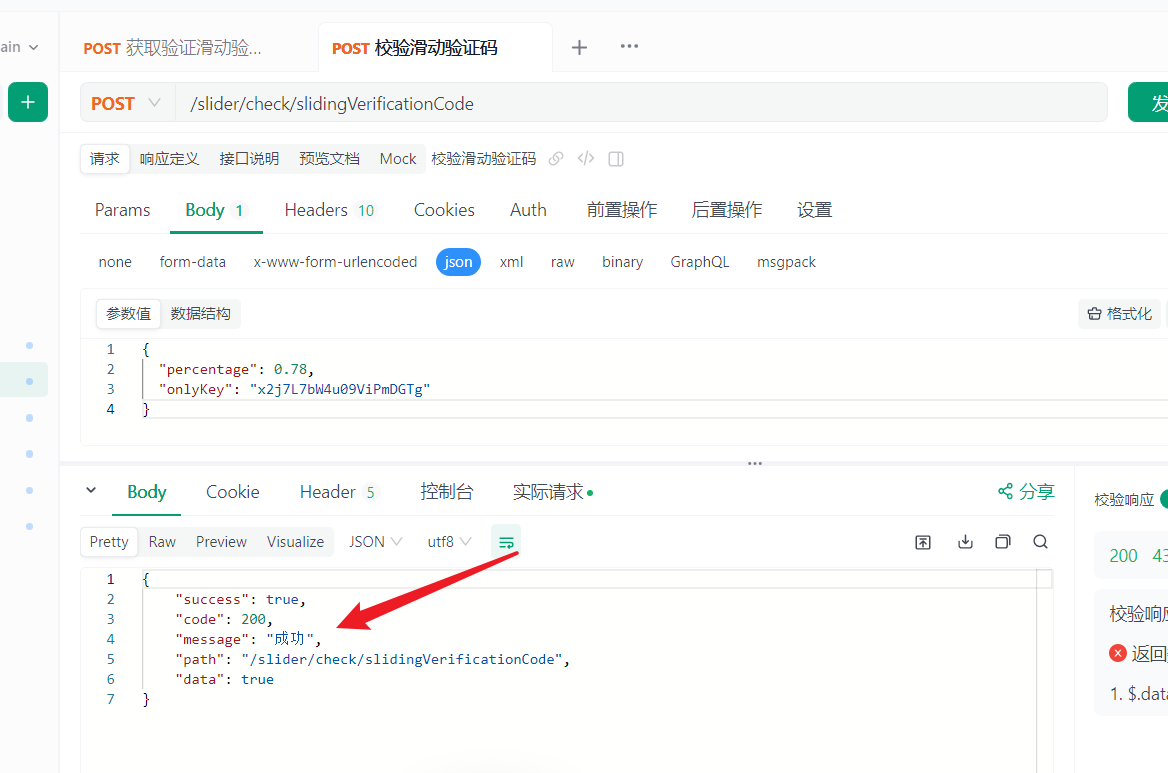
3.3.2 校验验证滑动验证码
成功
通过获取的唯一值和百分百进行校验
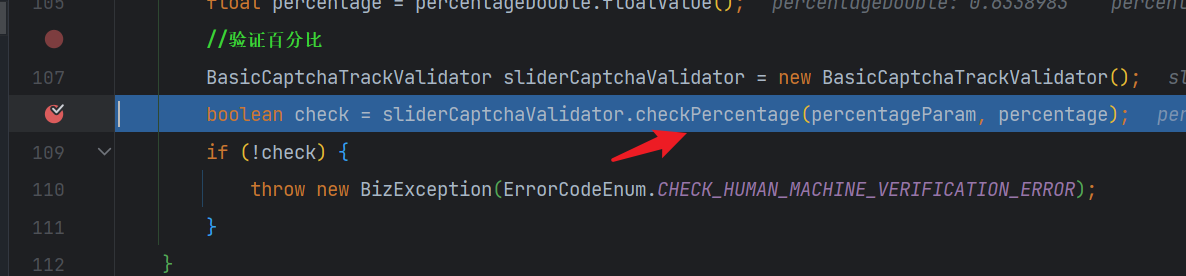
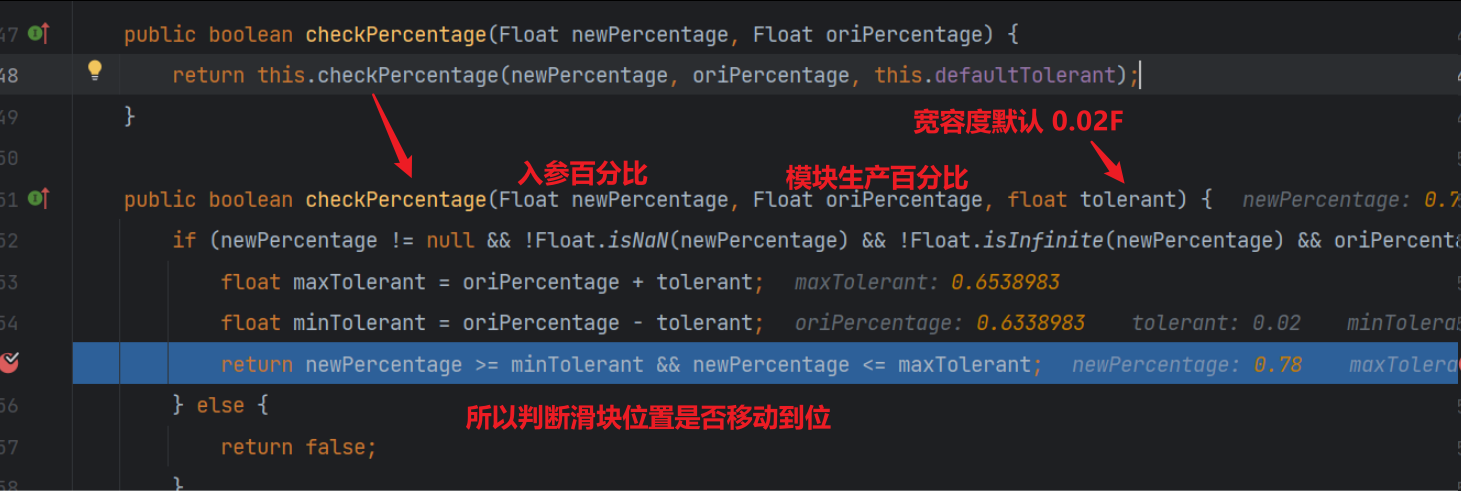
3.4 部分代码解读
获取验证码中,校验器 (ImageCaptchaValidator)获取该图片缺口位置的百分比

校验验证码中 验证百分比




腾讯云面向开发者汇聚海量精品云计算使用和开发经验,营造开放的云计算技术生态圈。
更多推荐
 22
22 0
0- 0


 已为社区贡献3条内容

所有评论(0)