数据库的五种安装方法
一、MySQL服务器部署
首先打开MySQL官网:MySQL
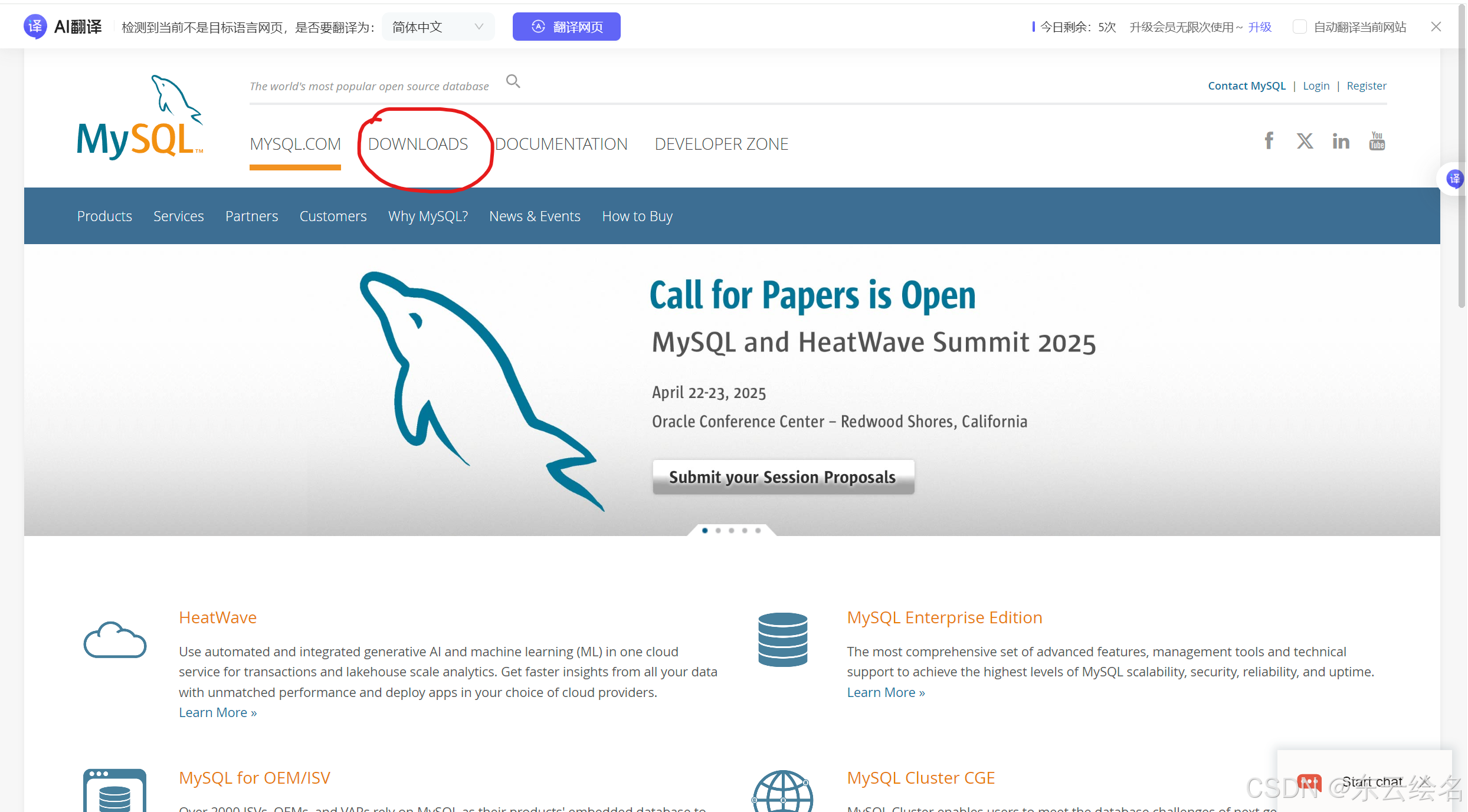
然后点击download,点击社区下载
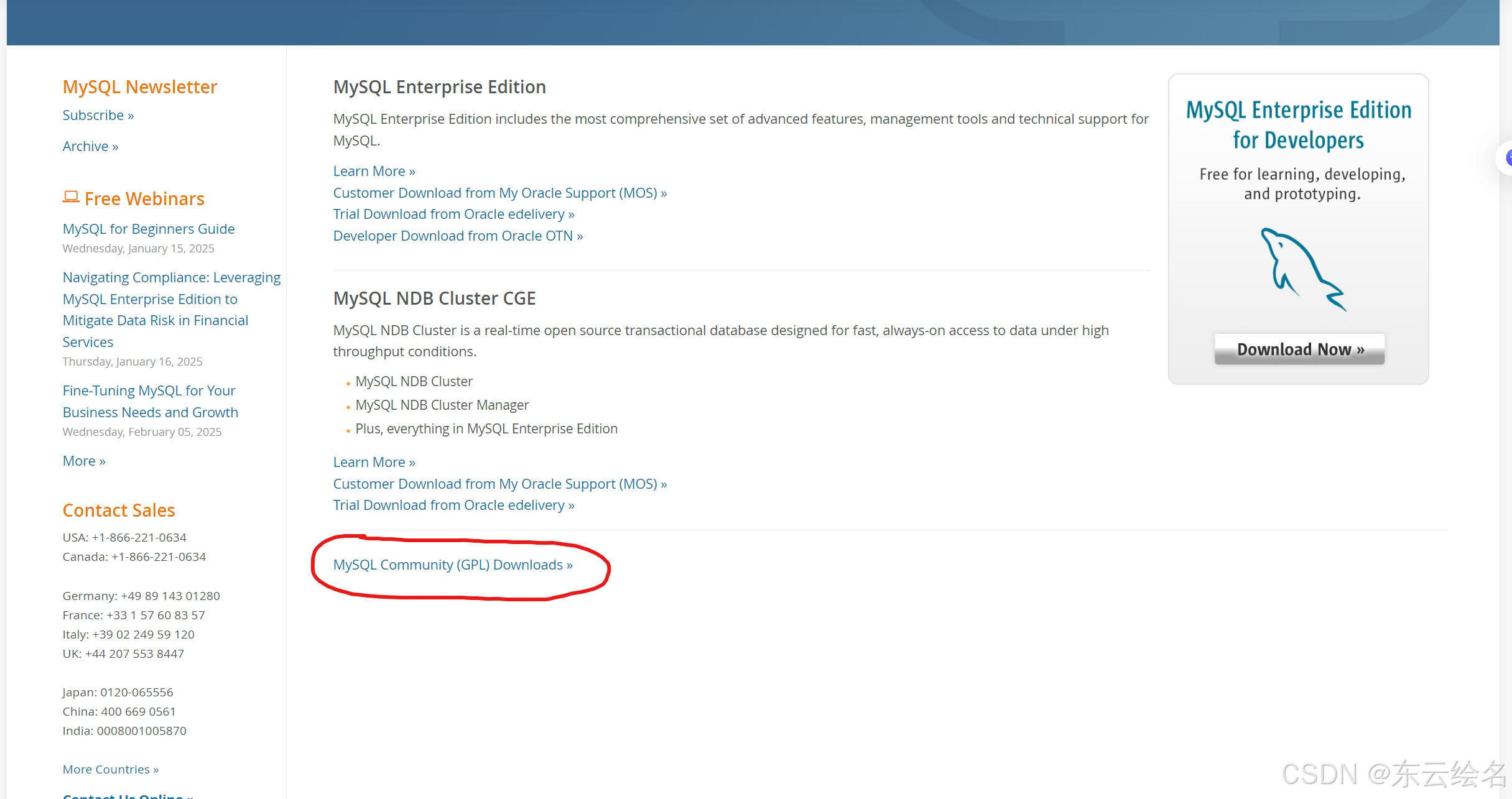
社区界面如下
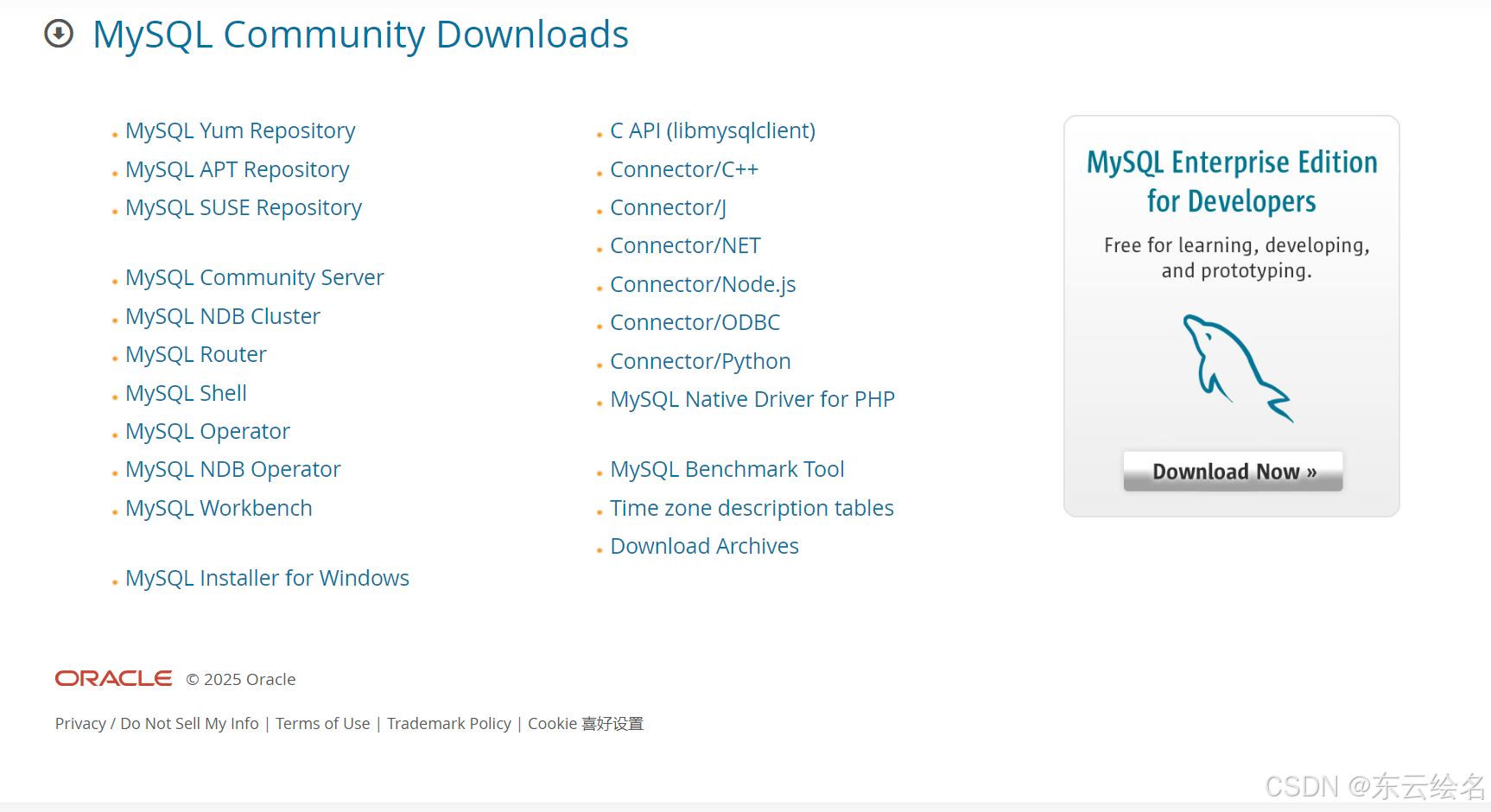
在社区版下载页面中,【 MySQL Yum Repository 】链接为在线仓库安装,【 MySQL Community
Server 】链接为二进制安装和源码安装,【 MySQL Installer for Windows 】为之前老版本在 Windows平台安装使用,新版本已经不可以用。
二、在线yum仓库
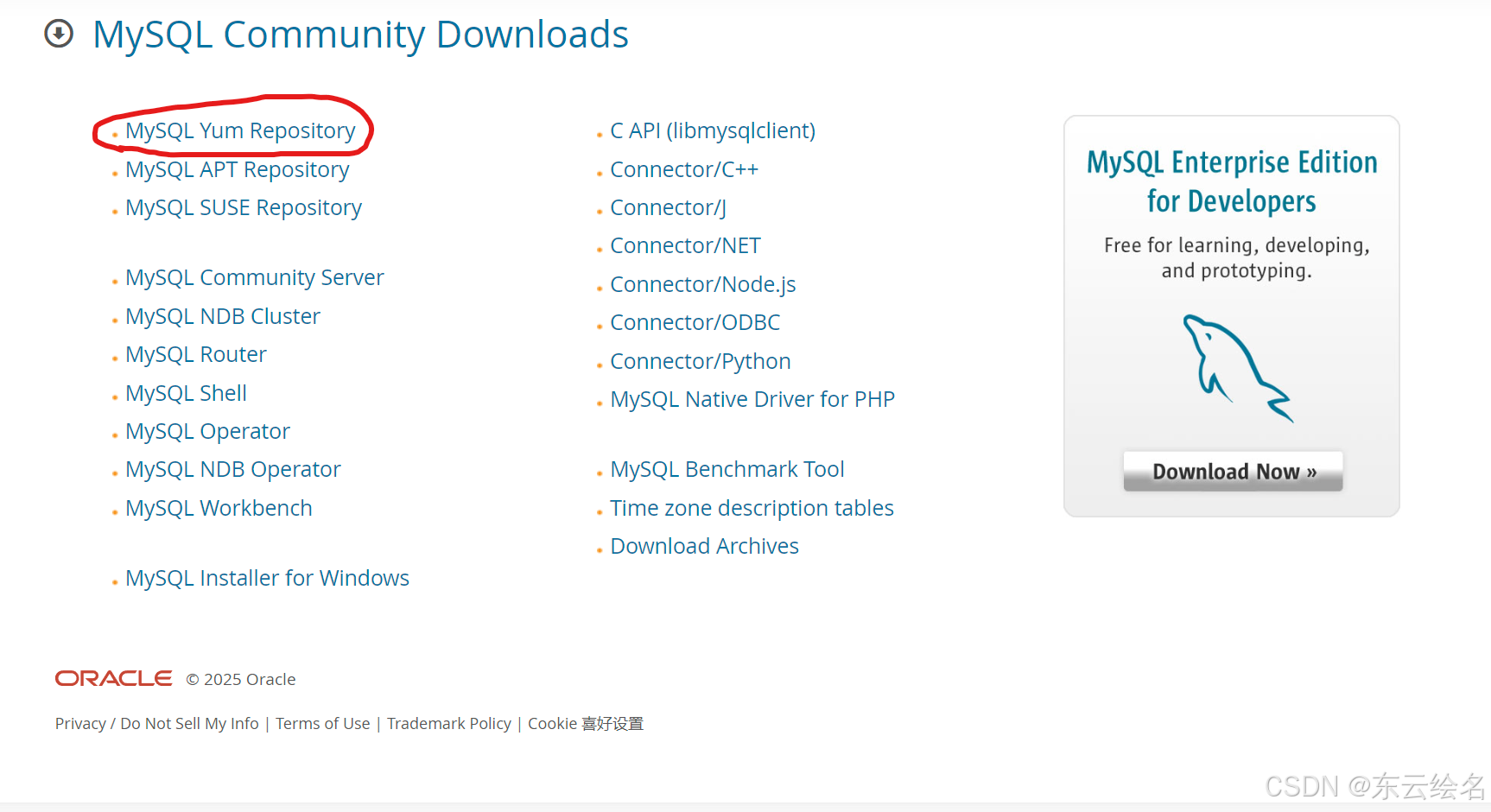
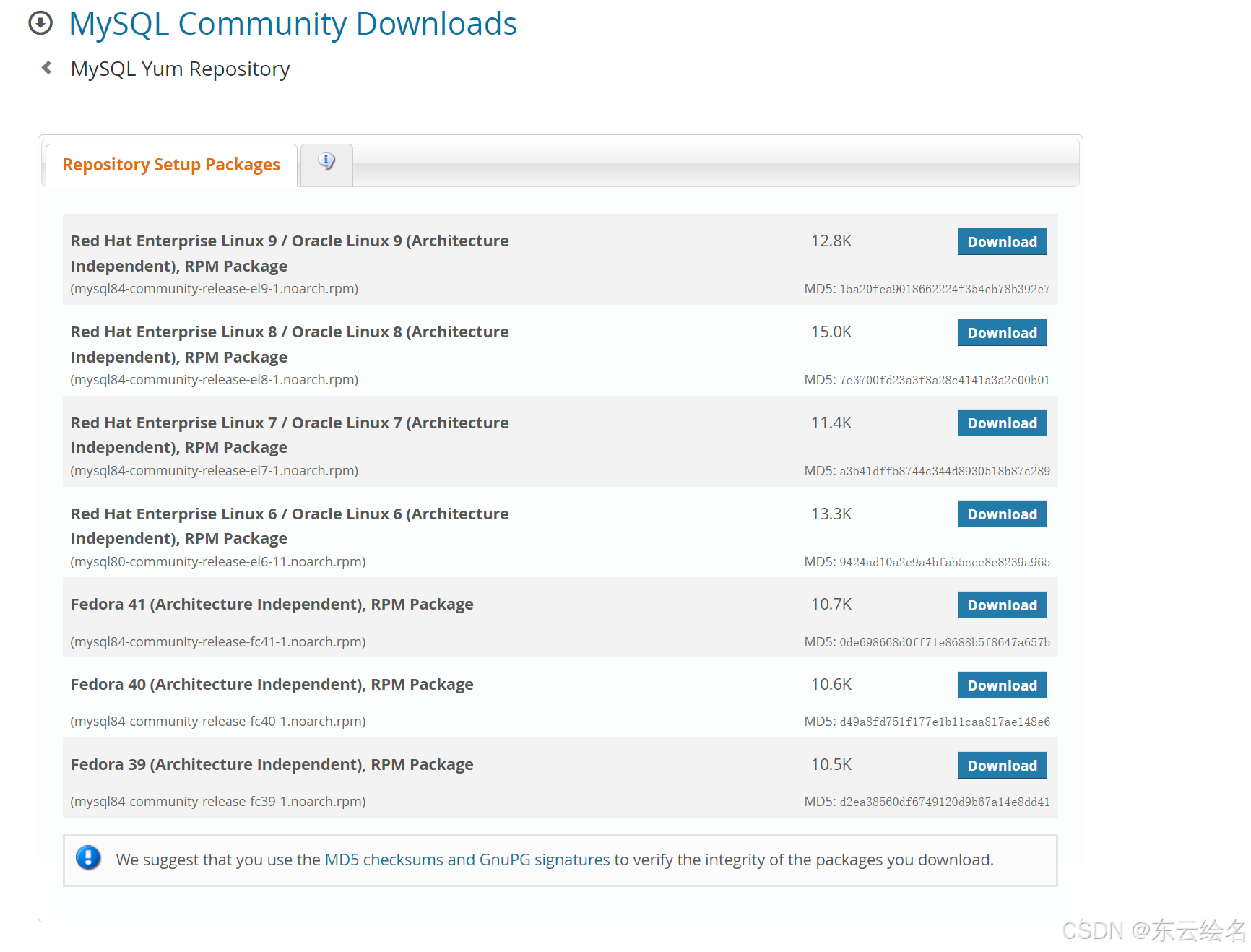
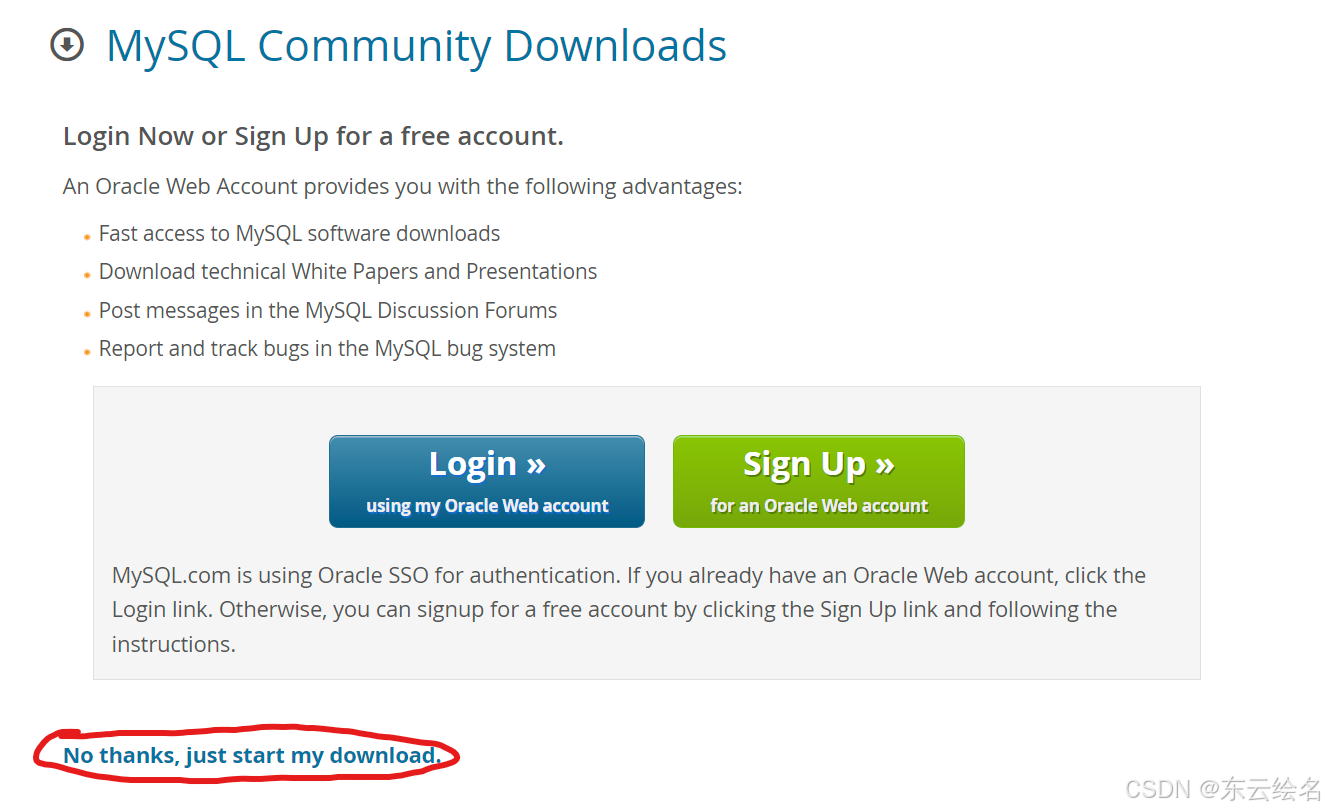
点击直接下载,浏览器会自动下载仓库安装包。可以把安装包下载好用Xftp传到Linux操作系统中,也可他通过:wget https://repo.mysql.com//mysql84-community-release-el9-1.noarch.rpm
三、二进制本地
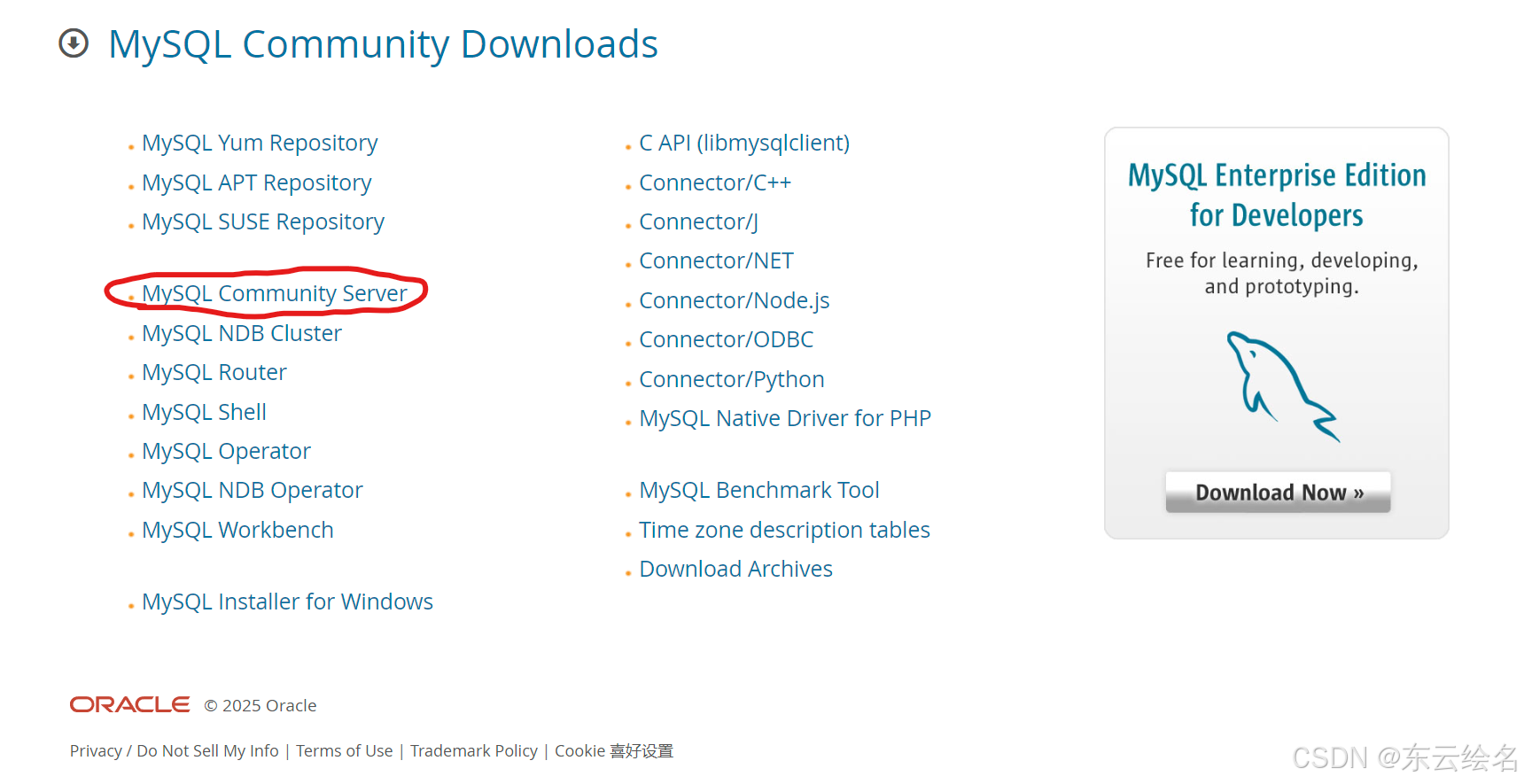
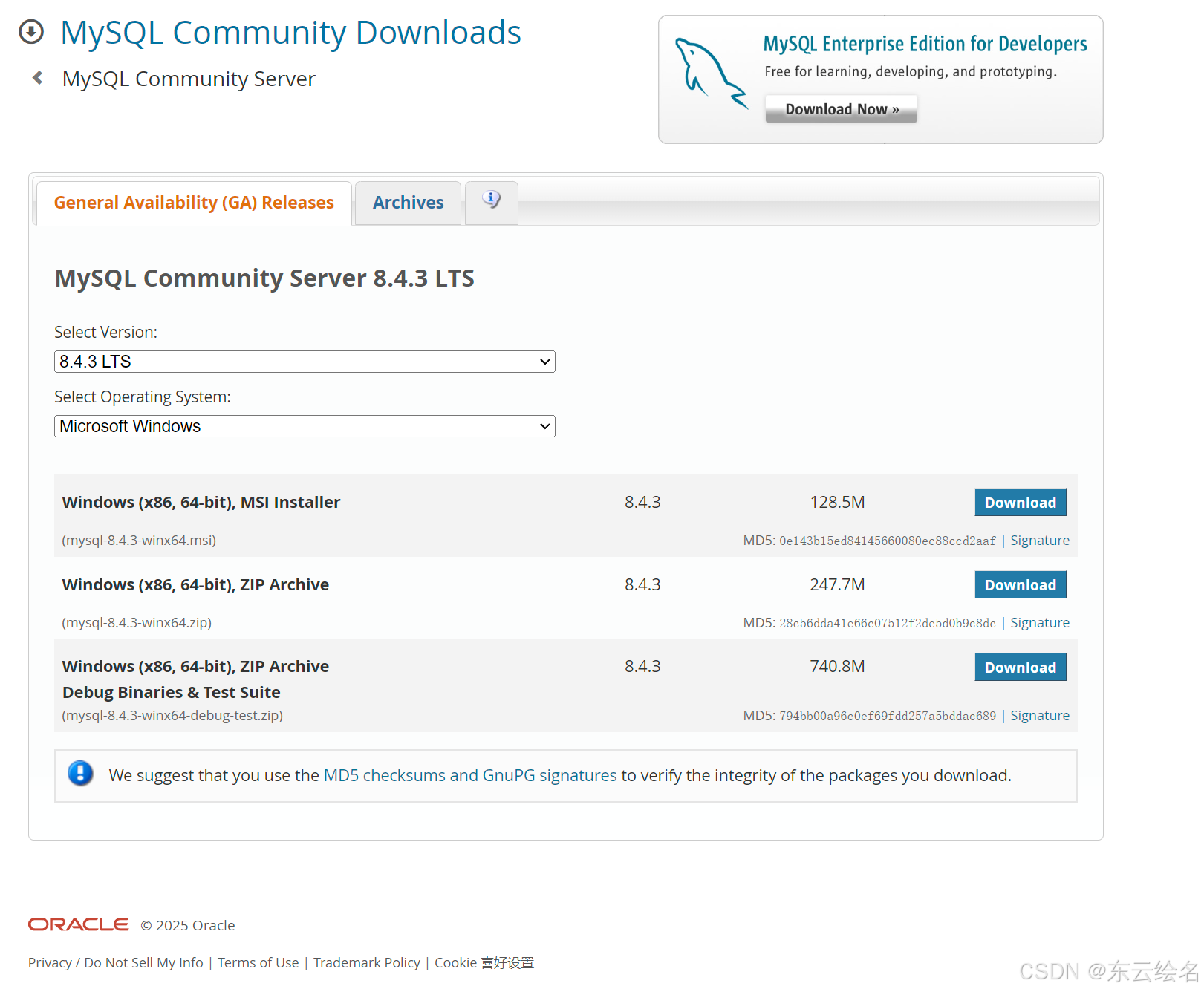
然后调整版本,如图所示
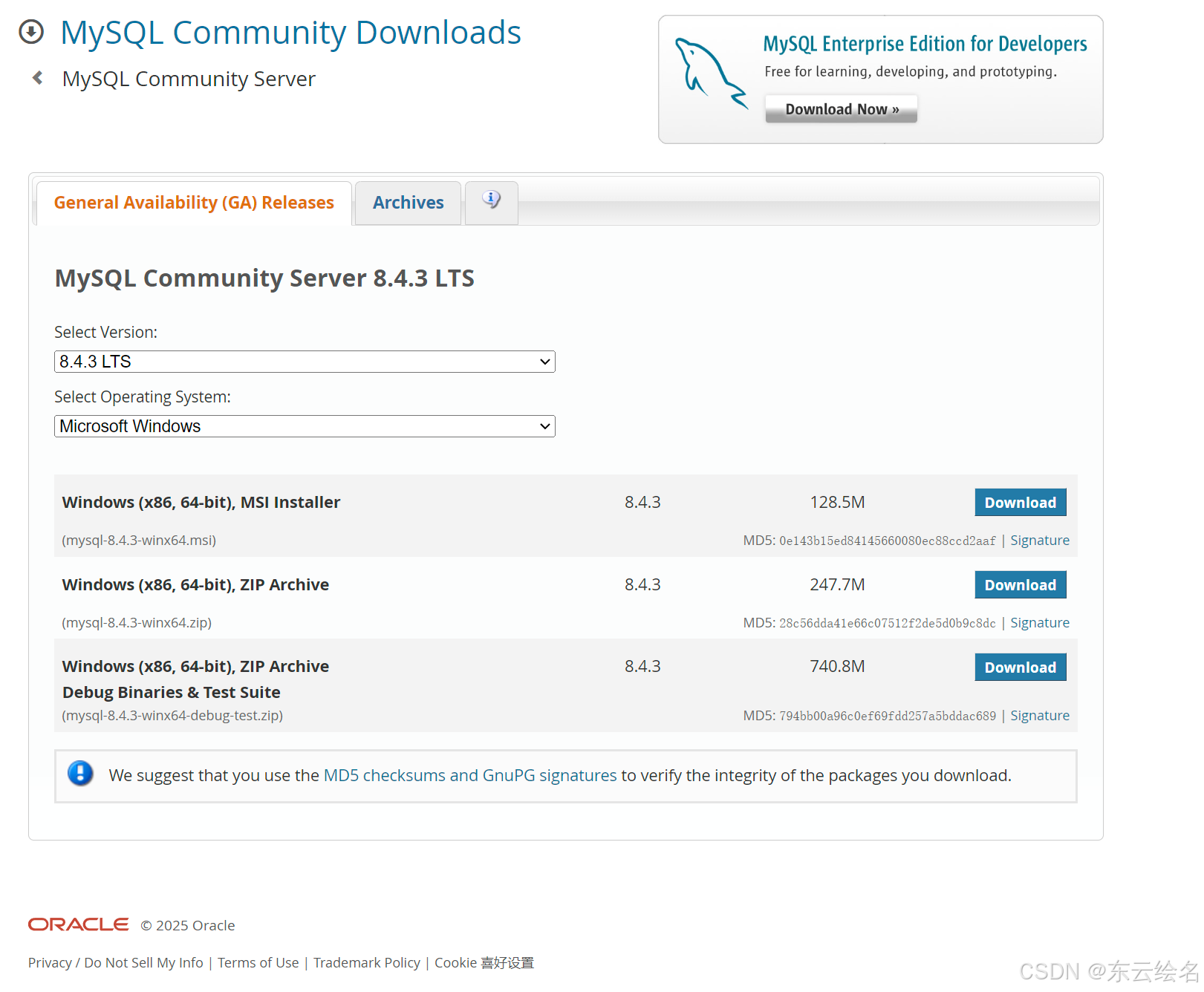
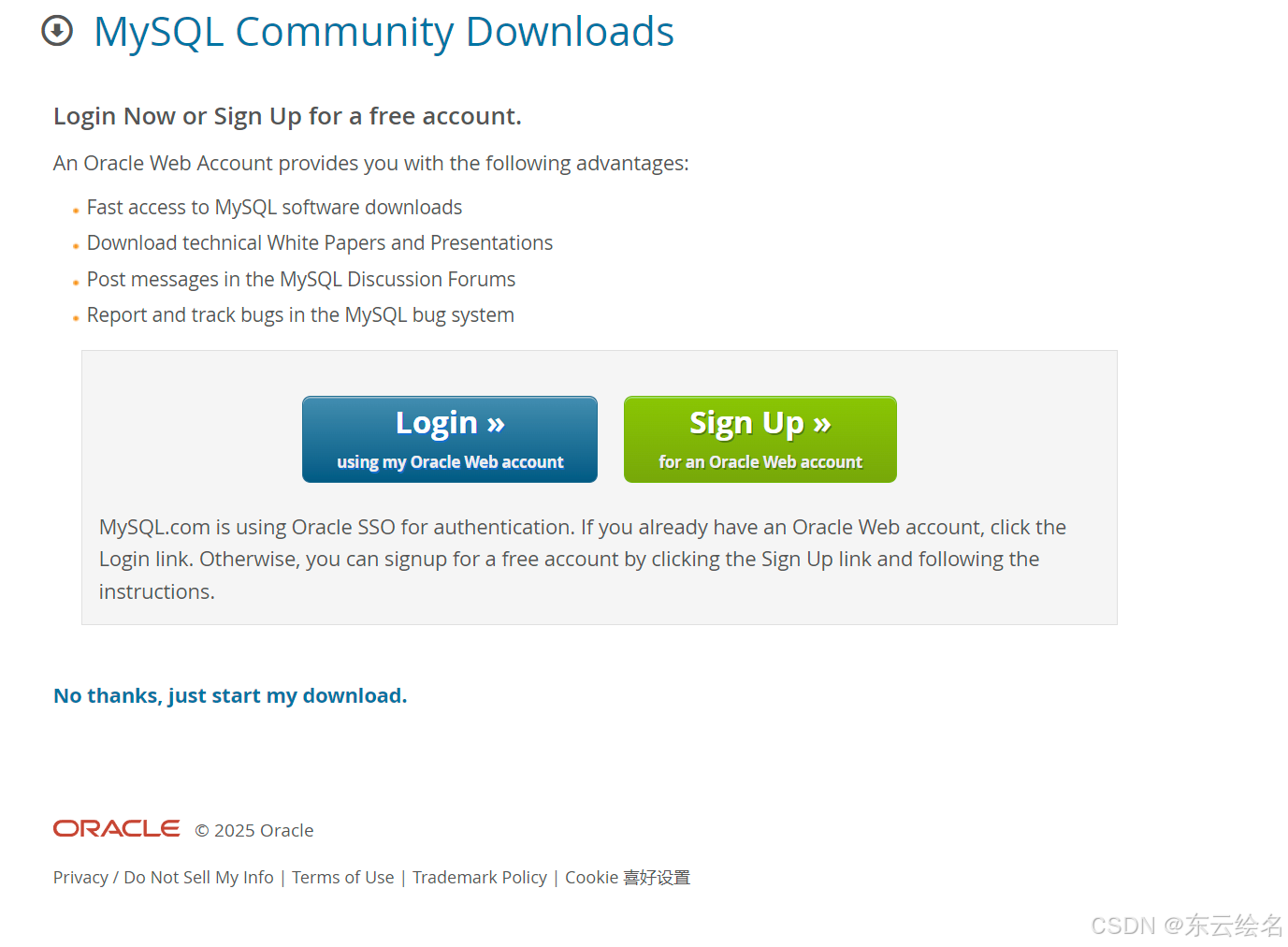
单击第一项【 Windows (x86, 64-bit), MSI Installer 】条目后的【Download】按钮进入本地安装下载确认页面,点击确认下载,在下载完成后,将安装包传送到Linux操作系统的中。也可以在Linux系统中直接用wget命令下载。
[root@MySQL ~]# wget https://cdn.mysql.com//Downloads/MySQL-8.4/mysql-8.4.3-1.el9.x86_64.rpm-bundle.tar
四、容器平台
配置容器软件仓库
[root@MySQL ~]# dnf -y install dnf-plugins-core
dnf config-manager --add-repo https://download.docker.com/linux/rhel/dockerce.repo
Updating Subscription Management repositories.
Unable to read consumer identity
This system is not registered with an entitlement server. You can use "rhc"
or "subscription-manager" to register.
Last metadata expiration check: 2:23:14 ago on Mon 30 Dec 2024 12:46:44 PM
CST.
Package dnf-plugins-core-4.3.0-16.el9.noarch is already installed.
Dependencies resolved.
Nothing to do.
Complete!
Updating Subscription Management repositories.
Unable to read consumer identity
This system is not registered with an entitlement server. You can use "rhc"
or "subscription-manager" to register.
Adding repo from: https://download.docker.com/linux/rhel/docker-ce.repo
[root@MySQL ~]# dnf repolist
Updating Subscription Management repositories.
Unable to read consumer identity
This system is not registered with an entitlement server. You can use "rhc"
or "subscription-manager" to register.
repo id repo
name
appstream
appstream
baseos
baseos
docker-ce-stable
Docker CE Stable - x86_64
mysql-8.4-lts-community
MySQL 8.4 LTS Community Server
mysql-connectors-community
MySQL Connectors Community
mysql-tools-8.4-lts-community
MySQL Tools 8.4 LTS Community
安装Docker相关软件
[root@MySQL ~]# dnf install docker-ce docker-ce-cli containerd.io dockerbuildx-plugin docker-compose-plugin
Updating Subscription Management repositories.
Unable to read consumer identity
This system is not registered with an entitlement server. You can use "rhc"
or "subscription-manager" to register.
Last metadata expiration check: 0:19:43 ago on Mon 30 Dec 2024 03:11:17 PM
CST.
Dependencies resolved.
============================================================================
=====================================================================
Package Architecture
Version Repository Size
============================================================================
=====================================================================
Installing:
containerd.io x86_64
1.7.24-3.1.el9 docker-ce-stable 43 M
docker-buildx-plugin x86_64
0.19.3-1.el9 docker-ce-stable 14 M
docker-ce x86_64
3:27.4.1-1.el9 docker-ce-stable 27 M
docker-ce-cli x86_64
1:27.4.1-1.el9 docker-ce-stable 8.0 M
docker-compose-plugin x86_64
2.32.1-1.el9 docker-ce-stable 14 M
Installing dependencies:
container-selinux noarch
3:2.232.1-1.el9 appstream 60 k
fuse-overlayfs x86_64 1.14-
1.el9 appstream 69 k
libslirp x86_64 4.4.0-
8.el9 appstream 70 k
slirp4netns x86_64 1.3.1-
1.el9 appstream 49 k
Installing weak dependencies:
docker-ce-rootless-extras x86_64
27.4.1-1.el9 docker-ce-stable 4.4 M
Transaction Summary
============================================================================
=====================================================================
Install 10 Packages
Total size: 110 M
Installed size: 430 M
Is this ok [y/N]: y
Downloading Packages:
[SKIPPED] containerd.io-1.7.24-3.1.el9.x86_64.rpm: Already downloaded
[SKIPPED] docker-buildx-plugin-0.19.3-1.el9.x86_64.rpm: Already downloaded
[SKIPPED] docker-ce-27.4.1-1.el9.x86_64.rpm: Already downloaded
[SKIPPED] docker-ce-cli-27.4.1-1.el9.x86_64.rpm: Already downloaded
[SKIPPED] docker-ce-rootless-extras-27.4.1-1.el9.x86_64.rpm: Already
downloaded
[SKIPPED] docker-compose-plugin-2.32.1-1.el9.x86_64.rpm: Already downloaded
Running transaction check
Transaction check succeeded.
Running transaction test
Transaction test succeeded.
Running transaction
Preparing :
1/1
Running scriptlet: container-selinux-3:2.232.1-1.el9.noarch
1/10
Installing : container-selinux-3:2.232.1-1.el9.noarch
1/10
Running scriptlet: container-selinux-3:2.232.1-1.el9.noarch
1/10
Installing : docker-compose-plugin-2.32.1-1.el9.x86_64
2/10
Running scriptlet: docker-compose-plugin-2.32.1-1.el9.x86_64
2/10
Installing : containerd.io-1.7.24-3.1.el9.x86_64
3/10
Running scriptlet: containerd.io-1.7.24-3.1.el9.x86_64
3/10
Installing : libslirp-4.4.0-8.el9.x86_64
4/10
Installing : slirp4netns-1.3.1-1.el9.x86_64
5/10
Installing : fuse-overlayfs-1.14-1.el9.x86_64
6/10
Running scriptlet: fuse-overlayfs-1.14-1.el9.x86_64
6/10
Installing : docker-buildx-plugin-0.19.3-1.el9.x86_64
7/10
Running scriptlet: docker-buildx-plugin-0.19.3-1.el9.x86_64
7/10
Installing : docker-ce-cli-1:27.4.1-1.el9.x86_64
8/10
Running scriptlet: docker-ce-cli-1:27.4.1-1.el9.x86_64
8/10
Installing : docker-ce-rootless-extras-27.4.1-1.el9.x86_64
9/10
Running scriptlet: docker-ce-rootless-extras-27.4.1-1.el9.x86_64
9/10
Installing : docker-ce-3:27.4.1-1.el9.x86_64
10/10
Running scriptlet: docker-ce-3:27.4.1-1.el9.x86_64
10/10
Running scriptlet: container-selinux-3:2.232.1-1.el9.noarch
10/10
Running scriptlet: docker-ce-3:27.4.1-1.el9.x86_64
10/10
Verifying : containerd.io-1.7.24-3.1.el9.x86_64
1/10
Verifying : docker-buildx-plugin-0.19.3-1.el9.x86_64
2/10
Verifying : docker-ce-3:27.4.1-1.el9.x86_64
3/10
Verifying : docker-ce-cli-1:27.4.1-1.el9.x86_64
4/10
Verifying : docker-ce-rootless-extras-27.4.1-1.el9.x86_64
5/10
Verifying : docker-compose-plugin-2.32.1-1.el9.x86_64
6/10
Verifying : container-selinux-3:2.232.1-1.el9.noarch
7/10
Verifying : fuse-overlayfs-1.14-1.el9.x86_64
8/10
Verifying : libslirp-4.4.0-8.el9.x86_64
9/10
Verifying : slirp4netns-1.3.1-1.el9.x86_64
10/10
Installed products updated.
Installed:
container-selinux-3:2.232.1-1.el9.noarch containerd.io-1.7.24-
3.1.el9.x86_64 docker-buildx-plugin-0.19.3-1.el9.x86_64
docker-ce-3:27.4.1-1.el9.x86_64 docker-ce-cli-1:27.4.1-
1.el9.x86_64 docker-ce-rootless-extras-27.4.1-1.el9.x86_64
docker-compose-plugin-2.32.1-1.el9.x86_64 fuse-overlayfs-1.14-
1.el9.x86_64 libslirp-4.4.0-8.el9.x86_64
slirp4netns-1.3.1-1.el9.x86_64
Complete!
启动Docker服务
[root@MySQL ~]# systemctl enable --now docker
Created symlink /etc/systemd/system/multi-user.target.wants/docker.service →
/usr/lib/systemd/system/docker.service.
拉取MySQL镜像
[root@MySQL ~]# docker search mysql
NAME DESCRIPTION STARS
OFFICIAL
mysql MySQL is a widely used, open-source relation… 15562
[OK]
bitnami/mysql Bitnami container image for MySQL 122
circleci/mysql MySQL is a widely used, open-source relation… 30
cimg/mysql 3
bitnamicharts/mysql Bitnami Helm chart for MySQL 0
ubuntu/mysql MySQL open source fast, stable, multi-thread… 66
rapidfort/mysql RapidFort optimized, hardened image for MySQL 26
elestio/mysql Mysql, verified and packaged by Elestio 1
google/mysql MySQL server for Google Compute Engine 25
docksal/mysql MySQL service images for Docksal - https://d… 0
alpine/mysql mysql client 3
mysql/mysql-server Optimized MySQL Server Docker images. Create… 1024
jumpserver/mysql 1
datajoint/mysql MySQL image pre-configured to work smoothly … 2
ddev/mysql ARM64 base images for ddev-dbserver-mysql-8.… 1
mysql/mysql-router MySQL Router provides transparent routing be… 28
mirantis/mysql 0
ilios/mysql Mysql configured for running Ilios 1
corpusops/mysql https://github.com/corpusops/docker-images/ 0
mysql/mysql-cluster Experimental MySQL Cluster Docker images. Cr… 100
javanile/mysql MySQL for development 0
vulhub/mysql 1
mysql/mysql-operator MySQL Operator for Kubernetes 1
vitess/mysql Lightweight image to run MySQL with Vitess 1
nasqueron/mysql 1
[root@MySQL ~]# docker pull mysql:8.4.3
8.4.3: Pulling from library/mysql
2c0a233485c3: Pull complete
6f5cca38a221: Pull complete
d7c84b66ede0: Pull complete
299f6f88c6cf: Pull complete
d39eae8f9927: Pull complete
ec0557361569: Pull complete
f6d0f80cb1be: Pull complete
d496030b710c: Pull complete
4d755d8c89d1: Pull complete
699d8e3dc44b: Pull complete
Digest:
sha256:106d5197fd8e4892980469ad42eb20f7a336bd81509aae4ee175d852f5cc4565
Status: Downloaded newer image for mysql:8.4.3
docker.io/library/mysql:8.4.3
[root@MySQL ~]# docker images
REPOSITORY TAG IMAGE ID CREATED SIZE
mysql 8.4.3 3818a28b4a67 2 months ago 594MB
启动容器
[root@MySQL ~]# docker run --name mysqltest -e MYSQL_ROOT_PASSWORD=123456 -d
mysql:8.4.3
74d9d3e6cd837c7bb1fda3b97083f743e5bba58119ce6b3d68374e9806f23f99
查看并测试
[root@MySQL ~]# docker ps
CONTAINER ID IMAGE COMMAND CREATED
STATUS PORTS NAMES
74d9d3e6cd83 mysql:8.4.3 "docker-entrypoint.s…" 26 seconds ago Up 25
seconds 3306/tcp, 33060/tcp mysqltest
[root@MySQL ~]# docker exec -it mysqltest /bin/bash
bash-5.1# mysql -uroot -p
Enter password:
Welcome to the MySQL monitor. Commands end with ; or \g.
Your MySQL connection id is 8
Server version: 8.4.3 MySQL Community Server - GPL
Copyright (c) 2000, 2024, Oracle and/or its affiliates.
Oracle is a registered trademark of Oracle Corporation and/or its
affiliates. Other names may be trademarks of their respective
owners.
Type 'help;' or '\h' for help. Type '\c' to clear the current input
statement.
mysql> select version();
+-----------+
| version() |
+-----------+
| 8.4.3 |
+-----------+
1 row in set (0.01 sec)
mysql> show databases;
+--------------------+
| Database |
+--------------------+
| information_schema |
| mysql |
| performance_schema |
| sys |
+--------------------+
4 rows in set (0.00 sec)
mysql> exit
Bye
bash-5.1# exit
exit
删除清理
[root@MySQL ~]# docker stop mysqltest
mysqltest
[root@MySQL ~]# docker rm mysqltest
mysqltest
[root@MySQL ~]# docker ps -a
CONTAINER ID IMAGE COMMAND CREATED STATUS PORTS NAMES
五.原码部署
在下载页面点击【 MySQL Community(GPL) Downloads 】链接进入社区版下载页面,我们选择合适的 版本和选项。也可以使用该链接,在 Linux 操作系统中直接使用 wget 进行下载:[root@MySQL ~]# wget https://cdn.mysql.com//Downloads/MySQL-8.4/mysql-
8.4.3.tar.gz
在 Linux 中下载时,如果不指定目录,则在保存在当前目录。
清理之前的环境:
[root@MySQL ~]# dnf remove mysql-server -y
[root@MySQL ~]# rm -rf /var/lib/mysql
[root@MySQL ~]# rm -rf /var/log/mysqld.log
[root@MySQL ~]# userdel -r mysql
在根目录中创建mysql目录
[root@MySQL ~]# mkdir /mysql
[root@MySQL ~]# mv mysql-8.4.3.tar.gz /mysql
[root@MySQL ~]# cd /mysql
[root@MySQL mysql]# ll
total 454200
-rw-r--r--. 1 root root 465097732 Sep 17 17:12 mysql-8.4.3.tar.gz
使用命令解压源码包
[root@MySQL mysql-8.4.3]# tar xf mysql-8.4.3.tar.gz
[root@MySQL mysql]# ll
total 454204
drwxr-xr-x. 31 7161 31415 4096 Sep 17 19:09 mysql-8.4.3
-rw-r--r--. 1 root root 465097732 Sep 17 17:12 mysql-8.4.3.tar.gz
[root@MySQL mysql]# cd mysql-8.4.3/
[root@MySQL mysql-8.4.3]# pwd
/mysql/mysql-8.4.3
创建用户,修改目录权限
[root@MySQL mysql-8.4.3]# groupadd mysql
[root@MySQL mysql-8.4.3]# useradd -r -g mysql -s /bin/false mysql
[root@MySQL mysql-8.4.3]# chmod 777 /mysql/ -R
安装需要的软件
[root@MySQL bld]# dnf install cmake openssl-devel ncurses-devel rpcgen gcctoolset-12-gcc gcc-toolset-12-gcc-c++ gcc-toolset-12-binutils gcc-toolset-12-
annobin-annocheck gcc-toolset-12-annobin-plugin-gcc
[root@MySQL bld]# rpm -i
https://yum.oracle.com/repo/OracleLinux/OL9/codeready/builder/x86_64/getPackag
e/libtirpc-devel-1.3.3-9.el9.x86_64.rpm
warning: /var/tmp/rpm-tmp.KJQV1s: Header V3 RSA/SHA256 Signature, key ID
8d8b756f: NOKEY
配置并编译
[root@MySQL bld]# cmake ..
[root@MySQL bld]# make
[root@MySQL bld]# make install
[root@MySQL bld]# cd /usr/local/mysql
[root@MySQL mysql]# mkdir mysql-files
[root@MySQL mysql]# chown mysql:mysql mysql-files
[root@MySQL mysql]# chmod 750 mysql-files
[root@MySQL mysql]# bin/mysqld --initialize --user=mysql
2024-12-30T14:07:22.396459Z 0 [System] [MY-015017] [Server] MySQL Server
Initialization - start.
2024-12-30T14:07:22.397883Z 0 [System] [MY-013169] [Server]
/usr/local/mysql/bin/mysqld (mysqld 8.4.3) initializing of server in
progress as process 94087
2024-12-30T14:07:22.418620Z 1 [System] [MY-013576] [InnoDB] InnoDB
initialization has started.
2024-12-30T14:07:22.597559Z 1 [System] [MY-013577] [InnoDB] InnoDB
initialization has ended.
2024-12-30T14:07:23.220262Z 6 [Note] [MY-010454] [Server] A temporary
password is generated for root@localhost: H2!Yga+&rtiz
2024-12-30T14:07:24.762722Z 0 [System] [MY-015018] [Server] MySQL Server
Initialization - end.
[root@MySQL mysql]# bin/mysqld_safe --user=mysql &
登录测试
[root@MySQL mysql]# mysql -S /tmp/mysql.sock -uroot -p
Enter password:
Welcome to the MySQL monitor. Commands end with ; or \g.
Your MySQL connection id is 8
Server version: 8.4.3
Copyright (c) 2000, 2024, Oracle and/or its affiliates.
Oracle is a registered trademark of Oracle Corporation and/or its
affiliates. Other names may be trademarks of their respective
owners.
Type 'help;' or '\h' for help. Type '\c' to clear the current input
statement.
mysql> show databases;
ERROR 1820 (HY000): You must reset your password using ALTER USER statement
before executing this statement.
mysql> alter user 'root'@'localhost' identified by 'redhat';
Query OK, 0 rows affected (0.00 sec)
mysql> show databases;
+--------------------+
| Database |
+--------------------+
| information_schema |
| mysql |
| performance_schema |
| sys |
+--------------------+
4 rows in set (0.01 sec)
mysql>
删除清理
[root@MySQL bld]# make clean
[root@MySQL bld]# rm -rf /usr/local/mysql/
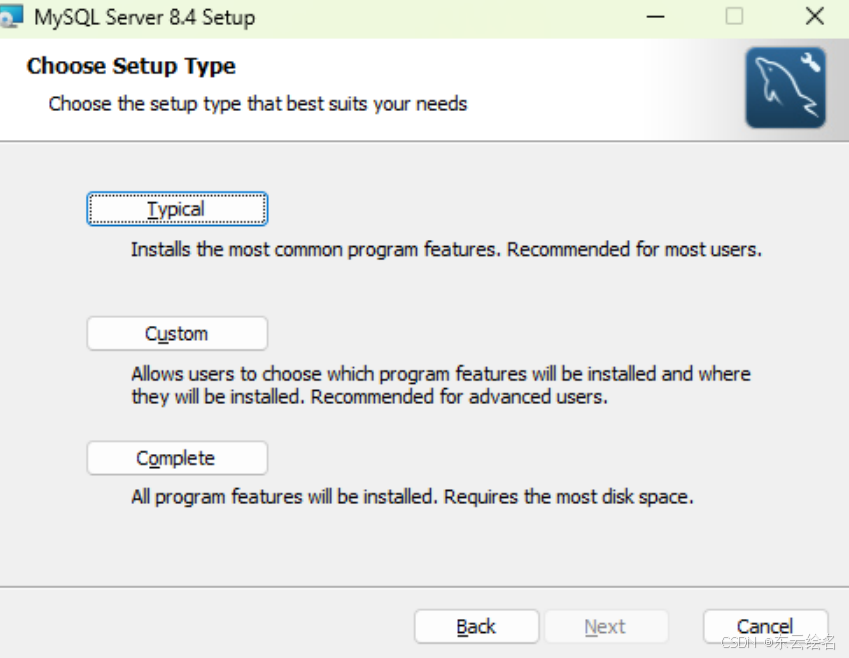
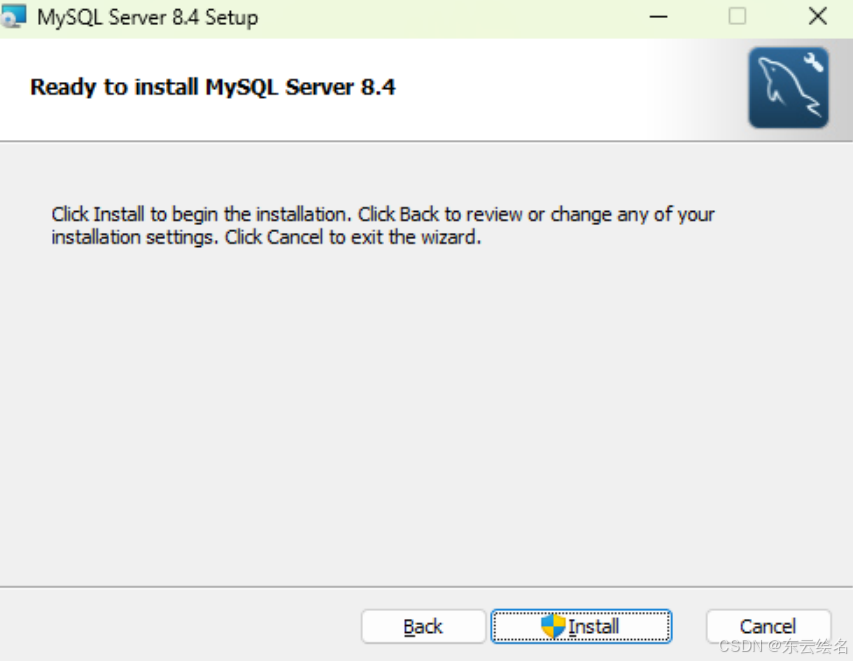
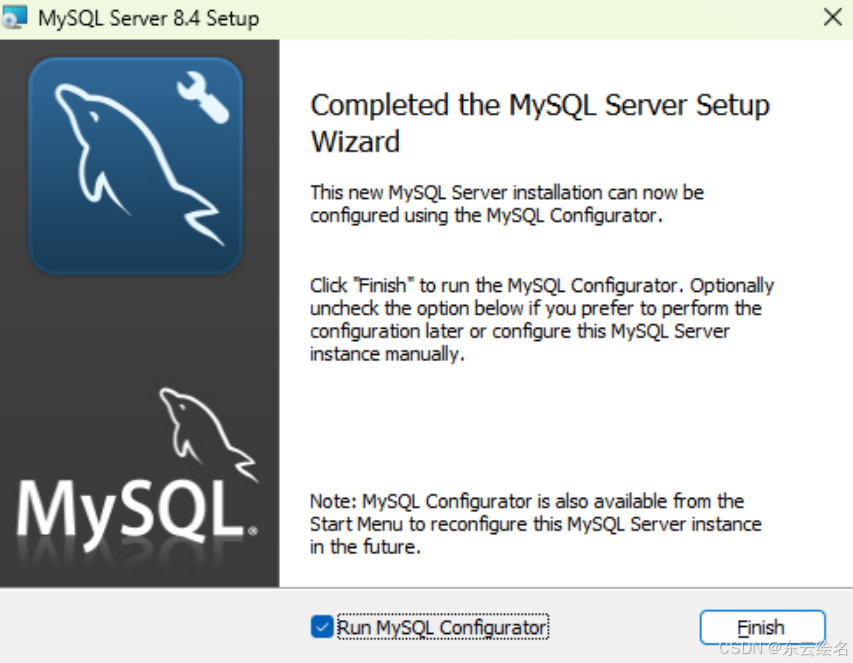
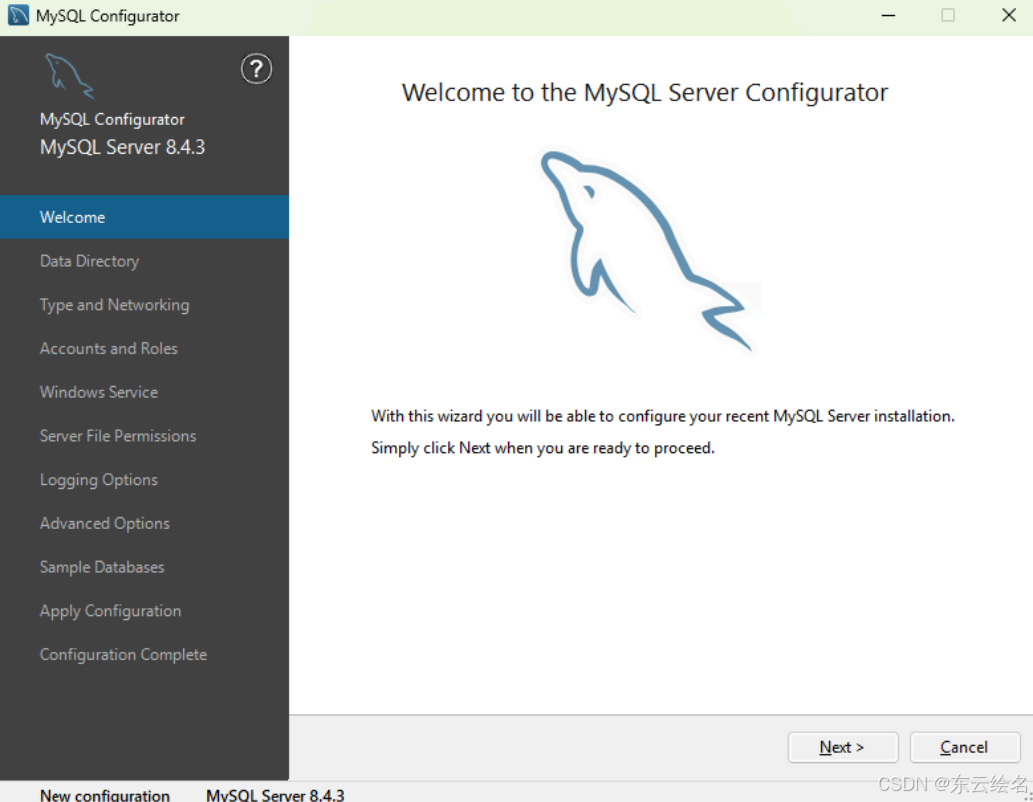
六、Windows平台
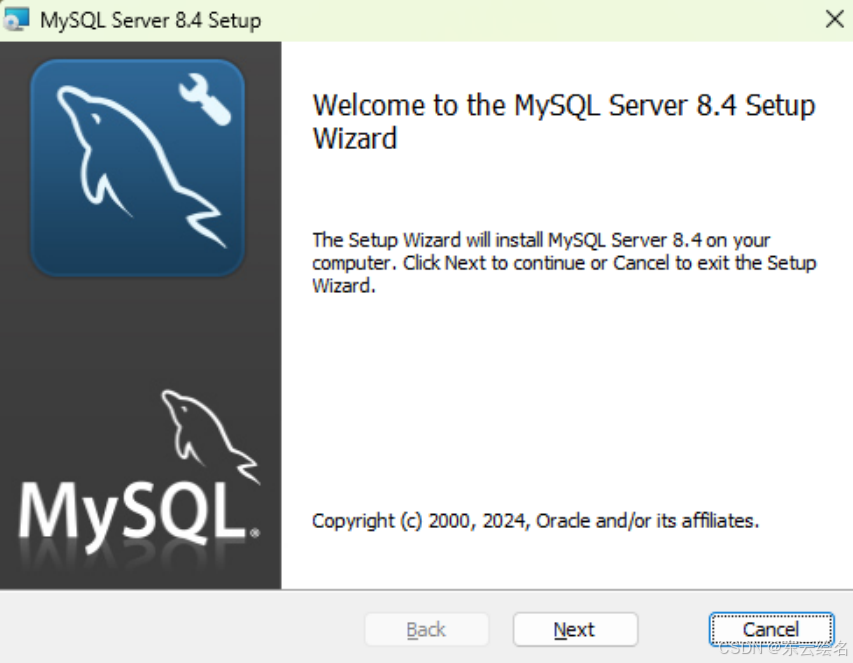
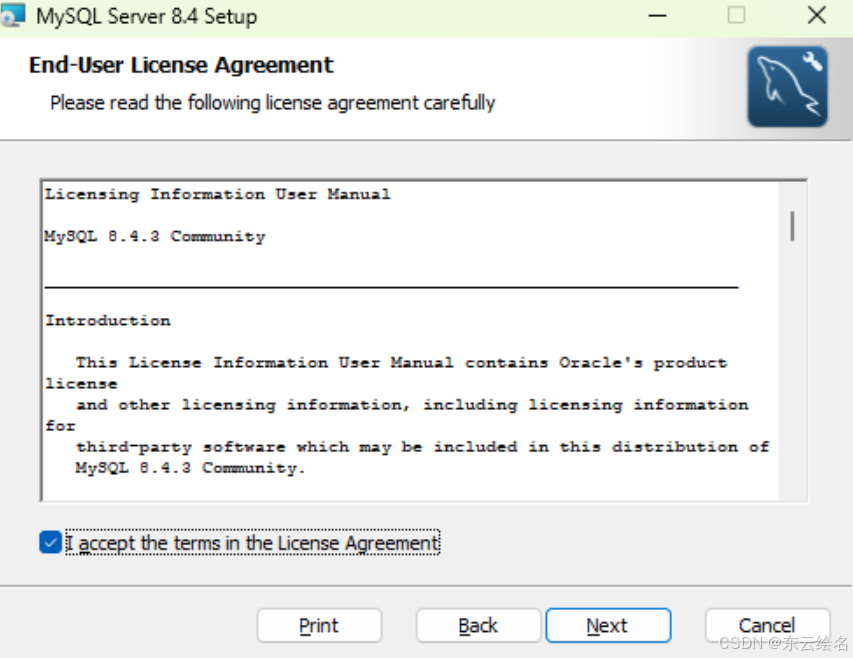
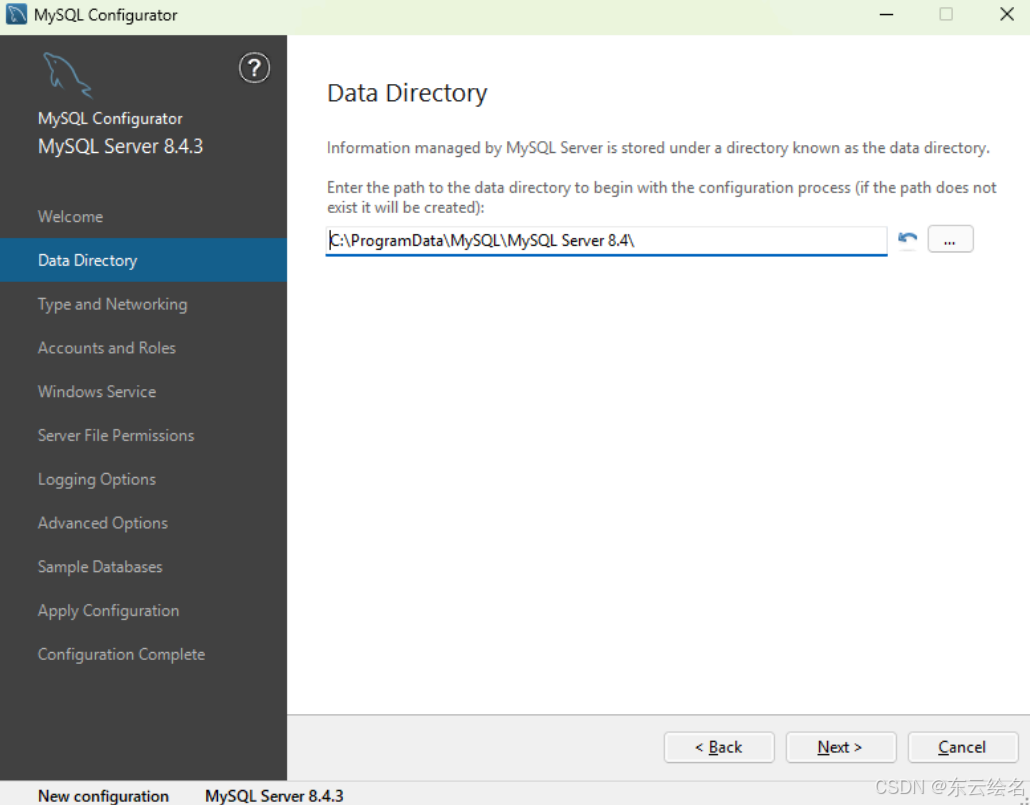
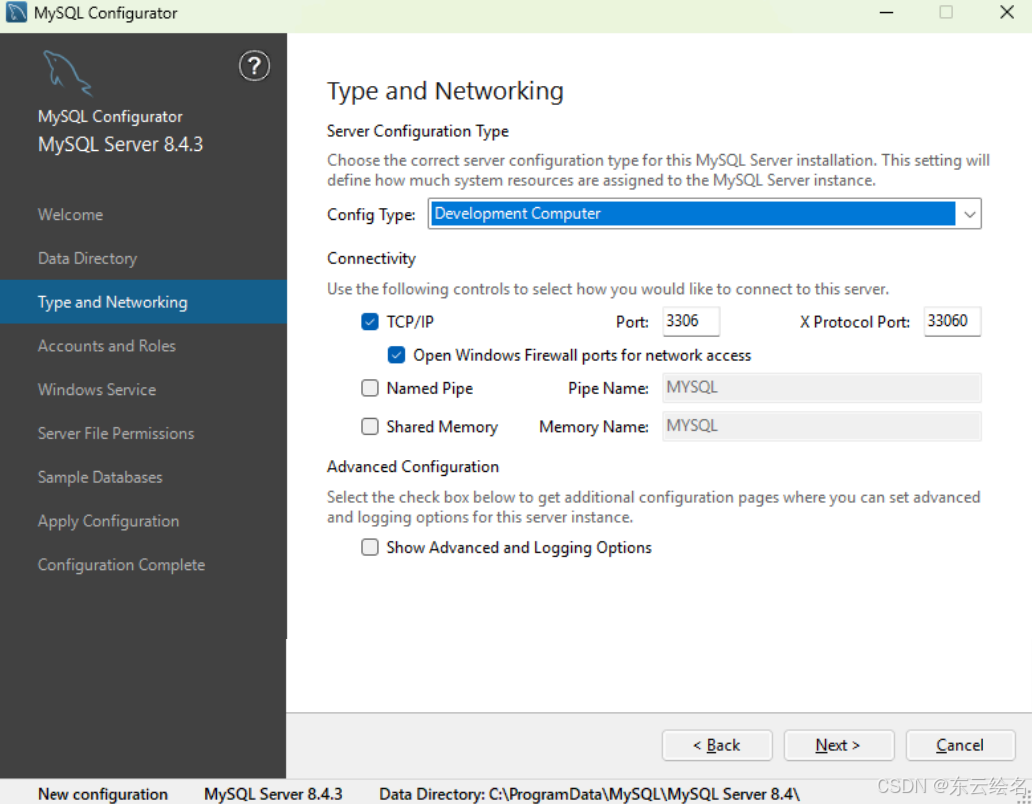
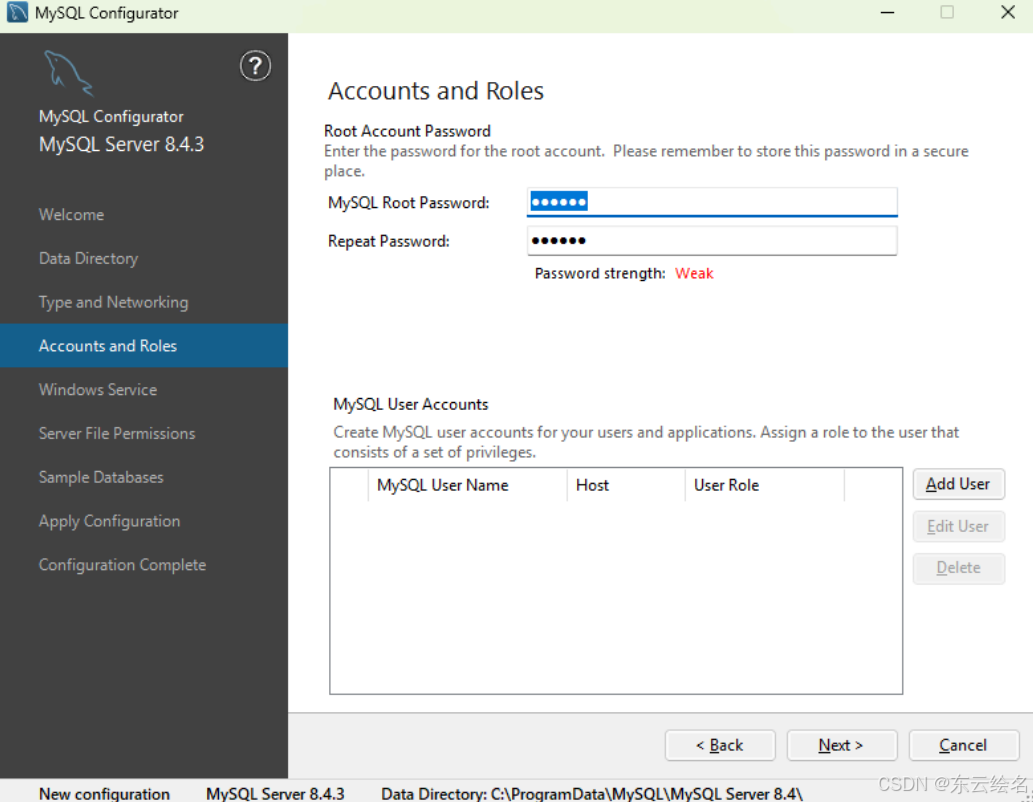
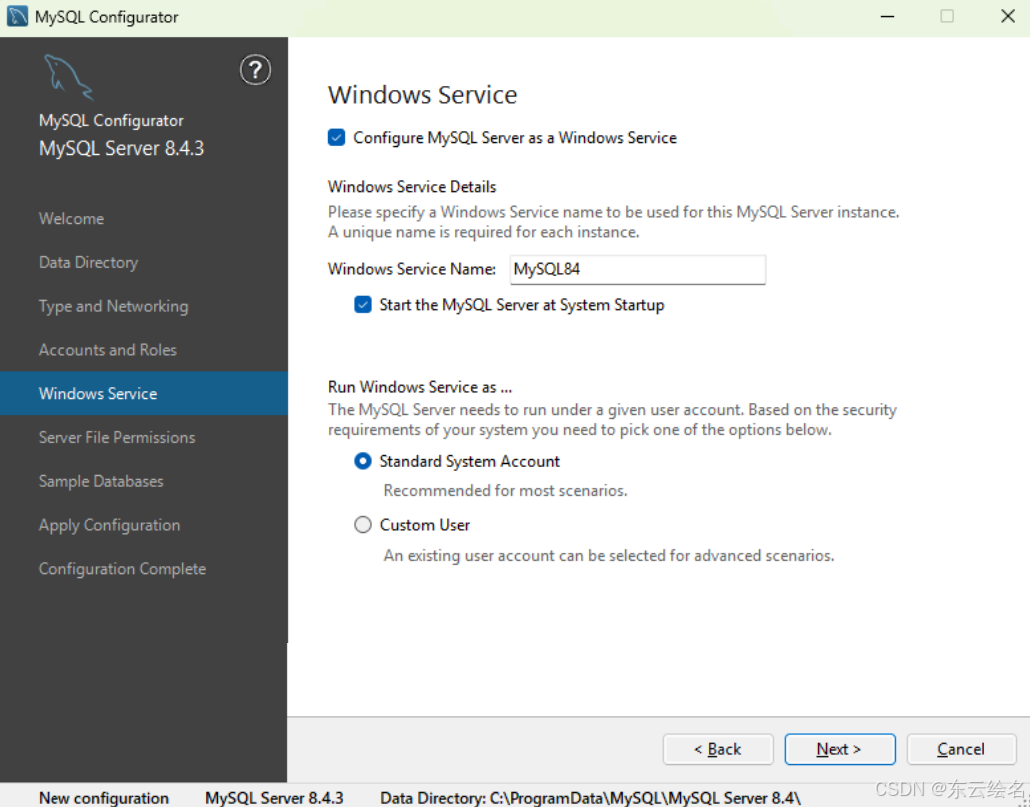
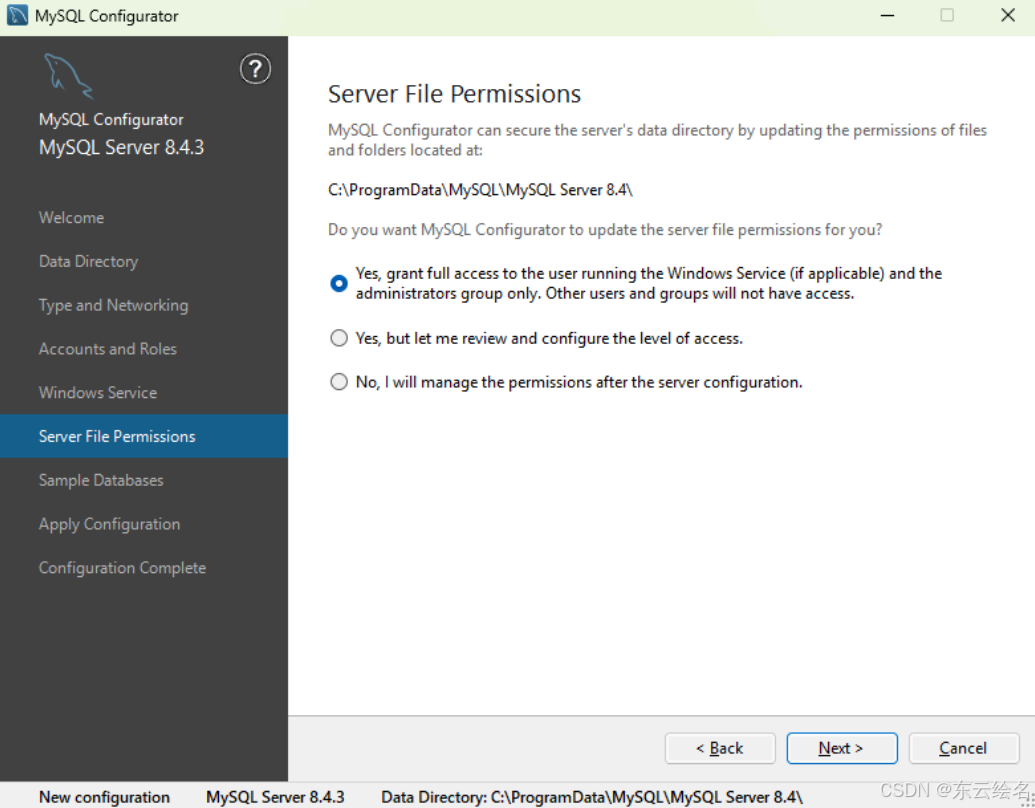
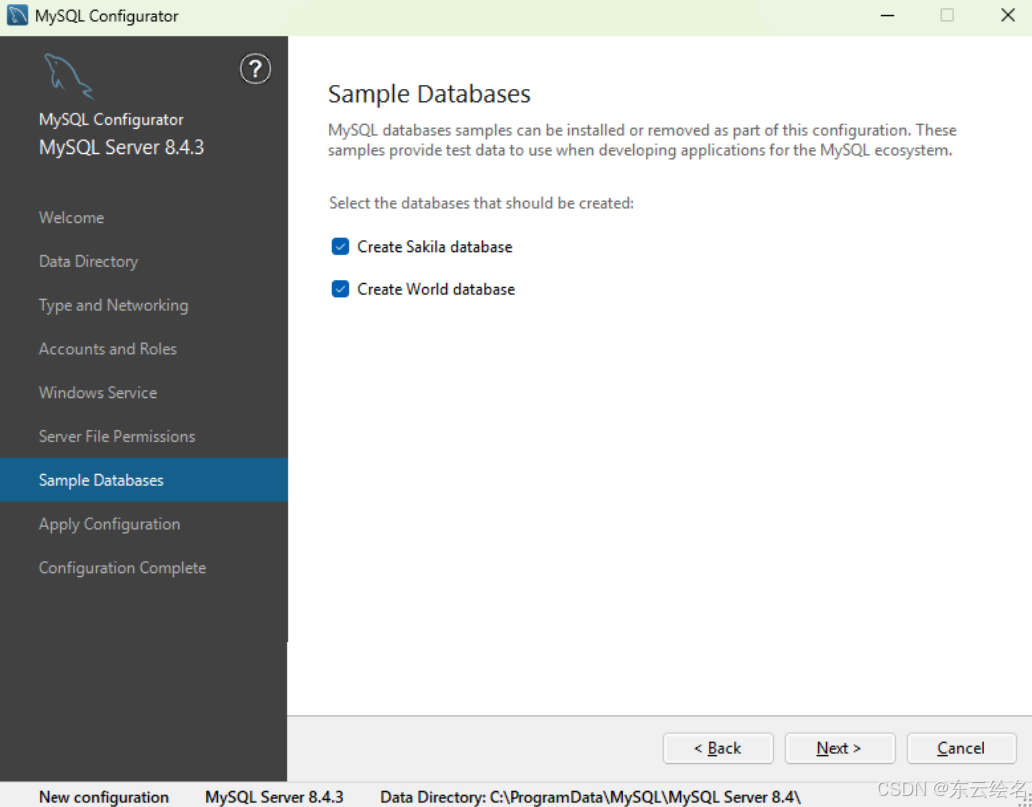
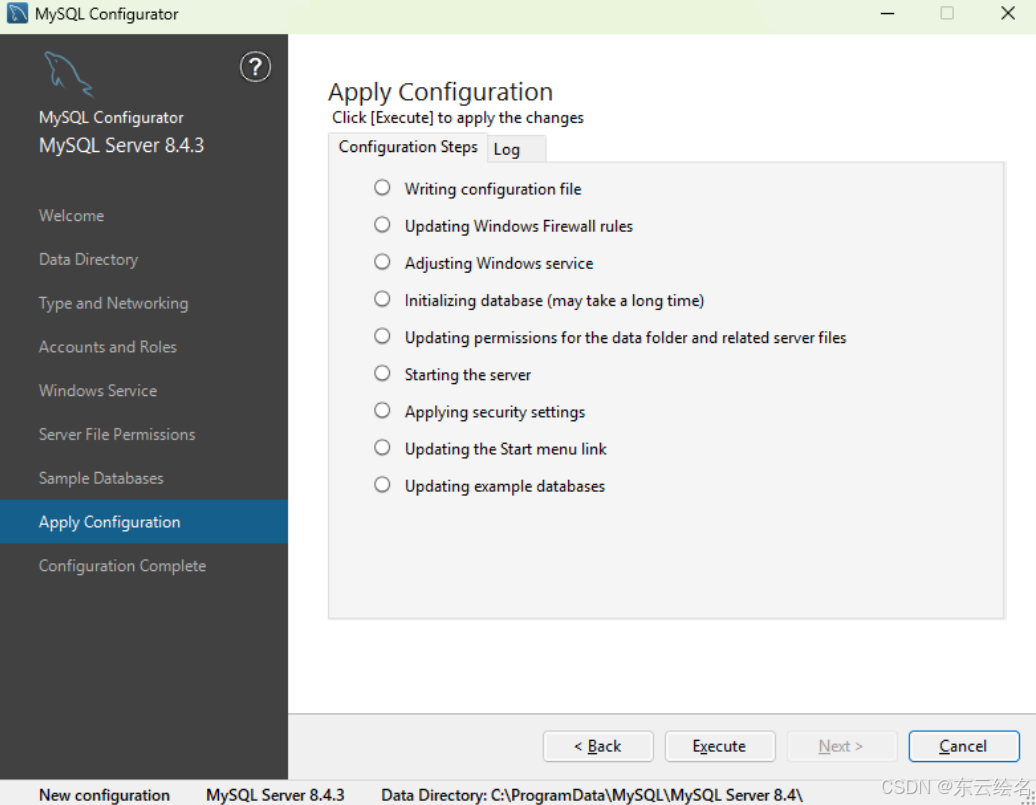
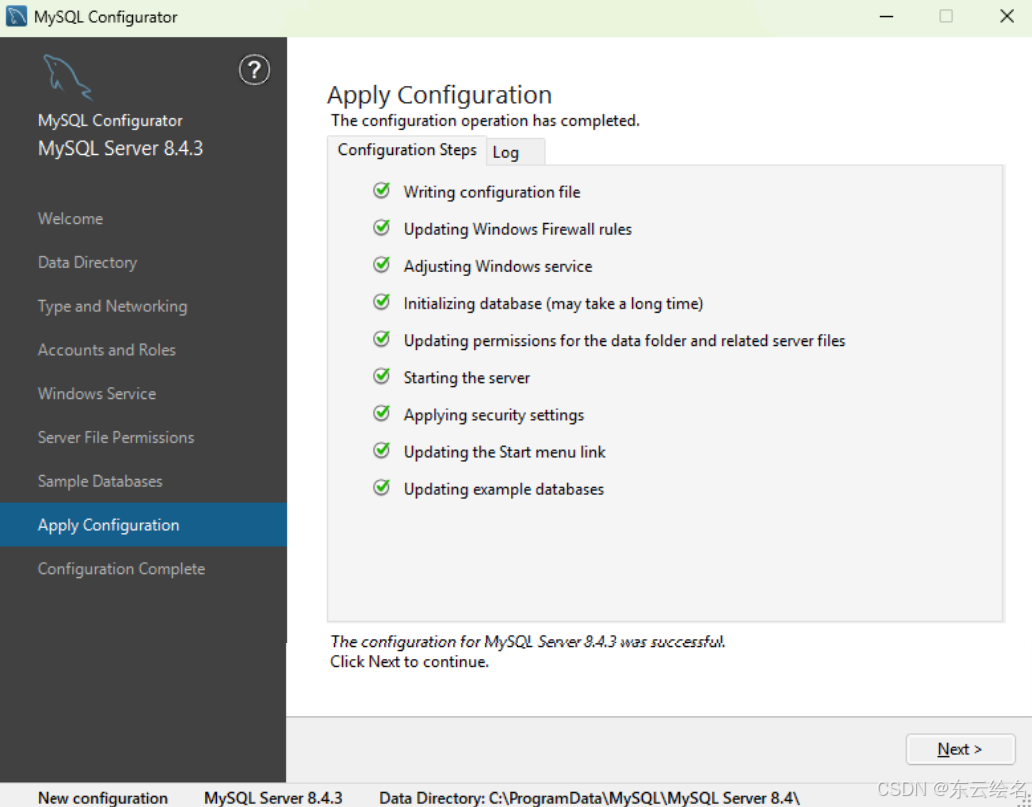
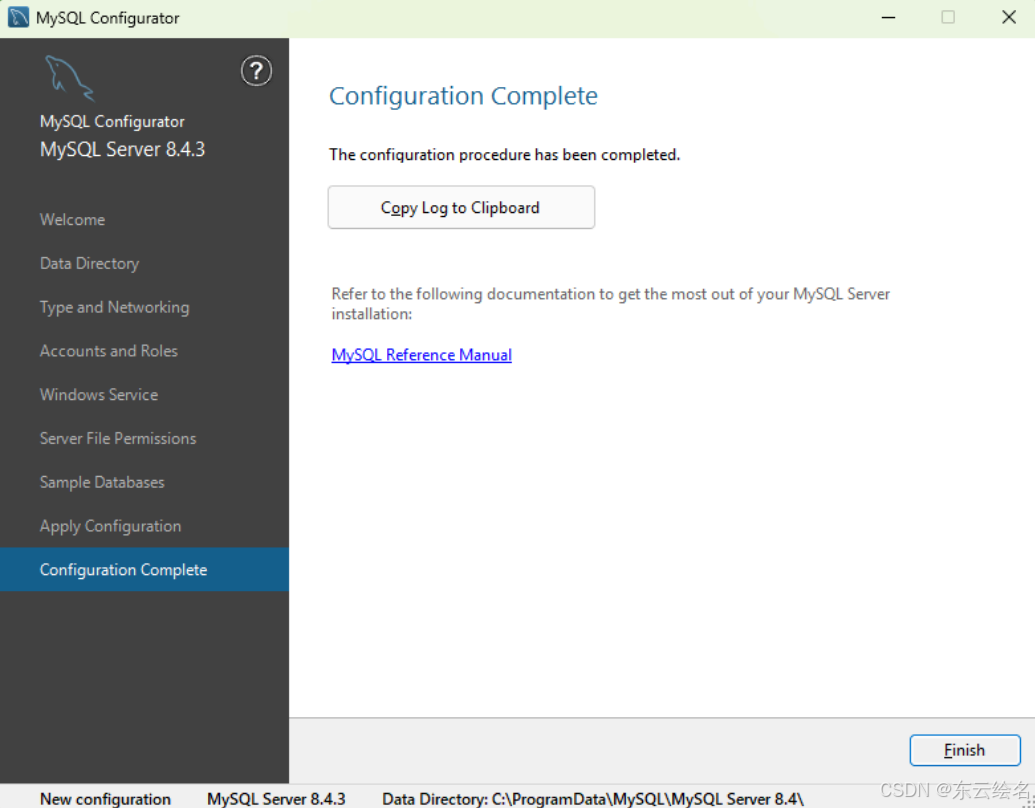
1.服务端安装
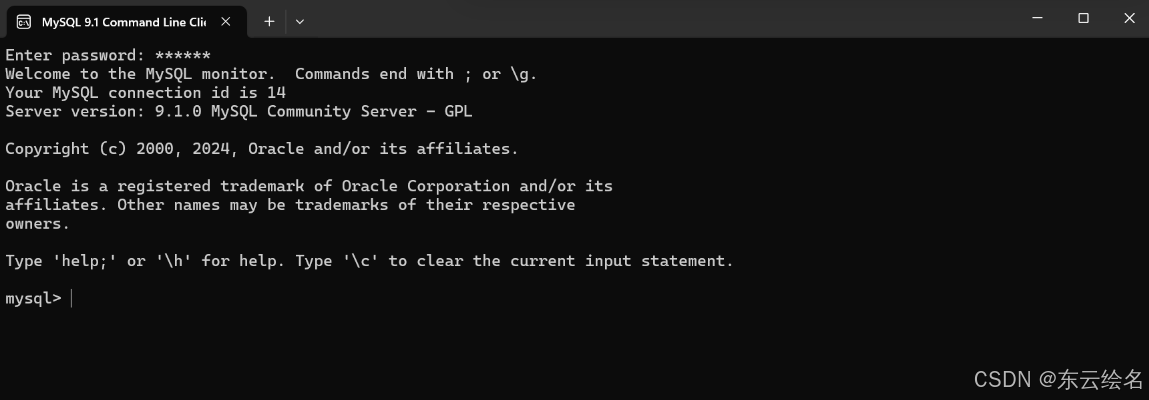
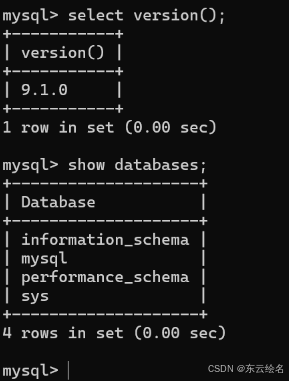
命令行测试

腾讯云面向开发者汇聚海量精品云计算使用和开发经验,营造开放的云计算技术生态圈。
更多推荐
 20
20 0
0- 0


 已为社区贡献1条内容

所有评论(0)