Internal build system error. BuildProgram exited with code 1.error: Could not set up a toolchain fo
Unity打包PC Windows报错。
现象
Unity打包PC 勾选了 IL2CPP Windows报错
报错详情
Internal build system error. BuildProgram exited with code 1.
error: Could not set up a toolchain for Architecture x64. Make sure you have the right build tools installed for il2cpp builds. Details:
IL2CPP C++ code builder is unable to build C++ code. In order to build C++ code for Windows Desktop, you must have one of these installed:
* Visual Studio 2022 or newer with C++ compilers and Windows 10 (or newer) SDK (recommended)
* Visual Studio 2019 with C++ compilers and Windows 10 (or newer) SDK
* Visual Studio 2017 with C++ compilers and Windows 10 (or newer) SDK
* Visual Studio 2015 with C++ compilers and Windows 10 (or newer) SDK
Visual Studio 2017 (or newer) is detected using `vswhere.exe` as well as VSCOMNTOOLS environment variables.
Visual Studio 2015 is detected by looking at "SOFTWARE\Microsoft\VisualStudio\14.0_Config\InstallDir" in the registry as well as VSCOMNTOOLS environment variables.
Windows 10 (or newer) SDK is detected by looking at "SOFTWARE\Wow6432Node\Microsoft\Microsoft SDKs\Windows\v10.0\InstallationFolder" in the registry.
Unable to detect any compatible Visual Studio installation!
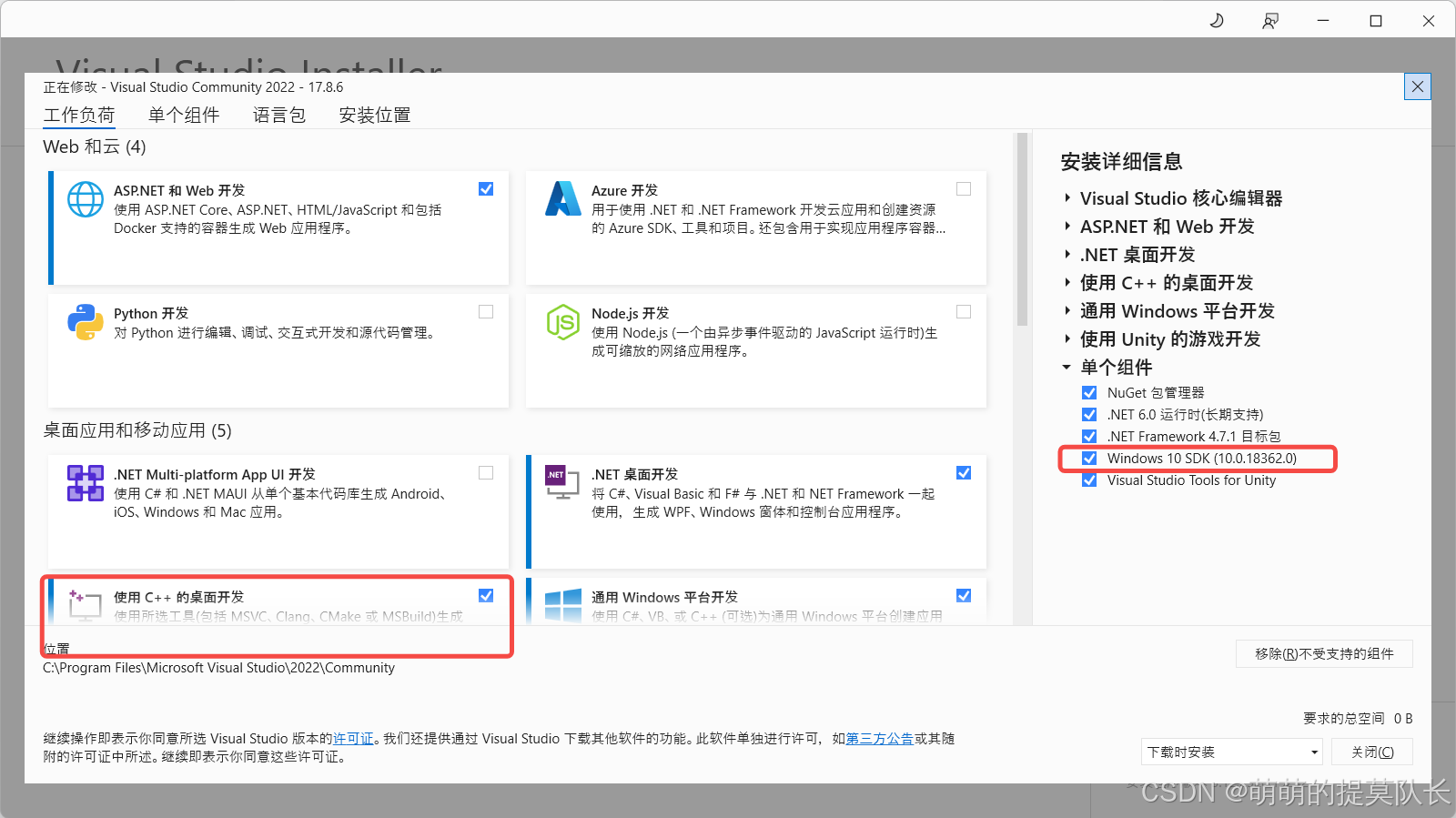
* Found Visual Studio 2022 installation without C++ tool components
解决方案
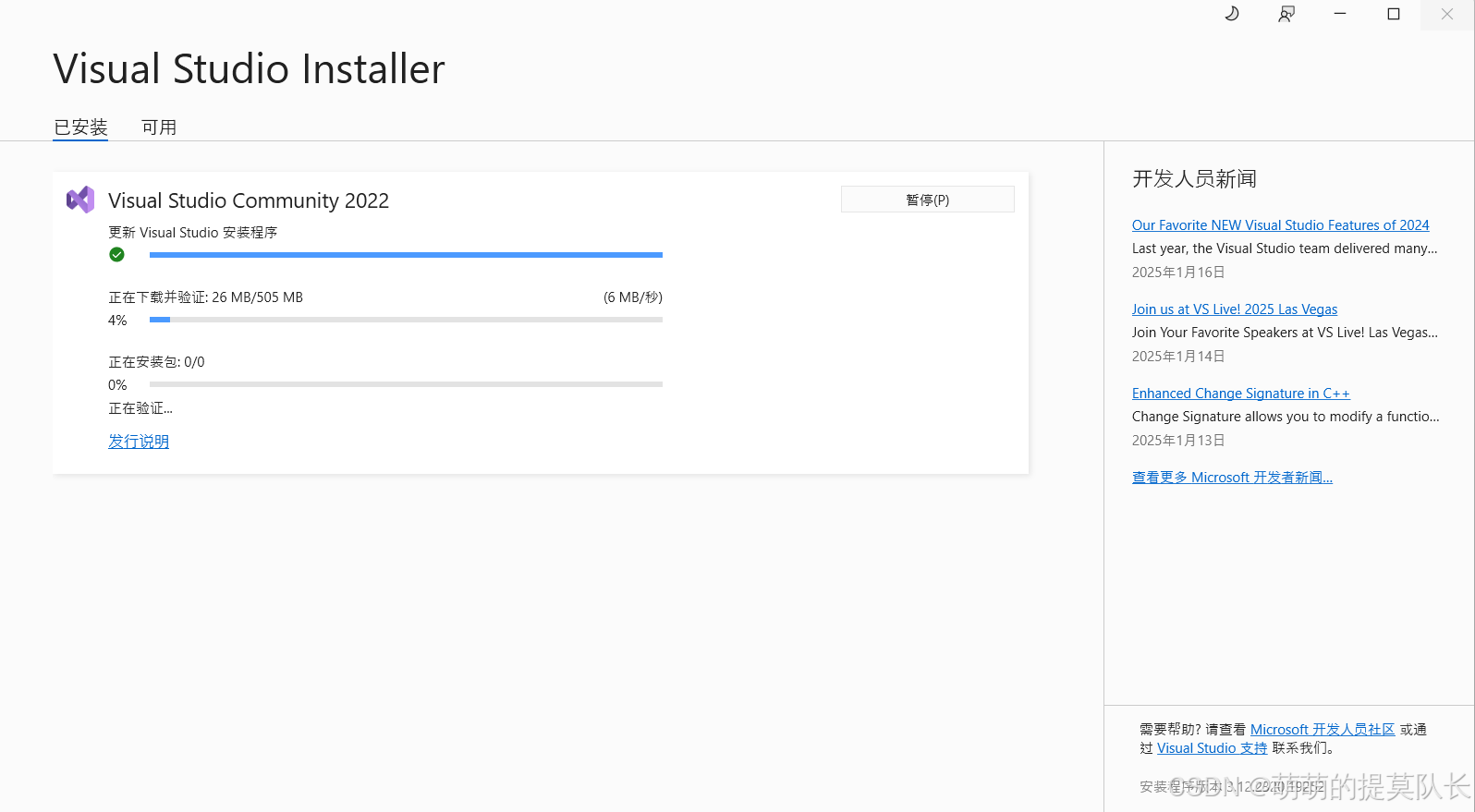
VS安装下Windows 10 SDK 和勾选C++开发
一键三联
点赞·留言·收藏
如果可以帮到你,好用的话,记得一键三连。
毕竟博主写文章是靠爱发电,所以爱会消失对不对。



腾讯云面向开发者汇聚海量精品云计算使用和开发经验,营造开放的云计算技术生态圈。
更多推荐
 5
5 0
0- 0


 已为社区贡献4条内容

所有评论(0)