如何下载安装两步验证身份验证器
·
一、在手机上安装Microsoft Authenticator身份验证器
1、iPhone手机,在App Store中搜索 Microsoft Authenticator,点击下载安装即可;
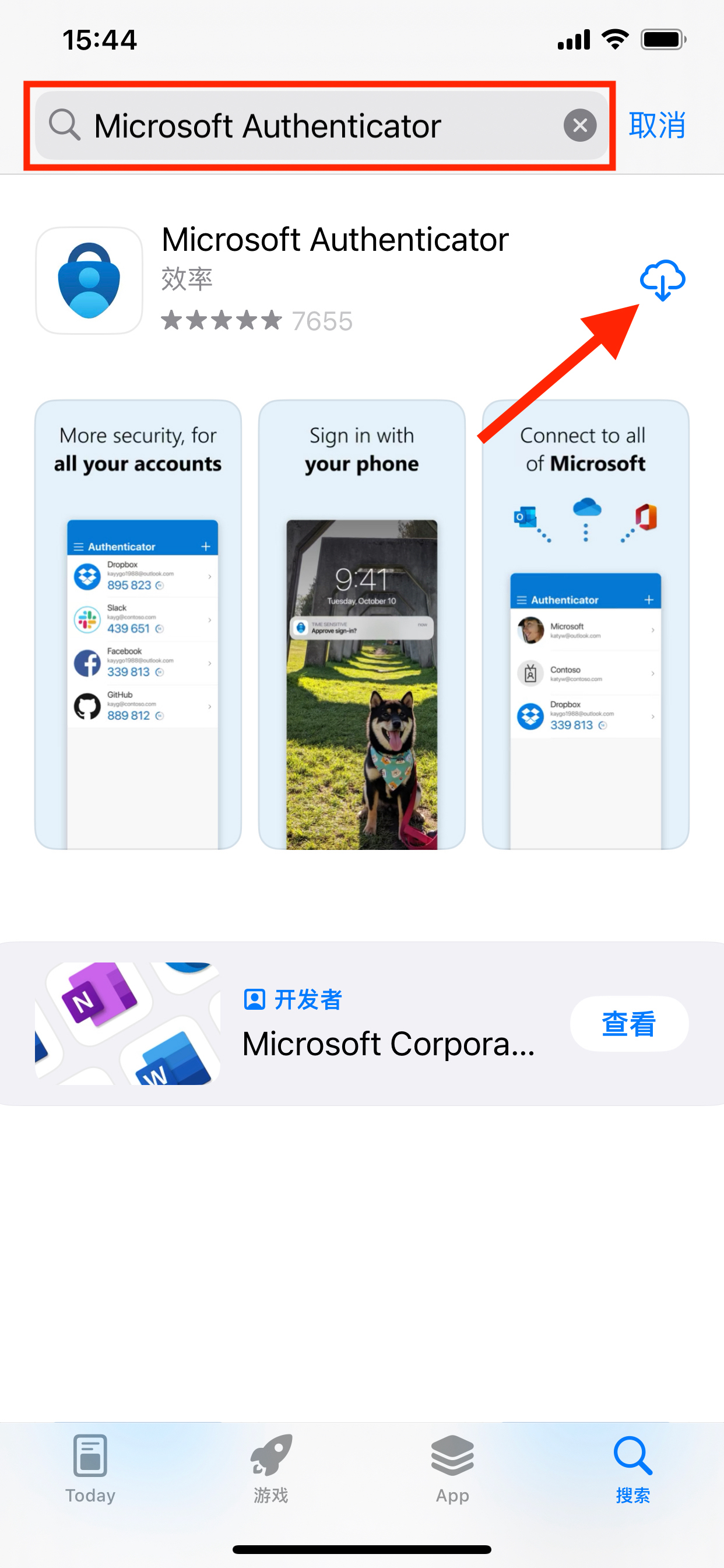
或者选择 google authenticator,下载地址如下
https://apps.apple.com/sg/app/google-authenticator/id388497605
2,如果是安卓android手机
下载Google 身份验证器
https://play.google.com/store/apps/details?id=com.google.android.apps.authenticator2
或者 Microsoft Authenticator ,下载地址: Microsoft 移动电话身份验证器应用 | Microsoft 安全
或者 在应用宝下载【腾讯身份验证器】 :
https://sj.qhttps://sj.qq.com/appdetail/com.tencent.authenticatorhttps://sj.q
或者 在应用宝下载【Azure Authenticator】 :
https://sj.qq.com/appdetail/com.azure.authenticator
二,扫描身份验证器的token的二维码,添加身份验证信息,然后在app里面获取每分钟换一次的动态验证码,将动态验证码输入到平台中去添加即可

腾讯云面向开发者汇聚海量精品云计算使用和开发经验,营造开放的云计算技术生态圈。
更多推荐
 7
 0
- 0


 已为社区贡献3条内容

所有评论(0)