git拉取代码报错:fatal: unable to access ‘https://github.com...Failed to connect to github.com port 443 aft
git拉取代码报错:
1.fatal: unable to access 'https://github.com...HTTP/2 stream 1 was not closed cleanly before end of the underlying stream
2. Failed to connect to github.com port 443 after 21088 ms: Timed out
1.拉取spring源码
git clone https://github.com/spring-projects/spring-framework.gi
2.拉取spring源码报错:
$ git clone https://github.com/spring-projects/spring-framework.git
Cloning into 'spring-framework'...
fatal: unable to access 'https://github.com/spring-projects/spring-framework.git/': HTTP/2 stream 1 was not closed cleanly before end of the underlying stream
 3.解决办法:
打开cmd,输入:ping github.com
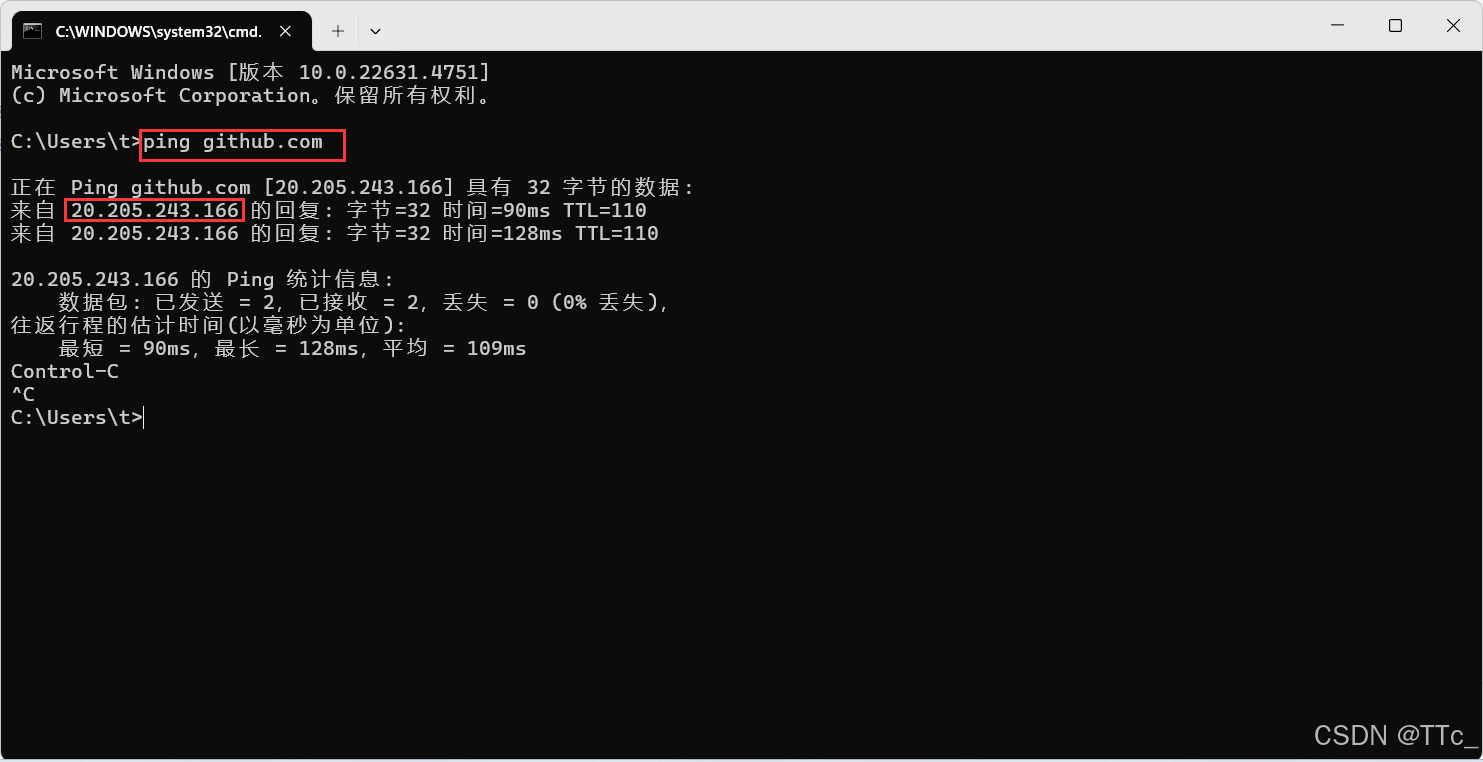
2.1方法一:将上面的ip配置到本地hosts文件中,
把20.205.243.166 github.com添加到C:\Windows\System32\drivers\etc里的hosts文件的最后一行,然后保存就行

2.2方法二:把命令行里的https/http改为git重新执行
例如: git clone git://github.com/spring-projects/spring-framework.gi
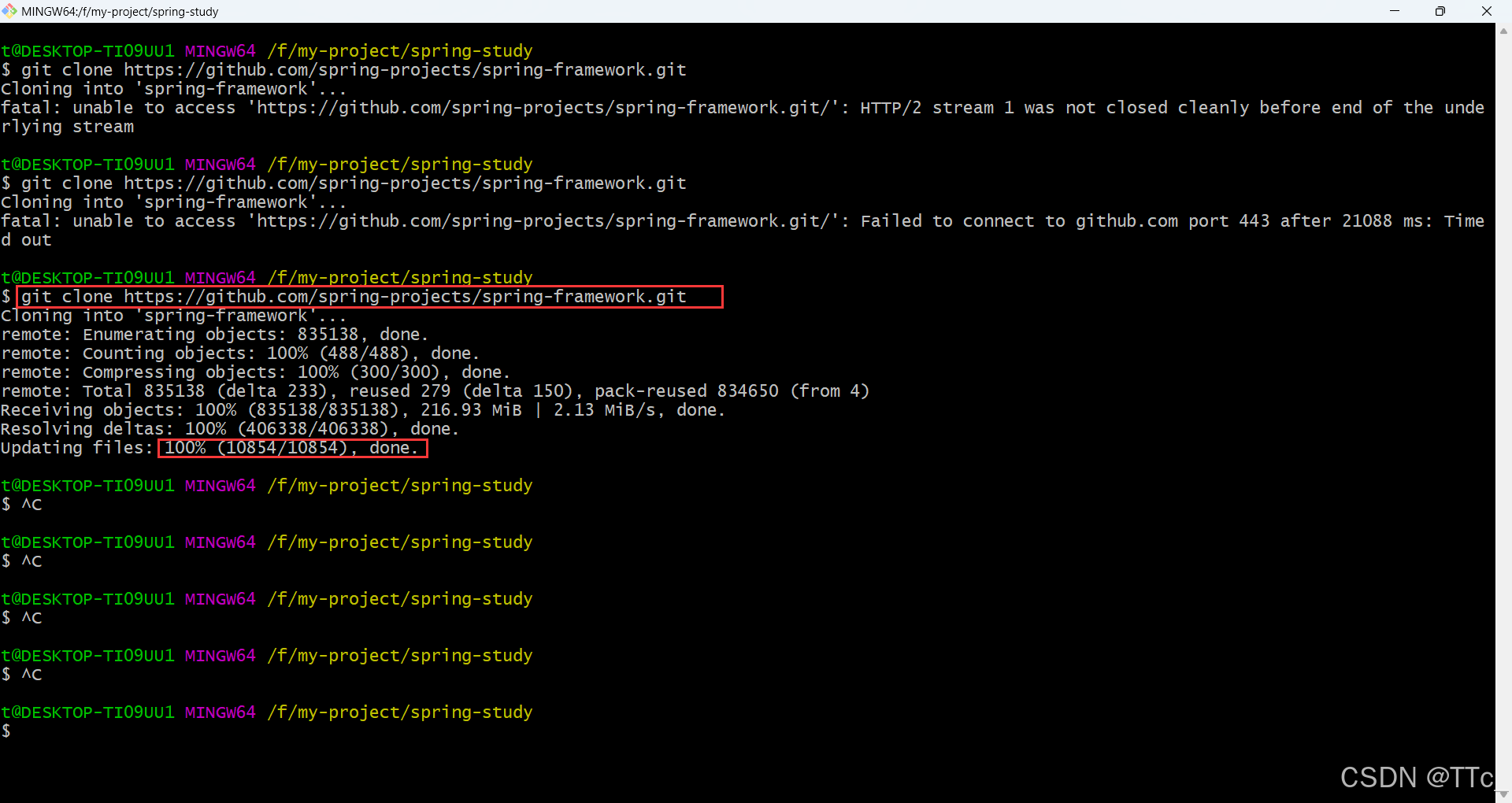
我是用的方法一:执行后结果如下红框,依然报错:fatal: unable to access 'https://github.com/spring-projects/spring-framework.git/': Failed to connect to github.com port 443 after 21088 ms: Timed out

但是不用慌,解决办法:
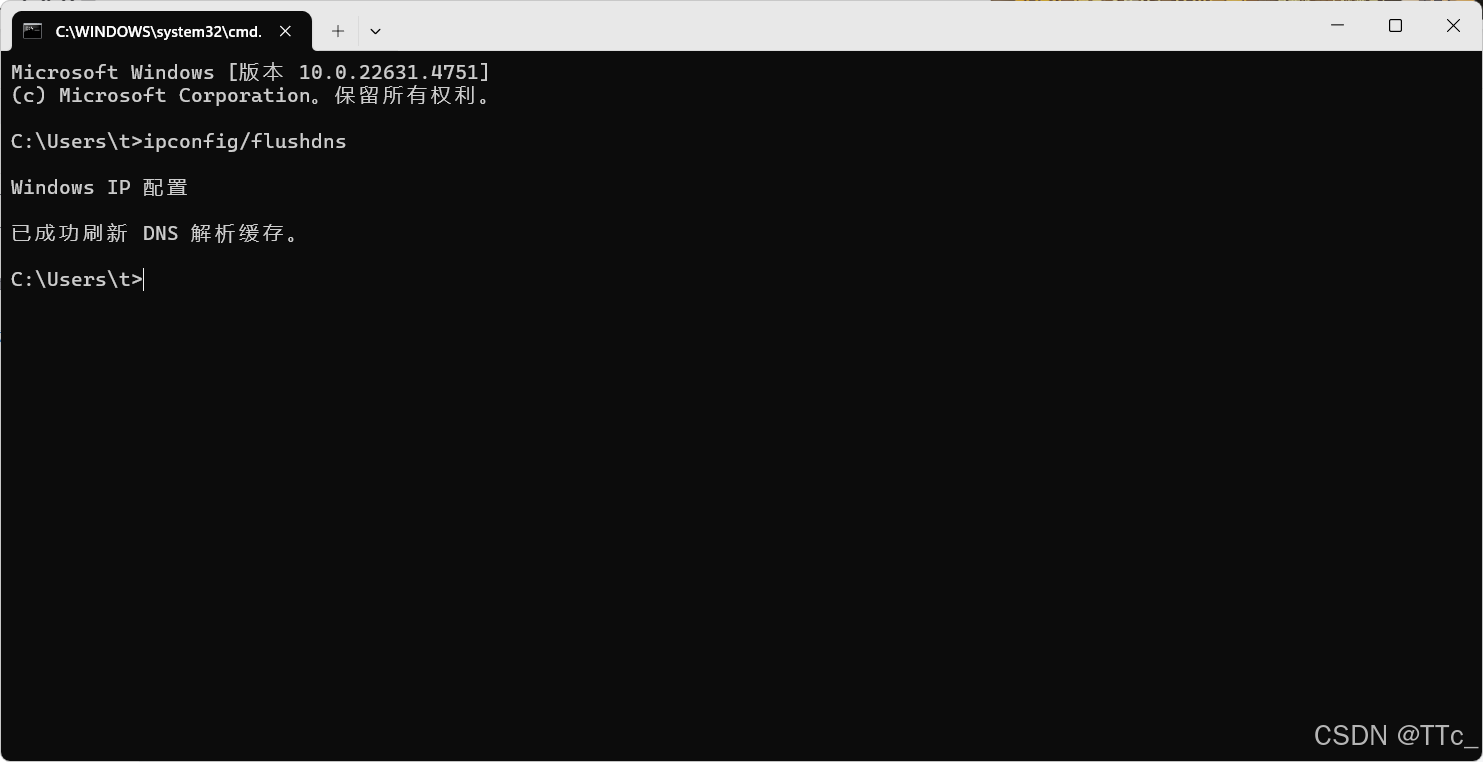
在cmd下执行 ipconfig/flushdns,清理DNS缓存
3.再次执行,执行成功!

腾讯云面向开发者汇聚海量精品云计算使用和开发经验,营造开放的云计算技术生态圈。
更多推荐
 3
3 0
0- 0


 已为社区贡献2条内容

所有评论(0)