docker容器中手工安装 vim编辑器
1.有时候 在docker容器中没有 vim工具操作不是很方便
bash-4.2# pwd
/huang/vim-lib
执行命令
rpm -ivh *.rpm --force --nodeps
bash-4.2# rpm -ivh *.rpm --force --nodeps
warning: gpm-libs-1.20.7-6.el7.x86_64.rpm: Header V3 RSA/SHA256 Signature, key ID f4a80eb5: NOKEY
Preparing...                          ################################# [100%]
Updating / installing...
   1:which-2.20-7.el7                 ################################# [  3%]
   2:vim-filesystem-2:7.4.629-8.el7_9 ################################# [  6%]
   3:vim-common-2:7.4.629-8.el7_9     ################################# [  9%]
   4:groff-base-1.22.2-8.el7          ################################# [ 12%]
   5:perl-HTTP-Tiny-0.033-3.el7       ################################# [ 15%]
   6:perl-parent-1:0.225-244.el7      ################################# [ 18%]
   7:perl-podlators-2.5.1-3.el7       ################################# [ 21%]
   8:perl-Pod-Perldoc-3.20-4.el7      ################################# [ 24%]
   9:perl-Pod-Escapes-1:1.04-299.el7_9################################# [ 27%]
  10:perl-Text-ParseWords-3.29-4.el7  ################################# [ 30%]
  11:perl-Encode-2.51-7.el7           ################################# [ 33%]
  12:perl-Pod-Usage-1.63-3.el7        ################################# [ 36%]
  13:perl-Carp-1.26-244.el7           ################################# [ 39%]
  14:perl-Exporter-5.68-3.el7         ################################# [ 42%]
  15:perl-Filter-1.49-3.el7           ################################# [ 45%]
  16:perl-File-Path-2.09-2.el7        ################################# [ 48%]
  17:perl-PathTools-3.40-5.el7        ################################# [ 52%]
  18:perl-Scalar-List-Utils-1.27-248.e################################# [ 55%]
  19:perl-Socket-2.010-5.el7          ################################# [ 58%]
  20:perl-Storable-2.45-3.el7         ################################# [ 61%]
  21:perl-Time-HiRes-4:1.9725-3.el7   ################################# [ 64%]
  22:perl-File-Temp-0.23.01-3.el7     ################################# [ 67%]
  23:perl-Time-Local-1.2300-2.el7     ################################# [ 70%]
  24:perl-constant-1.27-2.el7         ################################# [ 73%]
  25:perl-libs-4:5.16.3-299.el7_9     ################################# [ 76%]
  26:perl-macros-4:5.16.3-299.el7_9   ################################# [ 79%]
  27:perl-threads-1.87-4.el7          ################################# [ 82%]
  28:perl-threads-shared-1.43-6.el7   ################################# [ 85%]
  29:perl-Pod-Simple-1:3.28-4.el7     ################################# [ 88%]
  30:perl-Getopt-Long-2.40-3.el7      ################################# [ 91%]
  31:perl-4:5.16.3-299.el7_9          ################################# [ 94%]
  32:gpm-libs-1.20.7-6.el7            ################################# [ 97%]
  33:vim-enhanced-2:7.4.629-8.el7_9   ################################# [100%]
bash-4.2#
在容器中单独安装
yum install vim -y
--测试是否安装 成功
vim --version
VIM - Vi IMproved 7.4 (2013 Aug 10, compiled Aug 2 2017 00:45:39)
主要是想在 mysql容器里 建立一张表测试 每隔一份钟插入相关的数据
use mysql;
grant all privileges on *.* to 'root'@'%' identified by '123456';
flush privileges;
docker 中端口映射发生了相关的改变
13306->3306/tcp mysql
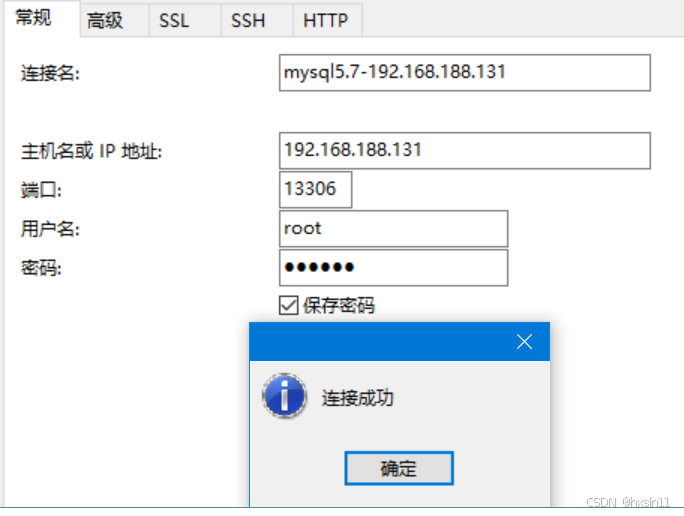
拷贝资料
docker cp /home/shell/huang/testmysql.sh  mysql:/huang
docker cp /home/shell/huang/vim-lib  mysql:/huang
MySQL表设计
CREATE TABLE test_table (
id INT AUTO_INCREMENT PRIMARY KEY, -- 自增主键
created_at TIMESTAMP DEFAULT CURRENT_TIMESTAMP, -- 插入时间,自动记录
updated_at TIMESTAMP DEFAULT CURRENT_TIMESTAMP ON UPDATE CURRENT_TIMESTAMP, -- 更新时间,自动更新
data_field VARCHAR(255) NOT NULL -- 示例字段,用于存储数据
);
--Shell脚本
chmod +x testmysql.sh
对应的shell相关的脚本信息
#!/bin/bash
docker exec -it mysql bash
# 数据库连接信息
DB_HOST="localhost"
DB_USER="root"
DB_PASSWORD="123456"
DB_NAME="testhuang"

# 插入数据的SQL语句
INSERT_SQL="INSERT INTO testhuang.test_table (data_field) VALUES ('Test Data');"

# 每隔一分钟执行一次插入操作
while true; do
    # 使用mysql命令执行插入语句
    mysql -h "$DB_HOST" -u "$DB_USER" -p"$DB_PASSWORD" "$DB_NAME" -e "$INSERT_SQL"

    # 打印日志
    echo "Inserted data at $(date)"

    # 暂停60秒
    sleep 60
done
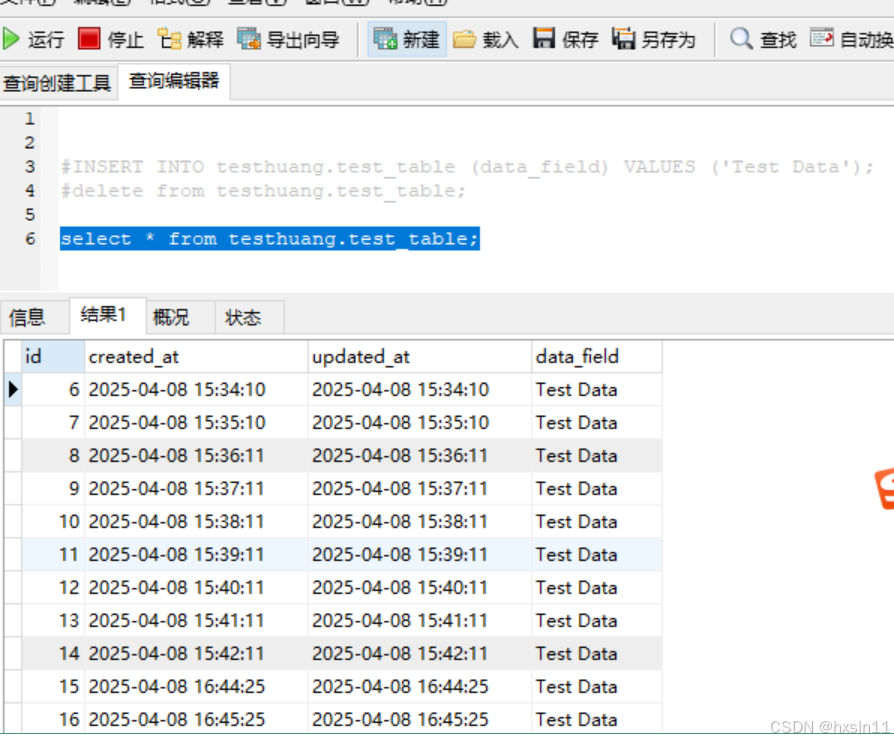
调用相关的脚本 并查询数据库中的数据信息
bash-4.2# sh testmysql.sh
testmysql.sh: line 2: docker: command not found
mysql: [Warning] Using a password on the command line interface can be insecure.
Inserted data at Tue Apr 8 08:44:25 UTC 2025
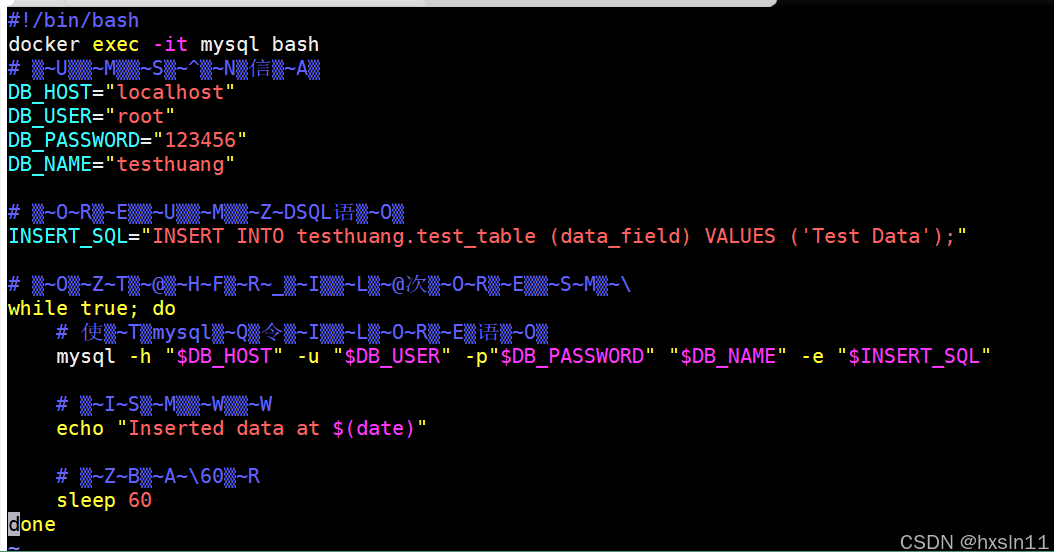
vim中文有乱码的现象
能复制粘贴 但是不完美
cat << EOF > /root/.vimrc
:set encoding=utf-8
:set fileencodings=ucs-bom,utf-8,cp936
:set fileencoding=gb2312
:set termencoding=utf-8
EOF
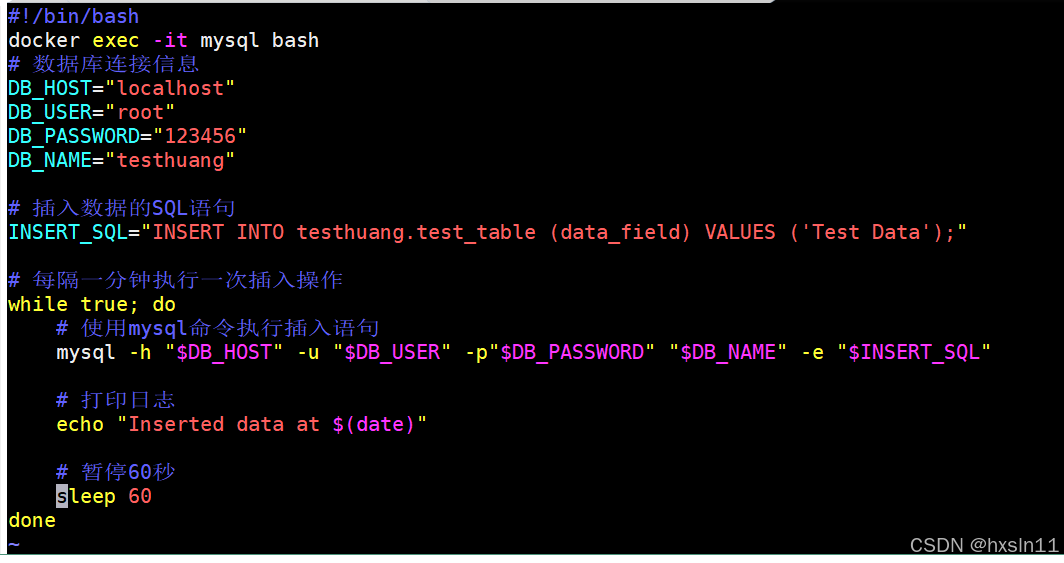
完美解决了上述的问题
参考1:

腾讯云面向开发者汇聚海量精品云计算使用和开发经验,营造开放的云计算技术生态圈。
更多推荐
 4
4 0
0- 0


 已为社区贡献29条内容

所有评论(0)