cline报错Command failed with exit code 1: powershell (Get-CimInstance -ClassName Win32_OperatingSystem
·
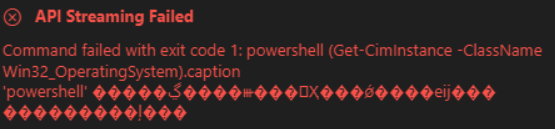
在vscode中安装了cline插件,成功配置了model的apikey,但是报错如上。重新安装了powershell7.5.0也不行。
后来添加了系统环境变量后就好了。
解决方法如下:
1.添加系统环境变量path,复制下面的代码即可
%SYSTEMROOT%\System32\WindowsPowerShell\v1.0\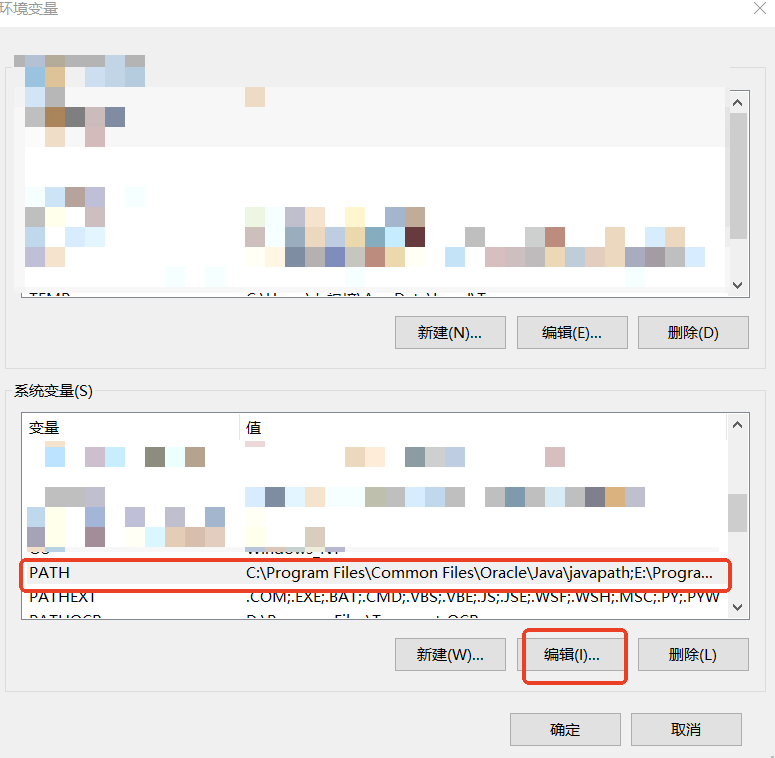
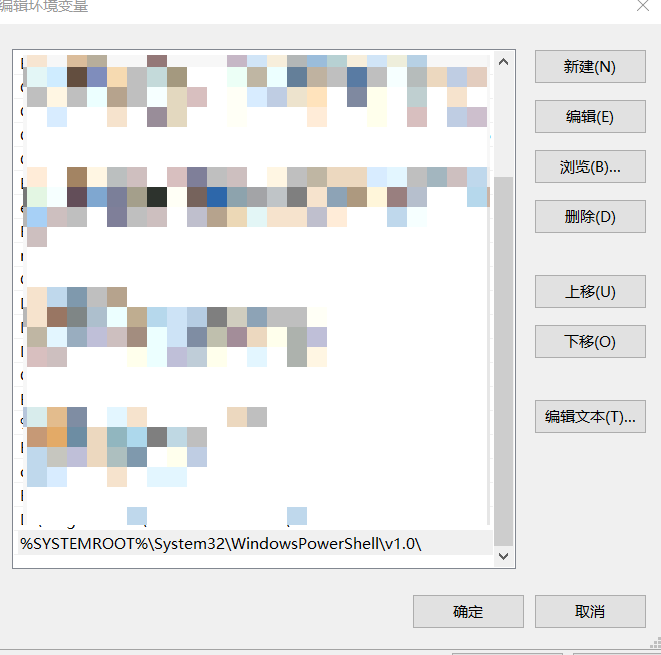
2.打开vscode,按ctrl+shift+p,搜索以下内容
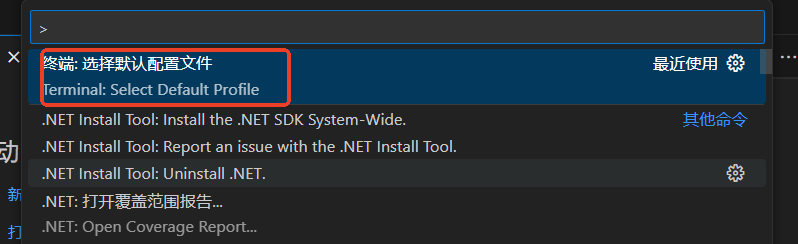
选择下面的v1.0版的powershell。
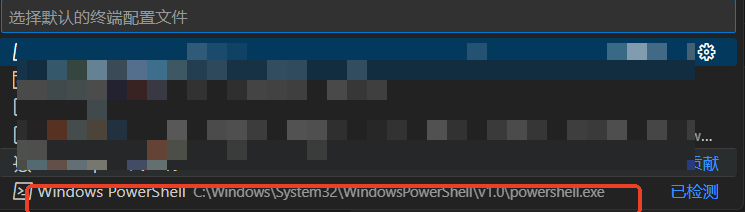
重启电脑,一切搞定。

腾讯云面向开发者汇聚海量精品云计算使用和开发经验,营造开放的云计算技术生态圈。
更多推荐
 2
2 0
0- 0


 已为社区贡献1条内容

所有评论(0)