【华为】防火墙实验+防火墙双机热备
因为一般情况下,单播受安全策略控制,组播报文不受控制,当开启包过滤基础协议后,由于DD报文在广播网络类型中是单播传递,因此被防火墙过滤,导致双方没有成功交互DD报文,所以ospf的邻居关系卡在exstart状态。④直接根据VGMP组的身份来选举,处于Active状态的vrrp组中的设备的接口处于Master状态。在FW2上可以发现我们在FW1上部署的安全策略通过心跳链路传递到了FW2上。在FW4上
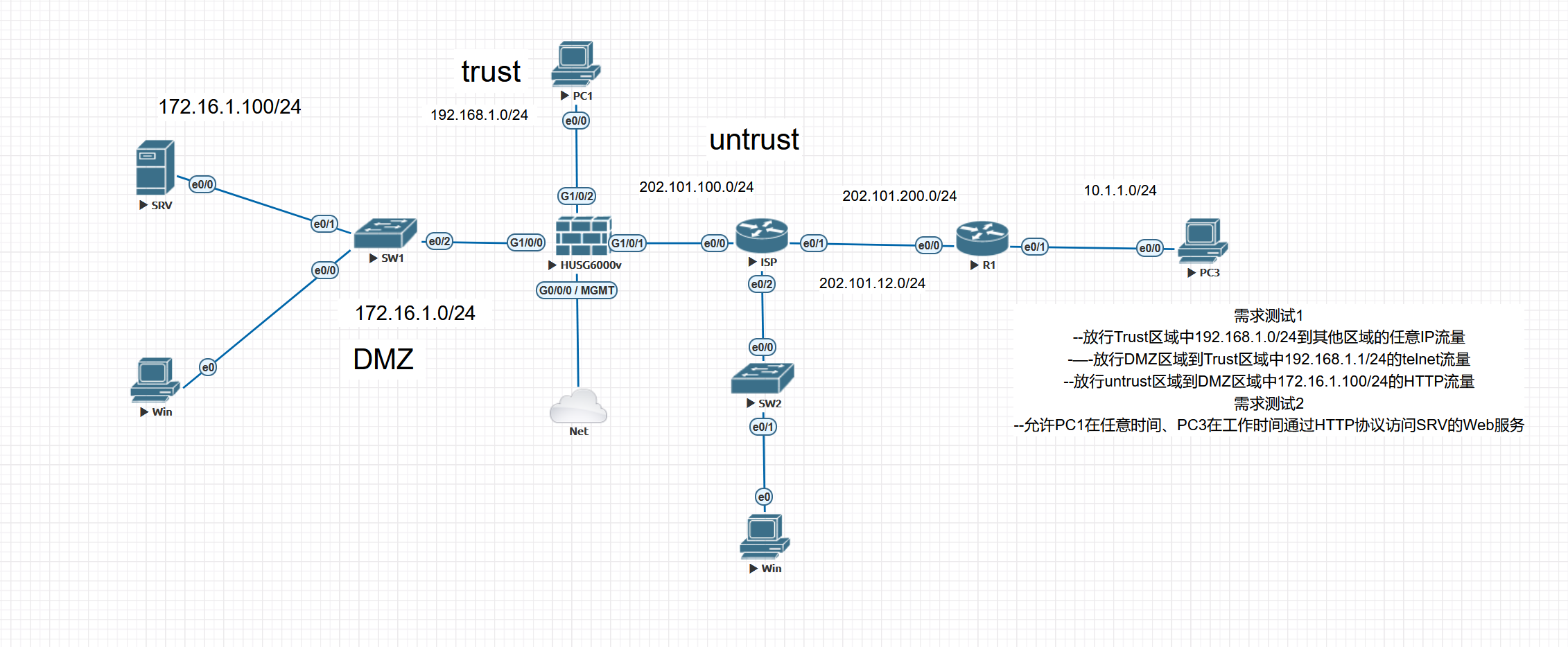
防火墙流量控制
1.安全区域划分
CLI:
[USG6000V2]firewall zone trust
[USG6000V2-zone-trust]add interface g1/0/2
[USG6000V2-zone-trust]set priority 85 ---修改防火墙trust区域优先级

[USG6000V2]display zone   ---查看防火墙区域信息
2025-04-06 19:05:41.330
local
 priority is 100
 interface of the zone is (0):
#
trust
 priority is 85
 interface of the zone is (2):
    GigabitEthernet0/0/0
    GigabitEthernet1/0/2
#
untrust
 priority is 5
 interface of the zone is (1):
    GigabitEthernet1/0/1
#
dmz
 priority is 50
 interface of the zone is (1):
    GigabitEthernet1/0/0
#
[USG6000V2]
网页:
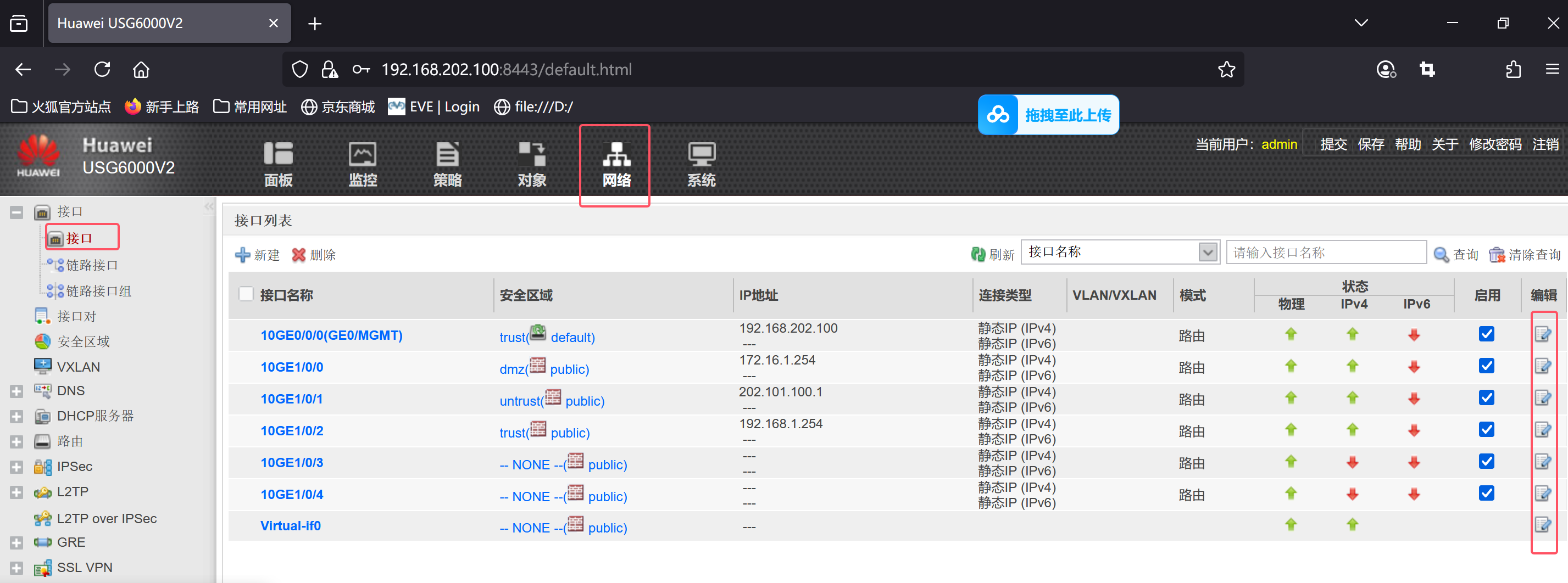
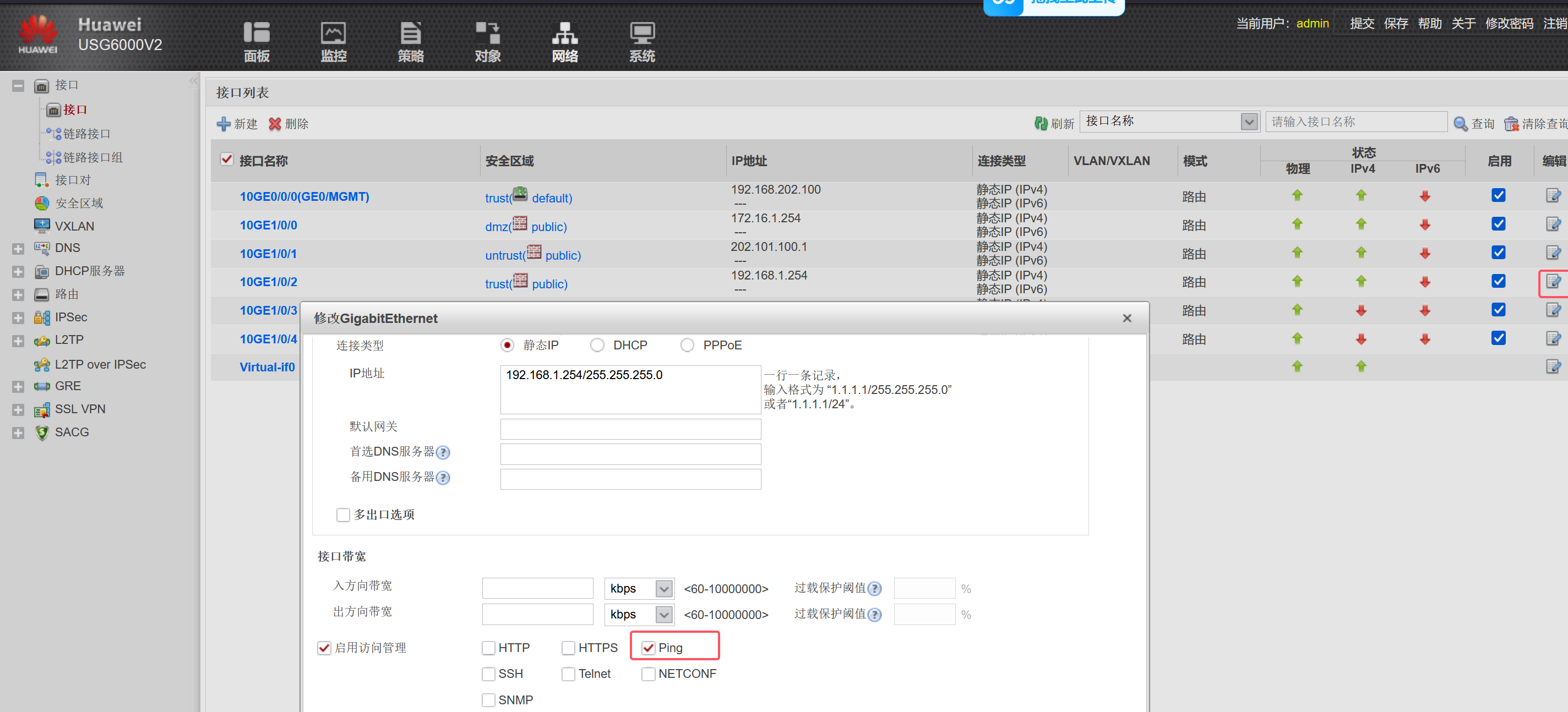
2.接口放行对应流量
CLI:
[USG6000V2]int g1/0/2
[USG6000V2-GigabitEthernet1/0/2]service-manage enable
[USG6000V2-GigabitEthernet1/0/2]service-manage ping permit ---in方向的策略
网页:
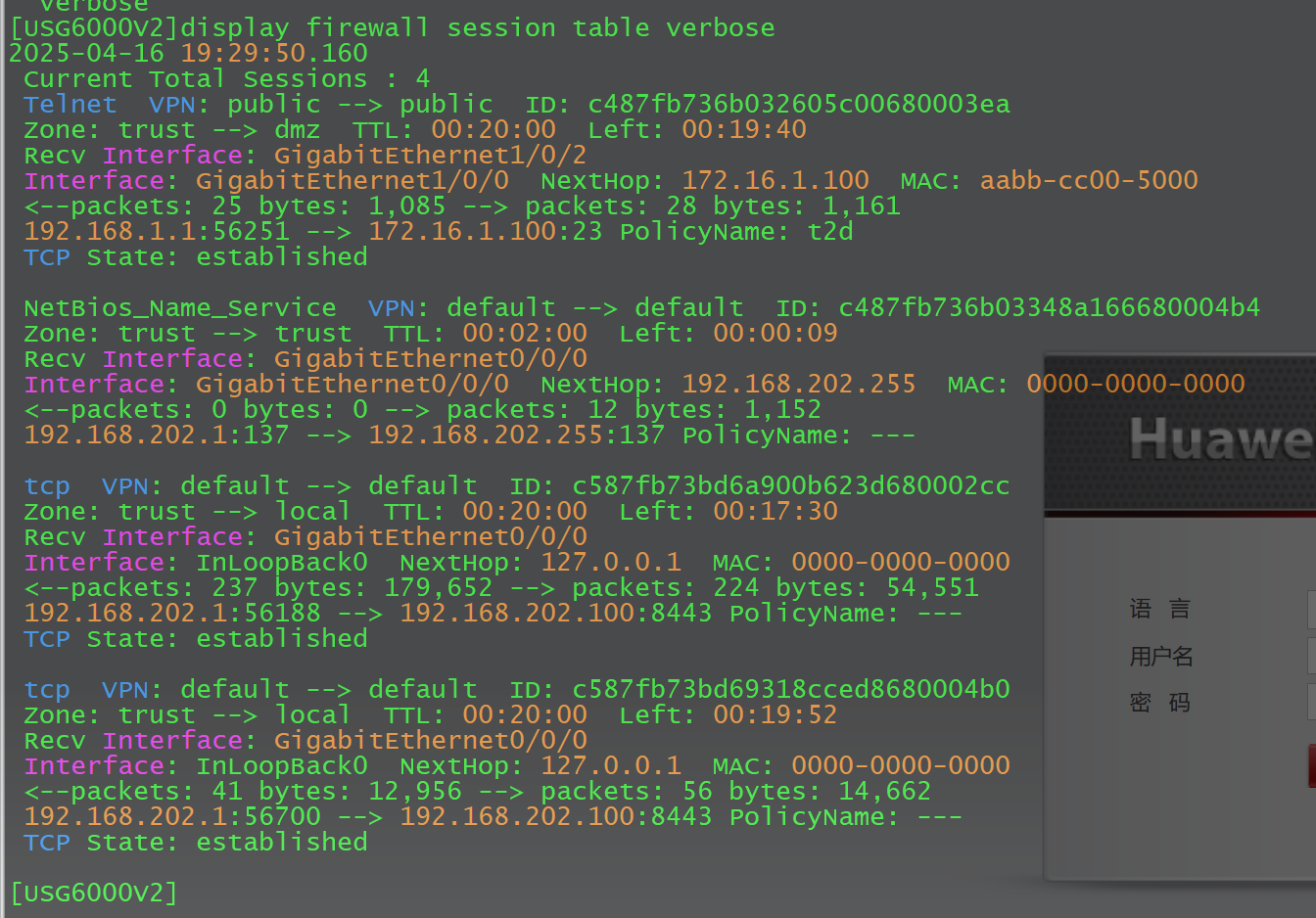
3.查看防火墙流量会话表项
在SRV上开启Telnet功能
SRV(config)#line vty 0 4
SRV(config-line)#transport input telnet
SRV(config-line)#password 123
SRV(config-line)#login    ---在SRV上开启telnet功能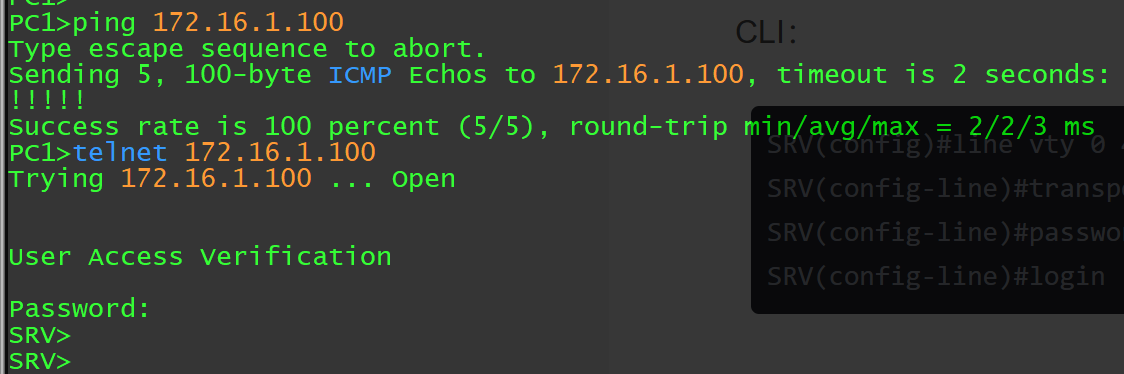
查看防火墙会话表项
[USG6000V2]display firewall session table
[USG6000V2]display firewall session table verbose
4.在防火墙上部署流量控制
需求测试1:
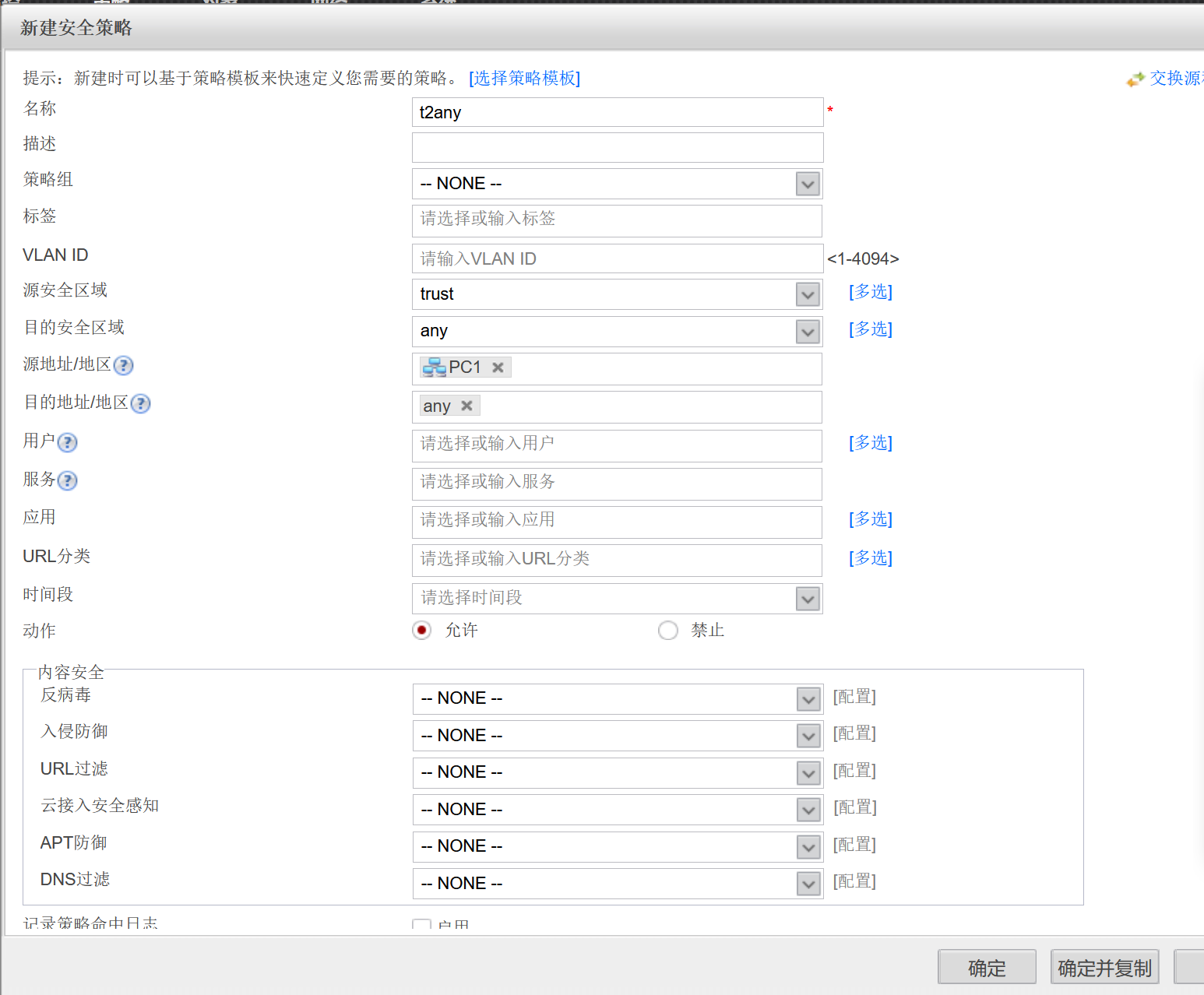
1.放行Trust区域中192.168.1.0/24到其他区域的任意IP流量
ISP(config)#ip route 0.0.0.0 0.0.0.0 202.101.100.1
---在ISP上加个默认路由用于回包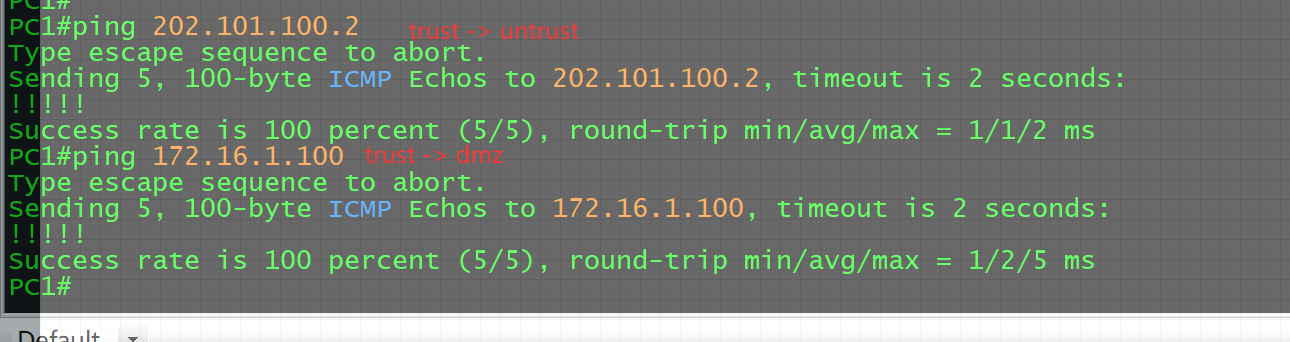
2.放行DMZ区域到Trust区域中192.168.1.1/24的telnet流量
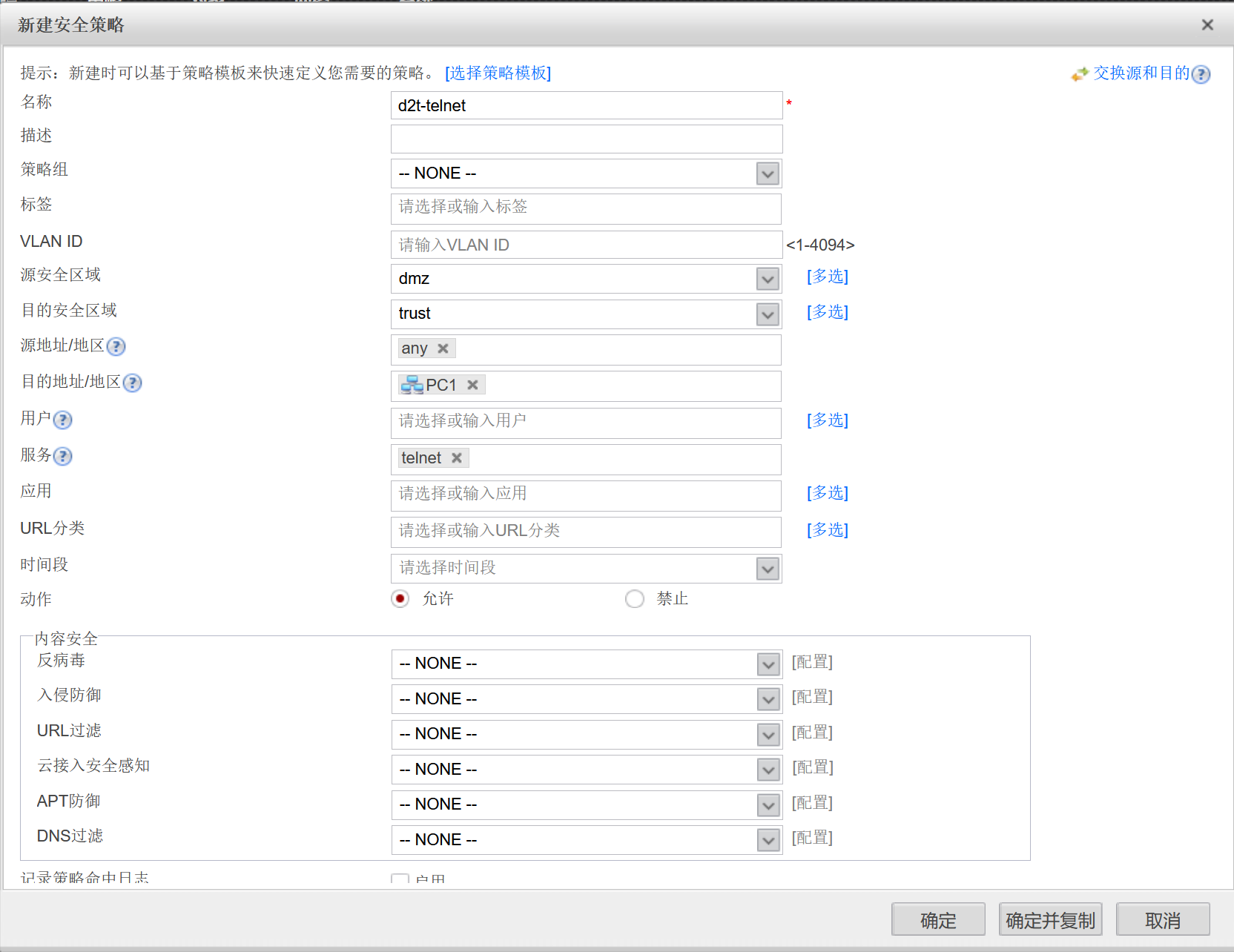
--在PC1上开启telnet服务

PC1(config)#line vty 0 4
PC1(config-line)#transport input telnet
PC1(config-line)#password 123
PC1(config-line)#login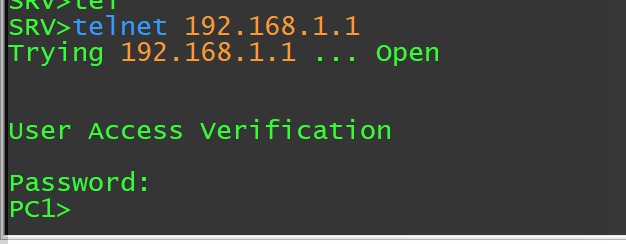
3.放行untrust区域到DMZ区域中172.16.1.100/24的HTTP流量
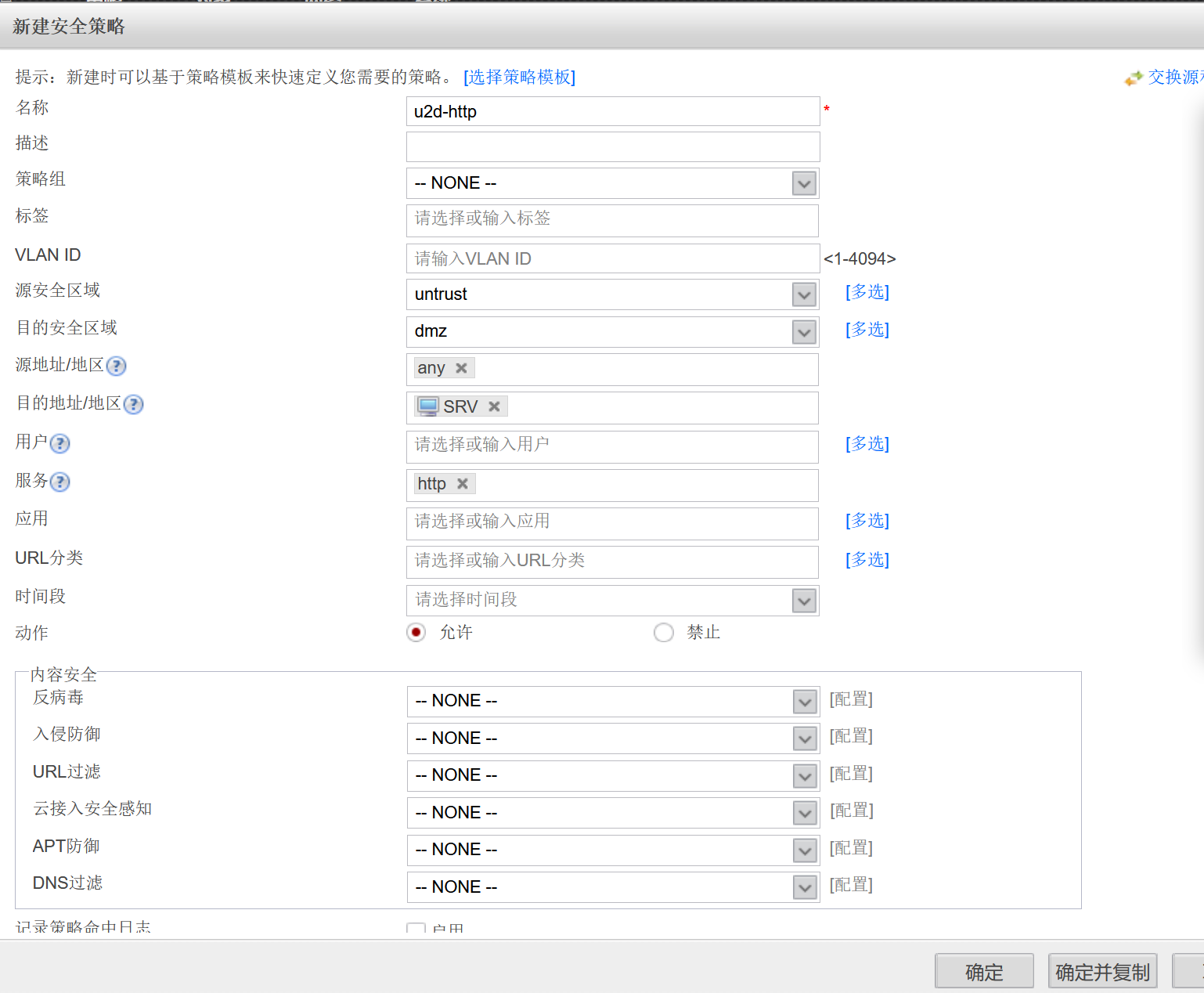
SRV(config)#ip http server
---在SRV上开启http功能
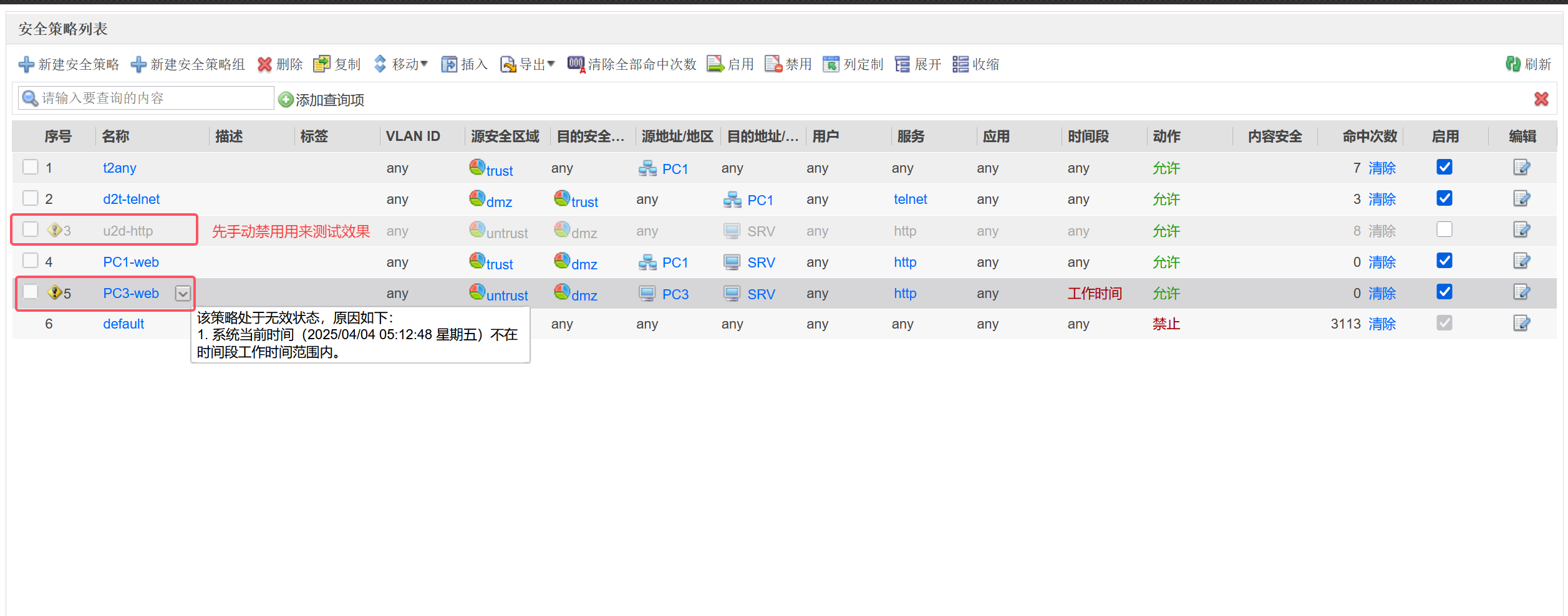
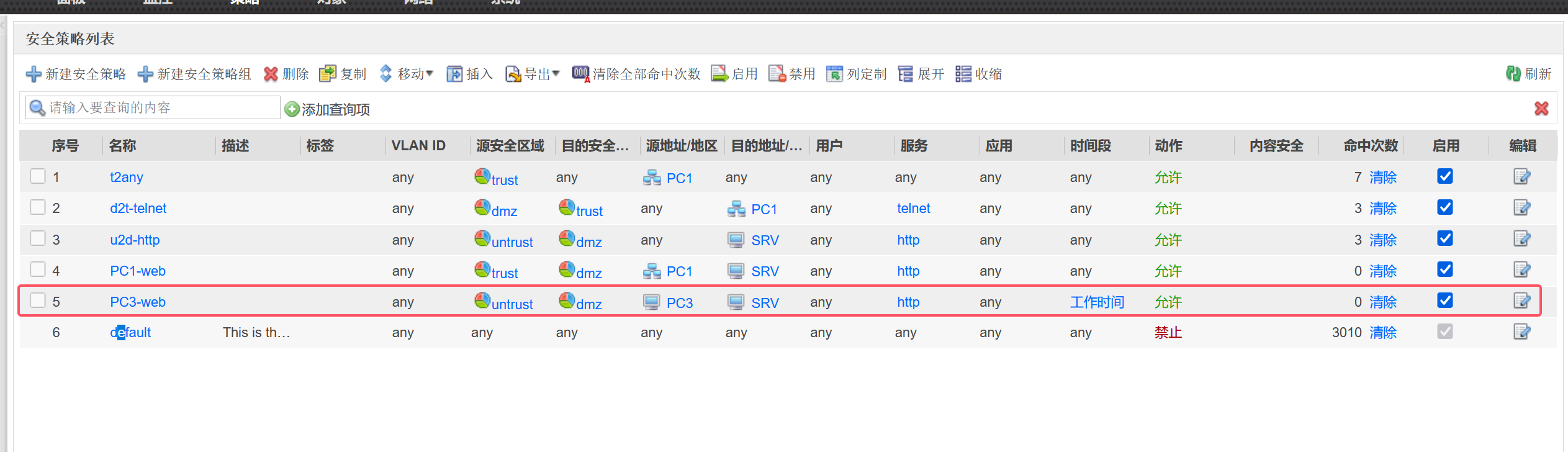
需求测试2:
1.允许PC1在任意时间,PC3在工作时间通过HTTP访问SRV的web服务
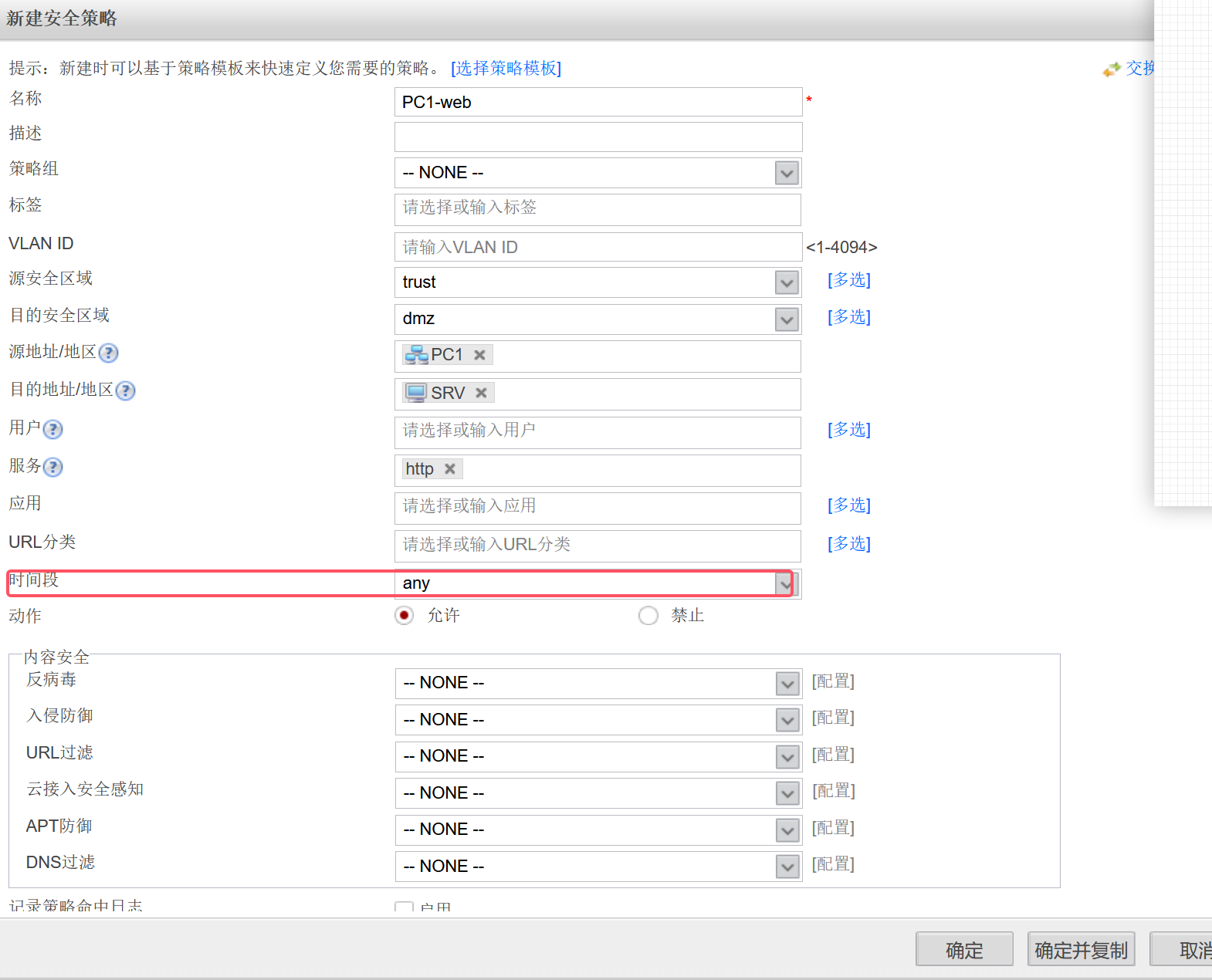
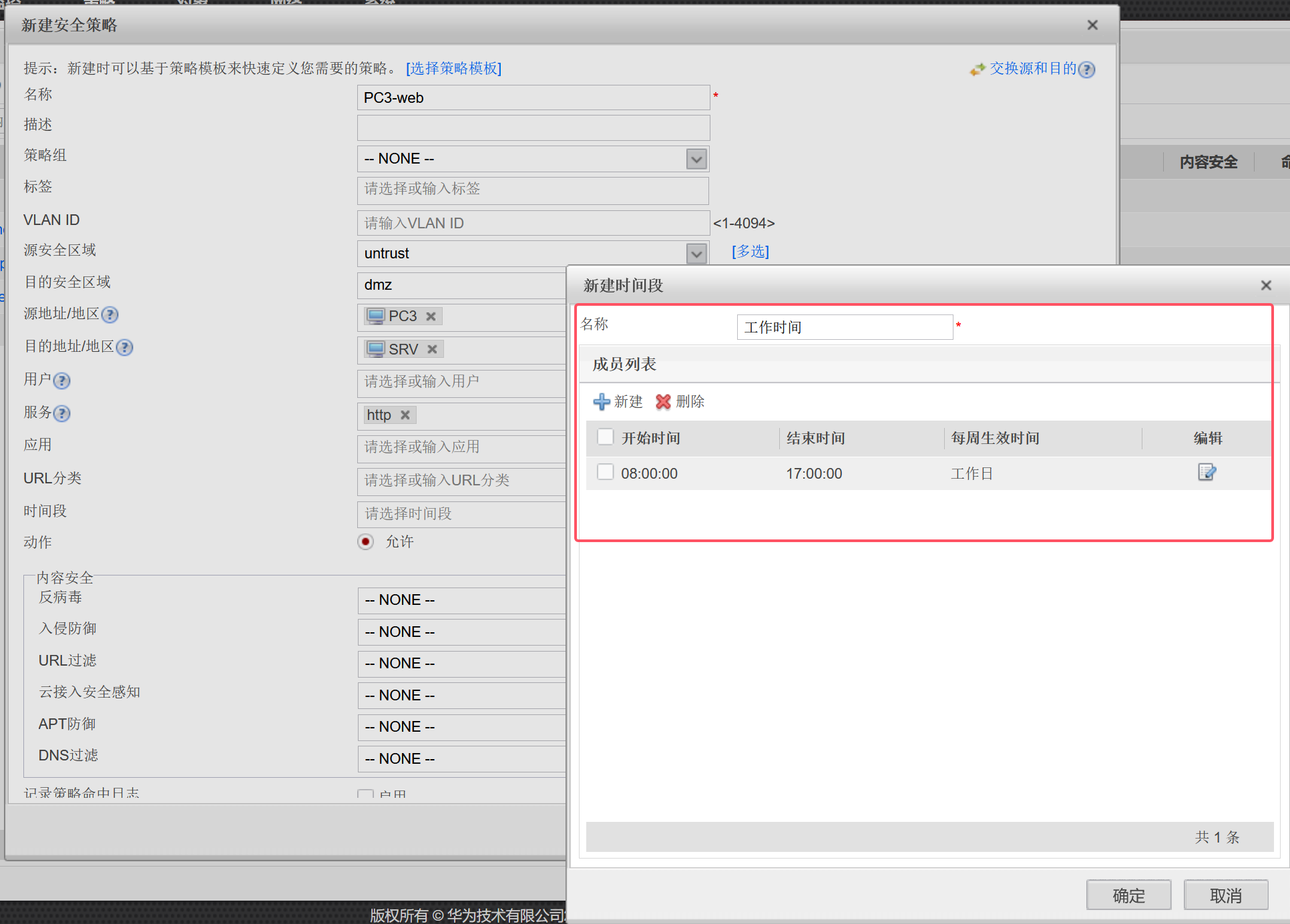



在防火墙上建立DHCP
同网段场景:
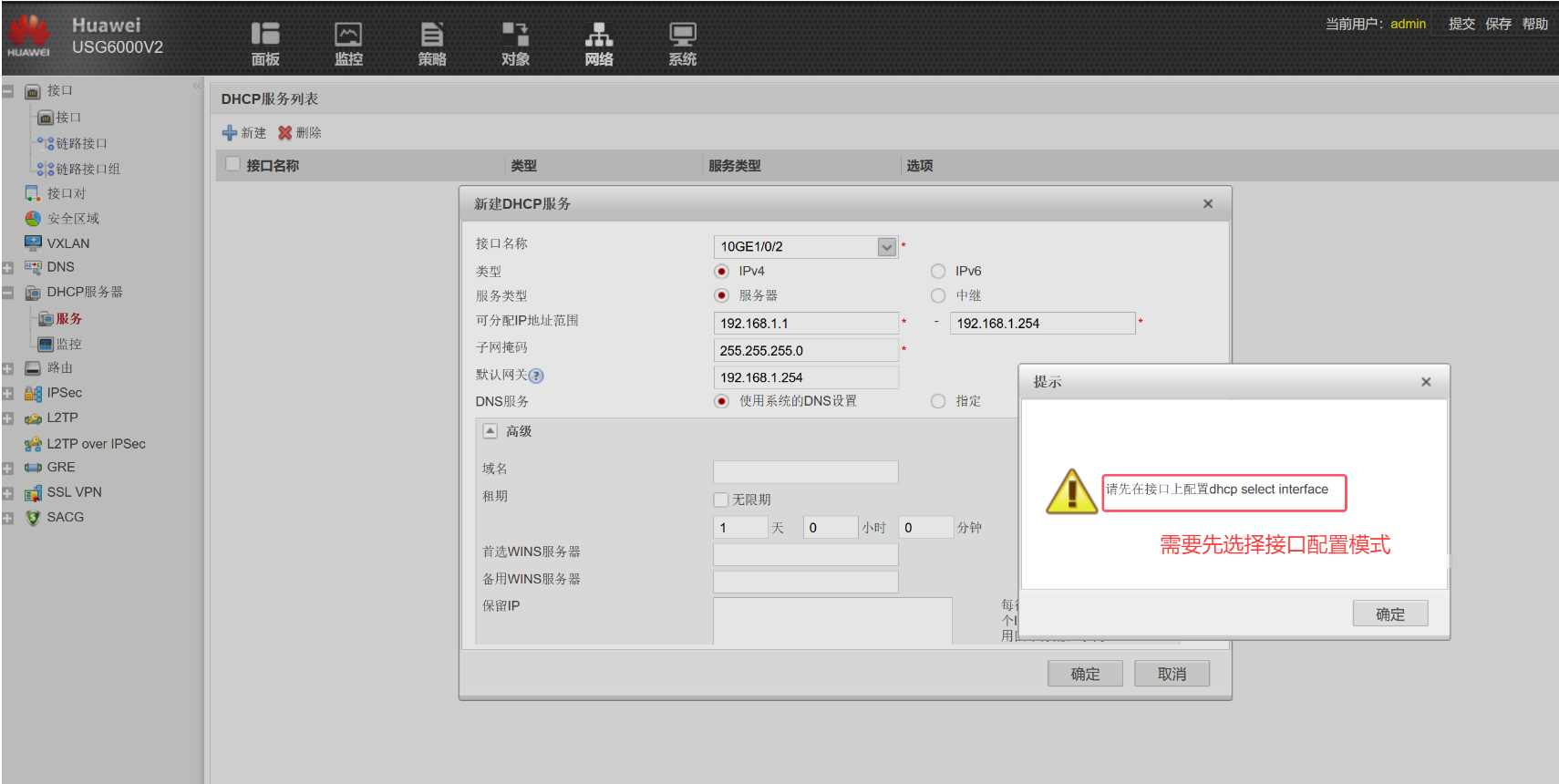
[HUSG6000v-GigabitEthernet1/0/2]dhcp select interface ---选择接口配置模式
中继场景:
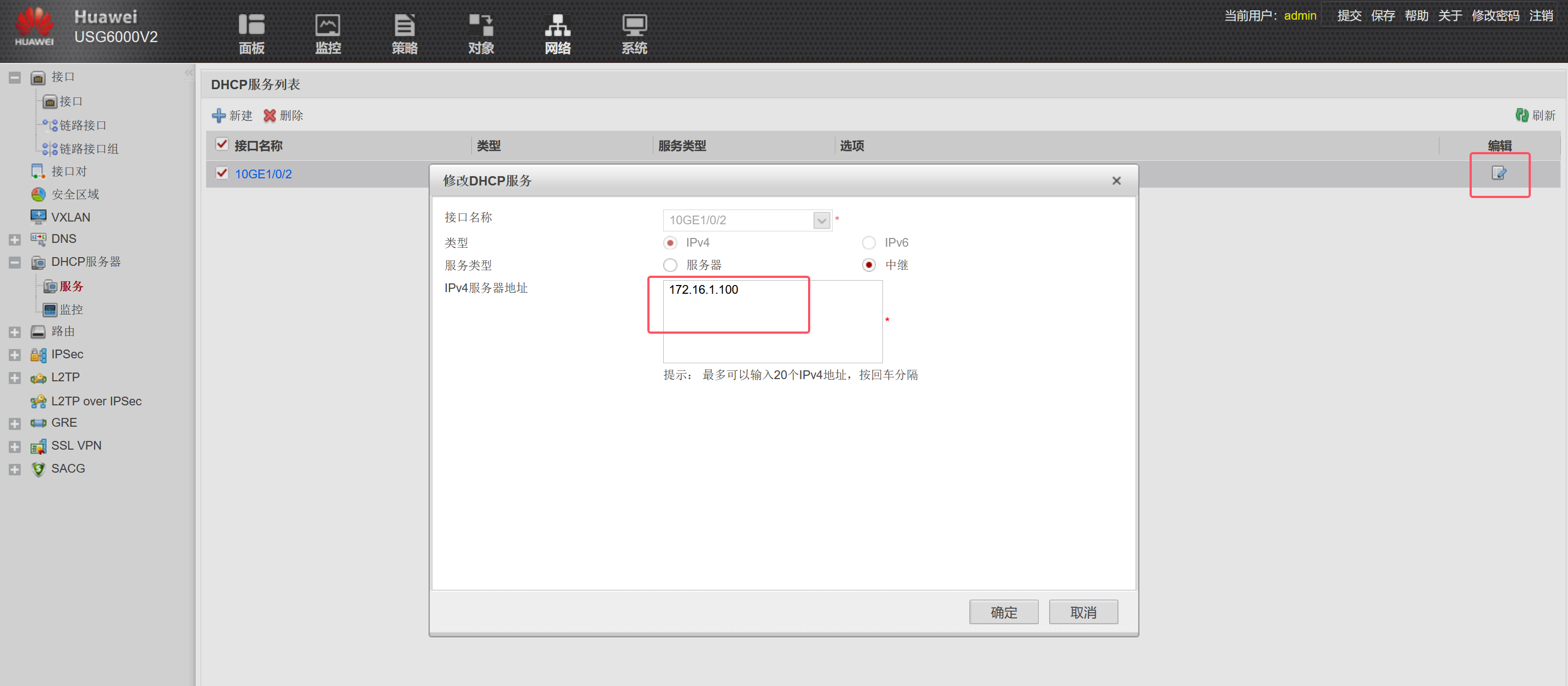
---在SRV上搭建地址池
SRV(config)#ip dhcp pool pc1
SRV(dhcp-config)#network 192.168.1.0 /24
SRV(dhcp-config)#default-router 192.168.1.254
SRV(dhcp-config)#dns 8.8.8.8

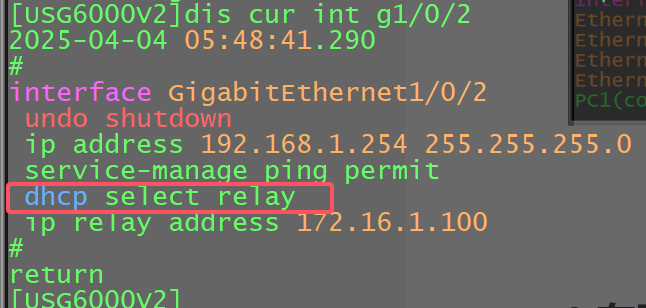
在防火墙上启用OSPF
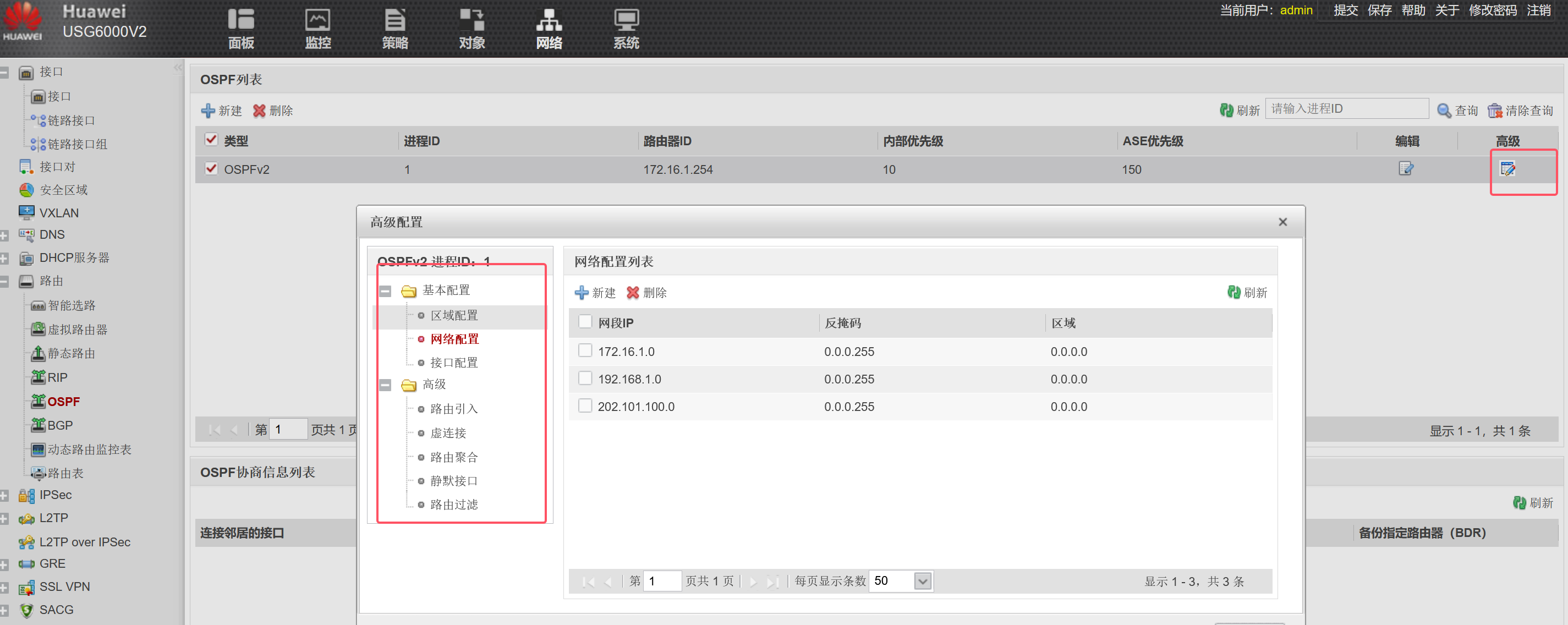
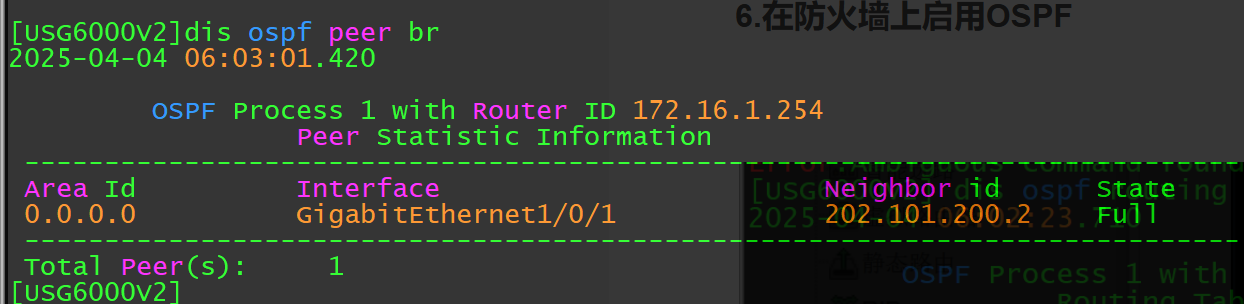
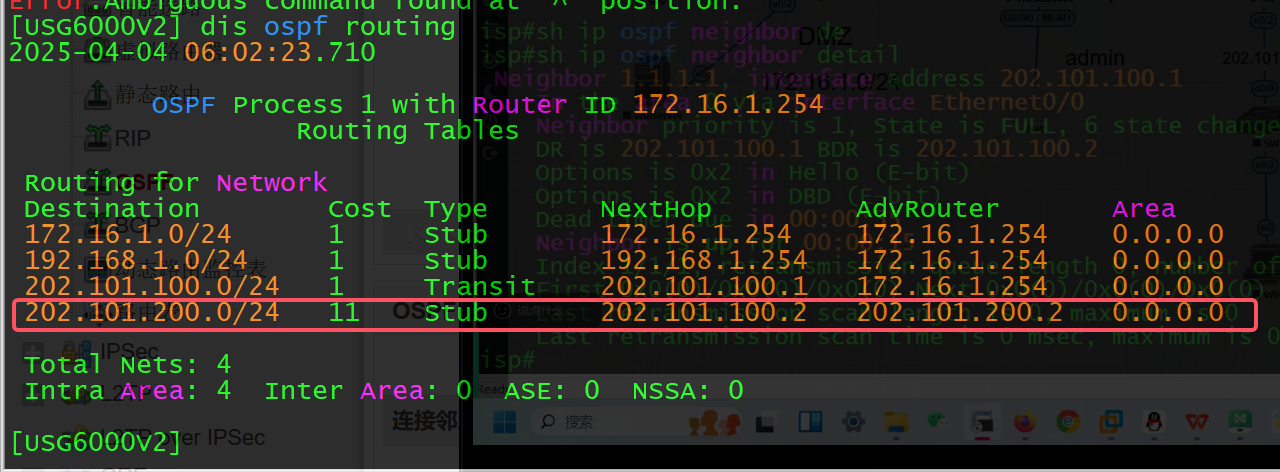
PS:为什么这里防火墙和ISP间的OSPF邻居建立过程没有被防火墙策略拦截?
因为华为防火墙firewall packet-filter basic-protocol(包过滤基础协议)是默认关闭的,

如果手动开启的话:[USG6000V2]firewall packet-filter basic-protocol enable
因为一般情况下,单播受安全策略控制,组播报文不受控制,当开启包过滤基础协议后,由于DD报文在广播网络类型中是单播传递,因此被防火墙过滤,导致双方没有成功交互DD报文,所以ospf的邻居关系卡在exstart状态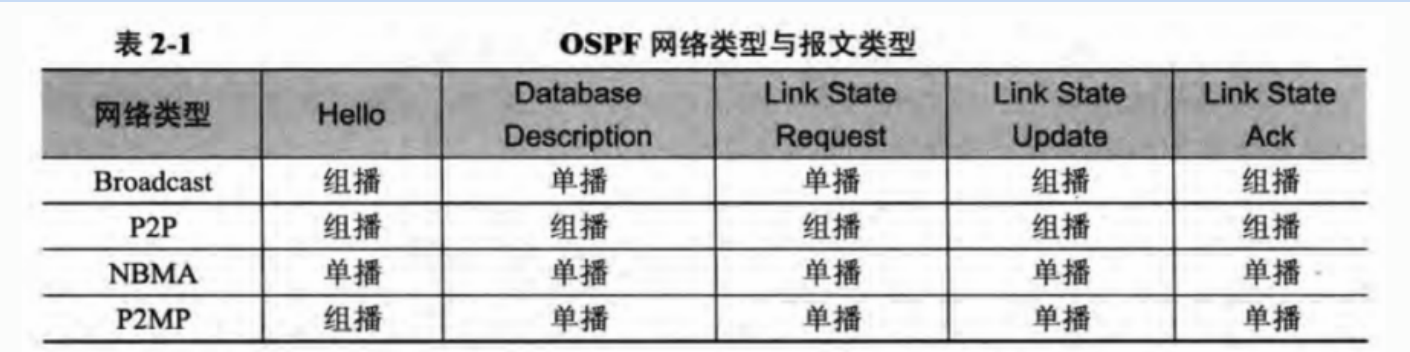
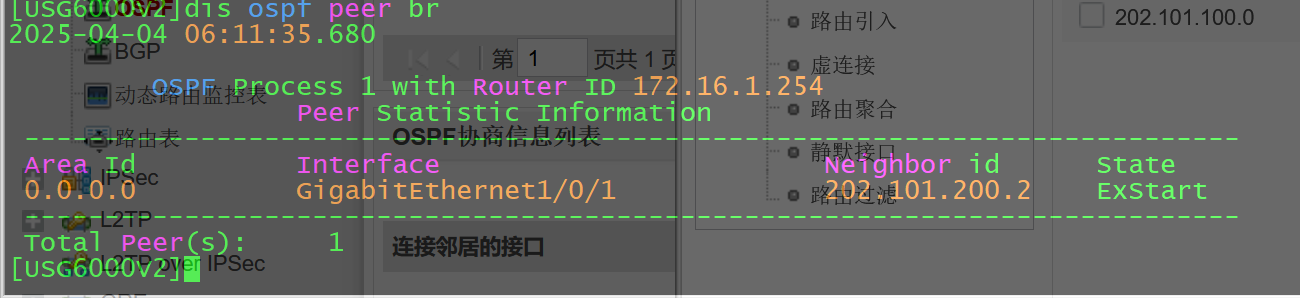
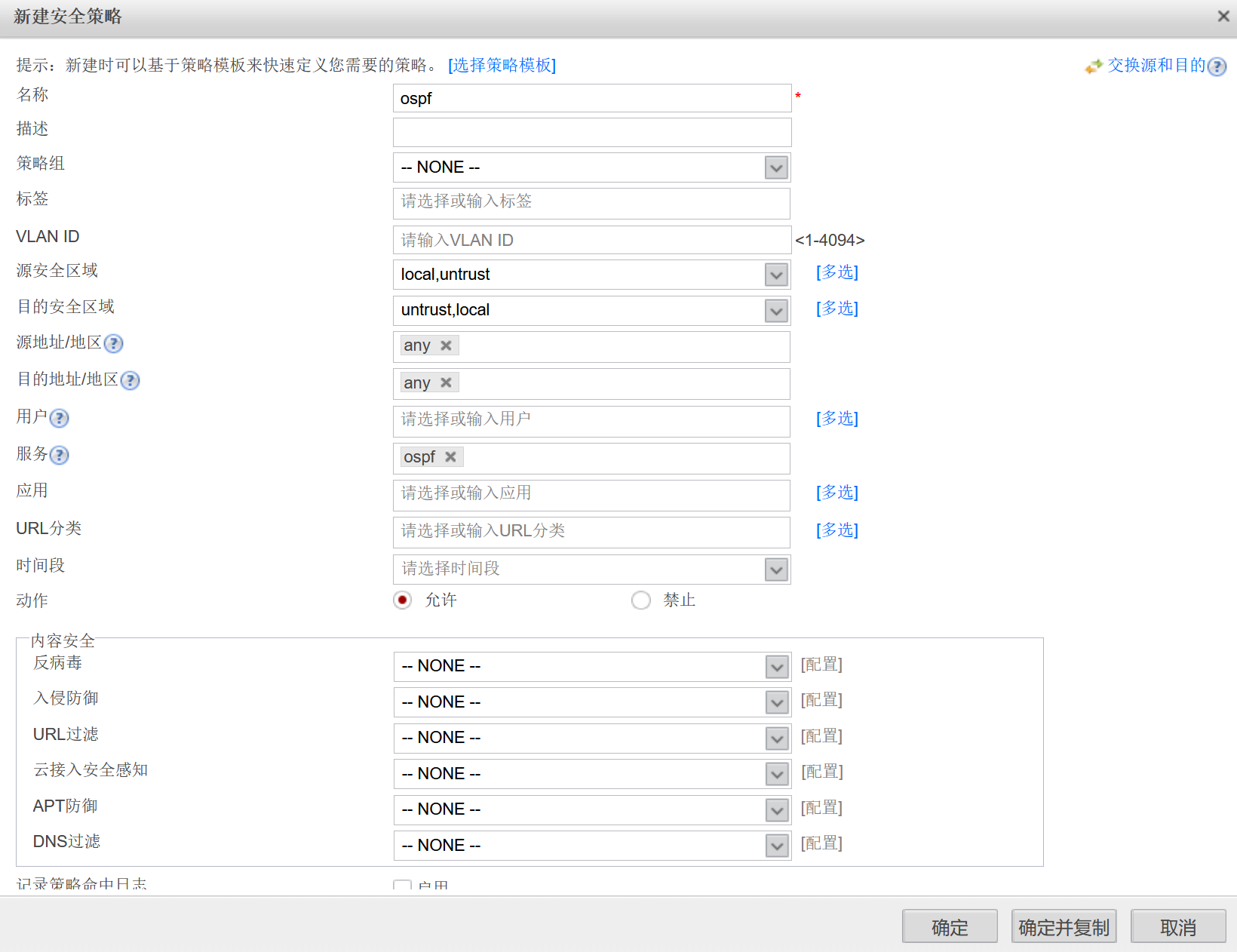
解决办法:放行local和对应的区域的ospf报文

在防火墙上搭建IPSec VPN,并实现IPSec NAT穿越
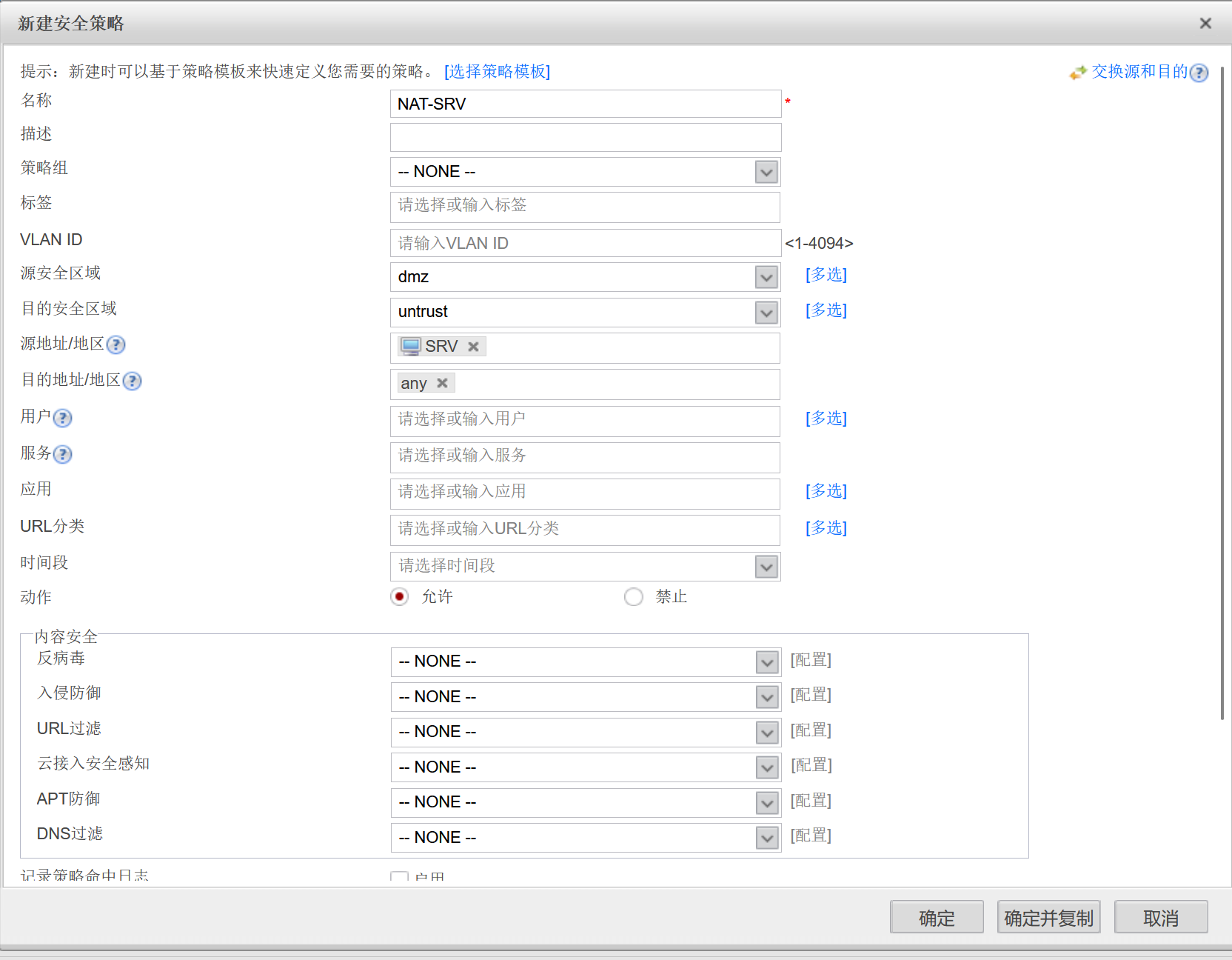
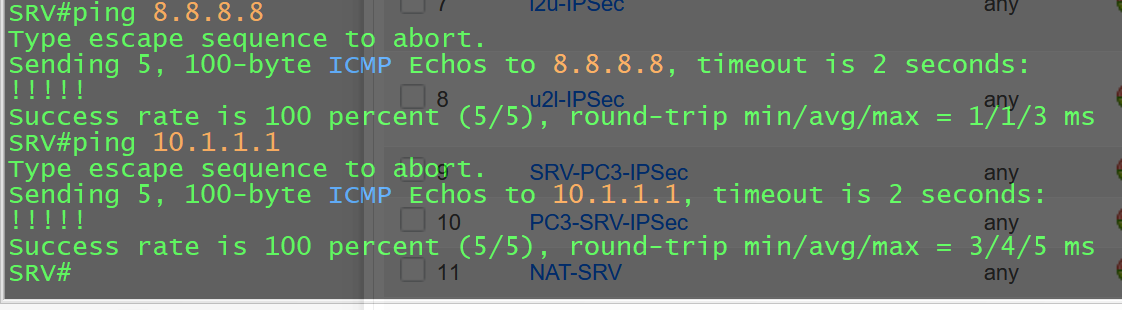
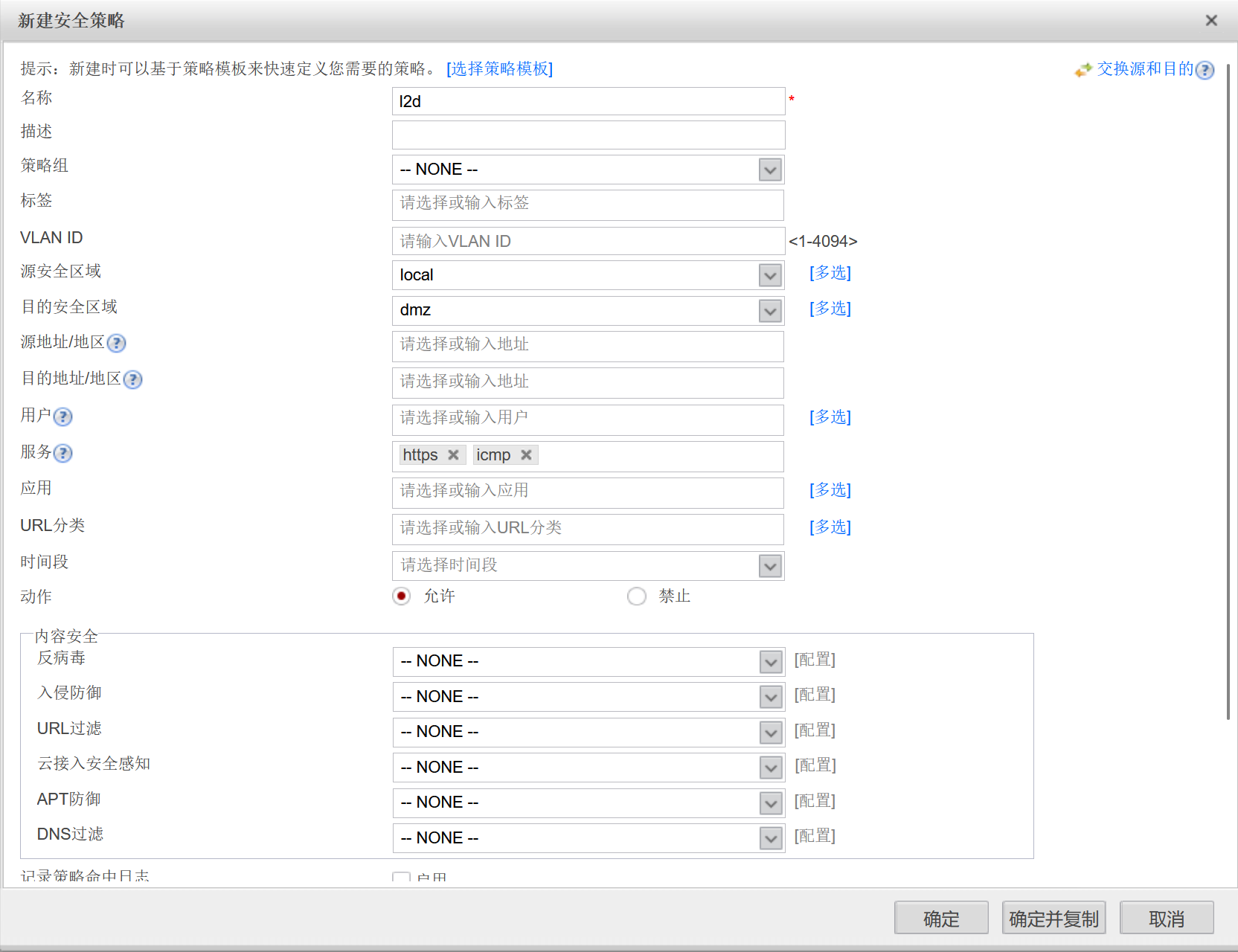
需求:在防火墙和R1间搭建IPSec VPN,让SRV可以访问到PC3,同时确保SRV可以正常上网。
①搭建IPSec VPN
---在R1上配置IPSec VPN


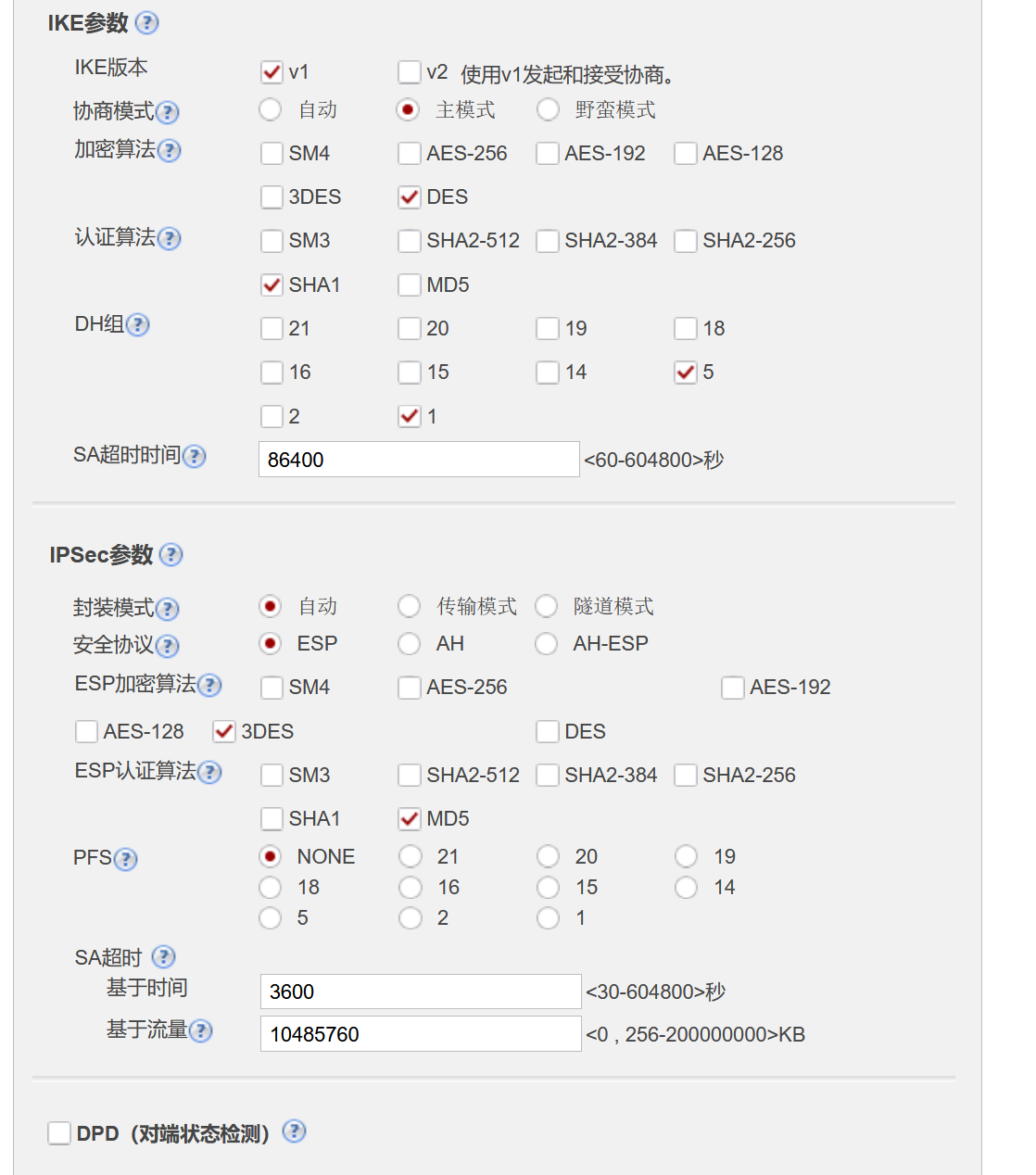
R1(config)#crypto isakmp policy 1
R1(config-isakmp)#authentication pre-share

R1(config)#crypto isakmp key 123 address 202.101.100.0 255.255.255.0

R1(config)#crypto ipsec transform-set myset esp-3des esp-md5-hmac
R1(cfg-crypto-trans)#mode tunnel

R1(config)#access-list 100 permit ip 10.1.1.0 0.0.0.255 172.16.1.100 0.0.0.255

R1(config)#crypto  map mymap 1 ipsec-isakmp
R1(config-crypto-map)#set peer 202.101.100.1
R1(config-crypto-map)#set transform-set myset
R1(config-crypto-map)#match add 100

R1(config-crypto-map)#int e0/0
R1(config-if)#crypto map mymap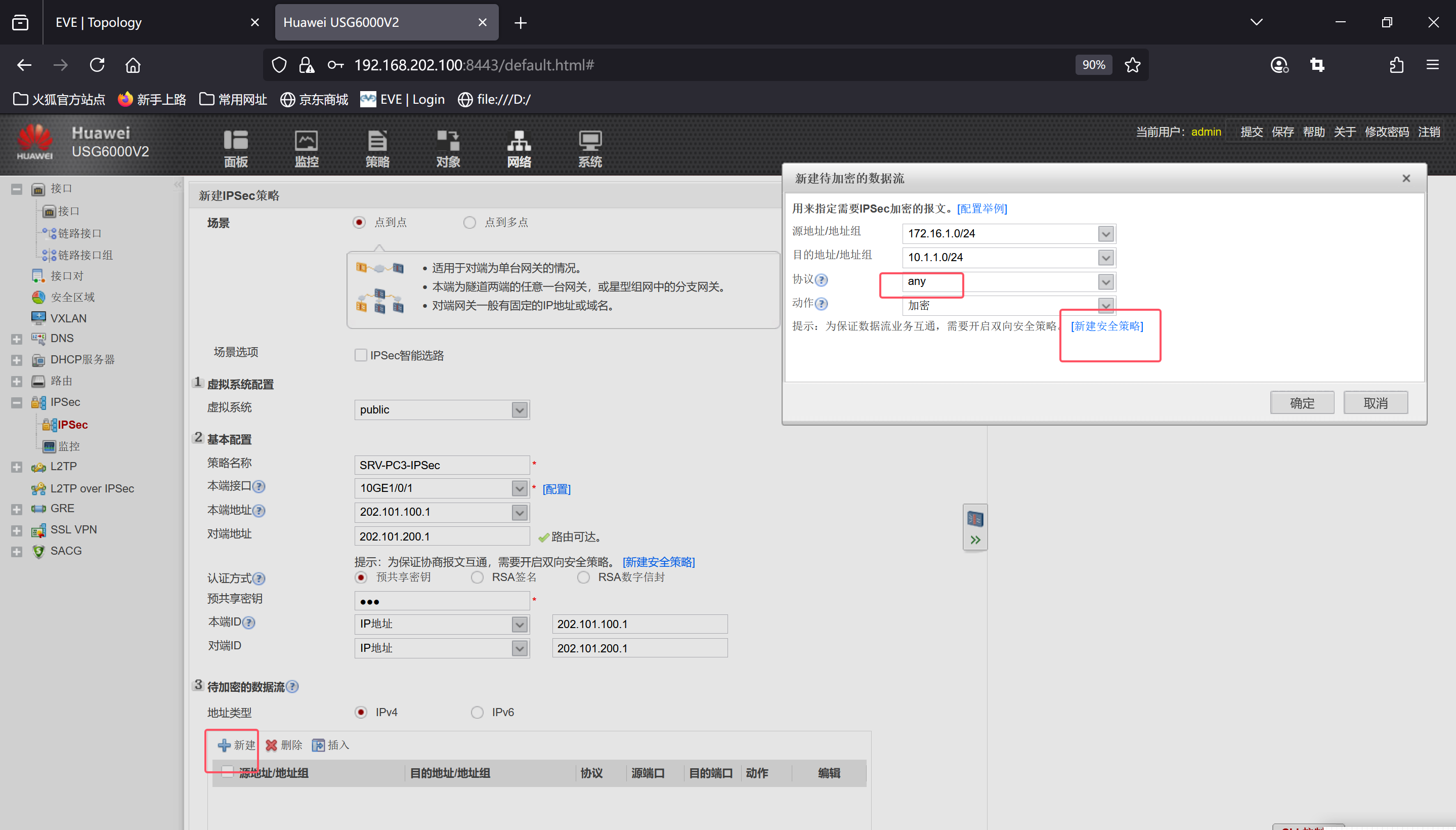
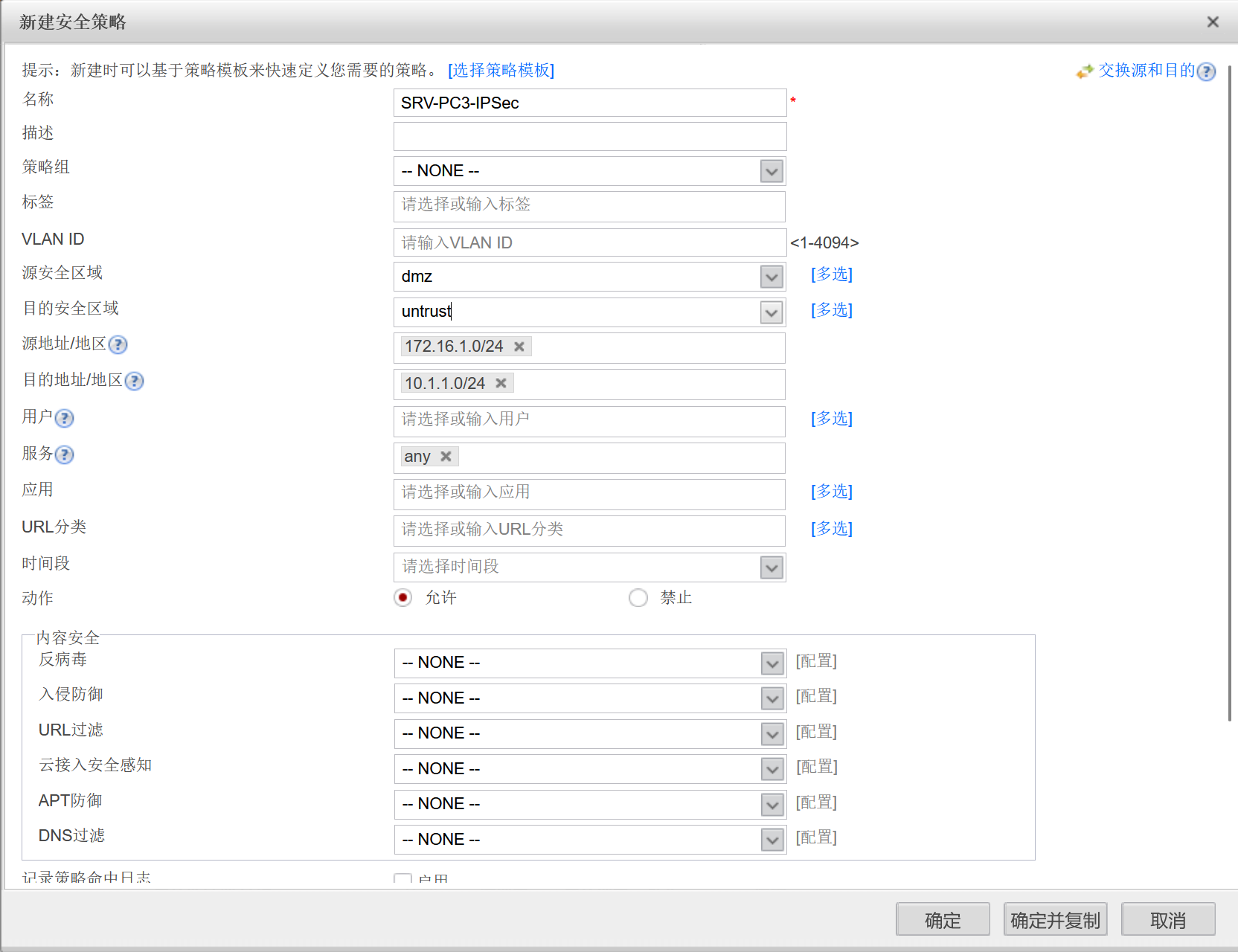
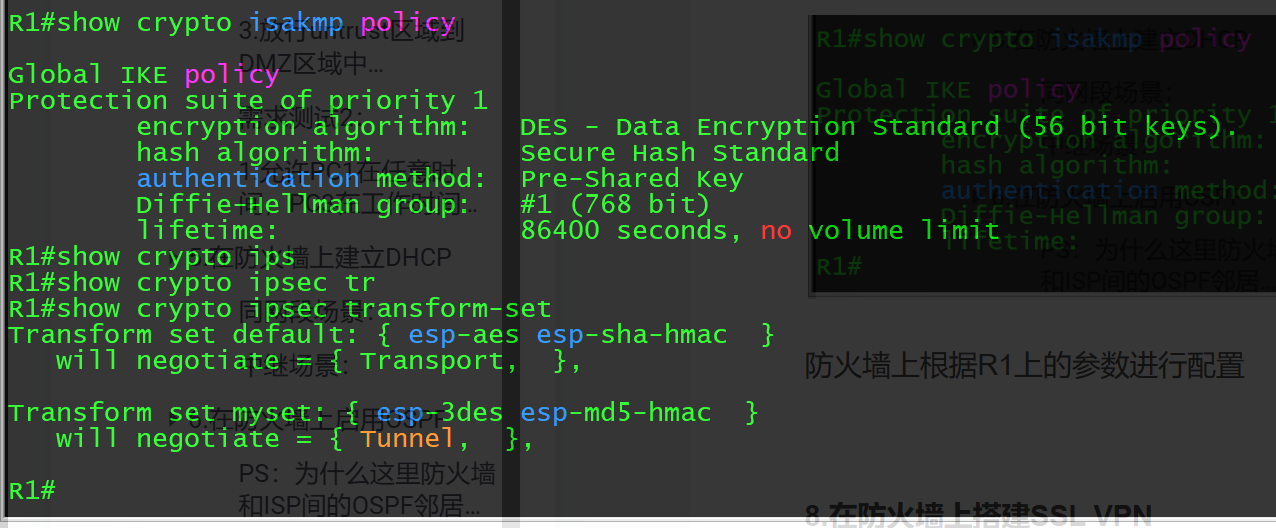
防火墙上根据R1上的参数进行配置
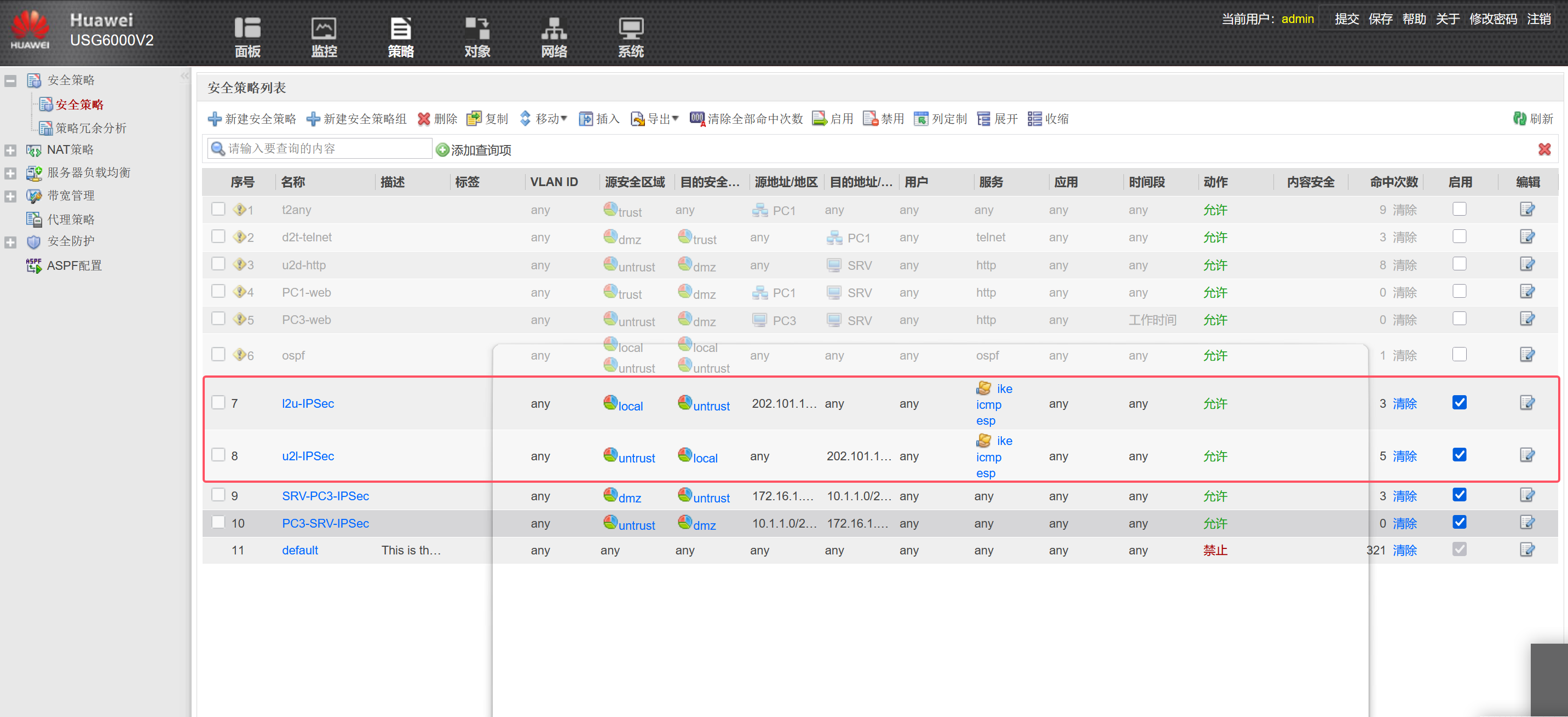
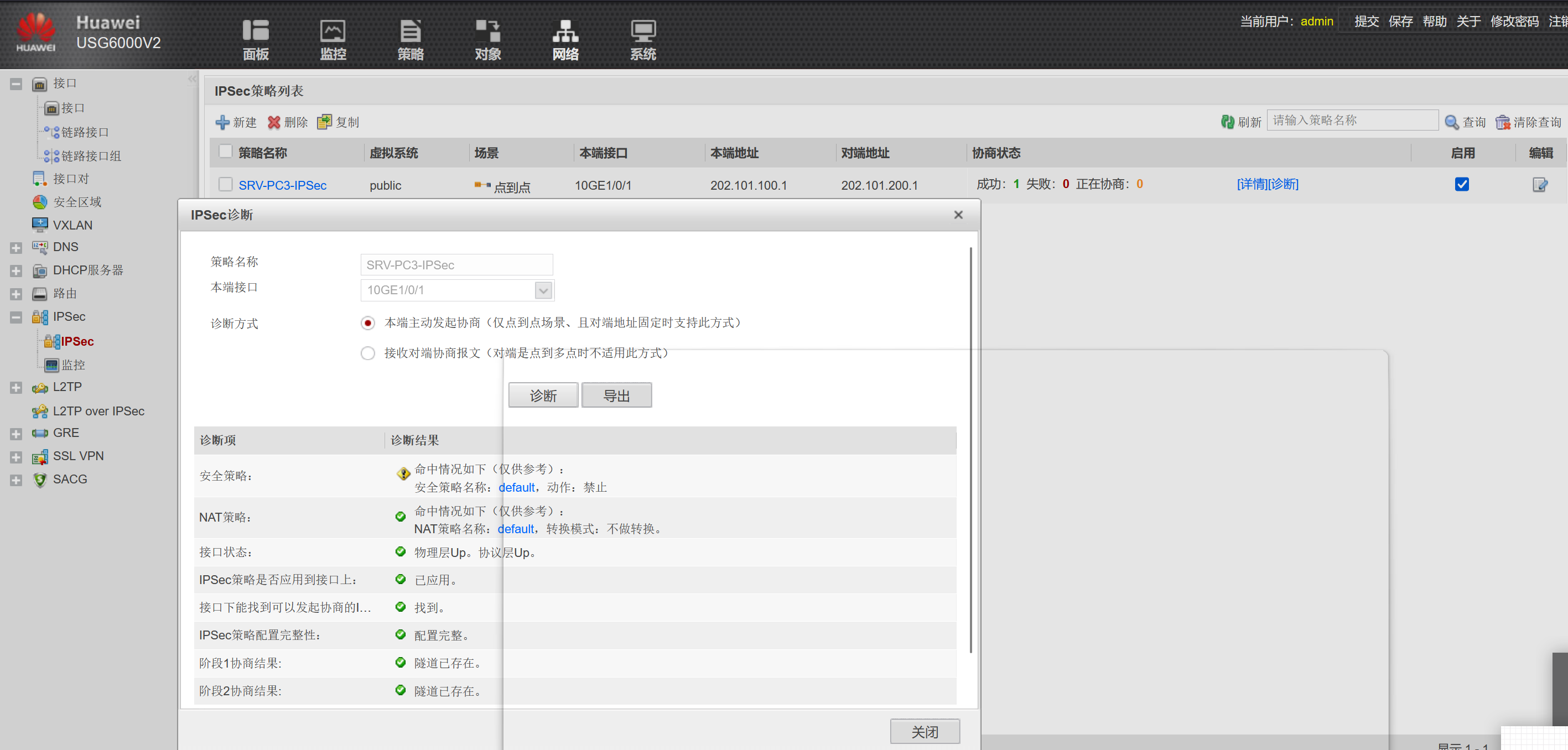


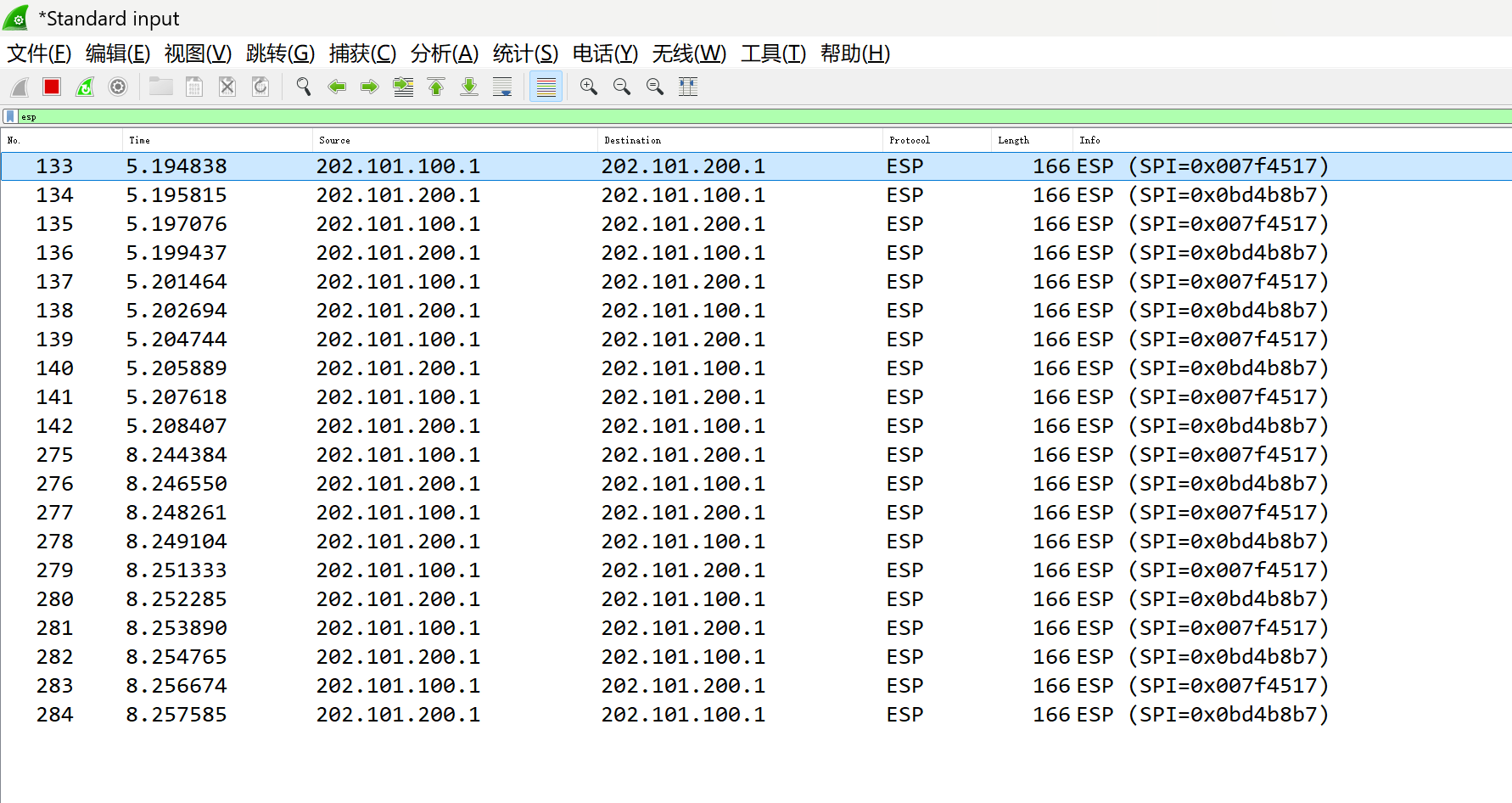
②实现IPSec NAT穿越
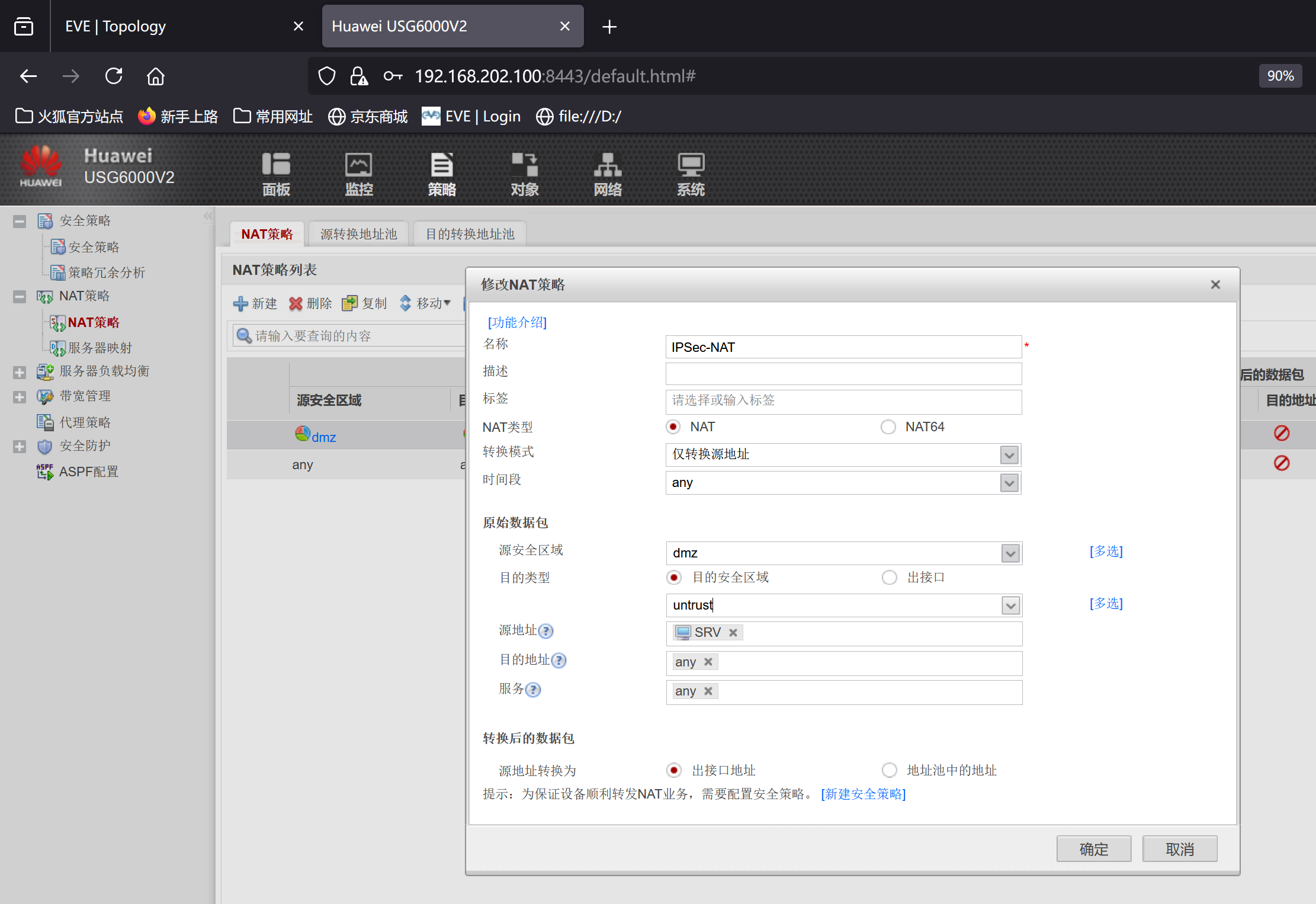
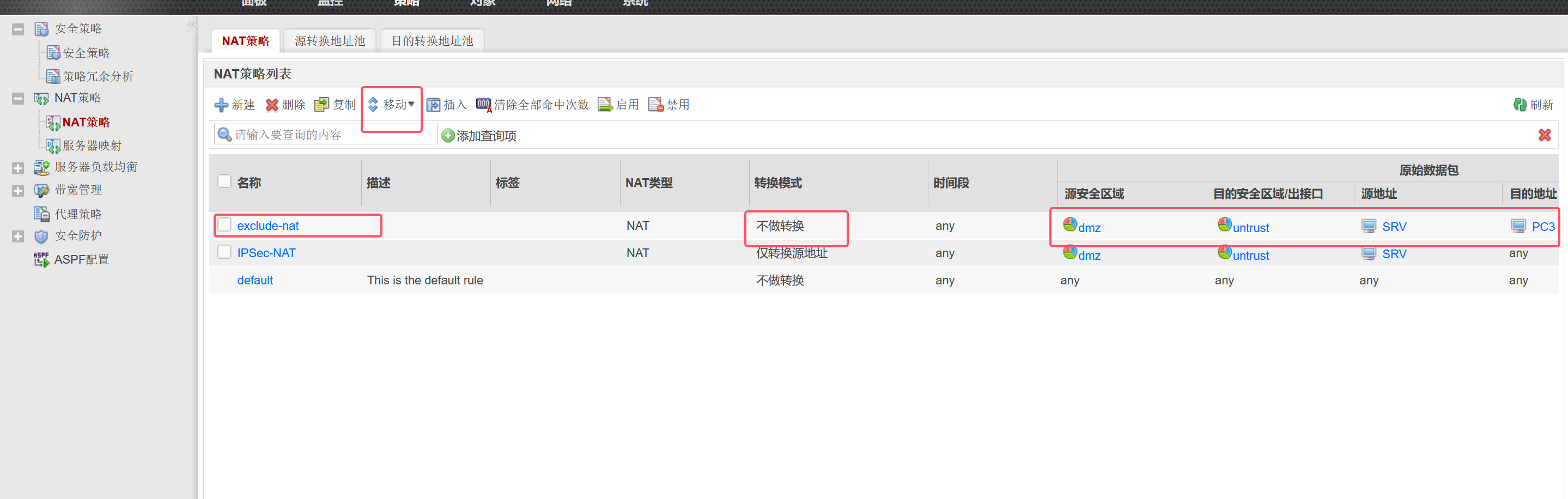
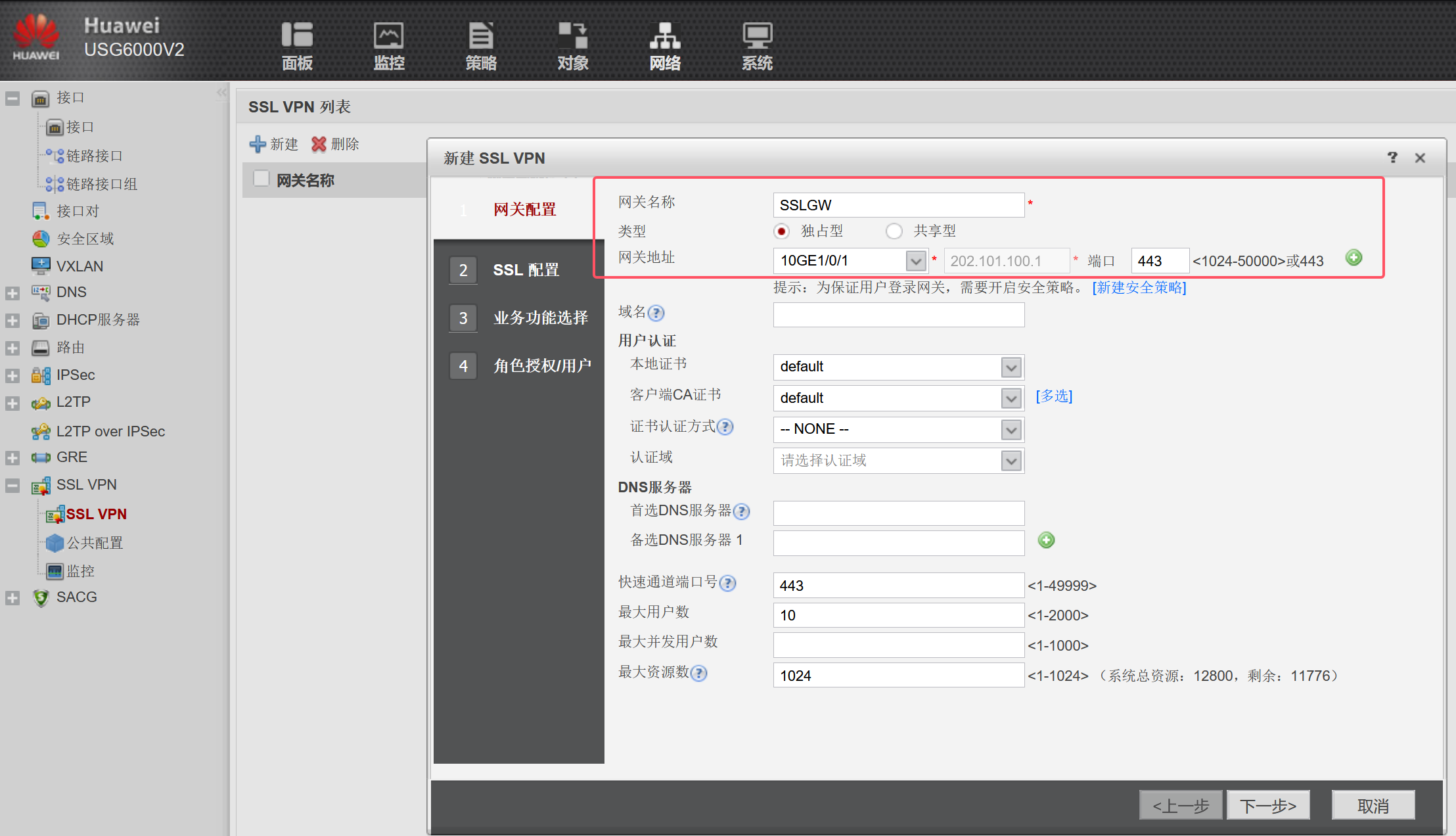
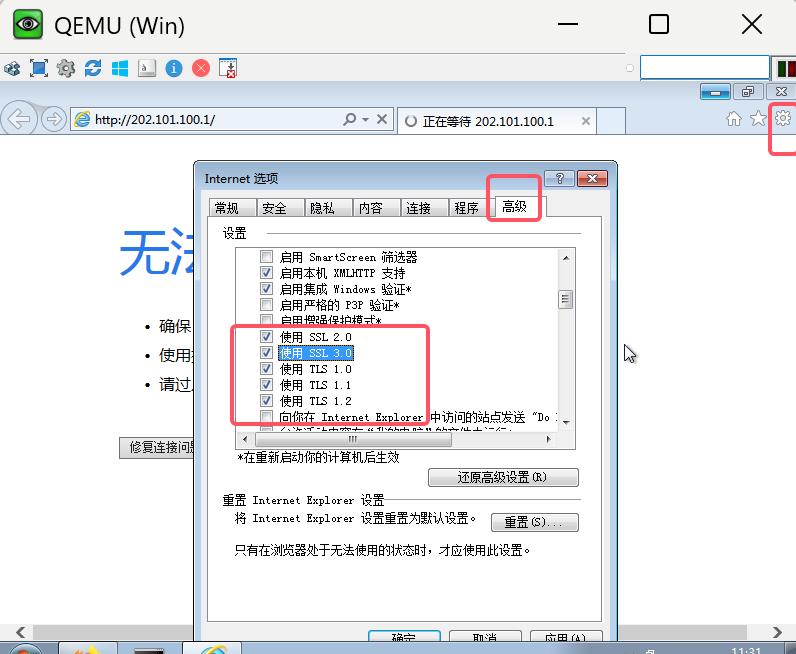
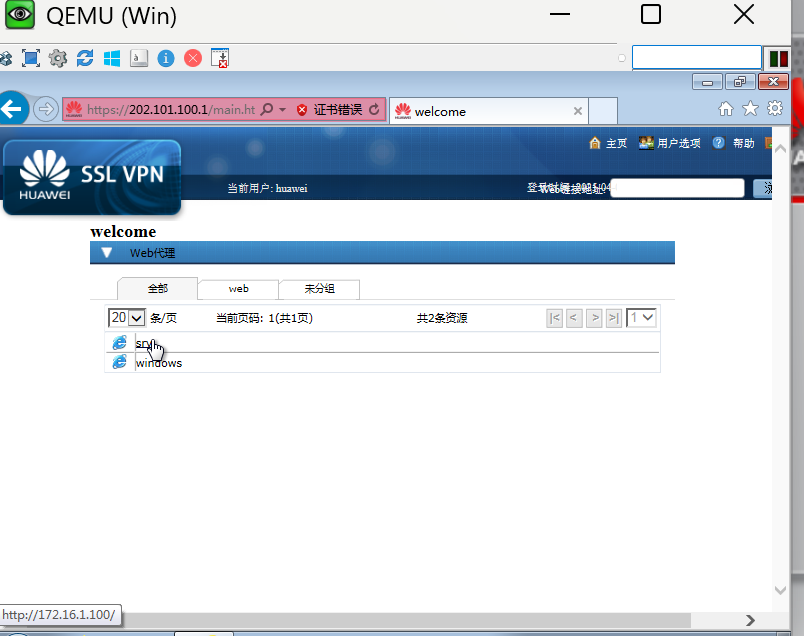
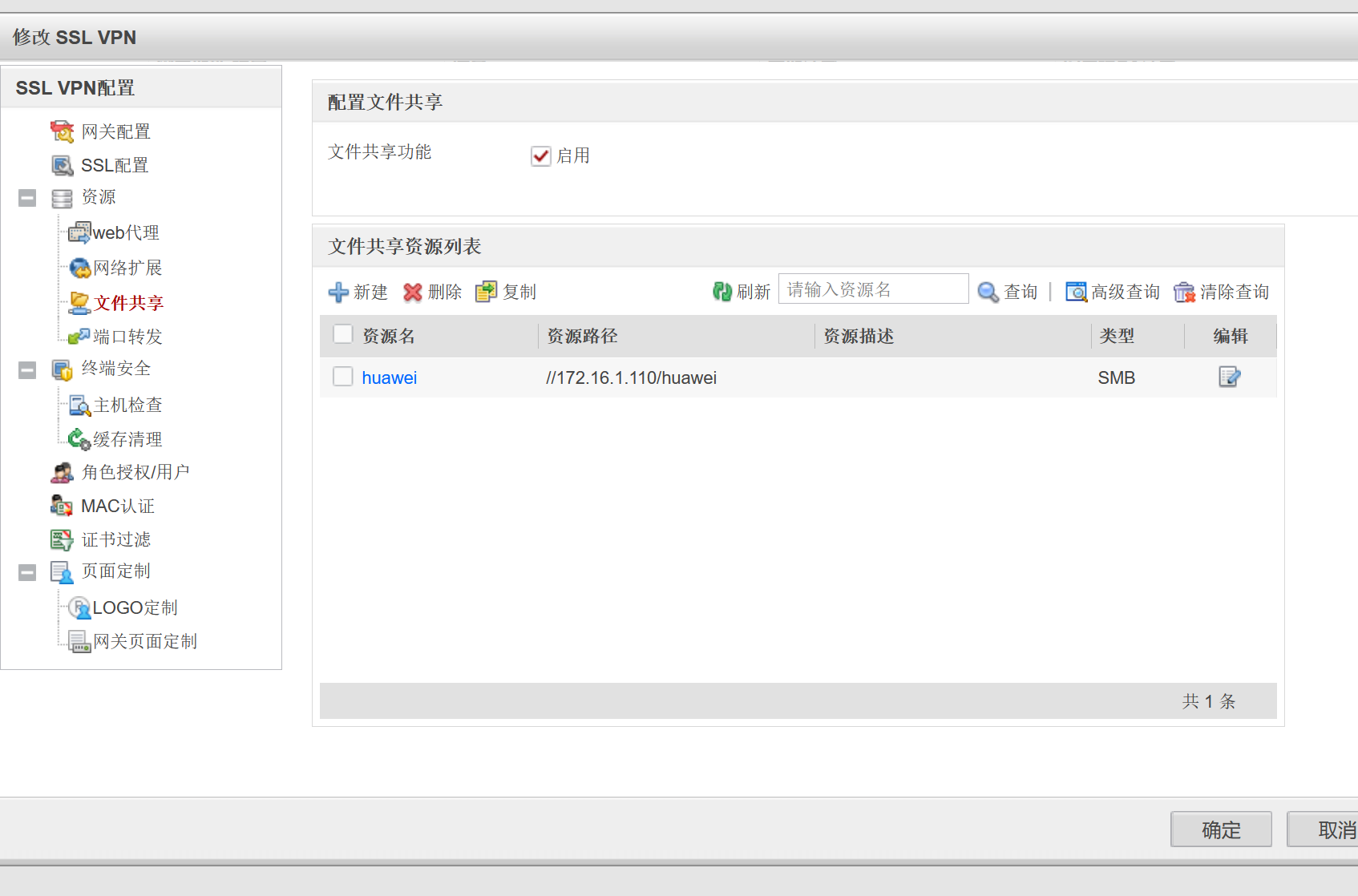
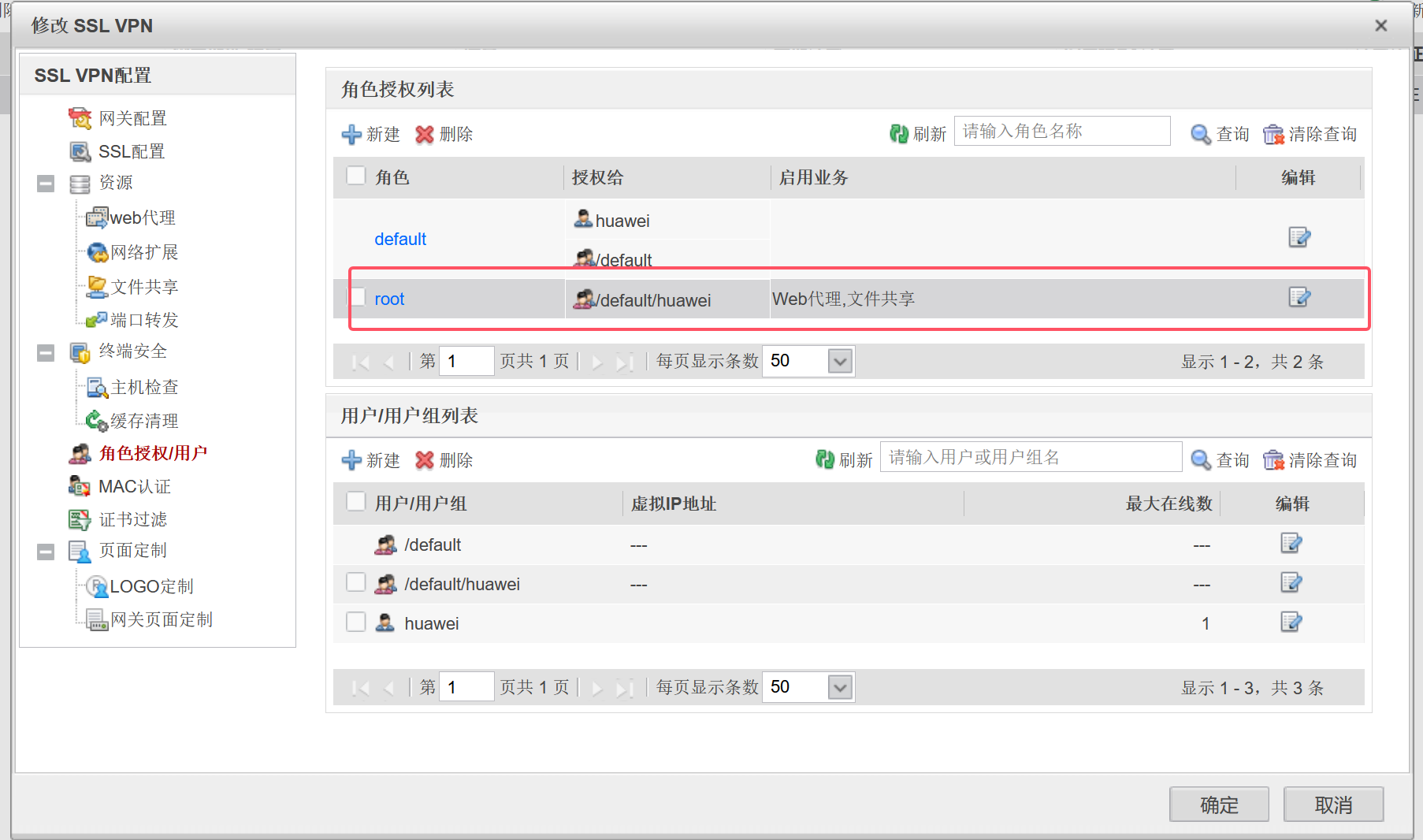
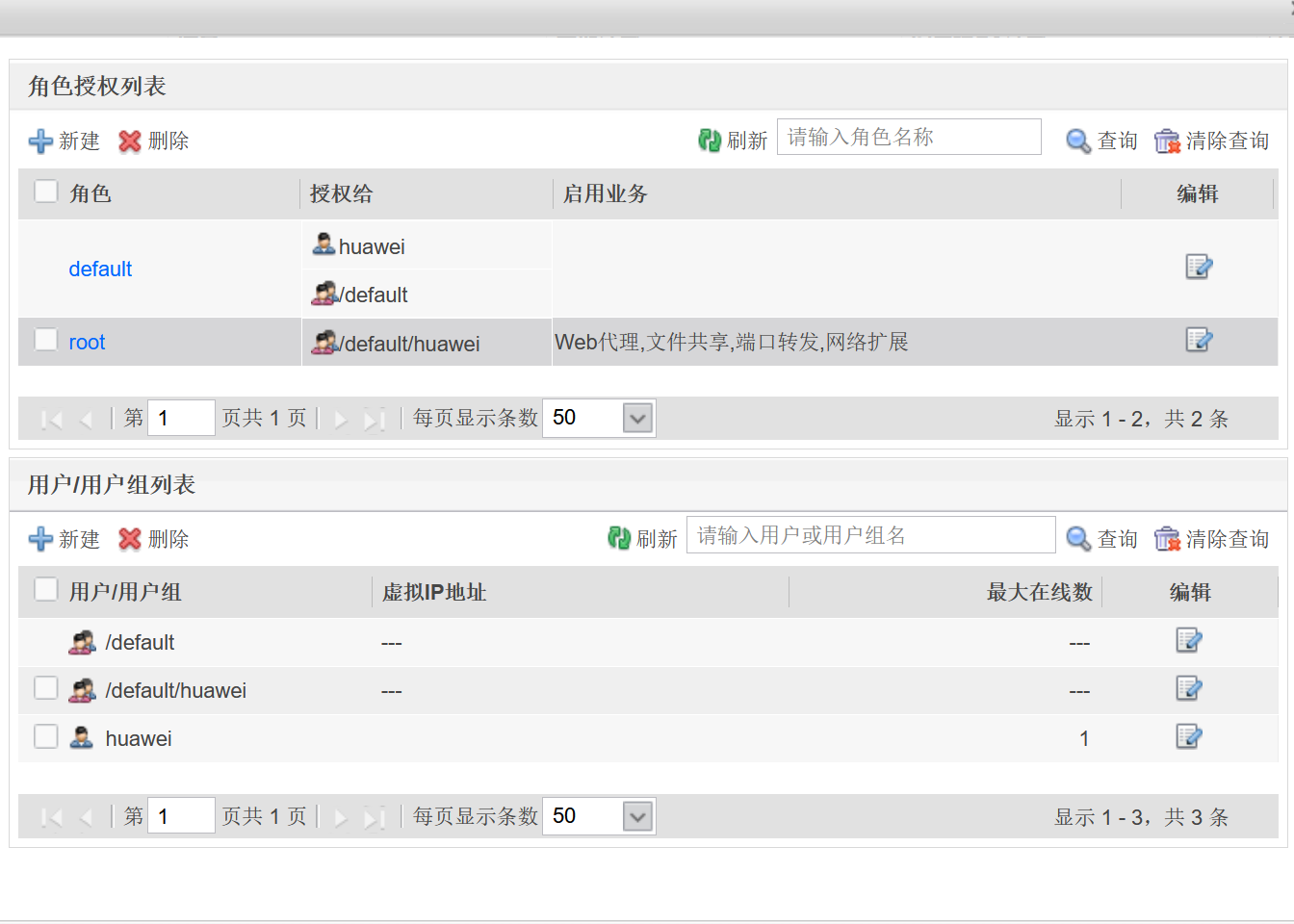
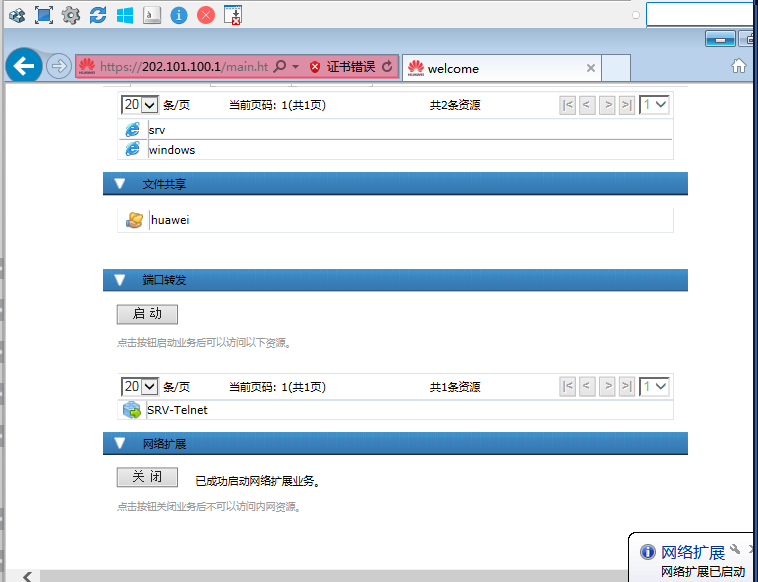
在防火墙上搭建SSL VPN
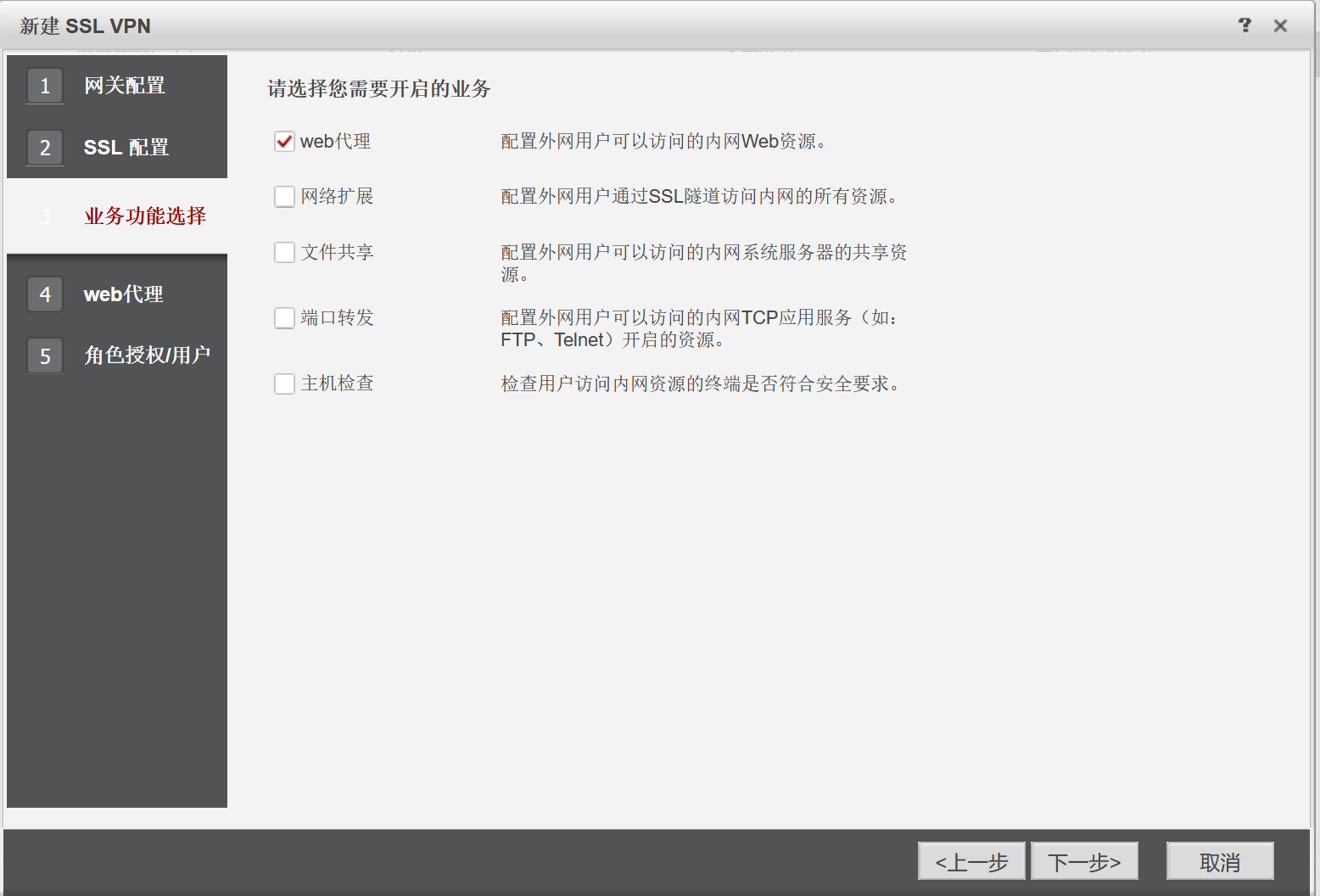
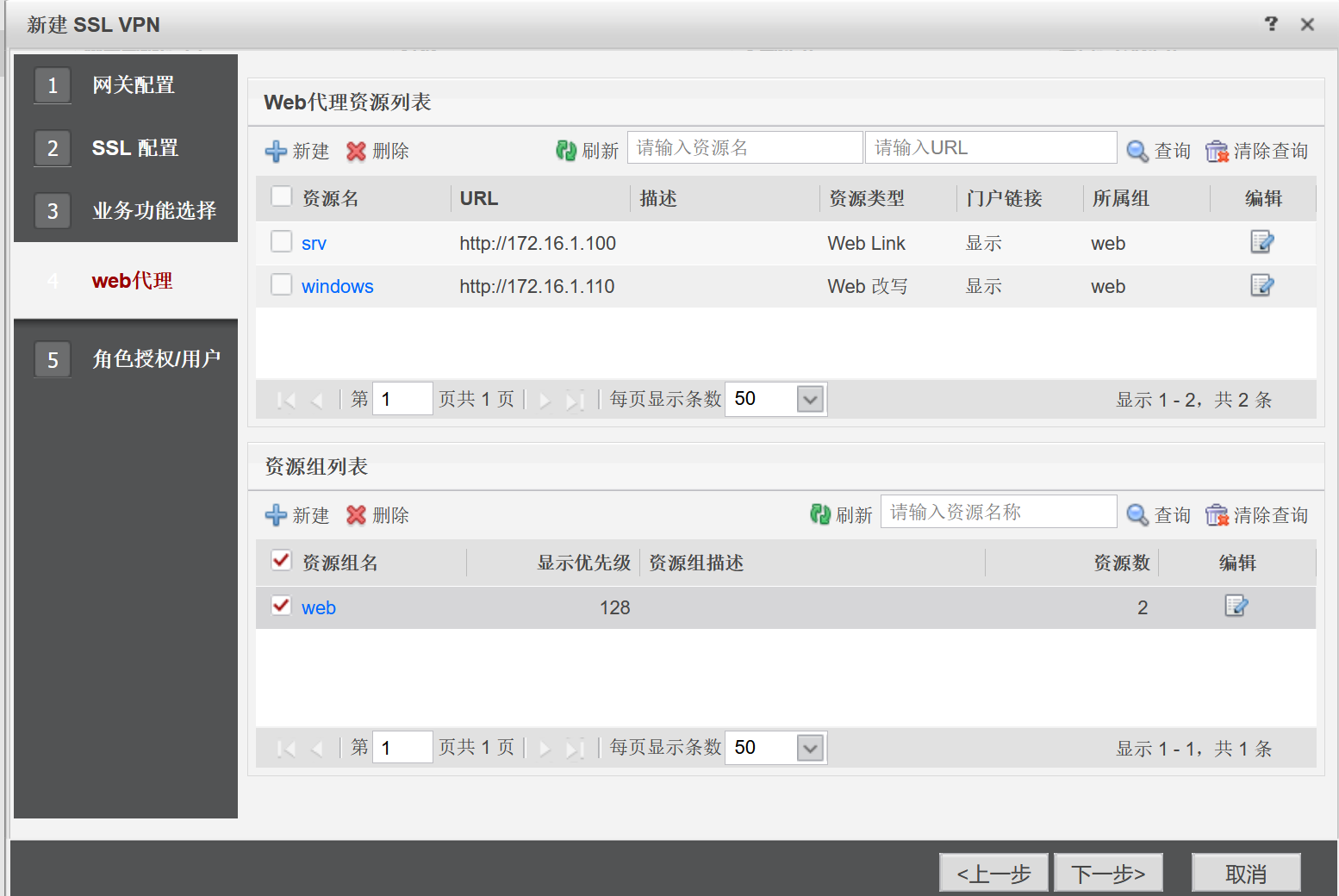
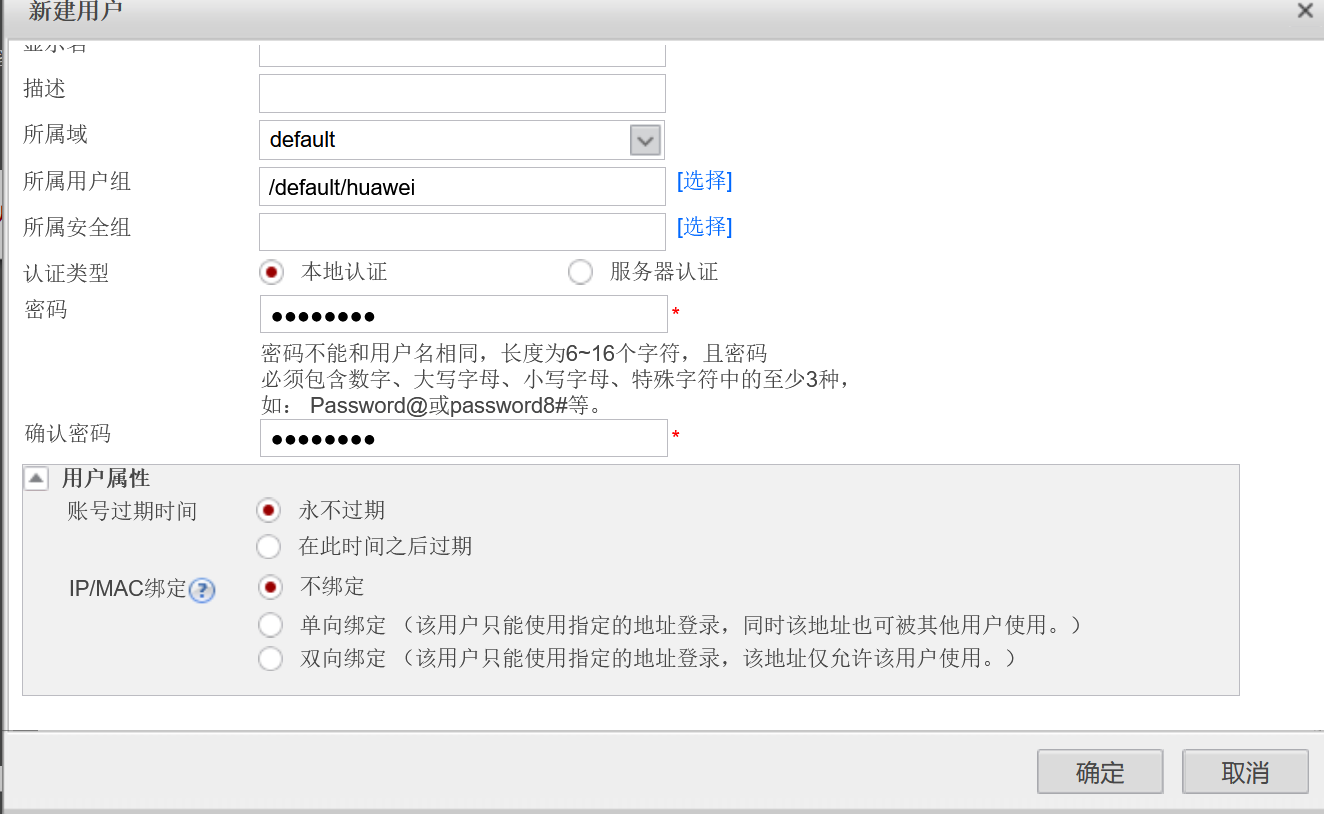
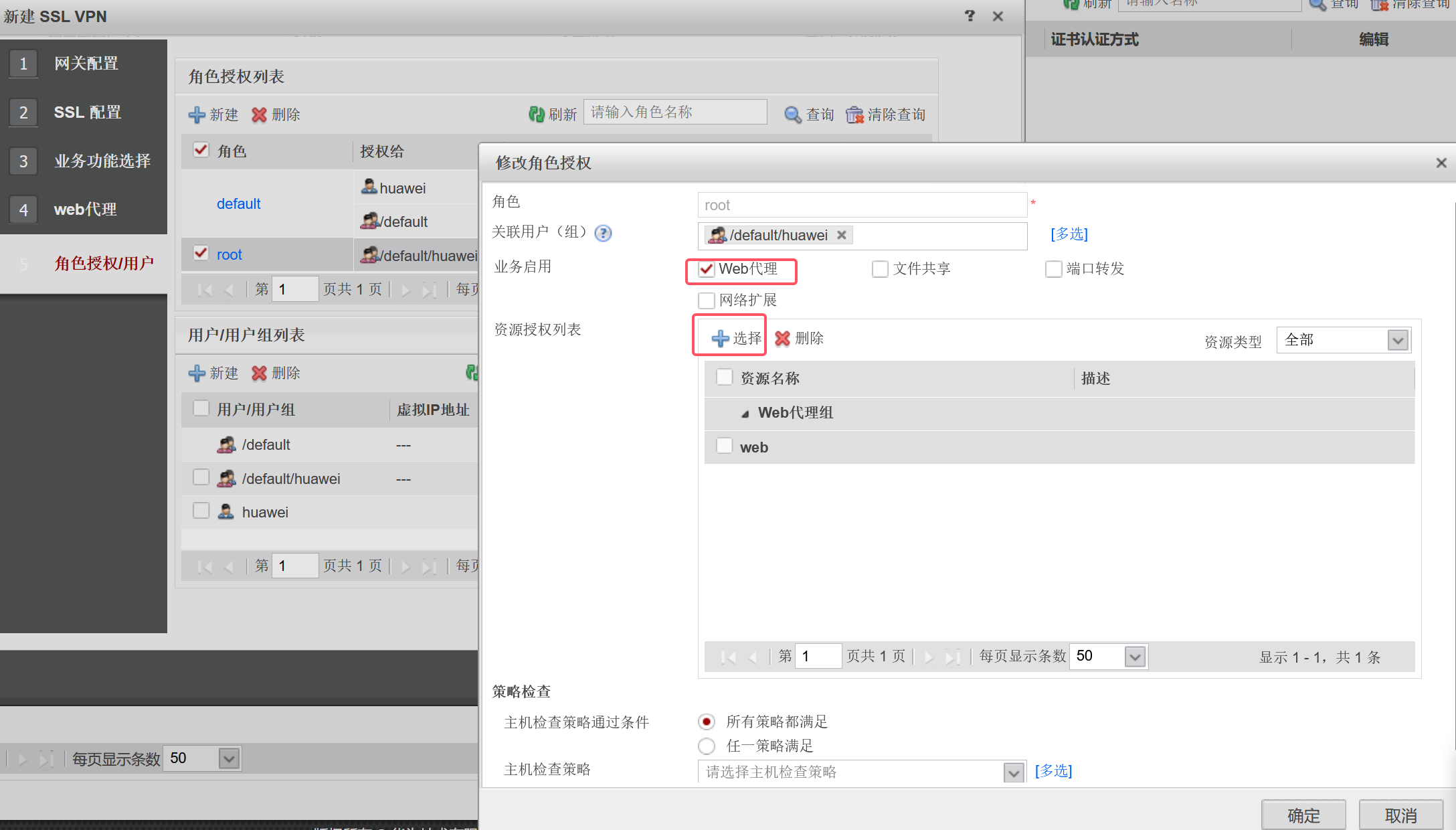
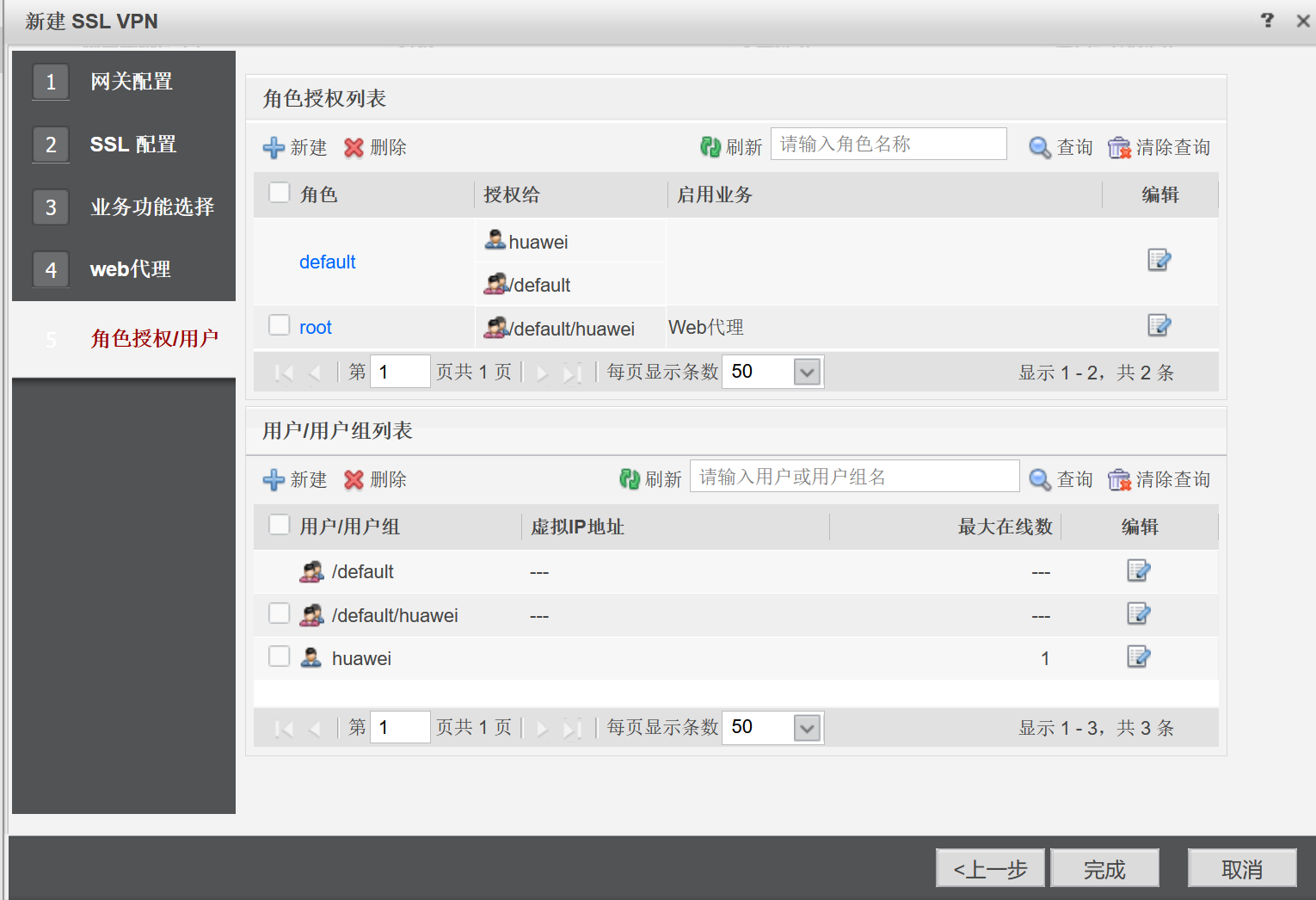
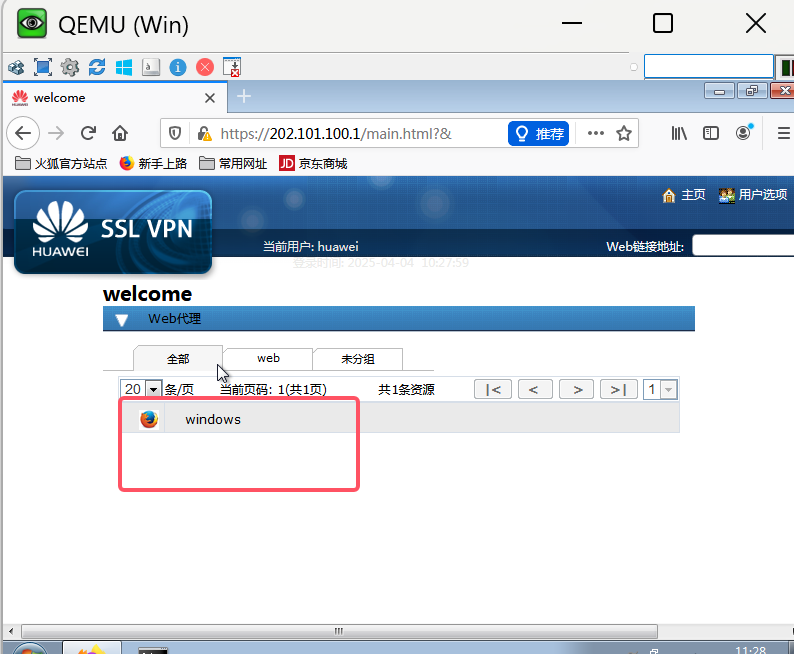
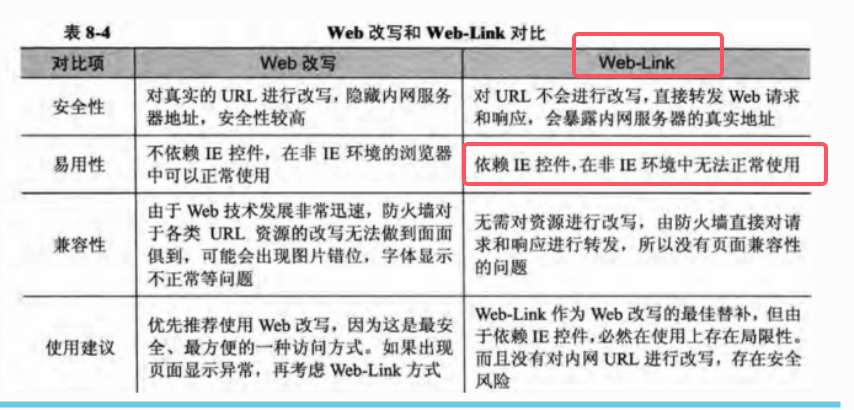
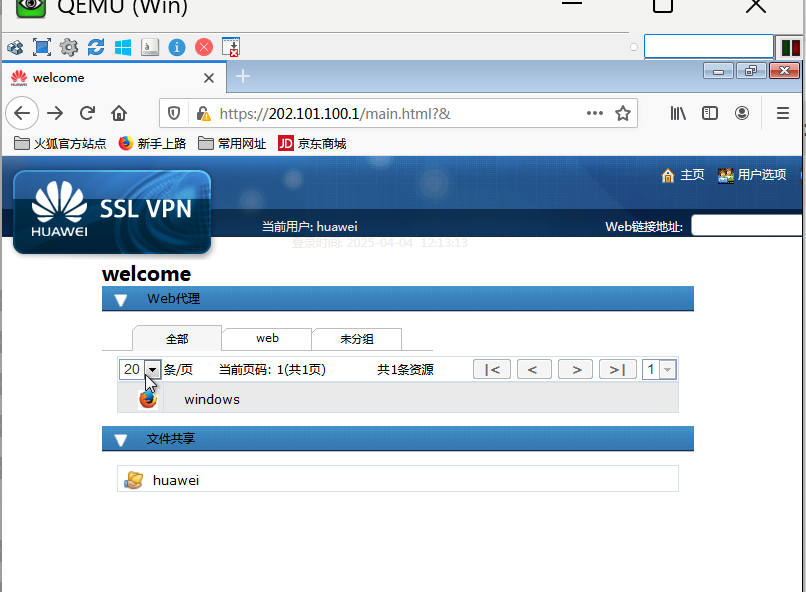
①web代理
SRV(config)#ip http server
SRV(config)#ip http authentication local
SRV(config)#username zzz privilege 15 password 123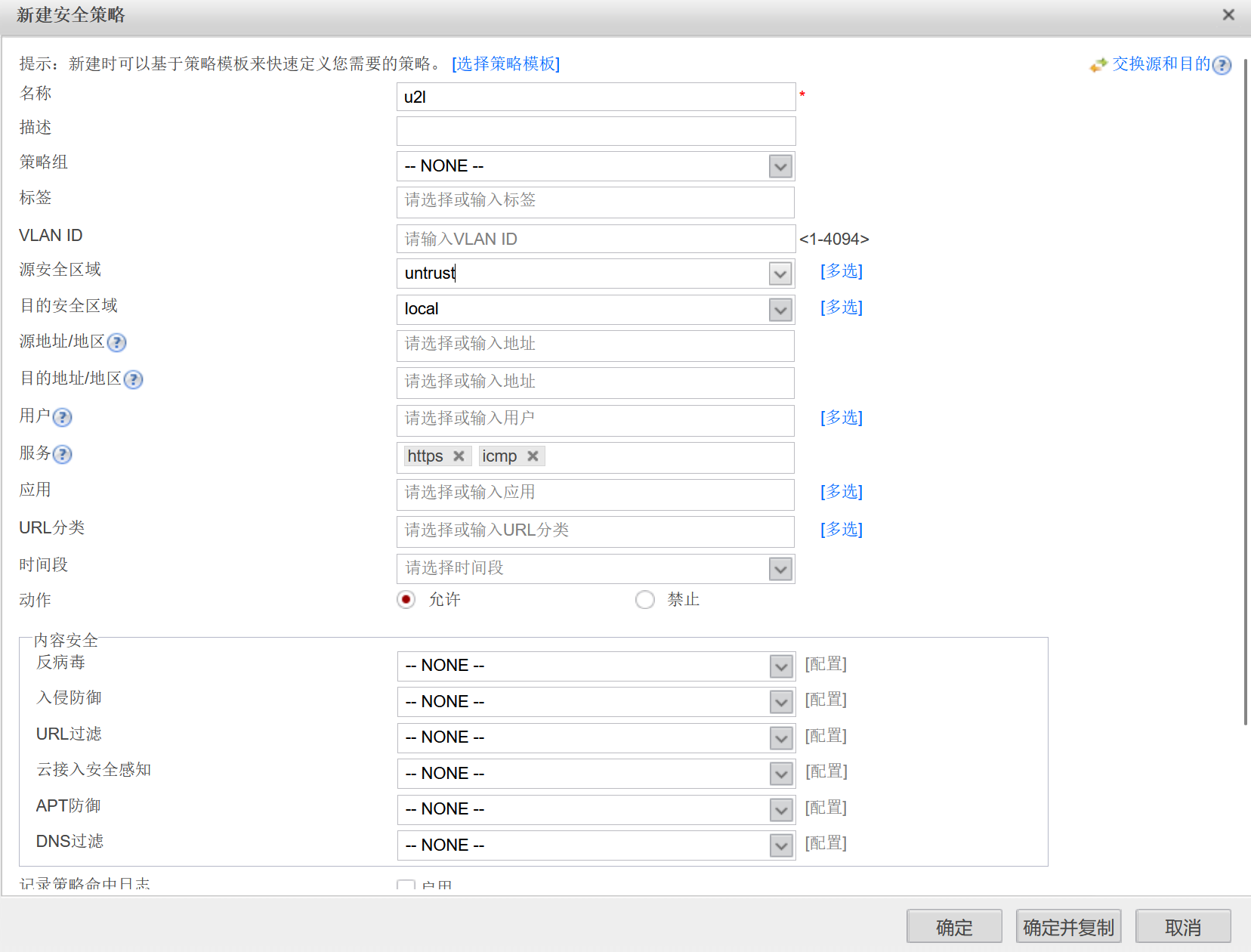
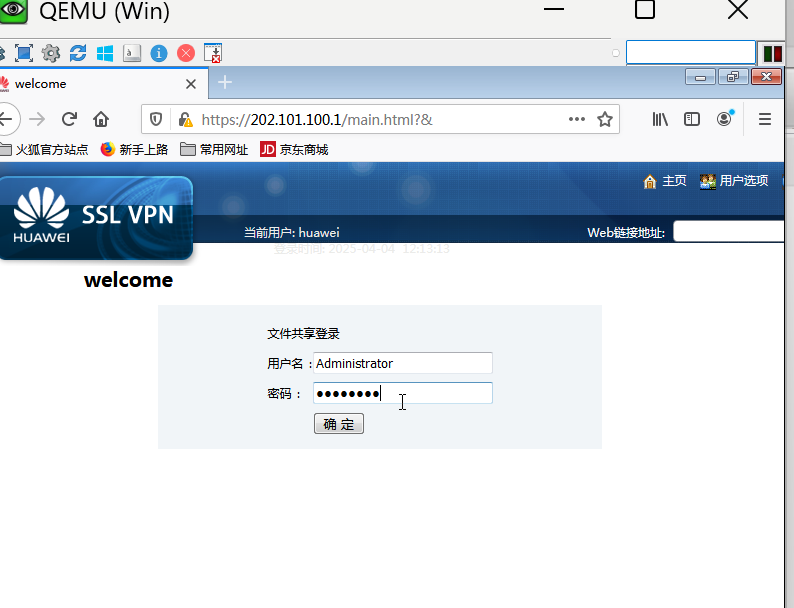
②文件共享
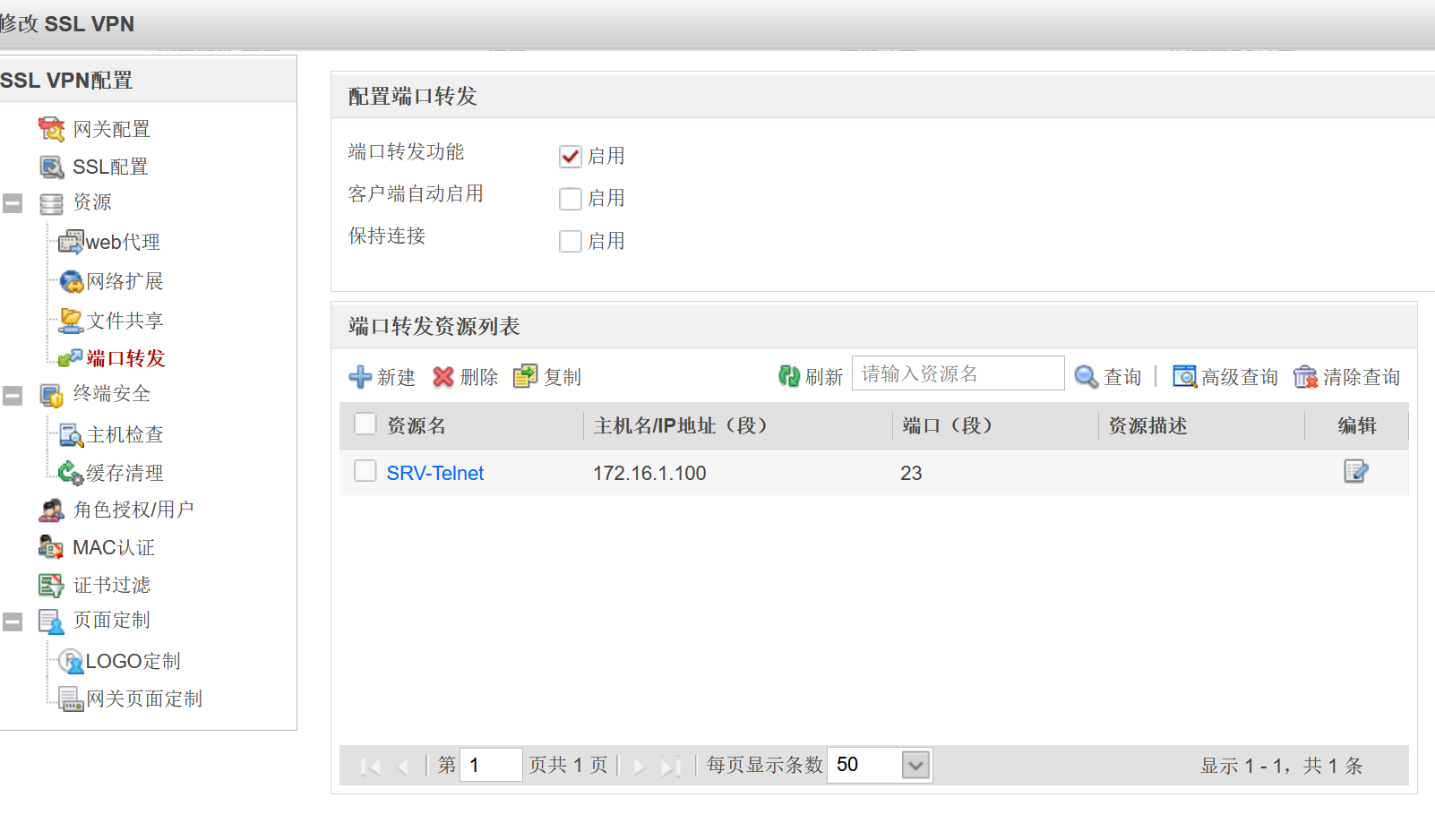
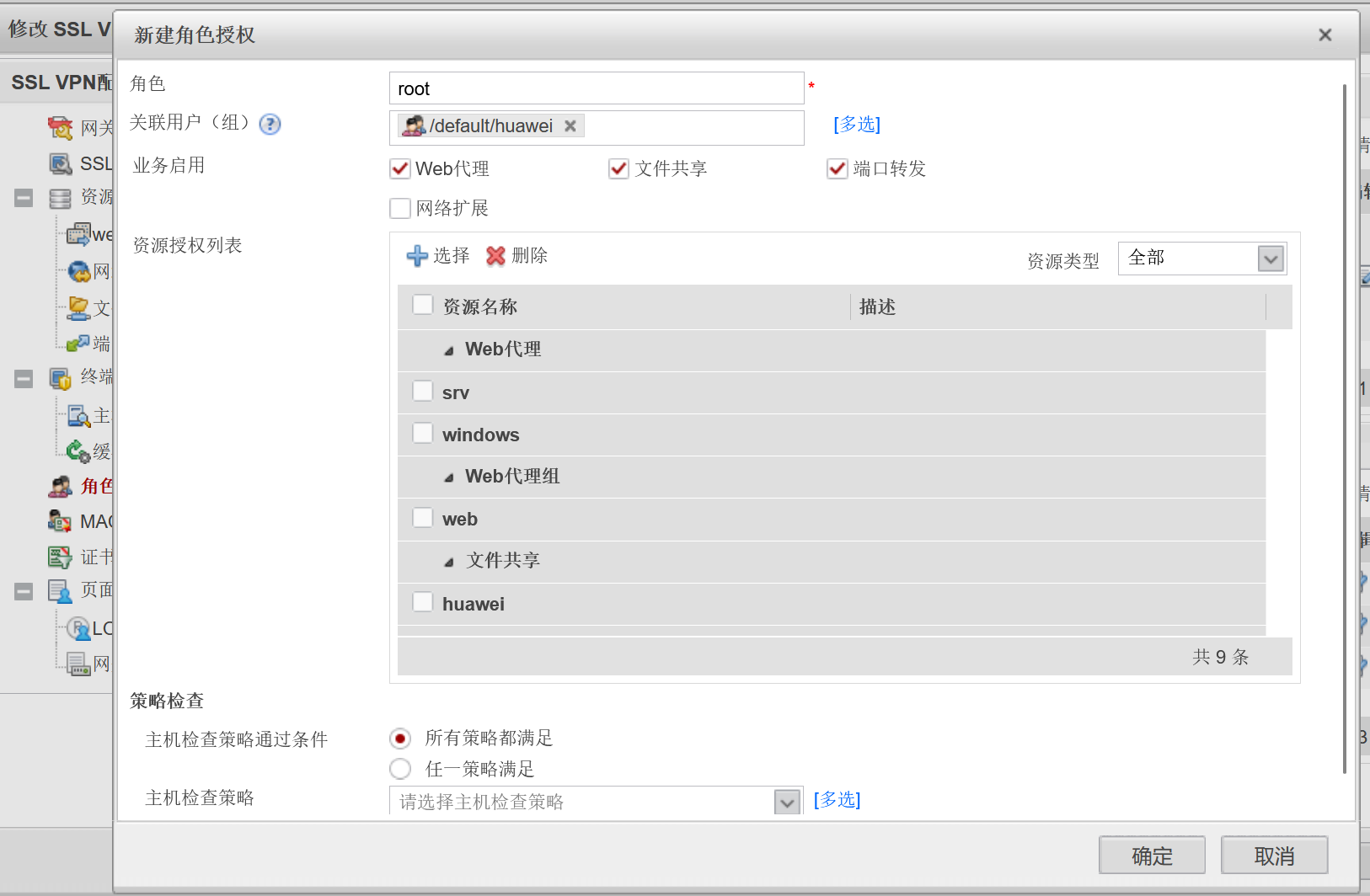
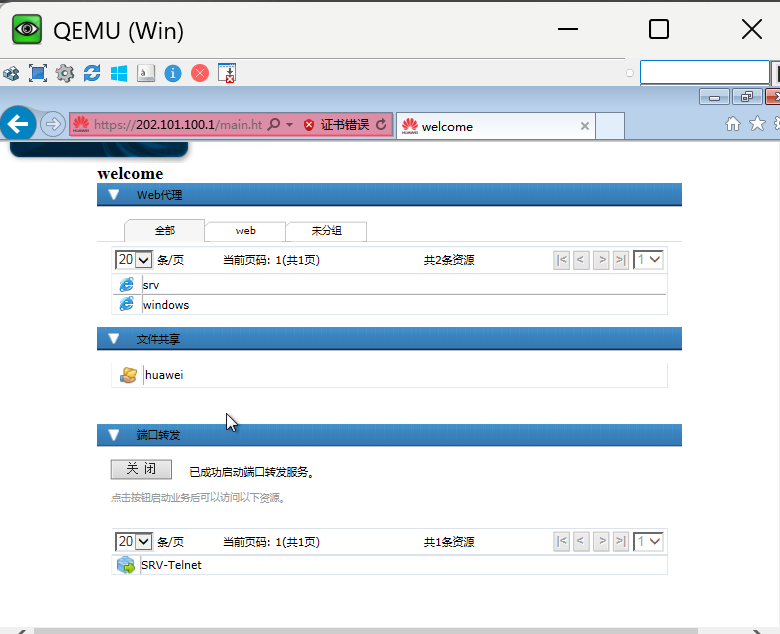
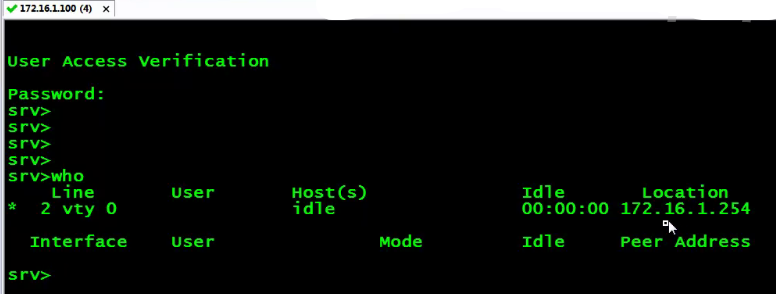
③端口转发
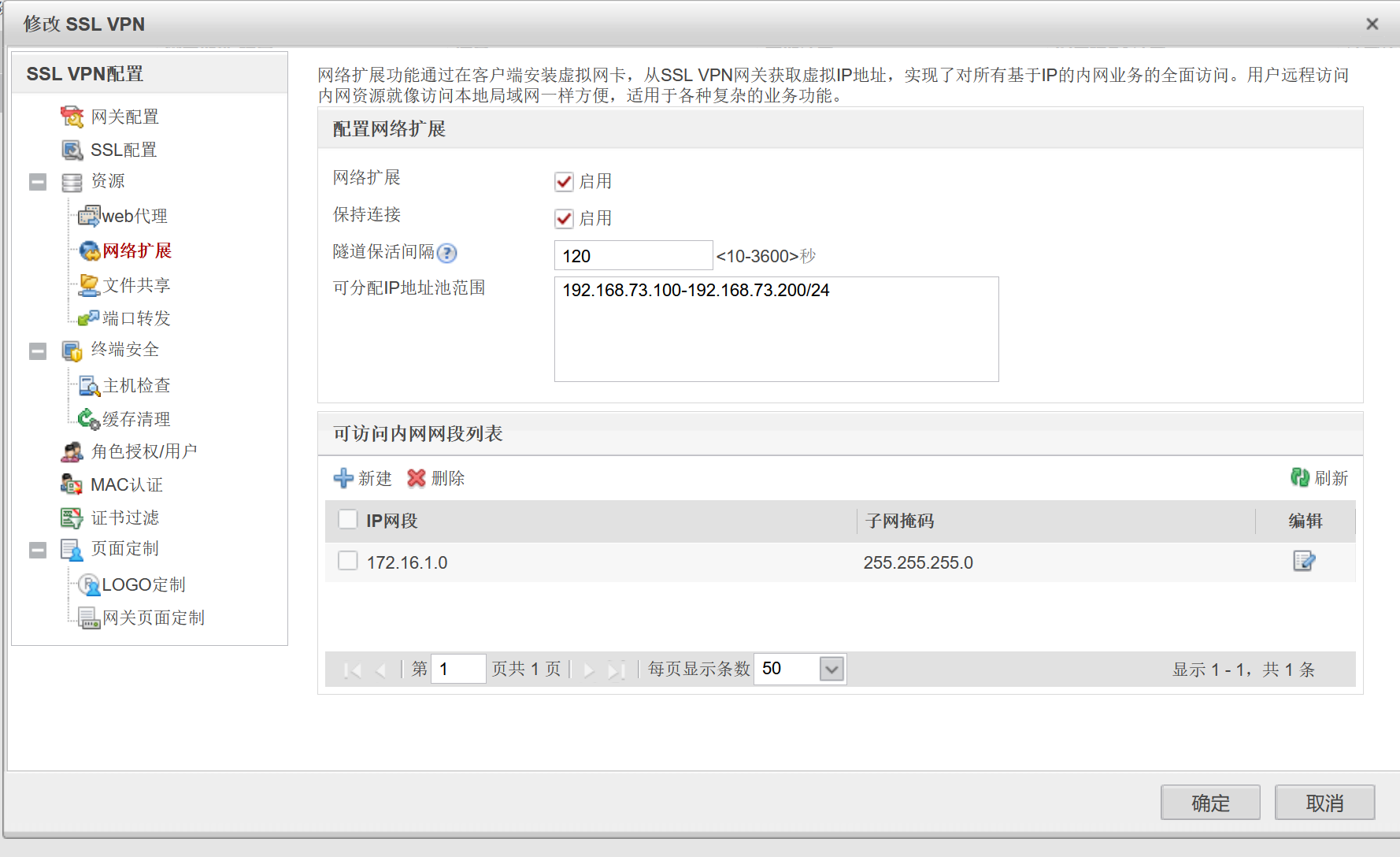
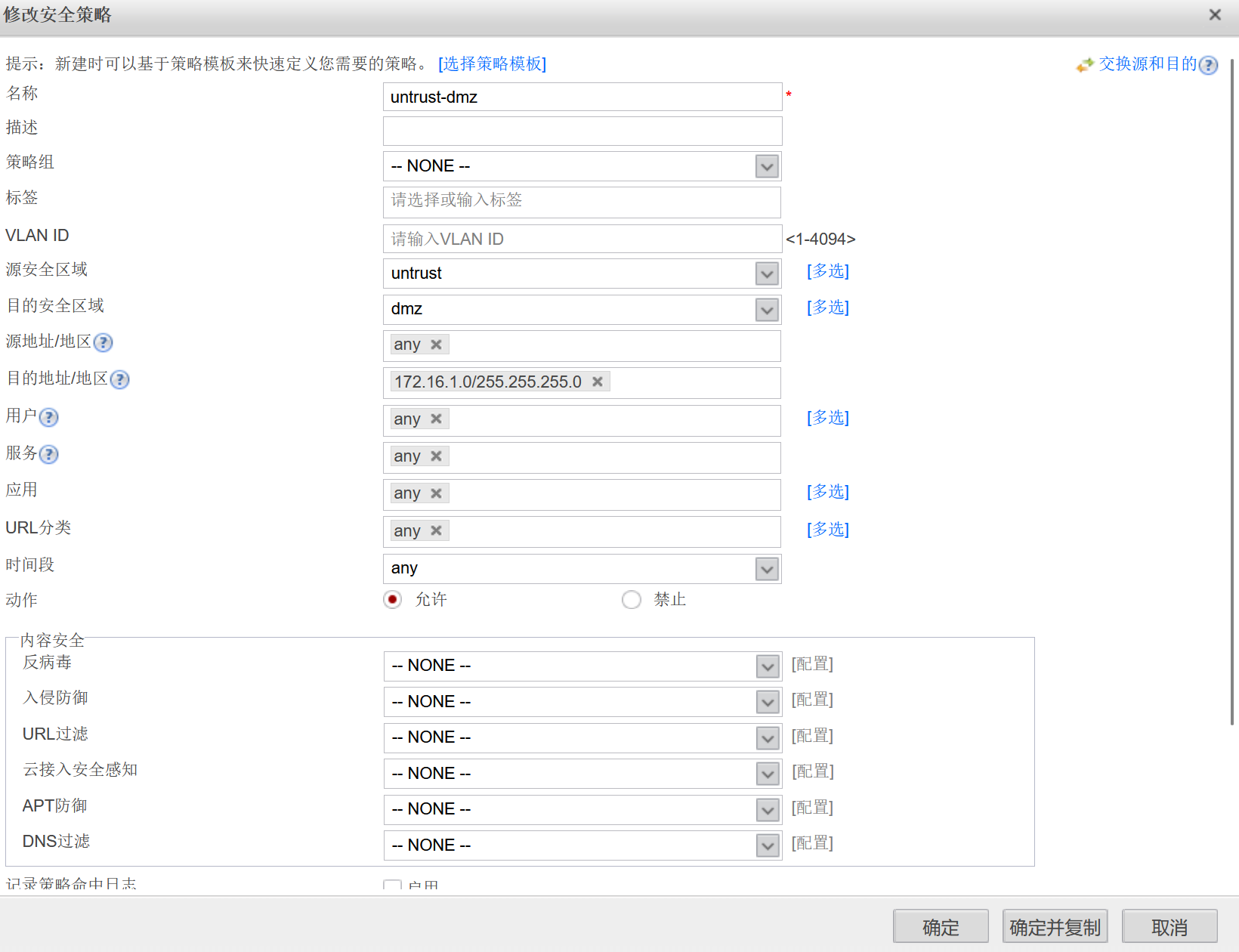
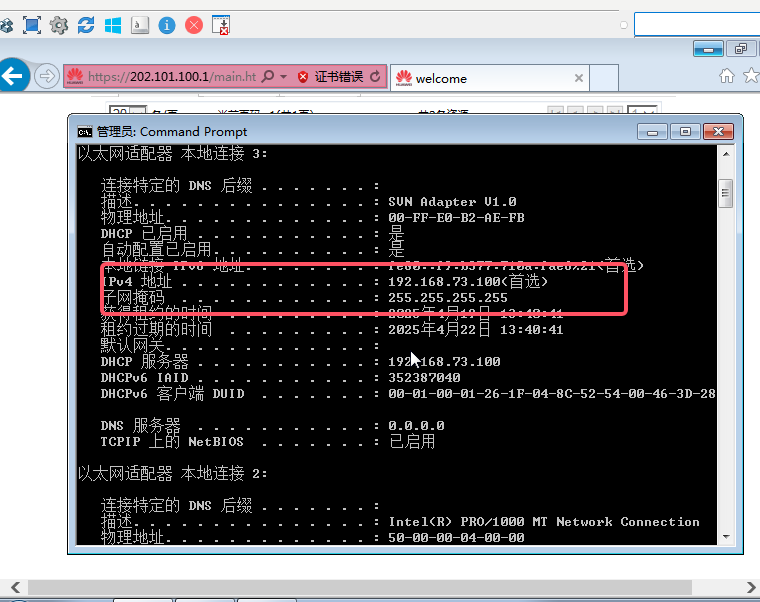
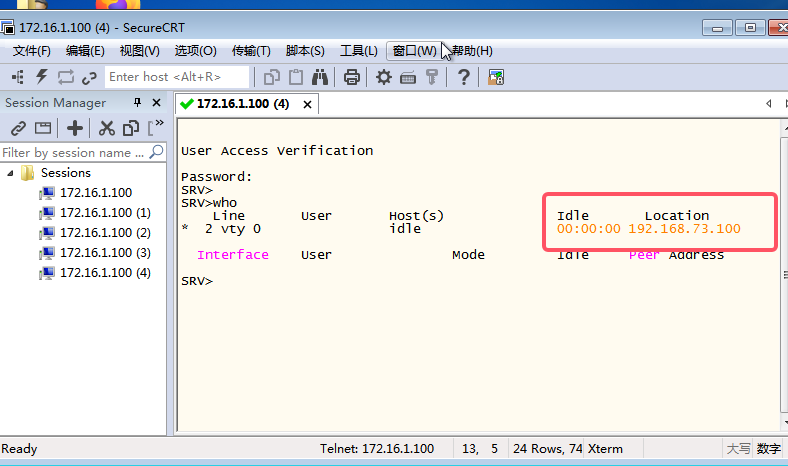
④网络扩展
防火墙双机热备
①FW上下行都是交换机
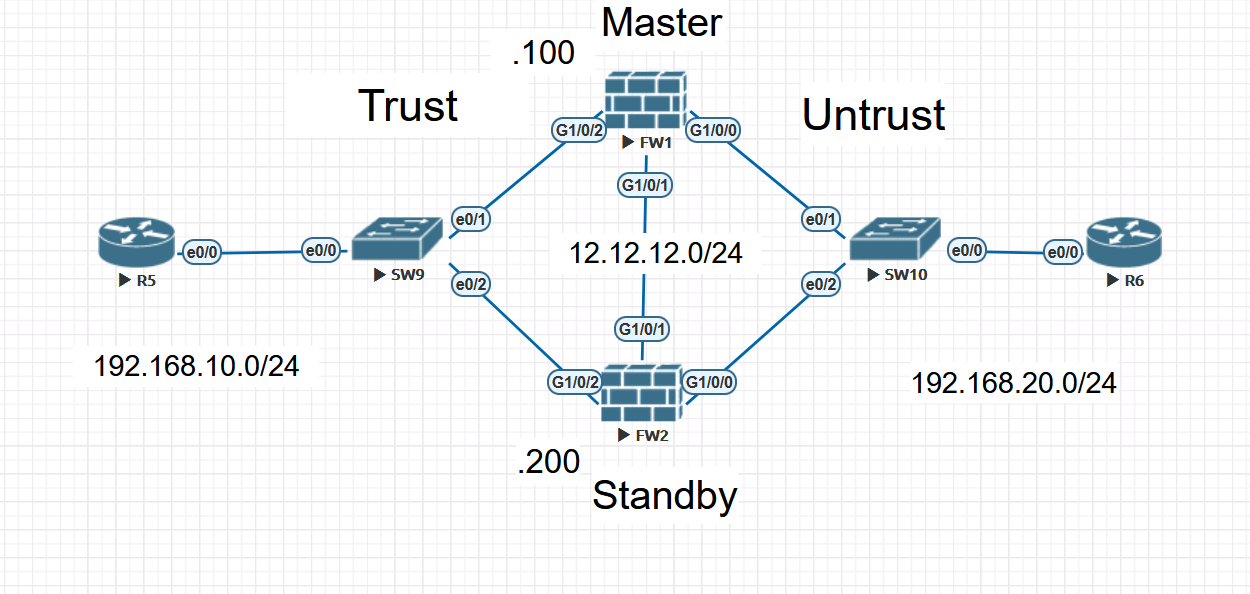
step1 业务接口的配置和区域划分
[FW1]firewall zone trust
[FW1-zone-trust]add int g1/0/2
[FW1-zone-trust]qu
[FW1]firewall zone untrust
[FW1-zone-untrust]add int g1/0/0
[FW1-zone-untrust]qu


[FW1]int g1/0/0
[FW1-GigabitEthernet1/0/0]service-manage ping permit
[FW1-GigabitEthernet1/0/0]int g1/0/1
[FW1-GigabitEthernet1/0/1]service-manage ping permit
[FW1-GigabitEthernet1/0/1]int g1/0/2
[FW1-GigabitEthernet1/0/2]service-manage ping permit


[FW2]firewall zone trust
[FW2-zone-trust]add int g1/0/2
[FW2-zone-trust]firewall zone untrust
[FW2-zone-untrust]add int g1/0/0


[FW2-zone-untrust]int g1/0/0
[FW2-GigabitEthernet1/0/0]service-manage ping permit
[FW2-GigabitEthernet1/0/0]int g1/0/1
[FW2-GigabitEthernet1/0/1]service-manage ping permit
[FW2-GigabitEthernet1/0/1]int g1/0/2
[FW2-GigabitEthernet1/0/2]service-manage ping permit
step2 心跳接口的配置和区域划分
[FW1]firewall zone name hrp
[FW1-zone-hrp]set priority 75
[FW1-zone-hrp]add int g1/0/1
    ---因为G1/0/1接口我们不做业务流量要求,只用来传递会话数据和策略备份等信息,所以给他单独划分进一个安全域中,让他不受其他数据业务的影响

[FW2]firewall zone name hrp id 4
[FW2-zone-hrp] set priority 75
[FW2-zone-hrp] add interface GigabitEthernet1/0/1
step3 VRRP+VGMP
[FW1]int g1/0/2
[FW1-GigabitEthernet1/0/2]vrrp vrid 10 virtual-ip 192.168.10.254 active
[FW1-GigabitEthernet1/0/2]int g1/0/0
[FW1-GigabitEthernet1/0/0]vrrp vrid 20 virtual-ip 192.168.20.254 active

[FW2]int g1/0/2
[FW2-GigabitEthernet1/0/2]vrrp vrid 10 virtual-ip 192.168.10.254 standby
[FW2-GigabitEthernet1/0/2]int g1/0/0
[FW2-GigabitEthernet1/0/0]vrrp vrid 20 virtual-ip 192.168.20.254 standby
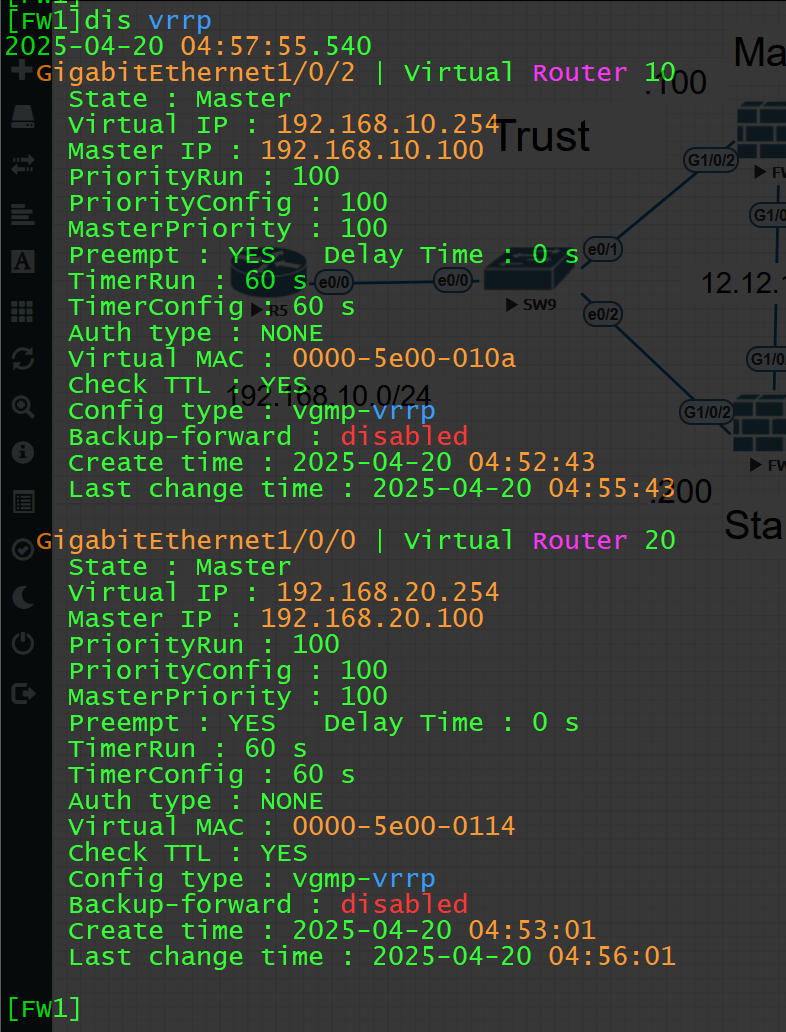

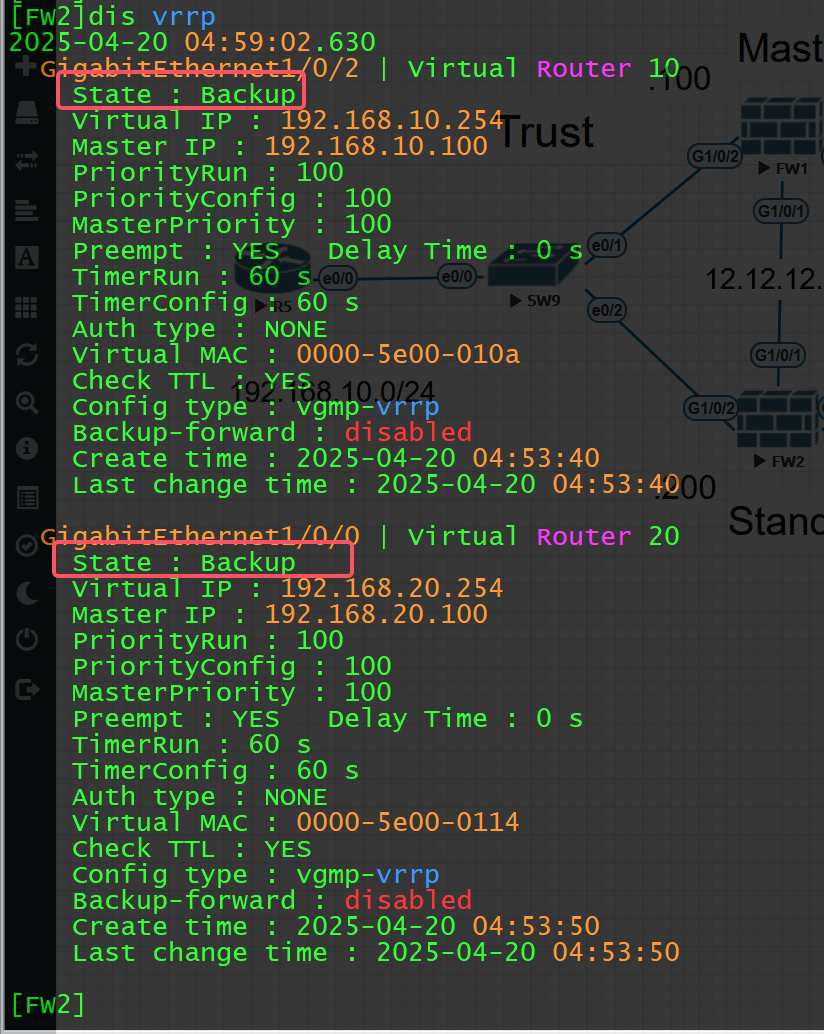
PS:vrrp主备设备选举方法(选Master)
①物理接口IP和虚拟IP是一样的----->255
②优先级大的
③优先级一致则比物理接口IP地址大的
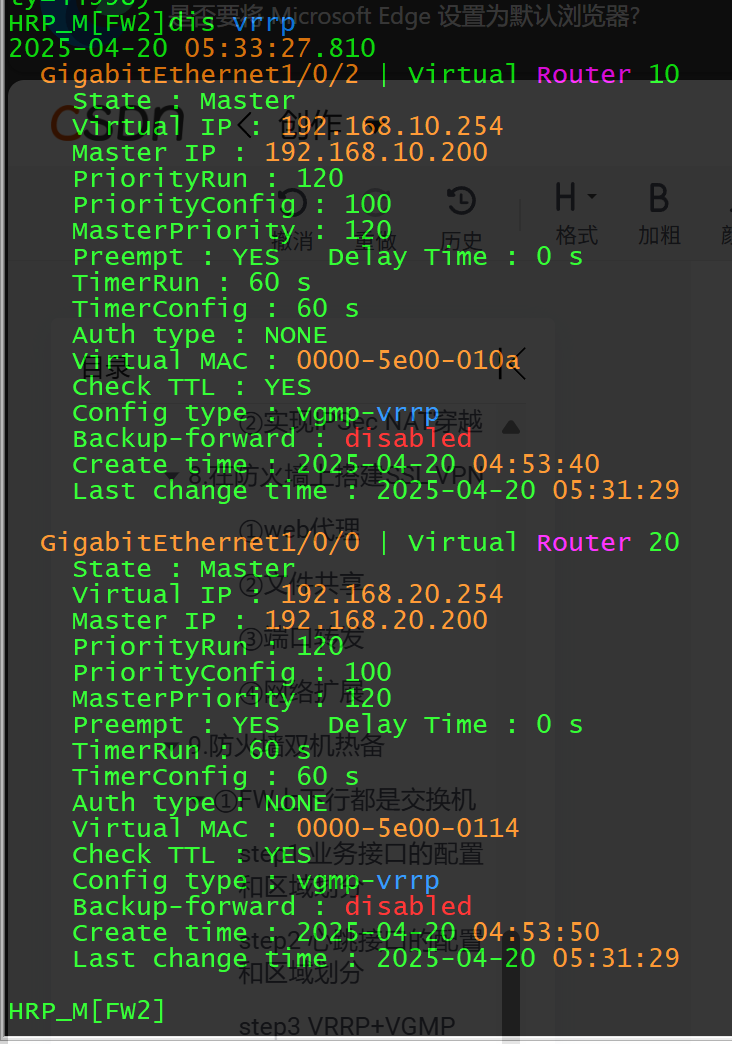
④直接根据VGMP组的身份来选举,处于Active状态的vrrp组中的设备的接口处于Master状态。
stp4 指定心跳接口对端IP,并激活hrp功能
[FW1]hrp interface g1/0/1 remote 12.12.12.2
[FW1]hrp enable

[FW2]hrp interface g1/0/1 remote 12.12.12.1
[FW2]hrp enable 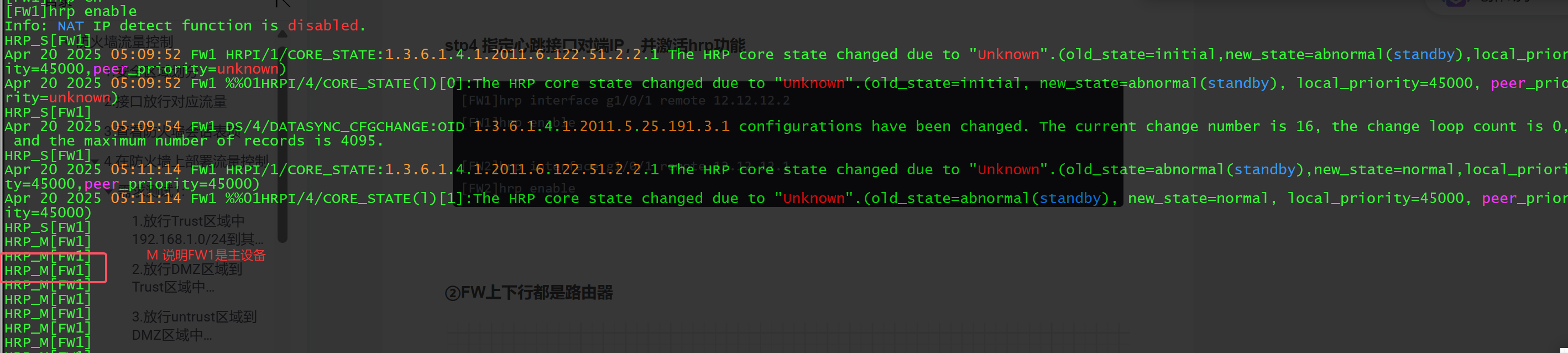

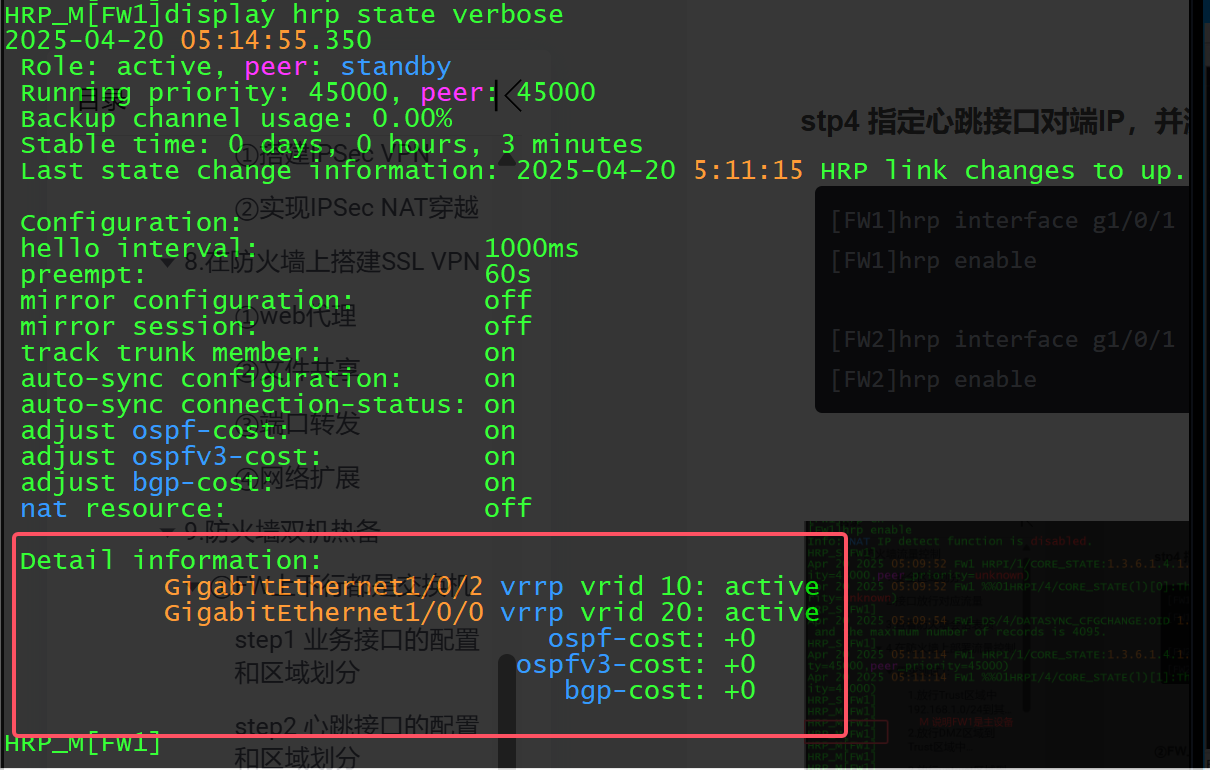
测试双机热备效果:
---因为防火墙默认不同区域间不能通信,所以需要先在防火墙上部署安全策略,让R5可以访问到R6


HRP_M[FW1]security-policy (+B)
HRP_M[FW1-policy-security]rule name t2u (+B)
HRP_M[FW1-policy-security-rule-t2u]source-zone trust (+B)
HRP_M[FW1-policy-security-rule-t2u]destination-zone untrust  (+B)
HRP_M[FW1-policy-security-rule-t2u]action permit  (+B)
HRP_M[FW1-policy-security-rule-t2u]source-address 192.168.10.0 24 (+B)
HRP_M[FW1-policy-security-rule-t2u]destination-address 192.168.20.0 24 (+B)

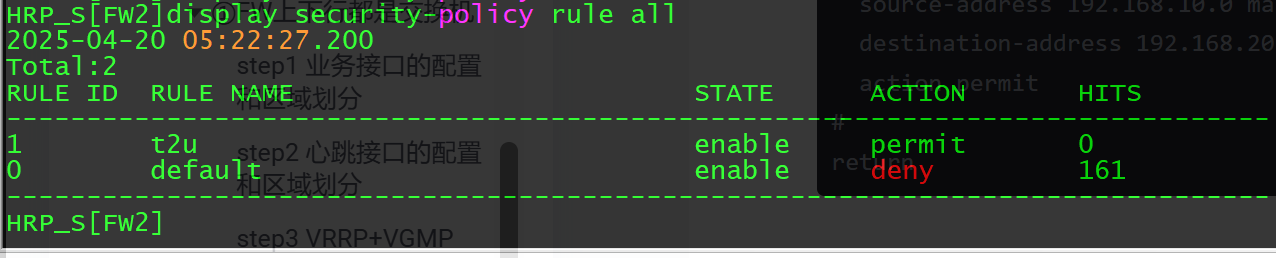
                ---每行代码后面的(+B)表示策略通过心跳链路同步给了FW2

HRP_M[FW1-policy-security-rule-t2u]dis th
2025-04-20 05:20:15.050
#
 rule name t2u
  source-zone trust
  destination-zone untrust
  source-address 192.168.10.0 mask 255.255.255.0
  destination-address 192.168.20.0 mask 255.255.255.0
  action permit
#
return
在FW2上可以发现我们在FW1上部署的安全策略通过心跳链路传递到了FW2上
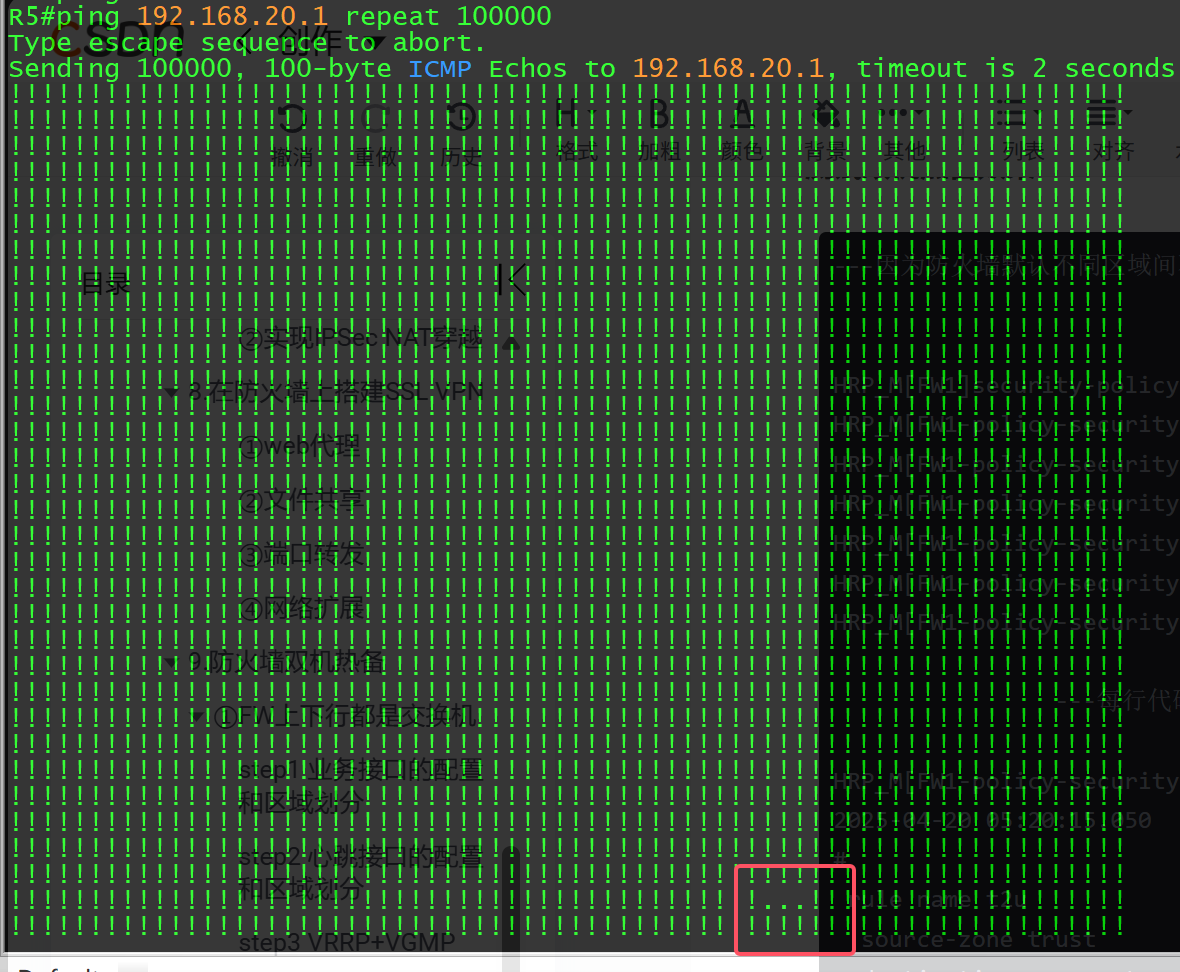
当FW1和R5之间的链路断开时,FW2可以主动切换会Master 保障通信
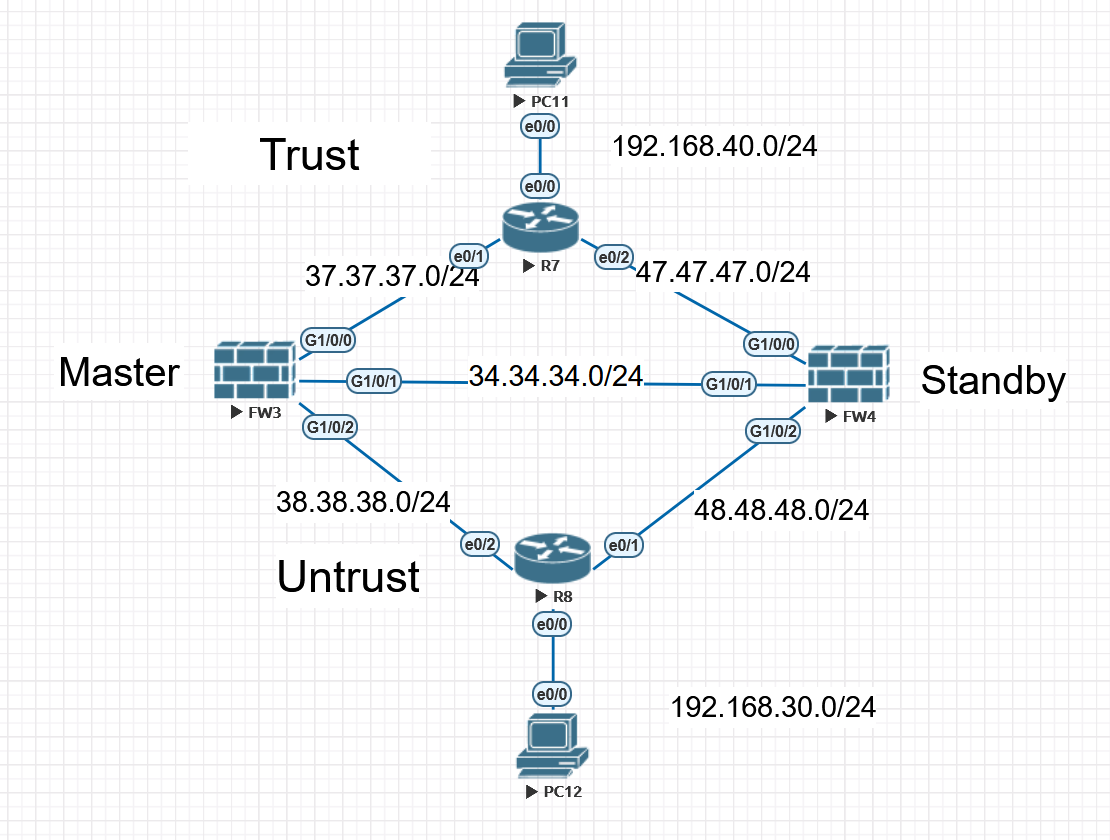
②FW上下行都是路由器
step1 业务接口的配置和区域划分
[FW3]firewall zone trust
[FW3-zone-trust]add int g1/0/0
[FW3-zone-trust]firewall zone untrust
[FW3-zone-untrust]add int g1/0/2

[FW3]int g1/0/0
[FW3-GigabitEthernet1/0/0]service-manage ping permit
[FW3-GigabitEthernet1/0/0]int g1/0/1
[FW3-GigabitEthernet1/0/1]service-manage ping permit
[FW3-GigabitEthernet1/0/1]int g1/0/2
[FW3-GigabitEthernet1/0/2]service-manage ping permit


[FW4]firewall zone trust
[FW4-zone-trust]add int g1/0/0
[FW4-zone-trust]firewall zone untrust
[FW4-zone-untrust]add int g1/0/2

[FW4]int g1/0/0
[FW4-GigabitEthernet1/0/0]service-manage ping permit
[FW4-GigabitEthernet1/0/0]int g1/0/1
[FW4-GigabitEthernet1/0/1]service-manage ping permit
[FW4-GigabitEthernet1/0/1]int g1/0/2
[FW4-GigabitEthernet1/0/2]service-manage ping permit
step2 心跳接口的配置和区域划分
[FW3]firewall zone name hrp
[FW3-zone-hrp]set priority 75
[FW3-zone-hrp]add int g1/0/1

[FW4]firewall zone name hrp
[FW4-zone-hrp]set priority 75
[FW4-zone-hrp]add int g1/0/1
step3 结合路由协议(OSPF),不通告心跳接口
R7(config)#int range e0/0-2
R7(config-if-range)#ip ospf 1 a 0

R8(config)#int range e0/0-2
R8(config-if-range)#ip ospf 1 a 0


[FW3]ospf 1
[FW3-ospf-1]area 0
[FW3-ospf-1-area-0.0.0.0]int g1/0/0
[FW3-GigabitEthernet1/0/0]ospf enable 1 area 0
[FW3-GigabitEthernet1/0/0]int g1/0/2
[FW3-GigabitEthernet1/0/2]ospf enable 1 area 0

[FW4]ospf 1
[FW4-ospf-1]area 0
[FW4-ospf-1-area-0.0.0.0]int g1/0/0
[FW4-GigabitEthernet1/0/0]ospf enable 1 area 0
[FW4-GigabitEthernet1/0/0]int g1/0/2
[FW4-GigabitEthernet1/0/2]ospf enable 1 area 0
stp4 指定心跳接口对端IP,并激活hrp功能,手动指定备设备。
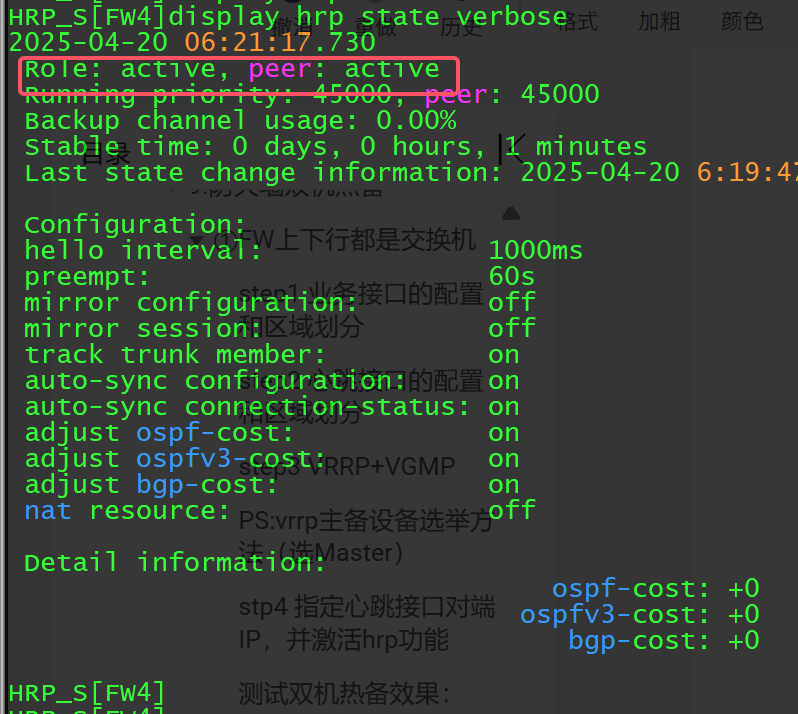
[FW3]hrp interface g1/0/1 remote 34.34.34.4
[FW3]hrp enable

[FW4]hrp interface g1/0/1 remote 34.34.34.3
[FW4]hrp enable
HRP_S[FW4]hrp standby-device   ----FW4手动指定为备设备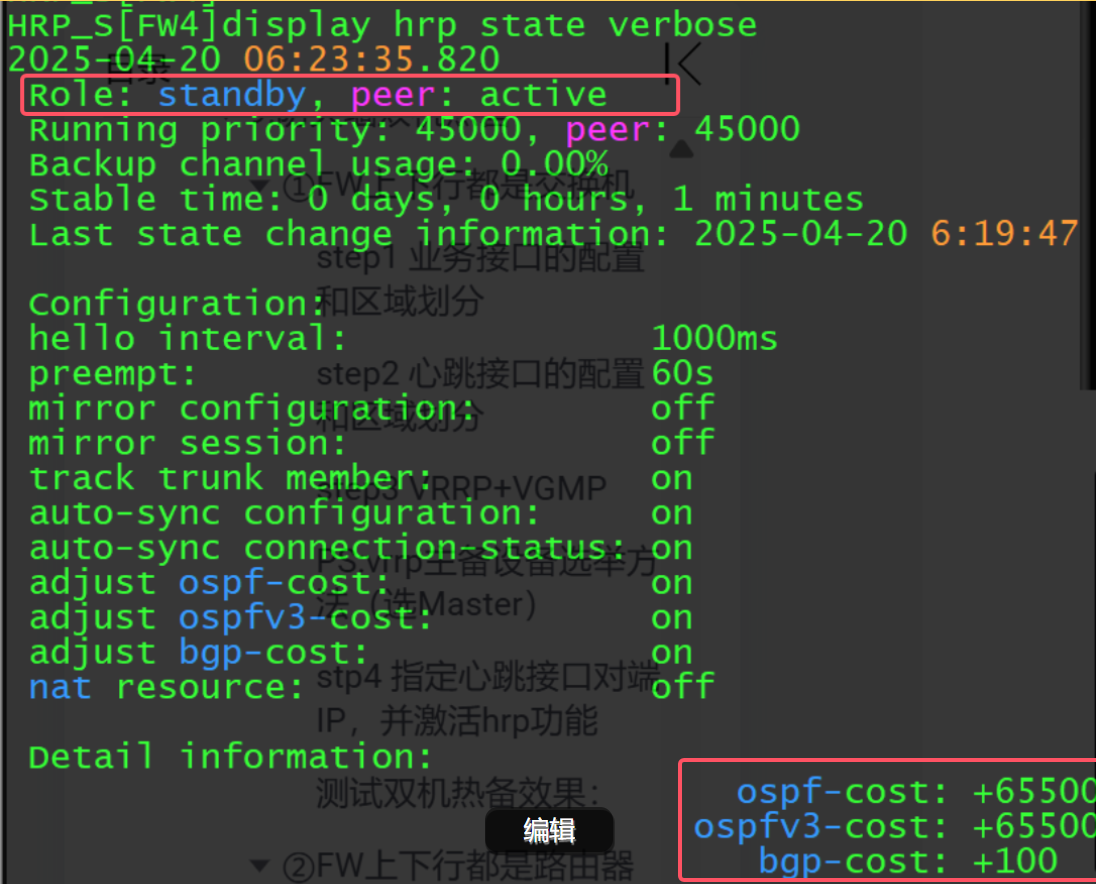
PS:备设备默认是不能进行配置的(策略的)开启配置权限命令
HRP_S[FW4]hrp standby config enable
测试双机热备效果:
---因为防火墙默认不同区域间不能通信,所以需要先在防火墙上部署安全策略,让PC11可以访问到PC12


HRP_M[FW3]security-policy  (+B)
HRP_M[FW3-policy-security]rule name t2u (+B)
HRP_M[FW3-policy-security-rule-t2u]source-zone trust (+B)
HRP_M[FW3-policy-security-rule-t2u]destination-zone untrust (+B)
HRP_M[FW3-policy-security-rule-t2u]  action permit (+B)
                ---每行代码后面的(+B)表示策略通过心跳链路同步给了FW4

HRP_M[FW3-policy-security-rule-t2u]dis th
2025-04-20 06:32:49.250
#
 rule name t2u
  source-zone trust
  destination-zone untrust
  action permit
#
return
在FW4上可以发现我们在FW3上部署的安全策略通过心跳链路传递到了FW4上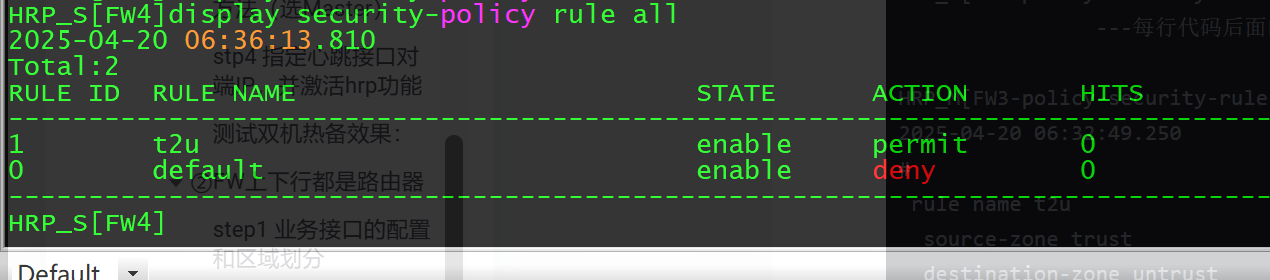
当FW3和R8之间的链路断开时,FW4可以主动切换会Master 保障通信
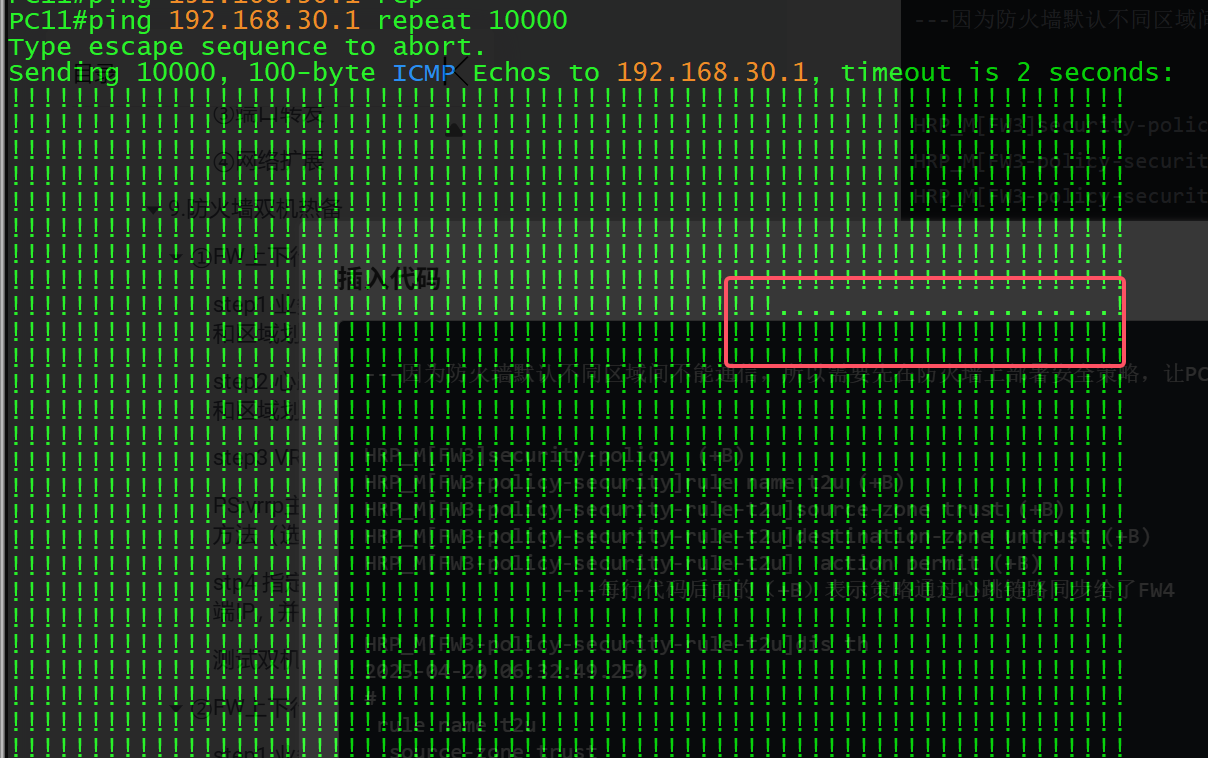
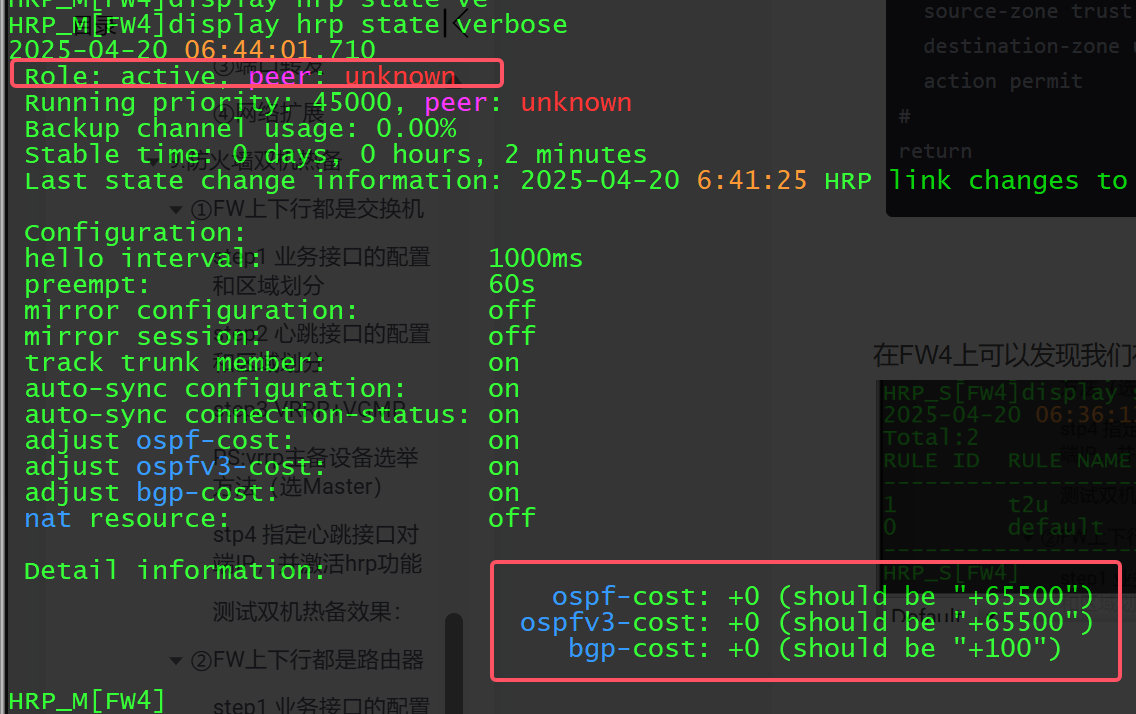
PS:进一步优化——结合TRACK
[USG6000V2]hrp track interface g1/0/0
[USG6000V2]hrp track interface g1/0/2

腾讯云面向开发者汇聚海量精品云计算使用和开发经验,营造开放的云计算技术生态圈。
更多推荐
 19
19 0
0- 0


 已为社区贡献3条内容

所有评论(0)