vscode/Trae 在远程服务器上通过 jupyter notebook 使用 R
·
该文章的具体实现在 Linux + conda 环境下完成,如果你没有 conda 环境,可以参考网上资料进行安装。
首先 安装R:
# 第一步:安装IRkernel
install.packages('IRkernel')

# 第二步:在jupyter notebook中安装,以下两个按需执行其中一个即可
# 只在当前用户下安装
IRkernel::installspec()
# 或者是在系统下安装
IRkernel::installspec(user = FALSE)
如果在 VScode/Trae 中尚未安装 jupyter 扩展,则点开侧栏的 拓展 页面并搜索 jupyter 安装:

新建一个 jupyter notebook 文件,使用 vscode 打开它:

点击右上角的 select kernel,此时如果仅存在 Python 相关的 kernel,则先在服务器上运行 jupyter notebook:
jupyter notebook |
此时屏幕输出里会返回 server 的链接,例如:
http://localhost:8889/tree?token=0a11c7704f5c2d2c9a94c08d5a012eb1057489952898e1a8
在 select kernel 里,点击 Select Another Kernel,此后选择 Existing Jupyter Server,在弹出的窗口里输入上面得到的 server 链接,并选择弹出的 R。图示:
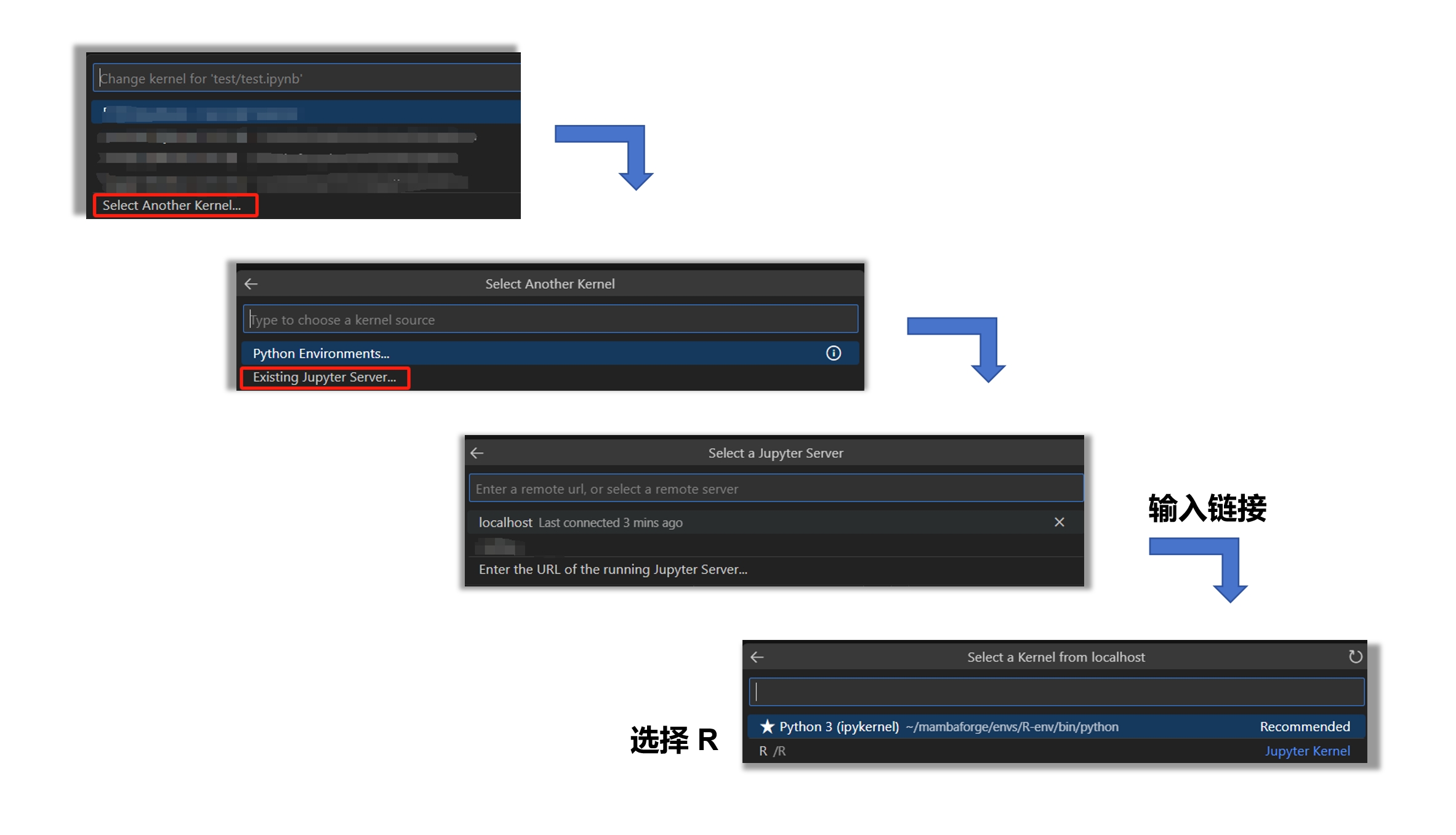
此后即可在 jupyter notebook 中使用 R 进行分析。

腾讯云面向开发者汇聚海量精品云计算使用和开发经验,营造开放的云计算技术生态圈。
更多推荐
 1
1 0
0- 0


 已为社区贡献2条内容

所有评论(0)