QML图形效果之RectangularGlow(矩形发光效果)
本文介绍了如何在QML中使用RectangularGlow实现矩形发光效果。该组件可调整发光半径、扩散程度和颜色等属性,通过两个示例(黑底白光和白底灰光)展示了动态调节效果。示例中包含交互式滑块控件,实时调整参数并输出日志,直观呈现不同参数对发光效果的影响。文章还提供了相关QML图形特效系列教程链接,适合界面开发人员学习参考。
·
目录
引言
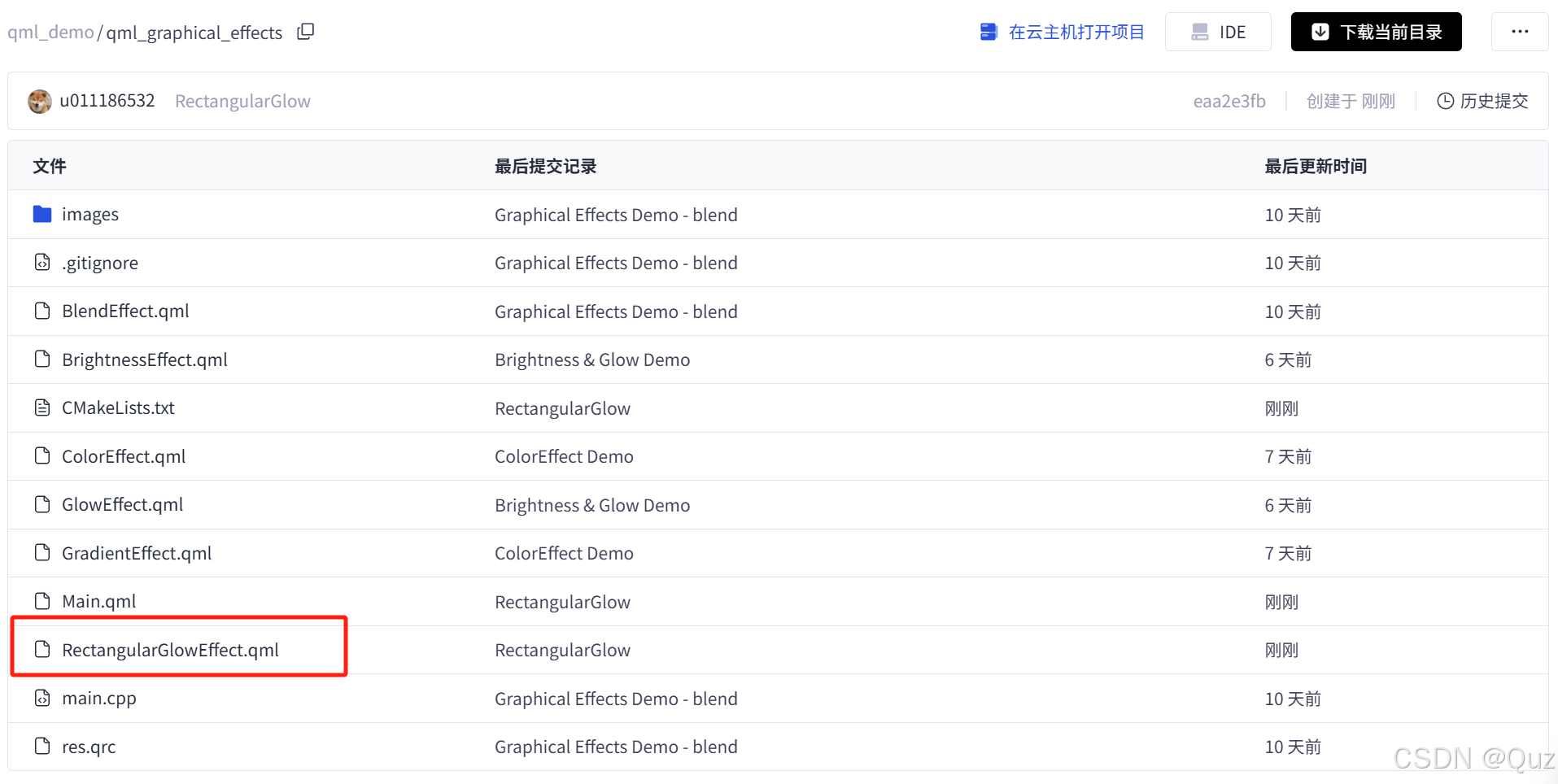
矩形发光效果常被用于突出界面元素、提升视觉层次感。Qt的QML为开发者提供了丰富的图形特效组件,极大地方便了高质量界面的开发。本文将以RectangularGlowEffect.qml为例,结合官方文档,实践如何在QML中实现矩形发光效果。
相关系列
- QML图形效果之BrightnessContrast(亮度对比度)、Glow(发光)
- QML图形效果之颜色效果示例(Colorize、HueSaturation、ColorOverlay与Desaturate)
- QML图形效果之阴影效果(DropShadow与InnerShadow)
基础知识
RectangularGlow是什么?
RectangularGlow是Qt Quick中的一个图形特效组件,属于Qt5Compat.GraphicalEffects模块。它可以为矩形区域添加柔和的发光边缘,常用于按钮、卡片等控件的高亮显示,增强界面层次感和美观度。
主要属性
- glowRadius:发光的模糊半径,数值越大,发光越柔和、范围越广。
- spread:发光的扩散程度,0为无扩散,1为最大扩散。
- color:发光的颜色。
- cornerRadius:矩形的圆角半径,决定了发光边缘的圆滑程度。
完整示例展示(RectangularGlowEffect.qml)
import QtQuick
import QtQuick.Controls
import Qt5Compat.GraphicalEffects

Item {

    Flow {

        anchors.fill: parent
        spacing: 10
        padding: 10

        Rectangle {
            width: 280
            height: 280
            color: "black"

            RectangularGlow {
                id: effect
                anchors.fill: rect
                glowRadius: 10
                spread: 0.2
                color: "white"
                cornerRadius: 35
            }

            Rectangle {
                id: rect
                color: "black"
                anchors.centerIn: parent
                width: Math.round(parent.width / 1.5)
                height: Math.round(parent.height / 2)
                radius: 25
            }

            Grid {
                columns: 2

                anchors.centerIn: parent

                Text { text: "glowRadius:"; color: "white" }
                Slider {
                    from: 0
                    to: 50
                    stepSize: 1
                    value: 35

                    onValueChanged: {
                        console.log("glowRadius: " + value)
                        effect.glowRadius = value
                    }
                }

                Text { text: "cornerRadius:"; color: "white" }
                Slider {
                    from: 0
                    to: 50
                    stepSize: 1
                    value: 25

                    onValueChanged: {
                        console.log("cornerRadius: " + value)
                        effect.cornerRadius = value
                    }
                }

                Text { text: "spread:"; color: "white" }
                Slider {
                    from: 0.0
                    to: 1.0
                    stepSize: 0.1
                    value: 0.2

                    onValueChanged: {
                        console.log("spread: " + value)
                        effect.spread = value
                    }
                }
            }
        }

        Rectangle {
            width: 280
            height: 280
            color: "white"
            border.color: "gray"

            RectangularGlow {
                id: effect1
                anchors.fill: rect1
                glowRadius: 10
                spread: 0.2
                color: "gray"
                cornerRadius: 35
            }

            Rectangle {
                id: rect1
                color: "white"
                anchors.centerIn: parent
                width: Math.round(parent.width / 1.5)
                height: Math.round(parent.height / 2)
                radius: 25
            }

            Grid {
                columns: 2

                anchors.centerIn: parent

                Text { text: "glowRadius:" }
                Slider {
                    from: 0
                    to: 50
                    stepSize: 1
                    value: 35

                    onValueChanged: {
                        console.log("glowRadius: " + value)
                        effect1.glowRadius = value
                    }
                }

                Text { text: "cornerRadius:" }
                Slider {
                    from: 0
                    to: 50
                    stepSize: 1
                    value: 25

                    onValueChanged: {
                        console.log("cornerRadius: " + value)
                        effect1.cornerRadius = value
                    }
                }

                Text { text: "spread:" }
                Slider {
                    from: 0.0
                    to: 1.0
                    stepSize: 0.1
                    value: 0.2

                    onValueChanged: {
                        console.log("spread: " + value)
                        effect1.spread = value
                    }
                }
            }
        }
    }
}
代码说明
整体结构
- 使用
Flow布局,左右依次排列两个发光的矩形。
第一个矩形(黑底白光)
- 外层
Rectangle为黑色背景。 RectangularGlow叠加在矩形上,初始为白色发光,圆角较大。- 内层
Rectangle为实际显示的黑色矩形。 - 下方
Grid布局放置了三个滑块,分别控制glowRadius、cornerRadius和spread,可实时调整发光效果。
第二个矩形(白底灰光)
- 外层
Rectangle为白色背景,带灰色边框。 RectangularGlow为灰色发光,其他参数与第一个类似。- 内层
Rectangle为白色矩形。 - 同样提供滑块调节发光参数
通过滑块(Slider)实时调整发光半径、圆角和扩散度,便于观察不同参数下的视觉效果。
运行效果展示
效果图1:黑底白光矩形
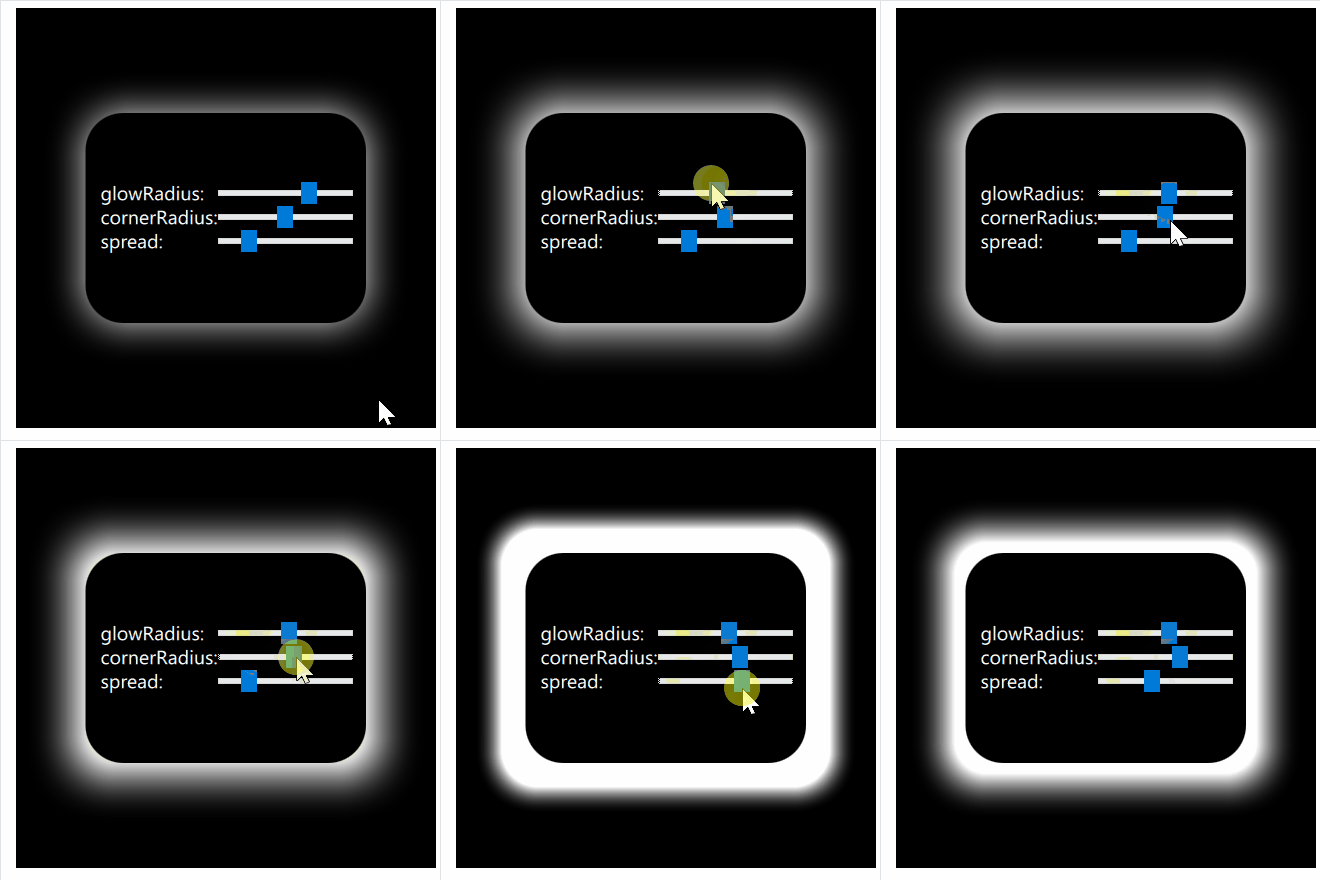
效果描述:黑色背景下,矩形边缘发出柔和的白色光晕,通过滑块可调节圆角和发光范围。
效果图2:白底灰光矩形
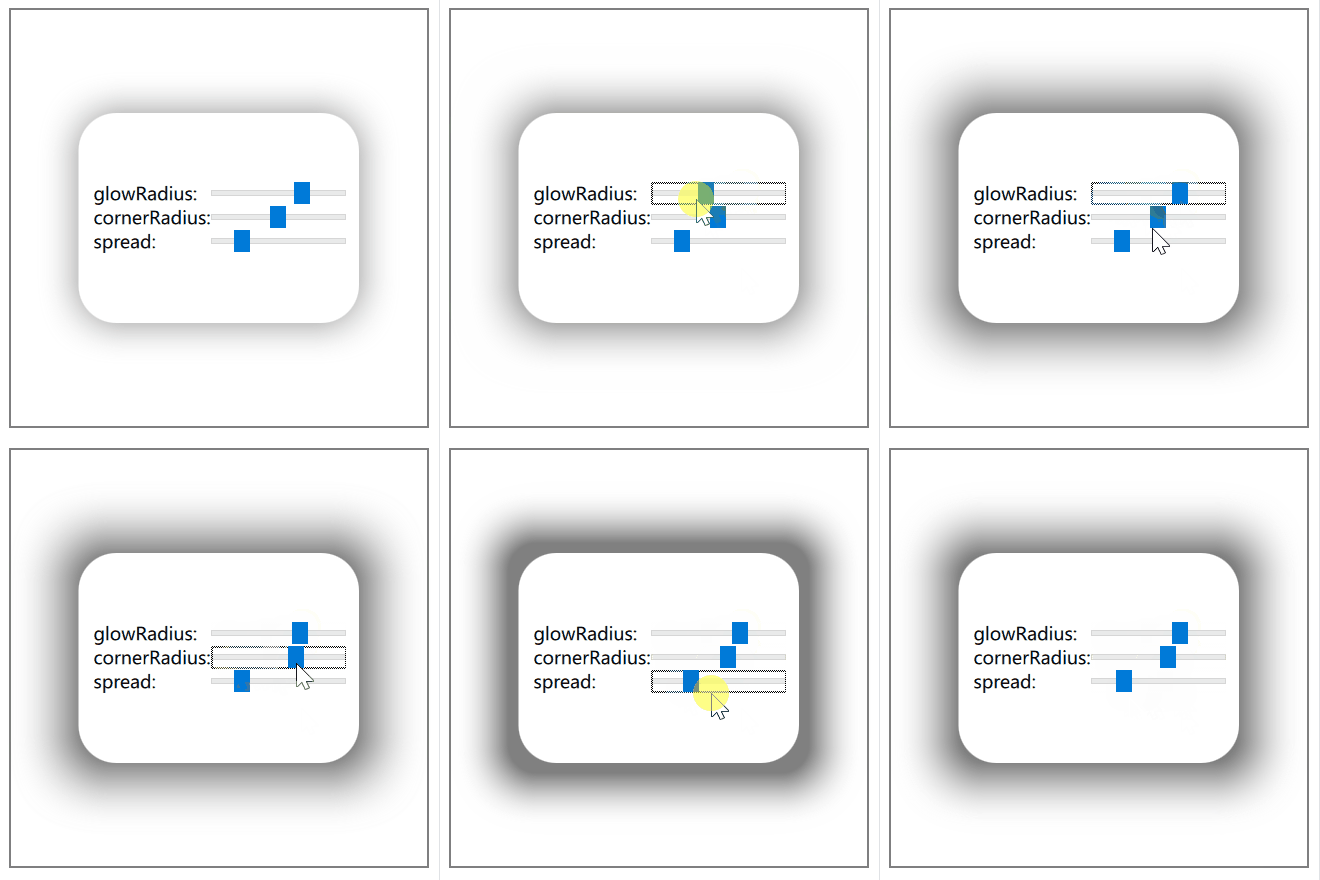
效果描述:白色背景下,矩形边缘发出淡灰色光晕,整体风格更为简洁,通过滑块可调节圆角和发光范围。
总结
本文结合Qt官方文档,详细介绍了RectangularGlow的基本用法和属性,并通过完整的QML示例演示了如何实现和调节矩形发光效果。该特效不仅提升了界面美观度,也为交互设计提供了更多可能。
工程下载
下载链接: GitCode -> Graphical Effects Demo
参考

腾讯云面向开发者汇聚海量精品云计算使用和开发经验,营造开放的云计算技术生态圈。
更多推荐
 23
23 0
0- 0


 已为社区贡献1条内容

所有评论(0)