k8s | [kubelet-check] The HTTP call equal to ‘curl -sslL http://localhost:10248/healthz‘ failed
一、报错描述
[kubelet-check] The HTTP call equal to ‘curl -sSL http://localhost:10248/healthz’ failed with error: Get “http://localhost:10248/healthz”: dial tcp [::1]:10248: connect: connection refused.
问题原因可能是:
-
The kubelet is not running(kubelet没有运行)
-
The kubelet is unhealthy due to a misconfiguration of the node in some way (required cgroups disabled)(kubelet是不健康的,因为节点在某些方面的错误配置(禁用必需的cgroups))
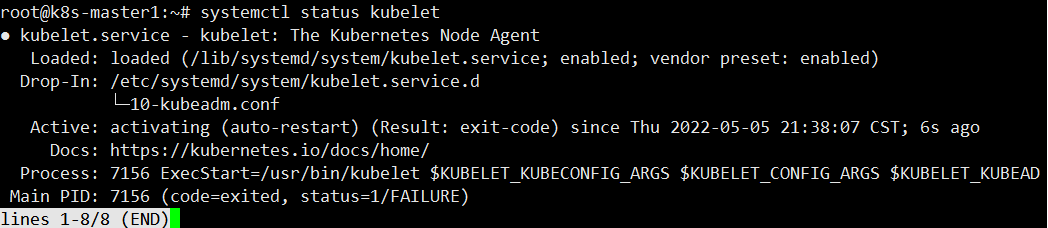
使用 systemctl status kubelet、journalctl -xeu kubelet 或者 journalctl -xeu kubelet -l 查看详细错误信息
systemctl status kubelet
journalctl -xeu kubelet
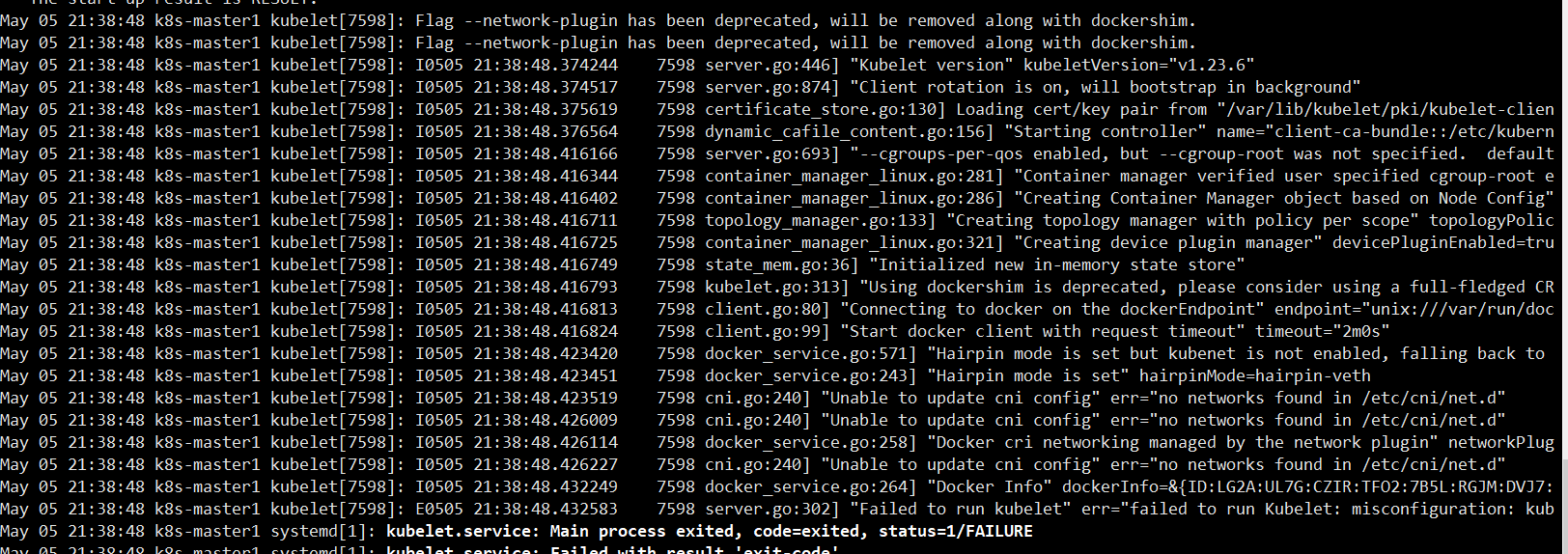
journalctl -xeu kubelet|grep cgroupfs

根据报错信息知道,是因为 k8s 和docker 的 cgroup driver 不一致导致的。
k8s 的是 systemd ,而 docker 是cgroupfs。
docker info | grep cgroup

二、解决方法
所有master跟node节点的docker修改为
[root@k8s-master ~]# cat /etc/docker/daemon.json
{
"exec-opts": ["native.cgroupdriver=systemd"]
}
如果有其他配置,加到最后,都好隔开
{
    "registry-mirrors": ["https://si7y70hh.mirror.aliyuncs.com"],
    "exec-opts": ["native.cgroupdriver=systemd"]
}
然后重启docker
systemctl restart docker
先重置:kubeadm reset
重新执行kubeadm init命令就可以了

腾讯云面向开发者汇聚海量精品云计算使用和开发经验,营造开放的云计算技术生态圈。
更多推荐
 5
5 0
0- 0


 已为社区贡献7条内容

所有评论(0)