Jenkins使用ssh方式拉取gitlab代码
·
1、在jenkins生成 SSH 密钥对
ssh-keygen -t rsa -b 4096 -C "jenkins3829@xxxxx.com"
#手动添加主机密钥
ssh-keyscan -t rsa code.xxxx.com >> ~/.ssh/known_hosts
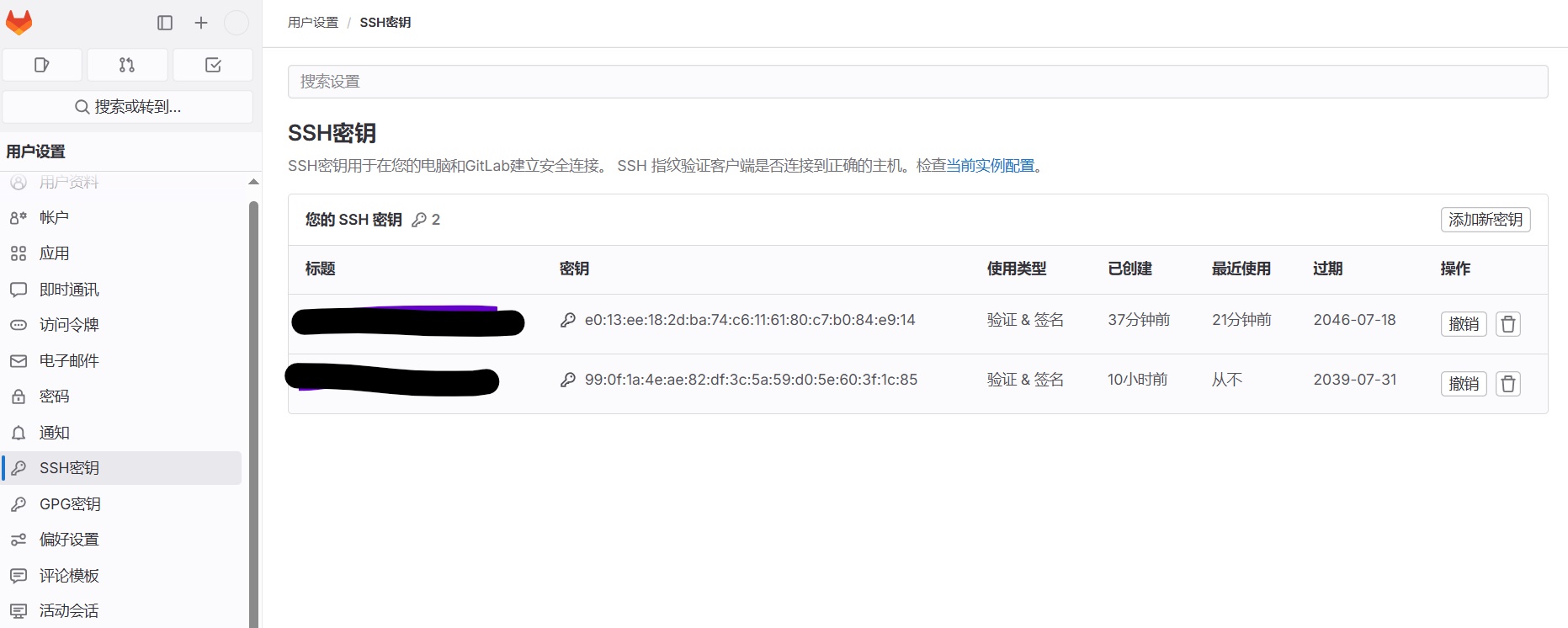
2、在gitlab配置jenkins服务器公钥
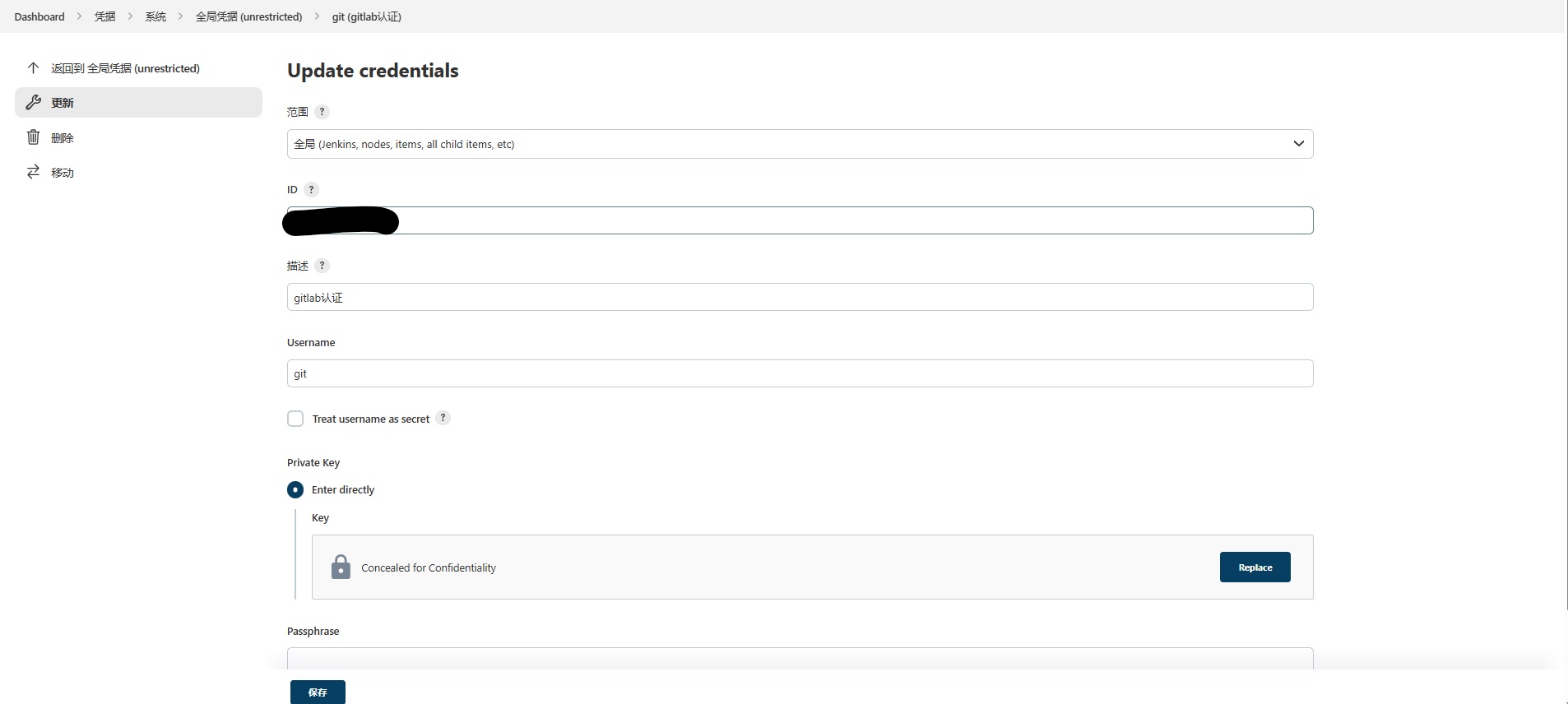
3、在jenkins界面配置全局认证
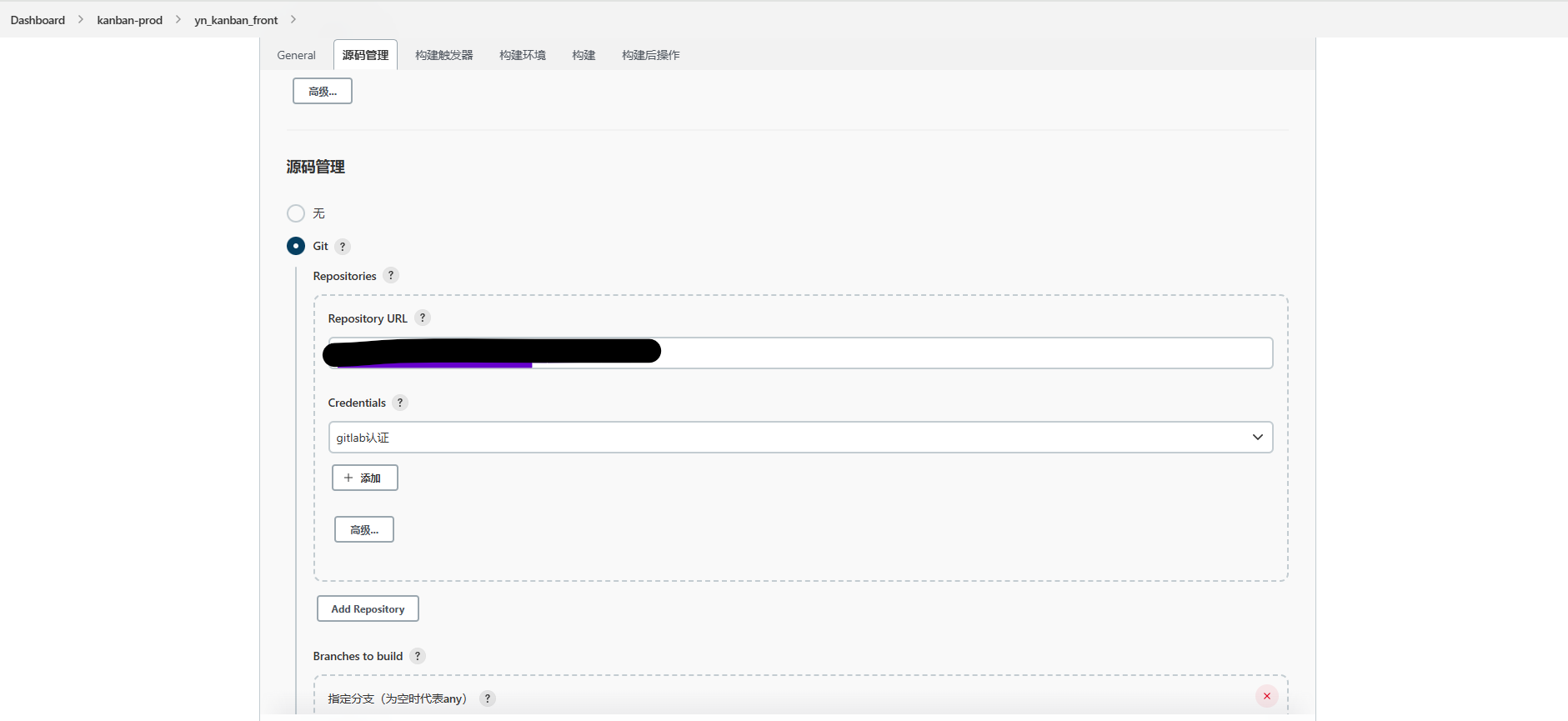
4、jenkins源码管理
4.1 创建或编辑 Jenkins 任务
- Source Code Management:选择 Git。
- Repository URL:填写 GitLab 仓库的 SSH 地址(如 `git@gitlab.com:group/repo.git`)。
- Credentials:选择创建的 SSH 凭据 。
4.2 若使用 Pipeline,示例代码如下
pipeline {
    agent any
    stages {
        stage('Checkout') {
            steps {
                git branch: 'main',
                    url: 'git@gitlab.com:group/repo.git',
                    credentialsId: 'your-credential-id' // 替换为凭据ID
            }
        }
    }
}
5、全局安全配置
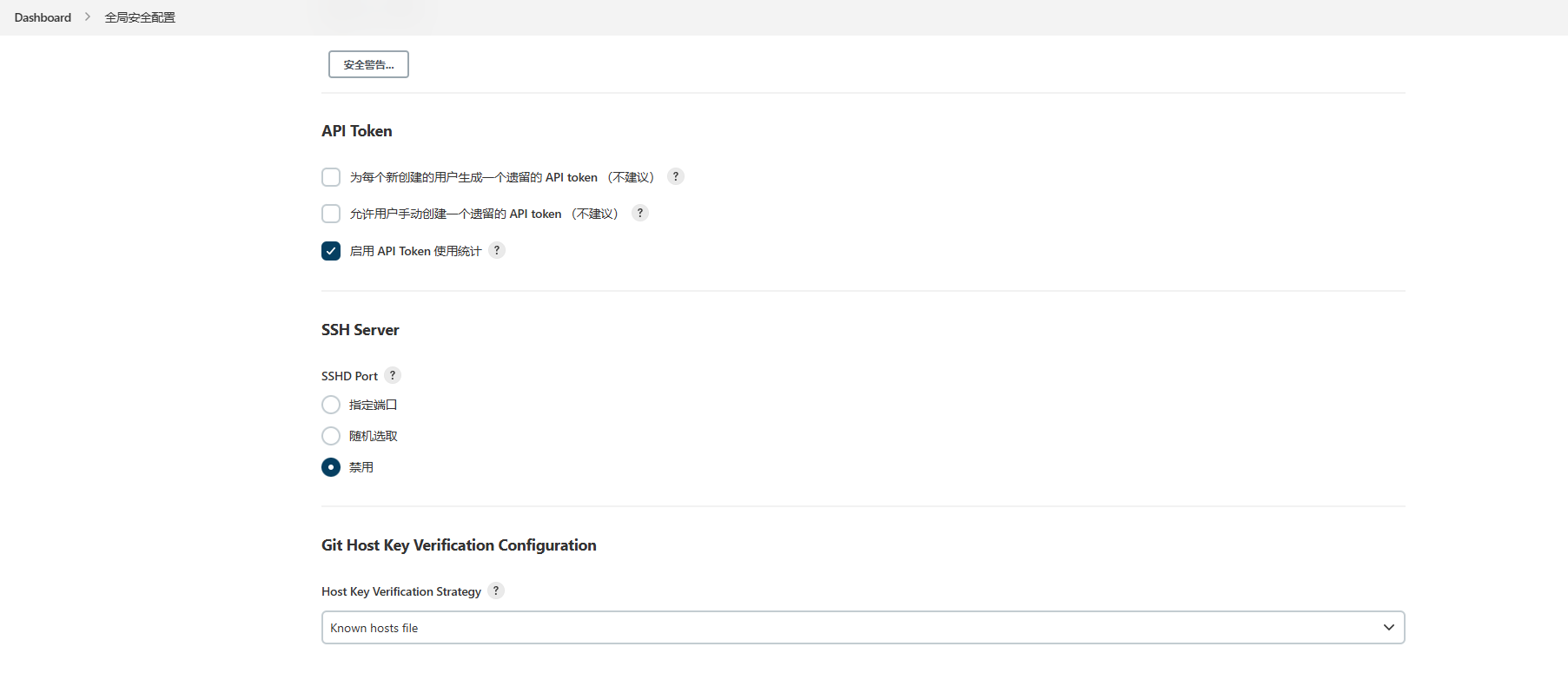
Host Key Verification Strategy 改为 known hosts file

腾讯云面向开发者汇聚海量精品云计算使用和开发经验,营造开放的云计算技术生态圈。
更多推荐
 9
9 0
0- 0


 已为社区贡献1条内容

所有评论(0)