通用验证码识别技术深度解析:从OCR到深度学习的技术演进
全面分析现代验证码识别技术栈,从传统OCR到深度学习模型的技术演进历程,探讨CNN、RNN在验证码识别中的应用,提供完整的技术实现和优化策略。
通用验证码识别技术深度解析:从OCR到深度学习的技术演进
技术概述与发展历程
验证码识别技术作为计算机视觉和人工智能领域的重要应用分支,经历了从简单模式匹配到深度学习的巨大技术跃迁。这一技术的发展不仅推动了OCR(光学字符识别)技术的进步,更成为了深度学习在实际业务场景中应用的重要试验田。
早期的验证码识别主要依赖传统的图像处理技术,包括图像预处理、特征提取、模式匹配等步骤。这些方法在面对简单的数字或字母验证码时表现良好,但随着验证码复杂度的不断提升,传统方法的局限性日益显现。噪点干扰、字符变形、背景复杂化等因素使得基于规则的识别方法难以应对。
深度学习技术的兴起为验证码识别带来了革命性的变化。卷积神经网络(CNN)在图像特征提取方面的强大能力,循环神经网络(RNN)在序列建模方面的优势,以及注意力机制在复杂场景理解方面的突破,共同构成了现代验证码识别技术的核心架构。
当前的验证码识别技术已经发展到能够处理各种复杂场景的水平,包括扭曲变形的文字、复杂背景干扰、多字符重叠、不规则排列等。这些技术的应用不仅限于安全测试领域,在文档数字化、自动化办公、辅助功能等方面也发挥着重要作用。随着技术的不断进步,验证码识别已经成为了衡量计算机视觉技术水平的重要指标之一。
核心原理与代码实现深度解析
传统OCR技术实现
以下是基于传统图像处理技术的验证码识别系统完整实现:
import cv2
import numpy as np
from PIL import Image, ImageFilter, ImageEnhance
import pytesseract
from skimage import morphology, measure, segmentation
from scipy import ndimage
import matplotlib.pyplot as plt
from typing import List, Tuple, Dict, Optional
import os
import re
from dataclasses import dataclass
from sklearn.cluster import KMeans
import json

@dataclass
class CaptchaConfig:
    """验证码识别配置"""
    min_char_width: int = 8
    max_char_width: int = 40
    min_char_height: int = 15
    max_char_height: int = 60
    noise_threshold: float = 0.1
    binary_threshold: int = 127
    expected_char_count: int = 4
    allow_digits: bool = True
    allow_letters: bool = True
    case_sensitive: bool = False

class TraditionalCaptchaRecognizer:
    """传统验证码识别器"""

    def __init__(self, config: CaptchaConfig = None):
        self.config = config or CaptchaConfig()

        # 字符模板库
        self.char_templates = {}
        self.load_character_templates()

        # 噪声去除核心
        self.morphology_kernels = {
            'noise_removal': np.ones((2, 2), np.uint8),
            'closing': np.ones((3, 3), np.uint8),
            'opening': np.ones((2, 2), np.uint8)
        }

        # 字符分割参数
        self.segmentation_params = {
            'min_area': 50,
            'max_area': 2000,
            'aspect_ratio_range': (0.2, 3.0)
        }

    def load_character_templates(self):
        """加载字符模板"""
        # 简化的字符模板(实际应用中应从文件加载)
        template_patterns = {
            '0': np.array([
                [0, 1, 1, 1, 0],
                [1, 0, 0, 0, 1],
                [1, 0, 0, 0, 1],
                [1, 0, 0, 0, 1],
                [1, 0, 0, 0, 1],
                [1, 0, 0, 0, 1],
                [0, 1, 1, 1, 0]
            ], dtype=np.uint8),
            '1': np.array([
                [0, 0, 1, 0, 0],
                [0, 1, 1, 0, 0],
                [0, 0, 1, 0, 0],
                [0, 0, 1, 0, 0],
                [0, 0, 1, 0, 0],
                [0, 0, 1, 0, 0],
                [0, 1, 1, 1, 0]
            ], dtype=np.uint8),
            # 更多字符模板...
        }

        for char, pattern in template_patterns.items():
            self.char_templates[char] = pattern * 255

    def recognize_captcha(self, image_path: str) -> Dict:
        """识别验证码主函数"""
        try:
            # 加载图像
            original_image = cv2.imread(image_path)
            if original_image is None:
                return {'success': False, 'error': 'Image not found'}

            # 预处理
            processed_image = self.preprocess_image(original_image)

            # 字符分割
            character_regions = self.segment_characters(processed_image)

            # 字符识别
            recognized_chars = []
            confidence_scores = []

            for region in character_regions:
                char_image = processed_image[region['y']:region['y']+region['height'],
                                           region['x']:region['x']+region['width']]

                # 单字符识别
                char_result = self.recognize_single_character(char_image)
                recognized_chars.append(char_result['character'])
                confidence_scores.append(char_result['confidence'])

            # 结果后处理
            final_result = self.post_process_result(recognized_chars, confidence_scores)

            return {
                'success': True,
                'text': final_result['text'],
                'confidence': final_result['confidence'],
                'char_count': len(recognized_chars),
                'processing_steps': {
                    'preprocessing': 'completed',
                    'segmentation': f'{len(character_regions)} regions found',
                    'recognition': 'completed'
                }
            }

        except Exception as e:
            return {
                'success': False,
                'error': str(e)
            }

    def preprocess_image(self, image: np.ndarray) -> np.ndarray:
        """图像预处理"""
        # 转换为灰度图
        if len(image.shape) == 3:
            gray = cv2.cvtColor(image, cv2.COLOR_BGR2GRAY)
        else:
            gray = image.copy()

        # 高斯滤波去噪
        blurred = cv2.GaussianBlur(gray, (3, 3), 0)

        # 直方图均衡化
        equalized = cv2.equalizeHist(blurred)

        # 自适应二值化
        binary = cv2.adaptiveThreshold(
            equalized, 255, cv2.ADAPTIVE_THRESH_GAUSSIAN_C,
            cv2.THRESH_BINARY, 11, 2
        )

        # 形态学操作去噪
        # 开运算去除小噪点
        opened = cv2.morphologyEx(
            binary, cv2.MORPH_OPEN, self.morphology_kernels['opening']
        )

        # 闭运算连接断开的字符
        closed = cv2.morphologyEx(
            opened, cv2.MORPH_CLOSE, self.morphology_kernels['closing']
        )

        # 中值滤波进一步去噪
        denoised = cv2.medianBlur(closed, 3)

        return denoised

    def segment_characters(self, binary_image: np.ndarray) -> List[Dict]:
        """字符分割"""
        # 水平投影分析
        h_projection = np.sum(binary_image == 0, axis=0)

        # 找到字符边界
        char_boundaries = self.find_character_boundaries(h_projection)

        # 精确分割每个字符
        character_regions = []

        for start_x, end_x in char_boundaries:
            # 提取字符区域
            char_region = binary_image[:, start_x:end_x]

            # 垂直投影找到上下边界
            v_projection = np.sum(char_region == 0, axis=1)
            top, bottom = self.find_vertical_boundaries(v_projection)

            # 验证字符区域的有效性
            width = end_x - start_x
            height = bottom - top

            if (self.config.min_char_width <= width <= self.config.max_char_width and
                self.config.min_char_height <= height <= self.config.max_char_height):

                character_regions.append({
                    'x': start_x,
                    'y': top,
                    'width': width,
                    'height': height,
                    'area': width * height
                })

        # 根据x坐标排序
        character_regions.sort(key=lambda r: r['x'])

        return character_regions

    def find_character_boundaries(self, h_projection: np.ndarray) -> List[Tuple[int, int]]:
        """查找字符水平边界"""
        # 阈值设定(投影值大于此值认为是字符部分)
        threshold = np.max(h_projection) * 0.1

        boundaries = []
        in_char = False
        start_pos = 0

        for i, projection_value in enumerate(h_projection):
            if not in_char and projection_value > threshold:
                # 进入字符区域
                in_char = True
                start_pos = i
            elif in_char and projection_value <= threshold:
                # 离开字符区域
                in_char = False
                if i - start_pos >= self.config.min_char_width:
                    boundaries.append((start_pos, i))

        # 处理最后一个字符
        if in_char and len(h_projection) - start_pos >= self.config.min_char_width:
            boundaries.append((start_pos, len(h_projection)))

        return boundaries

    def find_vertical_boundaries(self, v_projection: np.ndarray) -> Tuple[int, int]:
        """查找字符垂直边界"""
        threshold = np.max(v_projection) * 0.1

        # 找到第一个和最后一个有效像素行
        top = 0
        bottom = len(v_projection) - 1

        for i, value in enumerate(v_projection):
            if value > threshold:
                top = i
                break

        for i in range(len(v_projection) - 1, -1, -1):
            if v_projection[i] > threshold:
                bottom = i
                break

        return top, bottom + 1

    def recognize_single_character(self, char_image: np.ndarray) -> Dict:
        """识别单个字符"""
        best_match = None
        best_confidence = 0.0

        # 标准化字符图像大小
        normalized_char = self.normalize_character_size(char_image)

        # 与模板进行匹配
        for template_char, template_image in self.char_templates.items():
            confidence = self.calculate_template_similarity(normalized_char, template_image)

            if confidence > best_confidence:
                best_confidence = confidence
                best_match = template_char

        # 如果置信度过低,尝试使用OCR
        if best_confidence < 0.6:
            ocr_result = self.fallback_ocr_recognition(char_image)
            if ocr_result['confidence'] > best_confidence:
                best_match = ocr_result['character']
                best_confidence = ocr_result['confidence']

        return {
            'character': best_match or '?',
            'confidence': best_confidence,
            'method': 'template_matching' if best_confidence >= 0.6 else 'ocr_fallback'
        }

    def normalize_character_size(self, char_image: np.ndarray, target_size: Tuple[int, int] = (28, 28)) -> np.ndarray:
        """标准化字符图像大小"""
        # 获取字符的边界框
        coords = cv2.findNonZero(255 - char_image)
        if coords is not None:
            x, y, w, h = cv2.boundingRect(coords)

            # 裁剪到最小边界框
            cropped = char_image[y:y+h, x:x+w]
        else:
            cropped = char_image

        # 等比例缩放到目标尺寸
        h, w = cropped.shape
        target_w, target_h = target_size

        # 计算缩放比例
        scale = min(target_w / w, target_h / h)
        new_w, new_h = int(w * scale), int(h * scale)

        resized = cv2.resize(cropped, (new_w, new_h), interpolation=cv2.INTER_AREA)

        # 创建目标尺寸的背景
        normalized = np.ones(target_size, dtype=np.uint8) * 255

        # 居中放置
        start_x = (target_w - new_w) // 2
        start_y = (target_h - new_h) // 2
        normalized[start_y:start_y+new_h, start_x:start_x+new_w] = resized

        return normalized

    def calculate_template_similarity(self, char_image: np.ndarray, template: np.ndarray) -> float:
        """计算模板相似度"""
        # 确保两个图像大小相同
        if char_image.shape != template.shape:
            template = cv2.resize(template, char_image.shape[::-1])

        # 使用模板匹配
        result = cv2.matchTemplate(char_image, template, cv2.TM_CCOEFF_NORMED)
        _, max_val, _, _ = cv2.minMaxLoc(result)

        # 归一化相关系数
        correlation = np.corrcoef(
            char_image.flatten().astype(float),
            template.flatten().astype(float)
        )[0, 1]

        # 综合相似度计算
        similarity = (max_val + (1 + correlation) / 2) / 2

        return max(0.0, similarity)

    def fallback_ocr_recognition(self, char_image: np.ndarray) -> Dict:
        """OCR备用识别"""
        try:
            # 放大图像以提高OCR准确率
            scale_factor = 4
            enlarged = cv2.resize(
                char_image, None, fx=scale_factor, fy=scale_factor,
                interpolation=cv2.INTER_CUBIC
            )

            # 转换为PIL Image
            pil_image = Image.fromarray(enlarged)

            # OCR配置
            config = '--psm 10 --oem 3 -c tessedit_char_whitelist=0123456789ABCDEFGHIJKLMNOPQRSTUVWXYZabcdefghijklmnopqrstuvwxyz'

            # 使用Tesseract进行识别
            text = pytesseract.image_to_string(pil_image, config=config).strip()

            # 获取置信度信息
            data = pytesseract.image_to_data(pil_image, config=config, output_type=pytesseract.Output.DICT)

            # 计算平均置信度
            confidences = [int(conf) for conf in data['conf'] if int(conf) > 0]
            avg_confidence = np.mean(confidences) / 100.0 if confidences else 0.0

            return {
                'character': text[0] if text else '?',
                'confidence': avg_confidence
            }

        except Exception as e:
            return {
                'character': '?',
                'confidence': 0.0
            }

    def post_process_result(self, chars: List[str], confidences: List[float]) -> Dict:
        """结果后处理"""
        # 过滤低置信度字符
        filtered_chars = []
        filtered_confidences = []

        for char, conf in zip(chars, confidences):
            if conf >= 0.3:  # 最低置信度阈值
                # 字符清理
                cleaned_char = self.clean_character(char)
                if cleaned_char:
                    filtered_chars.append(cleaned_char)
                    filtered_confidences.append(conf)

        # 构造最终结果
        result_text = ''.join(filtered_chars)
        avg_confidence = np.mean(filtered_confidences) if filtered_confidences else 0.0

        # 应用字符长度约束
        if len(result_text) != self.config.expected_char_count:
            # 尝试修正长度
            result_text = self.correct_character_length(result_text)

        return {
            'text': result_text,
            'confidence': avg_confidence,
            'char_details': list(zip(filtered_chars, filtered_confidences))
        }

    def clean_character(self, char: str) -> str:
        """字符清理"""
        if not char or char == '?':
            return ''

        # 移除非法字符
        cleaned = re.sub(r'[^0-9A-Za-z]', '', char)

        # 大小写处理
        if not self.config.case_sensitive:
            cleaned = cleaned.upper()

        # 字符类型限制
        if not self.config.allow_digits:
            cleaned = re.sub(r'\d', '', cleaned)
        if not self.config.allow_letters:
            cleaned = re.sub(r'[A-Za-z]', '', cleaned)

        return cleaned

    def correct_character_length(self, text: str) -> str:
        """修正字符长度"""
        target_length = self.config.expected_char_count

        if len(text) < target_length:
            # 长度不足,可能是分割错误,返回原文本
            return text
        elif len(text) > target_length:
            # 长度过多,截取前N个字符
            return text[:target_length]

        return text
深度学习验证码识别模型
基于深度学习的现代验证码识别系统实现:
import torch
import torch.nn as nn
import torch.optim as optim
from torch.utils.data import Dataset, DataLoader
import torchvision.transforms as transforms
from PIL import Image
import numpy as np
import cv2
from typing import List, Tuple, Dict, Optional
import os
import json
from sklearn.model_selection import train_test_split
from sklearn.metrics import accuracy_score
import matplotlib.pyplot as plt
from tqdm import tqdm

class CaptchaDataset(Dataset):
    """验证码数据集类"""

    def __init__(self, image_paths: List[str], labels: List[str],
                 transform=None, char_to_idx: Dict = None):
        self.image_paths = image_paths
        self.labels = labels
        self.transform = transform
        self.char_to_idx = char_to_idx or self._build_char_to_idx()
        self.idx_to_char = {v: k for k, v in self.char_to_idx.items()}

    def _build_char_to_idx(self) -> Dict[str, int]:
        """构建字符到索引的映射"""
        chars = set()
        for label in self.labels:
            chars.update(label)

        char_to_idx = {char: idx for idx, char in enumerate(sorted(chars))}
        char_to_idx['<PAD>'] = len(char_to_idx)  # 填充字符
        char_to_idx['<UNK>'] = len(char_to_idx)  # 未知字符

        return char_to_idx

    def __len__(self):
        return len(self.image_paths)

    def __getitem__(self, idx):
        image_path = self.image_paths[idx]
        label = self.labels[idx]

        # 加载并预处理图像
        image = Image.open(image_path).convert('RGB')
        if self.transform:
            image = self.transform(image)

        # 将标签转换为索引序列
        label_indices = [self.char_to_idx.get(char, self.char_to_idx['<UNK>'])
                        for char in label]

        # 填充到固定长度
        max_length = 6  # 假设最大长度为6
        while len(label_indices) < max_length:
            label_indices.append(self.char_to_idx['<PAD>'])

        return image, torch.tensor(label_indices[:max_length])

class CRNN(nn.Module):
    """CNN + RNN 验证码识别模型"""

    def __init__(self, img_height: int, img_width: int, num_classes: int,
                 hidden_size: int = 256, num_layers: int = 2):
        super(CRNN, self).__init__()

        self.img_height = img_height
        self.img_width = img_width
        self.num_classes = num_classes
        self.hidden_size = hidden_size

        # CNN特征提取器
        self.cnn = nn.Sequential(
            # 第一组卷积层
            nn.Conv2d(3, 64, kernel_size=3, padding=1),
            nn.BatchNorm2d(64),
            nn.ReLU(inplace=True),
            nn.MaxPool2d(2, 2),  # 64x32 -> 64x16

            # 第二组卷积层
            nn.Conv2d(64, 128, kernel_size=3, padding=1),
            nn.BatchNorm2d(128),
            nn.ReLU(inplace=True),
            nn.MaxPool2d(2, 2),  # 64x16 -> 32x8

            # 第三组卷积层
            nn.Conv2d(128, 256, kernel_size=3, padding=1),
            nn.BatchNorm2d(256),
            nn.ReLU(inplace=True),

            # 第四组卷积层
            nn.Conv2d(256, 256, kernel_size=3, padding=1),
            nn.BatchNorm2d(256),
            nn.ReLU(inplace=True),
            nn.MaxPool2d((2, 1)),  # 32x8 -> 16x8

            # 第五组卷积层
            nn.Conv2d(256, 512, kernel_size=3, padding=1),
            nn.BatchNorm2d(512),
            nn.ReLU(inplace=True),

            # 第六组卷积层
            nn.Conv2d(512, 512, kernel_size=3, padding=1),
            nn.BatchNorm2d(512),
            nn.ReLU(inplace=True),
            nn.MaxPool2d((2, 1)),  # 16x8 -> 8x8

            # 第七组卷积层
            nn.Conv2d(512, 512, kernel_size=2, padding=0),
            nn.BatchNorm2d(512),
            nn.ReLU(inplace=True)
        )

        # 计算CNN输出的特征图尺寸
        self._calculate_cnn_output_size()

        # RNN层
        self.rnn = nn.LSTM(
            input_size=self.cnn_output_height * 512,
            hidden_size=hidden_size,
            num_layers=num_layers,
            batch_first=True,
            dropout=0.1,
            bidirectional=True
        )

        # 注意力机制
        self.attention = AttentionModule(hidden_size * 2, hidden_size)

        # 分类层
        self.classifier = nn.Sequential(
            nn.Linear(hidden_size * 2, hidden_size),
            nn.ReLU(inplace=True),
            nn.Dropout(0.1),
            nn.Linear(hidden_size, num_classes)
        )

    def _calculate_cnn_output_size(self):
        """计算CNN输出特征图的尺寸"""
        with torch.no_grad():
            dummy_input = torch.randn(1, 3, self.img_height, self.img_width)
            cnn_output = self.cnn(dummy_input)
            self.cnn_output_height = cnn_output.size(2)
            self.cnn_output_width = cnn_output.size(3)

    def forward(self, x):
        batch_size = x.size(0)

        # CNN特征提取
        conv_features = self.cnn(x)  # [B, C, H, W]

        # 重塑为RNN输入格式
        conv_features = conv_features.permute(0, 3, 1, 2)  # [B, W, C, H]
        conv_features = conv_features.contiguous().view(
            batch_size, self.cnn_output_width, -1
        )  # [B, W, C*H]

        # RNN序列建模
        rnn_output, (hidden, cell) = self.rnn(conv_features)

        # 应用注意力机制
        attended_output = self.attention(rnn_output)

        # 分类预测
        output = self.classifier(attended_output)

        return output

class AttentionModule(nn.Module):
    """注意力机制模块"""

    def __init__(self, input_size: int, hidden_size: int):
        super(AttentionModule, self).__init__()

        self.input_size = input_size
        self.hidden_size = hidden_size

        # 注意力权重计算网络
        self.attention_net = nn.Sequential(
            nn.Linear(input_size, hidden_size),
            nn.Tanh(),
            nn.Linear(hidden_size, 1)
        )

        self.softmax = nn.Softmax(dim=1)

    def forward(self, rnn_output):
        # rnn_output: [batch_size, seq_len, hidden_size]

        # 计算注意力权重
        attention_weights = self.attention_net(rnn_output)  # [B, seq_len, 1]
        attention_weights = self.softmax(attention_weights.squeeze(-1))  # [B, seq_len]

        # 加权求和
        attended_output = torch.bmm(
            attention_weights.unsqueeze(1), rnn_output
        ).squeeze(1)  # [B, hidden_size]

        return attended_output

class CaptchaCRNNTrainer:
    """CRNN验证码识别训练器"""

    def __init__(self, model: CRNN, device: str = 'cuda'):
        self.model = model.to(device)
        self.device = device

        # 损失函数和优化器
        self.criterion = nn.CrossEntropyLoss(ignore_index=model.num_classes-1)  # 忽略PAD
        self.optimizer = optim.Adam(model.parameters(), lr=0.001, weight_decay=1e-5)
        self.scheduler = optim.lr_scheduler.StepLR(self.optimizer, step_size=10, gamma=0.5)

        # 训练历史
        self.train_losses = []
        self.val_losses = []
        self.train_accuracies = []
        self.val_accuracies = []

    def train_epoch(self, train_loader: DataLoader) -> Tuple[float, float]:
        """训练一个epoch"""
        self.model.train()
        total_loss = 0.0
        total_correct = 0
        total_samples = 0

        progress_bar = tqdm(train_loader, desc='Training')

        for batch_idx, (images, labels) in enumerate(progress_bar):
            images = images.to(self.device)
            labels = labels.to(self.device)

            # 前向传播
            self.optimizer.zero_grad()
            outputs = self.model(images)  # [B, seq_len, num_classes]

            # 计算损失
            batch_size, seq_len, num_classes = outputs.shape
            outputs_flat = outputs.view(-1, num_classes)
            labels_flat = labels.view(-1)

            loss = self.criterion(outputs_flat, labels_flat)

            # 反向传播
            loss.backward()
            self.optimizer.step()

            # 统计
            total_loss += loss.item()

            # 计算准确率
            _, predicted = torch.max(outputs, 2)
            correct = (predicted == labels).float()
            # 忽略PAD字符
            mask = (labels != self.model.num_classes - 1).float()
            accuracy = (correct * mask).sum() / mask.sum()
            total_correct += accuracy.item()
            total_samples += 1

            # 更新进度条
            progress_bar.set_postfix({
                'Loss': f'{loss.item():.4f}',
                'Acc': f'{accuracy.item():.4f}'
            })

        avg_loss = total_loss / len(train_loader)
        avg_accuracy = total_correct / total_samples

        return avg_loss, avg_accuracy

    def validate(self, val_loader: DataLoader) -> Tuple[float, float]:
        """验证模型"""
        self.model.eval()
        total_loss = 0.0
        total_correct = 0
        total_samples = 0

        with torch.no_grad():
            for images, labels in tqdm(val_loader, desc='Validation'):
                images = images.to(self.device)
                labels = labels.to(self.device)

                outputs = self.model(images)

                # 计算损失
                batch_size, seq_len, num_classes = outputs.shape
                outputs_flat = outputs.view(-1, num_classes)
                labels_flat = labels.view(-1)

                loss = self.criterion(outputs_flat, labels_flat)
                total_loss += loss.item()

                # 计算准确率
                _, predicted = torch.max(outputs, 2)
                correct = (predicted == labels).float()
                mask = (labels != self.model.num_classes - 1).float()
                accuracy = (correct * mask).sum() / mask.sum()
                total_correct += accuracy.item()
                total_samples += 1

        avg_loss = total_loss / len(val_loader)
        avg_accuracy = total_correct / total_samples

        return avg_loss, avg_accuracy

    def train(self, train_loader: DataLoader, val_loader: DataLoader,
              epochs: int = 50, save_path: str = 'best_model.pth'):
        """完整训练流程"""
        best_val_accuracy = 0.0

        for epoch in range(epochs):
            print(f'\nEpoch {epoch+1}/{epochs}')

            # 训练
            train_loss, train_acc = self.train_epoch(train_loader)

            # 验证
            val_loss, val_acc = self.validate(val_loader)

            # 更新学习率
            self.scheduler.step()

            # 记录历史
            self.train_losses.append(train_loss)
            self.val_losses.append(val_loss)
            self.train_accuracies.append(train_acc)
            self.val_accuracies.append(val_acc)

            # 保存最佳模型
            if val_acc > best_val_accuracy:
                best_val_accuracy = val_acc
                torch.save({
                    'model_state_dict': self.model.state_dict(),
                    'optimizer_state_dict': self.optimizer.state_dict(),
                    'epoch': epoch,
                    'val_accuracy': val_acc
                }, save_path)

            print(f'Train Loss: {train_loss:.4f}, Train Acc: {train_acc:.4f}')
            print(f'Val Loss: {val_loss:.4f}, Val Acc: {val_acc:.4f}')
            print(f'Best Val Acc: {best_val_accuracy:.4f}')

    def plot_training_history(self):
        """绘制训练历史"""
        fig, (ax1, ax2) = plt.subplots(1, 2, figsize=(15, 5))

        # 损失曲线
        ax1.plot(self.train_losses, label='Train Loss', color='blue')
        ax1.plot(self.val_losses, label='Validation Loss', color='red')
        ax1.set_title('Training and Validation Loss')
        ax1.set_xlabel('Epoch')
        ax1.set_ylabel('Loss')
        ax1.legend()
        ax1.grid(True)

        # 准确率曲线
        ax2.plot(self.train_accuracies, label='Train Accuracy', color='blue')
        ax2.plot(self.val_accuracies, label='Validation Accuracy', color='red')
        ax2.set_title('Training and Validation Accuracy')
        ax2.set_xlabel('Epoch')
        ax2.set_ylabel('Accuracy')
        ax2.legend()
        ax2.grid(True)

        plt.tight_layout()
        plt.show()

class DeepCaptchaRecognizer:
    """深度学习验证码识别器"""

    def __init__(self, model_path: str, char_to_idx: Dict, device: str = 'cuda'):
        self.device = device
        self.char_to_idx = char_to_idx
        self.idx_to_char = {v: k for k, v in char_to_idx.items()}

        # 加载模型
        self.model = self.load_model(model_path)

        # 图像预处理
        self.transform = transforms.Compose([
            transforms.Resize((64, 128)),
            transforms.ToTensor(),
            transforms.Normalize(mean=[0.485, 0.456, 0.406],
                               std=[0.229, 0.224, 0.225])
        ])

    def load_model(self, model_path: str) -> CRNN:
        """加载预训练模型"""
        checkpoint = torch.load(model_path, map_location=self.device)

        # 创建模型实例
        model = CRNN(
            img_height=64,
            img_width=128,
            num_classes=len(self.char_to_idx)
        )

        # 加载权重
        model.load_state_dict(checkpoint['model_state_dict'])
        model.to(self.device)
        model.eval()

        return model

    def recognize(self, image_path: str) -> Dict:
        """识别验证码"""
        try:
            # 加载和预处理图像
            image = Image.open(image_path).convert('RGB')
            image_tensor = self.transform(image).unsqueeze(0).to(self.device)

            # 模型推理
            with torch.no_grad():
                outputs = self.model(image_tensor)
                probabilities = torch.softmax(outputs, dim=-1)
                _, predicted_indices = torch.max(outputs, dim=-1)

            # 转换预测结果
            predicted_chars = []
            confidence_scores = []

            for idx_seq, prob_seq in zip(predicted_indices[0], probabilities[0]):
                char_idx = idx_seq.item()
                if char_idx < len(self.idx_to_char) - 2:  # 排除PAD和UNK
                    char = self.idx_to_char[char_idx]
                    confidence = torch.max(prob_seq).item()

                    predicted_chars.append(char)
                    confidence_scores.append(confidence)

            # 构造结果
            result_text = ''.join(predicted_chars)
            avg_confidence = np.mean(confidence_scores) if confidence_scores else 0.0

            return {
                'success': True,
                'text': result_text,
                'confidence': avg_confidence,
                'char_confidences': confidence_scores,
                'method': 'deep_learning'
            }

        except Exception as e:
            return {
                'success': False,
                'error': str(e)
            }

    def batch_recognize(self, image_paths: List[str]) -> List[Dict]:
        """批量识别验证码"""
        results = []

        for image_path in tqdm(image_paths, desc='Recognizing'):
            result = self.recognize(image_path)
            results.append(result)

        return results
验证码识别系统集成与优化
将传统方法与深度学习方法结合的综合识别系统:
import time
import logging
from concurrent.futures import ThreadPoolExecutor, as_completed
from typing import List, Dict, Optional, Callable
from dataclasses import dataclass
from enum import Enum
import hashlib
from collections import defaultdict

class RecognitionMethod(Enum):
    """识别方法枚举"""
    TRADITIONAL = "traditional"
    DEEP_LEARNING = "deep_learning"
    ENSEMBLE = "ensemble"
    AUTO_SELECT = "auto_select"

@dataclass
class RecognitionResult:
    """识别结果数据类"""
    text: str
    confidence: float
    method: str
    processing_time: float
    success: bool
    error: Optional[str] = None
    char_details: Optional[List] = None

class HybridCaptchaRecognizer:
    """混合验证码识别系统"""

    def __init__(self, traditional_recognizer: TraditionalCaptchaRecognizer,
                 deep_recognizer: DeepCaptchaRecognizer):
        self.traditional_recognizer = traditional_recognizer
        self.deep_recognizer = deep_recognizer

        # 性能统计
        self.performance_stats = {
            'traditional': {'count': 0, 'success': 0, 'total_time': 0.0},
            'deep_learning': {'count': 0, 'success': 0, 'total_time': 0.0},
            'ensemble': {'count': 0, 'success': 0, 'total_time': 0.0}
        }

        # 自适应选择器
        self.method_selector = AdaptiveMethodSelector()

        # 日志记录
        self.logger = self._setup_logger()

    def _setup_logger(self) -> logging.Logger:
        """设置日志记录器"""
        logger = logging.getLogger('captcha_recognizer')
        logger.setLevel(logging.INFO)

        if not logger.handlers:
            handler = logging.StreamHandler()
            formatter = logging.Formatter(
                '%(asctime)s - %(name)s - %(levelname)s - %(message)s'
            )
            handler.setFormatter(formatter)
            logger.addHandler(handler)

        return logger

    def recognize(self, image_path: str, method: RecognitionMethod = RecognitionMethod.AUTO_SELECT,
                 timeout: float = 30.0) -> RecognitionResult:
        """验证码识别主函数"""
        start_time = time.time()

        try:
            # 根据方法选择进行识别
            if method == RecognitionMethod.AUTO_SELECT:
                selected_method = self.method_selector.select_method(image_path)
                result = self._recognize_with_method(image_path, selected_method, timeout)
            elif method == RecognitionMethod.ENSEMBLE:
                result = self._ensemble_recognize(image_path, timeout)
            else:
                result = self._recognize_with_method(image_path, method, timeout)

            # 更新性能统计
            processing_time = time.time() - start_time
            self._update_performance_stats(result.method, result.success, processing_time)

            # 记录日志
            self.logger.info(
                f"Recognition completed: {result.text} (confidence: {result.confidence:.3f}, "
                f"method: {result.method}, time: {processing_time:.3f}s)"
            )

            return result

        except Exception as e:
            processing_time = time.time() - start_time
            self.logger.error(f"Recognition failed: {str(e)}")

            return RecognitionResult(
                text="",
                confidence=0.0,
                method="error",
                processing_time=processing_time,
                success=False,
                error=str(e)
            )

    def _recognize_with_method(self, image_path: str, method: RecognitionMethod,
                             timeout: float) -> RecognitionResult:
        """使用指定方法进行识别"""
        start_time = time.time()

        try:
            if method == RecognitionMethod.TRADITIONAL:
                result_dict = self.traditional_recognizer.recognize_captcha(image_path)
            elif method == RecognitionMethod.DEEP_LEARNING:
                result_dict = self.deep_recognizer.recognize(image_path)
            else:
                raise ValueError(f"Unsupported method: {method}")

            processing_time = time.time() - start_time

            # 转换结果格式
            return RecognitionResult(
                text=result_dict.get('text', ''),
                confidence=result_dict.get('confidence', 0.0),
                method=method.value,
                processing_time=processing_time,
                success=result_dict.get('success', False),
                error=result_dict.get('error'),
                char_details=result_dict.get('char_details')
            )

        except Exception as e:
            processing_time = time.time() - start_time
            return RecognitionResult(
                text="",
                confidence=0.0,
                method=method.value,
                processing_time=processing_time,
                success=False,
                error=str(e)
            )

    def _ensemble_recognize(self, image_path: str, timeout: float) -> RecognitionResult:
        """集成多种方法进行识别"""
        start_time = time.time()

        # 并行执行多种识别方法
        with ThreadPoolExecutor(max_workers=2) as executor:
            future_to_method = {
                executor.submit(
                    self._recognize_with_method, image_path, RecognitionMethod.TRADITIONAL, timeout/2
                ): RecognitionMethod.TRADITIONAL,
                executor.submit(
                    self._recognize_with_method, image_path, RecognitionMethod.DEEP_LEARNING, timeout/2
                ): RecognitionMethod.DEEP_LEARNING
            }

            results = {}
            for future in as_completed(future_to_method, timeout=timeout):
                method = future_to_method[future]
                try:
                    result = future.result()
                    results[method] = result
                except Exception as e:
                    self.logger.warning(f"Method {method.value} failed: {str(e)}")

        # 融合结果
        final_result = self._fuse_results(results)
        final_result.processing_time = time.time() - start_time
        final_result.method = 'ensemble'

        return final_result

    def _fuse_results(self, results: Dict[RecognitionMethod, RecognitionResult]) -> RecognitionResult:
        """融合多个识别结果"""
        successful_results = [r for r in results.values() if r.success and r.confidence > 0.3]

        if not successful_results:
            # 没有成功的结果,返回置信度最高的结果
            best_result = max(results.values(), key=lambda r: r.confidence)
            return best_result

        if len(successful_results) == 1:
            return successful_results[0]

        # 多个成功结果的融合策略
        # 1. 如果结果一致且置信度都较高,取置信度最高的
        texts = [r.text for r in successful_results]
        if len(set(texts)) == 1 and all(r.confidence > 0.7 for r in successful_results):
            return max(successful_results, key=lambda r: r.confidence)

        # 2. 加权投票
        text_scores = defaultdict(float)
        for result in successful_results:
            text_scores[result.text] += result.confidence

        # 选择得分最高的文本
        best_text = max(text_scores, key=text_scores.get)
        best_confidence = text_scores[best_text] / len(successful_results)

        # 找到对应的结果
        for result in successful_results:
            if result.text == best_text:
                return RecognitionResult(
                    text=best_text,
                    confidence=best_confidence,
                    method='ensemble',
                    processing_time=0.0,  # 将在上级函数中设置
                    success=True
                )

        # 备用方案
        return max(successful_results, key=lambda r: r.confidence)

    def _update_performance_stats(self, method: str, success: bool, processing_time: float):
        """更新性能统计"""
        if method in self.performance_stats:
            stats = self.performance_stats[method]
            stats['count'] += 1
            if success:
                stats['success'] += 1
            stats['total_time'] += processing_time

    def get_performance_report(self) -> Dict:
        """获取性能报告"""
        report = {}

        for method, stats in self.performance_stats.items():
            if stats['count'] > 0:
                success_rate = stats['success'] / stats['count']
                avg_time = stats['total_time'] / stats['count']

                report[method] = {
                    'total_attempts': stats['count'],
                    'successful_attempts': stats['success'],
                    'success_rate': success_rate,
                    'average_processing_time': avg_time,
                    'total_processing_time': stats['total_time']
                }

        return report

    def batch_recognize(self, image_paths: List[str],
                       method: RecognitionMethod = RecognitionMethod.AUTO_SELECT,
                       max_workers: int = 4) -> List[RecognitionResult]:
        """批量识别验证码"""
        results = []

        with ThreadPoolExecutor(max_workers=max_workers) as executor:
            future_to_path = {
                executor.submit(self.recognize, path, method): path
                for path in image_paths
            }

            for future in tqdm(as_completed(future_to_path),
                             total=len(image_paths), desc='Batch Recognition'):
                image_path = future_to_path[future]
                try:
                    result = future.result()
                    results.append(result)
                except Exception as e:
                    self.logger.error(f"Batch recognition failed for {image_path}: {str(e)}")
                    results.append(RecognitionResult(
                        text="",
                        confidence=0.0,
                        method="error",
                        processing_time=0.0,
                        success=False,
                        error=str(e)
                    ))

        return results

class AdaptiveMethodSelector:
    """自适应方法选择器"""

    def __init__(self):
        # 图像特征分析器
        self.feature_analyzers = {
            'complexity': self._analyze_complexity,
            'noise_level': self._analyze_noise_level,
            'character_type': self._analyze_character_type
        }

        # 方法选择规则
        self.selection_rules = {
            'simple_numeric': RecognitionMethod.TRADITIONAL,
            'complex_mixed': RecognitionMethod.DEEP_LEARNING,
            'high_noise': RecognitionMethod.DEEP_LEARNING,
            'low_quality': RecognitionMethod.ENSEMBLE
        }

    def select_method(self, image_path: str) -> RecognitionMethod:
        """根据图像特征选择最佳识别方法"""
        try:
            # 分析图像特征
            features = self._extract_image_features(image_path)

            # 应用选择规则
            selected_method = self._apply_selection_rules(features)

            return selected_method

        except Exception:
            # 默认使用深度学习方法
            return RecognitionMethod.DEEP_LEARNING

    def _extract_image_features(self, image_path: str) -> Dict:
        """提取图像特征"""
        image = cv2.imread(image_path, cv2.IMREAD_GRAYSCALE)

        features = {}
        for feature_name, analyzer in self.feature_analyzers.items():
            try:
                features[feature_name] = analyzer(image)
            except Exception:
                features[feature_name] = 0.0

        return features

    def _analyze_complexity(self, image: np.ndarray) -> float:
        """分析图像复杂度"""
        # 计算边缘密度
        edges = cv2.Canny(image, 50, 150)
        edge_density = np.sum(edges > 0) / edges.size

        # 计算纹理复杂度
        gray_levels = len(np.unique(image))
        texture_complexity = gray_levels / 256.0

        return (edge_density + texture_complexity) / 2.0

    def _analyze_noise_level(self, image: np.ndarray) -> float:
        """分析噪声水平"""
        # 使用高斯滤波后的差值估算噪声
        blurred = cv2.GaussianBlur(image, (5, 5), 0)
        noise = np.abs(image.astype(float) - blurred.astype(float))
        noise_level = np.mean(noise) / 255.0

        return noise_level

    def _analyze_character_type(self, image: np.ndarray) -> str:
        """分析字符类型"""
        # 简化的字符类型检测
        # 实际实现应该更复杂

        # 二值化
        _, binary = cv2.threshold(image, 127, 255, cv2.THRESH_BINARY)

        # 查找轮廓
        contours, _ = cv2.findContours(binary, cv2.RETR_EXTERNAL, cv2.CHAIN_APPROX_SIMPLE)

        if len(contours) <= 4:
            return 'simple_numeric'
        else:
            return 'complex_mixed'

    def _apply_selection_rules(self, features: Dict) -> RecognitionMethod:
        """应用选择规则"""
        # 基于特征的决策树

        if features.get('noise_level', 0) > 0.3:
            return RecognitionMethod.DEEP_LEARNING

        if features.get('complexity', 0) > 0.7:
            return RecognitionMethod.DEEP_LEARNING

        char_type = features.get('character_type', 'complex_mixed')
        if char_type == 'simple_numeric' and features.get('complexity', 0) < 0.3:
            return RecognitionMethod.TRADITIONAL

        # 默认使用深度学习
        return RecognitionMethod.DEEP_LEARNING
推广链接与实际应用
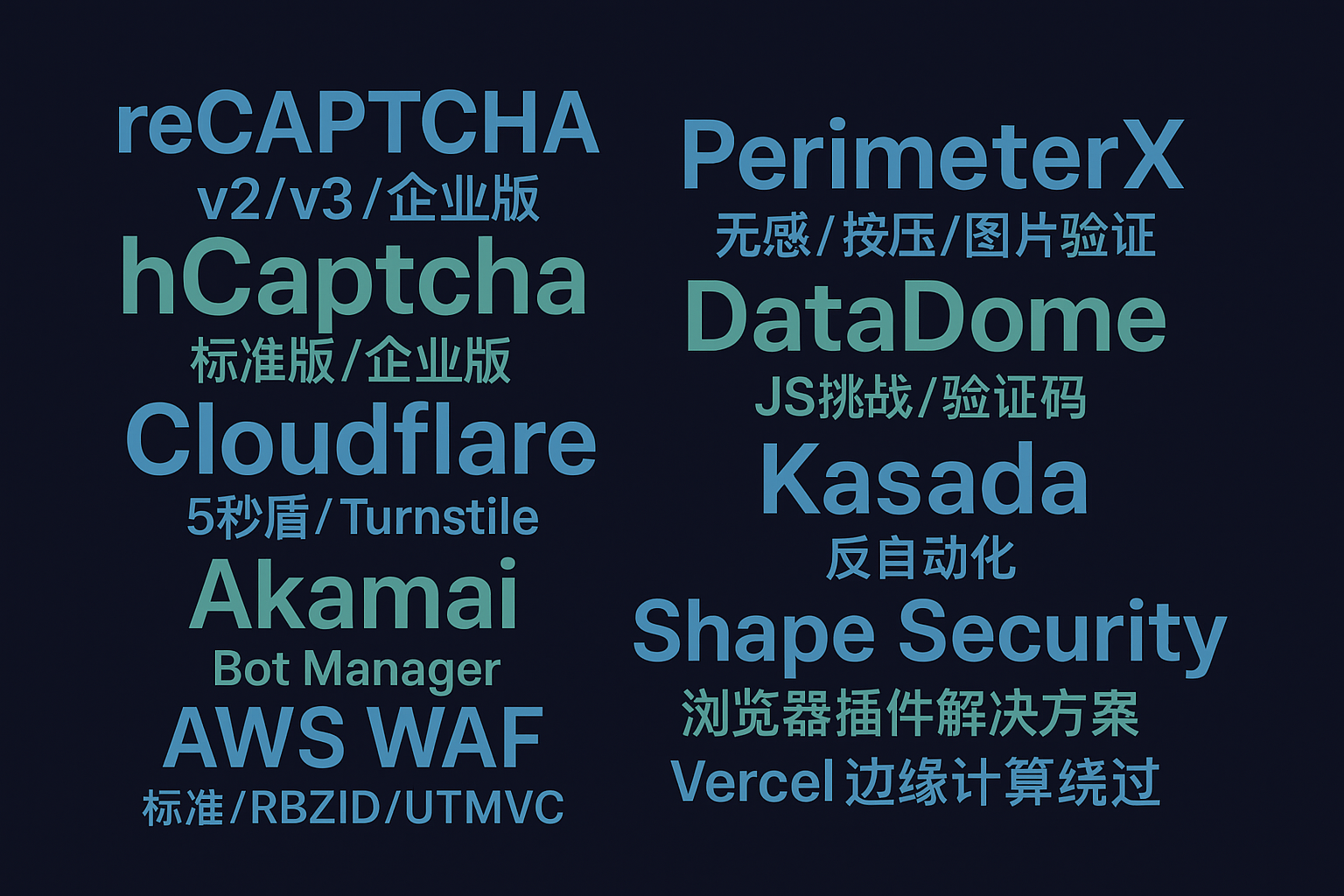
现代验证码识别技术的发展离不开与实际防护系统的对抗。AI驱动验证码识别 - 支持18种主流验证码类型提供了全面的验证码技术测试平台,涵盖了从传统字符验证码到现代智能验证码的各种类型,为安全研究和系统测试提供了重要支撑。
在实际应用中,验证码识别技术不仅用于安全测试,还广泛应用于自动化测试、无障碍辅助、数据采集等领域。随着深度学习技术的不断发展,识别准确率的提升推动了验证码技术本身的演进,形成了技术对抗的良性循环。
专业验证码解决方案 - 企业级安全测试专家等专业服务的出现,为企业提供了完整的验证码安全评估方案,帮助企业了解其验证码系统的安全强度,并提供针对性的改进建议。
结语总结
验证码识别技术作为计算机视觉和人工智能领域的重要应用,经历了从规则驱动到数据驱动的根本性转变。深度学习技术的引入不仅大幅提升了识别准确率,更为处理复杂场景提供了强有力的工具。
从技术发展趋势看,未来的验证码识别将更加注重多模态融合、少样本学习和实时性优化。卷积神经网络、循环神经网络、注意力机制等技术的结合使用,为解决各种复杂验证码提供了有效途径。
对于技术从业者而言,理解验证码识别技术的核心原理和实现方法,不仅有助于提升系统的自动化程度,更能为相关的计算机视觉任务提供宝贵经验。随着技术的不断进步,验证码识别将在更多领域发挥重要作用,成为智能化系统的重要组成部分。
关键词标签: 验证码识别, 深度学习, 卷积神经网络, OCR技术, 计算机视觉, CRNN模型, 图像处理, 人工智能应用

腾讯云面向开发者汇聚海量精品云计算使用和开发经验,营造开放的云计算技术生态圈。
更多推荐
 25
25 0
0- 0


 已为社区贡献17条内容

所有评论(0)