git提交命名规范
·
文章目录
记录一下git提交
一、模板
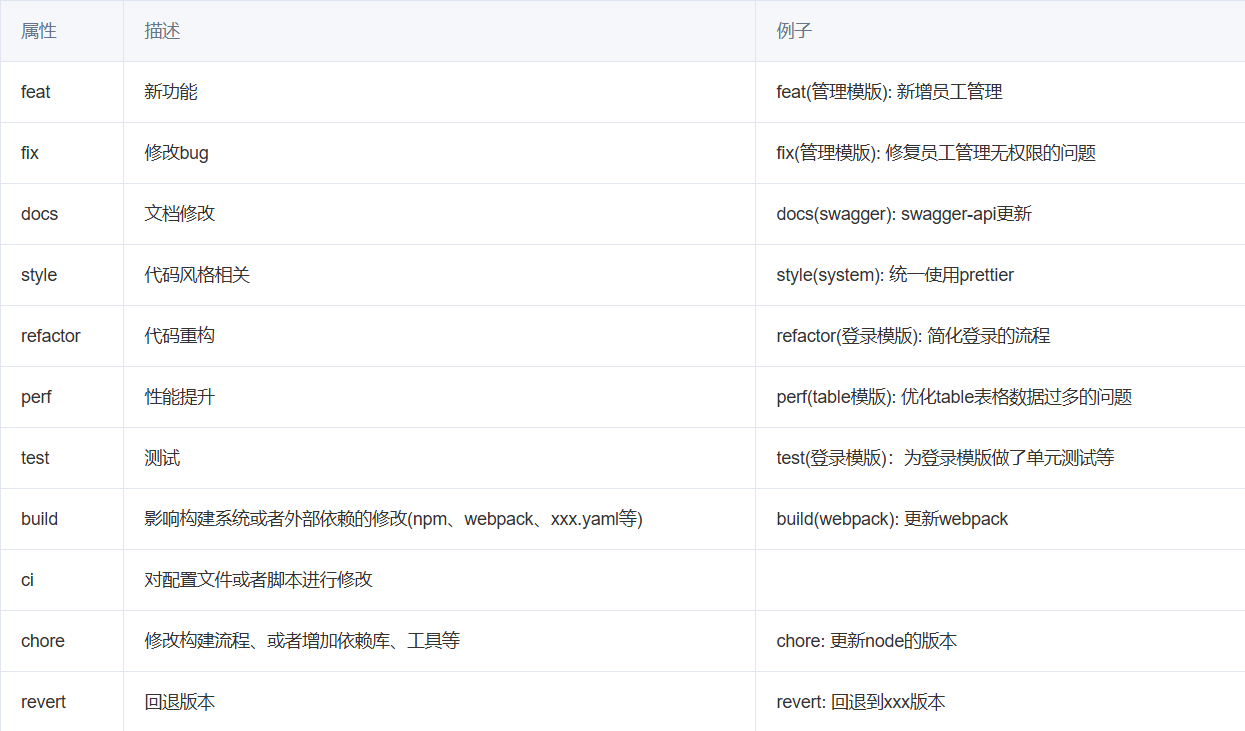
type(scope): subject
1. type 类型
type 是 commit 的类别,只允许如下几种标识:
- fix: 修复bug
- feat: 新功能
- refactor: 重构代码
- style : 代码格式改变
- test: 测试
- revert: 撤销上一次的commit
- build: 构建工具或构建过程等的变动
2. description
description 是对本次提交的简短描述。
- 不超过50字符。
- 结尾不加句号或其他标点符号。
二、使用方式
1.feat(abord): 工单转移列表增加批量转移功能
- 新增选择框列和批量转移按钮
- 实现批量选择和转移功能
2.refactor(abord): 优化工艺转移列表页面布局和功能
- 修改表格滚动设置,使用 max-content 以适应内容宽度
- 更新详情表格列定义,调整列宽和内容
3.feat(abord): 添加工作台功能
- 在 1.vue 中新增工作台按钮和对应的页面组件
- 更新按钮组,增加工作台选项
下面的解释可有可无,主要是上面的这一句话
规范git commit到底有哪些好处呢
- 便于对提交历史进行追溯,了解发生了什么情况。
- 一旦约束了commit message,意味着我们将慎重的进行每一次提交,不能再一股脑的把各种各样的改动都放在一个git commit里面,整个代码改动的历史也将更加清晰。
三、VSCode使用
1.提交代码
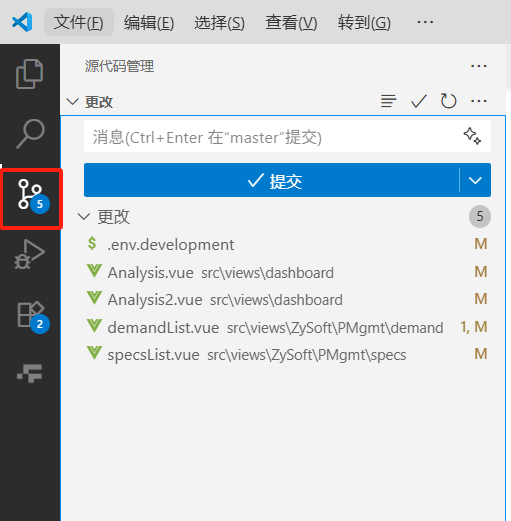
在vscode这里点击会看到你修改的文件
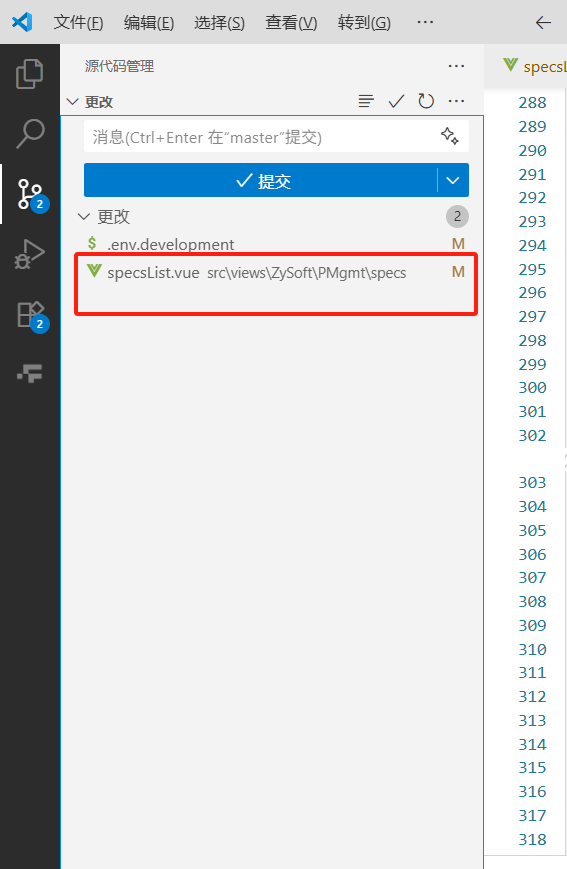
双击这个文件会看到更改和之前的区别
点击暂存更改
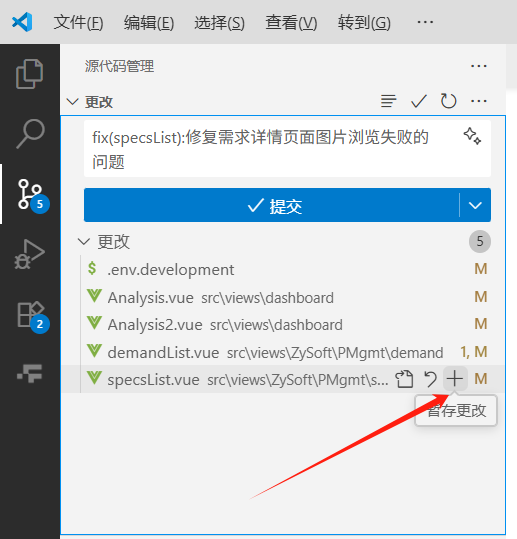
可以根据实际情况输入一下,点击提交
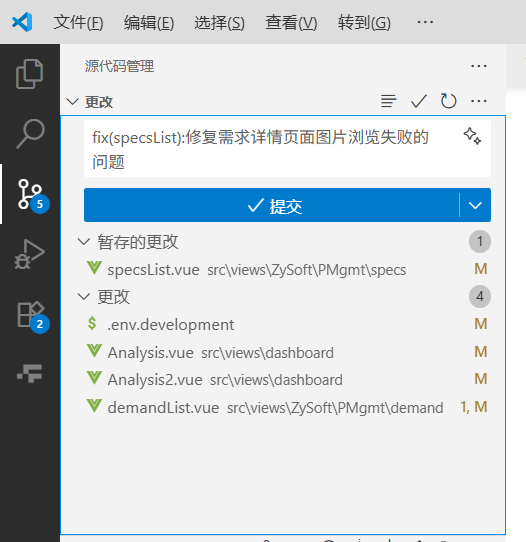
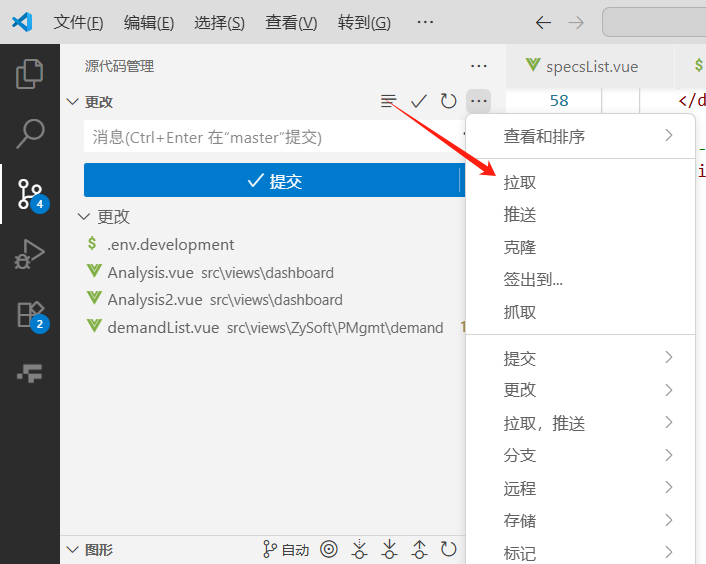
每次提交前都要拉取一下,养成好习惯
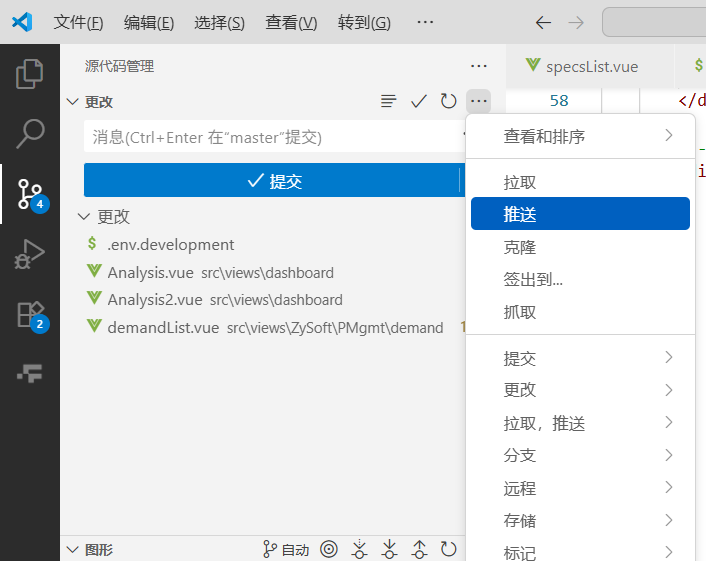
然后点击推送,就上传成功啦
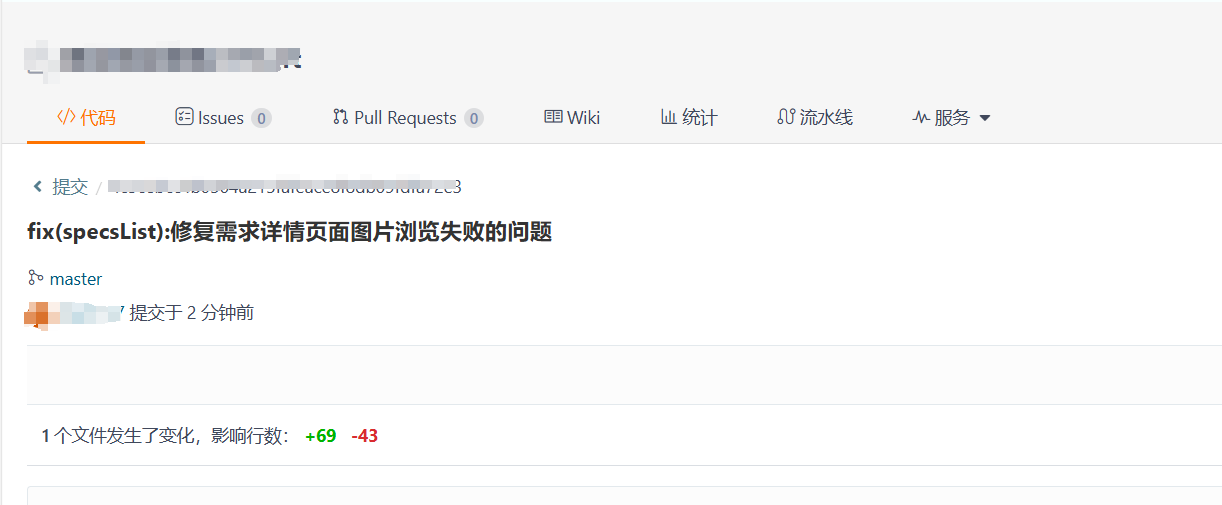
在git上查看,没问题
2、提交代码
1.忽略提交
最近新建了git仓库,发现上传的时候提交了大文件(也就是打包文件什么的),会报这个错误
$ git push
Enumerating objects: 223, done.
Counting objects: 100% (223/223), done.
Delta compression using up to 8 threads
Compressing objects: 100% (211/211), done.
Writing objects: 100% (222/222), 244.02 MiB | 6.68 MiB/s, done.
Total 222 (delta 17), reused 0 (delta 0), pack-reused 0 (from 0)
remote: Resolving deltas: 100% (17/17), done.
remote: Powered by GITEE.COM [1.1.5]
remote: Set trace flag f241b59d
remote: Find the desired index: 4654867987912312132465789, size: 100.684MB, exceeds quota 100MB
remote: Please remove the file[s] from history and try again
To https://gitee.com/xxxx/123.git
 ! [remote rejected] master -> master (pre-receive hook declined)
error: failed to push some refs to 'https://gitee.com/xxxx/123.git'
解决办法其一:打开.gitignore把大文件忽略提交
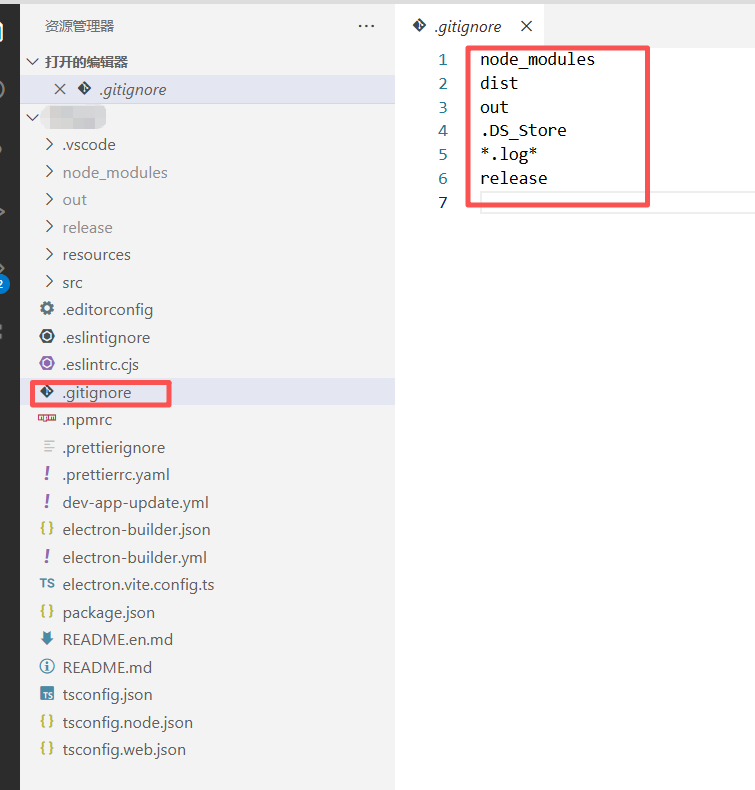
2.文件颜色区分
1.忽略文件的颜色
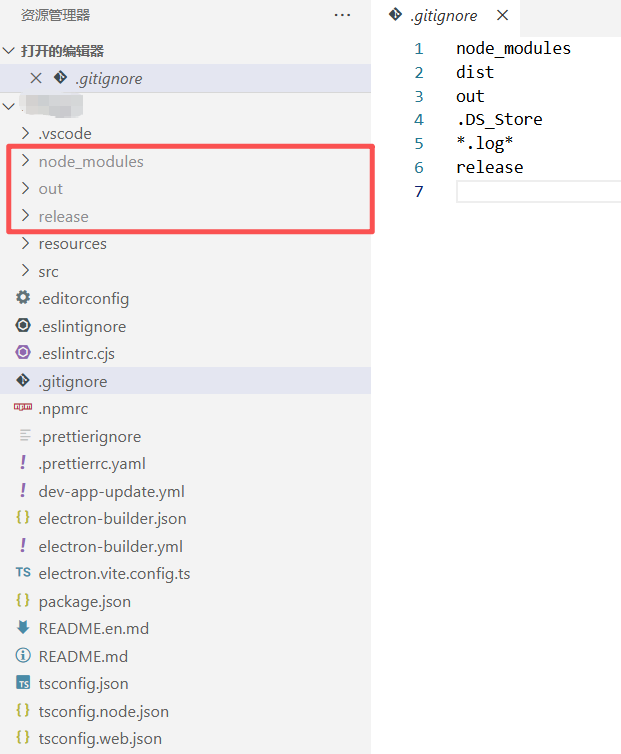
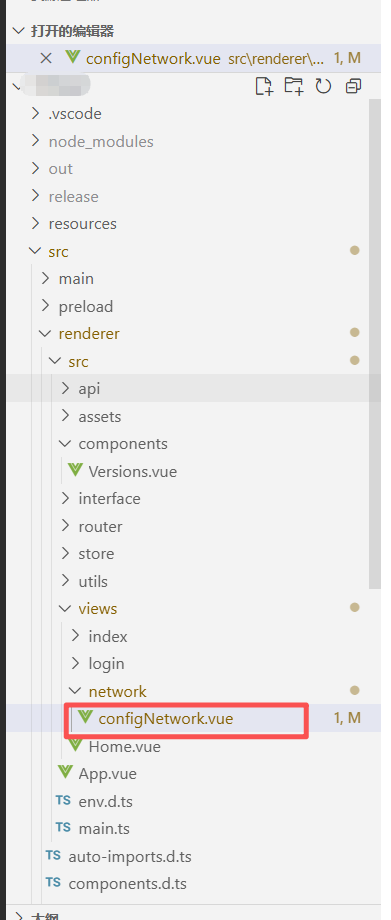
2.修改文件的颜色
和其他文件有细微的区别,淡黄色
四、IDEA使用
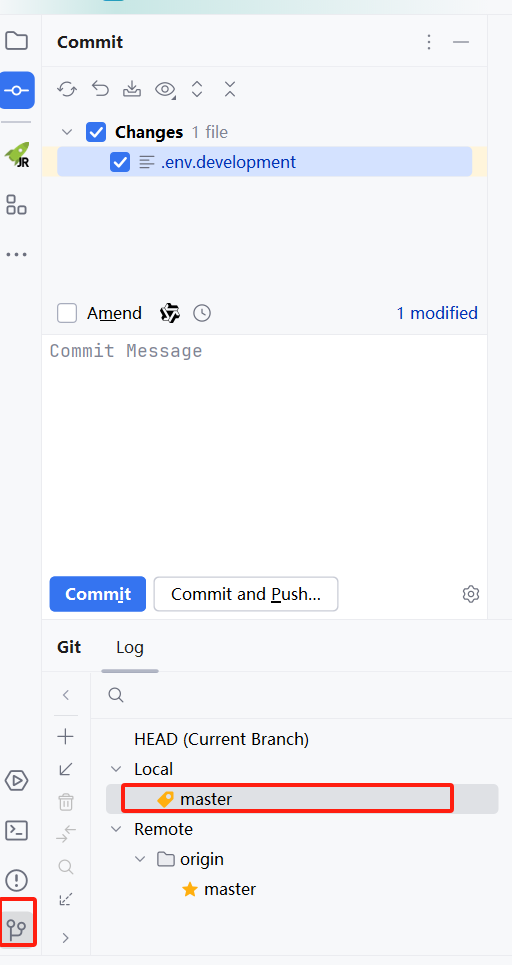
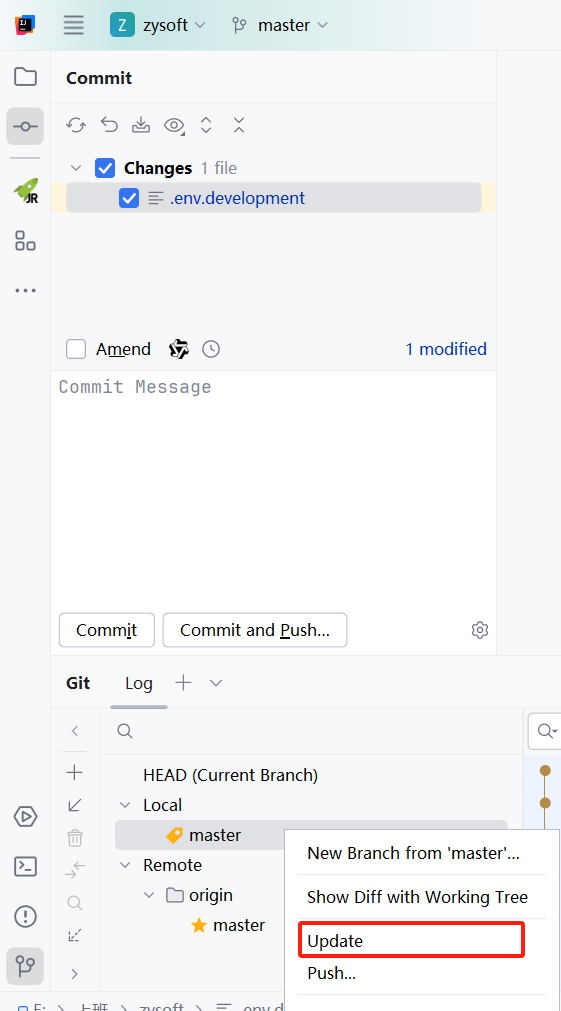
鼠标右键,先拉取代码
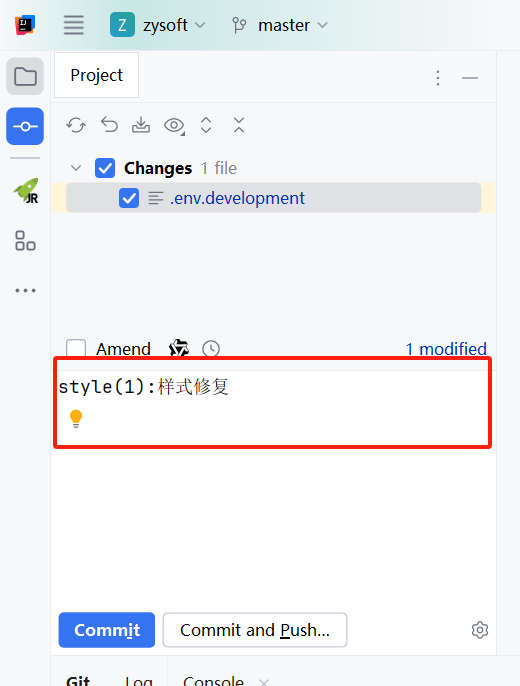
输入你修改的文件
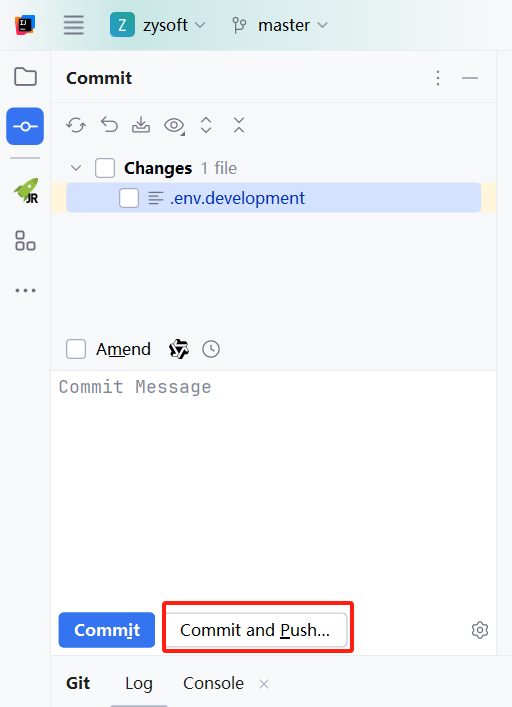
直接commit and push就好啦
参考文章:
https://cloud.tencent.com/developer/article/2554976
https://www.cnblogs.com/anly95/p/13163384.html

腾讯云面向开发者汇聚海量精品云计算使用和开发经验,营造开放的云计算技术生态圈。
更多推荐
 5
5 0
0- 0


 已为社区贡献1条内容

所有评论(0)