Open Liberty是一款专为Java开发者设计的灵活云原生应用服务器,支持微服务架构 ,FROM. IBM
OpenLiberty是一款专为Java开发者设计的灵活云原生应用服务器,支持快速构建微服务。它具备启动快、内存占用低、实时重载等特性,支持MicroProfile和Jakarta EE最新功能,并提供零迁移体验。开发模式下自动处理编译部署,支持容器化部署到任何Kubernetes云平台,内置监控和日志分析功能。项目模板包含Maven配置、REST应用基类和服务器配置文件,通过简单命令即可启动开发

Build cloud-native apps and microservices while running only what you need. Open LibertyTM is the most flexible server runtime available to JavaTM developers in this solar system.
构建云原生应用和微服务,同时仅运行所需内容。Open Liberty™ 是太阳系中面向 Java™ 开发者最灵活的服务器运行时环境。
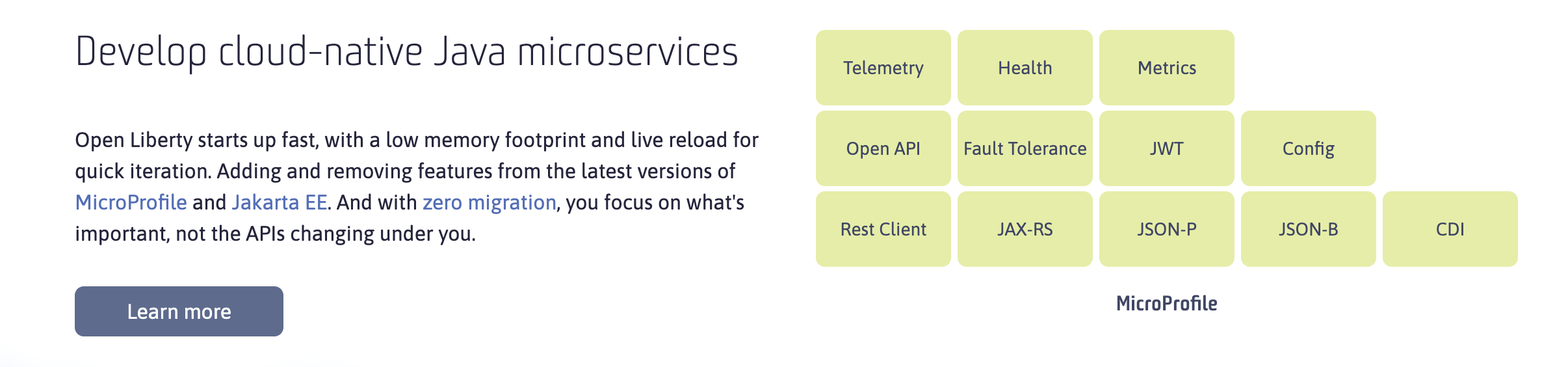
Develop cloud-native Java microservices
Open Liberty starts up fast, with a low memory footprint and live reload for quick iteration. Adding and removing features from the latest versions of MicroProfile and Jakarta EE. And with zero migration, you focus on what's important, not the APIs changing under you.
Open Liberty 启动迅速,内存占用低,并支持实时重载以实现快速迭代。可轻松添加或移除最新版 MicroProfile 和 Jakarta EE 的功能特性。零迁移成本让您专注于核心事务,无需担忧底层 API 变更。
Dev mode for fast iteration
Launch into dev mode and get coding. No more manual compiling, packaging, and deploying—we handle that for you. Get automated testing, debugger support, and a fast turn-around time in any editor.
启动开发模式,立即开始编程。无需再手动编译、打包和部署——这些工作我们为您代劳。在任何编辑器中都能获得自动化测试、调试器支持以及快速迭代周期。
Deploy in containers to any cloud
Containerized and deployable with fast throughput on any Kubernetes cloud. Battle-hardened and proven in production, with zero migration. Easy-to-manage configuration from development to test to production.
可容器化部署,在任何Kubernetes云上均能实现高速吞吐。历经实战检验,生产环境零迁移部署。从开发到测试再到生产,配置管理简单易行。
Monitor microservices in the cloud
Trace your live microservices. Gather metrics and configure alerts, and browse metrics in dashboards. Consolidate and analyze logs from across your hybrid cloud.
追踪您的实时微服务。收集指标并配置告警,在仪表盘中浏览各项指标。整合并分析来自混合云环境的日志数据。
创建一个应用
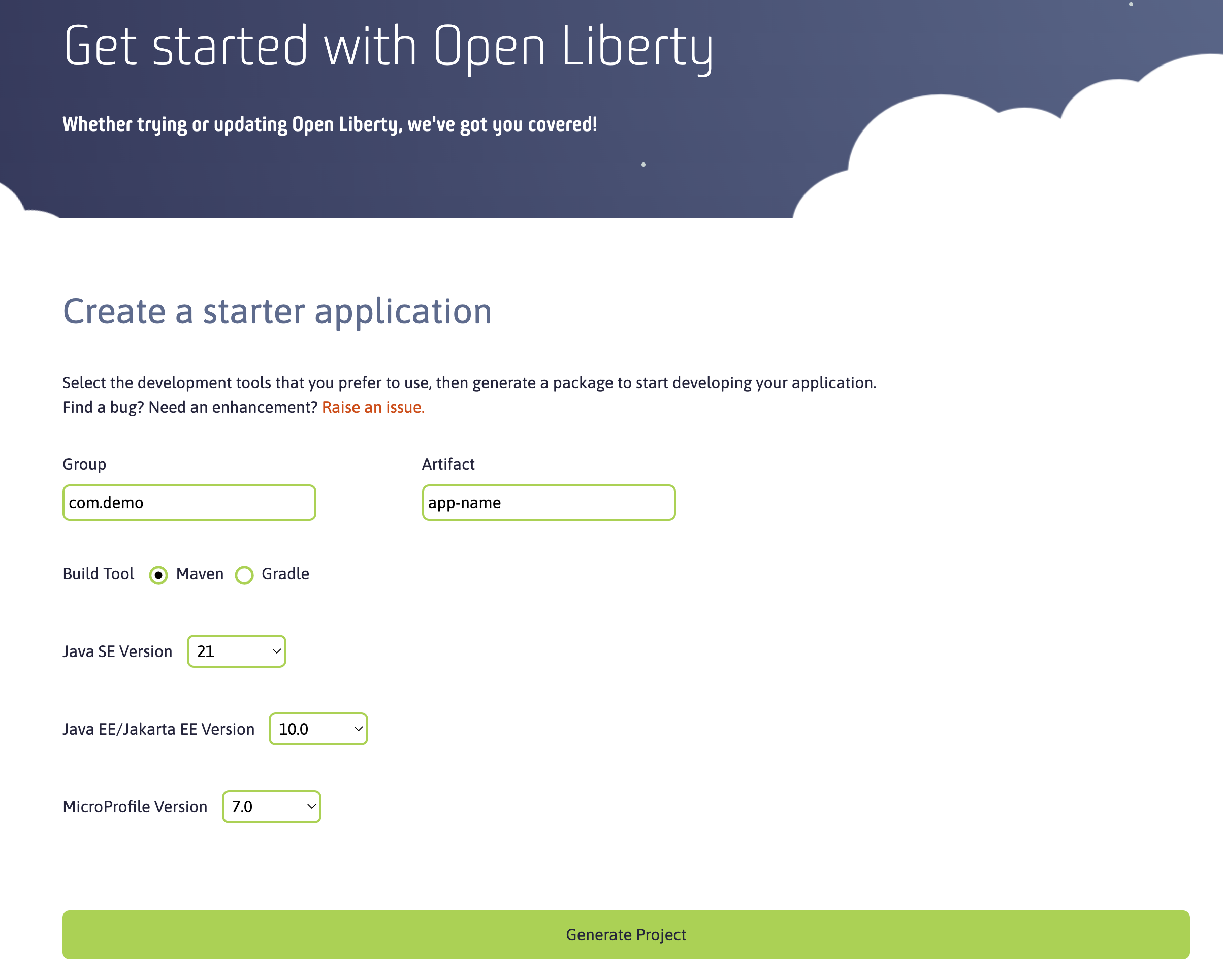
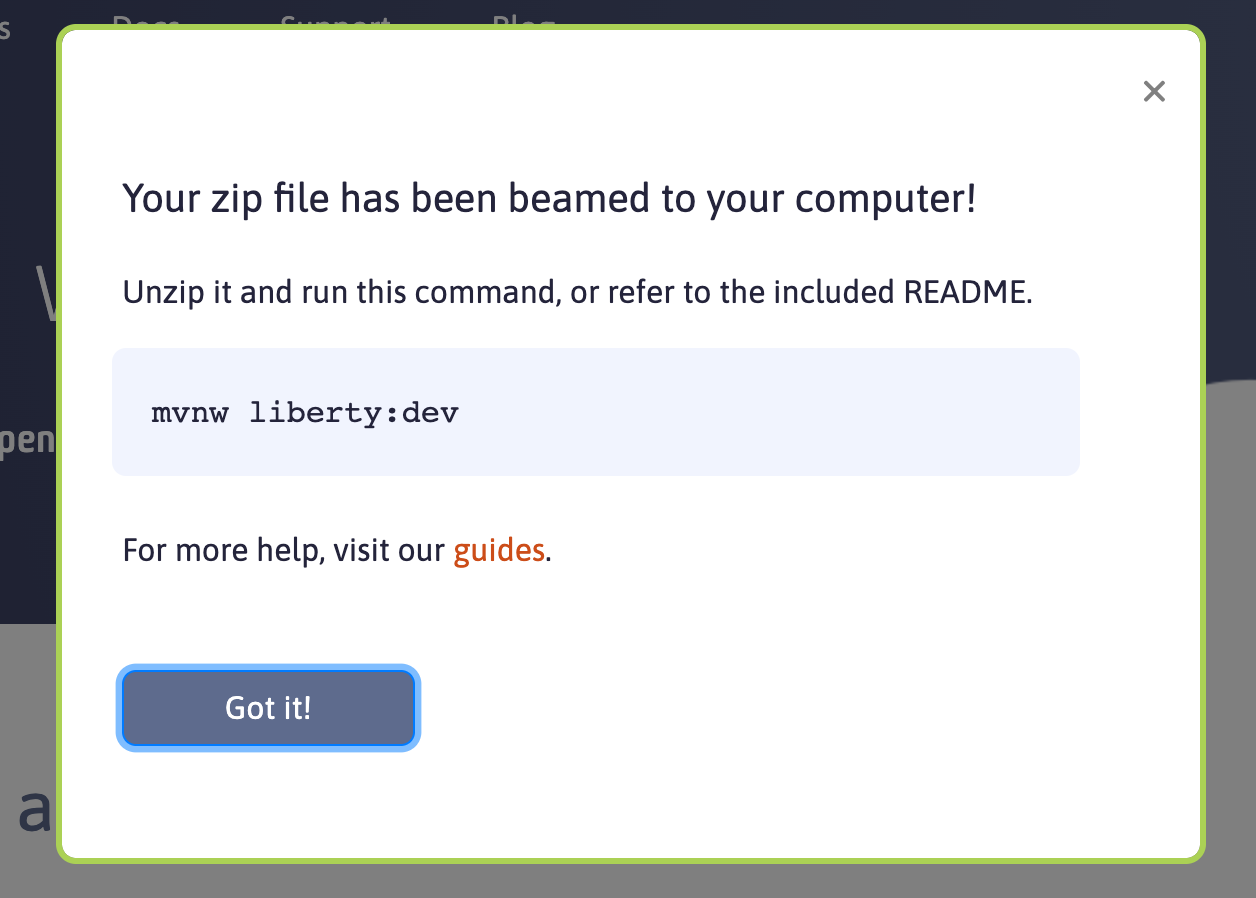
默认的目录结构
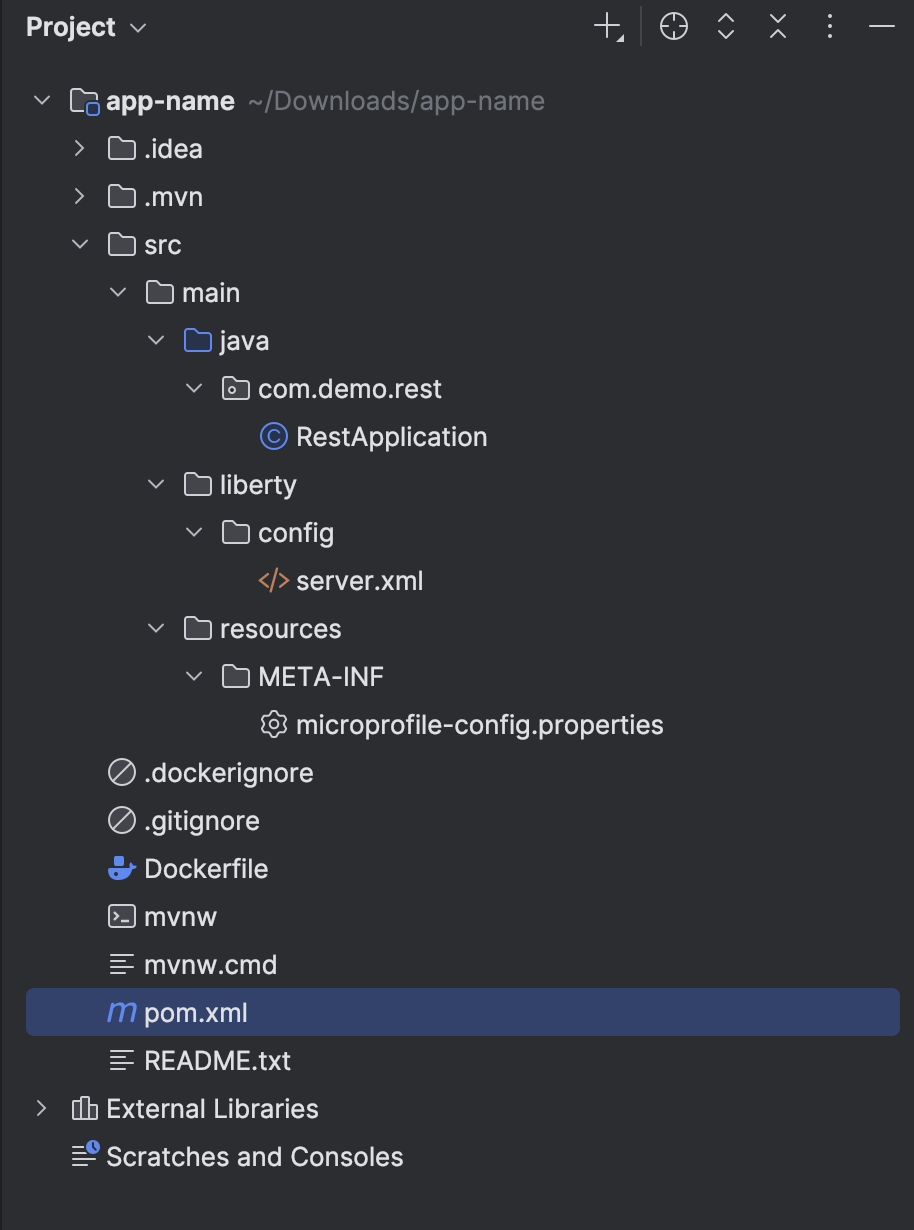
// pom.xml

<?xml version="1.0" encoding="UTF-8" ?>
<project xmlns="http://maven.apache.org/POM/4.0.0"
    xmlns:xsi="http://www.w3.org/2001/XMLSchema-instance"
    xsi:schemaLocation="http://maven.apache.org/POM/4.0.0 http://maven.apache.org/xsd/maven-4.0.0.xsd">
    <modelVersion>4.0.0</modelVersion>

    <groupId>com.demo</groupId>
    <artifactId>app-name</artifactId>
    <version>1.0-SNAPSHOT</version>
    <packaging>war</packaging>

    <properties>
        <maven.compiler.source>21</maven.compiler.source>
        <maven.compiler.target>21</maven.compiler.target>
        <project.build.sourceEncoding>UTF-8</project.build.sourceEncoding>
    </properties>

    <dependencies>
        <dependency>
            <groupId>jakarta.platform</groupId>
            <artifactId>jakarta.jakartaee-api</artifactId>
            <version>10.0.0</version>
            <scope>provided</scope>
        </dependency>
        <dependency>
            <groupId>org.eclipse.microprofile</groupId>
            <artifactId>microprofile</artifactId>
            <version>7.0</version>
            <type>pom</type>
            <scope>provided</scope>
        </dependency>
    </dependencies>

    <build>
        <finalName>app-name</finalName>
        <pluginManagement>
            <plugins>
                <plugin>
                    <groupId>org.apache.maven.plugins</groupId>
                    <artifactId>maven-war-plugin</artifactId>
                    <version>3.3.2</version>
                </plugin>
                <plugin>
                    <groupId>io.openliberty.tools</groupId>
                    <artifactId>liberty-maven-plugin</artifactId>
                    <version>3.11.4</version>
                </plugin>
            </plugins>
        </pluginManagement>
        <plugins>
            <plugin>
                <groupId>io.openliberty.tools</groupId>
                <artifactId>liberty-maven-plugin</artifactId>
            </plugin>
        </plugins>
    </build>
</project>
package com.demo.rest;

import jakarta.ws.rs.ApplicationPath;
import jakarta.ws.rs.core.Application;

@ApplicationPath("/api")
public class RestApplication extends Application {

}
<?xml version="1.0" encoding="UTF-8"?>
<server description="new server">
<!-- Enable features -->
<featureManager>
<feature>jakartaee-10.0</feature>
<feature>microProfile-7.0</feature>
</featureManager>
<!-- This template enables security. To get the full use of all the capabilities, a keystore and user registry are required. -->
<!-- For the keystore, default keys are generated and stored in a keystore. To provide the keystore password, generate an
encoded password using bin/securityUtility encode and add it below in the password attribute of the keyStore element.
Then uncomment the keyStore element. -->
<!--
<keyStore password=""/>
-->
<!--For a user registry configuration, configure your user registry. For example, configure a basic user registry using the
basicRegistry element. Specify your own user name below in the name attribute of the user element. For the password,
generate an encoded password using bin/securityUtility encode and add it in the password attribute of the user element.
Then uncomment the user element. -->
<basicRegistry id="basic" realm="BasicRealm">
<!--
<user name="yourUserName" password="" />
-->
</basicRegistry>
<!-- To access this server from a remote client add a host attribute to the following element, e.g. host="*" -->
<httpEndpoint id="defaultHttpEndpoint"
httpPort="9080"
httpsPort="9443" />
<!-- Automatically expand WAR files and EAR files -->
<applicationManager autoExpand="true"/>
<!-- Configures the application on a specified context root -->
<webApplication contextRoot="/app-name" location="app-name.war" />
<!-- Default SSL configuration enables trust for default certificates from the Java runtime -->
<ssl id="defaultSSLConfig" trustDefaultCerts="true" />
</server>
// readme

After you generate a starter project, these instructions will help you with what to do next.

The Open Liberty starter gives you a simple, quick way to get the necessary files to start building
an application on Open Liberty. There is no need to search how to find out what to add to your
Maven build files. A simple RestApplication.java file is generated for you to start
creating a REST based application. A server.xml configuration file is provided with the necessary
features for the MicroProfile and Jakarta EE versions that you previously selected.

If you plan on developing and/or deploying your app in a containerized environment, the included
Dockerfile will make it easier to create your application image on top of the Open Liberty Docker
image.

1) Once you download the starter project, unpackage the .zip file on your machine.
2) Open a command line session, navigate to the installation directory, and run `./mvnw liberty:dev` (Linux/Mac) or `mvnw liberty:dev` (Windows).
   This will install all required dependencies and start the default server. When complete, you will
   see the necessary features installed and the message "server is ready to run a smarter planet."

For information on developing your application in dev mode using Maven, see the
dev mode documentation (https://openliberty.io/docs/latest/development-mode.html).

For further help on getting started actually developing your application, see some of our
MicroProfile guides (https://openliberty.io/guides/?search=microprofile&key=tag) and Jakarta EE
guides (https://openliberty.io/guides/?search=jakarta%20ee&key=tag).

If you have problems building the starter project, make sure the Java SE version on your
machine matches the Java SE version you picked from the Open Liberty starter on the downloads
page (https://openliberty.io/downloads/). You can test this with the command `java -version`.

Open Liberty performs at its best when running using Open J9 which can be obtained via IBM Semeru
(https://developer.ibm.com/languages/java/semeru-runtimes/downloads/). For a full list of supported
Java SE versions and where to obtain them, reference the Java SE support page
(https://openliberty.io/docs/latest/java-se.html).

If you find any issues with the starter project or have recommendations to improve it, open an
issue in the starter GitHub repo (https://github.com/OpenLiberty/start.openliberty.io).
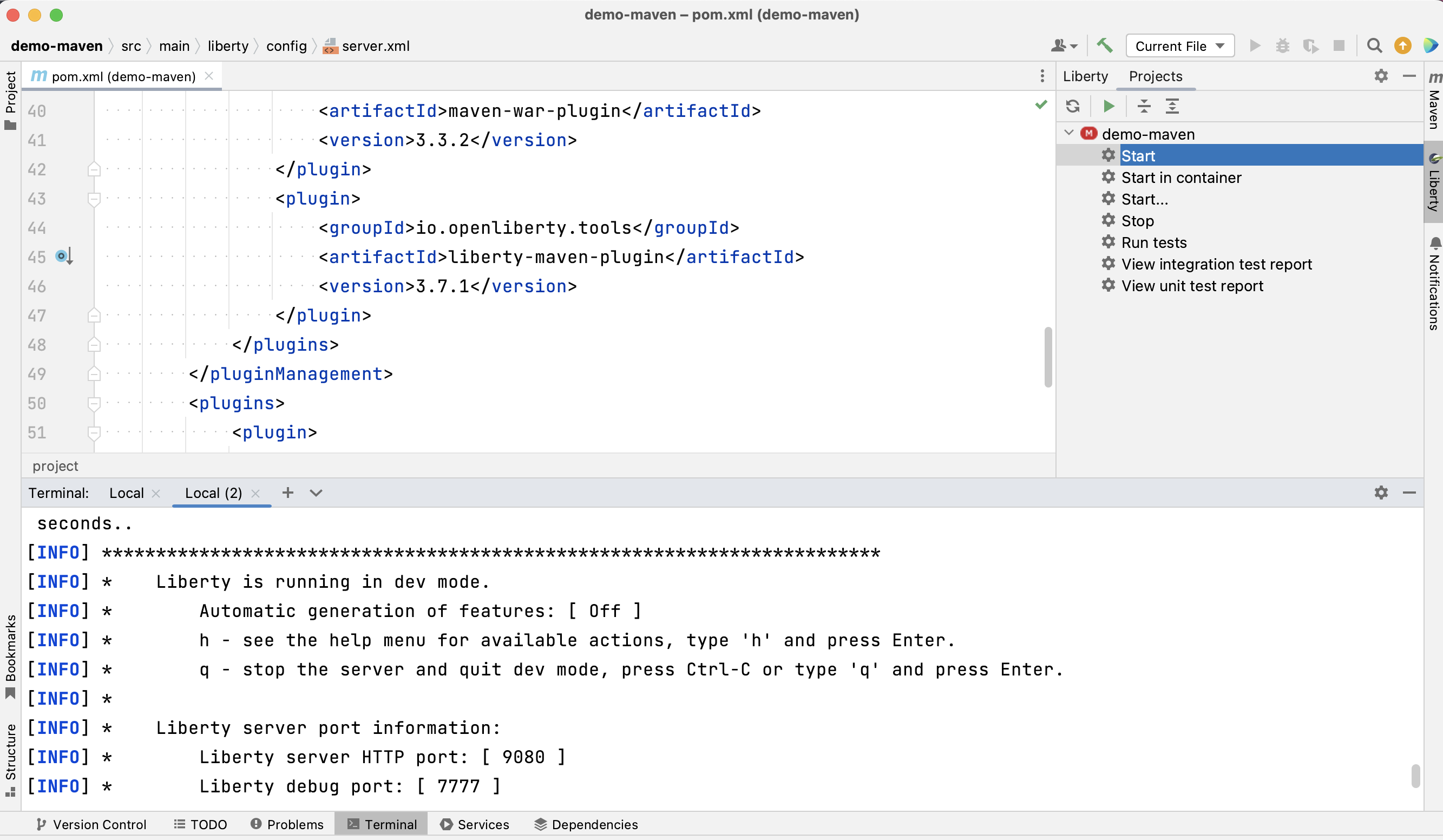
编辑器 IntelliJ IDEA Marketplace
https://plugins.jetbrains.com/plugin/14856-liberty-tools
Liberty Tools for IntelliJ IDEA offers features for developing cloud-native Java applications with Open Liberty and WebSphere Liberty. Iterate fast with Liberty dev mode, code with assistance for MicroProfile and Jakarta EE APIs, and easily edit Liberty configuration files.
Liberty Tools for IntelliJ IDEA 提供使用 Open Liberty 和 WebSphere Liberty 开发云原生 Java 应用程序的功能。通过 Liberty 开发模式快速迭代,借助 MicroProfile 和 Jakarta EE API 辅助编码,并轻松编辑 Liberty 配置文件。
最新更新的
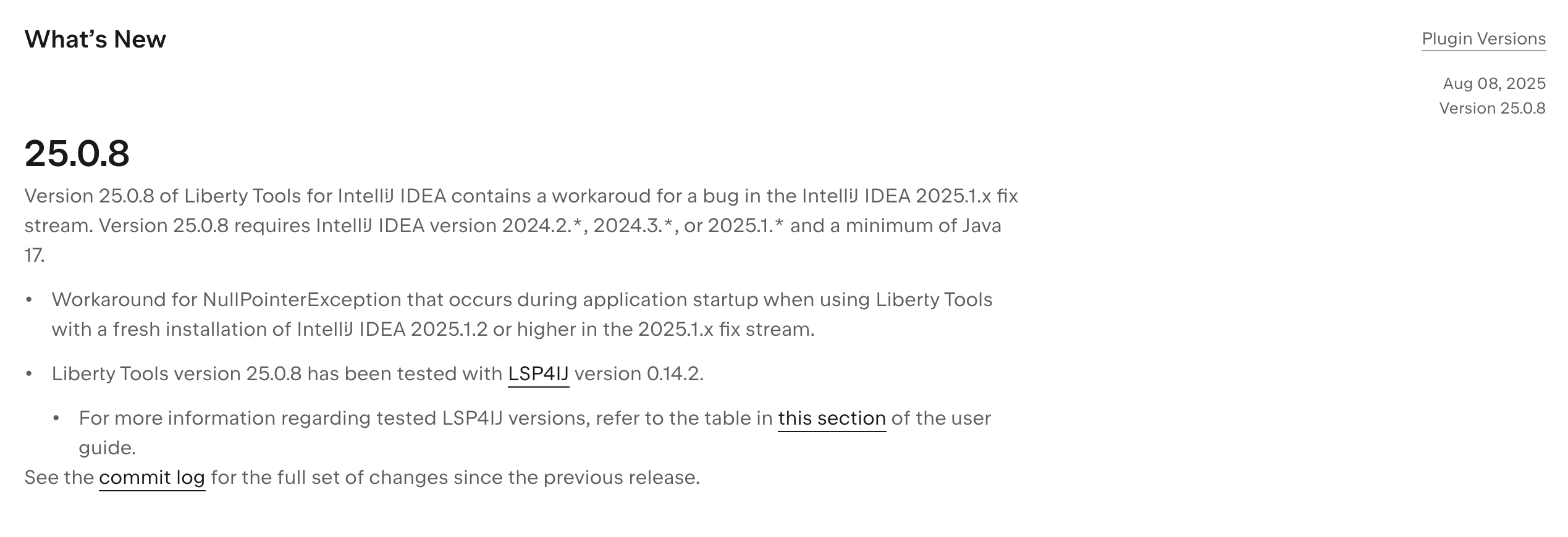
https://github.com/redhat-developer/lsp4ij

最新版本并不支持 2025.2 ;仅支持到了 2025.1 。
参 考
https://openliberty.io/docs/latest/overview.html

腾讯云面向开发者汇聚海量精品云计算使用和开发经验,营造开放的云计算技术生态圈。
更多推荐
 17
17 0
0- 0


 已为社区贡献16条内容

所有评论(0)