云安全-OSS存储桶遍历
·
什么是OSS(Object Storage Service),这个解释可以参考aliyun的OSS文档
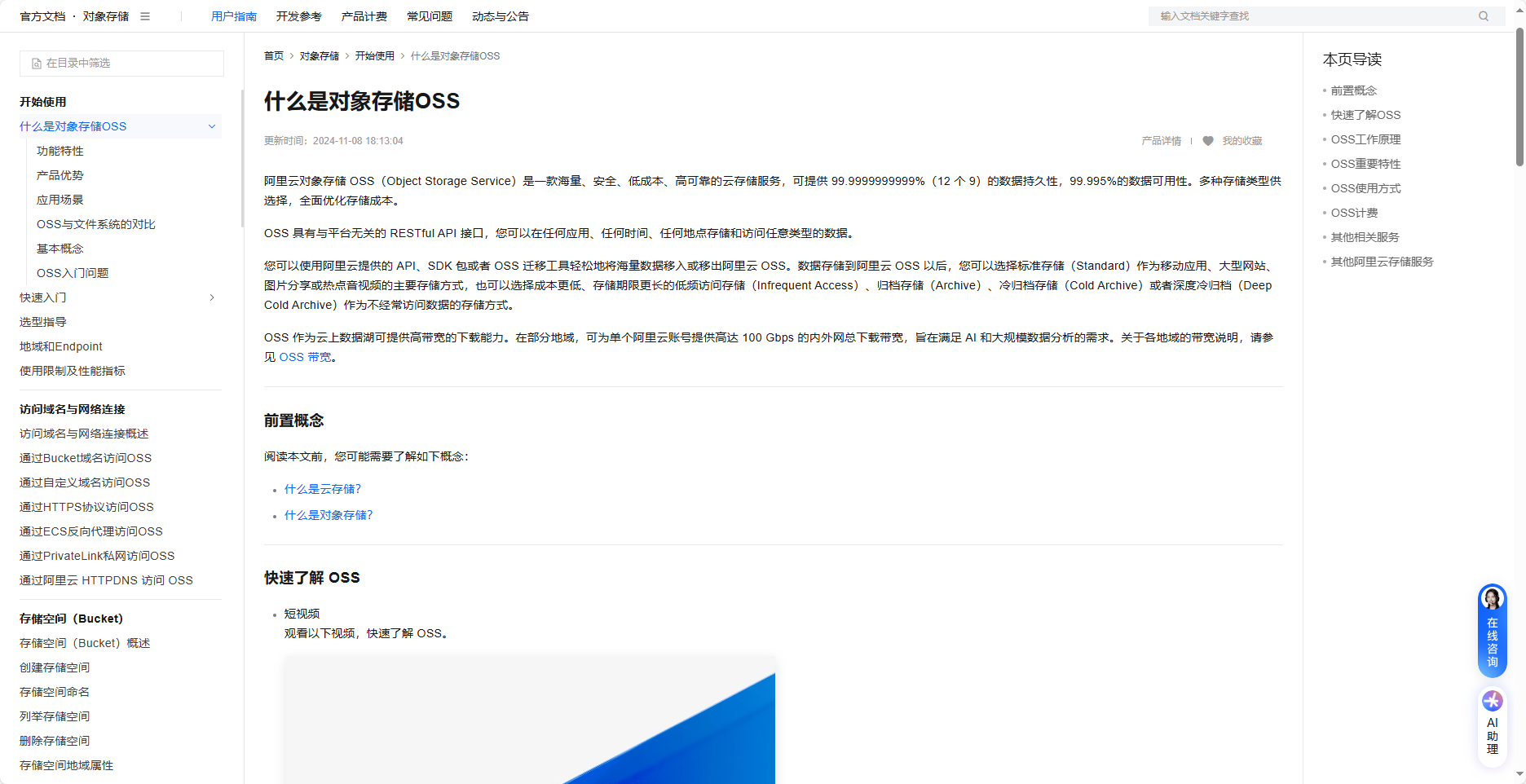
但是该存储桶却存在着类似文件读取的漏洞,当我们将存储桶的属性被设置位公共读的时候就可能存在桶文件遍历的情况。
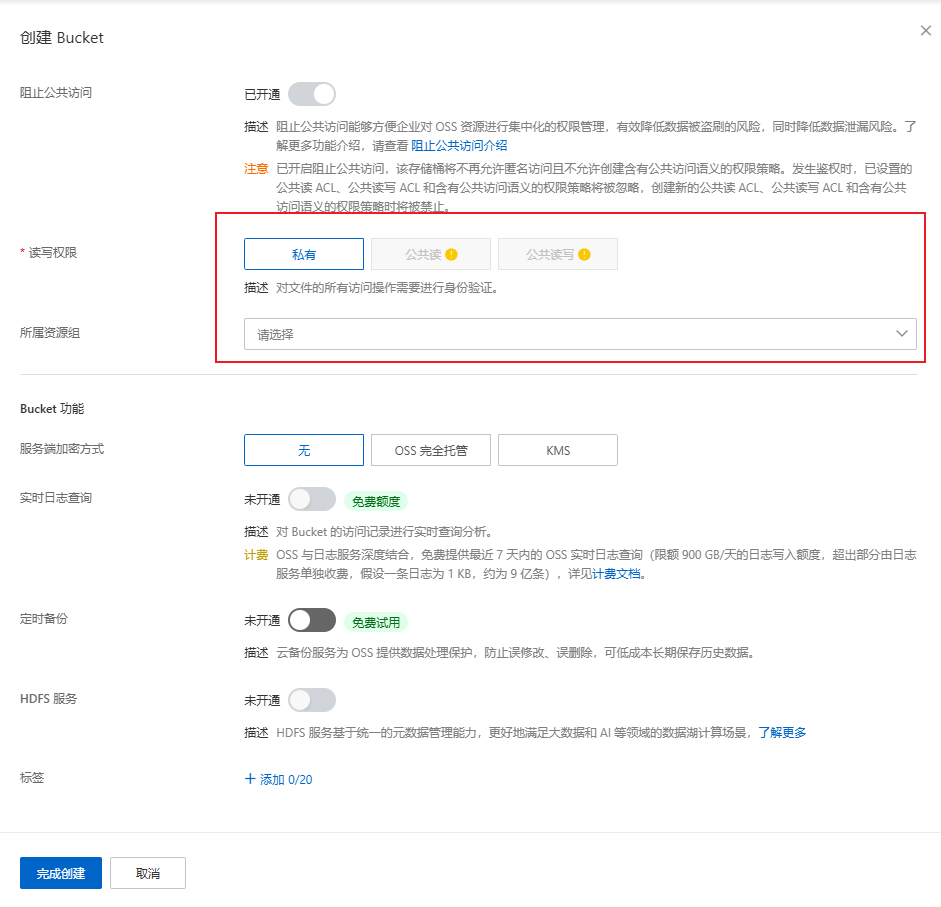
例如将这个桶设置位listobject,然后直接访问桶
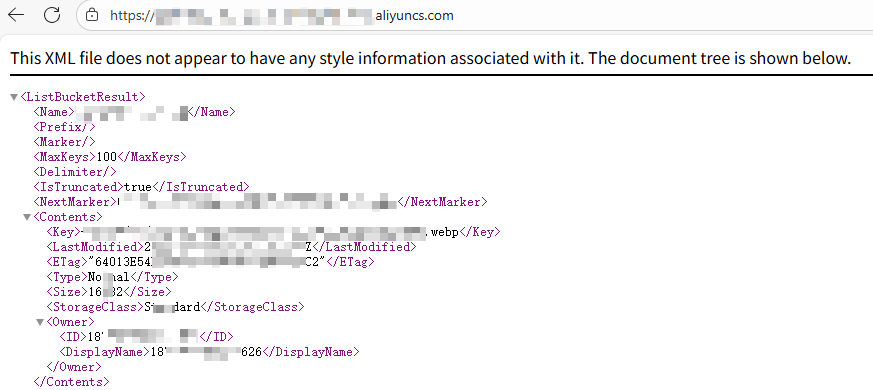
那么通过这些信息我们又能做些什么呢?首先我们得先弄明白这些参数代表的是什么:
- ListBucketResult
- 根节点,无业务含义,仅表示“这是列举存储空间内容的返回”。
- Name
- 存储空间(Bucket)的名字。
- Prefix
- 本次列举时传入的“前缀过滤”参数。
空值代表没有加前缀,即列出 Bucket 根目录(或说“全量”)的对象。
- 本次列举时传入的“前缀过滤”参数。
- Marker
- 本次列举时传入的“起始标记”参数。
空值代表从字典序第一个对象开始读。
MaxKeys
单次请求最多返回多少条记录。
接口默认 100,最大可调到 1000;这里固定 100。
- 本次列举时传入的“起始标记”参数。
- Delimiter
- 传入的“目录分隔符”参数。
空值代表不做“模拟文件夹”聚合,把所有对象平铺返回。
如果设成 /,会把 a/b/c.jpg 当成 a/b/ 目录下的文件,并额外返回 CommonPrefixes 节点。
- 传入的“目录分隔符”参数。
- IsTruncated
- 布尔标志。
true = 本次只返回了部分结果,后面还有数据;
false = 已经一次性拿完。
- 布尔标志。
- NextMarker
- 当 IsTruncated=true 时,下一次请求应该把 marker= 设成这里给出的值,才能继续往后翻页。
本质就是“下一页的起始文件名”。
- 当 IsTruncated=true 时,下一次请求应该把 marker= 设成这里给出的值,才能继续往后翻页。
通过这些参数的解释和图片内容。那么我们可以知道这里并没有全部加载完信息,那么我们可以进行构造以下内容:
https://BucketName.ZoneName.aliyuncs.com/?max-keys=1000&marker=b.jpg
其中b代表的就是NextMarker中的值,通过这些一直读下去,直到xxx中的值为false等情况都可以判断为将所有文件翻阅完。
通过这些可以让人工智障编写一个脚本进行查看泄露多少份文件
#!/usr/bin/env python3
# -*- coding: utf-8 -*-
"""
极速裸桶全文件统计(不下载)
pip install aiohttp lxml tqdm
"""
import asyncio, aiohttp, ssl, time
from lxml import etree
from tqdm.asyncio import tqdm_asyncio

PAGE     = 1000
MAX_CONN = 30

def fmt_size(n: int) -> str:
    for u in ["B", "KB", "MB", "GB", "TB"]:
        if n < 1024:
            return f"{n:.2f} {u}"
        n /= 1024
    return f"{n:.2f} PB"

async def aio_stat_bucket(base_url: str) -> tuple[int, int, float]:
    base_url = base_url.rstrip("/")
    total = size = 0
    start = time.time()

    ssl_ctx = ssl.SSLContext(ssl.PROTOCOL_TLS_CLIENT)
    ssl_ctx.check_hostname = False
    ssl_ctx.verify_mode = ssl.CERT_NONE

    async with aiohttp.ClientSession(
            connector=aiohttp.TCPConnector(limit=MAX_CONN, ssl=ssl_ctx),
            timeout=aiohttp.ClientTimeout(total=30)) as sess:

        semaphore = asyncio.Semaphore(MAX_CONN)

        async def fetch_one(marker: str):
            nonlocal total, size
            async with semaphore:
                params = {"max-keys": PAGE}
                if marker:
                    params["marker"] = marker
                async with sess.get(base_url, params=params) as r:
                    xml = await r.read()

            root = etree.fromstring(xml)
            ns = {'s3': root.nsmap.get(None) or 'http://s3.amazonaws.com/doc/2006-03-01/'}
            contents = root.xpath('//s3:Contents', namespaces=ns)
            for c in contents:
                s = c.xpath('s3:Size/text()', namespaces=ns)
                if s and s[0].isdigit():
                    size += int(s[0])
            total += len(contents)

            is_trunc = root.xpath('s3:IsTruncated/text()', namespaces=ns)
            if is_trunc and is_trunc[0].lower() == 'true':
                next_marker = root.xpath('s3:NextMarker/text()', namespaces=ns)
                if not next_marker:
                    last_key = root.xpath('//s3:Contents[last()]/s3:Key/text()', namespaces=ns)
                    next_marker = last_key
                return next_marker[0] if next_marker else None
            return None

        pbar = tqdm_asyncio(total=1, desc="翻页", unit="页", dynamic_ncols=True)
        marker = ""
        while True:
            marker = await fetch_one(marker)
            pbar.set_postfix({"累计文件": f"{total:,}", "累计大小": fmt_size(size)})
            pbar.update(1)
            if marker is None:
                break
            if pbar.n >= pbar.total - 1:
                pbar.total += 5
        pbar.close()
        return total, size, time.time() - start

def main():
    url = input("Bucket 根 URL:").strip()
    if not url:
        return
    print("\n开始极速统计,不下载任何文件...")
    try:
        cnt, byte, t = asyncio.run(aio_stat_bucket(url))
    except KeyboardInterrupt:
        print("\n[!] 用户中断")
        return

    print("\n" + "━" * 50)
    print(f"📊 文件数量:{cnt:,} 条")
    print(f"📦 总大小:{fmt_size(byte)}")
    print(f"⏱️  耗时:{t:.1f} 秒")
    print("━" * 50)

if __name__ == "__main__":
    main()
此脚本大家可以拿去再优化优化,本脚本测试情况如下:
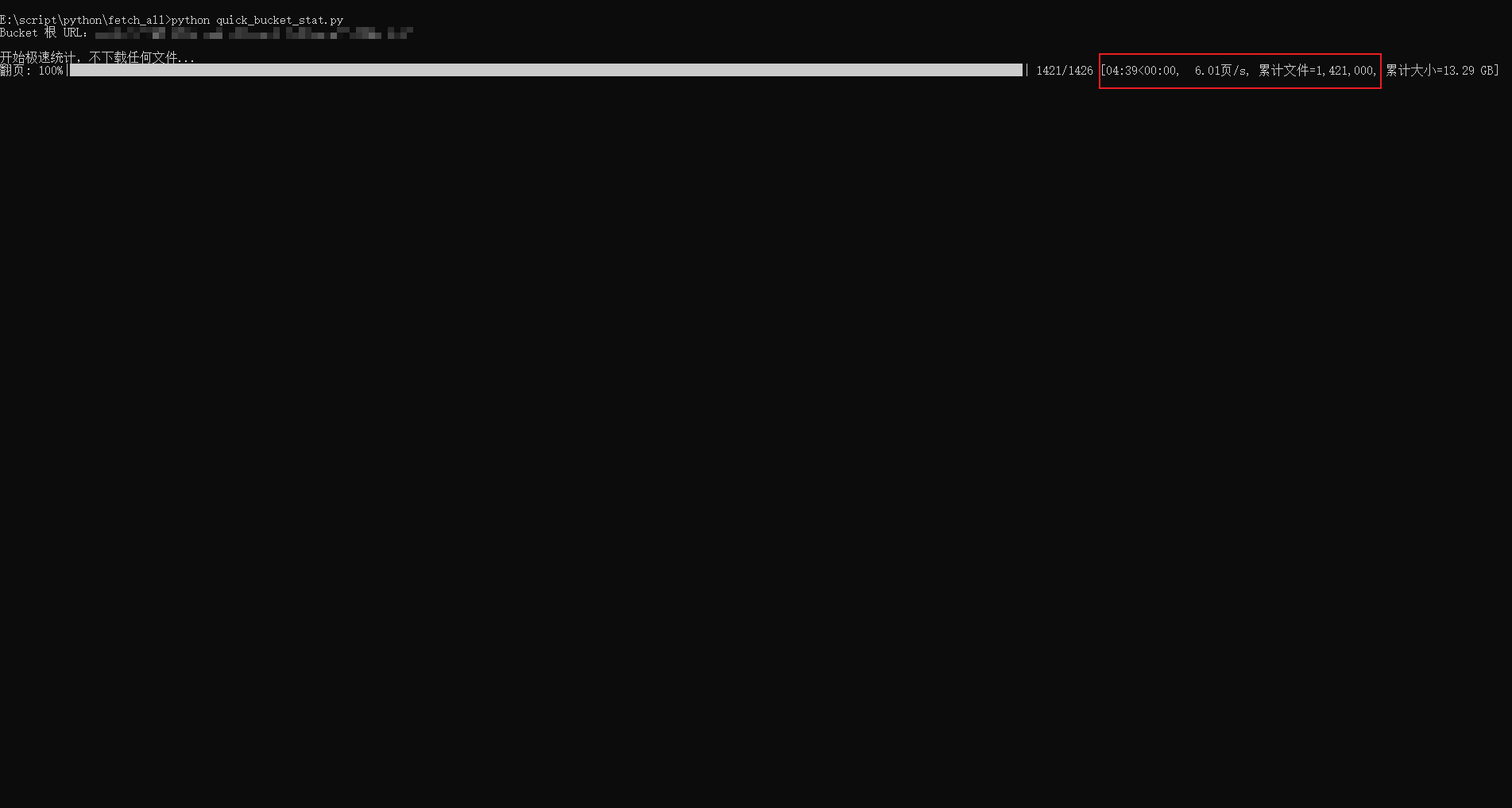
5分钟能够跑150w左右的数据

腾讯云面向开发者汇聚海量精品云计算使用和开发经验,营造开放的云计算技术生态圈。
更多推荐
 4
4 0
0- 0


 已为社区贡献1条内容

所有评论(0)