安装 tailwindcss 在生成配置文件npx tailwindcss init -p命令时报错解决方法
·
制作一个VUE+Vite+ tailwindcss 的项目在运行下面内容
npm install -D tailwindcss postcss autoprefixer
npx tailwindcss init
后报错如下
PS E:\VV001\my-vue-tailwind> npx tailwindcss init -p npm error could
not determine executable to run npm error A complete log of this run
can be found in:
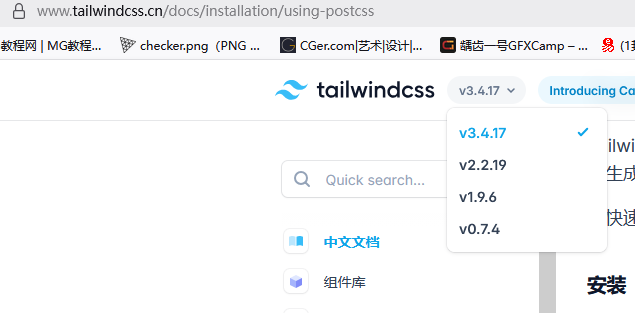
查询文档和网上的答案都没有找到,最后发现了问题所在为版本号原因如下图所示这个文档时3.4.17的所以一直出错,v4之后的安装方式跟这个不一样
解决方法
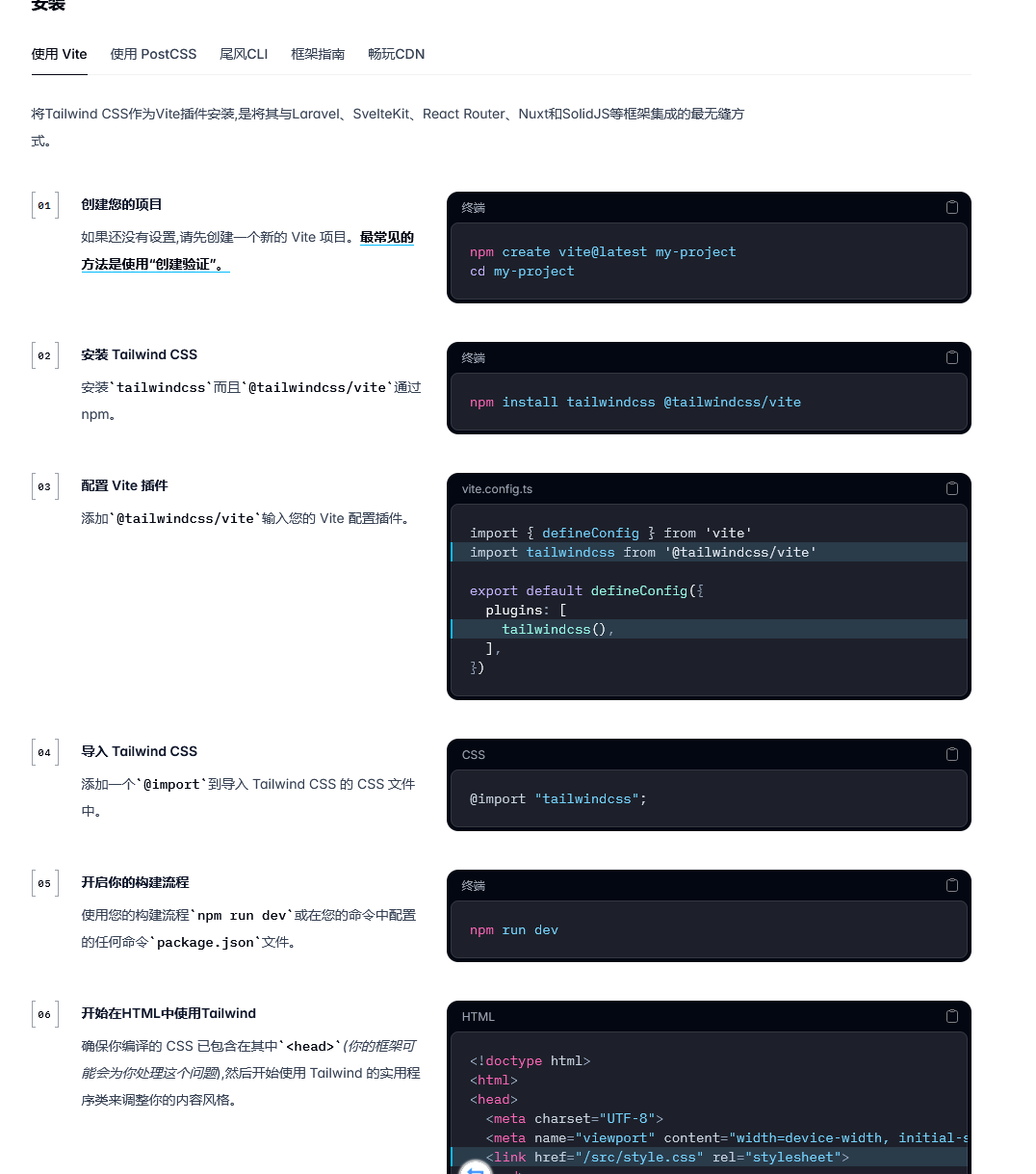
https://tailwindcss.com/docs/installation/using-vite
这个链接有新版本的安装方式,安装方式如下:

腾讯云面向开发者汇聚海量精品云计算使用和开发经验,营造开放的云计算技术生态圈。
更多推荐
 3
3 0
0- 0


 已为社区贡献2条内容

所有评论(0)