hive-----广电大数据分析
导入数据文件: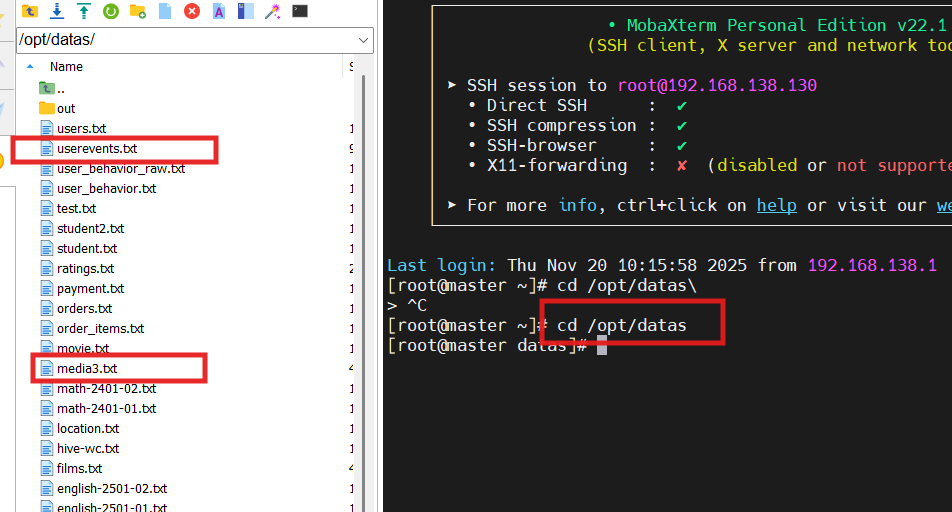
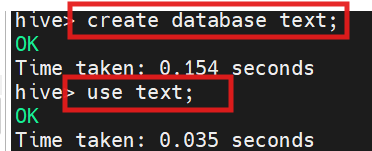
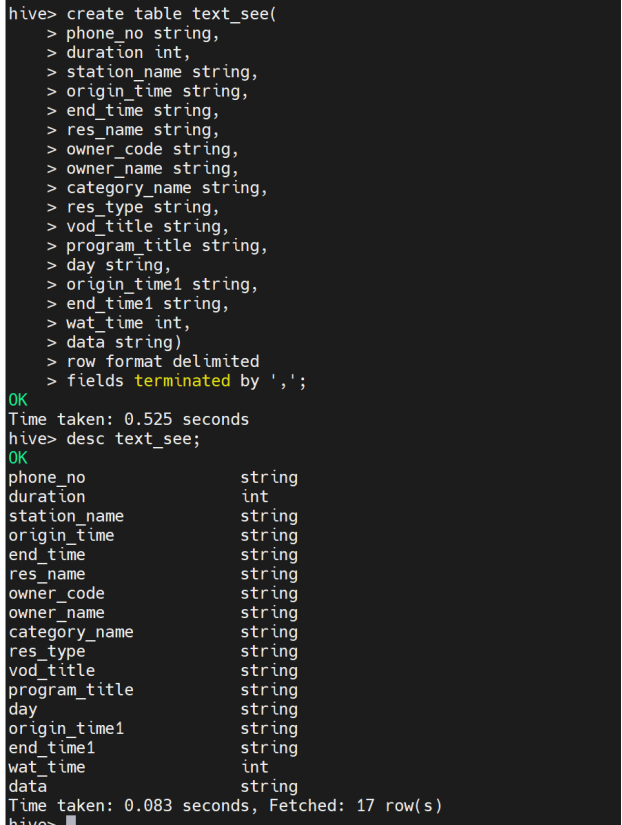
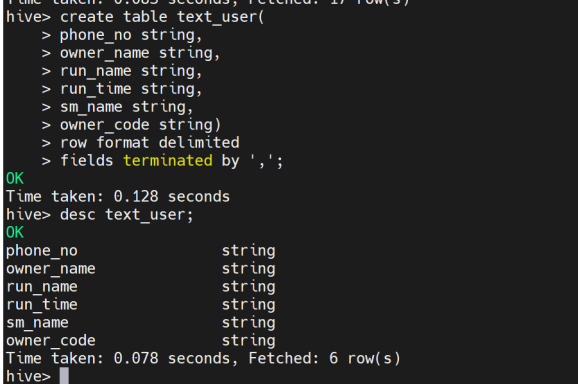
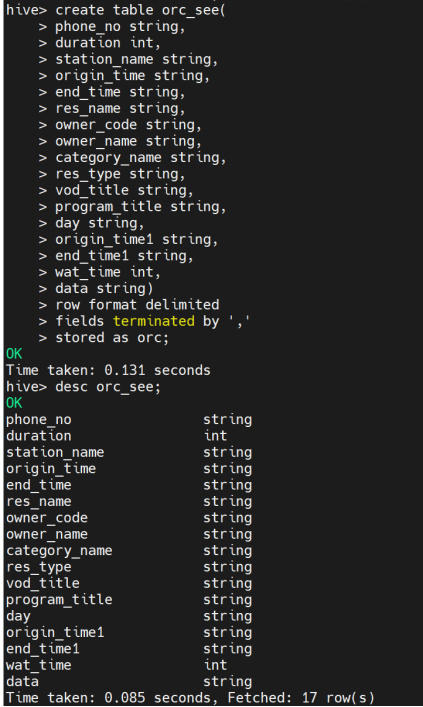
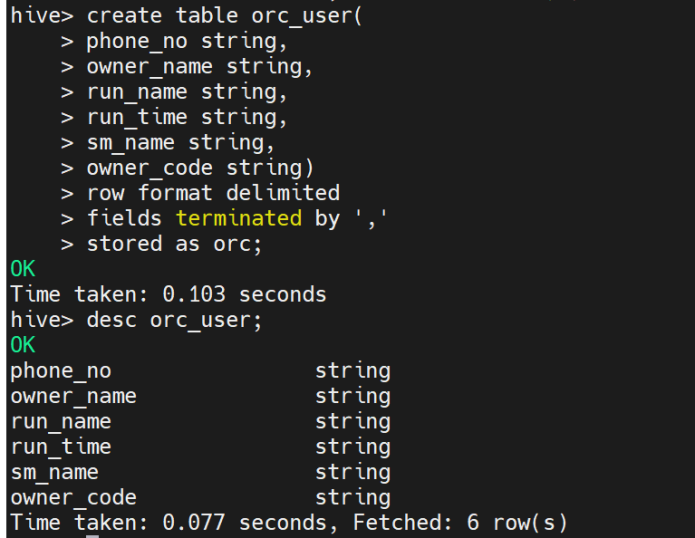
1.创建存储格式为TextFile的观看历史表text_see和用户信息表text_user(用于存储原始数据)。并创建存储格式为ORC的表orc_see和orc_user。
CREATE TABLE text_see (
phone_no string,
duration int,
station_name string,
origin_time string,
end_time string,
res_name string,
owner_code string,
owner_name string,
category_name string,
res_type string,
vod_title string,
program_title string,
day string,
origin_time1 string,
end_time1 string,
wat_time int,
data string
)
ROW FORMAT DELIMITED
FIELDS TERMINATED BY ','
STORED AS TEXTFILE;
CREATE TABLE text_user (
phone_no string,
owner_name string,
run_name string,
run_time string,
sm_name string,
owner_code string)
ROW FORMAT DELIMITED
FIELDS TERMINATED BY ','
STORED AS TEXTFILE;
create table orc_see(phone_no string,
duration int,
station_name string,
origin_time string,
end_time string,
res_name string,
owner_code string,
owner_name string,
category_name string,
res_type string,
vod_title string,
program_title string,
day string,
origin_time1 string,
end_time1 string,
wat_time int,data string) row format delimited fields terminated by ','
stored as orc;
CREATE TABLE text_user (
phone_no string,
owner_name string,
run_name string,
run_time string,
sm_name string,
owner_code string)
ROW FORMAT DELIMITED
FIELDS TERMINATED BY ','
stored as orc;
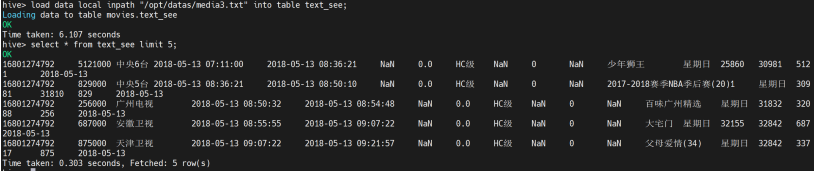
2. 观看历史文件media3.txt存储在本地系统/opt/datas目录下,将其导入表text_see中。
LOAD DATA LOCAL INPATH '/opt/datas/media3.txt' INTO TABLE text_see;
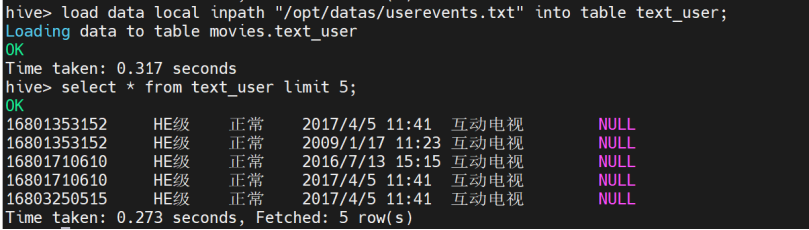
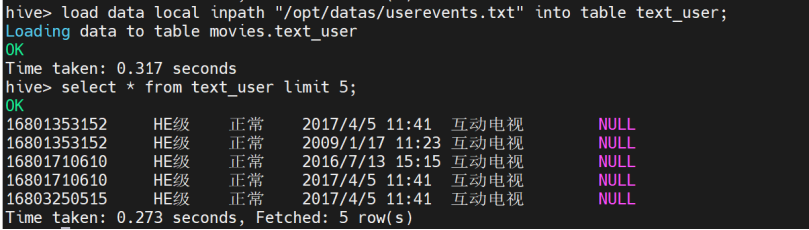
3. 用户信息文件userevents.txt存储在本地系统/opt/datas目录下,将其导入表text_user中。
load data local inpath "/opt/datas/userevents.txt" into table text_user;
select * from text_user limit 5;
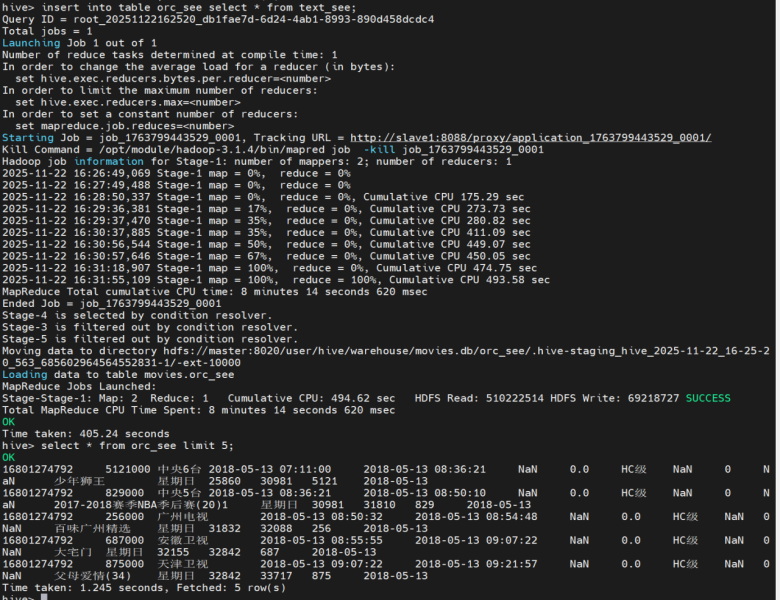
4. 将表text_see中数据加载到表orc_see中。
insert into table orc_see select * from text_see;
5. 将表text_user中数据加载到表orc_user中。
insert into table orc_user select * from text_user;
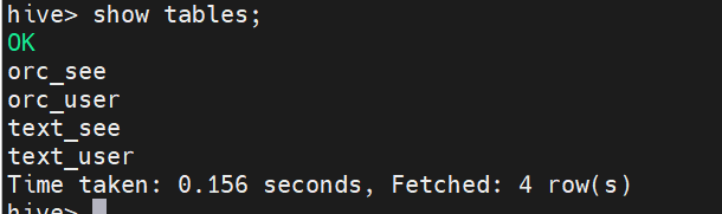
6. 查看所有完成的表。
show tables;
7. 查询表orc_see的记录总数。

8. 查询表orc_user的记录总数。

9. 查看表text_see的数据大小。

10. 查看表text_user的数据大小。

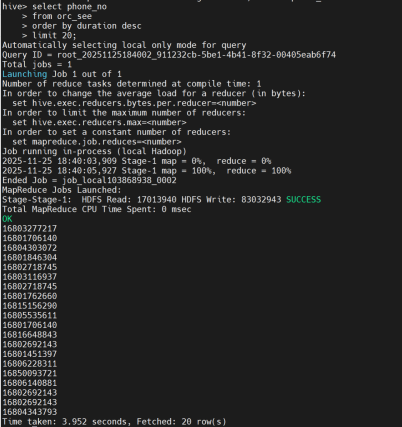
11. 对orc_see表按照duration字段做一个全局降序排序,并且设置只显示前20条,即Top20。
select phone_no,
from orc_see
order by duration desc
limit 20;
12. 对orc_see表按照用户Group By聚合,然后统计组内的时长即可。按照时长排序,显示前20条,即Top20。
select owner_name,sum(wat_time) as sumnum
from orc_see
group by owner_name
order by sumnum desc
limit 20;
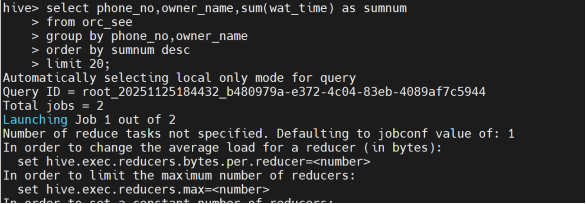
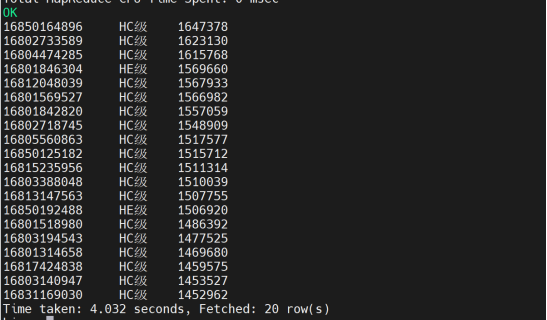
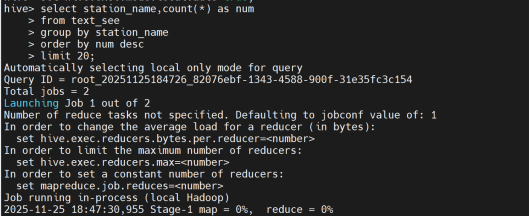
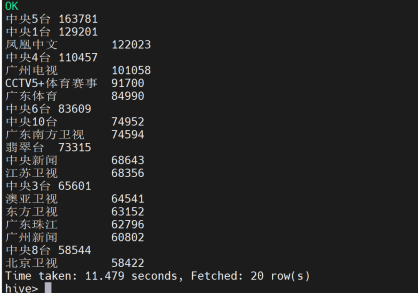
13. 统计观看数最高的20个电视节目及类别(包含Top20观看数)。
select station_name,count(*) as num
from text_see
group by station_name
order by num desc
limit 20;
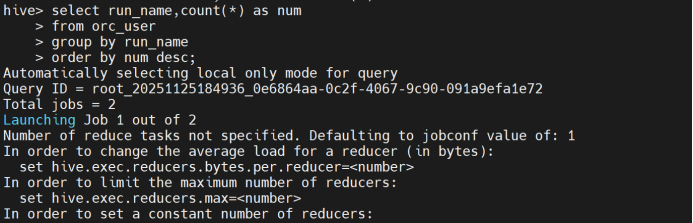
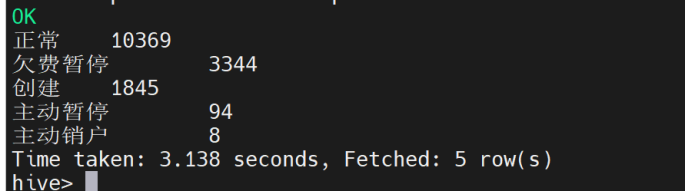
14. 依据orc_user表对run_name状态进行计数和降序排序。
select run_name,count(*) as num
from orc_user
group by run_name
order by num desc;

腾讯云面向开发者汇聚海量精品云计算使用和开发经验,营造开放的云计算技术生态圈。
更多推荐
 8
8 0
0- 0


 已为社区贡献2条内容

所有评论(0)