Postman--旧版Newman+Allure+Jenkins自动化持续集成
1.步骤:
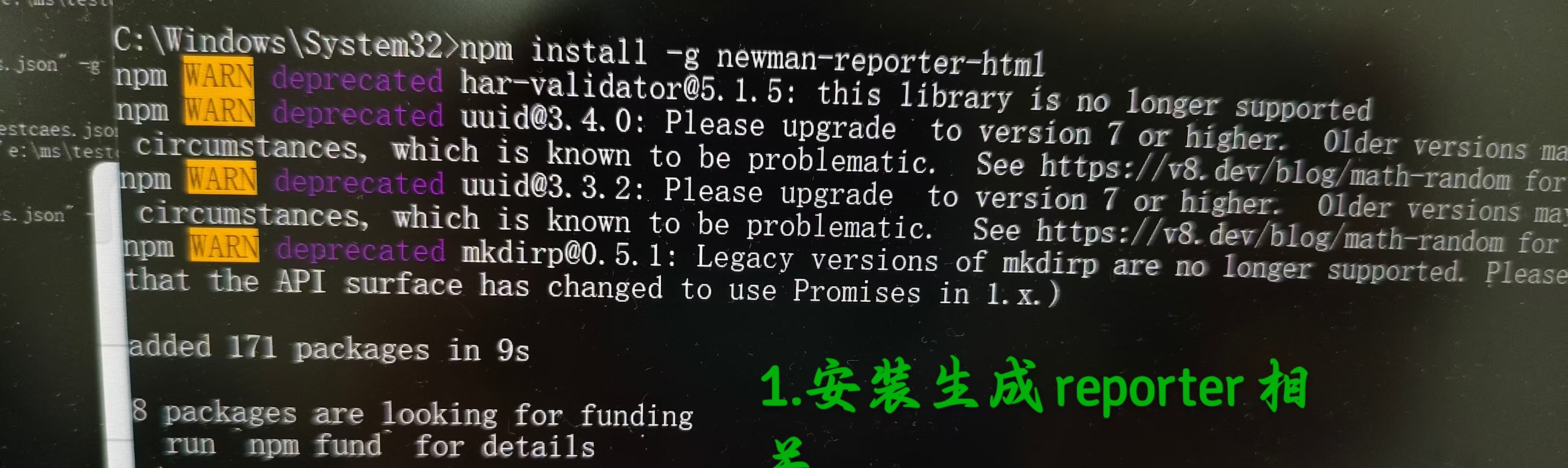
(1)安装Node.js 和 Newman(npm install -g newman)
(2)导出测试用例、导出全局变量和数据文件
把环境变量改成集合变量
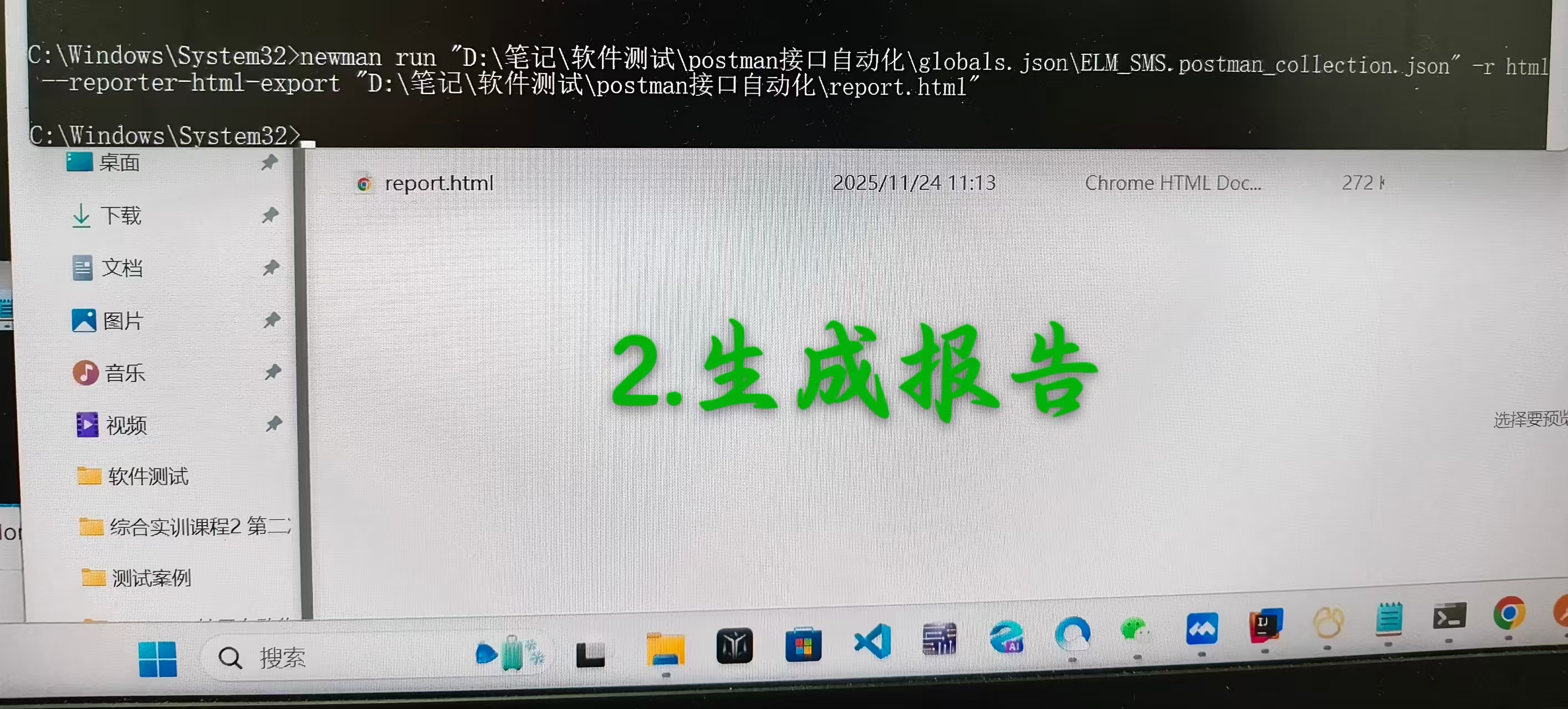
(3)运行测试用例,生成HTML报告
newman run "d:/ms/testcases.json" -g "d:/ms/globals.json" -r html --reporter-html-export "d:/ms/report.html"
(4)运行测试用例生成Allure报告
--基于java
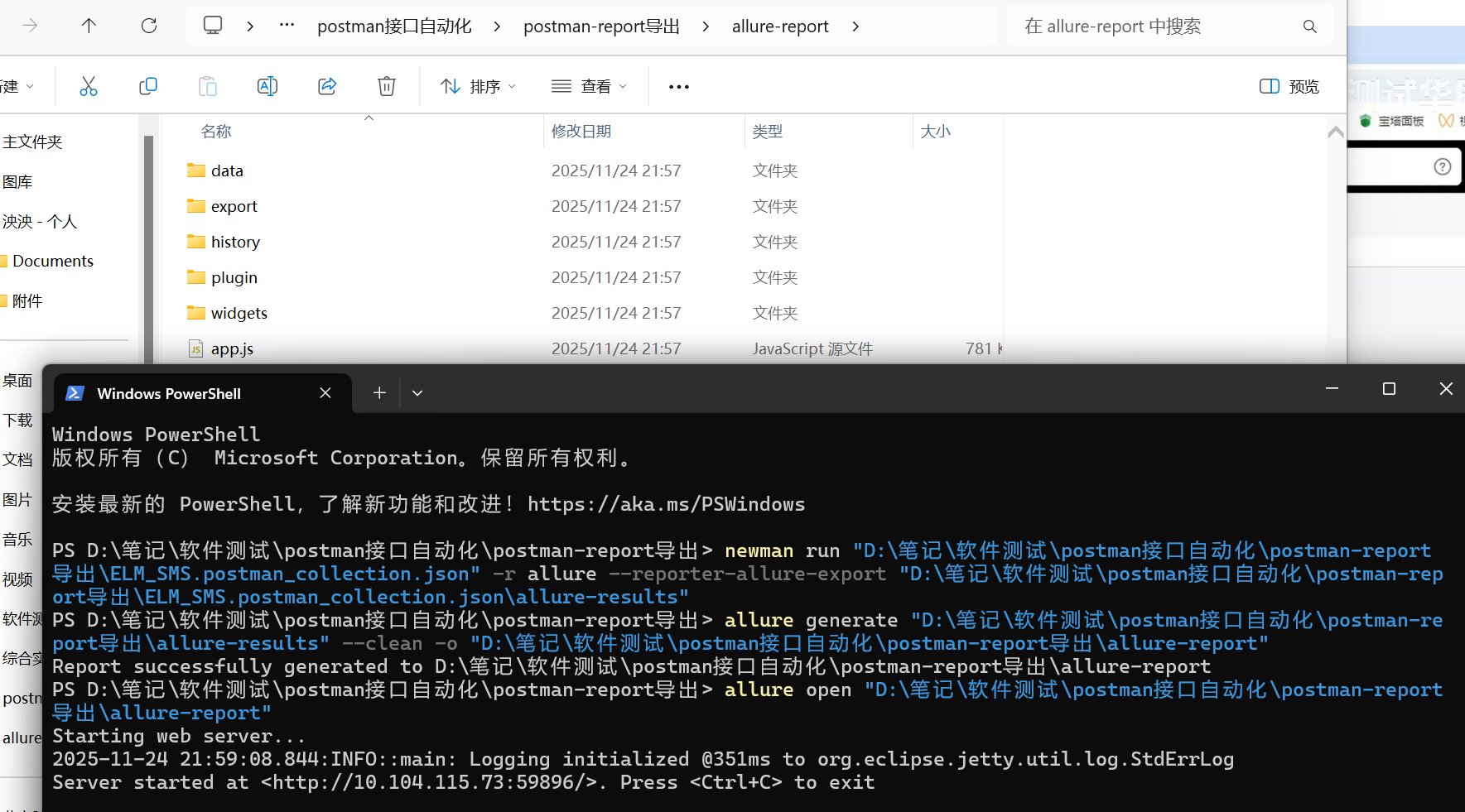
1.newman run"D:\笔记\软件测试\postman接口自动化\postman-report导出\ELM SMS.postman_collection.json" -r allure--reporter-allure-export"D:\笔记\软件测试\postman接口自动化\postman-report导出\ELM_SMS.postman_collection.jsonlallure-results"\
2.alluregenerate"D:\笔记\软件测试\postman接口自动化\postman-report导ilallure-results"--clean -o"D:\笔记\软件测试\postman接口自动化\postman-report导出\allure-report
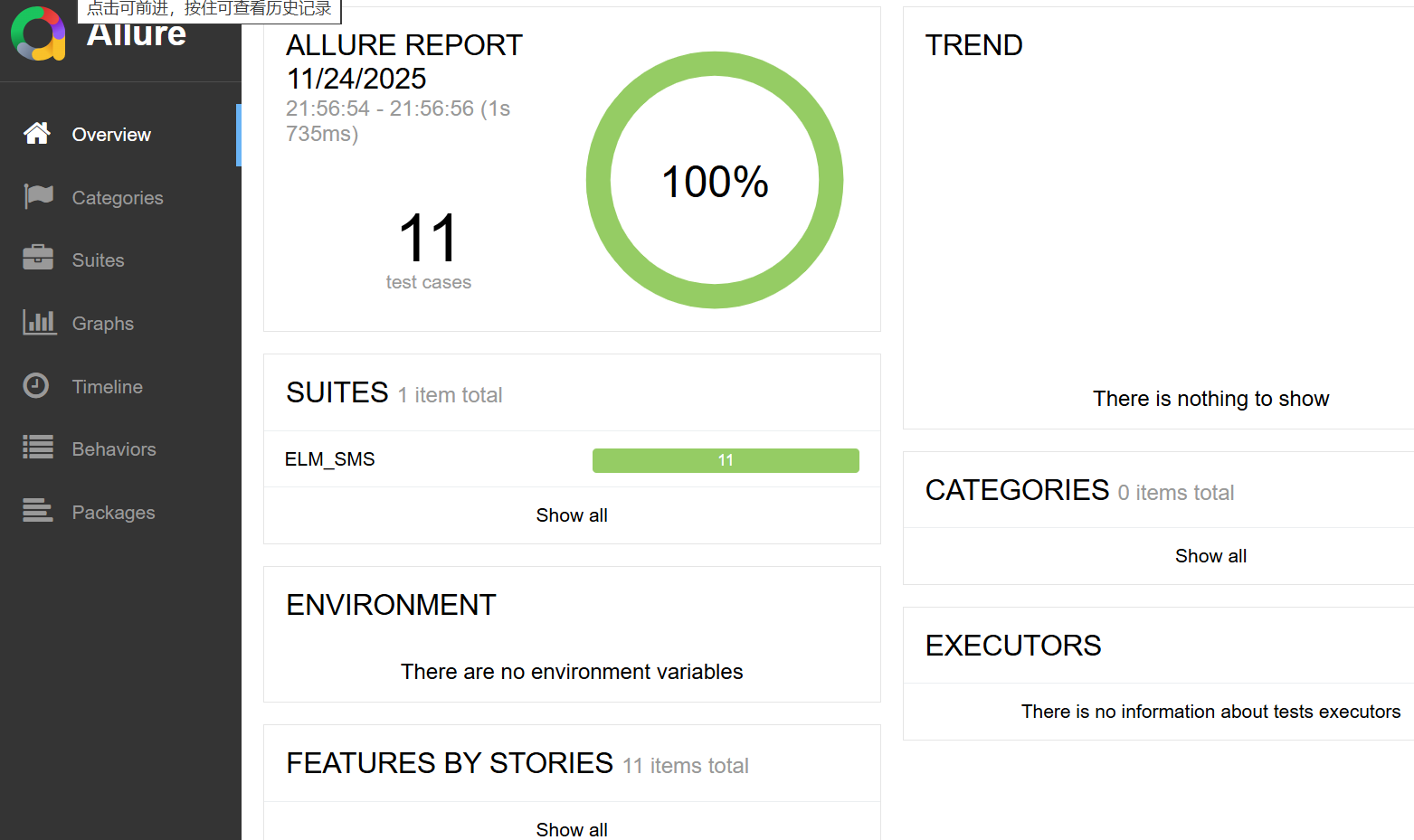
3.打开报告
allure open"D:\笔记\软件测试\postman接口自动化\postman-report导H\allure-report

腾讯云面向开发者汇聚海量精品云计算使用和开发经验,营造开放的云计算技术生态圈。
更多推荐
 1
1 0
0- 0


 已为社区贡献3条内容

所有评论(0)