在window环境下,安装Hardhat2.22.17 ,部署一个Solidity智能合约,打印简单HelloWorld
目录
由于网上大部分教程基于 Hardhat 2.x,我们就安装一个Hardhat2.22.17,部署一个智能合约,简单讲一下步骤,在window下操作,确保你的项目路径不要包含中文或特殊字符。
1.下载node.js
通过官方地址:https://nodejs.org/zh-cn/download,下载安装包
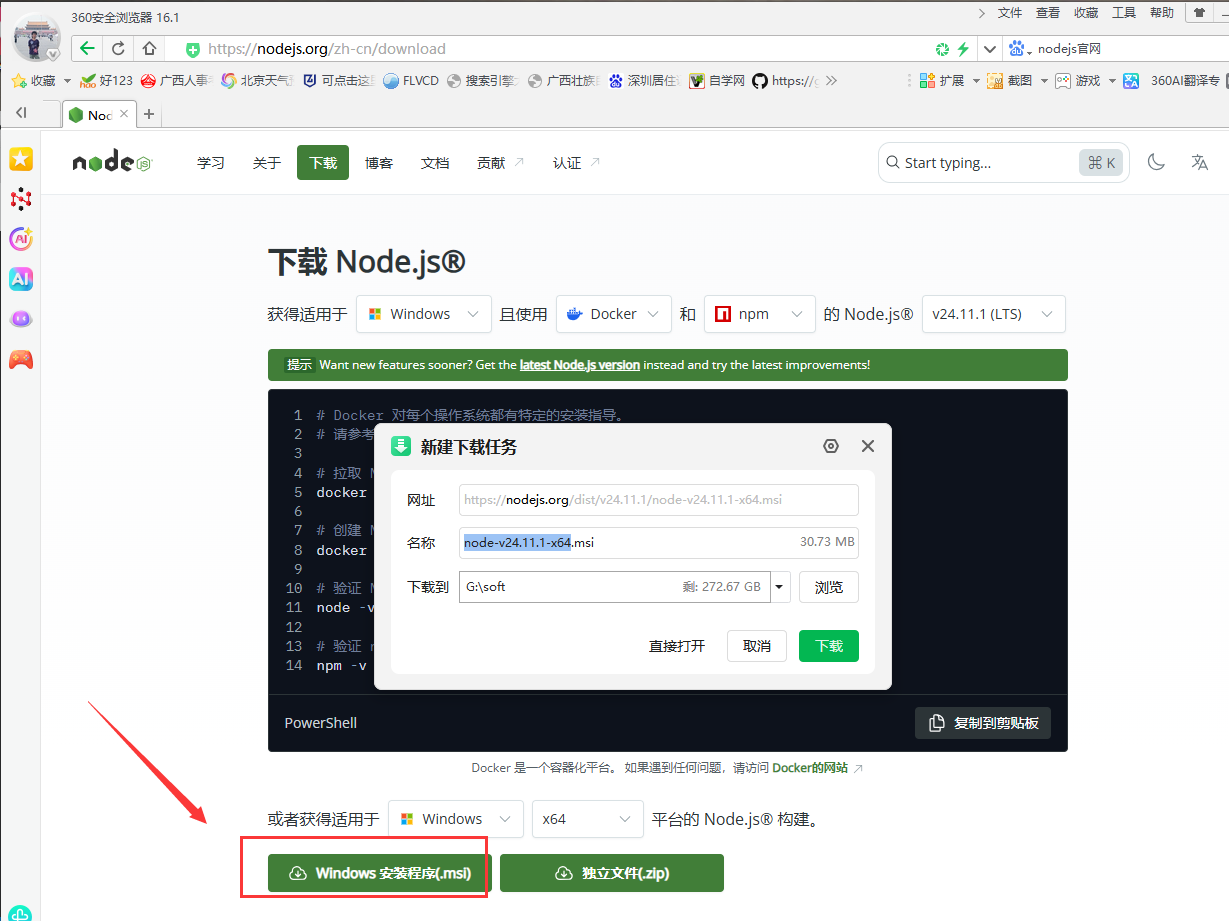
下载后,一直点击下一步安装,安装完后,程序会自动设置好环境变量,不用自己像jdk安装后,自己手动去设置环境变量。
验证是否成功安装,按win+R,输入cmd,打开命令提示行
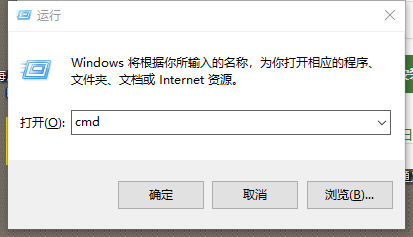
执行:
node --version
npm --version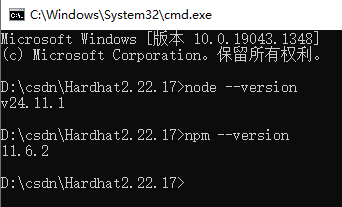
至此node环境就搭建好了。
2.安装yarn
在区块链开发(比如 Hardhat/Truffle 项目)中,选择 Yarn 而非 npm 能显著提升开发效率和稳定性,尤其是依赖管理、安装速度、团队协作等方面,所以我们安装yarn。
npm install -g yarn由于我电脑早已经执行过,显示如下。
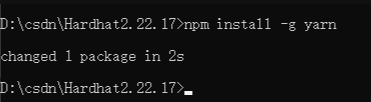
有一点千万要注意,不要混用 npm 和 yarn!如果你用 yarn 安装了依赖,就一直用 yarn;如果用 npm,就坚持用 npm,混用会导致 node_modules 冲突、锁文件不一致、甚至运行时错误。怎么分辨,在你的项目根目录(比如 C:\Users\HUANGDEGUI\Desktop\web3.0\stu-harthat2)查看是否存在以下文件:
| 文件 | 说明 |
|---|---|
yarn.lock |
👉 说明项目是用 Yarn 管理依赖的 |
package-lock.json |
👉 说明项目是用 npm 管理依赖的 |
3.初始化新 Node.js 项目
执行命令
yarn init -y 一个用于初始化新 Node.js 项目的命令,它的作用和执行目录密切相关——在不同目录执行,效果完全不同。

yarn init -y 是一个用于初始化新 Node.js 项目的命令,它的作用和执行目录密切相关——在不同目录执行,效果完全不同。这个命令的作用是:
在当前目录下快速生成一个最简化的 package.json 文件,用于启动一个新的 JavaScript/Node.js 项目。
yarn init:交互式地创建 package.json(会问你项目名、版本、描述等)。
-y(或 --yes):跳过所有提问,使用默认值自动生成 package.json。
命令执行后,会生成一个 package.json:
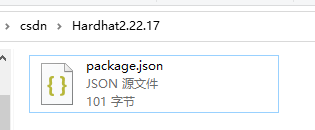
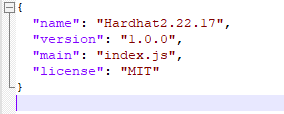
将 Yarn 的默认包下载源(registry)永久切换为「npmmirror.com」(原淘宝 NPM 镜像)。让 Yarn 在国内下载包更快、更稳!
yarn config set registry https://registry.npmmirror.com/
4.安装 Hardhat
执行命令
#这个命令安装的版本是最新稳定版,但我们现在要安装2.22.17,不能用这个命令
yarn add -D hardhat

安装指定版本
yarn add -D hardhat@2.22.17
命令拆解(核心含义)
| 部分 | 作用 |
|---|---|
yarn add |
Yarn 的核心安装命令,等价于 npm install,用于下载并安装 npm 包 |
-D |
--dev 的简写,代表 “安装为开发依赖”(仅在开发阶段使用,不打包到生产环境) |
hardhat |
要安装的包名(这里就是 Hardhat 这个以太坊开发工具),@2.22.17指定版本 |
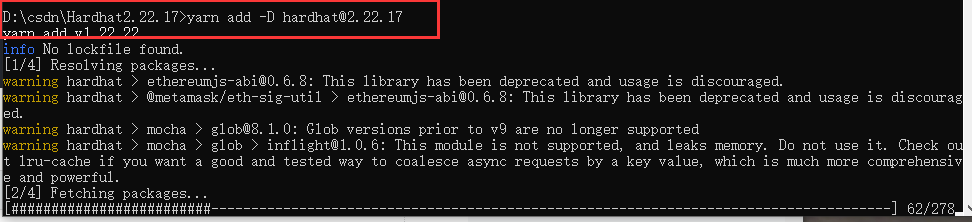
D:\csdn\Hardhat2.22.17>yarn add -D hardhat@2.22.17
yarn add v1.22.22
info No lockfile found.
[1/4] Resolving packages...
warning hardhat > ethereumjs-abi@0.6.8: This library has been deprecated and usage is discouraged.
warning hardhat > @metamask/eth-sig-util > ethereumjs-abi@0.6.8: This library has been deprecated and usage is discouraged.
warning hardhat > mocha > glob@8.1.0: Glob versions prior to v9 are no longer supported
warning hardhat > mocha > glob > inflight@1.0.6: This module is not supported, and leaks memory. Do not use it. Check out lru-cache if you want a good and tested way to coalesce async requests by a key value, which is much more comprehensive and powerful.
[2/4] Fetching packages...
[3/4] Linking dependencies...
[4/4] Building fresh packages...
success Saved lockfile.
success Saved 210 new dependencies.
info Direct dependencies
└─ hardhat@2.22.17
info All dependencies
├─ @ethersproject/abi@5.8.0
├─ @ethersproject/abstract-provider@5.8.0
├─ @ethersproject/abstract-signer@5.8.0
├─ @ethersproject/hash@5.8.0
├─ @ethersproject/networks@5.8.0
├─ @ethersproject/signing-key@5.8.0
├─ @ethersproject/transactions@5.8.0
├─ @ethersproject/web@5.8.0
├─ @fastify/busboy@2.1.1
├─ @metamask/eth-sig-util@4.0.1
├─ @noble/secp256k1@1.7.1
├─ @nomicfoundation/edr-darwin-arm64@0.6.5
├─ @nomicfoundation/edr-darwin-x64@0.6.5
├─ @nomicfoundation/edr-linux-arm64-gnu@0.6.5
├─ @nomicfoundation/edr-linux-arm64-musl@0.6.5
├─ @nomicfoundation/edr-linux-x64-gnu@0.6.5
├─ @nomicfoundation/edr-linux-x64-musl@0.6.5
├─ @nomicfoundation/edr-win32-x64-msvc@0.6.5
├─ @nomicfoundation/edr@0.6.5
├─ @nomicfoundation/ethereumjs-tx@5.0.4
├─ @nomicfoundation/solidity-analyzer-darwin-arm64@0.1.2
├─ @nomicfoundation/solidity-analyzer-darwin-x64@0.1.2
├─ @nomicfoundation/solidity-analyzer-linux-arm64-gnu@0.1.2
├─ @nomicfoundation/solidity-analyzer-linux-arm64-musl@0.1.2
├─ @nomicfoundation/solidity-analyzer-linux-x64-gnu@0.1.2
├─ @nomicfoundation/solidity-analyzer-linux-x64-musl@0.1.2
├─ @nomicfoundation/solidity-analyzer-win32-x64-msvc@0.1.2
├─ @nomicfoundation/solidity-analyzer@0.1.2
├─ @scure/bip32@1.1.5
├─ @scure/bip39@1.1.1
├─ @sentry/core@5.30.0
├─ @sentry/node@5.30.0
├─ @sentry/tracing@5.30.0
├─ @types/bn.js@5.2.0
├─ @types/lru-cache@5.1.1
├─ @types/pbkdf2@3.1.2
├─ @types/secp256k1@4.0.7
├─ adm-zip@0.4.16
├─ agent-base@6.0.2
├─ ansi-align@3.0.1
├─ ansi-colors@4.1.3
├─ ansi-escapes@4.3.2
├─ ansi-regex@5.0.1
├─ ansi-styles@4.3.0
├─ anymatch@3.1.3
├─ argparse@2.0.1
├─ available-typed-arrays@1.0.7
├─ balanced-match@1.0.2
├─ base-x@3.0.11
├─ binary-extensions@2.3.0
├─ blakejs@1.2.1
├─ bn.js@4.12.2
├─ boxen@5.1.2
├─ brace-expansion@2.0.2
├─ braces@3.0.3
├─ brorand@1.1.0
├─ browser-stdout@1.3.1
├─ browserify-aes@1.2.0
├─ bs58@4.0.1
├─ bs58check@2.1.2
├─ buffer-from@1.1.2
├─ buffer-xor@1.0.3
├─ bytes@3.1.2
├─ call-bind-apply-helpers@1.0.2
├─ call-bind@1.0.8
├─ call-bound@1.0.4
├─ camelcase@6.3.0
├─ chokidar@4.0.3
├─ ci-info@2.0.0
├─ cipher-base@1.0.7
├─ clean-stack@2.2.0
├─ cli-boxes@2.2.1
├─ cliui@7.0.4
├─ color-convert@2.0.1
├─ color-name@1.1.4
├─ command-exists@1.2.9
├─ commander@8.3.0
├─ cookie@0.4.2
├─ core-util-is@1.0.3
├─ decamelize@4.0.0
├─ define-data-property@1.1.4
├─ depd@2.0.0
├─ diff@5.2.0
├─ dunder-proto@1.0.1
├─ elliptic@6.6.1
├─ emoji-regex@8.0.0
├─ enquirer@2.4.1
├─ env-paths@2.2.1
├─ es-object-atoms@1.1.1
├─ escalade@3.2.0
├─ escape-string-regexp@4.0.0
├─ ethereum-cryptography@0.1.3
├─ ethereumjs-util@6.2.1
├─ ethjs-util@0.1.6
├─ evp_bytestokey@1.0.3
├─ fill-range@7.1.1
├─ flat@5.0.2
├─ follow-redirects@1.15.11
├─ for-each@0.3.5
├─ fp-ts@1.19.3
├─ fs-extra@7.0.1
├─ fs.realpath@1.0.0
├─ get-caller-file@2.0.5
├─ glob-parent@5.1.2
├─ glob@8.1.0
├─ graceful-fs@4.2.11
├─ hardhat@2.22.17
├─ has-property-descriptors@1.0.2
├─ has-symbols@1.1.0
├─ has-tostringtag@1.0.2
├─ hash-base@3.1.2
├─ hash.js@1.1.7
├─ hasown@2.0.2
├─ he@1.2.0
├─ hmac-drbg@1.0.1
├─ http-errors@2.0.1
├─ https-proxy-agent@5.0.1
├─ iconv-lite@0.4.24
├─ immutable@4.3.7
├─ indent-string@4.0.0
├─ inflight@1.0.6
├─ inherits@2.0.4
├─ io-ts@1.10.4
├─ is-binary-path@2.1.0
├─ is-callable@1.2.7
├─ is-extglob@2.1.1
├─ is-fullwidth-code-point@3.0.0
├─ is-glob@4.0.3
├─ is-number@7.0.0
├─ is-plain-obj@2.1.0
├─ is-typed-array@1.1.15
├─ is-unicode-supported@0.1.0
├─ isarray@2.0.5
├─ js-yaml@4.1.1
├─ json-stream-stringify@3.1.6
├─ jsonfile@4.0.0
├─ keccak@3.0.4
├─ locate-path@6.0.0
├─ lodash@4.17.21
├─ log-symbols@4.1.0
├─ lru_map@0.3.3
├─ math-intrinsics@1.1.0
├─ memorystream@0.3.1
├─ minimalistic-assert@1.0.1
├─ minimatch@5.1.6
├─ mnemonist@0.38.5
├─ mocha@10.8.2
├─ node-addon-api@2.0.2
├─ normalize-path@3.0.0
├─ obliterator@2.0.5
├─ os-tmpdir@1.0.2
├─ p-limit@3.1.0
├─ p-locate@5.0.0
├─ p-map@4.0.0
├─ path-exists@4.0.0
├─ path-parse@1.0.7
├─ pbkdf2@3.1.5
├─ picocolors@1.1.1
├─ picomatch@2.3.1
├─ possible-typed-array-names@1.1.0
├─ process-nextick-args@2.0.1
├─ raw-body@2.5.3
├─ readable-stream@3.6.2
├─ readdirp@4.1.2
├─ require-directory@2.1.1
├─ resolve@1.17.0
├─ ripemd160@2.0.3
├─ rlp@2.2.7
├─ safer-buffer@2.1.2
├─ scrypt-js@3.0.1
├─ secp256k1@4.0.4
├─ semver@6.3.1
├─ serialize-javascript@6.0.2
├─ set-function-length@1.2.2
├─ setimmediate@1.0.5
├─ setprototypeof@1.2.0
├─ sha.js@2.4.12
├─ solc@0.8.26
├─ source-map-support@0.5.21
├─ source-map@0.6.1
├─ stacktrace-parser@0.1.11
├─ statuses@2.0.2
├─ string_decoder@1.3.0
├─ strip-hex-prefix@1.0.0
├─ strip-json-comments@3.1.1
├─ supports-color@8.1.1
├─ tinyglobby@0.2.15
├─ tmp@0.0.33
├─ to-regex-range@5.0.1
├─ toidentifier@1.0.1
├─ tsort@0.0.1
├─ tweetnacl-util@0.15.1
├─ tweetnacl@1.0.3
├─ type-fest@0.20.2
├─ typed-array-buffer@1.0.3
├─ undici-types@7.16.0
├─ undici@5.29.0
├─ universalify@0.1.2
├─ unpipe@1.0.0
├─ util-deprecate@1.0.2
├─ uuid@8.3.2
├─ which-typed-array@1.1.19
├─ widest-line@3.1.0
├─ workerpool@6.5.1
├─ ws@7.5.10
├─ y18n@5.0.8
├─ yargs-parser@20.2.9
├─ yargs-unparser@2.0.0
├─ yargs@16.2.0
└─ yocto-queue@0.1.0
Done in 17.57s.

D:\csdn\Hardhat2.22.17>
查询版本
npx hardhat --version
5.初始化 Hardhat 项目
初始化版本:
#在 Hardhat 2.x 中,初始化项目的方式是:
npx hardhat
#在 Hardhat 3.x 中,初始化项目的方式是:
npx hardhat --init
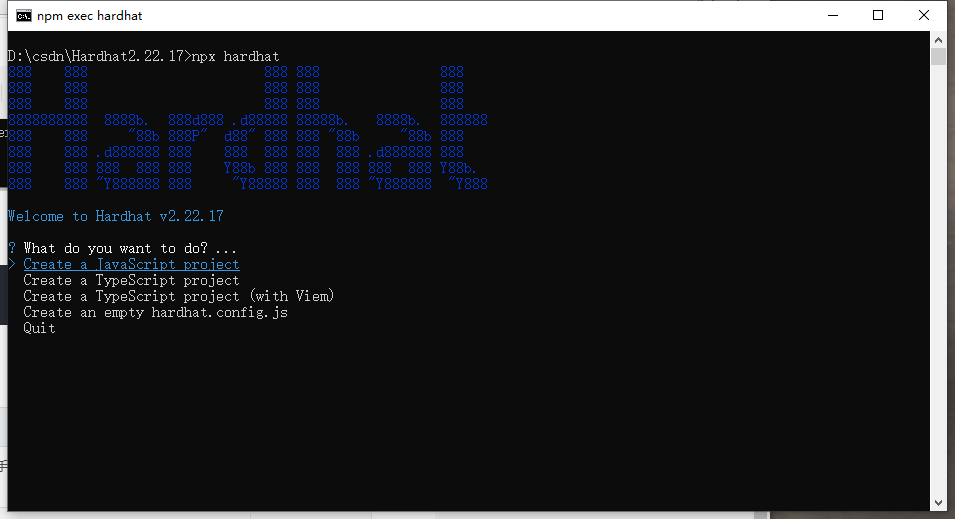
| 选项 | 适用场景 | 建议 |
|---|---|---|
Create a JavaScript project |
想快速上手、写 .js 脚本、跟着大多数中文教程走 |
✅ 新手首选 |
Create a TypeScript project |
熟悉 TS、想用类型安全、大型项目 | 如果你会 TS 可选 |
Create a TypeScript project (with Viem) |
使用新库 Viem(替代 ethers.js) | 暂不推荐初学者 |
Create an empty hardhat.config.js |
自己手动配置一切 | ❌ 不推荐 |
选择第二项,一直按回车
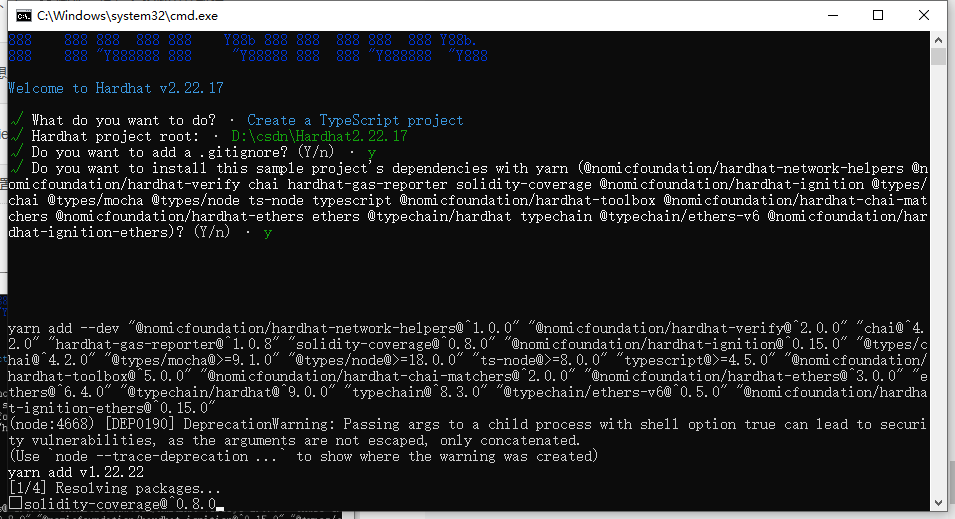
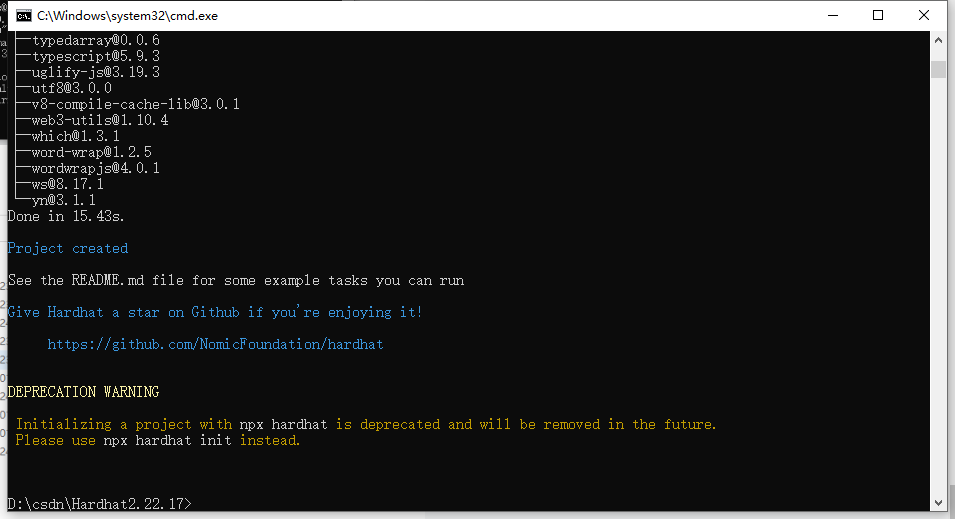
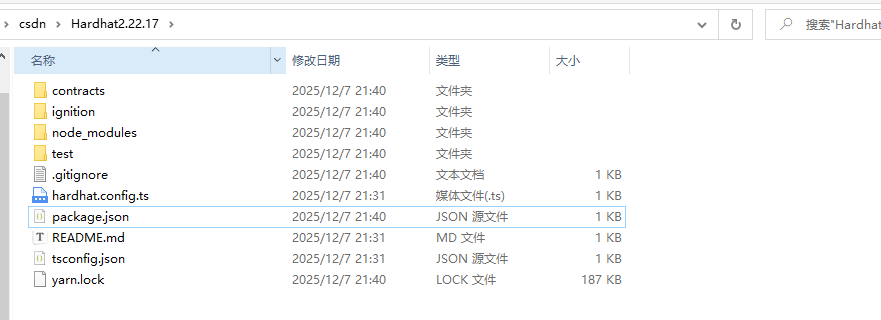
生成的目录如下
6.编写solidity智能合约
下载Visual Studio Code,网址:https://code.visualstudio.com/
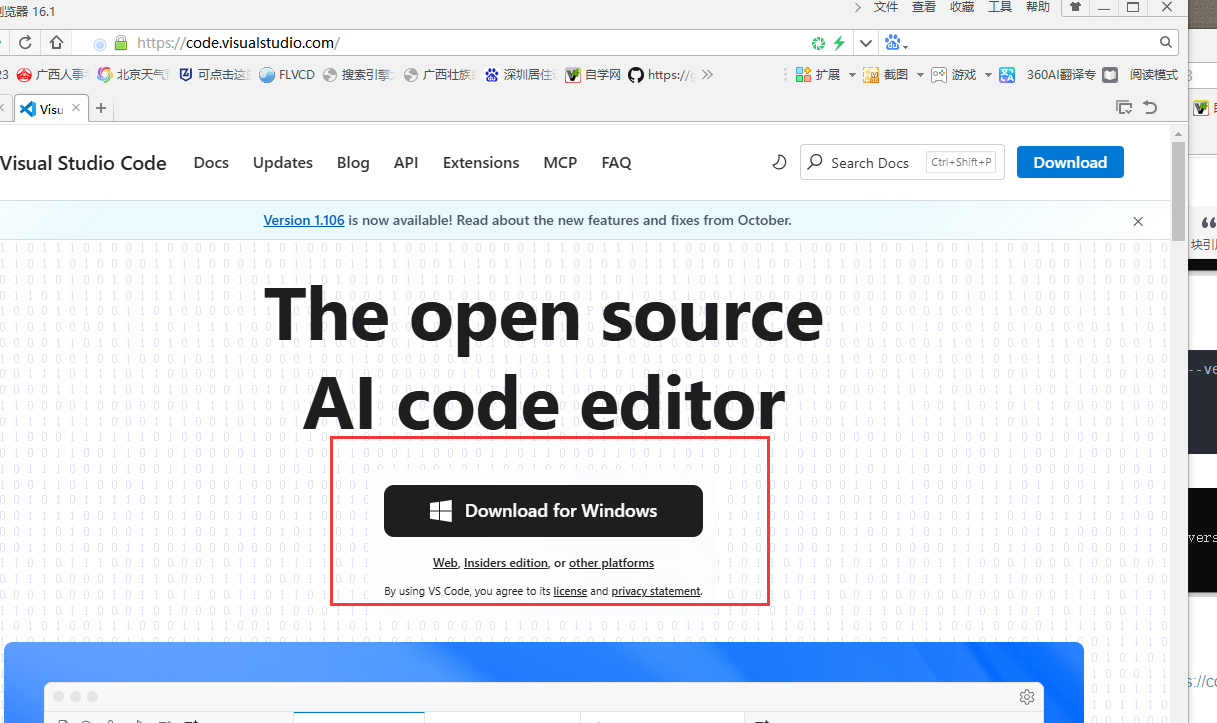
免费,开源,一直点一步安装,然后打开我们下载的智能合约目录
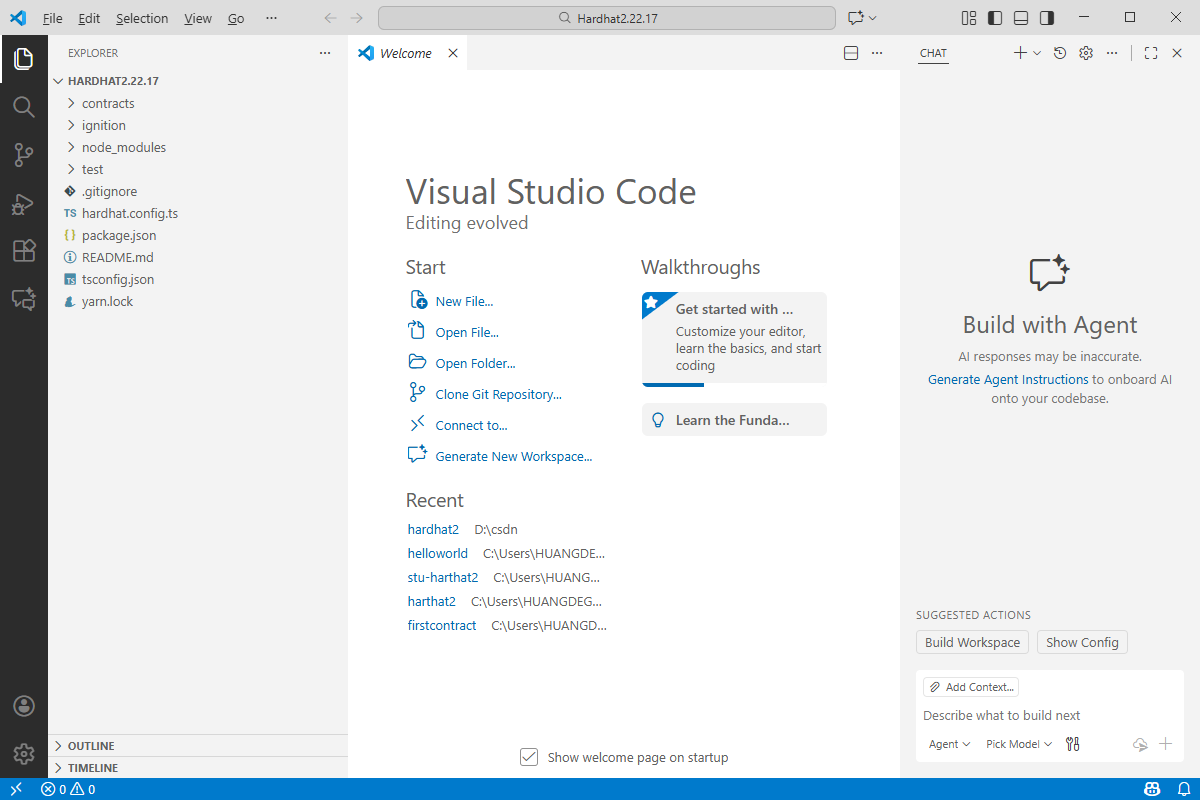
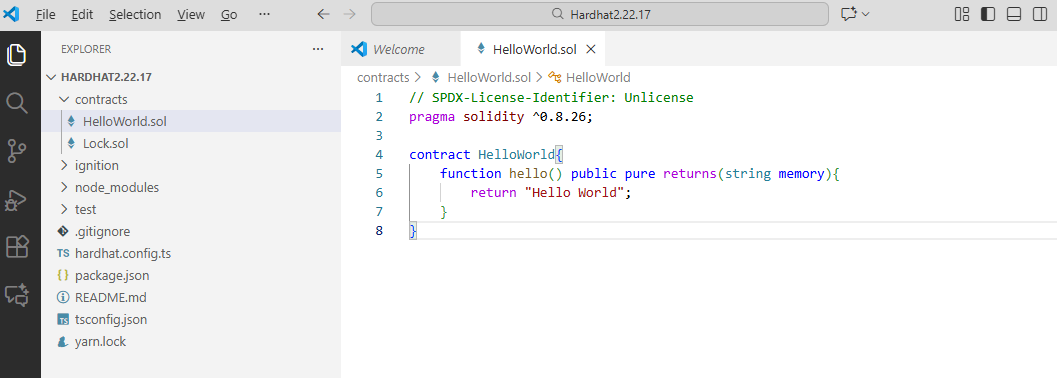
在目录contracts下新建:HelloWorld.sol
// SPDX-License-Identifier: Unlicense
pragma solidity ^0.8.26;

contract HelloWorld{
    function hello() public pure returns(string memory){
        return "Hello World";
    }
}
创建scripts目录,在下面创建deploy.ts:
import "@nomicfoundation/hardhat-ethers";
import { ethers } from "hardhat";

async function foo() {
    const HW = await ethers.getContractFactory("HelloWorld");
    const hw = await HW.deploy();
    await hw.waitForDeployment();
    return hw;
}

async function deploy() {
    const hw = await foo();
    return hw;
}

async function sayHello(hello: any) {
    console.log("Say Hello:", await hello.hello())
}

deploy().then(sayHello);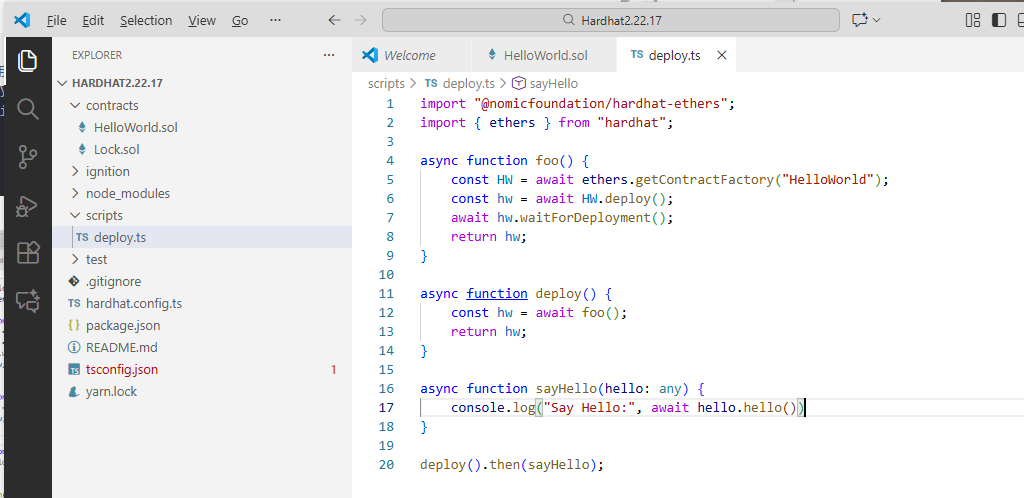
7.调用solidity程序
在package.json文件所属目录下,执行命令
编译合约
npx hardhat compile
启动一个本地的以太坊开发节点:
npx hardhat node会显示 20 个预生成的测试账户,每个账户都有 10,000 个测试 ETH:
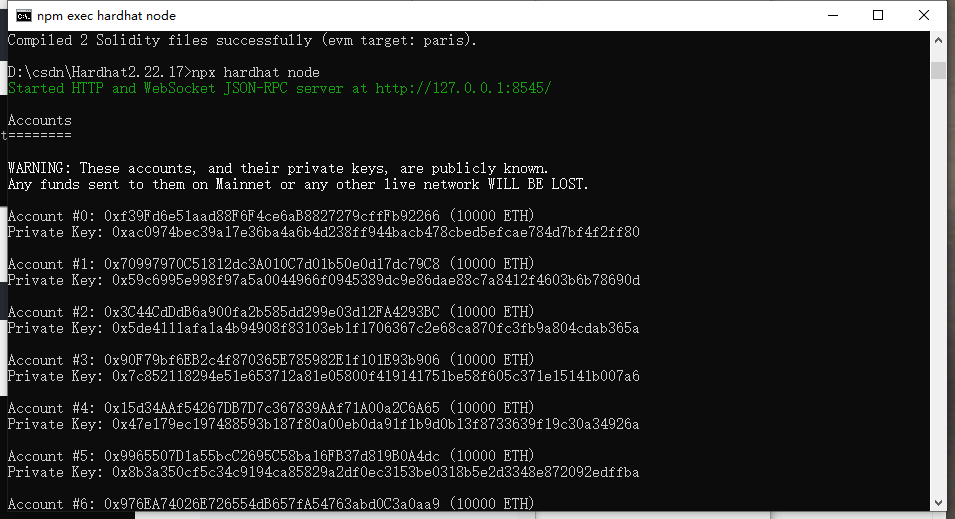
打开另一个命令行窗口,执行命令:
npx hardhat run ./scripts/deploy.ts --network localhost调用成功了
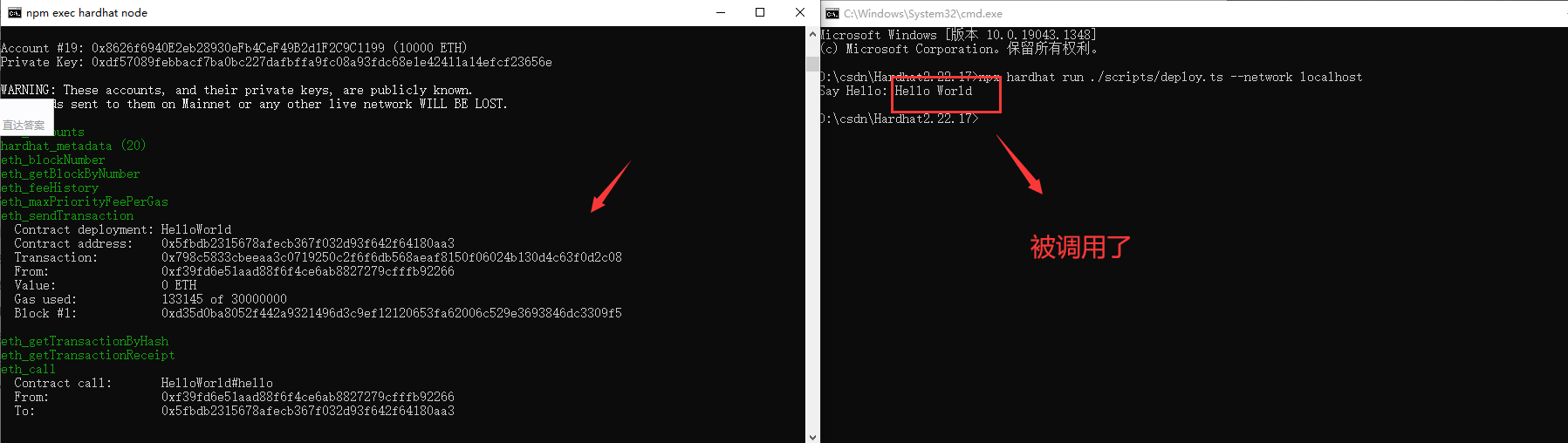
| 调用名 | 核心作用 |
|---|---|
eth_accounts |
查询节点可用的账户列表(部署合约需要从某个账户发起交易) |
hardhat_metadata (20) |
Hardhat 节点的元数据查询(非以太坊标准 RPC,是 Hardhat 自定义的,返回节点版本、链 ID 等信息) |
eth_blockNumber |
查询当前区块链的最新区块号(确认节点状态) |
eth_getBlockByNumber |
查询指定区块的详细信息(验证区块状态) |
eth_feeHistory |
查询历史手续费数据(用于估算部署合约的 Gas 费用) |
eth_maxPriorityFeePerGas |
查询当前网络的最大优先手续费(EIP-1559 机制下,计算 Gas 价格的核心参数) |

腾讯云面向开发者汇聚海量精品云计算使用和开发经验,营造开放的云计算技术生态圈。
更多推荐
 33
33 0
0- 0


 已为社区贡献4条内容

所有评论(0)