idea 执行测试类报错:failed to resolve org.junit.platform:junit-platform-launcher:1.8.2
最终解决方案:查看idea.log ,不知道在哪里可以用everything搜一下。推荐用git终端打开,tail -f 实时查看,也可以直接记事本。网上教程翻遍了,各种添加dependency,没用。重新执行,又报别的错误,一样的思路,把。
·
网上教程翻遍了,各种添加dependency,没用。
最终解决方案:查看idea.log ,不知道在哪里可以用everything搜一下。
推荐用git终端打开,tail -f 实时查看,也可以直接记事本。
看到底报什么错误,我的是报这样的错误:
Failed to write tracking file 'C:\Users\user\.m2\repository\org\junit\platform\junit-platform-launcher\1.8.2\junit-platform-launcher-1.8.2.pom.lastUpdated' java.nio.charset.UnmappableCharacterException: Input length = 1
重点是 lastUpdated
.pom.lastUpdated是 Maven 的依赖追踪文件,即使包存在,该文件损坏 / 锁定也会报错:
- 关闭 IDEA,结束所有
java.exe/maven.exe进程(任务管理器); - 进入
1.8.2目录,删除以下文件(保留*.jar/*.pom):junit-platform-launcher-1.8.2.pom.lastUpdated_remote.repositories(若有)- 所有以
.lock/.part/.retrying结尾的临时文件;
重新执行,又报别的错误,一样的思路,把 .lastUpdated 删除了。
然后,突然就好了!泪奔了。
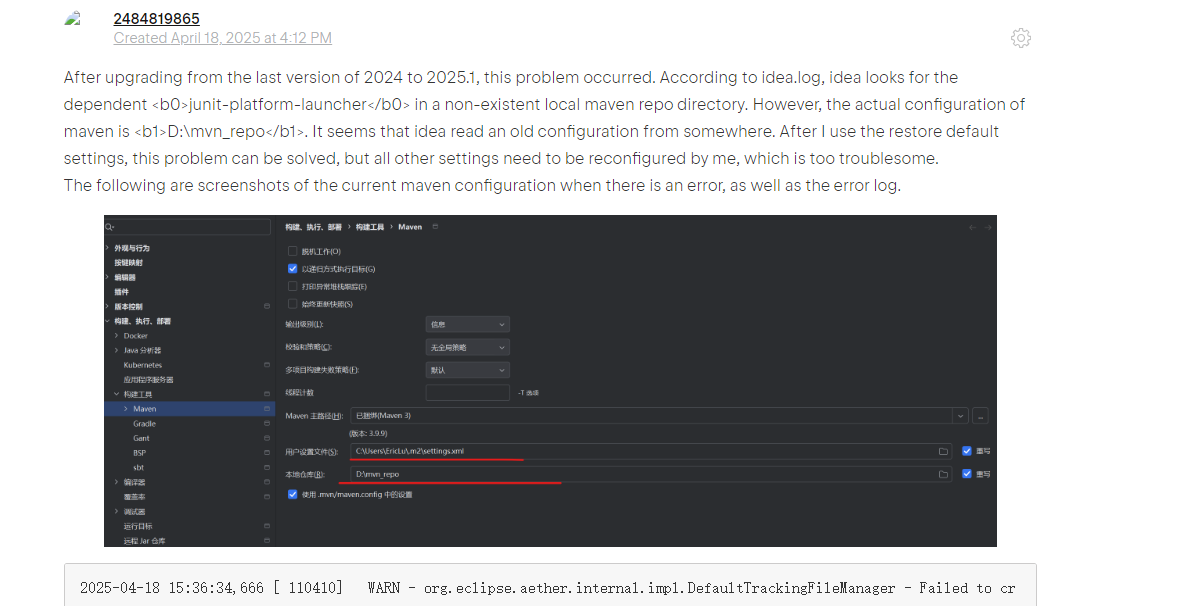
这里得来的思路,不然我都不知道有idea.log 这样的东西,感谢!

腾讯云面向开发者汇聚海量精品云计算使用和开发经验,营造开放的云计算技术生态圈。
更多推荐
 2
2 0
0- 0


 已为社区贡献6条内容

所有评论(0)