python与阿里云百炼(一)openai第一个例子
·
1、使用阿里云百炼
import os
from openai import OpenAI

# 注意: 不同地域的base_url不通用(下方示例使用北京地域的 base_url)
# - 华北2(北京): https://dashscope.aliyuncs.com/compatible-mode/v1
# - 美国(弗吉尼亚): https://dashscope-us.aliyuncs.com/compatible-mode/v1
# - 新加坡: https://dashscope-intl.aliyuncs.com/compatible-mode/v1
client = OpenAI(
    api_key=os.getenv("DASHSCOPE_API_KEY"),
    base_url="https://dashscope.aliyuncs.com/compatible-mode/v1",
)
completion = client.chat.completions.create(
    model="qwen-plus",
    messages=[{'role': 'user', 'content': '我是何明,我是谁?'}]
)
print(completion.choices[0].message.content)
调试代码,运行结果如下:
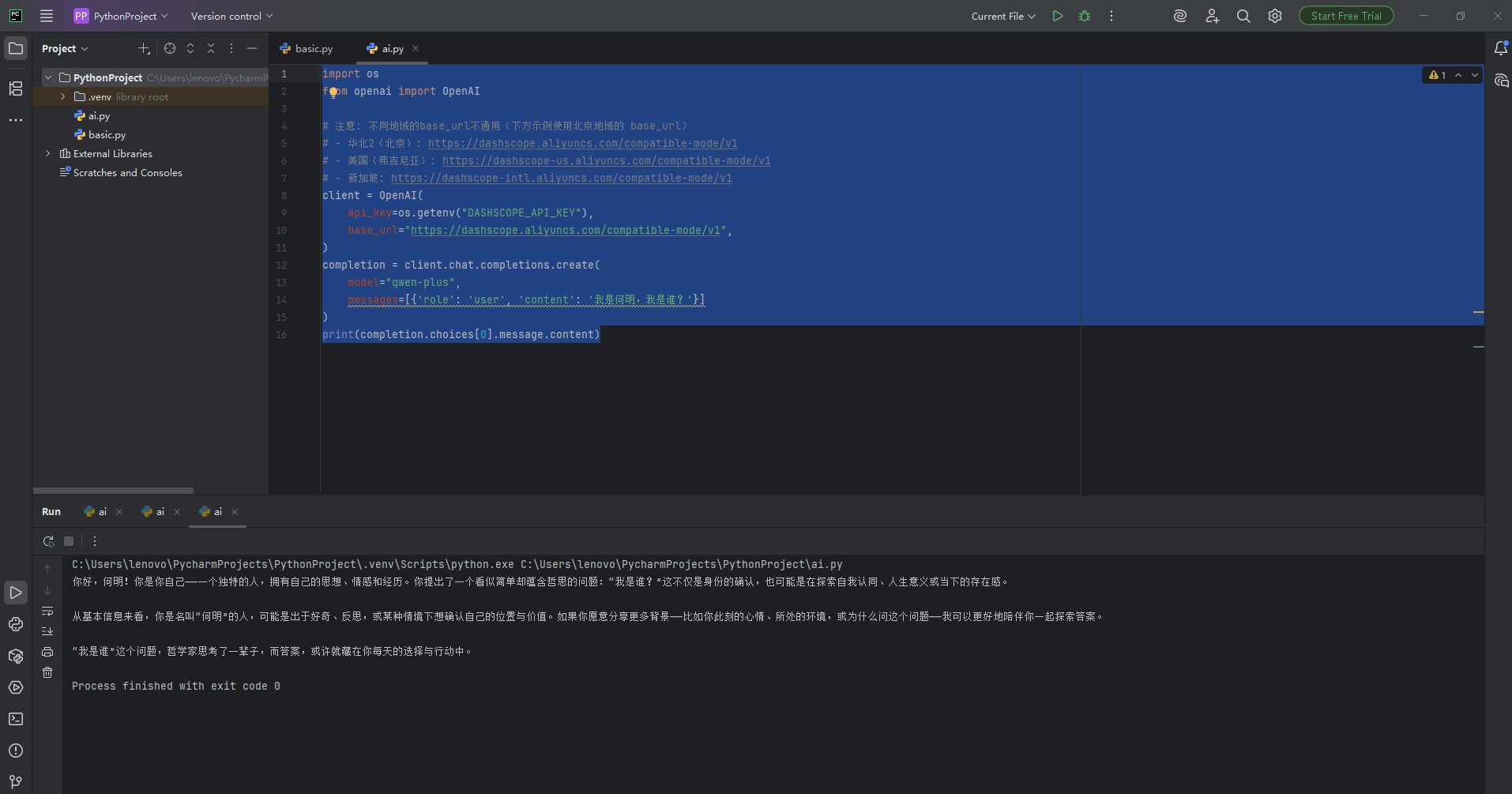
成功了,遇到了openai依赖无法安装的问题,找了pip install openai -i https://pypi.tuna.tsinghua.edu.cn/simple这个命令,使用了清华的地址。
还有需要创建API-key,
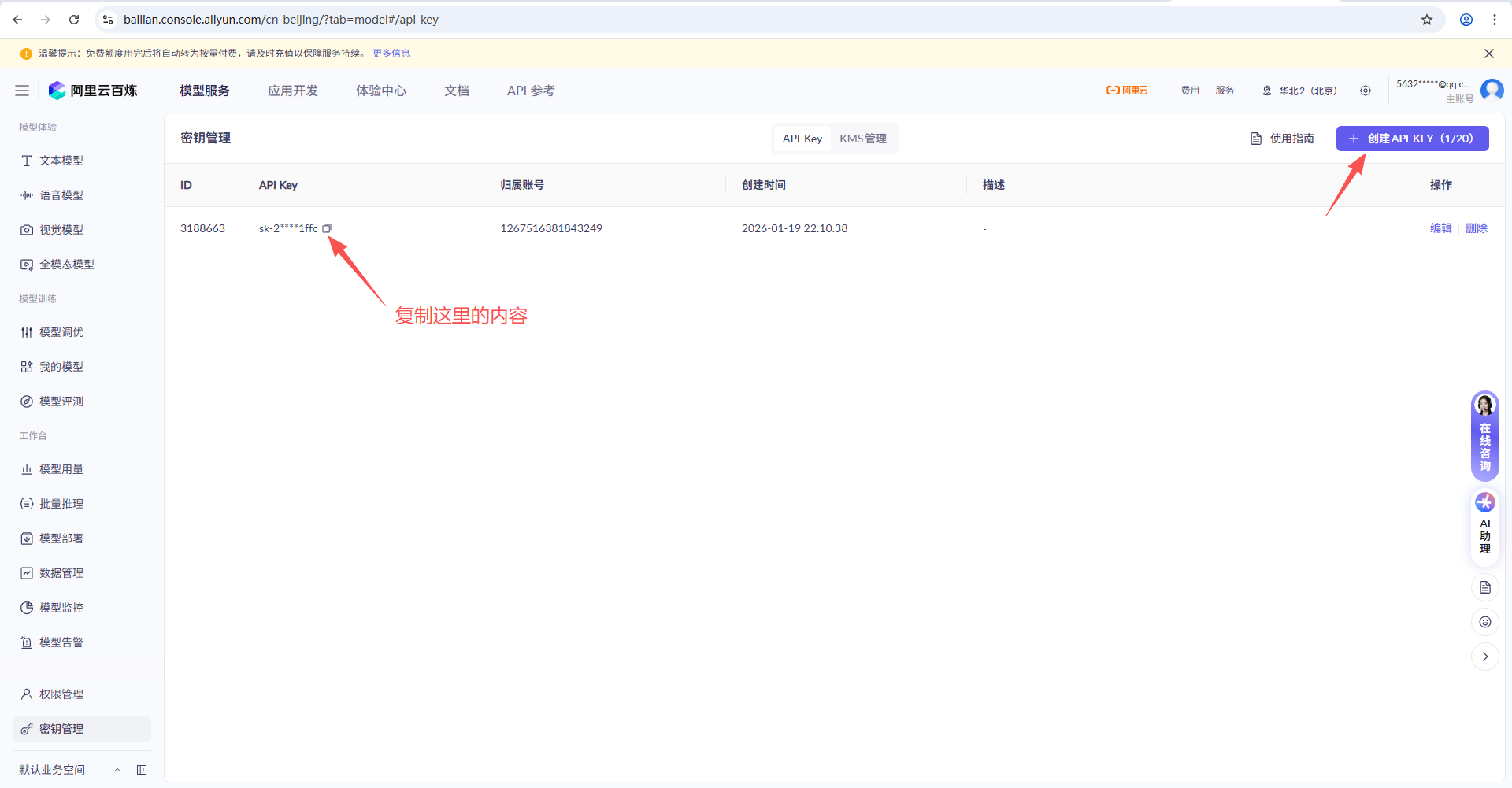
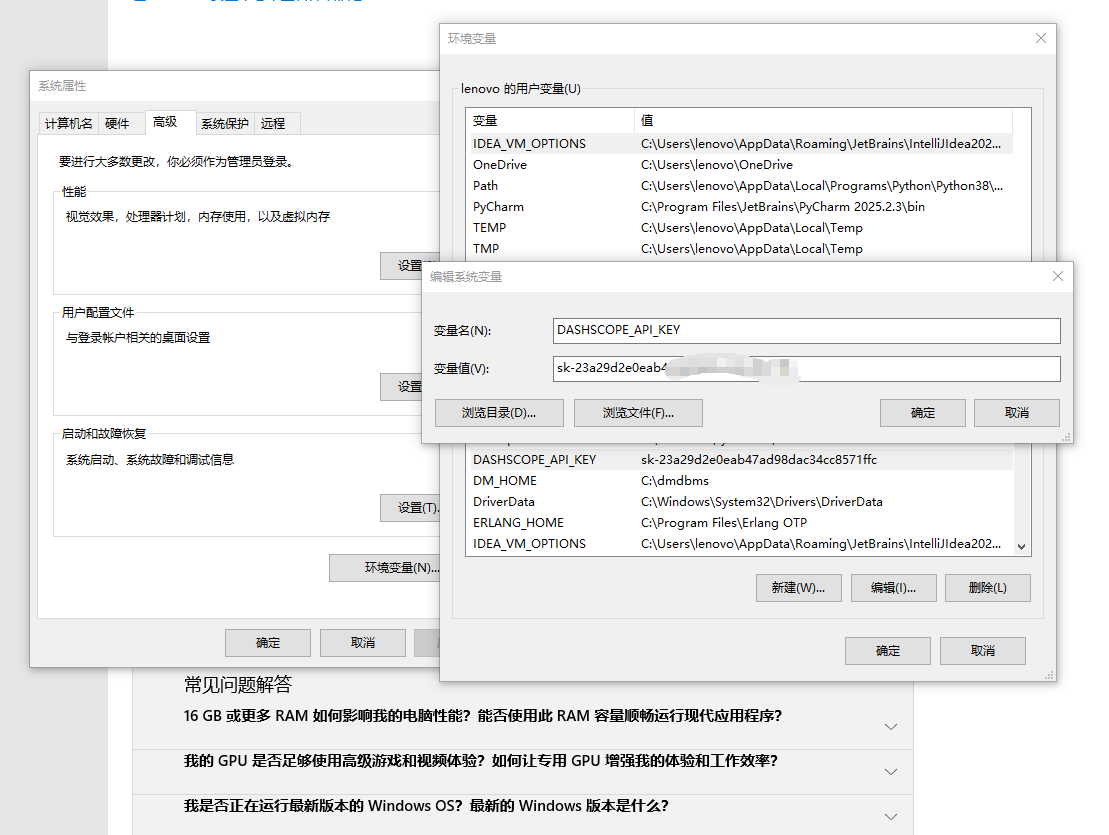
且把API-key设置到环境变量中。

腾讯云面向开发者汇聚海量精品云计算使用和开发经验,营造开放的云计算技术生态圈。
更多推荐
 0
0 0
0- 0


 已为社区贡献13条内容

所有评论(0)