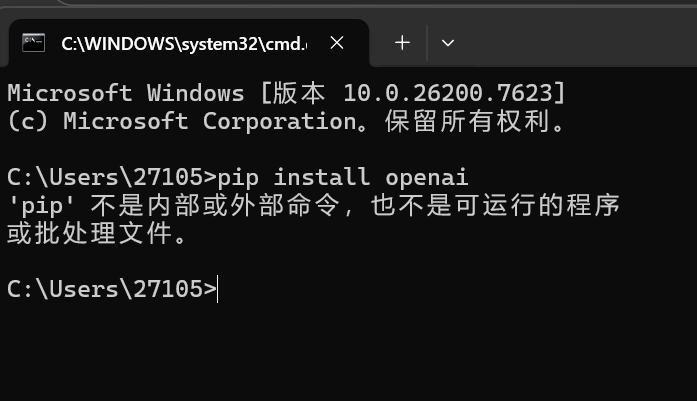
No module named ‘openai‘&pip install openai报错如何解决?
·
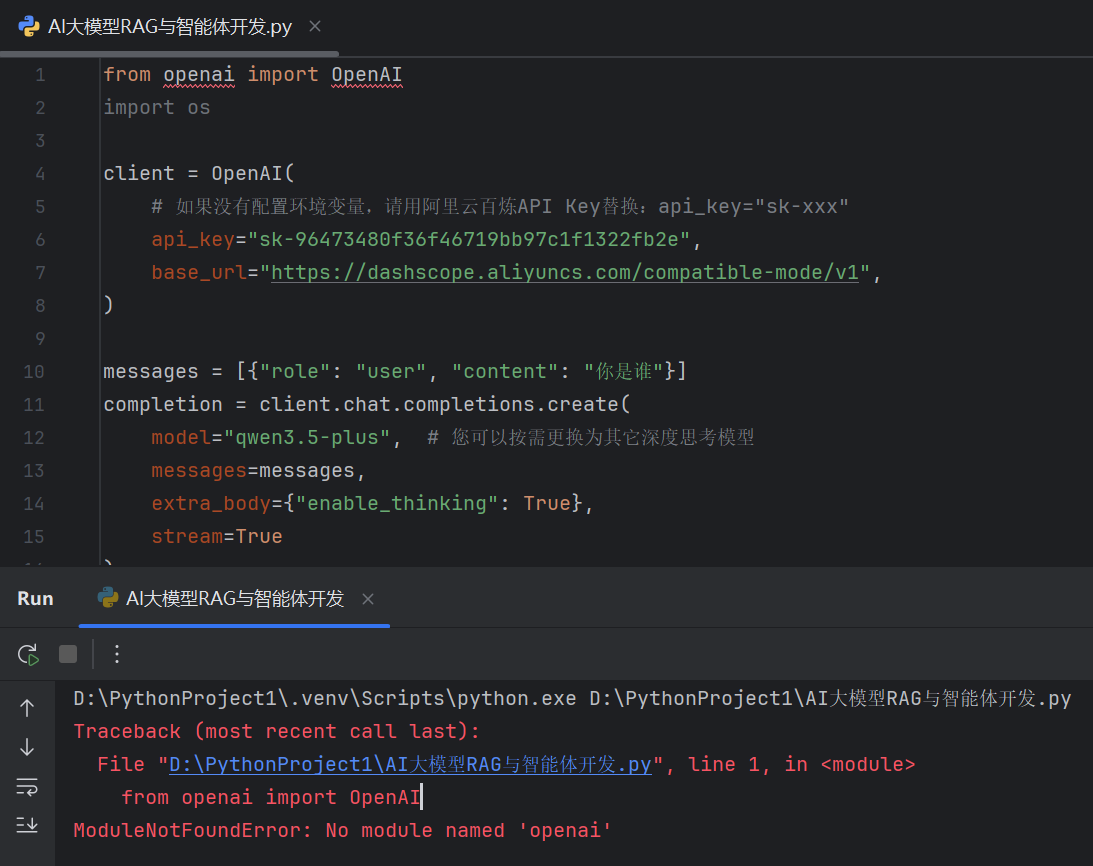
from openai import OpenAI
import os

client = OpenAI(
    # 如果没有配置环境变量,请用阿里云百炼API Key替换:api_key="sk-xxx"
    api_key="xxx",
    base_url="https://dashscope.aliyuncs.com/compatible-mode/v1",
)

messages = [{"role": "user", "content": "你是谁"}]
completion = client.chat.completions.create(
    model="qwen3.5-plus",  # 您可以按需更换为其它深度思考模型
    messages=messages,
    extra_body={"enable_thinking": True},
    stream=True
)
is_answering = False  # 是否进入回复阶段
print("\n" + "=" * 20 + "思考过程" + "=" * 20)
for chunk in completion:
    delta = chunk.choices[0].delta
    if hasattr(delta, "reasoning_content") and delta.reasoning_content is not None:
        if not is_answering:
            print(delta.reasoning_content, end="", flush=True)
    if hasattr(delta, "content") and delta.content:
        if not is_answering:
            print("\n" + "=" * 20 + "完整回复" + "=" * 20)
            is_answering = True
        print(delta.content, end="", flush=True)
D:\PythonProject1\.venv\Scripts\python.exe D:\PythonProject1\AI大模型RAG与智能体开发.py
Traceback (most recent call last):
  File "D:\PythonProject1\AI大模型RAG与智能体开发.py", line 1, in <module>
    from openai import OpenAI
ModuleNotFoundError: No module named 'openai'

腾讯云面向开发者汇聚海量精品云计算使用和开发经验,营造开放的云计算技术生态圈。
更多推荐
 2
2 0
0- 0


 已为社区贡献3条内容

所有评论(0)