vscode 使用插件 创建 qml项目
·
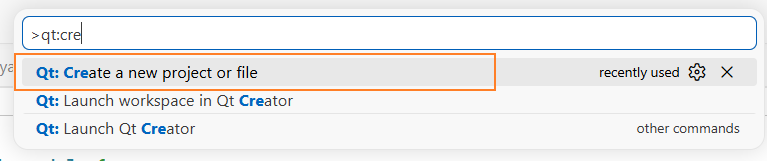
ctrl+shit+p,搜索Qt:Create a new project or file
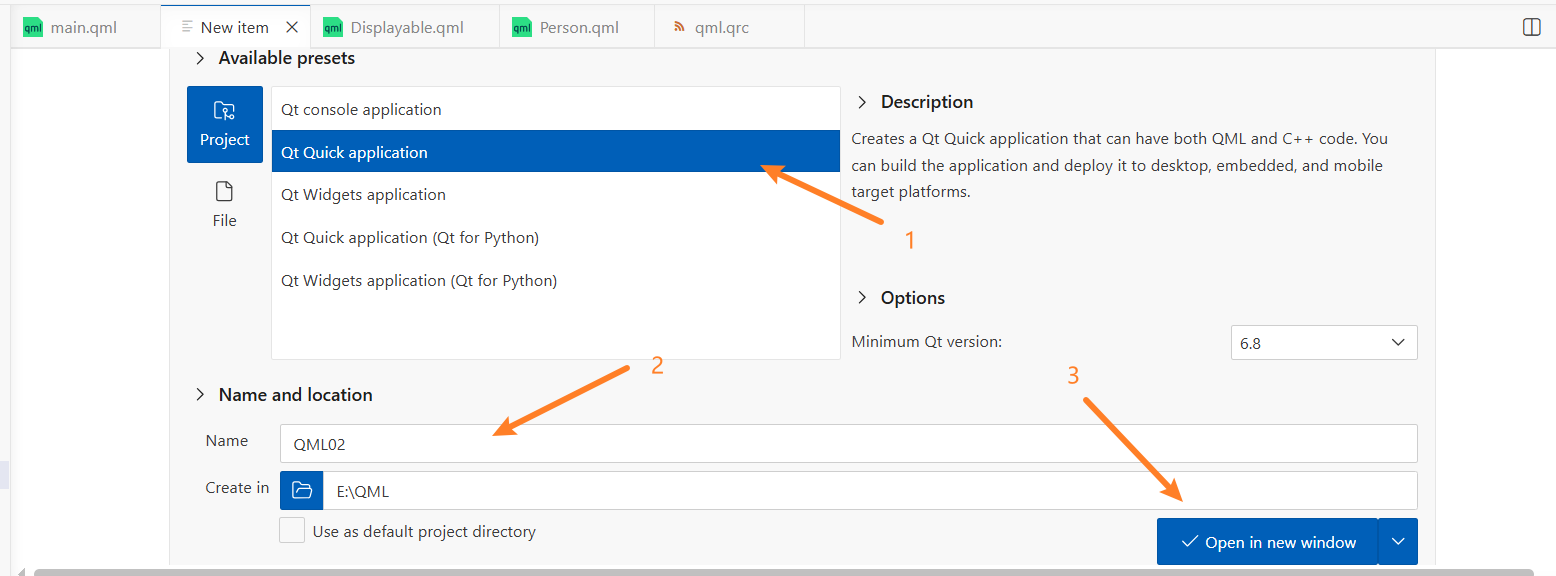
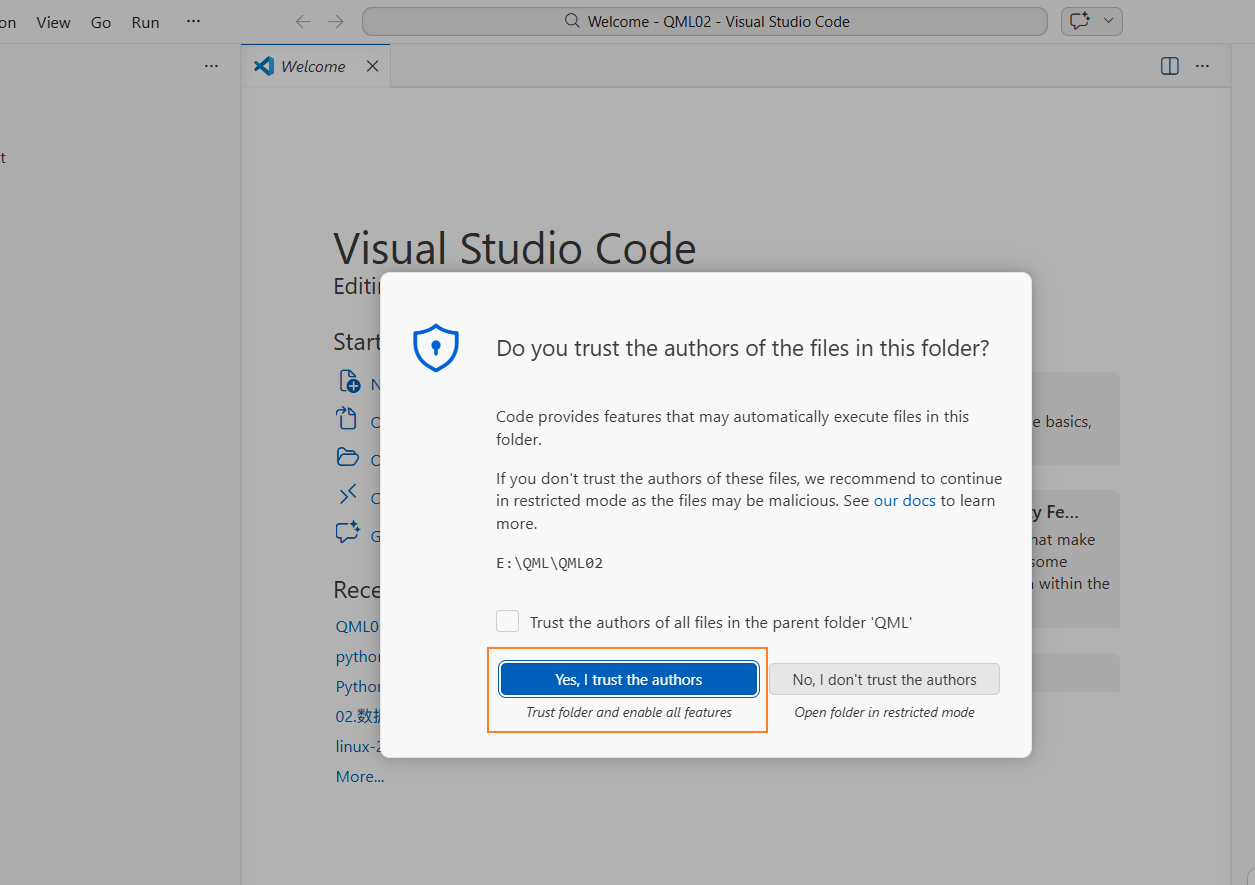
ctrl+shift+p输入preferences:Open User Settings(Json)
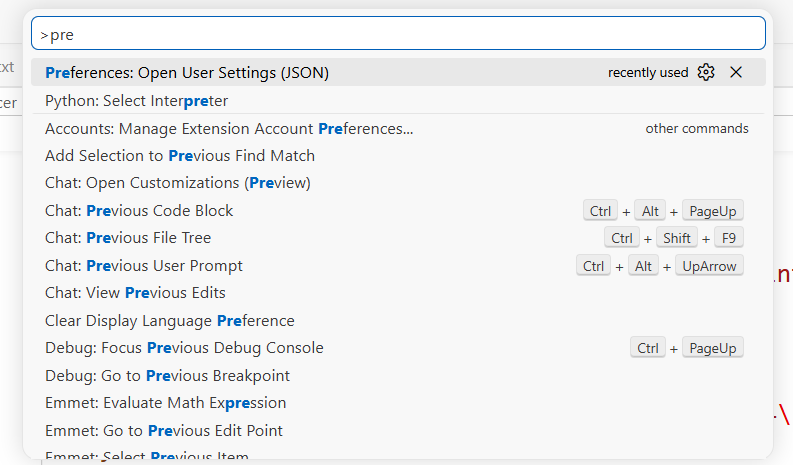
在Settings.json最后添加上"cmake.cmakePath":"你的cmake路径"。例如
{
    "workbench.colorTheme": "Default Light Modern",
    "editor.fontSize": 21,
    "python.defaultInterpreterPath": "F:\\Data_analysis_and_artificial_intelligence\\anaconda\\anaconda3\\python.exe",
    "workbench.editorAssociations": {
        "{hexdiff}:/**/*.*": "hexEditor.hexedit",
        "{git,gitlens,chat-editing-snapshot-text-model,copilot,git-graph,git-graph-3}:/**/*.qrc": "default",
        "*.qrc": "qt-core.qrcEditor"
    },
    "qt-core.additionalQtPaths": [
        {
            "name": "Qt-5.9.0-win32-g++_from_PATH",
            "path": "E:\\qtCreator\\Qt5.9.0\\5.9\\mingw53_32\\bin\\qtpaths.EXE"
        },
        {
            "name": "Qt-5.15.2-win32-msvc_from_PATH",
            "path": "F:\\Data_analysis_and_artificial_intelligence\\anaconda\\anaconda3\\Library\\bin\\qtpaths.EXE"
        },
        {
            "name": "Qt-6.8.3-win32-g++_from_PATH",
            "path": "E:\\qtCreator\\Qt\\6.8.3\\mingw_64\\bin\\qtpaths.EXE"
        }
    ],
    "qt-support.qtInstallDirectories": [],
    "cmake.additionalKits": [
        "C:\\Users\\Acer\\AppData\\Local\\qt-support\\qt-kits.json"
    ],
    "cmake.cmakePath":"E:\\qtCreator\\Qt\\Tools\\CMake_64\\bin\\cmake.exe"
}
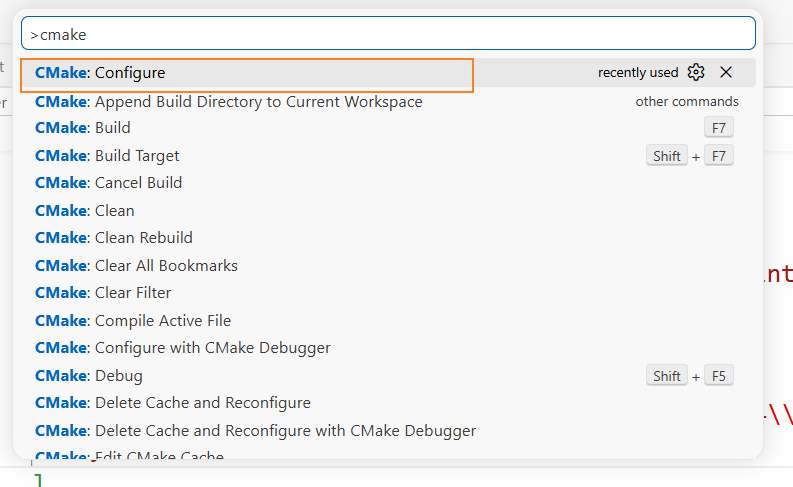
ctrl+shift+p CMake:Configure
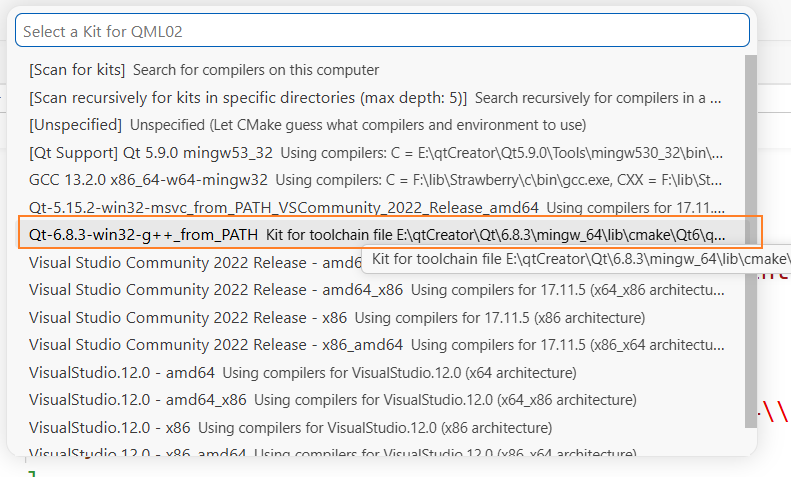
选择Qt-6.8.3
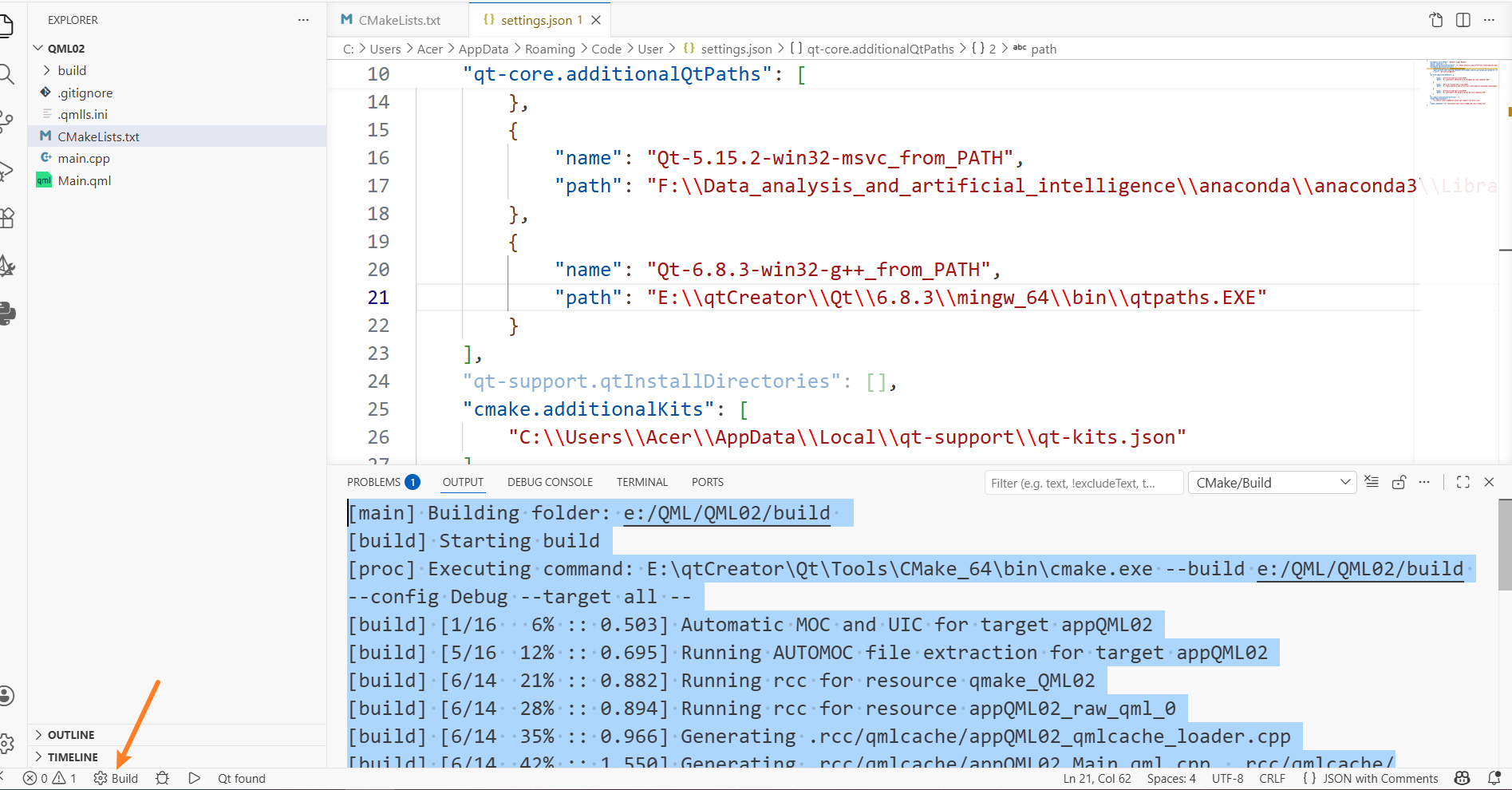
点击构建
再点击运行
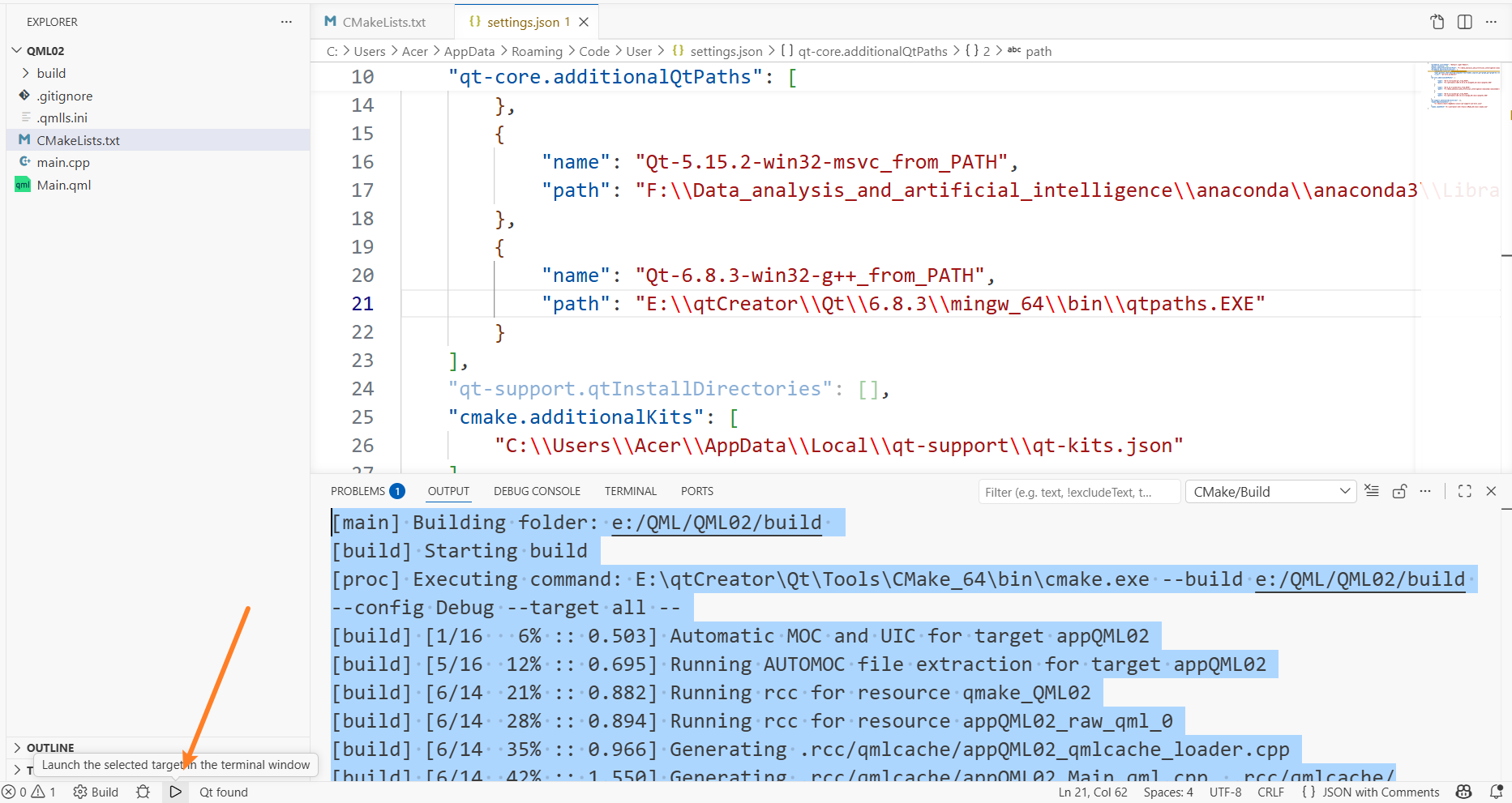
选择这个运行
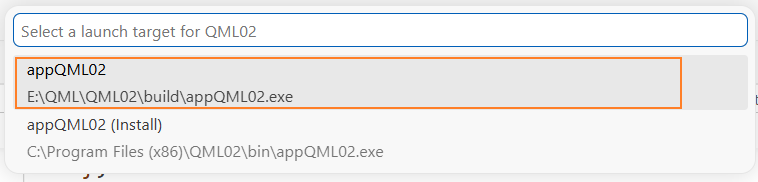
但是这个运行无法获取qt的输出
ctrl+shift+p Tasks:Configure Task
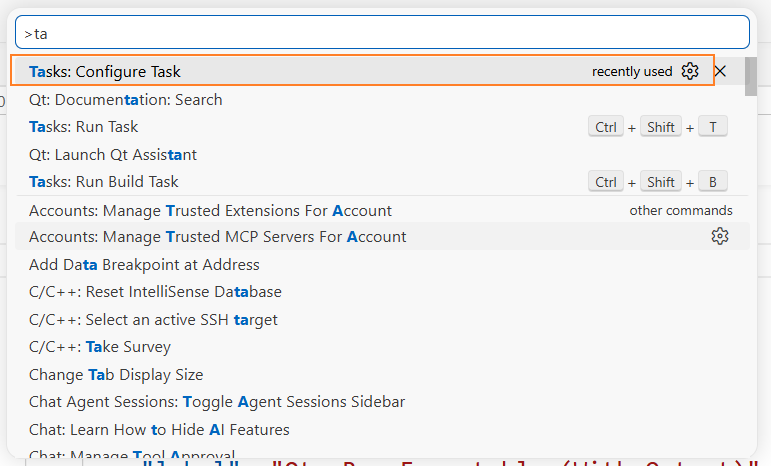
选择Cmake:build
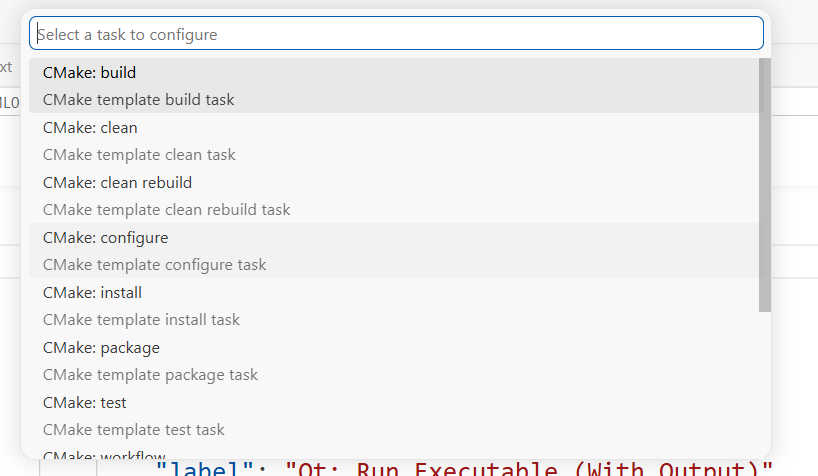
{
    "version": "2.0.0",
    "tasks": [
        {
            "type": "cmake",
            "label": "CMake: build",
            "command": "build",
            "targets": [
                "all"
            ],
            "group": "build",
            "problemMatcher": [],
            "detail": "CMake template build task"
        },{
            "label": "Qt: Run Executable (With Output)",
            "type": "shell",
            "command": "powershell",
            "args": [
                "-Command",
                "cd '${workspaceFolder}/build'; $env:QT_ASSUME_STDERR_HAS_CONSOLE=1; .\\appQML02.exe 2>&1 | Write-Host"
            ],
            "group": {
                "kind": "test",
                "isDefault": false
            },
            "dependsOn": "CMake: build",
            "presentation": {
                "echo": true,
                "reveal": "always",
                "focus": false,
                "panel": "shared"
            },
            "problemMatcher": []
        }

    ]
}
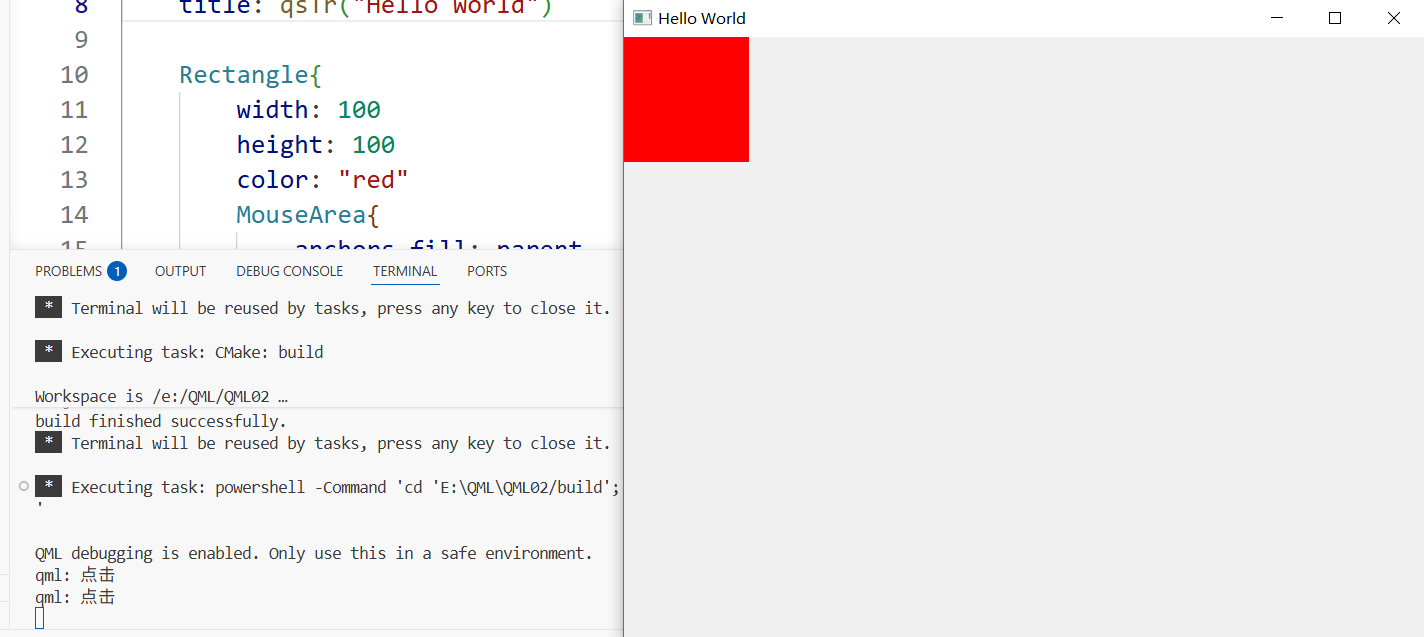
下面是测试输出是否可行的代码
import QtQuick
import QtQuick.Controls

ApplicationWindow {
    width: 640
    height: 480
    visible: true
    title: qsTr("Hello World")

    Rectangle{
        width: 100
        height: 100
        color: "red"
        MouseArea{
            anchors.fill: parent
            onClicked: function(){
                console.log("点击")
            }
        }
    }
}
ctrl+shift+t
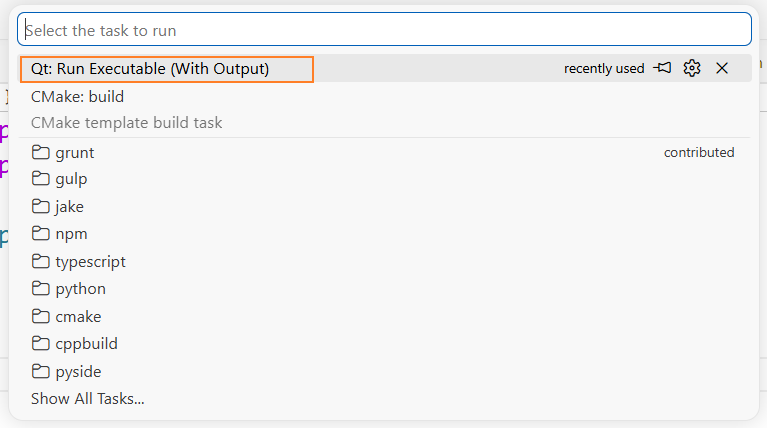

腾讯云面向开发者汇聚海量精品云计算使用和开发经验,营造开放的云计算技术生态圈。
更多推荐
 3
3 0
0- 0


 已为社区贡献1条内容

所有评论(0)