最新版eclipse支持java8
·
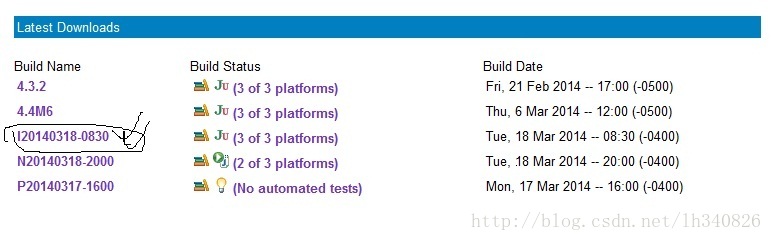
eclipse SDK的最新版本 Version: Luna (4.4) Build id: I20140318-0830 下载链接:http://download.eclipse.org/eclipse/downloads/
1. 选择下图选定的版本:
2. 选择你系统对应的SDK,本人的是下图指定的版本,(X86系统)
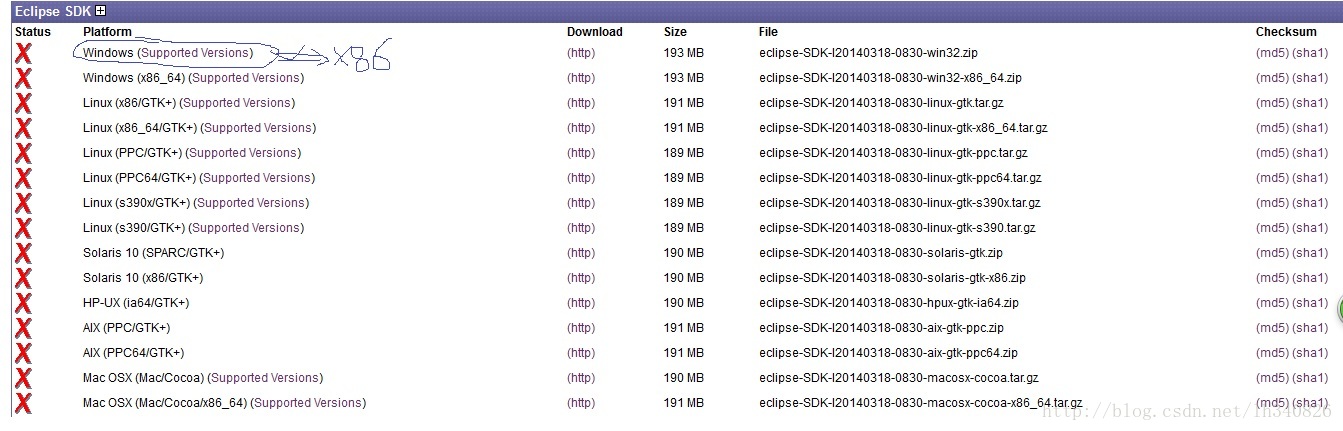
3. 下载好之后,解压打开eclipse。要使用java8的特性,你还需要安装JDK1.8,这个就不详述了。然后eclipse里面需要配置一下。
在window--->preference里面设置如下图:

选择compiler设置编译器的版本,我们选择1.8的,如下图:

最后,设置JDK路径就行了。如下图,我的jdk1.8是安装在“D:\Program Files\Java\jdk1.8.0”

然后新建一个java 工程测试一下java 8 的lambda表达式==测试结果如下:

代码:
public class Calculator {

    interface IntegerMath {
        int operation(int a, int b);
    }

    public int operateBinary(int a, int b, IntegerMath op) {
        return op.operation(a, b);
    }

    public static void main(String... args) {

        Calculator myApp = new Calculator();
        IntegerMath addition = (a, b) -> a + b;
        IntegerMath subtraction = (a, b) -> a - b;
        System.out.println("40 + 2 = " +
            myApp.operateBinary(40, 2, addition));
        System.out.println("20 - 10 = " +
            myApp.operateBinary(20, 10, subtraction));
    }
}

腾讯云面向开发者汇聚海量精品云计算使用和开发经验,营造开放的云计算技术生态圈。
更多推荐
 1
1 0
0- 0


 已为社区贡献1条内容

所有评论(0)