push到github时,每次都要输入用户名和密码的问题
·
问题
在github.com上 建立了一个小项目,可是在每次push 的时候,都要输入用户名和密码,很是麻烦
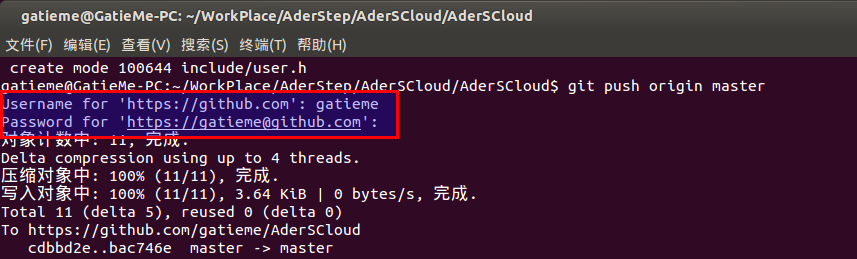
原因
原因是使用了https方式 push
这种方式产生的原因,一般是我们clone是一定是使用了http的方式
例如我们在github上创建了一个项目,然后我们clone到本地时使用了http而非git
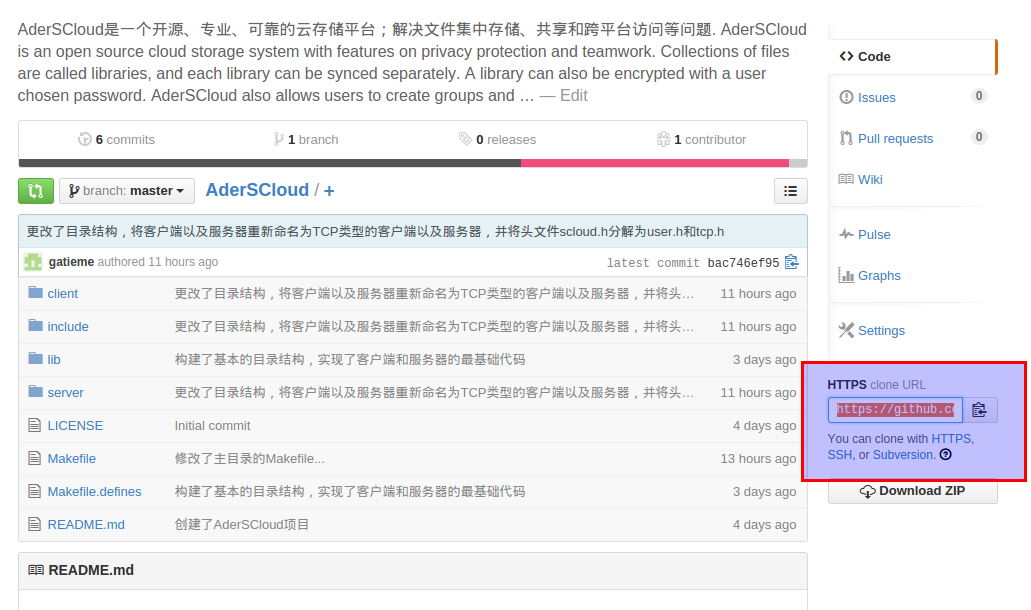
我们可以看到右端的项目地址,默认是http的,clone时
git clone https://github.com/gatieme/AderSCloud.git如果使用ssh的话,应该使用的路径是
git clone git://github.com/gatieme/AderSCloud.git解决
在termail里边 输入
git remote -v 可以看到形如一下的返回结果
origin  git@github.com:gatieme/AderSCloud.git (fetch)
origin  git@github.com:gatieme/AderSCloud.git (push)
下面把它换成ssh方式的。
移出旧的http的origin
git remote rm origin添加新的git方式的origin
git remote add origin git@github.com:gatieme/AderSCloud.git
我们在查看一下push方式
git remote -v
再次push一下,已经不需要输入用户名密码了
git push origin 

腾讯云面向开发者汇聚海量精品云计算使用和开发经验,营造开放的云计算技术生态圈。
更多推荐
 0
0 0
0- 0


 已为社区贡献3条内容

所有评论(0)