spring boot 自定义logback日志配置文件
spring boot默认使用logback做为日志框架,如果你想使用其他日志系统,可以在application.properties使用org.springframework.boot.logging.LoggingSystem 来切换日志系统框架或者直接把value设置为none来禁止日志系统框架
这里我们用spring boot默认的Logback日志框架,要使用自定义配置,只要定好xml文件,然后按约定命名,如logback-spring.xml, logback-spring.groovy, logback.xml或者logback.groovy,放于classpath的根目录下或者,或者直接通过在application.properties配置文件中通过logging.config来指定具体的路径
这里我们就定义一个xml文件命名为logback-spring.xml放于classpath根目录下
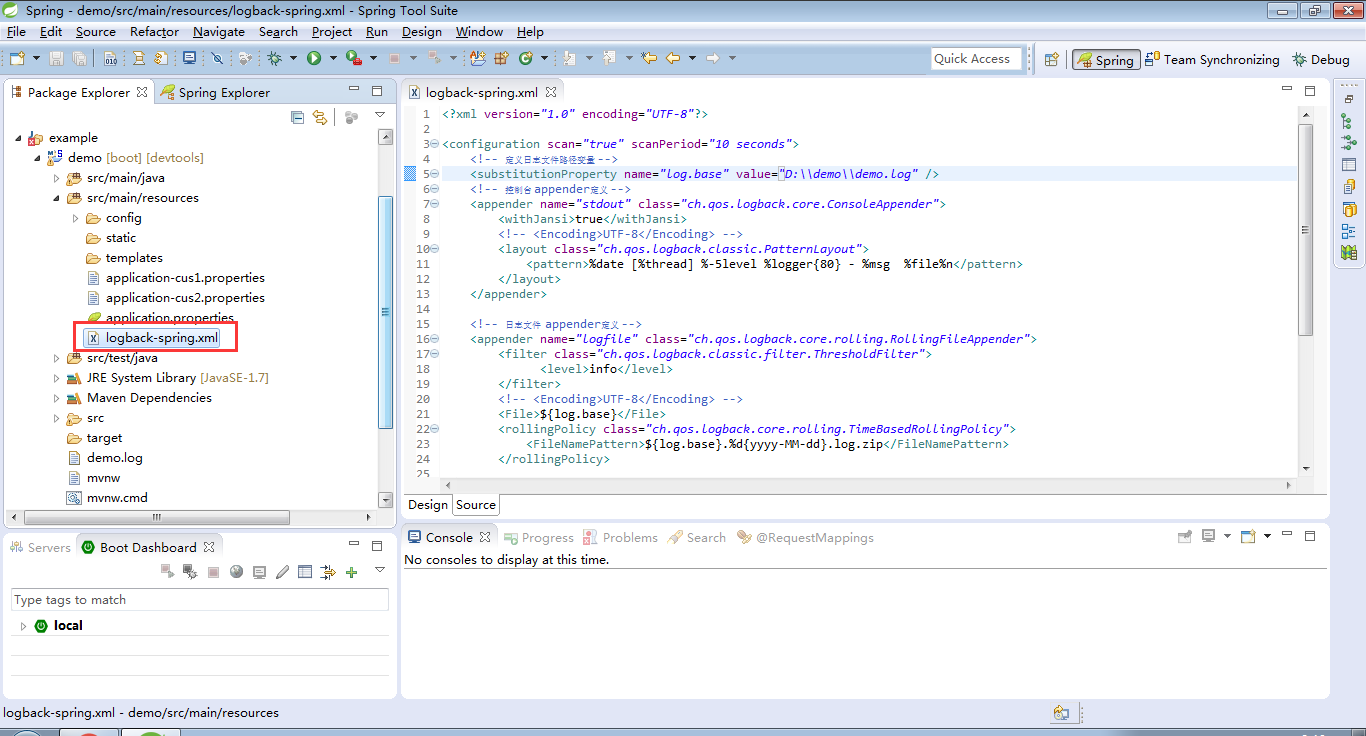
关于logback日志文件的配置详细,可以参考下http://blog.csdn.net/yingxiake/article/details/51274426。
这里要说,我们在demo中使用的logback的日志文件命名是logback-spring.xml,而不是logback.xml,原因是,命名为logback-spring.xml的日志配置文件,spring boot可以为它添加一些spring boot特有的配置项。
首先第一个配置是springProfile节点,springProfile节点可以配置日志文件的任何节点位置,然后可以在application.properties配置文件中,通过spring.profiles来切换profile节点
<springProfile name="staging">
    <!-- configuration to be enabled when the "staging" profile is active -->
</springProfile>

<springProfile name="dev, staging">
    <!-- configuration to be enabled when the "dev" or "staging" profiles are active -->
</springProfile>

<springProfile name="!production">
    <!-- configuration to be enabled when the "production" profile is not active -->
</springProfile>
第二个就是设置环境变量springProperty节点,这个类似于日志文件中的property节点,但提供了scope生命周期节点以及defaultValue默认值
<springProperty scope="context" name="fluentHost" source="myapp.fluentd.host"
        defaultValue="localhost"/>
<appender name="FLUENT" class="ch.qos.logback.more.appenders.DataFluentAppender">
    <remoteHost>${fluentHost}</remoteHost>
    ...
</appender>
这个自定义日志,最重要的还是怎么去配置logback本身的内容,同学们应该先去了解下logback日志框架

腾讯云面向开发者汇聚海量精品云计算使用和开发经验,营造开放的云计算技术生态圈。
更多推荐
 1
1 0
0- 0


 已为社区贡献8条内容

所有评论(0)