[ IJ ] the file size(xxx M) exceeds configured limit(xxx M).Code insight features are not available
·
一、问题表现:
背景:在IntelliJ IDEA中 编辑某个项目
1.某个java类确定存在项目中,却在引用处提示找不到该类,引用报红色,提示找不到类
2.对应的类文件中提示
the file size(xxx M) exceeds configured limit(xxx M).Code insight features are not available
3.对应的文件显示为 **.java 与其他文件不同,没有显示该文件是一个Class
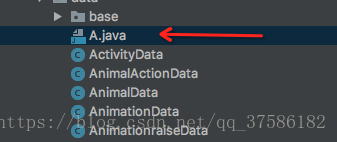
二、原因:该文件字节过大
#---------------------------------------------------------------------
# Maximum file size (kilobytes) IDE should provide code assistance for.
# The larger file is the slower its editor works and higher overall system memory requirements are
# if code assistance is enabled. Remove this property or set to very large number if you need
# code assistance for any files available regardless their size.
#---------------------------------------------------------------------
idea.max.intellisense.filesize=2500
IDE提供代码帮助的文件最大大小(千字节)
越大的文件越慢,它的编辑器工作越慢,整个系统的内存需求就越高。
如果启用了代码支持。如果您需要,删除此属性或设置为非常大的数字。
为任何文件提供代码帮助,不管它们的大小。
IDEA对能关联的文件大小做了限制,主要是为了保护内存,默认值为(idea.max.intellisense.filesize = 2500kb),对于一般的java文件也够用了,如果有大于该限制的文件,若想要idea 提供代码支持则需修改限制值大小
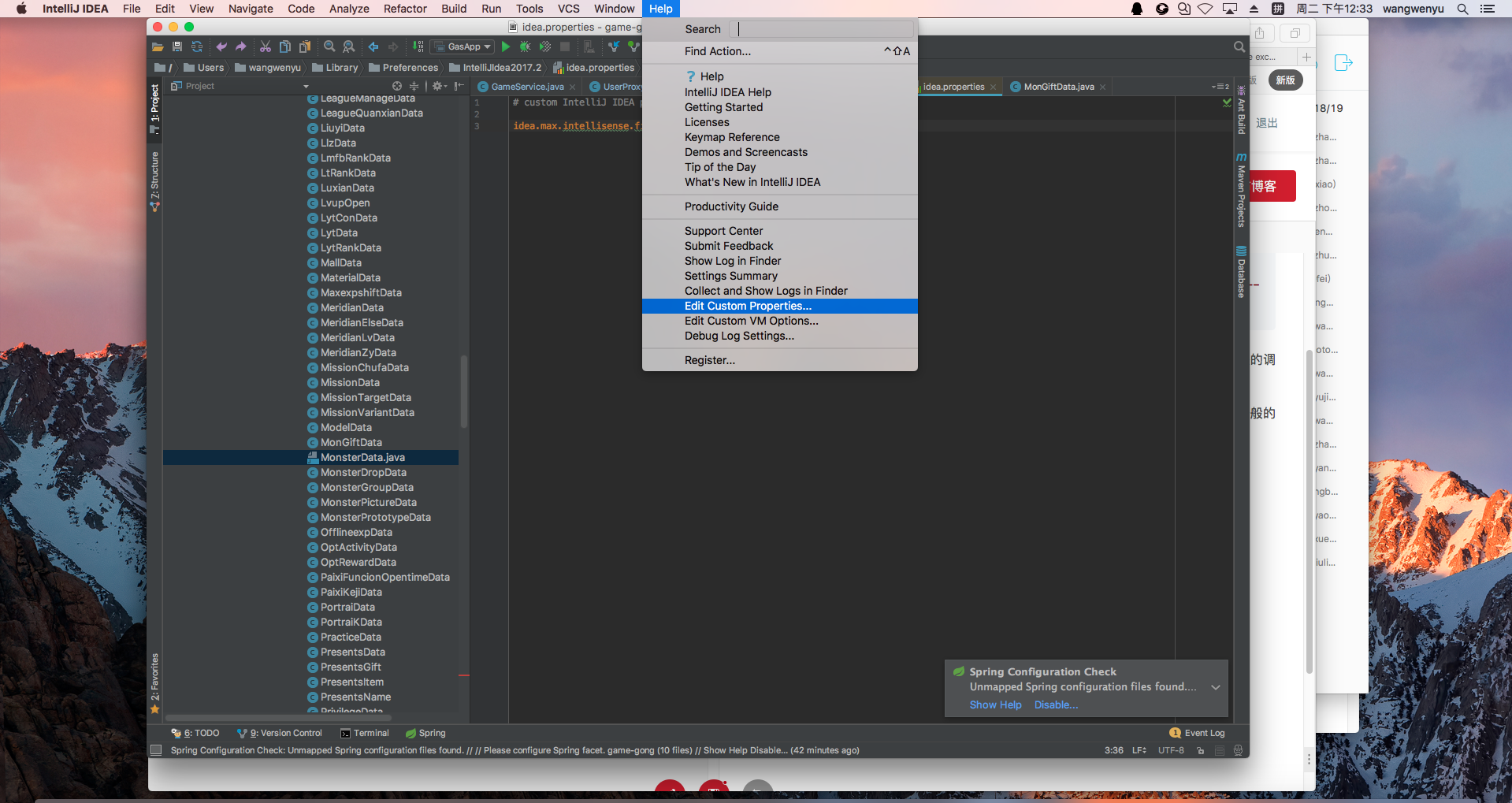
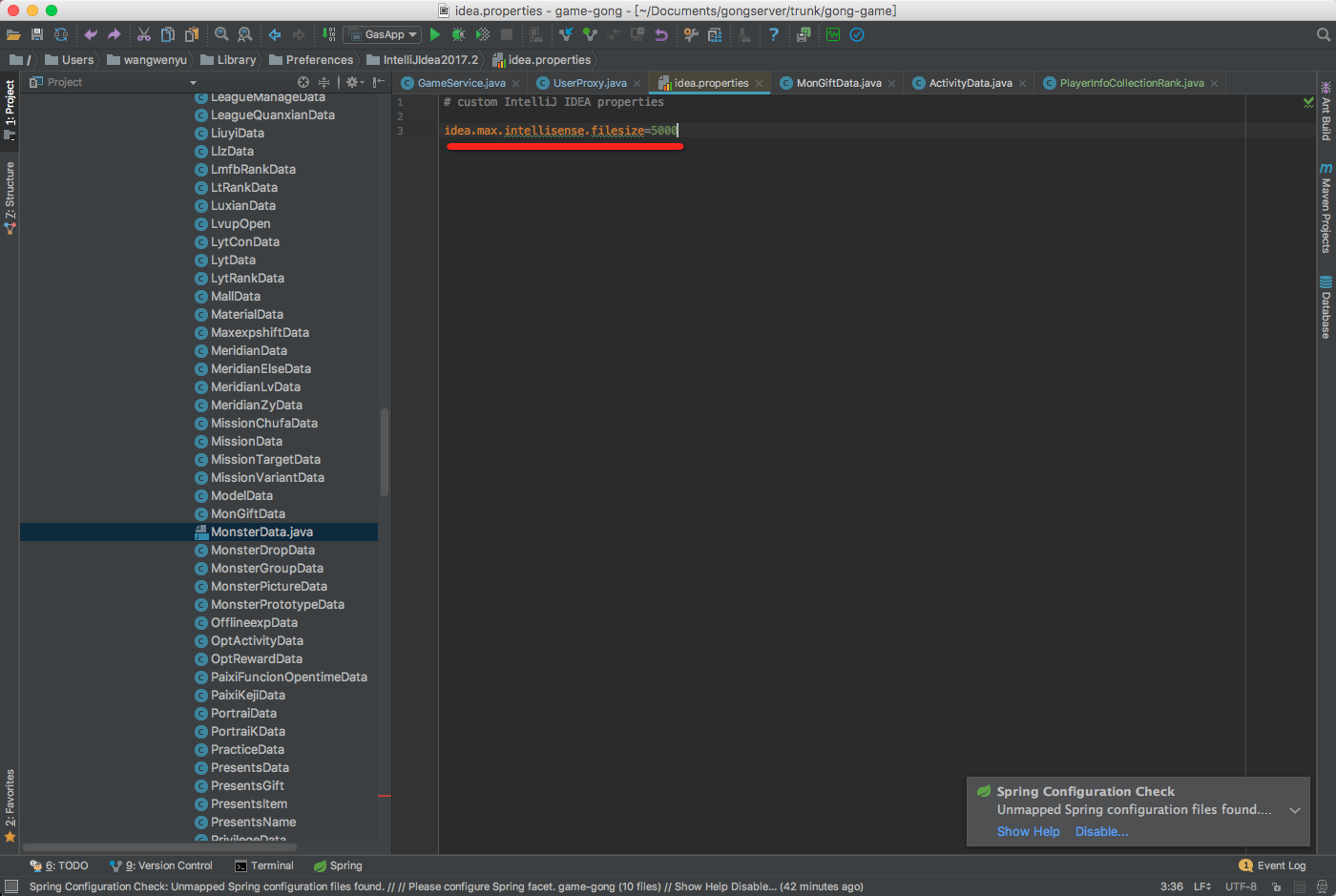
三、解决方法:重新设置idea.max.intellisense.filesize的值
- 步骤1
- 步骤2
- 步骤3 restart idea

腾讯云面向开发者汇聚海量精品云计算使用和开发经验,营造开放的云计算技术生态圈。
更多推荐
 11
11 0
0- 0


 已为社区贡献1条内容

所有评论(0)