【2】node.js-eCharts柱状图-加载本地json文本数据
·
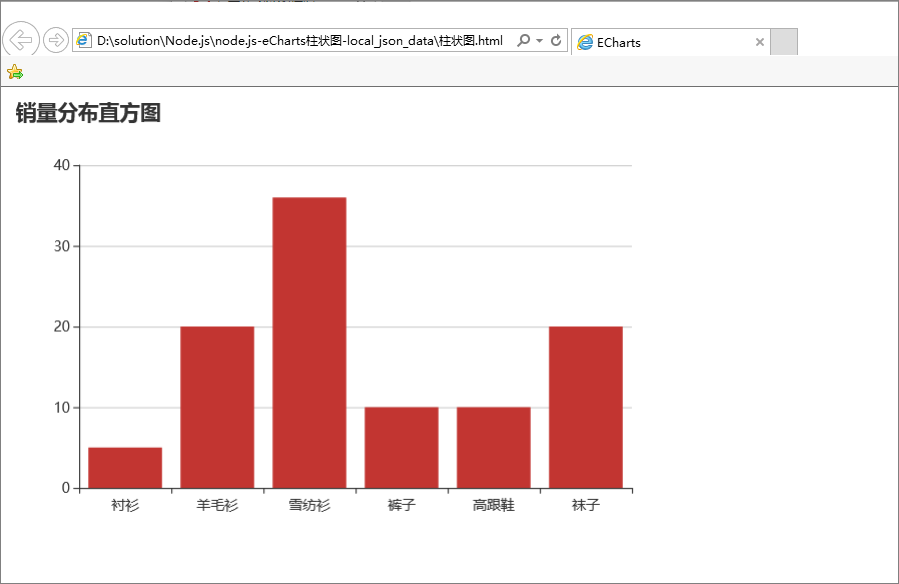
本Demo使用最少的代码,最少的数据将EChart柱状图在Web页面上绘制出来。
Node环境搭建参考:node.js安装与启动
其中数据来自于Node.js服务从本地json文件中读取的json格式的文本数据。
Web页面内部使用Ajax请求来向Node.js要数据,收到Node.js的数据之后就交给EChart来显示。
麻雀虽小五脏俱全!
可以作为Node.js的最小Demo了。我的 QQ3508551694
 3508551694
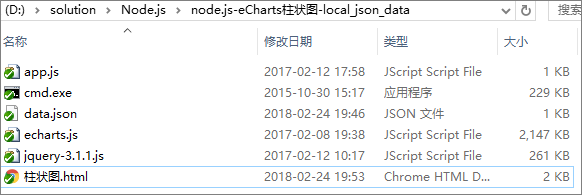
服务端app.js代码
var http = require("http");
var fs = require("fs");

function onRequest(request, response){
  console.log("Request received.");
  response.writeHead(200,{"Content-Type":'text/plain','charset':'utf-8','Access-Control-Allow-Origin':'*','Access-Control-Allow-Methods':'PUT,POST,GET,DELETE,OPTIONS'});

  str=fs.readFileSync('data.json');
  console.log('data.json : '+str);
  response.write(str);
  response.end();
}

http.createServer(onRequest).listen(8080);

console.log("Server has started.port on 8080\n");

腾讯云面向开发者汇聚海量精品云计算使用和开发经验,营造开放的云计算技术生态圈。
更多推荐
 0
0 0
0- 0


 已为社区贡献3条内容

所有评论(0)