opencv读取彩色/灰度图片像素值并存储在本地文件中c++代码实例及运行结果
·
c++代码彩色图片
#include<opencv2/opencv.hpp>
#include<fstream>
using namespace std;
using namespace cv;

int main(int argc, char* argv[])
{
	Mat img = imread("1.jpg");
	if (img.empty())
	{
		cout << "图片读取错误,请检查" << endl;
		exit(1);
	}
	int pixelR, pixelG, pixelB;//像素rgb的值
	ofstream output("pixelValue.txt");//没有此文件则重新创建,在项目中
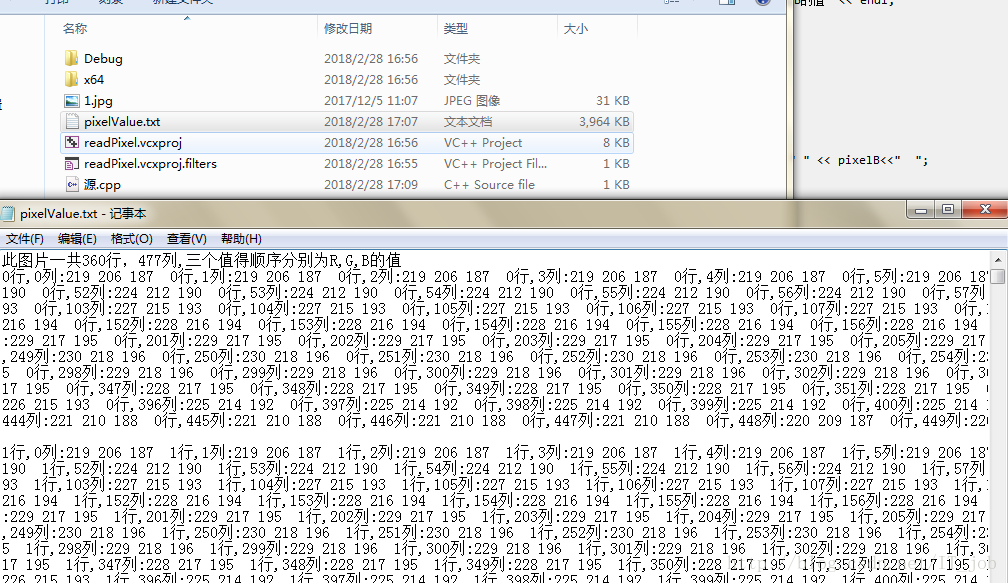
	output << "此图片一共" << img.rows << "行," << img.cols << "列,三个值得顺序分别为R,G,B的值" << endl;
	for (int r = 0; r < img.rows; r++)
	{
		for (int c = 0; c < img.cols; c++)
		{
			pixelB = img.at<Vec3b>(r, c)[0];
			pixelG = img.at<Vec3b>(r, c)[1];
			pixelR = img.at<Vec3b>(r, c)[2];
			output << r << "行," << c << "列:" << pixelR << " " << pixelG << " " << pixelB<<"  ";
		}
		output << endl<<endl;
	}
}
运行结果
c++代码灰度图片
#include<opencv2/opencv.hpp>
#include<fstream>
using namespace std;
using namespace cv;

int main(int argc, char* argv[])
{
	Mat img = imread("4.jpg");
	cvtColor(img, img, CV_BGR2GRAY);
	if (img.empty())
	{
		cout << "图片读取错误,请检查" << endl;
		exit(1);
	}
	int grayValue;
	ofstream output("4.txt");//没有此文件则重新创建,在项目中
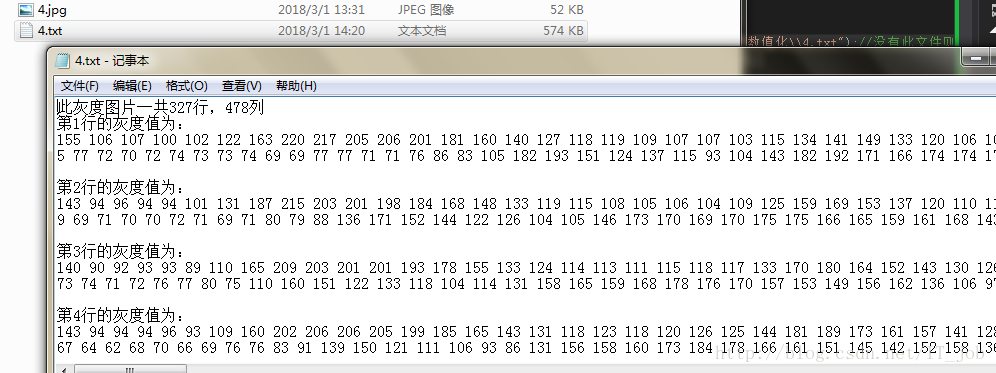
	output << "此灰度图片一共" << img.rows << "行," <<img.cols<<"列" << endl;
	for (int r = 0; r < img.rows; r++)
	{
		output << "第" << r+1 << "行的灰度值为:" << endl;
		for (int c = 0; c < img.cols; c++)
		{
			grayValue = (int)img.at<uchar>(r,c);
			output << grayValue<<" ";
		}
		output << endl << endl;
	}
}
运行结果

腾讯云面向开发者汇聚海量精品云计算使用和开发经验,营造开放的云计算技术生态圈。
更多推荐
 9
9 0
0- 0


 已为社区贡献10条内容

所有评论(0)