《ReactNative》之混合开发多入口跳转问题
·
在Android原生应用中集成ReactNative时,可能会有这样的需求,就是在原生端多个入口都需要进入RN界面,在这种情况下,多次使用AppRegistry注册RN应用会出现问题。
解决方法:
只需要编写一个ReactActivity,通过原生向RN端传值的方式跳转不同的RN界面。这样RN端的入口也只有一个。
为了测试,我在原生界面放两个按钮来跳转到RN界面。
1. 编写原生端界面xml文件
<?xml version="1.0" encoding="utf-8"?>
<android.support.constraint.ConstraintLayout xmlns:android="http://schemas.android.com/apk/res/android"
    xmlns:app="http://schemas.android.com/apk/res-auto"
    xmlns:tools="http://schemas.android.com/tools"
    android:layout_width="match_parent"
    android:layout_height="match_parent"
    tools:context="com.example.qyp.myapplication.MainActivity">
    <Button
        android:id="@+id/btn1"
        android:layout_width="wrap_content"
        android:layout_height="wrap_content"
        android:text="点击进入RN第一个页面"
        app:layout_constraintBottom_toBottomOf="parent"
        app:layout_constraintLeft_toLeftOf="parent"
        app:layout_constraintRight_toRightOf="parent"
        app:layout_constraintTop_toTopOf="parent" />

    <Button
        android:id="@+id/btn2"
        android:layout_width="wrap_content"
        android:layout_height="wrap_content"
        android:text="点击进入ReactNative第二个页面"
        android:layout_marginTop="100dp"
        app:layout_constraintBottom_toBottomOf="parent"
        app:layout_constraintLeft_toLeftOf="parent"
        app:layout_constraintRight_toRightOf="parent"
        app:layout_constraintTop_toTopOf="parent"
         />
</android.support.constraint.ConstraintLayout>
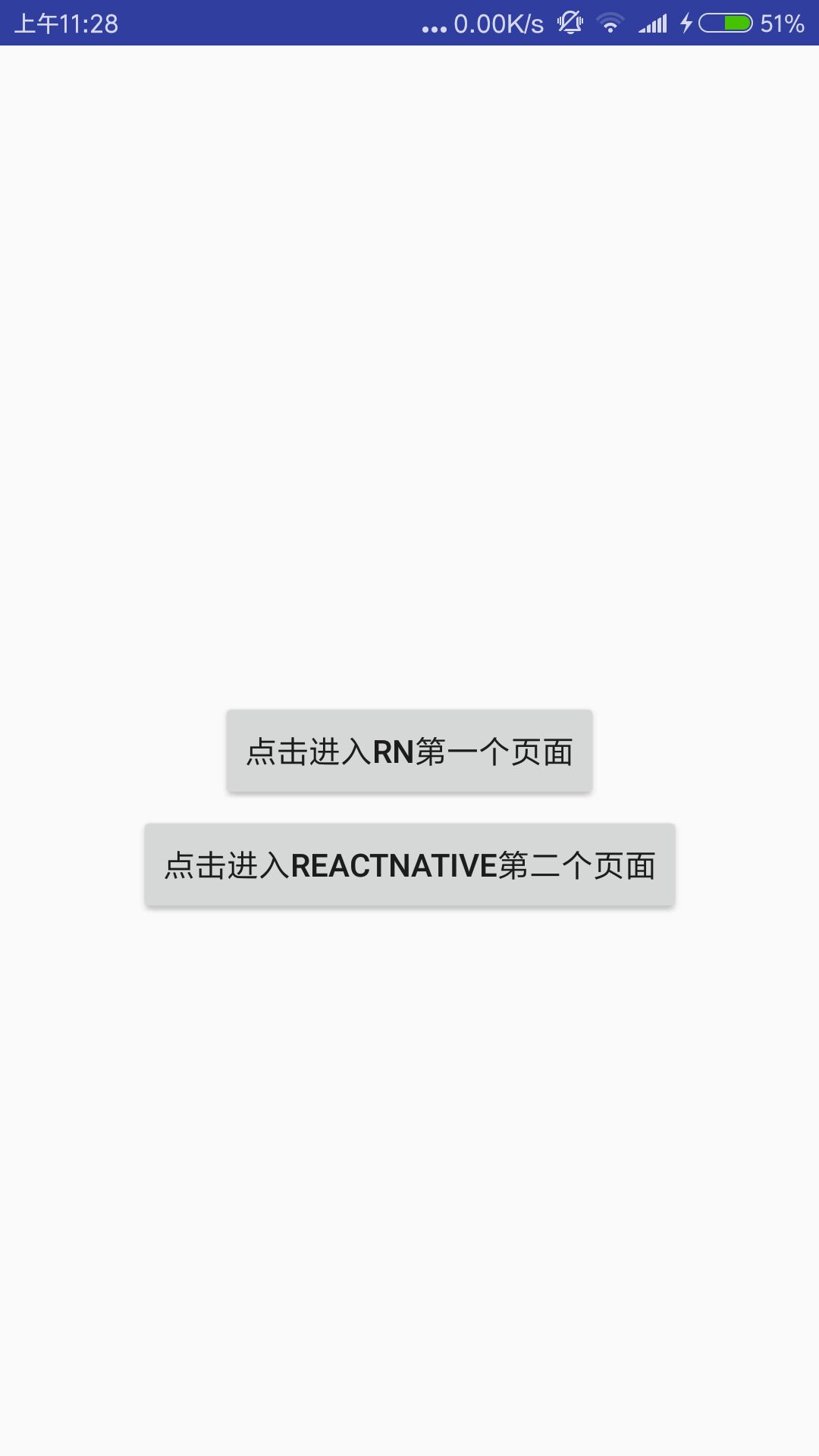
2. 在MainActivity中点击按钮跳转时传值到ReactActivity
import android.app.Activity;
import android.content.Intent;
import android.os.Bundle;
import android.view.View;
import android.widget.Button;
import android.widget.Toast;

public class MainActivity extends Activity {

    @Override
    protected void onCreate(Bundle savedInstanceState) {
        super.onCreate(savedInstanceState);
        setContentView(R.layout.activity_main);

        Button btn = (Button)findViewById(R.id.btn1);
		//第一个按钮跳转事件
        btn.setOnClickListener(new View.OnClickListener() {
            @Override
            public void onClick(View v) {
                Intent intent = new Intent(getApplicationContext(),MyReactActivity.class);
				//传值
                intent.putExtra("componentName","First");
                startActivity(intent);
            }
        });

        Button btn2 = (Button)findViewById(R.id.btn2);
		//第二个按钮跳转事件
        btn2.setOnClickListener(new View.OnClickListener() {
            @Override
            public void onClick(View v) {
                Intent intent = new Intent(getApplicationContext(),MyReactActivity.class);
				//传值
                intent.putExtra("componentName","Second");
                startActivity(intent);
            }
        });
    }
}
3. 在ReactActivity中将参数传到RN端
import android.content.Intent;
import android.os.Bundle;
import android.support.v7.app.AppCompatActivity;

import android.view.KeyEvent;

import com.facebook.react.ReactInstanceManager;
import com.facebook.react.ReactRootView;
import com.facebook.react.common.LifecycleState;
import com.facebook.react.modules.core.DefaultHardwareBackBtnHandler;
import com.facebook.react.shell.MainReactPackage;


public class MyReactActivity extends AppCompatActivity implements DefaultHardwareBackBtnHandler {

    private ReactRootView mReactRootView;
    private ReactInstanceManager mReactInstanceManager;

    @Override
    protected void onCreate(Bundle savedInstanceState) {
        super.onCreate(savedInstanceState);

        mReactRootView = new ReactRootView(this);
        mReactInstanceManager = ReactInstanceManager.builder()
                .setApplication(getApplication())
                .setBundleAssetName("index.android.bundle") //可远程地址
                .setJSMainModuleName("index.android")//根目录下index.android.js文件
                .addPackage(new MainReactPackage())//如果为true,则会启用诸如JS重新加载和调试之类的开发人员选项.反之打包
                .setUseDeveloperSupport(true)
                .setInitialLifecycleState(LifecycleState.RESUMED)
                .build();
        //'AwesomeProject'==>index.android.js 页面内注册名称,可根据自己随意调整
        Intent intent = this.getIntent();
        //从前一个MainActivity获取参数
        String componentName = intent.getStringExtra("componentName");
        Bundle bundle=new Bundle();
        bundle.putString("componentName",componentName);
        //将参数传递到RN端
        mReactRootView.startReactApplication(mReactInstanceManager, "AwesomeProject", bundle);

        setContentView(mReactRootView);
    }
    @Override
    protected void onPause() {
        super.onPause();

        if (mReactInstanceManager != null) {
            mReactInstanceManager.onHostPause(this);
        }
    }
    @Override
    protected void onResume() {
        super.onResume();

        if (mReactInstanceManager != null) {
            mReactInstanceManager.onHostResume(this, this);
        }
    }
    @Override
    protected void onDestroy() {
        super.onDestroy();

        if (mReactInstanceManager != null) {
            mReactInstanceManager.onHostDestroy(this);
        }
    }
    @Override
    public boolean onKeyUp(int keyCode, KeyEvent event) {
        if (keyCode == KeyEvent.KEYCODE_MENU && mReactInstanceManager != null) {
            mReactInstanceManager.showDevOptionsDialog();
            return true;
        }
        return super.onKeyUp(keyCode, event);
    }
    @Override
    public void invokeDefaultOnBackPressed() {
        super.onBackPressed();
    }
}
4. 在RN端入口文件中获取参数,根据参数跳转不同的界面
import React,{Component} from 'react';
import {
  AppRegistry,
  Text,
  View,
  Button,
  Modal,
  TouchableHighlight,
} from 'react-native';
import Home from './android_home';
import App from './android_app';
class MyApplication extends Component {
	componentWillMount(){
		console.log('props',this.props);

	}
  render(){
	var Comp ;
	if(this.props.componentName == 'First'){
		 Comp = Home;
	} else if(this.props.componentName == 'Second'){
		Comp = App;
	}
    return(
      <Comp />
    );
  }
}
AppRegistry.registerComponent('AwesomeProject', () => MyApplication);
腾讯云面向开发者汇聚海量精品云计算使用和开发经验,营造开放的云计算技术生态圈。
更多推荐
 3
3 0
0- 0


 已为社区贡献2条内容

所有评论(0)