eclipse c++多个编译环境选择配置配置、运行时提示Program file does not exist
·
方式1、文件工程预览里
project exploer--chouse the file you confuige -->right click-->C/C++ Build-->environment--->second item-->edit
把要添加的环境目录添加到后面或者修改原来的目录
I'm having the Program "make" not found in PATH error in eclipse. I checked the path variable which is:
You may try altering toolchain in case if for some reason you can't use gcc. Open Properties for your project (by right clicking on your project name in the Project Explorer), then C/C++ Build > Tool Chain Editor. You can change the current builder there from GNU Make Builder to CDT Internal Builder or whatever compatible you have.
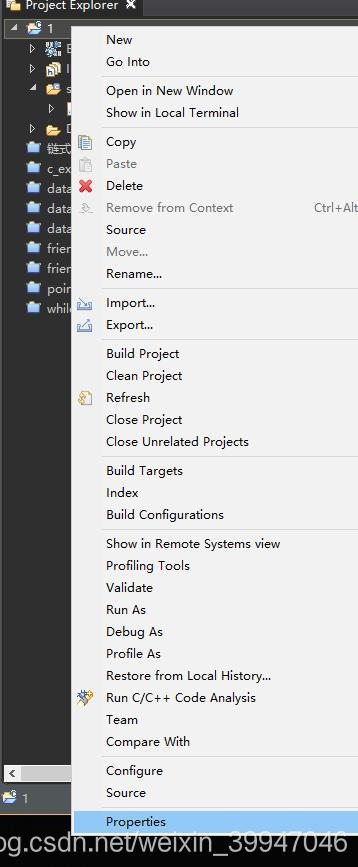
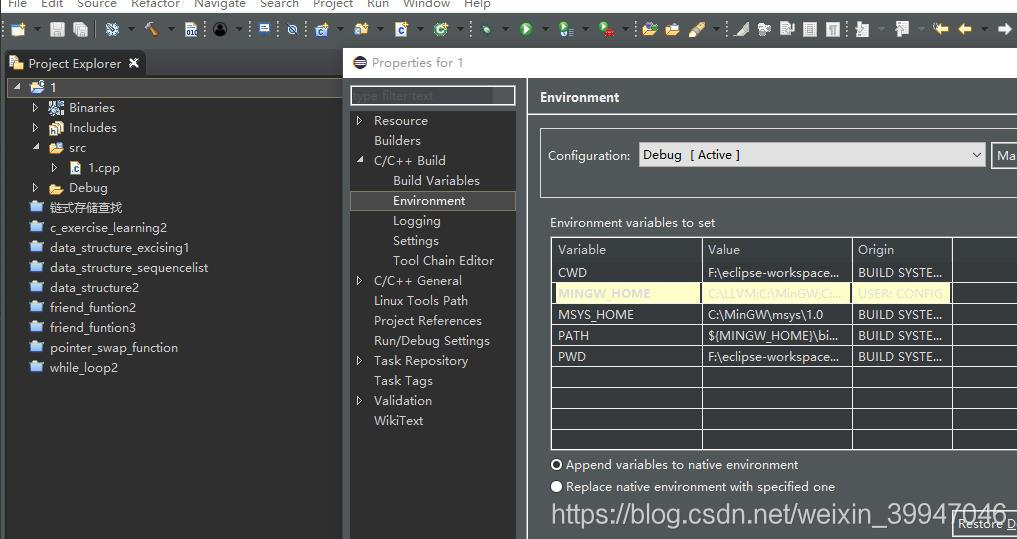
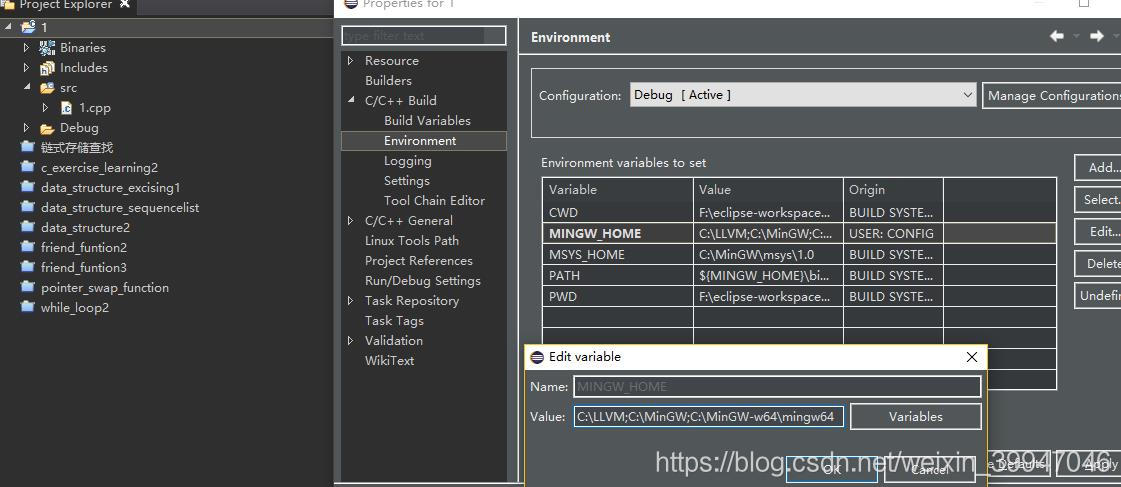
方式2、
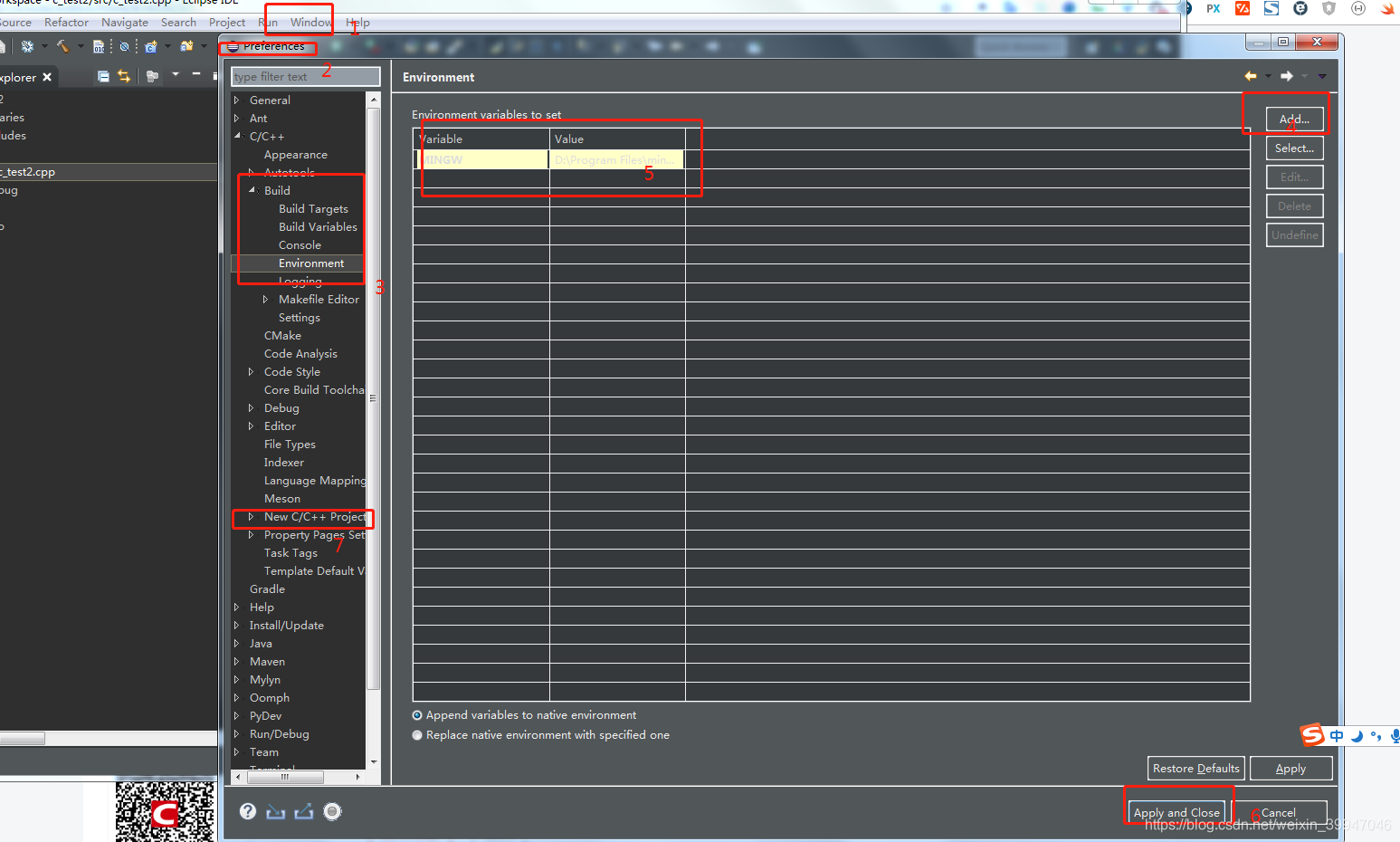
3、
eclipse c/c++运行时提示Program file does not exist
1.菜单栏选中run as中的local c/c++ application;
2.下次直接点击工具栏中的“运行”按钮即可正常运行。

腾讯云面向开发者汇聚海量精品云计算使用和开发经验,营造开放的云计算技术生态圈。
更多推荐
 1
1 0
0- 0


 已为社区贡献2条内容

所有评论(0)