STS(spring Tool Suite)中配置git
1,选择File->import->Git->Projects from Git2,选择本机的本地git库 3.import后4.查看Preference->team->git->config注意,它自动读取了本地库的git配置文件. 5,修改一个文件内容6,点击鼠标右键,会有team选...
·
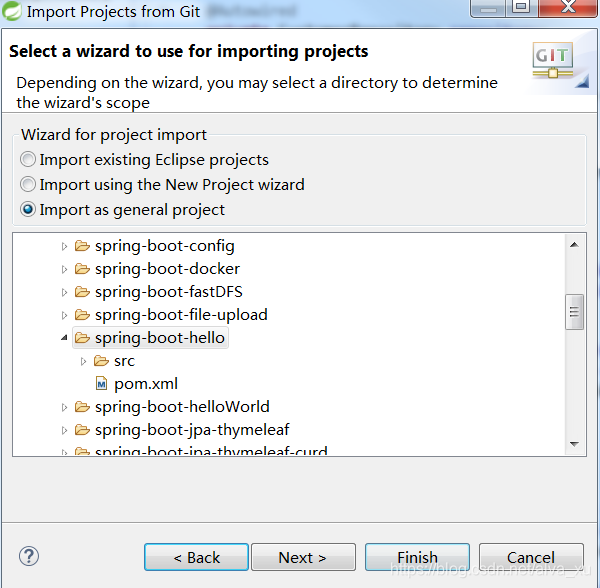
1,选择File->import->Git->Projects from Git

2,选择本机的本地git库


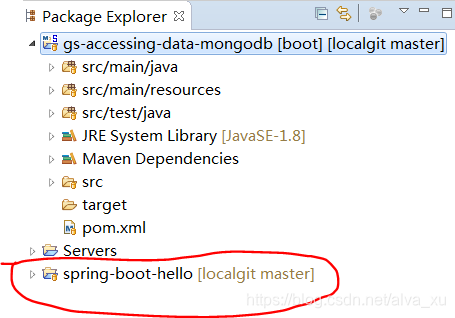
3.import后
4.查看Preference->team->git->config
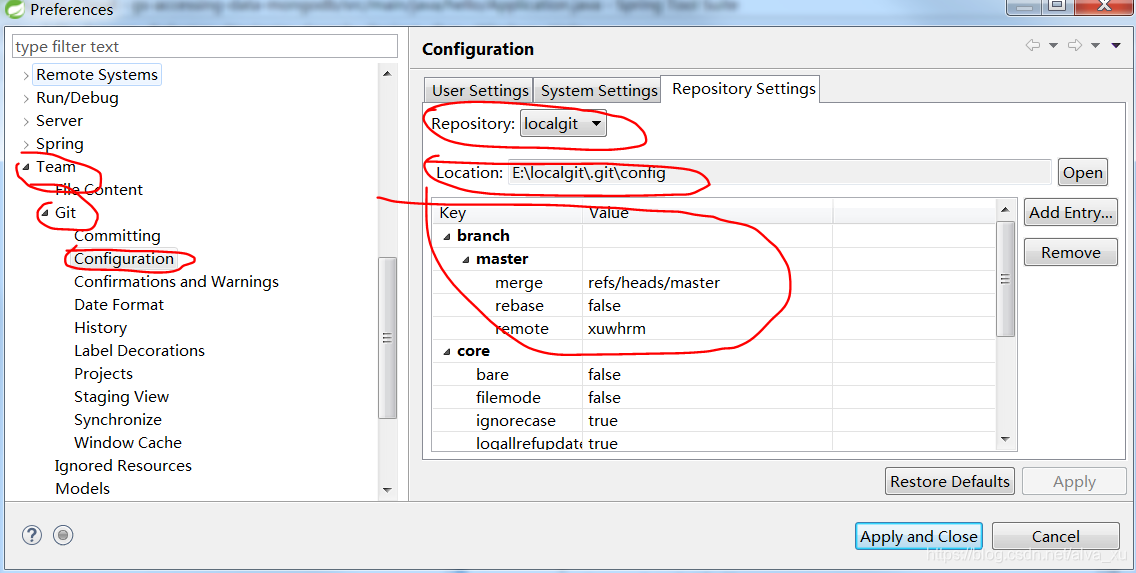
注意,它自动读取了本地库的git配置文件.
5,修改一个文件内容
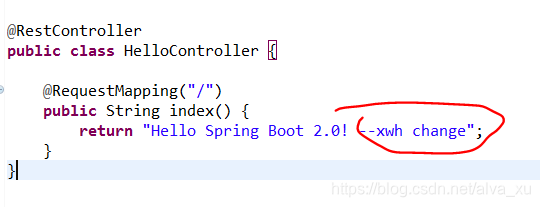
6,点击鼠标右键,会有team选项,里面有丰富的git 管理功能
(1) 先选commit.会同时显示git status的功能,告诉你某个文件变化了
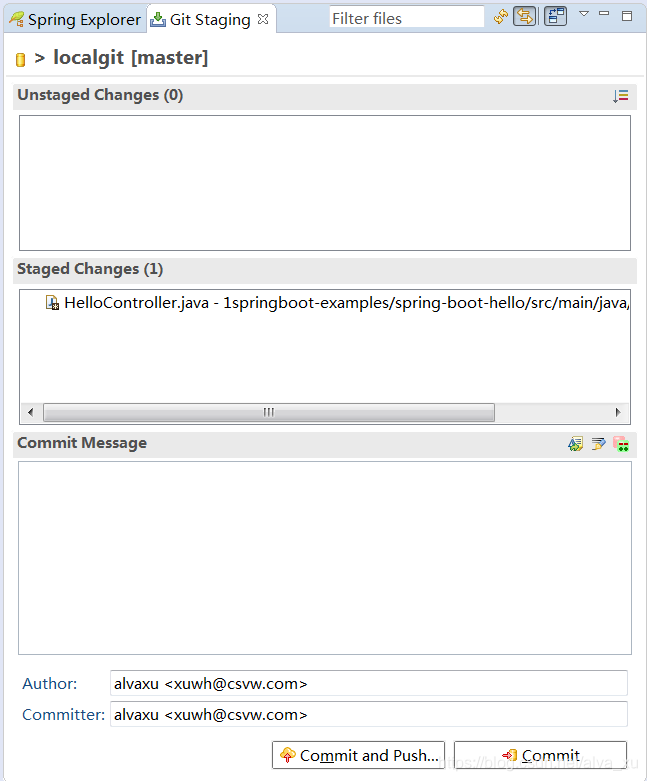
(2)输入commit message 在点commit 相当于执行了 git add . 和git commit -m "description" 的功能
(3) 在右键选择 team->repository->push to upstream
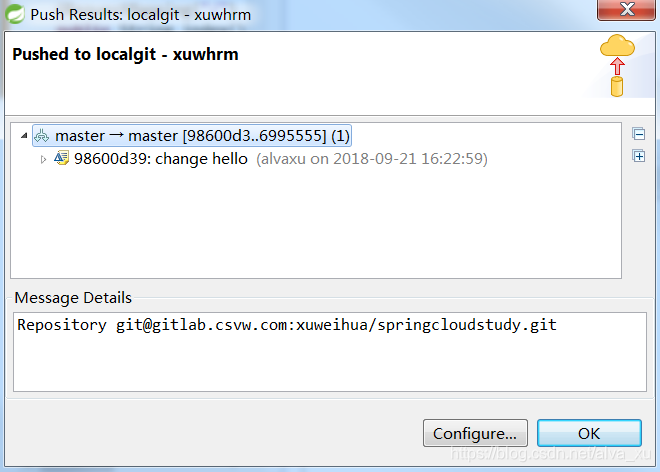
选择ok
(4)此时该文件的变更已经上传到远程库,相当于执行了 git push xuwhrm master:master
通过git bash可以看到log
$ git log
commit 98600d39b02003df9b700a807277a7afcfed5362 (HEAD -> master, xuwhrm/master)

Author: alvaxu <xuwh@csvw.com>

Date: Fri Sep 21 16:22:59 2018 +0800


change hello


commit 6995555e6dfdc9db50ad2f03e90cc43d40a2c9b1

Author: xuweihua <xuwh@csvw.com>

Date: Fri Sep 21 15:56:22 2018 +0800


change println
在gitlab上,也能看到修改的结果了
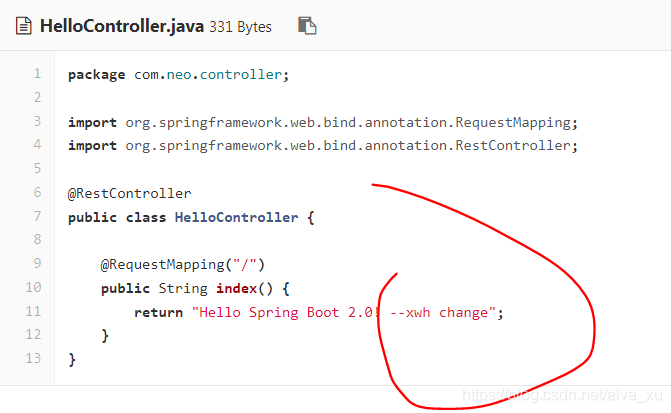
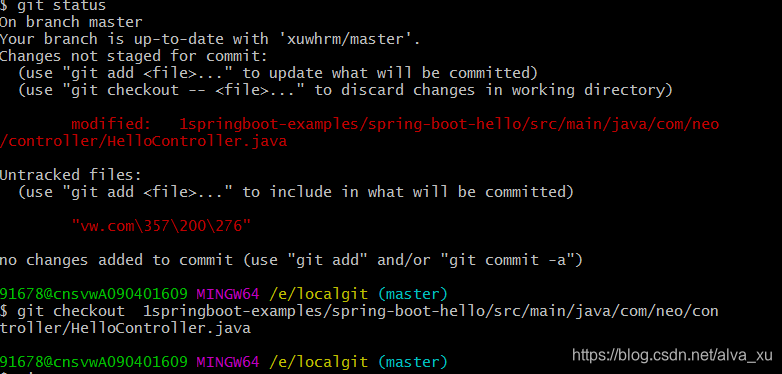
可以通过git checkout 将提交到stage的文件回退

腾讯云面向开发者汇聚海量精品云计算使用和开发经验,营造开放的云计算技术生态圈。
更多推荐
 1
1 0
0- 0


 已为社区贡献2条内容

所有评论(0)