github的使用流程记录
·
参考
https://blog.csdn.net/north1989/article/details/53471439
http://www.runoob.com/w3cnote/git-guide.html
本地环境
Ubuntu16.04 终端
配置Git
首先在本地创建 ssh key
$ ssh-keygen -t rsa -C "your_email@youremail.com"
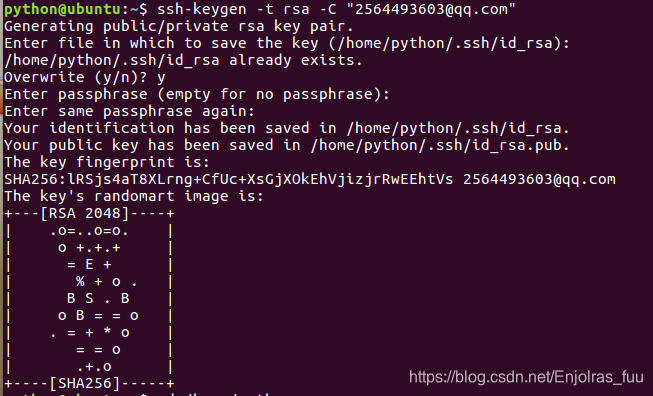
后面的your_email@youremail.com改为你在github上注册的邮箱,之后会要求确认路径和输入密码,我们这使用默认的一路回车就行。成功的话会在~/下生成.ssh文件夹,进去,打开id_rsa.pub,复制里面的key。
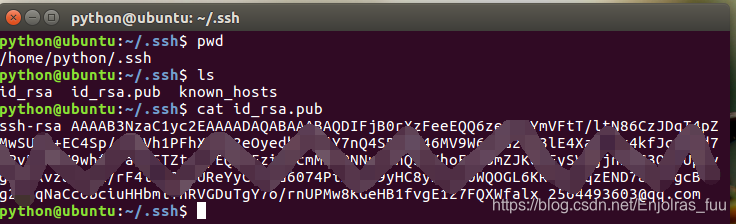
回到github上,进入 Account Settings(账户配置),左边选择SSH Keys,Add SSH Key,title随便填,粘贴在你电脑上生成的key。
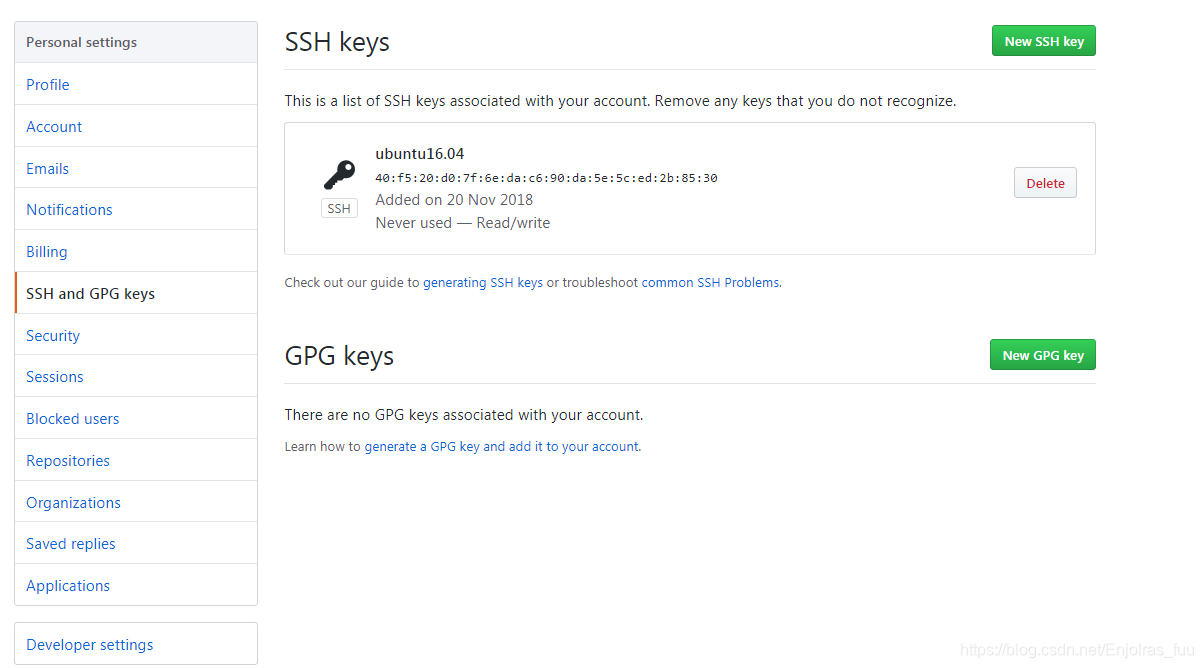
为了验证是否成功,在git bash下输入:
$ ssh -T git@github.com
可能会出现:agent refused operation Permission denied (publickey) Error 的问题
参考:https://segmentfault.com/a/1190000008733238
https://www.jianshu.com/p/3d3569674ea4 解决

接下来我们要做的就是把本地仓库传到github上去,在此之前还需要设置username和email,因为github每次commit都会记录他们。
$ git config --global user.name "your name"
$ git config --global user.email "your_email@youremail.com"

接下来,将已有的项目添加到 github
首先先从 github 上创建一个空的仓库,并且复制链接地址
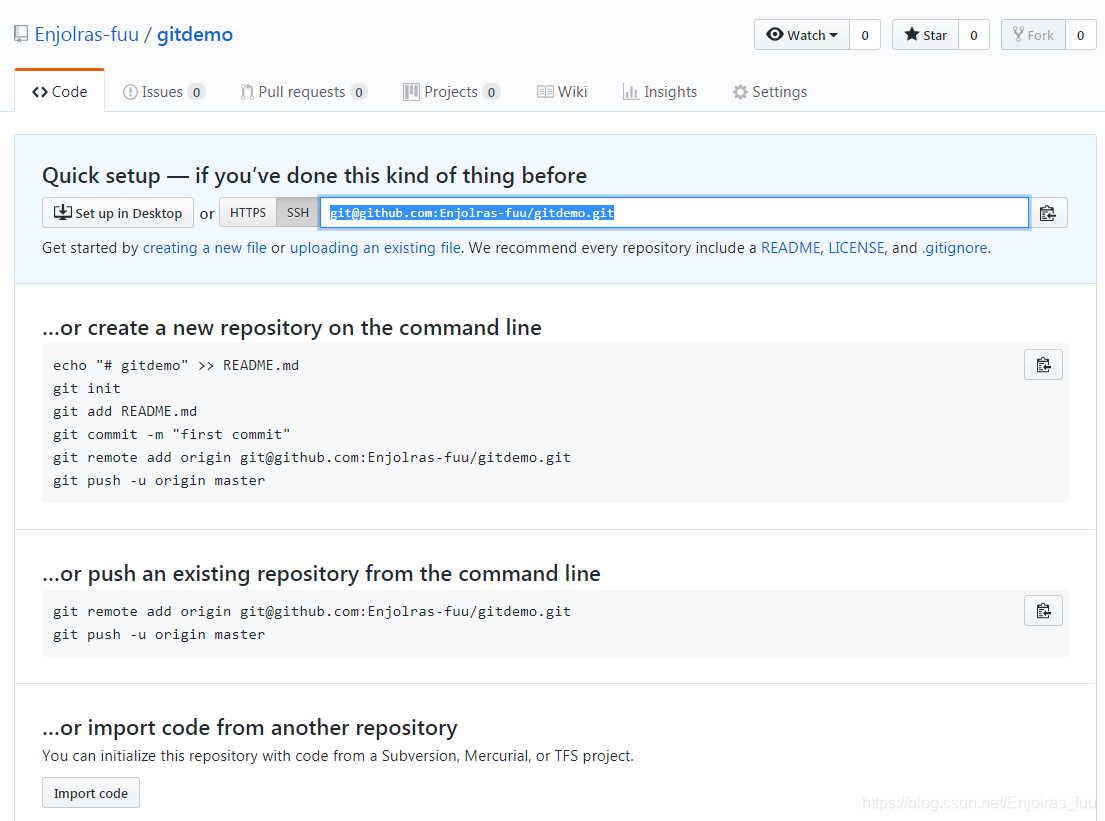
在已经初始化本地仓库并且提交内容到本地的基础上,
git remote add origin 远程仓库地址
git push -u origin master

腾讯云面向开发者汇聚海量精品云计算使用和开发经验,营造开放的云计算技术生态圈。
更多推荐
 0
0 0
0- 0


 已为社区贡献7条内容

所有评论(0)