

|
1
2
3
4
5
6
7
8
9
|
[root@linux-node2 ~]
# yum install -y java-1.8.0
Loaded plugins: fastestmirror
Loading mirror speeds from cached hostfile
* base: mirrors.163.com
* extras: mirrors.163.com
* updates: mirrors.cn99.com
Package 1:java-1.8.0-openjdk-1.8.0.131-2.b11.el7_3.x86_64 already installed and latest version
Nothing to
do
[root@linux-node2 ~]
#
|
|
1
2
3
4
5
|
cd
/etc/yum
.repos.d/
wget http:
//pkg
.jenkins.io
/redhat/jenkins
.repo
rpm --
import
http:
//pkg
.jenkins.io
/redhat/jenkins
.io.key
yum
install
-y jenkins
systemctl start jenkins
|
- 源码包安装jenkins: 如果不想yum安装可以到官网下载jenkins.war包 https://jenkins.io/download/ 找到下载jenkins.war
- 安装tomcat解压到mkdir /data/ && cd /data && unzip jenkins.war -d jenkins
- 修改tomcat路径server.xml
|
1
2
3
4
5
6
7
8
9
10
11
12
|
[root@linux-node2 yum.repos.d]
# netstat -lntp
Active Internet connections (only servers)
Proto Recv-Q Send-Q Local Address Foreign Address State PID
/Program
name
tcp 0 0 0.0.0.0:111 0.0.0.0:* LISTEN 1
/systemd
tcp 0 0 0.0.0.0:22 0.0.0.0:* LISTEN 1151
/sshd
tcp 0 0 127.0.0.1:25 0.0.0.0:* LISTEN 1244
/master
tcp6 0 0 :::3306 :::* LISTEN 5755
/mysqld
tcp6 0 0 :::111 :::* LISTEN 1
/systemd
tcp6 0 0 :::8080 :::* LISTEN 8727
/java
tcp6 0 0 :::22 :::* LISTEN 1151
/sshd
tcp6 0 0 ::1:25 :::* LISTEN 1244
/master
[root@linux-node2 yum.repos.d]
#
|
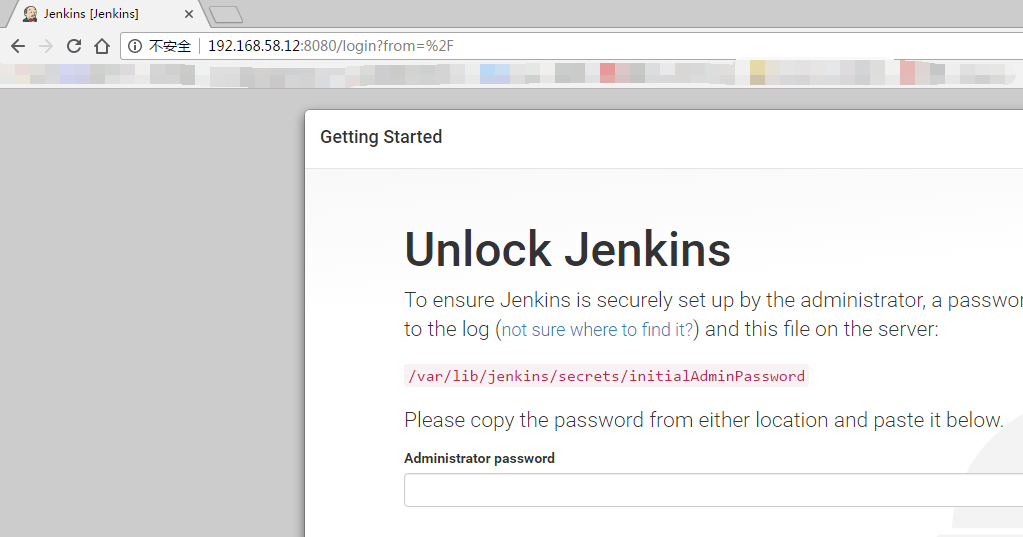

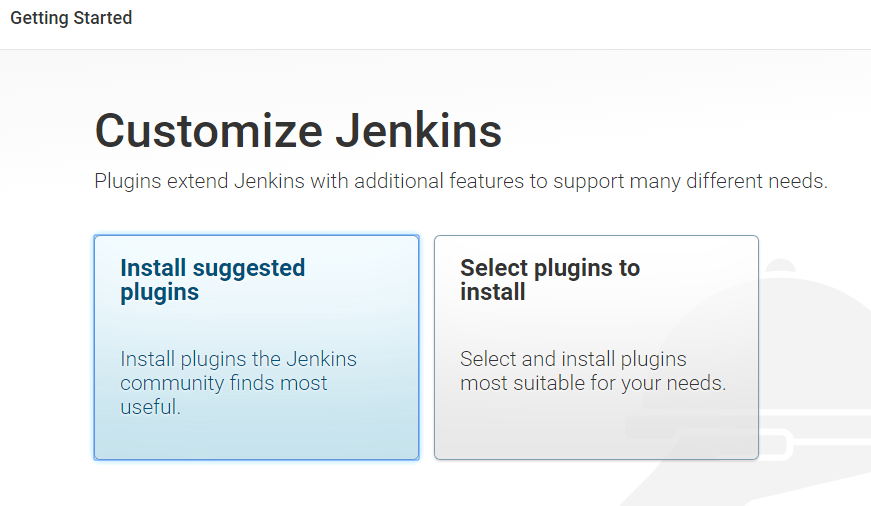
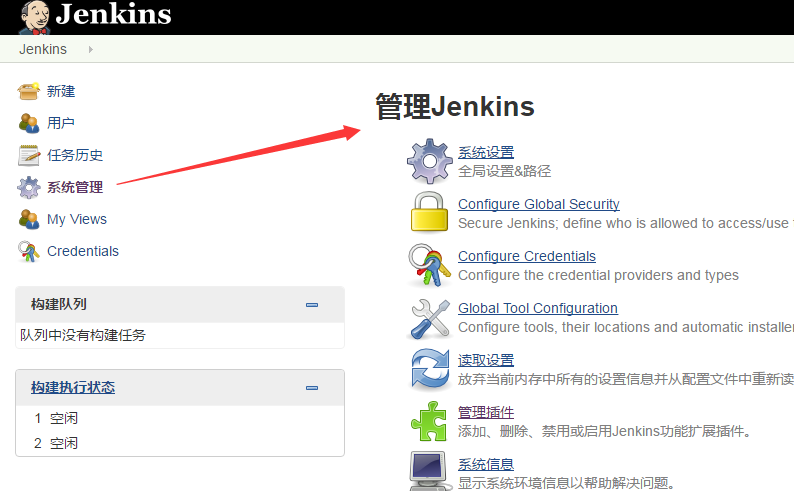
安装过程

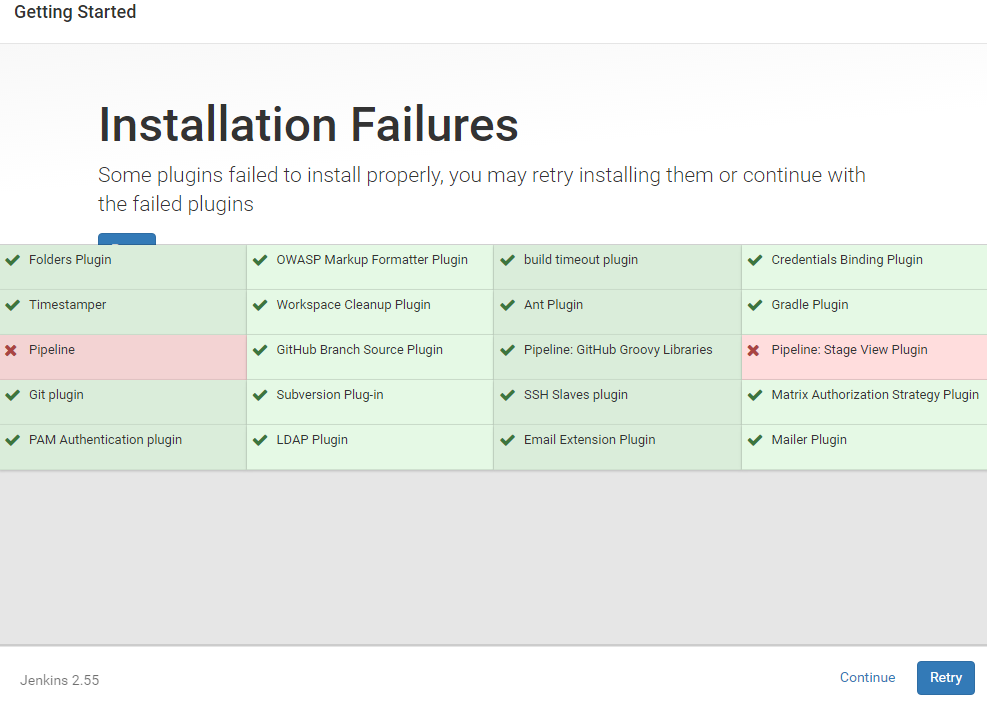
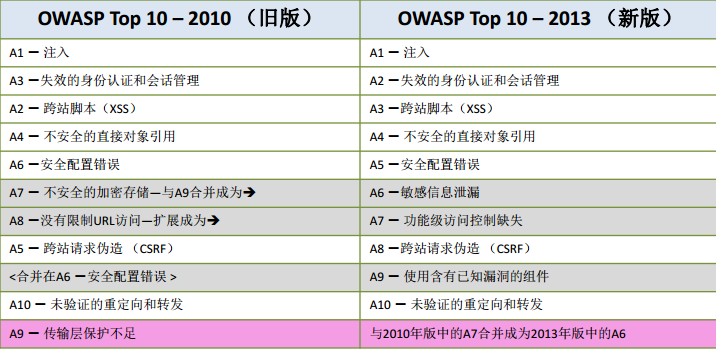
OWASP插件,它每年出一个top 10 的安全漏洞
开放式Web应用程序安全项目(OWASP)是一个非营利组织,不附属于任何企业或财团。
因此,由OWASP提供和开发的所有设施和文件都不受商业因素的影响。
OWASP支持商业安全技术的合理使用,它有一个论坛,在论坛里信息技术专业人员可以发表和传授专业知识和技能。

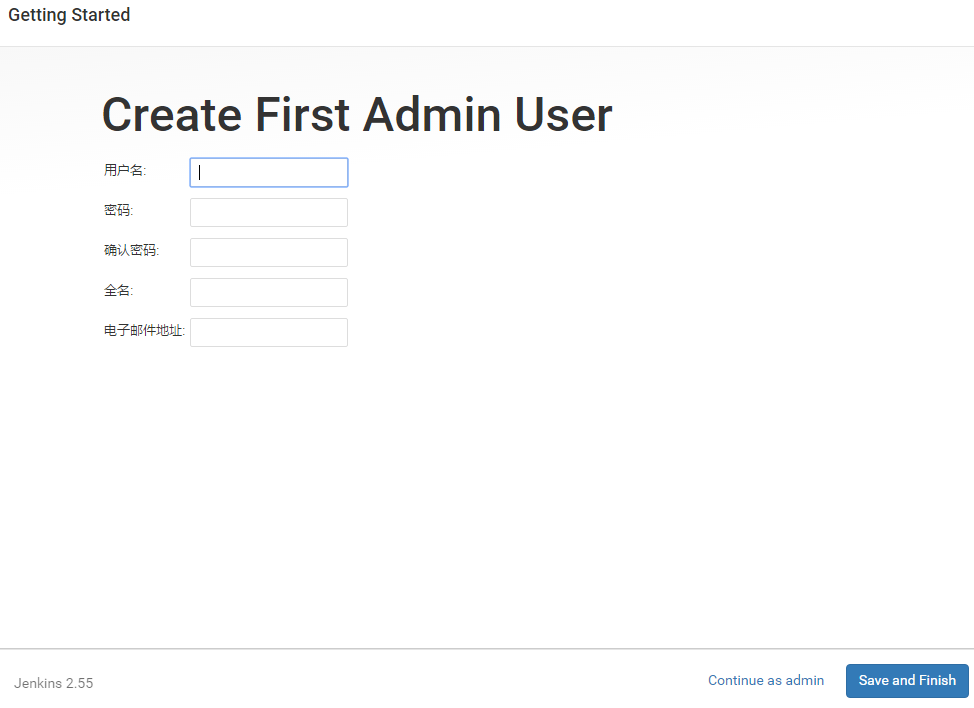
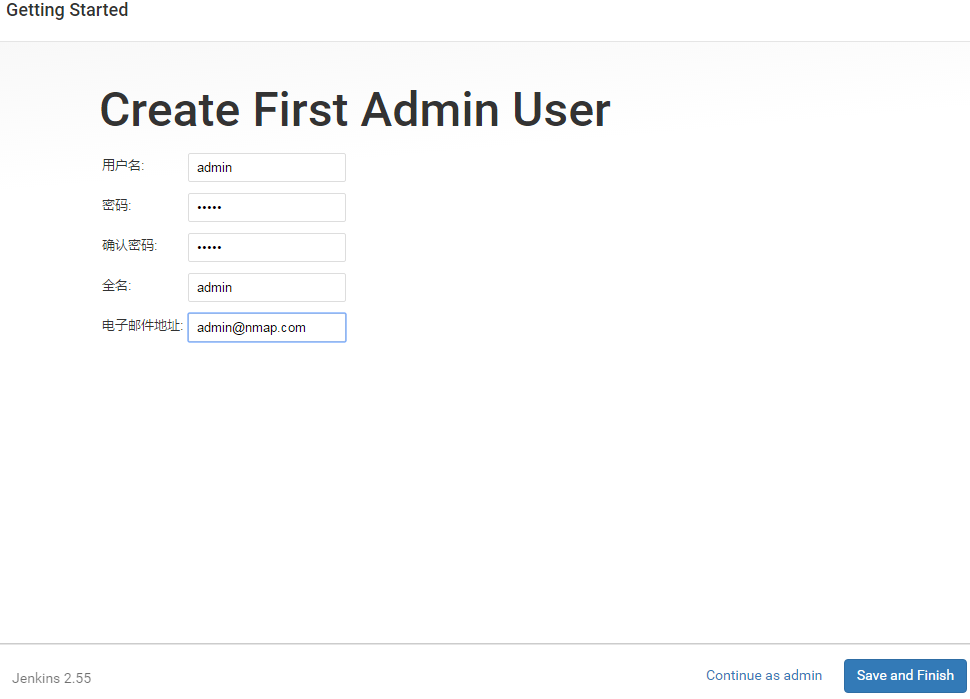
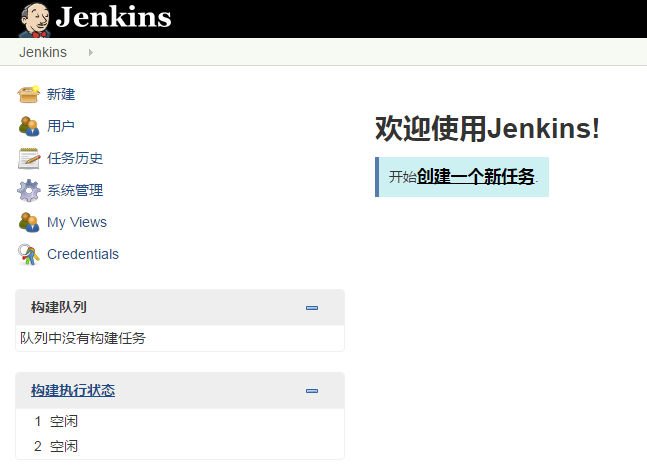
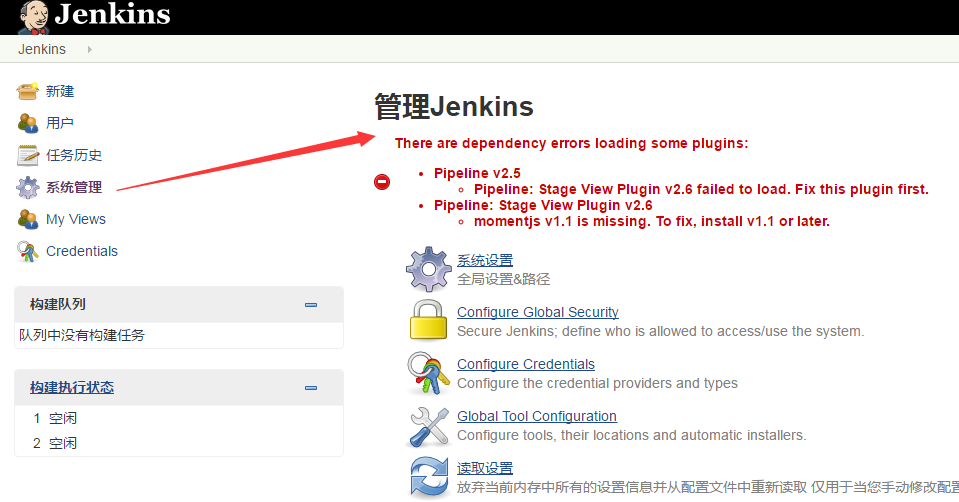
Hudson是Jenkins的前身,是基于Java开发的一种持续集成工具,用于监控程序重复的工作,
包括:
1、持续的软件版本发布/测试项目。
2、监控外部调用执行的工作。
HUDSON被收购了。,然后写这个的人又搞了个Jenkins
装gitlab插件
目前已经部署好了gitlab,准备和gitlab集成。要安装gitlab插件
右边搜索gitlab

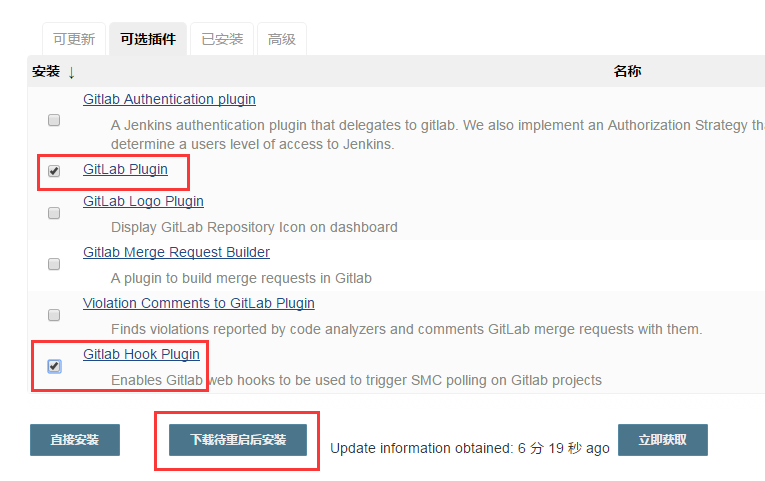
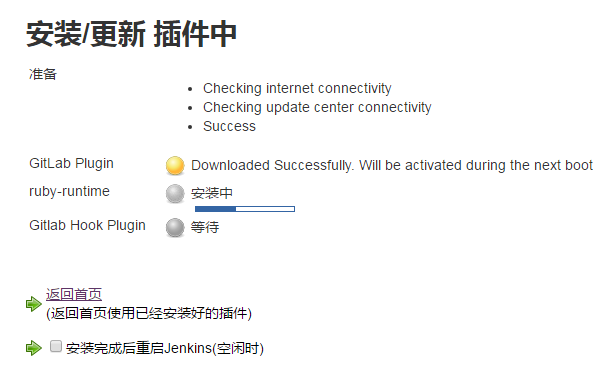
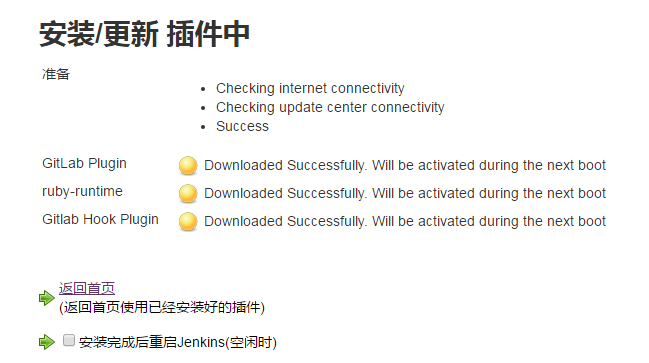

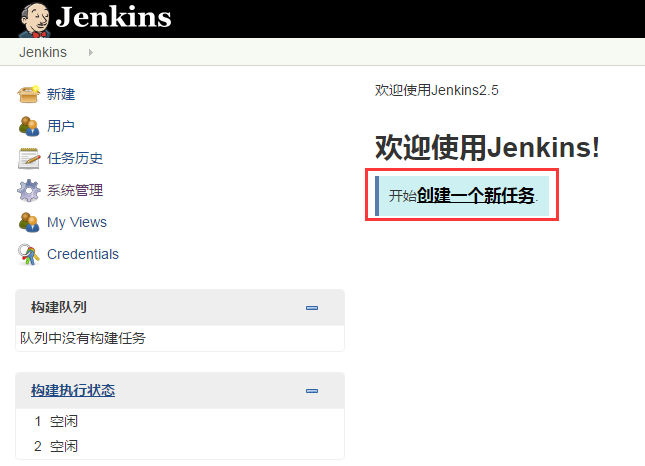
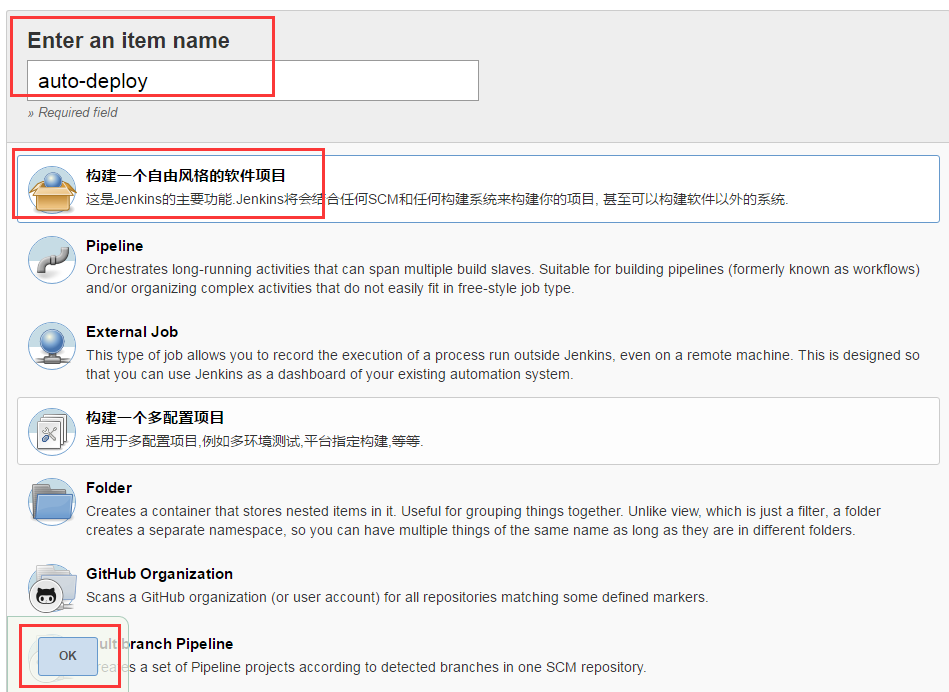
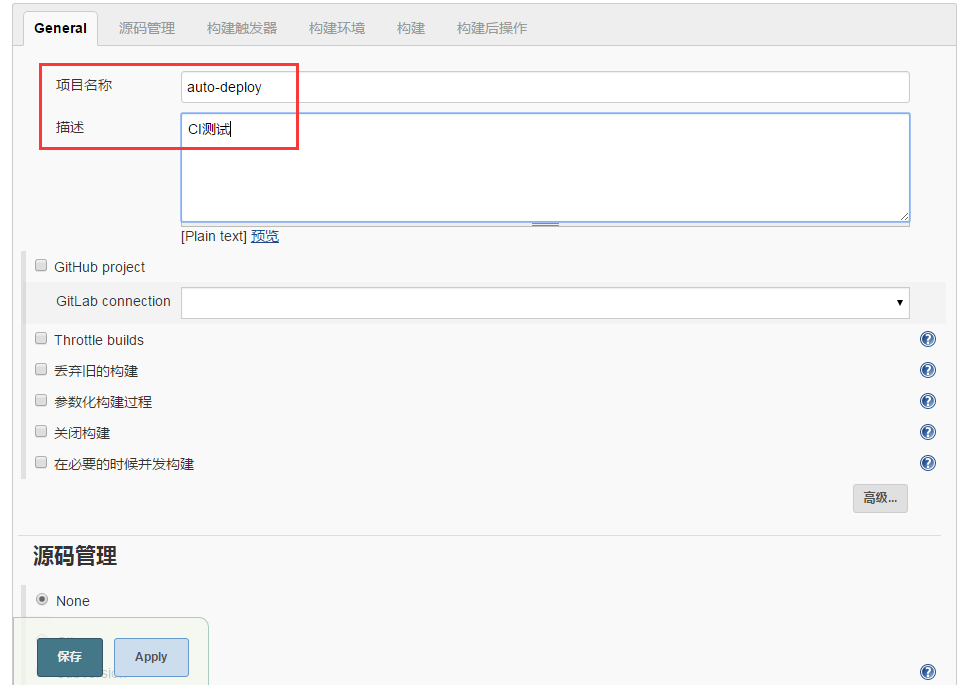

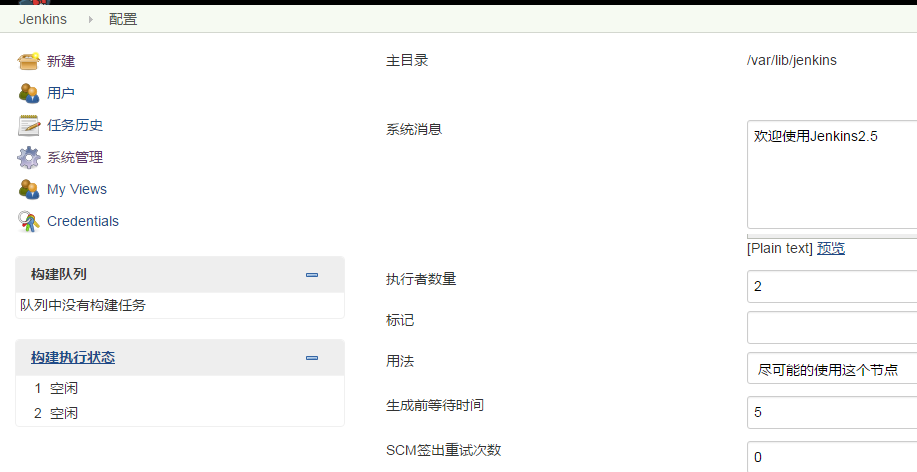
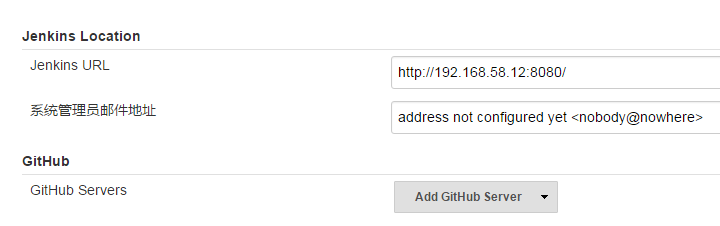
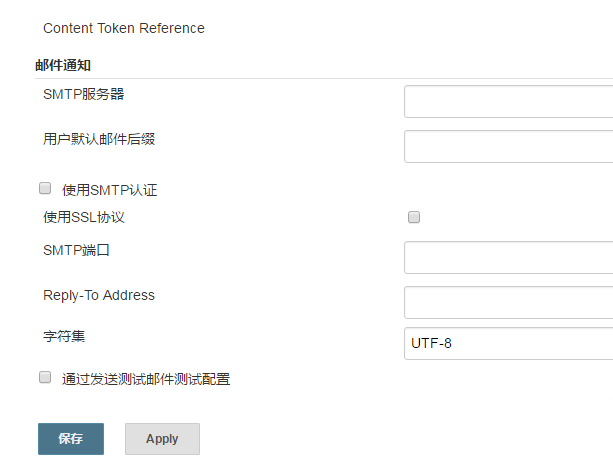

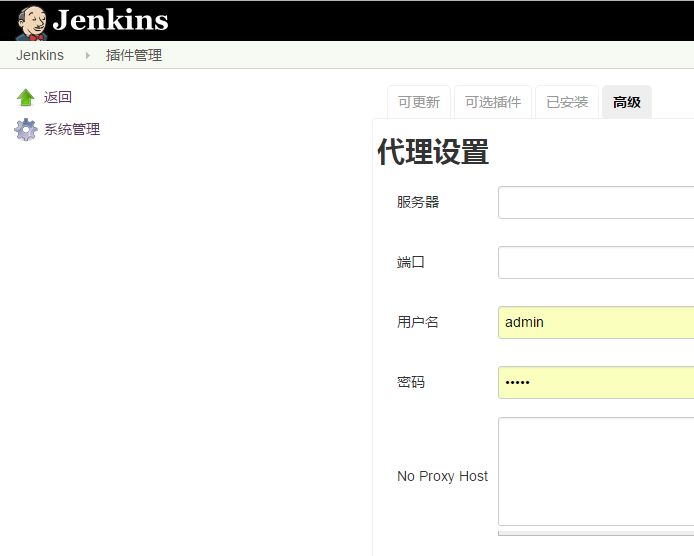
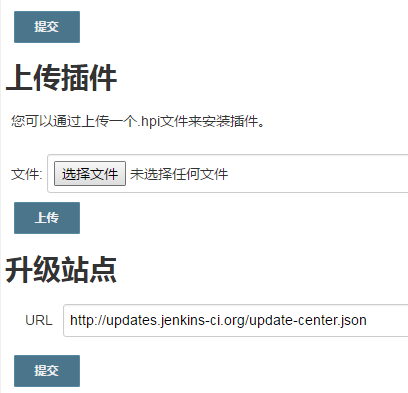
高级这里可以看到
|
1
2
3
4
|
[root@linux-node2 plugins]
# cd /var/lib/jenkins/plugins/
[root@linux-node2 plugins]
# pwd
/var/lib/jenkins/plugins
[root@linux-node2 plugins]
#
|


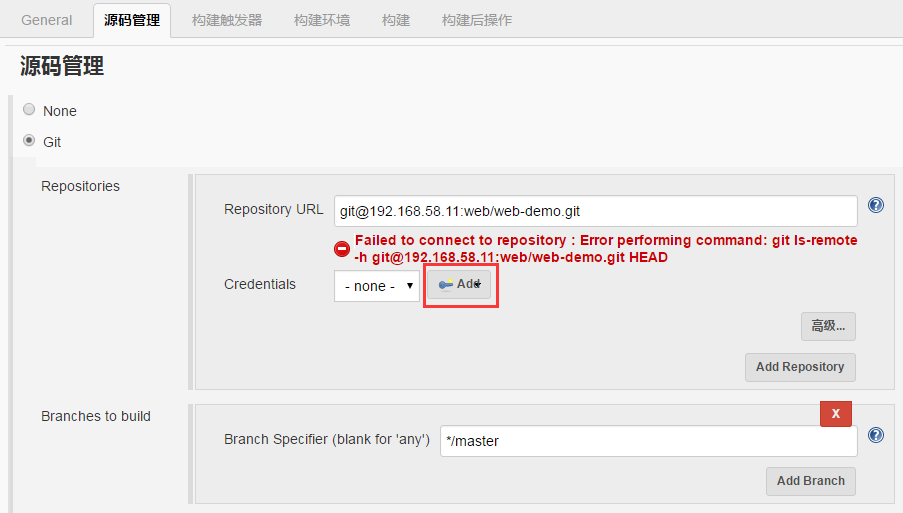

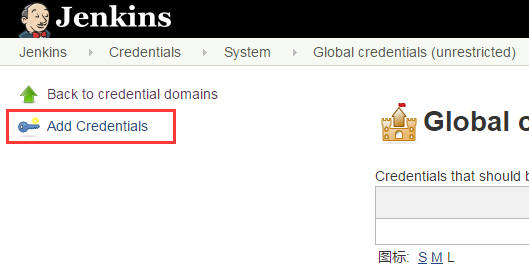
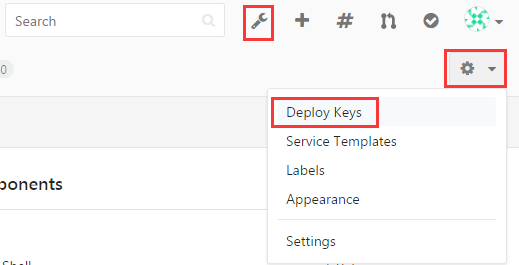
点击add弹出下面界面
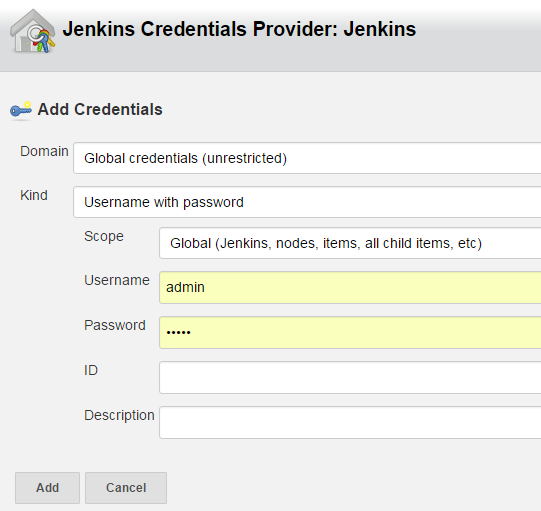
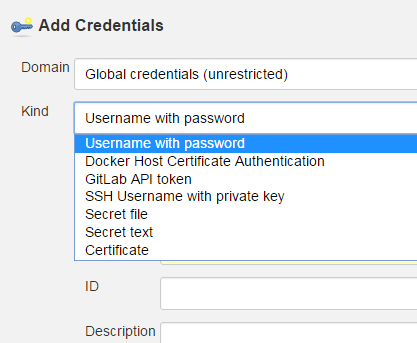
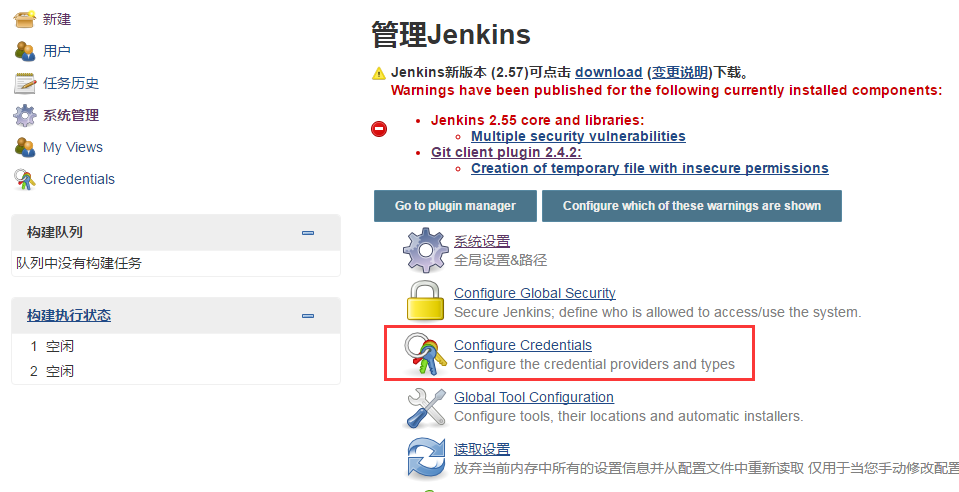


点击下面


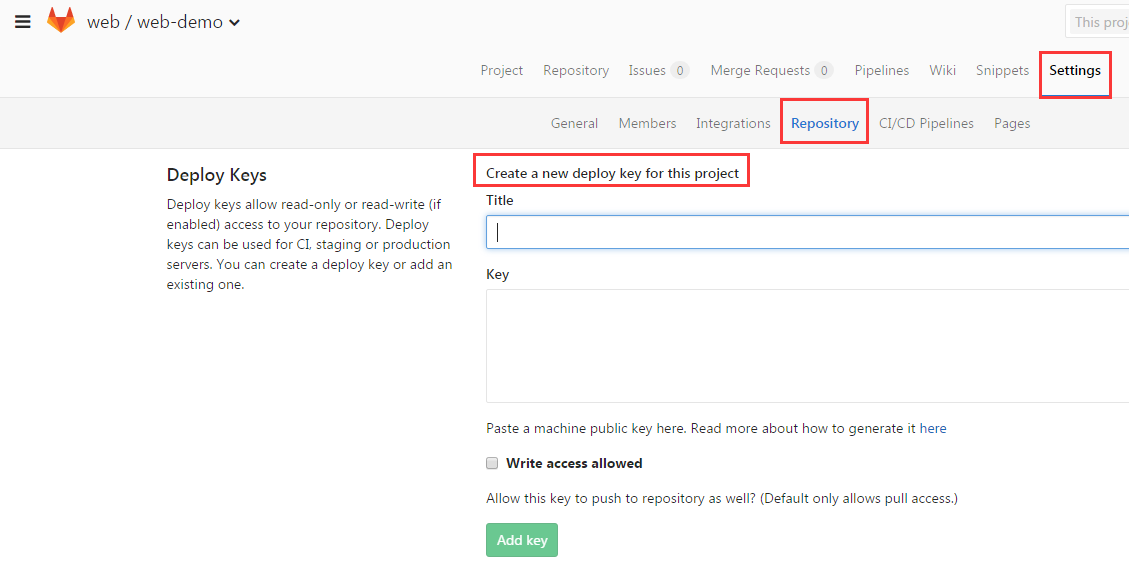
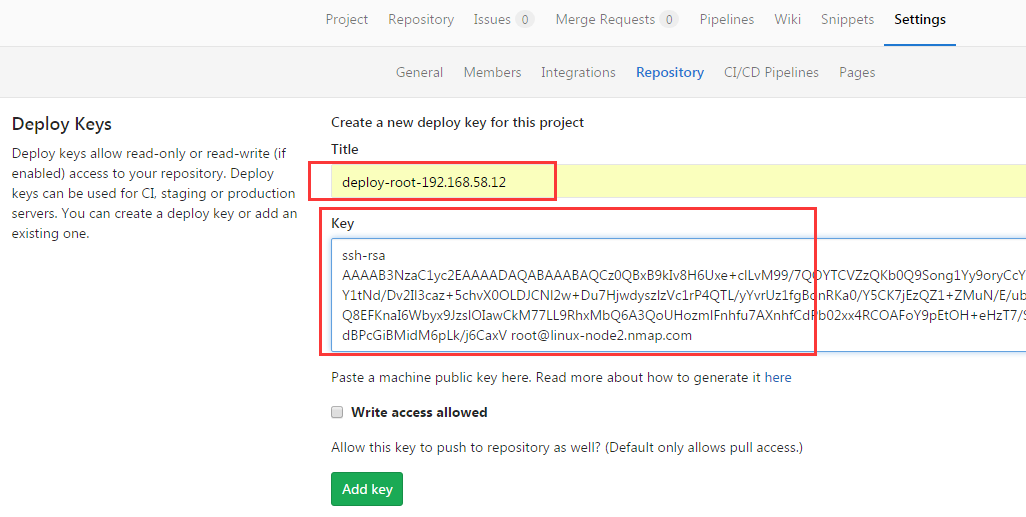
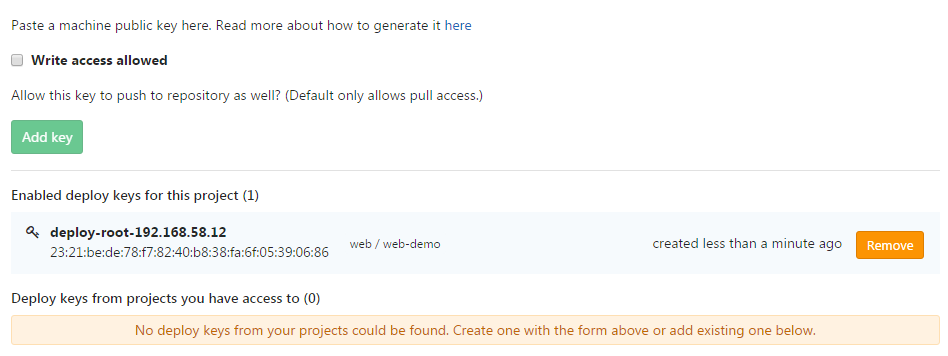
配置deploy key
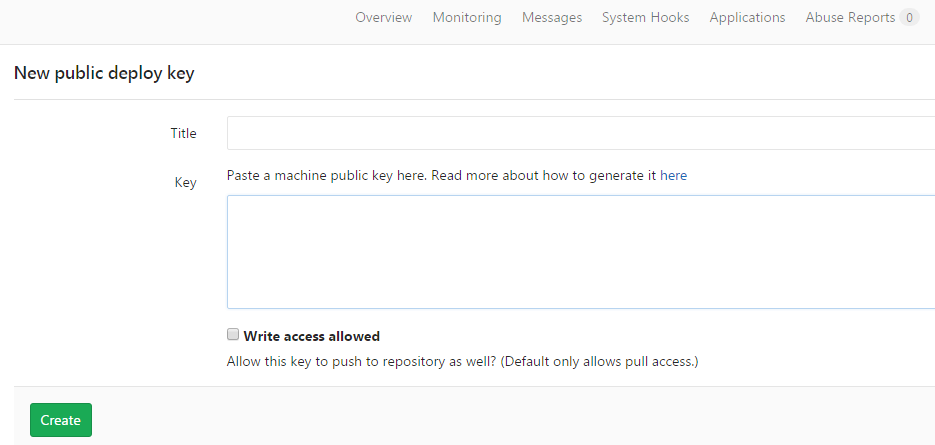
我们可以配置deploy key
如下配置
|
1
2
3
4
5
6
7
8
9
10
11
12
13
14
15
16
17
18
19
20
21
22
23
24
25
26
27
28
29
30
31
|
[root@linux-node2 ~]
# ssh-keygen -t rsa
Generating public
/private
rsa key pair.
Enter
file
in
which
to save the key (
/root/
.
ssh
/id_rsa
):
Enter passphrase (empty
for
no passphrase):
Enter same passphrase again:
Your identification has been saved
in
/root/
.
ssh
/id_rsa
.
Your public key has been saved
in
/root/
.
ssh
/id_rsa
.pub.
The key fingerprint is:
23:21:be:de:78:f7:82:40:b8:38:fa:6f:05:39:06:86 root@linux-node2.nmap.com
The key's randomart image is:
+--[ RSA 2048]----+
| . |
|E o |
| . o... |
| ..*. . |
| . +.o. S |
|o . .... . |
|.. .o . |
|. ..oo o |
| ..o+... o. |
+-----------------+
[root@linux-node2 ~]
#
[root@linux-node2 ~]
# cd .ssh/
[root@linux-node2 .
ssh
]
# cat id_rsa.pub
ssh
-rsa
AAAAB3NzaC1yc2EAAAADAQABAAABAQCz0QBxB9kIv8H6Uxe+clLvM99
/7QOYTCVZzQKb0Q9Song1Yy9oryCcYWHogN30j80Ctbybu
+3PAh4VIfz4SjY1tNd
/Dv2Il3caz
+5chvX0OL
DJCNl2w+Du7HjwdyszlzVc1rP4QTL
/yYvrUz1fgBonRKa0/Y5CK7jEzQZ1
+ZMuN
/E/ubrDX5FIp0jfPPnbtTryWW8BMloOb
+Q8EFKnaI6Wbyx9JzslOIawCkM77LL9RhxMbQ6A3QoU
HozmlFnhfu7AXnhfCdPb02xx4RCOAFoY9pEtOH+eHzT7
/SQVf8VzEYO1vIe4TDP6sNN40/1pjUdBPcGiBMidM6pLk/j6CaxV
root@linux-node2.nmap.com
[root@linux-node2 .
ssh
]
#
|
|
1
2
3
4
5
6
7
8
9
|
[root@linux-node2 ~]
# yum install git -y
Loaded plugins: fastestmirror
Loading mirror speeds from cached hostfile
* base: mirrors.163.com
* extras: mirrors.163.com
* updates: mirrors.cn99.com
Package git-1.8.3.1-6.el7_2.1.x86_64 already installed and latest version
Nothing to
do
[root@linux-node2 ~]
#
|
|
1
2
3
4
5
6
7
8
9
10
11
12
13
14
15
|
[root@linux-node2 ~]
# git clone git@192.168.58.11:web/web-demo.git
Cloning into
'web-demo'
...
remote: Counting objects: 13,
done
.
remote: Compressing objects: 100% (8
/8
),
done
.
remote: Total 13 (delta 0), reused 0 (delta 0)
Receiving objects: 100% (13
/13
),
done
.
[root@linux-node2 ~]
# ls
anaconda-ks.cfg tools web-demo
[root@linux-node2 ~]
# cd web-demo/
[root@linux-node2 web-demo]
# ls
index.html README.md
[root@linux-node2 web-demo]
# cat index.html
hehehehhehehe
version 2.0
[root@linux-node2 web-demo]
#
|
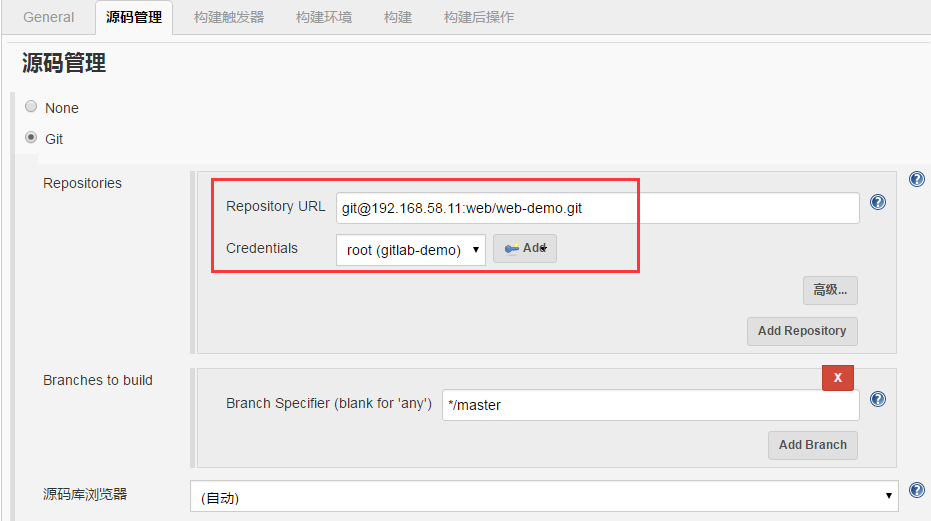
node2上已经没问题,开始配置jenkins的认证
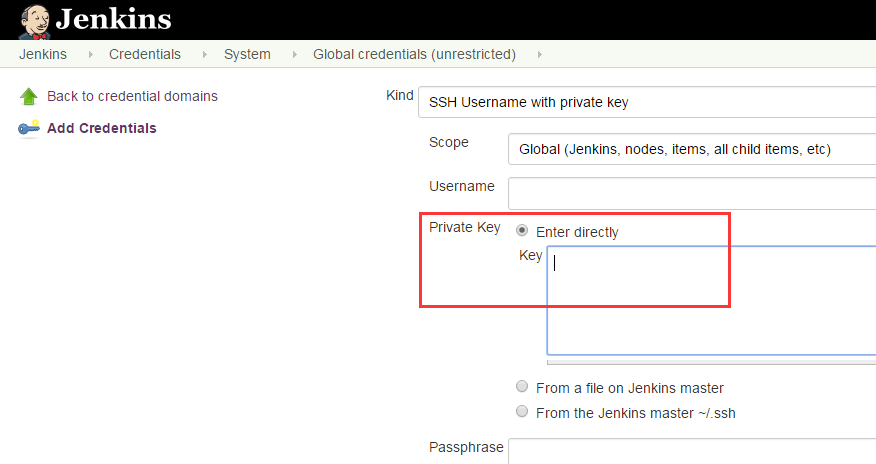
复制私钥
|
1
2
3
4
5
6
7
8
9
10
11
12
13
14
15
16
17
18
19
20
21
22
23
24
25
26
27
28
29
|
[root@linux-node2 ~]
# cat .ssh/id_rsa
-----BEGIN RSA PRIVATE KEY-----
MIIEpQIBAAKCAQEAs9EAcQfZCL
/B
+lMXvnJS7zPff+0DmEwlWc0Cm9EPUqJ4NWMv
aK8gnGFh6IDd9I
/NArW8m7vtzwIeFSH8
+Eo2NbTXfw79iJd3Gs
/uXIb19DiwyQjZ
dsPg7ux48HcrM5c1XNaz+EEy
/8mL61M9X4AaJ0SmtP2OQiu4xM0GdfmTLjfxP7m6
w1+RSKdI3zz527U68llvATJaDm
/kPBBSp2iOlm8sfSc7JTiGsApDO
+yy
/UYcTG0O
gN0KFB6M5pRZ4X7uwF54XwnT29NsceEQjgBaGPaRLTh
/nh80
+
/0kFX/FcxGDtbyH
uEwz+rDTeNP9aY1HQT3BogTInTOqS5P4+gmsVQIDAQABAoIBAQCKQGMqhHIl++lU
YZab4qJJL4TjgoOFEOaWyLz8uBwj2K67vWqx
/hQAqA7zCEGeywFA2CIPSspooqQm
c19gNw6+9C
/LjOb5ohr9Dmmh0lJAV2X060znt2q1yDKkD7uzisqIerscYGSprXha
kkFZr9Br6KiT927tCViiV1BkXGMA4NAyFHQQBa493kYZ9tRM89nfzQXK8Ttjulp3
1qD3bPebsMWp6JuCtnFsRwfoYRnsYHHG3FsD5QOIV1tcKiT8v6fV5CklVejOn5O3
+992oNz0UqXuHD0GhFRGRo7Xro2XAsSpyxH0NPv6Aclz9eU6t3hXF+lg33l+tKYJ
HUrHvt9xAoGBANnNXmu72pyEhIMbWTw6qR2WAy5UL+hdggDilGbsTX9x33eZiaQR
bNT7qcX2CRq7pmXiH4o6LmljkkVYTGS
/ZIkp6QZZp9CnE2Ywb0oo
+UwfKPAXLMpd
2xBjg03YSzD6ElsPKeVgx78
//UGbcWZWMbw7i9k//ho2j3XMKwHIIABPAoGBANNa
MK6VGJDX
/PPvre
+ktF50bKj4VDWNdT5nEvjuEG98zIEIh5geAgPVYMXeBELlKmvw
Az
/eto5puvtPF2bXk/Y75xJ/pYha5KIhQYhbt
+GLk71pWywu9wvZopkEViVc2Tf9
vIo+SFJEjxgQeotJG0S24kCJfNfoh9oIwGSGDxwbAoGALel7yOwNlkbdBCIkumyH
L8RqoT5
/5tSnTfZ1YAjaAU6I09ZazGob7f2q
+R73Jlp+JiX3jhTbqb2inNmTKP2r
fLqH8528oWBG15jILPLcMm6zG4FXIMWOIzNG
/4bjusxMSEO3CjJPiQI9KbJRwkfT
LiHDRiWWNAJiVWuXeUWtcUMCgYEAwgmjeCTaEOC7ExmRDtqf3bf1qouShDgC0++9
s1ydKj3hYvV5x2aFYw+bcQ2Ly
/6pG7
+WvCS0ZbscN209huWUqhQE6S7Xwn
/wOAlg
KNhL0X5bfSIk2kOj+
/UrGmCo1lSP
+J+zYRgdPapD1UwLtaTArC1bOvT+8RpC3yH5
wFBzvtECgYEAyYLpBV8vNzY7ilCmGctXtj5gsAvxOkYMVdaPkCXDr50qHBYYsHj4
22FdOq75zWgrIQo6Poke3IQcz4NML/+Z08r2qa7+4z5Jx5BnwXAnWEB9omcbANgD
m+h33eEXWr12L363c+
/RVdZPINkmhaS69u4/Njh
+dI1lL8Ta+8Ihkow=
-----END RSA PRIVATE KEY-----
[root@linux-node2 ~]
#
|
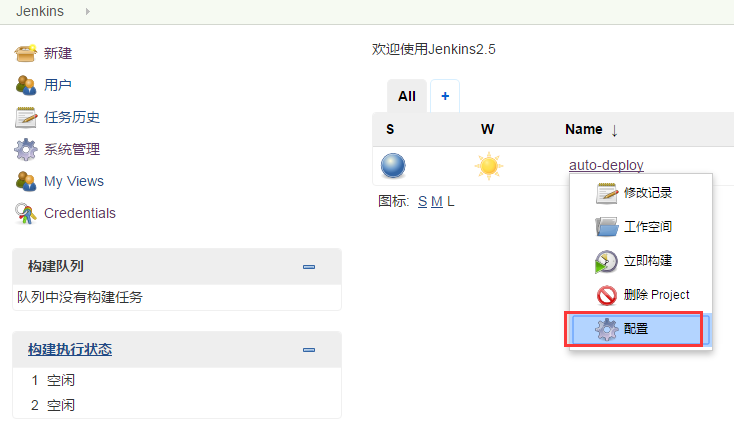
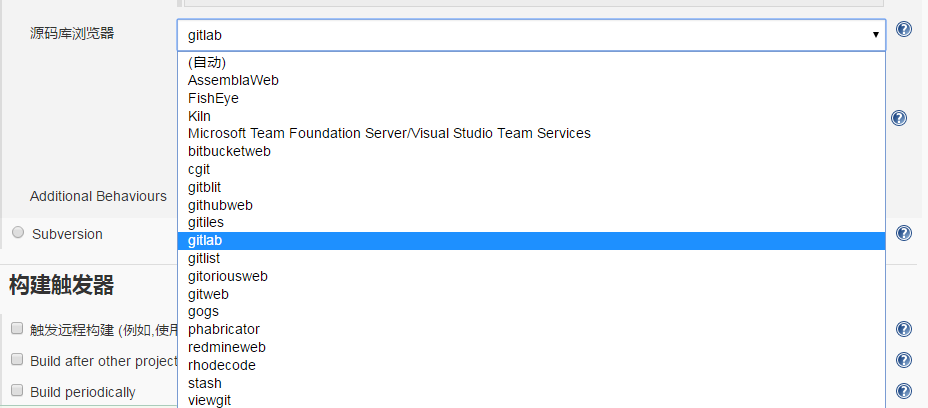
复制进去

添加描述




|
1
2
3
|
[root@linux-node1 ~]
# rpm -qa | grep gitlab
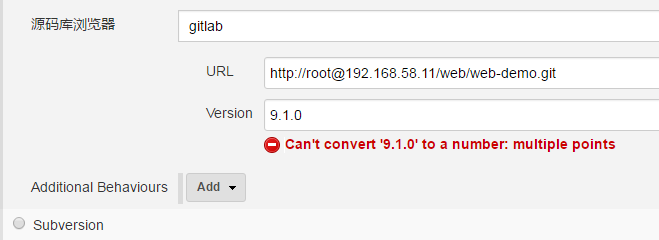
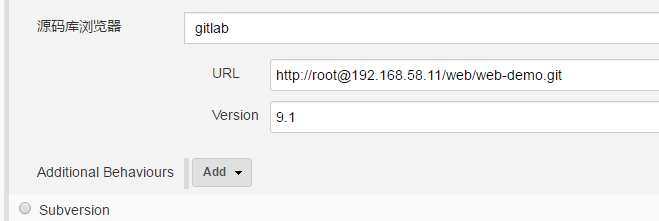
gitlab-ce-9.1.0-ce.0.el7.x86_64
[root@linux-node1 ~]
#
|

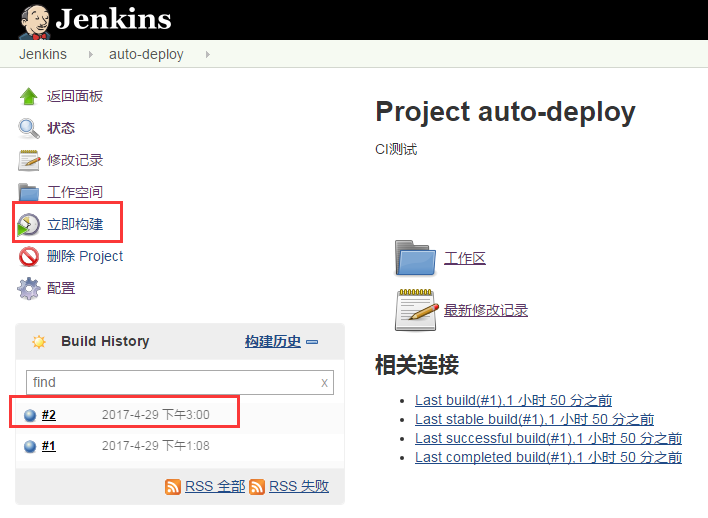


|
1
2
3
4
|
[root@linux-node2 ~]
# cd /var/lib/jenkins/workspace/auto-deploy
[root@linux-node2 auto-deploy]
# ls
index.html README.md
[root@linux-node2 auto-deploy]
#
|
git show查看版本
|
1
2
3
4
5
6
7
8
9
10
11
12
13
14
15
16
|
[root@linux-node2 auto-deploy]
# git show
commit 7983661ca0d2be489b4442c3d49d137d2a1026df
Author: nmap <nmap@
test
.com>
Date: Fri Apr 28 22:20:59 2017 +0800
2.0
diff
--git a
/index
.html b
/index
.html
index f95f8e7..d77c60b 100644
--- a
/index
.html
+++ b
/index
.html
@@ -1,2 +1,2 @@
hehehehhehehe
-version 2.1
+version 2.0
[root@linux-node2 auto-deploy]
#
|
|
1
2
3
|
[root@linux-node2 auto-deploy]
# ls -a
. .. .git index.html README.md
[root@linux-node2 auto-deploy]
#
|
能检查代码里有没有bug,比如你代码里有个死循环的bug,不用运行,就能检测出来
它还会给你代码打分(代码质量)
Sonar 是一个用于代码质量管理的开放平台。
通过插件机制,Sonar 可以集成不同的测试工具,代码分析工具,以及持续集成工具。与持续集成工具(例如 Hudson/Jenkins 等)不同,
Sonar 并不是简单地把不同的代码检查工具结果(例如 FindBugs,PMD 等)直接显示在 Web 页面上,
而是通过不同的插件对这些结果进行再加工处理,通过量化的方式度量代码质量的变化,从而可以方便地对不同规模和种类的工程进行代码质量管理。
在对其他工具的支持方面,Sonar 不仅提供了对 IDE 的支持,可以在 Eclipse 和 IntelliJ IDEA 这些工具里联机查看结果;
同时 Sonar 还对大量的持续集成工具提供了接口支持,可以很方便地在持续集成中使用 Sonar。
此外,Sonar 的插件还可以对 Java 以外的其他编程语言提供支持,对国际化以及报告文档化也有良好的支持。
Sonar部署
Sonar的相关下载和文档可以在下面的链接中找到:http://www.sonarqube.org/downloads/。需要注意最新版的Sonar需要至少JDK 1.8及以上版本。
|
1
2
3
4
5
6
7
8
9
10
|
[root@linux-node1 ~]
# yum install -y java-1.8.0
Loaded plugins: fastestmirror
Loading mirror speeds from cached hostfile
* base: mirrors.163.com
* epel: mirrors.tuna.tsinghua.edu.cn
* extras: mirrors.163.com
* updates: mirrors.zju.edu.cn
Package 1:java-1.8.0-openjdk-1.8.0.131-2.b11.el7_3.x86_64 already installed and latest version
Nothing to
do
[root@linux-node1 ~]
#
|
|
1
2
3
4
5
6
7
8
9
10
11
12
13
14
15
16
17
18
19
20
21
22
23
24
|
wget https:
//sonarsource
.bintray.com
/Distribution/sonarqube/sonarqube-5
.6.zip
[root@linux-node1 src]
# pwd
/usr/local/src
[root@linux-node1 src]
# ls
mysql-5.6.30-linux-glibc2.5-x86_64.
tar
.gz sonarqube-5.6.zip
[root@linux-node1 src]
#
[root@linux-node1 src]
# yum install unzip -y
Loaded plugins: fastestmirror
Loading mirror speeds from cached hostfile
* base: mirrors.163.com
* epel: mirrors.tuna.tsinghua.edu.cn
* extras: mirrors.163.com
* updates: mirrors.cn99.com
Package unzip-6.0-16.el7.x86_64 already installed and latest version
Nothing to
do
[root@linux-node1 src]
#
[root@linux-node1 src]
# unzip sonarqube-5.6.zip
[root@linux-node1 src]
# mv sonarqube-5.6 /usr/local/
[root@linux-node1 src]
# ln -s /usr/local/sonarqube-5.6/ /usr/local/sonarqube
[root@linux-node1 src]
#
|
|
1
2
3
4
5
6
7
8
9
10
11
12
13
14
15
16
17
18
19
20
21
22
23
24
|
[root@linux-node1 src]
# /usr/local/mysql/bin/mysqld --defaults-file=/usr/local/mysql/my.cnf &
[root@linux-node1 src]
# /usr/local/mysql/bin/mysql -S /usr/local/mysql/mysql.sock
Welcome to the MySQL monitor. Commands end with ; or \g.
Your MySQL connection
id
is 2
Server version: 5.6.30-log MySQL Community Server (GPL)
Type
'help;'
or
'\h'
for
help. Type
'\c'
to
clear
the current input statement.
mysql> show databases;
+--------------------+
| Database |
+--------------------+
| information_schema |
| mysql |
| performance_schema |
| t1 |
|
test
|
+--------------------+
5 rows
in
set
(0.00 sec)
mysql>
mysql> CREATE DATABASE sonar CHARACTER SET utf8 COLLATE utf8_general_ci;
mysql> GRANT ALL ON sonar.* TO
'sonar'
@
'localhost'
IDENTIFIED BY
'sonar@pw'
;
mysql> GRANT ALL ON sonar.* TO
'sonar'
@
'%'
IDENTIFIED BY
'sonar@pw'
;
mysql> FLUSH PRIVILEGES;
|
|
1
2
3
4
|
[root@linux-node1 src]
# cd /usr/local/sonarqube/conf/
[root@linux-node1 conf]
# ls
sonar.properties wrapper.conf
[root@linux-node1 conf]
#
|
|
1
2
3
4
|
[root@linux-node1 conf]
# vim sonar.properties
sonar.jdbc.username=sonar
sonar.jdbc.password=sonae@pw
sonar.jdbc.url=jdbc:mysql:
//localhost
:3306
/sonar
?useUnicode=
true
&characterEncoding=utf8&rewriteBatchedStatements=
true
&useConfigs=maxPerformance
|
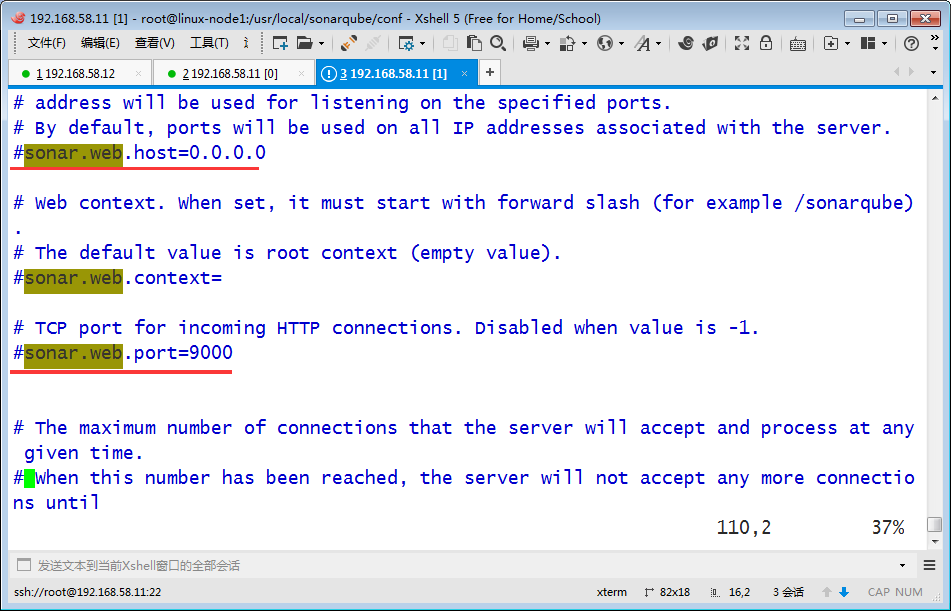
修改之后如下

|
1
2
3
4
|
[root@linux-node1 conf]
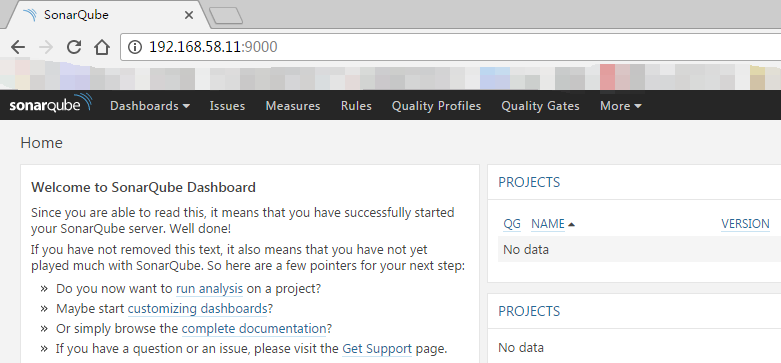
# /usr/local/sonarqube/bin/linux-x86-64/sonar.sh start
Starting SonarQube...
Started SonarQube.
[root@linux-node1 conf]
#
|
|
1
2
3
4
5
6
7
|
[root@linux-node1 conf]
# cd /usr/local/sonarqube
[root@linux-node1 sonarqube]
# ls
bin conf COPYING data extensions lib logs temp web
[root@linux-node1 sonarqube]
# cd logs/
[root@linux-node1 logs]
# ls
access.log sonar.log
[root@linux-node1 logs]
#
|
|
1
2
3
4
5
6
7
8
9
10
11
12
13
14
15
16
17
18
19
20
21
22
23
24
|
[root@linux-node1 logs]
# cd /usr/local/sonarqube
[root@linux-node1 sonarqube]
# ls
bin conf COPYING data extensions lib logs temp web
[root@linux-node1 sonarqube]
# cd extensions/
[root@linux-node1 extensions]
# ll
total 4
drwxr-xr-x 2 root root 6 Apr 29 16:34 deprecated
drwxr-xr-x 2 root root 6 Apr 29 16:35 downloads
drwxr-xr-x 3 root root 19 Jan 11 2016 jdbc-driver
drwxr-xr-x 2 root root 4096 Apr 29 16:34 plugins
[root@linux-node1 extensions]
# cd plugins/
[root@linux-node1 plugins]
# pwd
/usr/local/sonarqube/extensions/plugins
[root@linux-node1 plugins]
#
[root@linux-node1 plugins]
# ll
total 21952
-rw-r--r-- 1 root root 128 Apr 11 2016 README.txt
-rw-r--r-- 1 root root 7797781 Apr 7 2016 sonar-csharp-plugin-5.0.jar
-rw-r--r-- 1 root root 3191477 Apr 28 2016 sonar-java-plugin-3.13.1.jar
-rw-r--r-- 1 root root 1678073 Apr 7 2016 sonar-javascript-plugin-2.11.jar
-rw-r--r-- 1 root root 3233128 Apr 7 2016 sonar-scm-git-plugin-1.2.jar
-rw-r--r-- 1 root root 6564535 Apr 7 2016 sonar-scm-svn-plugin-1.3.jar
[root@linux-node1 plugins]
#
|
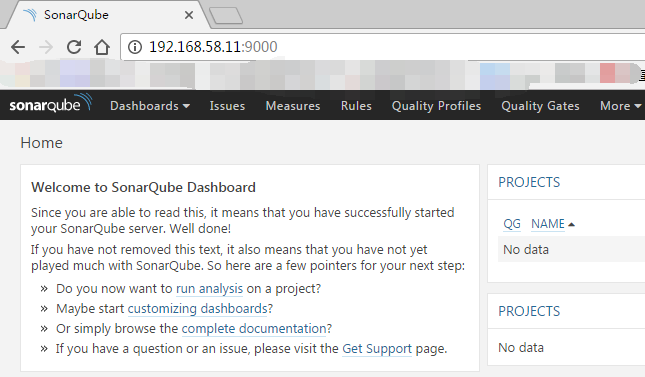
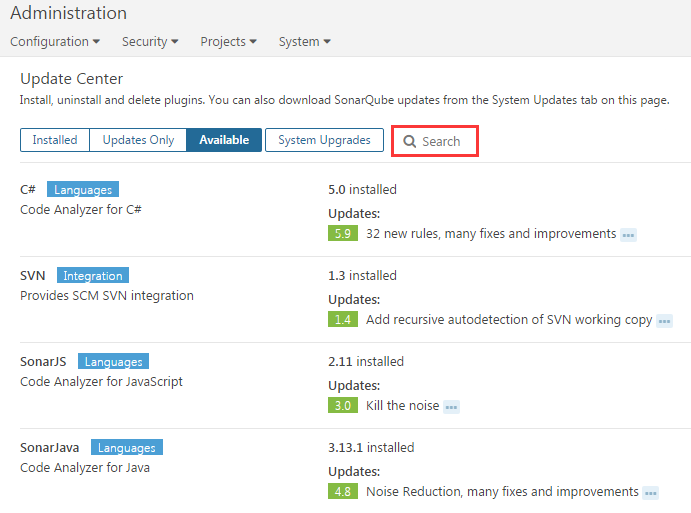
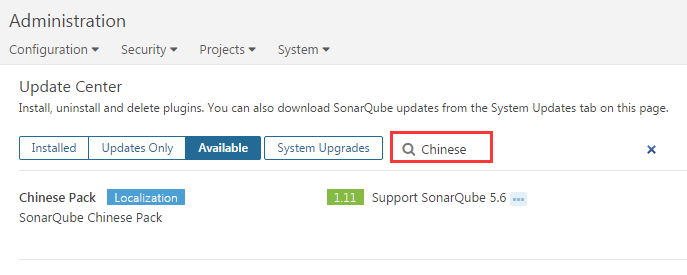
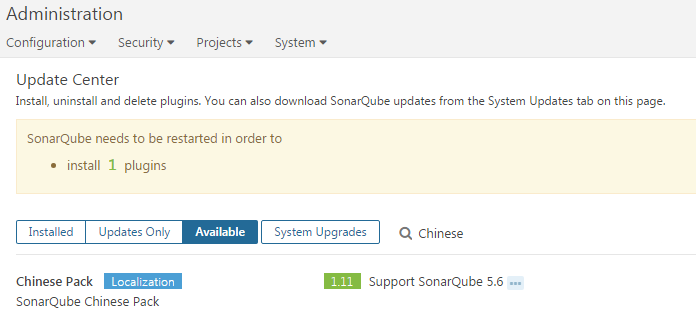
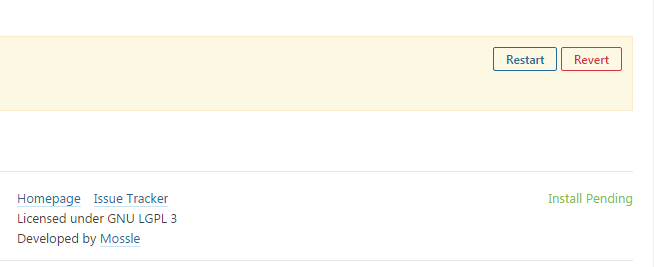
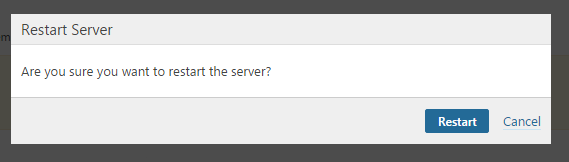
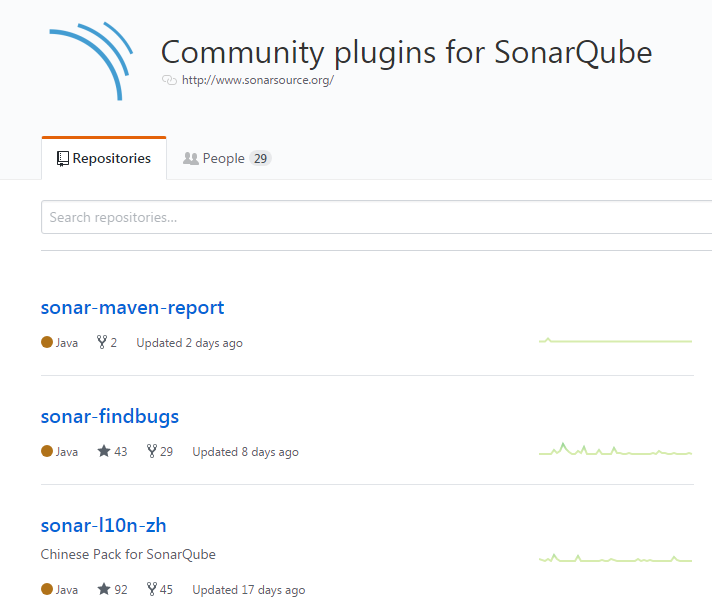
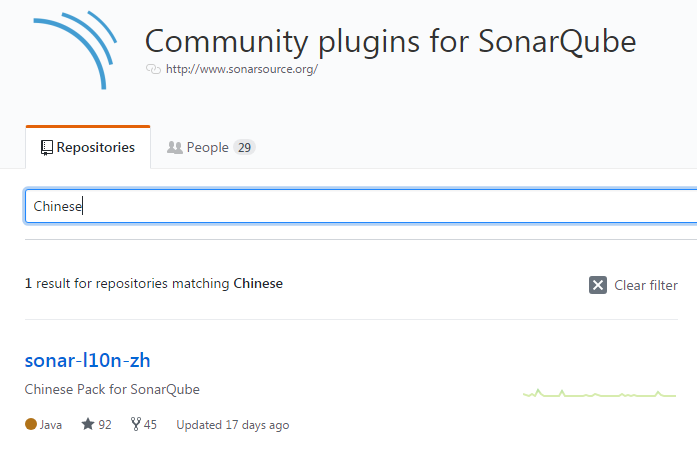
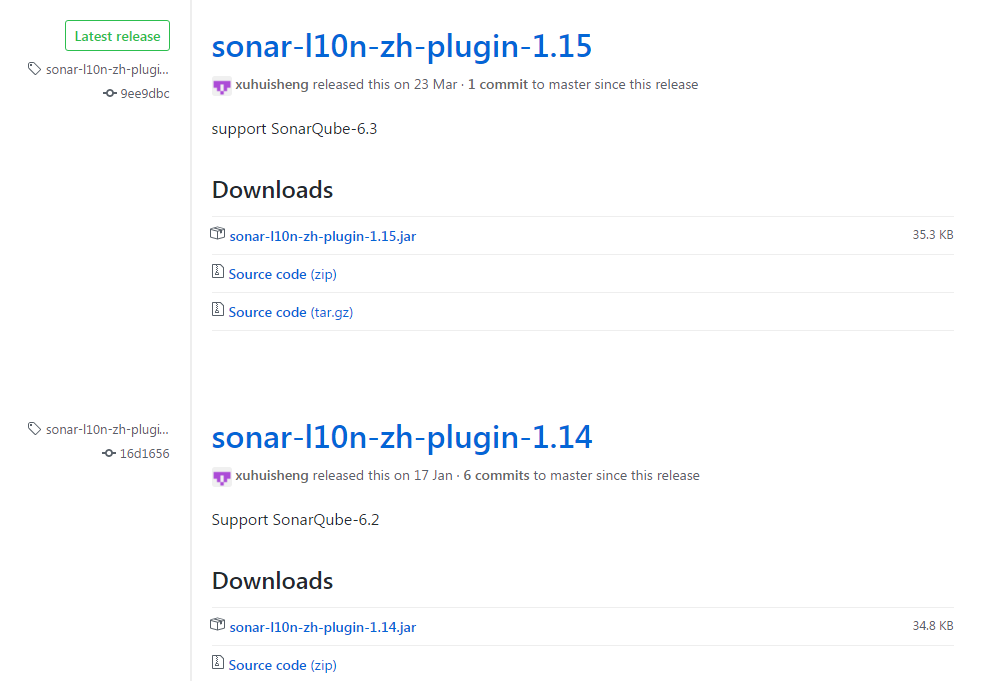
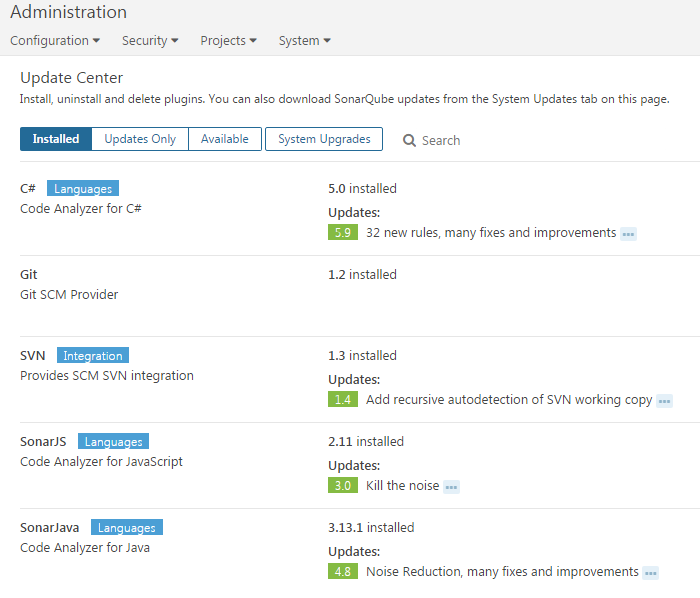
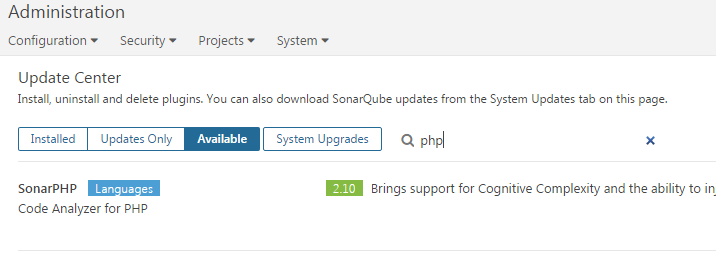
提示重启才生效



 已为社区贡献6条内容

所有评论(0)