一台机子上 同时使用gitlab github 方法
·
场景 ,自己有github账号,公司里用的gitlab账号
但是,我把电脑的Git换成gitlab账号后, 结果悲剧了,我不能用github了
0 查看global信息
|
1 unset邮箱 用户名
|
|
2 生成 github \ gitlab钥匙
|

生成 gitlab的key
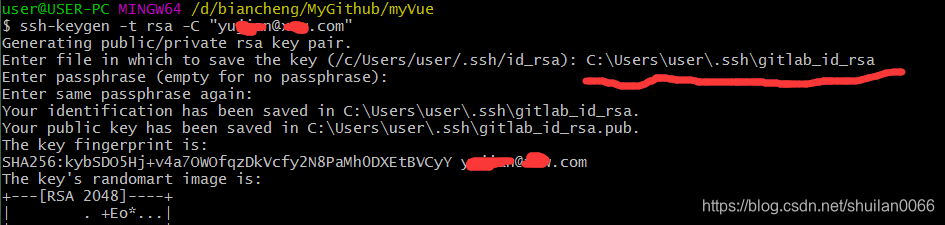
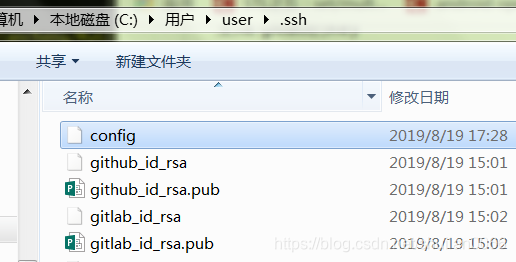
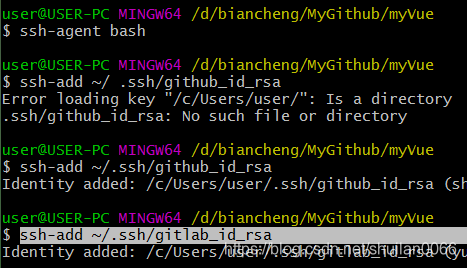
3 将生成的文件 加入路径
|
|
|
4 配置config文件
没有的话,运行 touch命令 生成
|
#Default github user Self
Host github.com
HostName github.com
User git
IdentityFile ~/.ssh/github_id_rsa

#Add gitlab user
Host gitlab.myWebimg.com
HostName gitlab.myWebimg.com
Port 8044
User git
IdentityFile ~/.ssh/gitlab_id_rsa
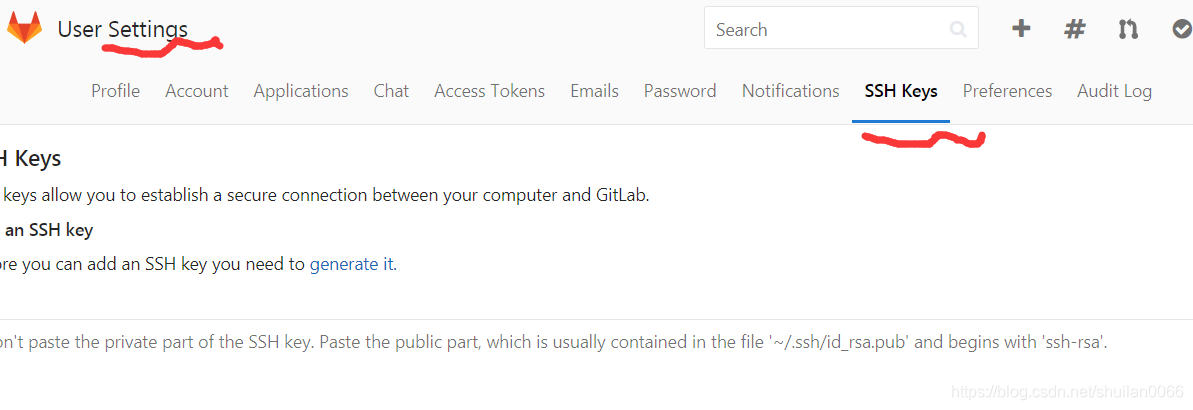
5 将公钥 加入github gitlab
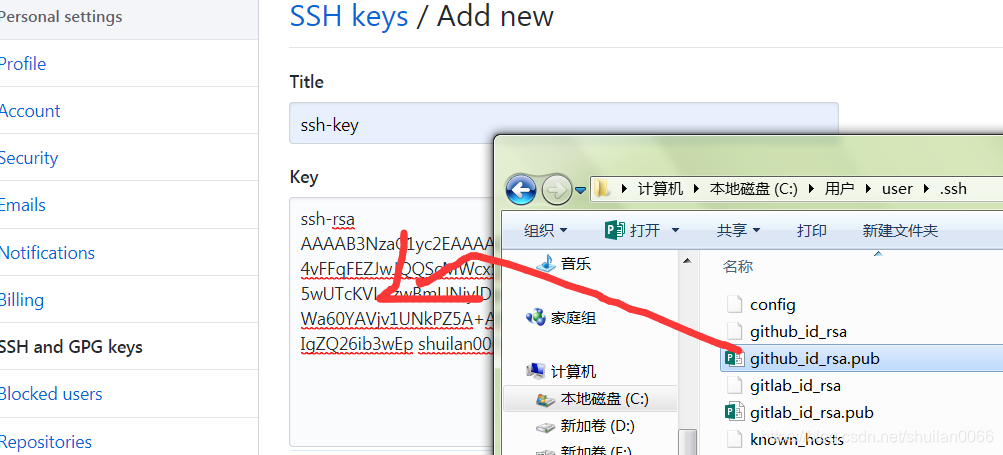
加入gitlab
6 验证


github 测试
git init 初始化仓库时,会跳出对话话,登录github ,登录后,正常操作
gitlab 测试
git clone gitlab项目,然后可以push
所以,测试成功
值得注意的是:
github第一次push 的时候 ,如果用了翻墙的网络,则会出现下面错误
$ git push -u origin master
fatal: unable to access 'https://github.com/gudianxiaoshuo/myVueLearn.git/': OpenSSL SSL_connect: SSL_ERROR_SYSCALL in connection to github.com:443
及时取消代理 ,还是不行
git config --global --unset http.proxy
我是换了一个网络才可以的,换网后, 会跳出github登录框,输入用户名和密码后 就可以了
在其它电脑上使用
如果在其它电脑上使用,只需要将

拷贝到其它电脑对应位置就可以了

腾讯云面向开发者汇聚海量精品云计算使用和开发经验,营造开放的云计算技术生态圈。
更多推荐
 0
0 0
0- 0


 已为社区贡献6条内容

所有评论(0)