Kafka教程(一)--Windows平台下安装部署
一、简介
Kafka,是一个分布式消息系统,在大数据生态中是常用的消息中间件,用于业务系统之间数据传输,实时处理大量业务数据。本篇介绍的是Windows平台下Kafka单节点及伪分布式多节点的安装部署。
二、准备环境
1.windows 10
2.jdk 1.8.0_361
3.kafka 3.7.2注意:未采用较新版本的Kafka。
三、安装Kafka
1.下载Kafka,解压到D:\spark\kafka3.7.2,点击下载
2.配置文件D:\spark\kafka3.7.2\config\server.properties
3.启动Zookeeper
set kafka_bin_path=D:\kafka2\bin\windows
set kafka_config_path=D:\kafka2\config
set JAVA_HOME=D:\tool\Java\jdk17.0.13
%kafka_bin_path%\zookeeper-server-start.bat %kafka_config_path%\zookeeper.properties
# 注意Windows平台下的启动指令
D:\spark\kafka3.7.2>bin\windows\zookeeper-server-start.bat config\zookeeper.properties
4.启动Kafka
set kafka_bin_path=D:\kafka2\bin\windows
set kafka_config_path=D:\kafka2\config
set JAVA_HOME=D:\tool\Java\jdk17.0.13
%kafka_bin_path%\kafka-server-start.bat %kafka_config_path%\server.properties
# 注意Windows平台下的启动指令
D:\spark\kafka3.7.2>bin\windows\kafka-server-start.bat config\server.properties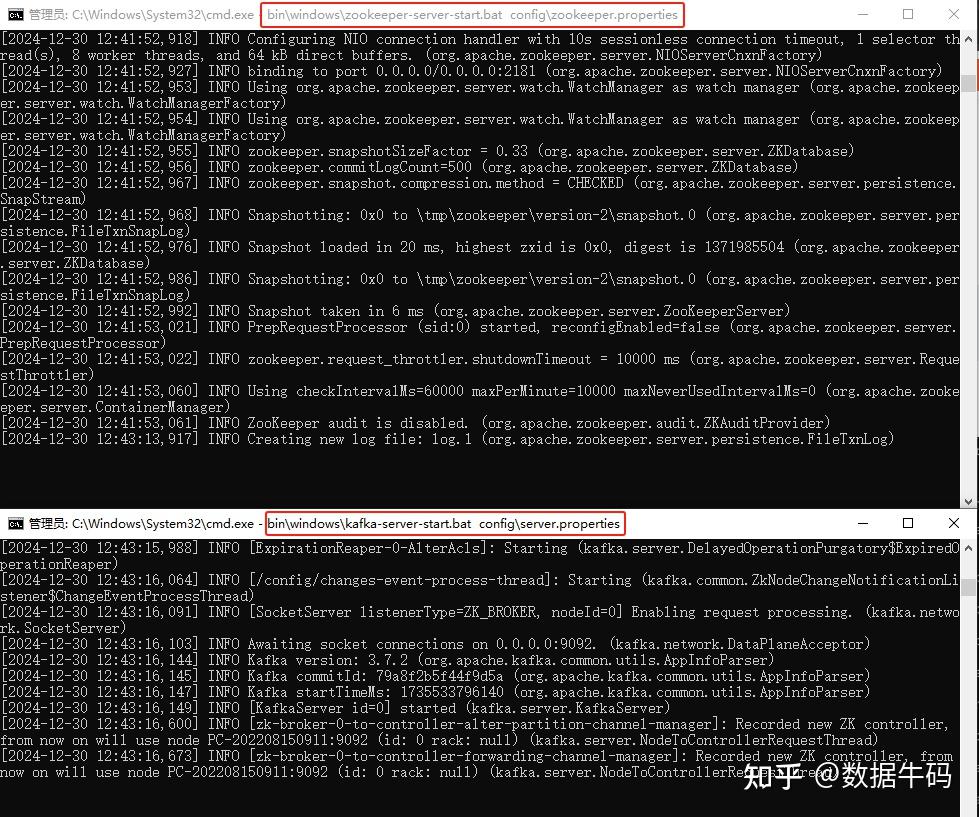
Kafka Start
四、命令行操作
1.新建Topic
set kafka_bin_path=D:\kafka2\bin\windows
set kafka_config_path=D:\kafka2\config
set JAVA_HOME=D:\tool\Java\jdk17.0.13
%kafka_bin_path%\kafka-topics.bat --bootstrap-server 127.0.0.1:9092 --topic user_topic --create
D:\spark\kafka3.7.2>bin\windows\kafka-topics.bat --bootstrap-server 127.0.0.1:9092 --topic user_topic --create
WARNING: Due to limitations in metric names, topics with a period ('.') or underscore ('_') could collide. To avoid issues it is best to use either, but not both.
Created topic user_topic.
2.查看所有Topic
set kafka_bin_path=D:\kafka2\bin\windows
set kafka_config_path=D:\kafka2\config
set JAVA_HOME=D:\tool\Java\jdk17.0.13
%kafka_bin_path%\kafka-topics.bat --bootstrap-server 127.0.0.1:9092 --list
D:\spark\kafka3.7.2>bin\windows\kafka-topics.bat --bootstrap-server 127.0.0.1:9092 --list
user_topic
3.查看某一个Topic
D:\spark\kafka3.7.2>bin\windows\kafka-topics.bat --bootstrap-server 127.0.0.1:9092 --topic user_topic --describe
Topic: user_topic       TopicId: VyodzZtBRd2LXtKzNWAI5w PartitionCount: 1       ReplicationFactor: 1    Configs:
        Topic: user_topic       Partition: 0    Leader: 0       Replicas: 0     Isr: 0
4.删除某个Topic
D:\spark\kafka3.7.2>bin\windows\kafka-topics.bat --bootstrap-server 127.0.0.1:9092 --topic user_topic --delete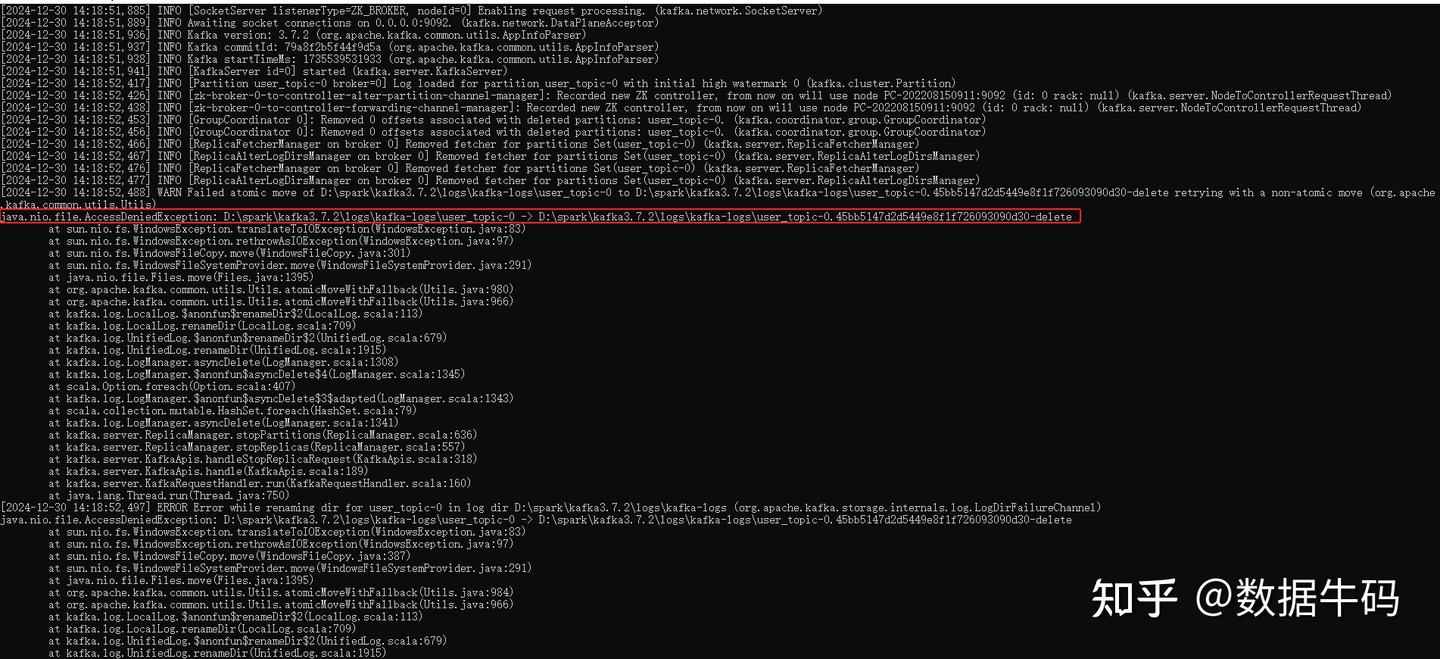
Kafka Topics Delete
注意:删除Topic时,Window平台下由于文件权限的原因导致删除失败,Kafka会报错退出。
解决方案:删除D:\tmp\zookeeper和D:\tmp\kafka-logs 重新启动服务即可。
5.查看帮助命令
D:\spark\kafka3.7.2>bin\windows\kafka-topics.bat --help6.生产者消费者操作
(1).D:\spark\kafka3.7.2>bin\windows\kafka-console-producer.bat --bootstrap-server 127.0.0.1:9092 --topic user-topic
(2).D:\spark\kafka3.7.2>bin\windows\kafka-console-consumer.bat --bootstrap-server 127.0.0.1:9092 --topic user-topic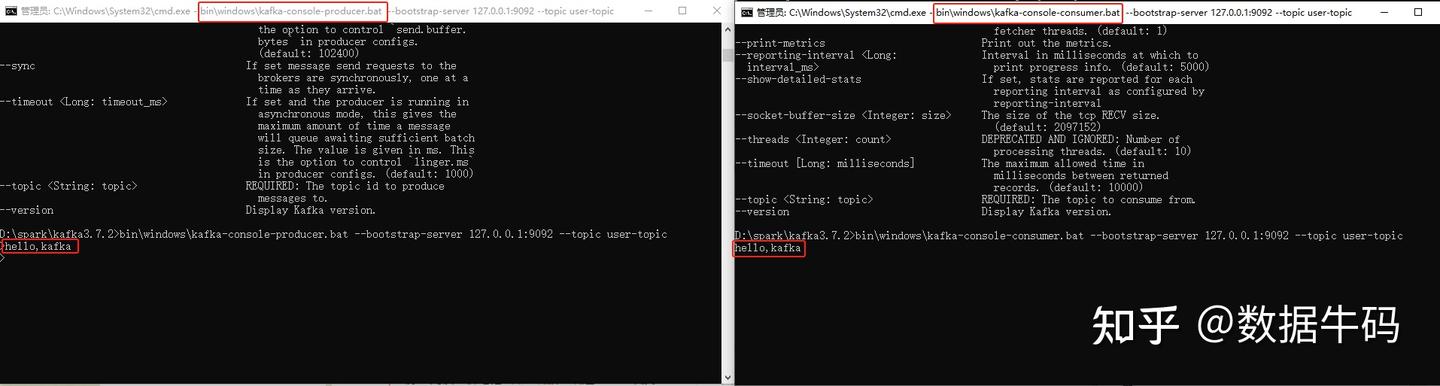
Kafka Producer Consumer
五、单机多节点伪分布式部署
1.复制并修改配置文件server.properties,修改broker.id、listeners和log.dirs
server-1.properties配置如下:
# The id of the broker. This must be set to a unique integer for each broker.
broker.id=1

# The address the socket server listens on. If not configured, the host name will be equal to the value of
listeners=PLAINTEXT://localhost:9093

# A comma separated list of directories under which to store log files
log.dirs=/tmp/kafka-logs-1
server-2.properties配置如下:
# The id of the broker. This must be set to a unique integer for each broker.
broker.id=2

# The address the socket server listens on. If not configured, the host name will be equal to the value of
listeners=PLAINTEXT://localhost:9094

# A comma separated list of directories under which to store log files
log.dirs=/tmp/kafka-logs-2
server-3.properties配置如下:
# The id of the broker. This must be set to a unique integer for each broker.
broker.id=3

# The address the socket server listens on. If not configured, the host name will be equal to the value of
listeners=PLAINTEXT://localhost:9095

# A comma separated list of directories under which to store log files
log.dirs=/tmp/kafka-logs-3
2.启动三个Broker节点
D:\spark\kafka3.7.2>bin\windows\kafka-server-start.bat config\server-1.properties
D:\spark\kafka3.7.2>bin\windows\kafka-server-start.bat config\server-2.properties
D:\spark\kafka3.7.2>bin\windows\kafka-server-start.bat config\server-3.properties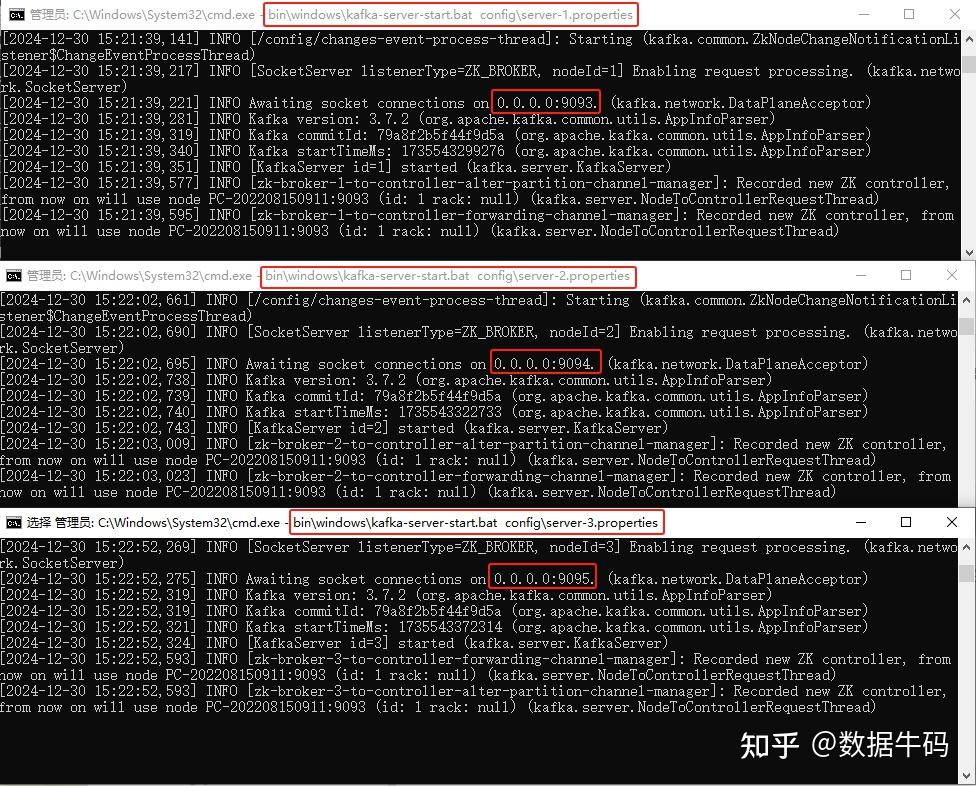
Kafka Multi Brokers
3.创建多分区多副本Topic
D:\spark\kafka3.7.2>bin\windows\kafka-topics.bat --bootstrap-server 127.0.0.1:9093,127.0.0.1:9094,127.0.0.1:9095 --topic topic01 --create --partitions 3 --replication-factor 3
Created topic topic01.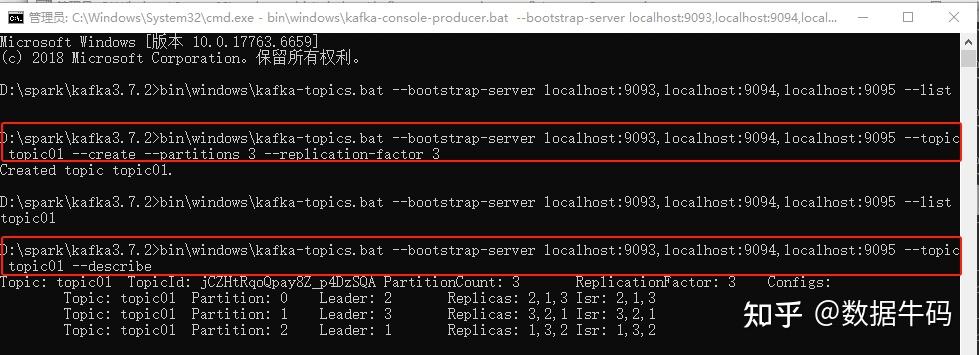
Kafka Create Topics
4.生产者消费者操作
# 启动生产者
D:\spark\kafka3.7.2>bin\windows\kafka-console-producer.bat --bootstrap-server localhost:9093,localhost:9094,localhost:9095 --topic topic01
# 启动消费者
D:\spark\kafka3.7.2>bin\windows\kafka-console-consumer.bat --bootstrap-server localhost:9093,localhost:9094,localhost:9095 --topic topic01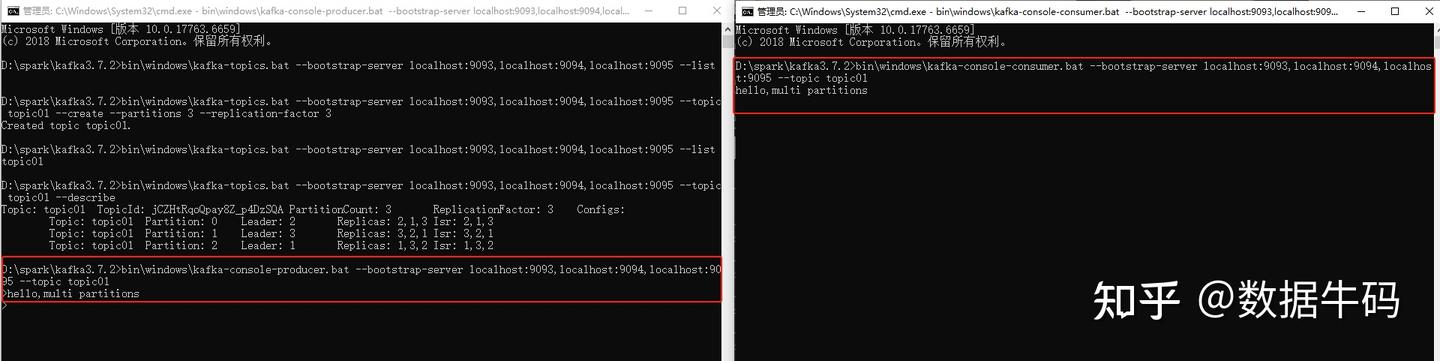
Kafka Producer Consumer
注意:在多分区多副本的Kafka配置中,listeners的配置必须是主机名,不能是空,主机IP,否则会出现无法消费消息的情况。
六、总结
Kafka常用于大数据中的消息中间件,之前接触过的业务系统间的数据交互现在也多使用Kafka来进行解耦合。本篇主要介绍的是Kafka在Windows平台上的部署和使用,并且在命令行下操作生产者消费者进行数据传递,还可以使用Python编写Producer和Consumer实现数据发送和消费。
该篇文章将同步发表在同名公众号,公众号主要发布数据治理、数据处理、数据爬取、数据挖掘、数据可视化、机器学习等文章;如果您有招聘机会,请私信,将发布到公众号,希望可以帮助正在找工作的朋友。

腾讯云面向开发者汇聚海量精品云计算使用和开发经验,营造开放的云计算技术生态圈。
更多推荐
 21
21 0
0- 0


 已为社区贡献2条内容

所有评论(0)