Flutter for HarmonyOS 开发指南(二):代码提交
·
1.创建项目
创建成功的项目地址
https://gitcode.com/ludao198d/fohos_demo
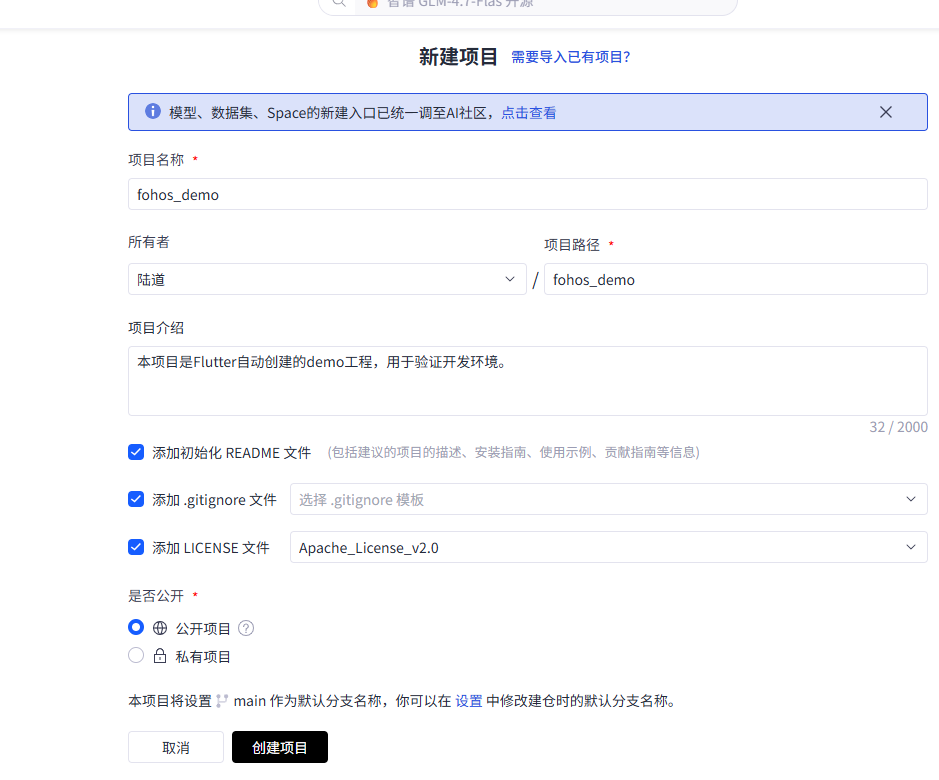
1) 打开https://gitcode.com/create
项目名称:fohos_demo
2).初始仓库下载到本地
git clone git@gitcode.com:ludao198d/fohos_demo.git
要使用ssh协议,否则后面push验证用户名密码是无法Push的。
3).代码复制到仓库下面
4)提交代码
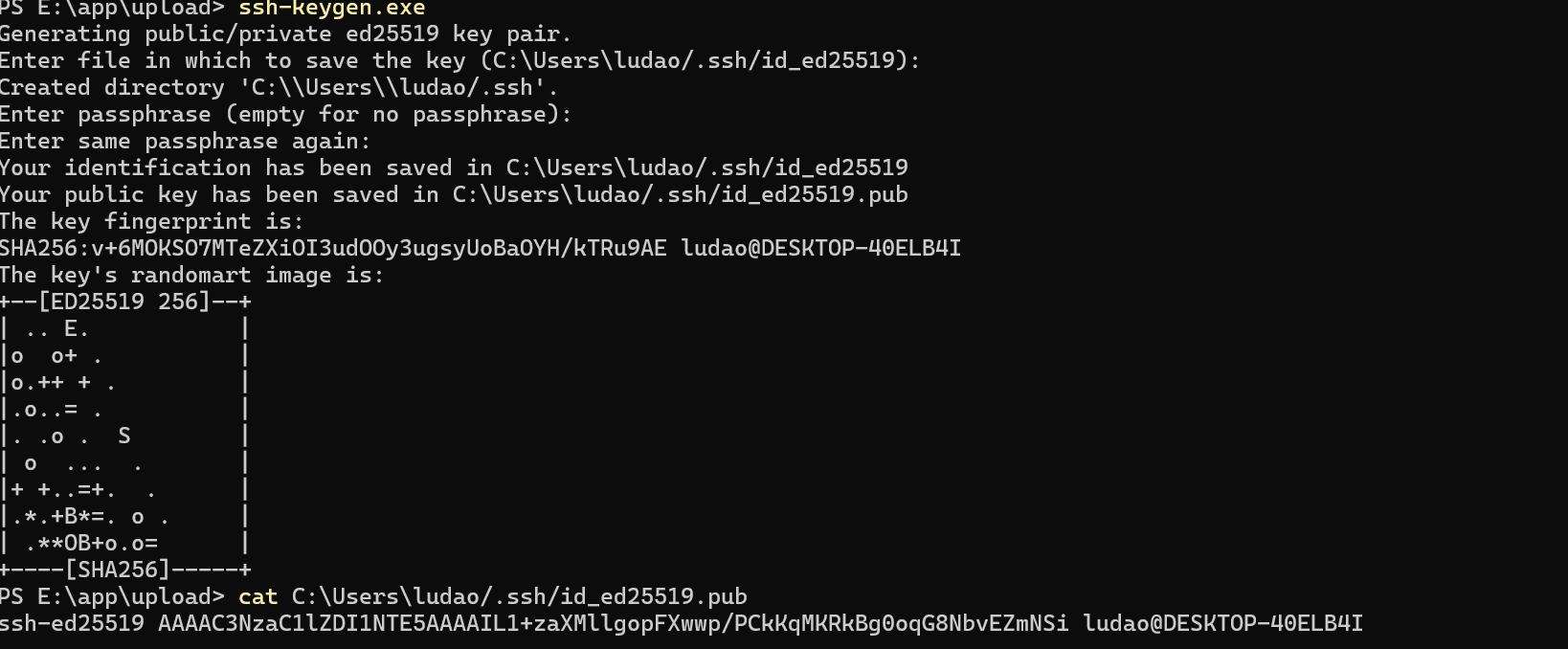
提交代码过程中先创建自己的key
ssh-keygen.exe
一路回车
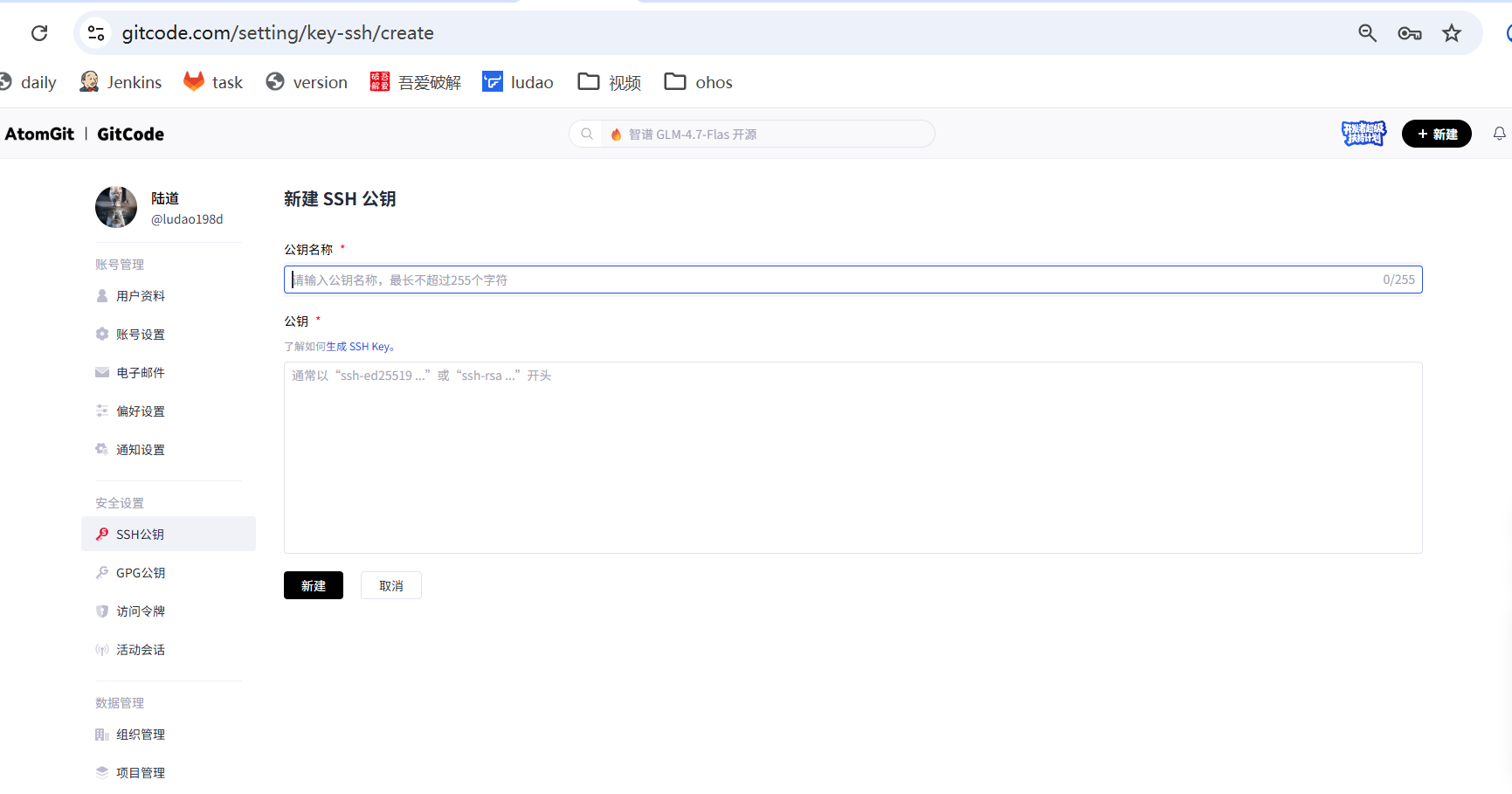
然后把key添加到网站中
https://gitcode.com/setting/key-ssh
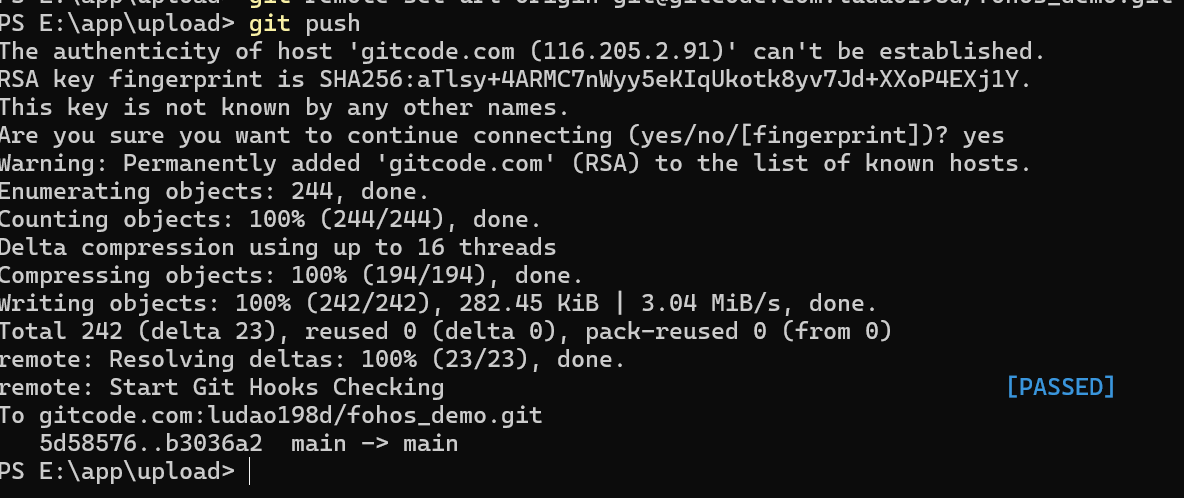
git add .
git commit -m "add init code"
git push
欢迎加入开源鸿蒙跨平台社区:
https://openharmonycrossplatform.csdn.net

腾讯云面向开发者汇聚海量精品云计算使用和开发经验,营造开放的云计算技术生态圈。
更多推荐
 0
0 0
0- 0


 已为社区贡献2条内容

所有评论(0)