20260112
·
ansible 自动化
ansible 基础环境配置
每台机器 hosts 配置
# /etc/hosts
# 每台机器追加这个

10.1.8.10 controller.aaa.cloud controller
10.1.8.11 node1.aaa.cloud node1
10.1.8.12 node2.aaa.cloud node2
10.1.8.13 node3.aaa.cloud node3
10.1.8.14 node4.aaa.cloud node4
controller 与 node 配置用户免密登录(aaa 用户),sudo 提权
# 首先创建新用户
useradd aaa
# 密码设置为123
echo 123 | passwd --stdin aaa
# 配置免密提权
echo 'aaa ALL=(ALL) NOPASSWD:ALL' > /etc/sudoers.d/aaa

# ssh首次登录不提示
echo 'StrictHostKeyChecking no' >> /etc/ssh/ssh_config

# 配置ssh密钥登录
# 首先建立.ssh目录
[ -d ~/.ssh ] || mkdir -m 700 .ssh
# 产生密钥
ssh-keygen -t rsa -f .ssh/id_rsa -N ''

# 进行密钥推送
for host in controller node{1..4}
do
 sshpass -p 123 ssh-copy-id aaa@$host
done

# 进行验证
for host in controller node{1..4}
do
 ssh aaa@$host sudo id
done
安装 ansible 并且简单验证
sudo yum install -y ansible
ansible --version
开始使用 ansible
建立 ansible 项目并且编写项目配置
# 建立一个webapp项目
mkdir webapp

# 进入webapp项目目录
cd webapp

# 编写主机清单
vim inventory
[controllers]
controller

[webs]
node1
node2

[dbs]
node3
node4

[nodes]
node[1:4]

# 编写项目的ansible的配置文件(ansible)
vim ansible.cfg
[defaults]
inventory=./inventory
remote_use=aaa

[privilege_escalation]
bacome=True
become_method=sudo
become_user=root
become_aks_pass=False
ansible-playbook
vim 编辑器缩进
set ai ts=2 number
- ‘ai’:即 autoindex,表示自动缩进
- ‘ts’:即 tabstop,表示 tab 使用 2 个空格代替
- ‘number’:显示行号
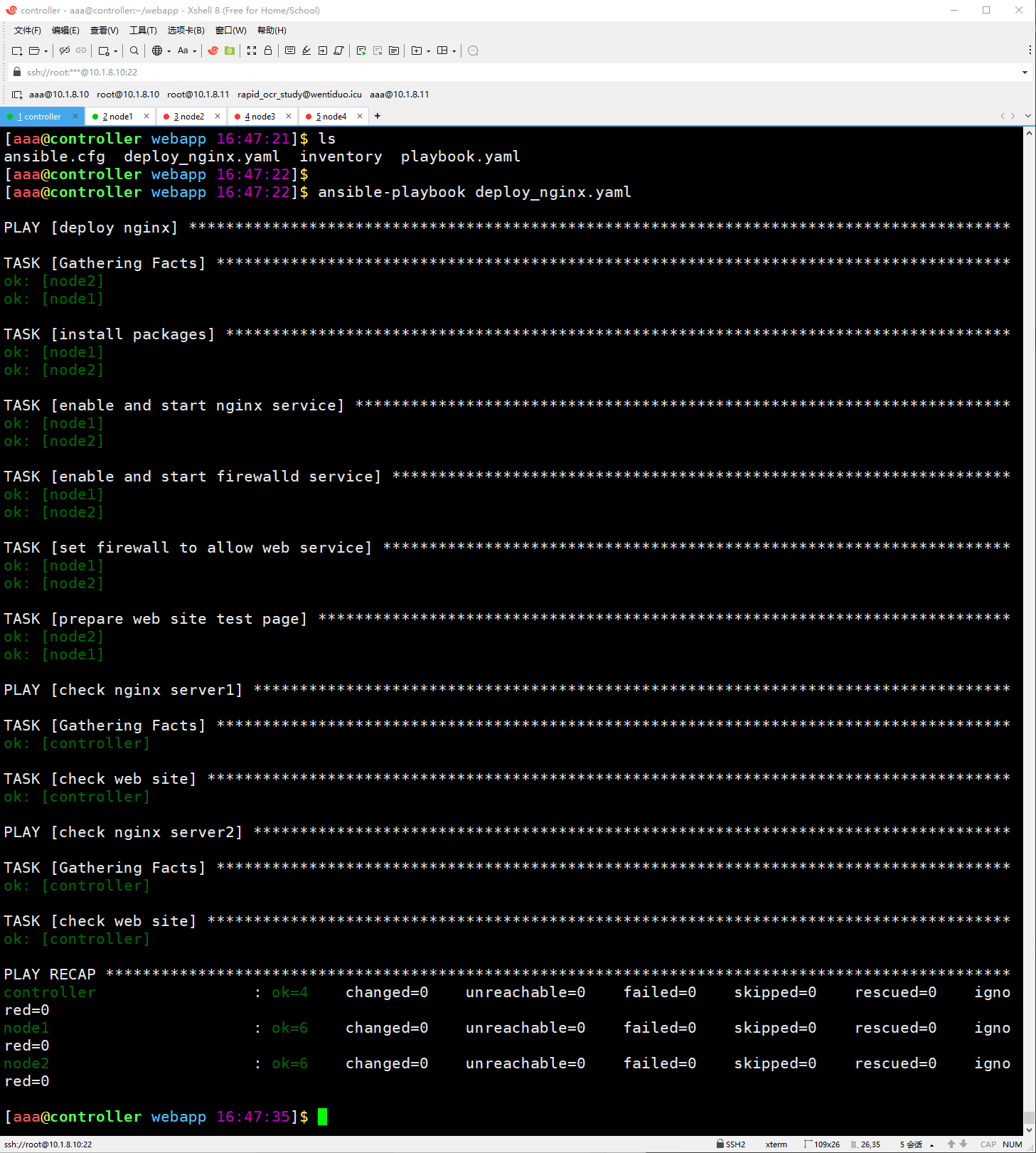
需求:部署 webs 主机组上部署 nginx 服务器,并且测试可用性
-
play1:部署 nginx 服务
- 安装软件包
- 启动服务
- 防火墙放行
- 测试页面
-
play2:测试
在 controller 上进行访问测试
---
- name: deploy nginx
  hosts: webs
  tasks:
    - name: install packages
      yum:
        name: nginx,firewalld
        state: latest

    - name: enable and start nginx service
      service:
        name: nginx
        state: started
        enabled: yes

    - name: enable and start firewalld service
      service:
        name: firewalld
        state: started
        enabled: yes

    - name: set firewall to allow web service
      firewalld:
        service: http
        permanent: yes
        state: enabled
        immediate: yes

    - name: prepare web site test page
      copy:
        dest: /usr/share/nginx/html/index.html
        content: "Welcome to ansible ^-^ "

- name: check nginx server1
  hosts: controller
  tasks:
    - name: check web site
      uri:
        url: http://node1/
        method: GET

- name: check nginx server2
  hosts: controller
  tasks:
    - name: check web site
      uri:
        url: http://node2/
        method: GET

腾讯云面向开发者汇聚海量精品云计算使用和开发经验,营造开放的云计算技术生态圈。
更多推荐
 4
4 0
0- 0


 已为社区贡献4条内容

所有评论(0)