【Flutter for HarmonyOS】购物车实战:侧滑交互与骨架屏优化
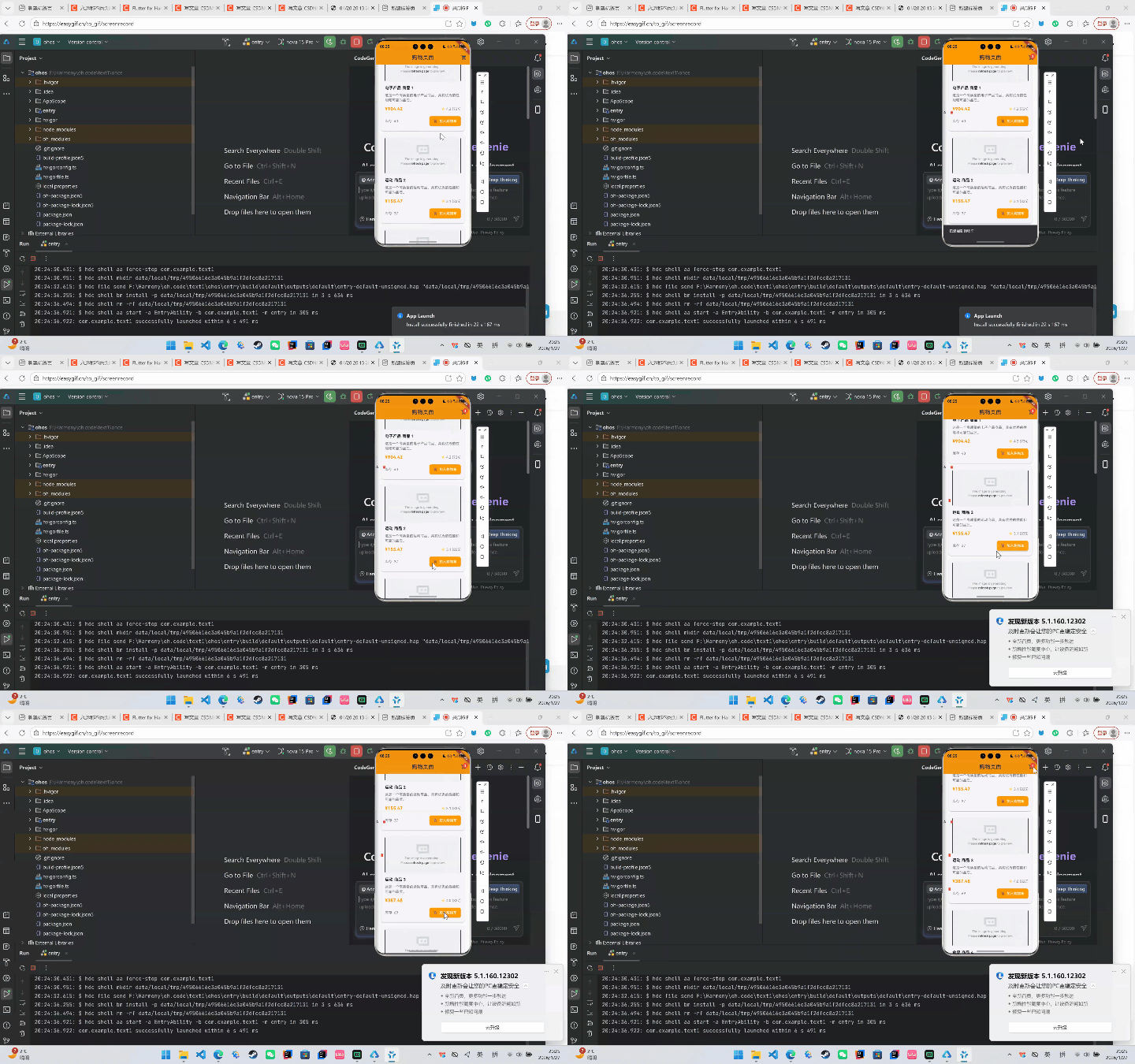
本文介绍了一个基于Flutter 3.x和Dart 2.18开发的电商应用项目。项目采用橙色主题,主要实现了商品列表展示(含分页、下拉刷新、上拉加载功能)、侧滑式购物车管理(支持商品增减、总价计算)以及加载骨架屏优化体验。文章详细解析了项目架构设计,包括数据模型(Product和CartItem)、UI组件实现(商品卡片、购物车侧滑栏)和交互细节(如SnackBar提示、即时状态更新)。项目采用清
·
文章目录
1 项目概览
-
技术栈:Flutter 3.x、Dart 2.18
-
主题:橙色主色调(
Colors.orange) -
核心功能
- 商品列表(分页 + 下拉刷新 + 上拉加载更多)
- 侧滑式购物车(可展开/收起)
- 商品加入/移除、数量增减
- 购物车总价、结算按钮
- 加载骨架屏(Skeleton)
代码结构清晰,业务层(
Product、CartItem)与UI层(_buildProductCard、_buildCartItem)完全分离,后期可轻松扩展。
2 关键数据模型
class Product {
  int id;
  String name;
  String description;
  double price;
  String image;
  int stock;
  double rating;
  int reviewCount;
  String category;
  // ...
}

class CartItem {
  Product product;
  int quantity;
  double get totalPrice => product.price * quantity;
}
- 商品:包含
price、stock、rating等信息,后期可扩展到多种属性。 - 购物车项:持有
Product与quantity,并通过totalPrice计算小计。
3 页面布局与交互细节
3.1 商品列表
- 下拉刷新:
RefreshIndicator - 上拉加载:
ScrollController监听maxScrollExtent - 骨架屏:
_buildSkeletonCard()让用户体验更流畅
RefreshIndicator(
  onRefresh: _refreshProducts,
  child: ListView.builder(
    controller: _scrollController,
    itemCount: _isLoading ? 10 : _products.length + (_isLoadingMore ? 1 : 0),
    itemBuilder: (_, index) {
      if (_isLoading) return _buildSkeletonCard();
      if (index < _products.length) return _buildProductCard(_products[index]);
      return Center(child: CircularProgressIndicator());
    },
  ),
)
3.2 商品卡片
- 图片:
DecorationImage+ 圆角 - 加入购物车:
ElevatedButton.icon - 库存:展示
product.stock - 价格 + 评分:
Row组合
ElevatedButton.icon(
  icon: Icon(Icons.add_shopping_cart, size: 16),
  label: Text("加入购物车"),
  onPressed: () => _addToCart(product),
  style: ElevatedButton.styleFrom(
    backgroundColor: Colors.orange,
    foregroundColor: Colors.white,
    padding: EdgeInsets.symmetric(horizontal: 16, vertical: 8),
  ),
)
3.3 购物车侧滑栏
- 展开/收起:
AnimatedPositioned+bool _isCartExpanded - 购物车头部:关闭按钮 + 标题
- 购物车内容:
ListView.builder展示_buildCartItem - 底部:总价 + 结算按钮
AnimatedPositioned(
  duration: Duration(milliseconds: 300),
  right: _isCartExpanded ? 0 : MediaQuery.of(context).size.width,
  child: Container(
    width: MediaQuery.of(context).size.width * 0.85,
    // 购物车内容...
  ),
)
3.4 购物车项
- 数量控制:
IconButton加减 - 小计:
item.totalPrice - 删除:
IconButton
IconButton(
  icon: Icon(Icons.remove, size: 16),
  onPressed: () => _updateCartItemQuantity(item.product.id, item.quantity - 1),
),
Text("${item.quantity}"),
IconButton(
  icon: Icon(Icons.add, size: 16),
  onPressed: () => _updateCartItemQuantity(item.product.id, item.quantity + 1),
),
4 骨架屏(Skeleton)实现
Widget _buildSkeletonCard() {
  return Card(
    child: Padding(
      padding: EdgeInsets.all(16),
      child: Column(
        crossAxisAlignment: CrossAxisAlignment.start,
        children: [
          // 图片占位
          Container(height: 150, color: Colors.grey.shade200),
          // 文本占位
          SizedBox(height: 12),
          Container(height: 20, width: 200, color: Colors.grey.shade200),
          // 价格占位
          SizedBox(height: 12),
          Row(
            mainAxisAlignment: MainAxisAlignment.spaceBetween,
            children: [
              Container(height: 20, width: 80, color: Colors.grey.shade200),
              Container(height: 16, width: 100, color: Colors.grey.shade200),
            ],
          ),
        ],
      ),
    ),
  );
}
效果:页面第一次加载时显示灰色占位,提升用户体验。
5交互细节小技巧
| 场景 | 技巧 | 说明 |
|---|---|---|
| 加入购物车 | SnackBar |
提示“已添加到购物车” |
| 数量变更 | 立即更新 setState |
让列表即时反映 |
| 购物车计数 | Stack + Positioned |
购物车图标右上角数字 |
| 结算 | 暂未实现 | 可接入支付 SDK(如 pay) |
6 未来可扩展
- 商品搜索:顶部搜索框 + 过滤器
- 多语言:使用
flutter_localizations - 持久化:将购物车缓存到
shared_preferences或sqflite - 支付集成:接入
stripe、微信支付、支付宝 - 推荐系统:根据浏览/购买记录推荐商品
7 小结
- 完整购物车:从商品列表到侧滑结算,代码已完整覆盖。
- 交互体验:下拉刷新、上拉加载、骨架屏、即时更新,让用户感受流畅。
- 代码结构:业务模型 + UI 组件 + 交互逻辑,易于维护与扩展。
欢迎加入开源鸿蒙跨平台社区:https://openharmonycrossplatform.csdn.net

腾讯云面向开发者汇聚海量精品云计算使用和开发经验,营造开放的云计算技术生态圈。
更多推荐
 16
16 0
0- 0


 已为社区贡献2条内容

所有评论(0)