图像点拟合直线:EmguCV(OpenCV)与C#实现
图像点拟合直线:
图像分辨率1280*960ppi,请至少用一种直线拟合的方法,拟合图中的点位。
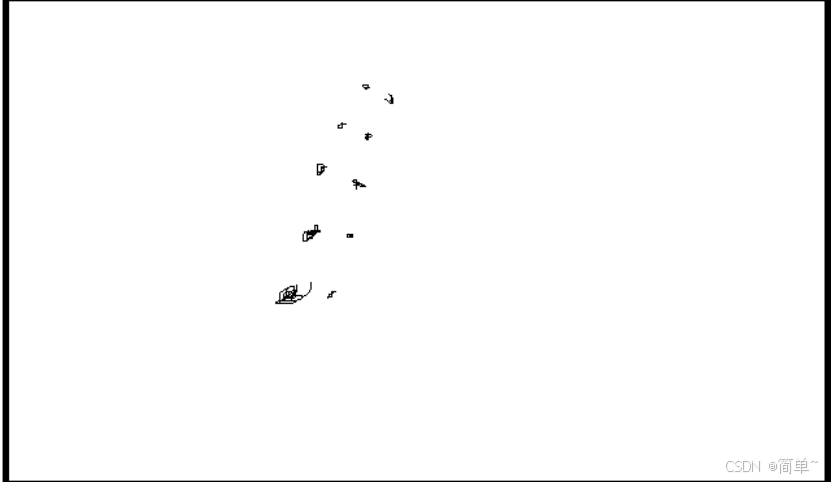
基本思路如下:
使用EmguCV+C#实现
EmguCV全称为'Emgu Computer Vision',是以C#语言实现的OpenCV跨平台封装库。
通过图像处理流程提取点集并拟合直线。首先载入图像,依次进行灰度化、自适应阈值二值化、开运算(腐蚀后膨胀)以去除噪声并增强目标。随后检测轮廓,过滤小型轮廓并采样计算中心点集合。基于中心点使用Huber距离的鲁棒拟合方法初步得到直线,再通过计算点到直线距离、剔除偏离平均值超过标准差的离群点,实现精确直线拟合。接下来全程可视化展示提取线性特征各步骤结果:
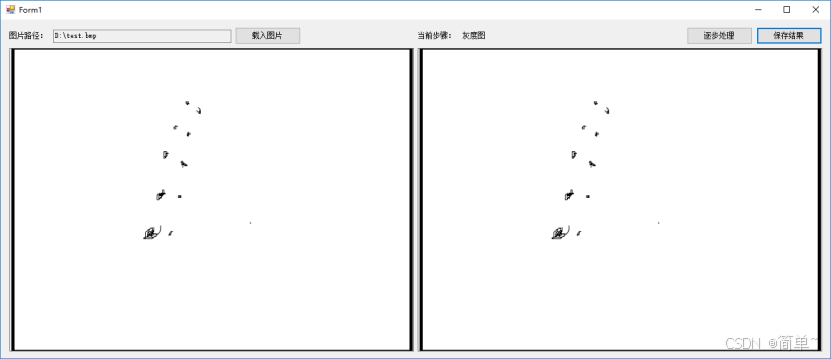
灰度图:转为8位深度灰度图;
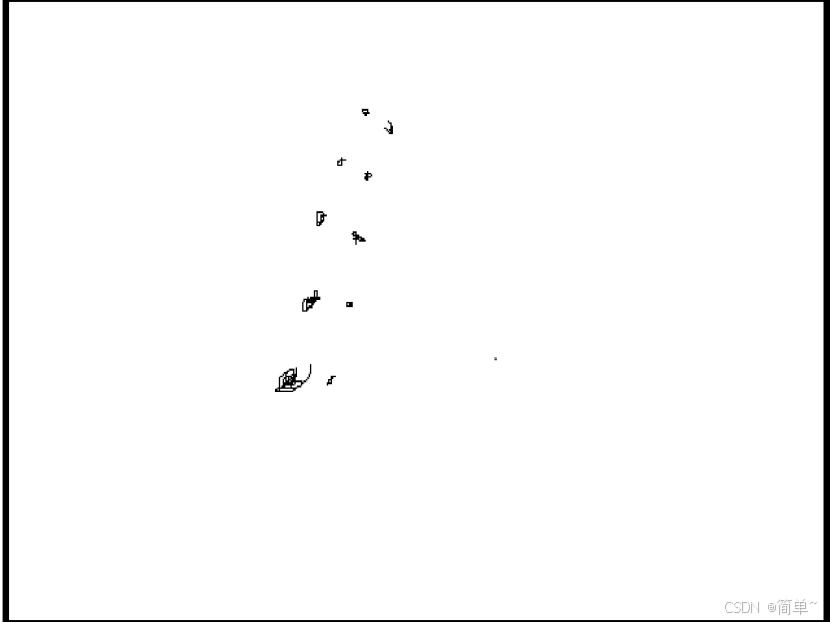
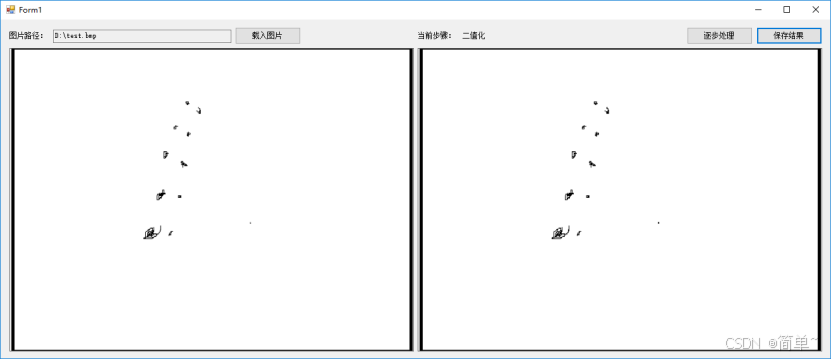
二值化:转为可处理的二值图;
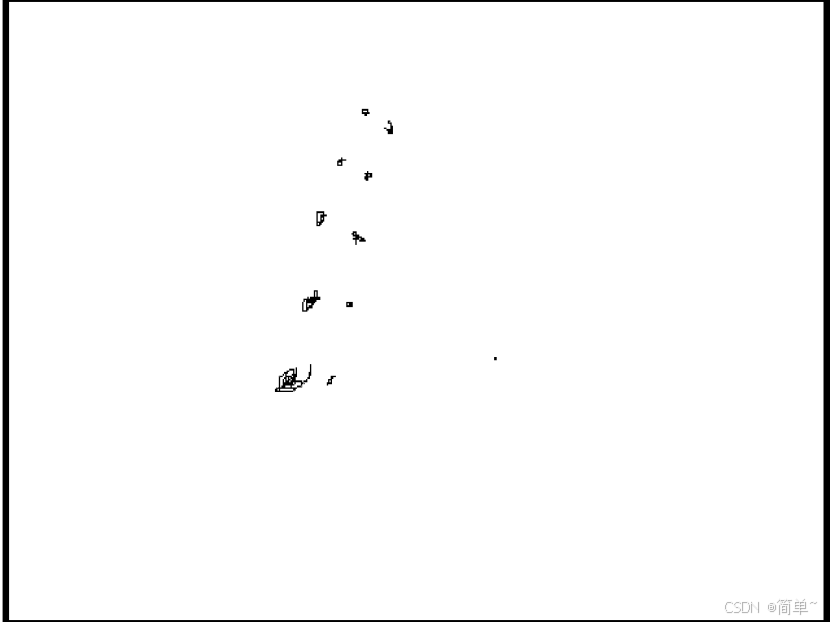
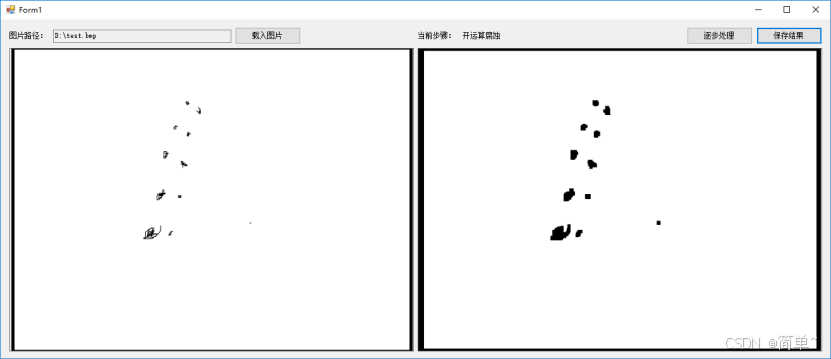
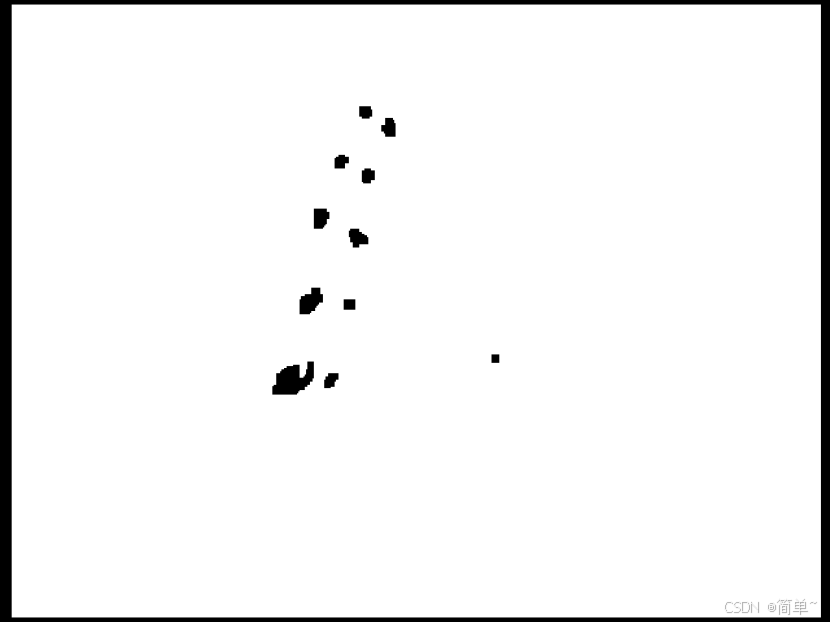
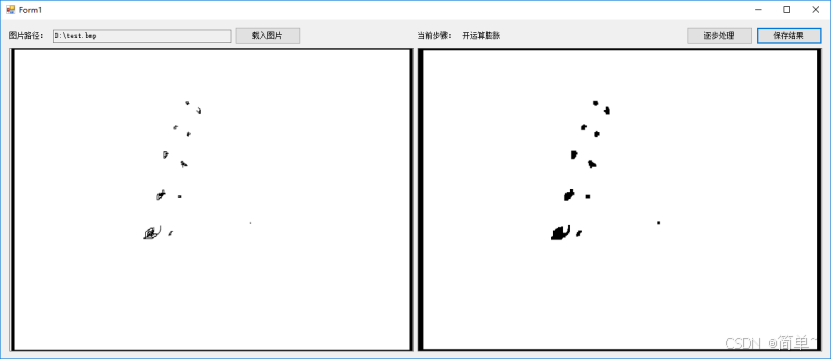
开运算腐蚀和膨胀:消除细小轮廓,加快后处理速度
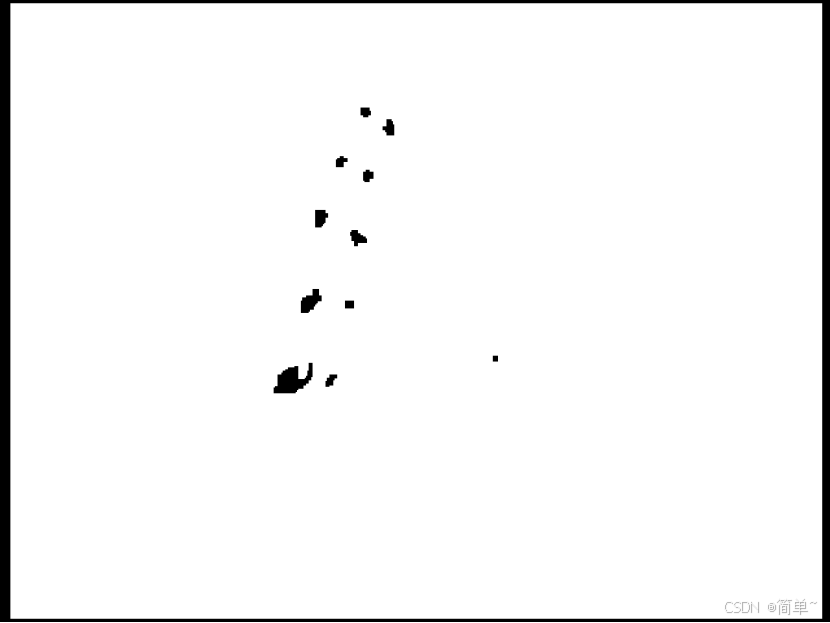
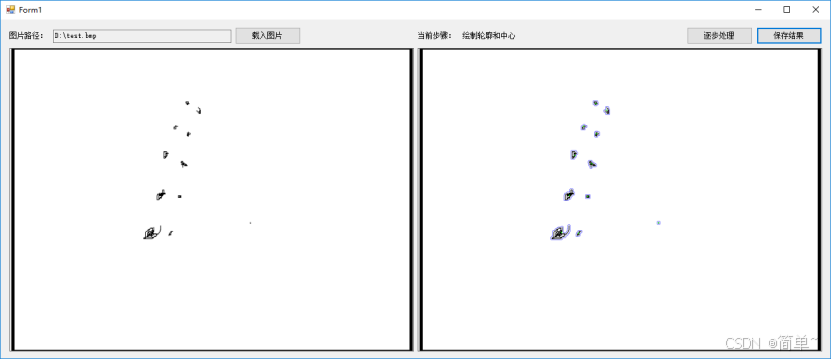
绘制轮廓和中心点:获得用于拟合直线的点;
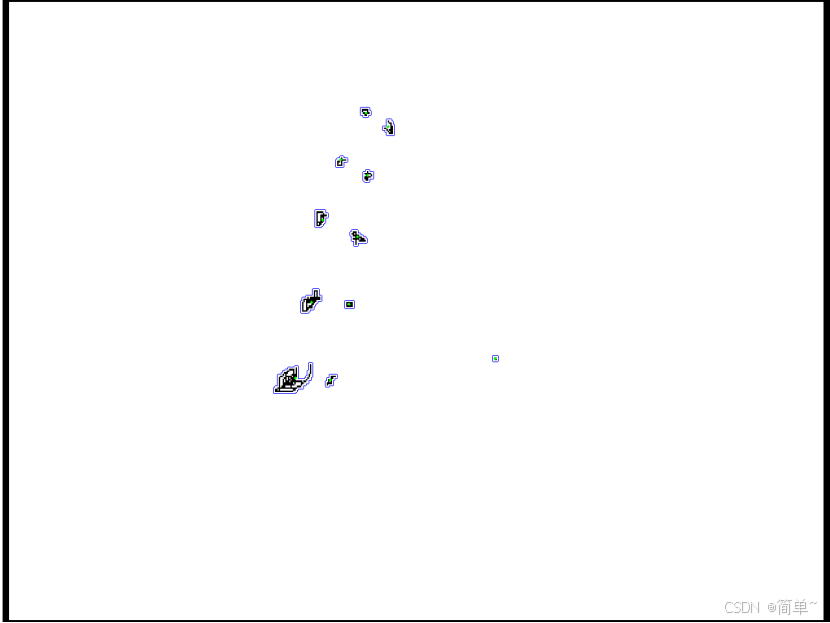
点拟合线:将点拟合成线;
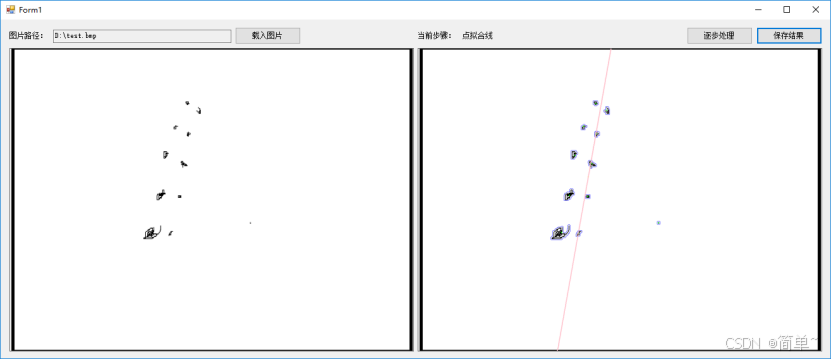
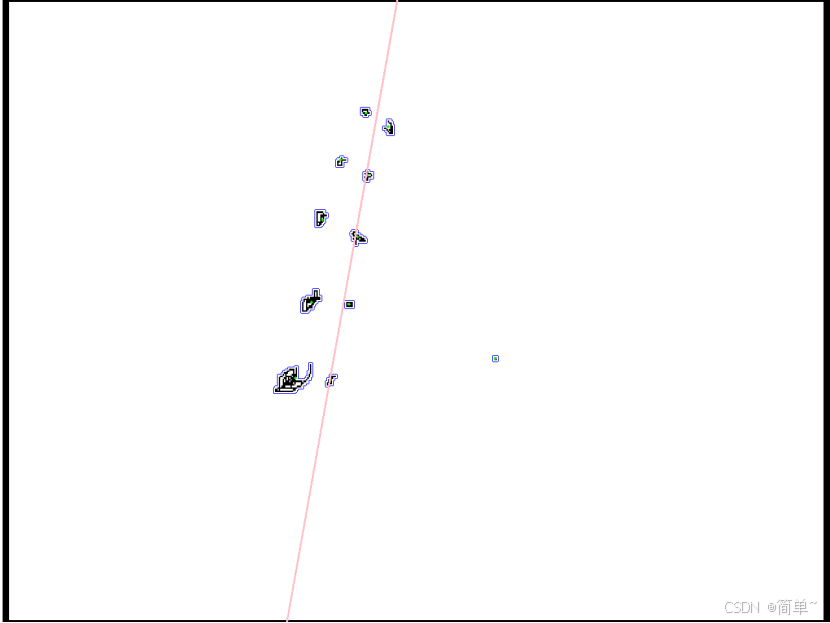
精确的点拟合线:进行迭代,过滤偏差较大的点,再次拟合直线,红色线即为最终结果;
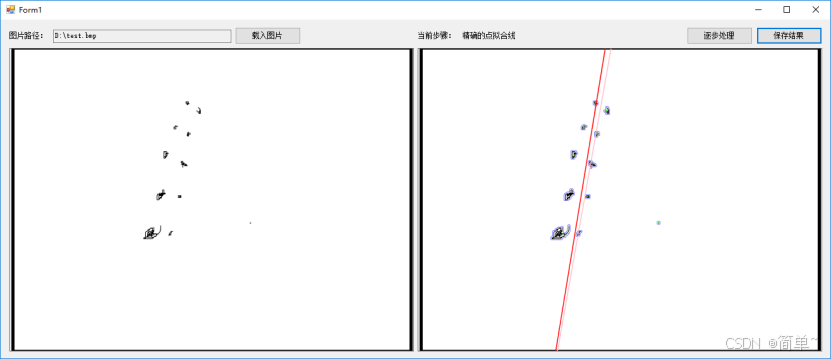
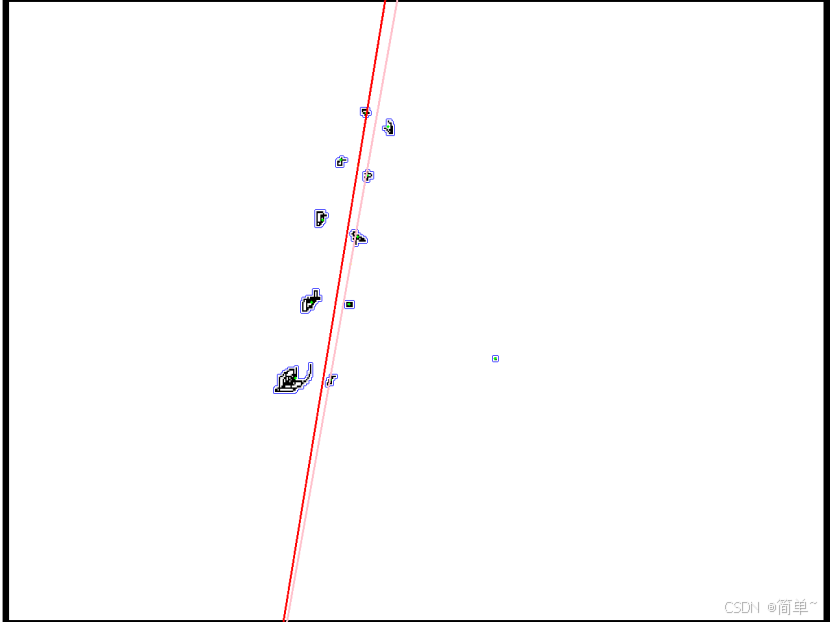
这是八年前做的面试题,对当时的面试官还影响深刻,面试完也顺利进入了当地当时最大的一家光学类企业,往事唏嘘。
做到这一步有点RANSAC(Random Sample Consensus:随机样本一致算法)的思想了,但是当时面试的时候不涉及这一块也没想到这一步,有兴趣可以按RANSAC的思想写不依赖OPENCV的算子,而且RANSAC更加适合大量3D点处理:
RANSAC通过反复选择数据中的一组随机子集来达成目标。被选取的子集被假设为局内点,并用下述方法进行验证:
1.有一个模型适应于假设的局内点,即所有的未知参数都能从假设的局内点计算得出。
2.用1中得到的模型去测试所有的其它数据,如果某个点适用于估计的模型,认为它也是局内点。
3.如果有足够多的点被归类为假设的局内点,那么估计的模型就足够合理。
4.然后,用所有假设的局内点去重新估计模型,因为它仅仅被初始的假设局内点估计过。
5.最后,通过估计局内点与模型的错误率来评估模型。
源代码:
using System;
using System.Collections.Generic;
using System.ComponentModel;
using System.Data;
using System.Drawing;
using System.Linq;
using System.Text;
using System.Threading.Tasks;
using System.Windows.Forms;
using Emgu.CV;
using Emgu.CV.CvEnum;
using Emgu.CV.Structure;
using Emgu.CV.Util;

namespace WindowsFormsApp1
{
    public partial class Form1 : Form
    {
        string strFileName;//图片路径
        Image imgPicture;//图像对象
        int iStep;//当前步骤序号
        UMat gray;//灰度图
        UMat binary;//二值图
        Image<Bgr, byte> imgContours;//轮廓图
        List<Point> CenterPoint;//点集
        PointF LinePoint1;//线上点1
        PointF LinePoint2;//线上点2

        public Form1()
        {
            InitializeComponent();
        }

        /// <summary>
        /// 载入图片
        /// </summary>
        private void button1_Click(object sender, EventArgs e)
        {
            OpenFileDialog open = new OpenFileDialog();
            if (open.ShowDialog() == DialogResult.OK)
            {
                strFileName = "";
                imgPicture = null;
                iStep = 0;
                textBox1.Text = "";
                label3.Text = "";
                pictureBox1.Image = null;
                pictureBox1.Image = null;

                strFileName = open.FileName;
                try
                {
                    pictureBox1.Load(strFileName);
                    imgPicture = Image.FromFile(strFileName);
                    textBox1.Text = strFileName;
                }
                catch (Exception ex)
                {
                    if (ex.Message != null)
                    {
                        strFileName = "";
                        MessageBox.Show("图片已损坏!", "警告", MessageBoxButtons.OK, MessageBoxIcon.Exclamation);
                    }
                }
            }
        }

        /// <summary>
        /// 逐步处理
        /// </summary>
        private void button2_Click(object sender, EventArgs e)
        {
            if (iStep <= 7)
            {
                iStep++;
                switch (iStep)
                {
                    case 1:
                        label3.Text = "灰度图"; GreyScaleMap(); break;
                    case 2:
                        label3.Text = "二值化"; Binaryzation(); break;
                    case 3:
                        label3.Text = "开运算腐蚀"; OpeningOperationErode(); break;
                    case 4:
                        label3.Text = "开运算膨胀"; OpeningOperationDilate(); break;
                    case 5:
                        label3.Text = "绘制轮廓和中心"; FindContours(); break;
                    case 6:
                        label3.Text = "点拟合线"; PointFitLine(Color.Pink); break;
                    case 7:
                        label3.Text = "精确的点拟合线"; AccuratePointFitLine(); break;
                    default:
                        label3.Text = "结束"; break;
                }
            }
            else MessageBox.Show("已结束!");
        }

        /// <summary>
        /// 灰度图
        /// </summary>
        private void GreyScaleMap()
        {
            gray = new UMat();
            Bitmap bm = new Bitmap(imgPicture);
            Image<Bgr, byte> img = new Image<Bgr, byte>(bm);
            CvInvoke.CvtColor(img, gray, ColorConversion.Bgr2Gray);
            pictureBox2.Image = gray.Bitmap;
        }

        /// <summary>
        /// 二值化
        /// </summary>
        private void Binaryzation()
        {
            binary = new UMat();
            CvInvoke.AdaptiveThreshold(gray, binary, 255, Emgu.CV.CvEnum.AdaptiveThresholdType.MeanC, Emgu.CV.CvEnum.ThresholdType.Binary, 25, 5);
            pictureBox2.Image = binary.Bitmap;
        }

        /// <summary>
        /// 开运算腐蚀
        /// </summary>
        private void OpeningOperationErode()
        {
            Mat aaa = CvInvoke.GetStructuringElement(Emgu.CV.CvEnum.ElementShape.Rectangle, new Size(5, 5), new Point(-1, -1));
            CvInvoke.Erode(binary, binary, aaa, new Point(-1, -1), 2, BorderType.Constant, CvInvoke.MorphologyDefaultBorderValue);
            pictureBox2.Image = binary.Bitmap;
        }

        /// <summary>
        /// 开运算膨胀
        /// </summary>
        private void OpeningOperationDilate()
        {
            Mat aaa = CvInvoke.GetStructuringElement(Emgu.CV.CvEnum.ElementShape.Rectangle, new Size(3, 3), new Point(-1, -1));
            CvInvoke.Dilate(binary, binary, aaa, new Point(-1, -1), 2, BorderType.Constant, CvInvoke.MorphologyDefaultBorderValue);
            pictureBox2.Image = binary.Bitmap;
        }

        /// <summary>
        /// 绘制轮廓和中心
        /// </summary>
        private void FindContours()
        {
            using (VectorOfVectorOfPoint contours = new VectorOfVectorOfPoint())
            {
                CenterPoint = new List<Point>();
                int[,] hierachy = CvInvoke.FindContourTree(binary, contours, ChainApproxMethod.ChainApproxSimple);
                imgContours = new Image<Bgr, byte>(new Bitmap(imgPicture));
                for (int i = 0; i < contours.Size; i++)
                {
                    if (hierachy[i, 2] < 0)
                    {
                        Rectangle rect = CvInvoke.BoundingRectangle(contours[i]);
                        if (rect.Width < imgContours.Width*0.1 && rect.Height < imgContours.Height * 0.1)
                        {
                            VectorOfVectorOfPoint vvp = new VectorOfVectorOfPoint(contours[i]);
                            CvInvoke.DrawContours(imgContours, vvp, -1, new MCvScalar(255, 0, 0), 1);
                            int x = 0;
                            int y = 0;
                            int bj = (int)(contours[i].Size * 0.01) + 1;
                            int ds = 0;
                            for (int j = 0; j < contours[i].Size; j = j + bj)
                            {
                                x = x + contours[i][j].X;
                                y = y + contours[i][j].Y;
                                ds++;
                            }
                            x = x / ds;
                            y = y / ds;
                            CenterPoint.Add(new Point(x, y));
                        }
                    }
                }
                for (int i = 0; i < CenterPoint.Count; i++)
                {
                    CvInvoke.Circle(imgContours, CenterPoint[i], 2, new MCvScalar(0, 255, 0), -1, LineType.EightConnected);
                }
                pictureBox2.Image = imgContours.Bitmap;
            }
        }

        /// <summary>
        /// 点拟合线
        /// </summary>
        private void PointFitLine(Color cColor)
        {
            PointF[] CenterPointF = new PointF[CenterPoint.Count];
            for (int i = 0; i < CenterPoint.Count; i++)
            {
                CenterPointF[i] = CenterPoint[i];
            }
            CvInvoke.FitLine(CenterPointF, out PointF direction, out PointF pointOnLine, DistType.Huber , 0, 1e-2, 1e-2);
            CvInvoke.Circle(imgContours, Point.Round(pointOnLine), 2, new MCvScalar(0, 255, 255), -1, LineType.EightConnected);

            LineSegment2D line1 = new LineSegment2D();
            line1.P1 = Point.Round(pointOnLine);
            PointF line1P2 = new PointF(line1.P1.X + direction.X * 10000, line1.P1.Y + direction.Y * 10000);
            line1.P2 = Point.Round(line1P2);
            imgContours.Draw(line1, new Bgr(cColor), 2);
            LineSegment2D line2 = new LineSegment2D();
            line2.P1 = Point.Round(pointOnLine);
            PointF line2P2 = new PointF(line2.P1.X - direction.X * 10000, line2.P1.Y - direction.Y * 10000);
            line2.P2 = Point.Round(line2P2);
            imgContours.Draw(line2, new Bgr(cColor), 2);
            LinePoint1= pointOnLine;
            LinePoint2= line1P2;
            pictureBox2.Image = imgContours.Bitmap;
        }

        /// <summary>
        /// 精确的点拟合线
        /// </summary>
        private void AccuratePointFitLine()
        {
            PointF[] CenterPointF = new PointF[CenterPoint.Count];
            for (int i = 0; i < CenterPoint.Count; i++)
            {
                CenterPointF[i] = CenterPoint[i];
            }
            double[] dPointDistance = new double[CenterPointF.Length];

            for (int i = 0; i < CenterPointF.Length; i++)
            {
                dPointDistance[i] = GetDistanceBetweenPointLine(LinePoint1, LinePoint2, CenterPointF[i]);
            }

            double dPointAverageDistance = 0;
            for (int i = 0; i < dPointDistance.Length; i++)
            {
                dPointAverageDistance = dPointAverageDistance + dPointDistance[i];
            }
            dPointAverageDistance = dPointAverageDistance / CenterPointF.Length;
            double dDeviation = 0;
            for (int i = 0; i < dPointDistance.Length; i++)
            {
                dDeviation = dDeviation + Math.Pow(dPointDistance[i] - dPointAverageDistance, 2);
            }
            dDeviation = Math.Sqrt(dDeviation / dPointDistance.Length);

            List<Point> CenterPointTmp=new List<Point>();
            for (int i = 0; i < dPointDistance.Length; i++)
            {
                if (Math.Abs( dPointDistance[i]- dPointAverageDistance) <= dDeviation)
                    CenterPointTmp.Add(CenterPoint[i]);
            }

            if (CenterPointTmp.Count > 0)
            {
                CenterPoint = CenterPointTmp;
                PointFitLine(Color.Red);
            }
        }

        /// <summary>
        /// 点到直线距离
        /// </summary>
        private double GetDistanceBetweenPointLine(PointF LinePoint1, PointF LinePoint2, PointF OutLinePoint)
        {
            double dDistance = 0;
            if (LinePoint1.X == LinePoint2.X)
            {
                dDistance = Math.Abs(OutLinePoint.X - LinePoint1.X);
                return dDistance;
            }
            double dK = (LinePoint2.Y - LinePoint1.Y) / (LinePoint2.X - LinePoint1.X);
            double dC = (LinePoint2.X * LinePoint1.Y - LinePoint1.X * LinePoint2.Y) / (LinePoint2.X - LinePoint1.X);
            dDistance = Math.Abs(dK * OutLinePoint.X - OutLinePoint.Y + dC) / (Math.Sqrt(dK * dK + 1));
            return dDistance;
        }

        /// <summary>
        /// 保存结果
        /// </summary>
        private void button3_Click(object sender, EventArgs e)
        {
            if (pictureBox2.Image != null)
            {
                string strpath= strFileName.Substring (0, strFileName.LastIndexOf('\\'));
                strpath = strpath + @"\" + label3.Text + ".bmp";
                pictureBox2.Image.Save(strpath);
                MessageBox.Show("保存成功:"+strpath);
            }
        }
    }
}
扩展:FitLine直线拟合算子
CvInvoke.FitLine使用的是一种基于M估计(M-estimator)的鲁棒直线拟合算法。其核心原理是在最小二乘法基础上引入鲁棒性权重函数,以抵抗离群点(噪声点)的影响。
一、基础数学模型
1. 直线表示
直线用点向式表示:给定点集 {(x_i, y_i)},求:
-
方向向量
(v_x, v_y)(单位向量) -
直线上的点
(x_0, y_0)
直线方程:(x, y) = (x_0, y_0) + t*(v_x, v_y)
2. 点到直线距离
点 (x_i, y_i)到直线的距离 d_i:
d_i = |(x_i - x_0) * v_y - (y_i - y_0) * v_x|由于 (v_x, v_y)是单位向量,这是点到直线的垂直距离。
二、算法流程(以Huber距离为例)
步骤1:初始化
通常先使用最小二乘法(L2范数) 获得初始直线参数:
-
计算点集的质心
(x_mean, y_mean)作为初始(x_0, y_0) -
计算协方差矩阵的特征向量作为初始方向
步骤2:迭代重加权最小二乘(IRLS)
这是M估计的核心迭代过程:
2.1 计算当前残差
对于每个点 i,计算到当前直线的距离 d_i
2.2 计算权重(Huber权重函数)
令 r_i = d_i / σ,其中 σ 是尺度估计(通常用MAD:中位数绝对偏差)

Huber权重函数 w(r_i):
- 当 |r_i| <= δ 时:w(r_i) = 1
- 当 |r_i| > δ 时:w(r_i) = δ / |r_i|

其中 δ 是调节参数(代码中 param=0 时使用默认 δ=1.345)
2.3 加权最小二乘
求解加权优化问题:
最小化 Σ w_i * d_i²这等价于解加权协方差矩阵的特征值问题:
令 X_i' = (x_i - x_0, y_i - y_0)
构建加权协方差矩阵 C = Σ w_i * (X_i' ⊗ X_i')
求 C 的最大特征值对应的特征向量 → 新的方向向量
2.4 更新直线上的点
使用加权质心:
x_0 = (Σ w_i * x_i) / Σ w_i
y_0 = (Σ w_i * y_i) / Σ w_i
步骤3:收敛判断
重复步骤2,直到满足以下两个精度条件:
-
径向精度(reps):两次迭代间
(x_0, y_0)的变化 < reps -
角度精度(aeps):两次迭代间方向向量的角度变化 < aeps
三、Huber距离的鲁棒性分析
Huber函数的特性:
ρ(r) = {
    r²/2                 当 |r| ≤ δ
    δ|r| - δ²/2          当 |r| > δ
}
对应的权重函数:
w(r) = ρ'(r)/r = {
    1                   当 |r| ≤ δ
    δ/|r|               当 |r| > δ
}
三种常见距离函数的比较:
|
距离类型 |
权重函数 w(r) |
对离群点的鲁棒性 |
计算效率 |
|---|---|---|---|
|
L2(最小二乘) |
w(r) = 1 |
差(离群点影响大) |
高(直接求解) |
|
L1(绝对值) |
w(r) = 1/r | 强 | 低(需迭代) |
|
Huber |
w(r) = min(1, δ/r) | 中等(可调节) | 中等 |
Huber的优势:
-
对小误差保持二次增长:保证估计的高效性
-
对大误差线性增长:限制离群点的影响
-
可调节的鲁棒性:通过δ参数平衡效率和鲁棒性
四、尺度估计(σ的重要性)
算法中的关键步骤是残差标准化:
r_i = d_i / σ常用的尺度估计方法:
1. MAD(中位数绝对偏差)
σ = 1.4826 * median(|d_i - median(d_i)|)-
1.4826是高斯分布的修正系数
-
对离群点非常鲁棒
2. 迭代更新
在IRLS过程中,σ也会随迭代更新:
σ² = (1/(n-2)) * Σ w_i * d_i²五、算法复杂度分析
令 n 为点数,k 为迭代次数:
-
每次迭代:O(n) 计算距离和权重
-
特征值分解:O(9) 固定(2×2矩阵)
-
总复杂度:O(k*n)
通常 k < 20,因此实际效率很高。
六、与相关算法的对比
|
算法 |
原理 |
鲁棒性 |
速度 |
适用场景 |
|---|---|---|---|---|
|
最小二乘 |
最小化平方距离 |
低 |
快 |
无离群点 |
|
RANSAC |
随机采样一致性 |
高 |
慢 |
大量离群点 |
|
Hough变换 |
投票机制 |
中 |
很慢 |
多条直线 |
|
M估计(Huber) |
重加权最小二乘 |
中高 |
中快 |
适度噪声 |
七、实际应用建议
参数选择指南:
// 1. 距离类型选择
DistType distType = DistType.Huber;  // 适度噪声
// DistType.L2;      // 清洁数据
// DistType.L1;      // 强离群点
// DistType.Fair;    // 平滑过渡

// 2. Huber参数(param)
// 建议值:1.0-2.0,默认1.345
// 值越小越鲁棒(接近L1),值越大越接近L2

// 3. 精度参数
double reps = 1e-2;  // 位置精度
double aeps = 1e-2;  // 角度精度(弧度)
// 通常1e-2到1e-4,取决于应用需求
总结
FitLine的Huber算法本质是自适应权重的最小二乘,通过迭代降低离群点的权重,达到鲁棒拟合的效果。其核心优势在于:
-
平衡性:在效率和鲁棒性间取得良好平衡
-
可解释性:权重函数有明确的统计意义
-
稳定性:对初始值不敏感,收敛可靠
这使得它成为计算机视觉中直线拟合的实用选择,特别适合处理带有适度噪声的工业视觉或测量数据。

腾讯云面向开发者汇聚海量精品云计算使用和开发经验,营造开放的云计算技术生态圈。
更多推荐
 24
24 0
0- 0


 已为社区贡献3条内容

所有评论(0)