基于云端Agent 的情绪互动机器人系统-Milk-V Duo 端(2)
·
稍等一下,正在加载内容……
Milk-V Duo S WiFI配置
为端侧配置WiFi自动连接,为后期与云端agent的通信联调奠基
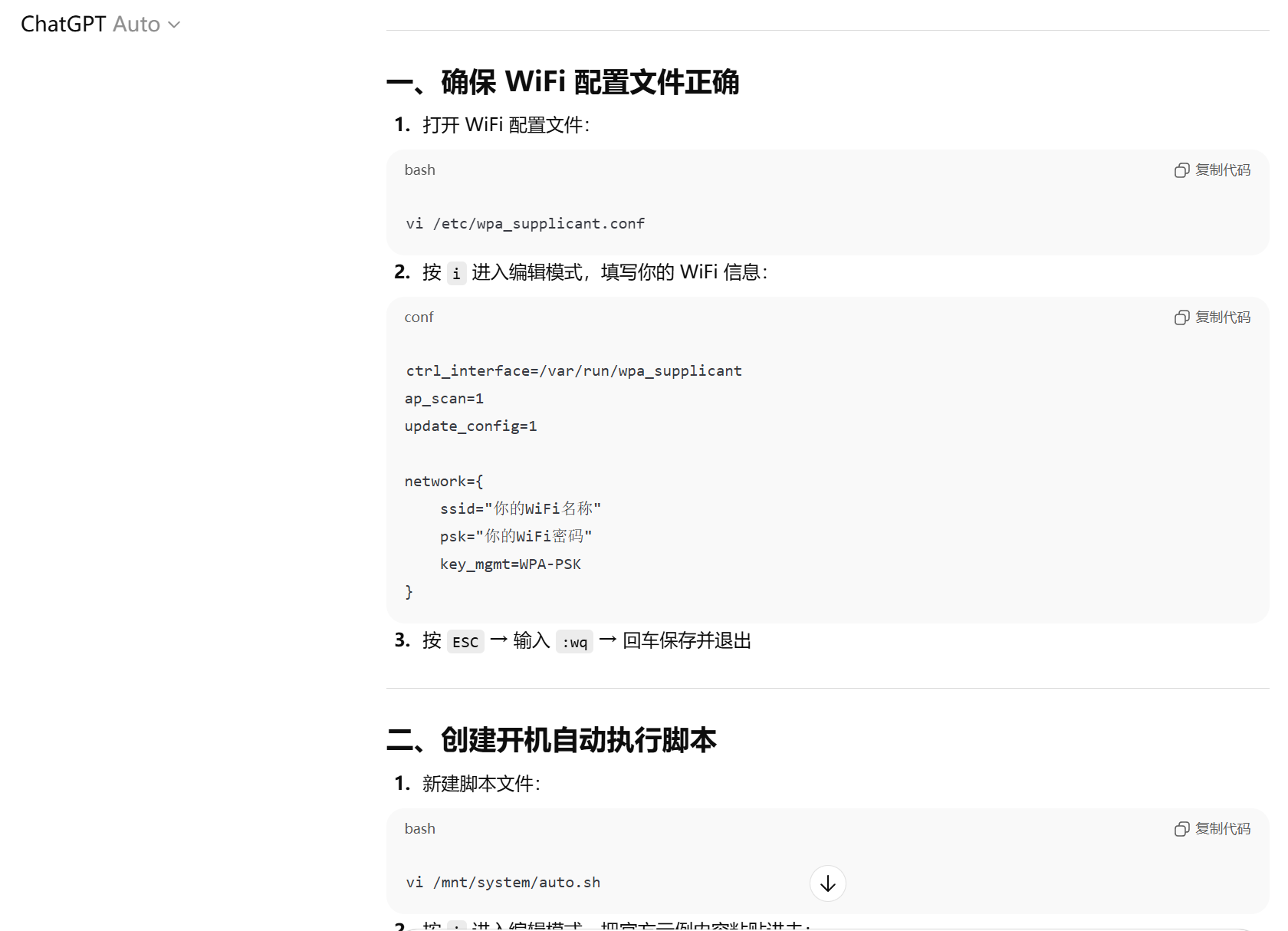
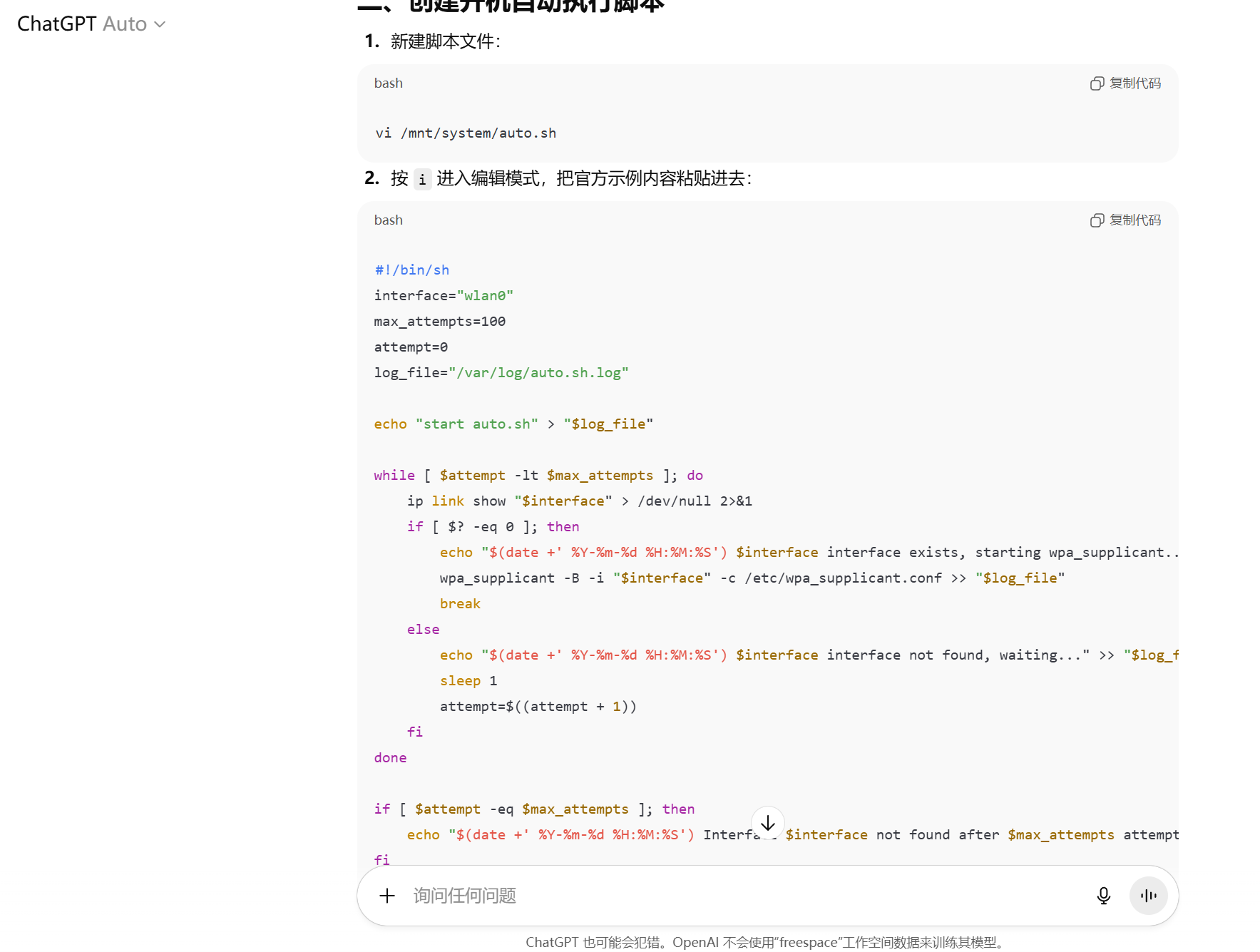
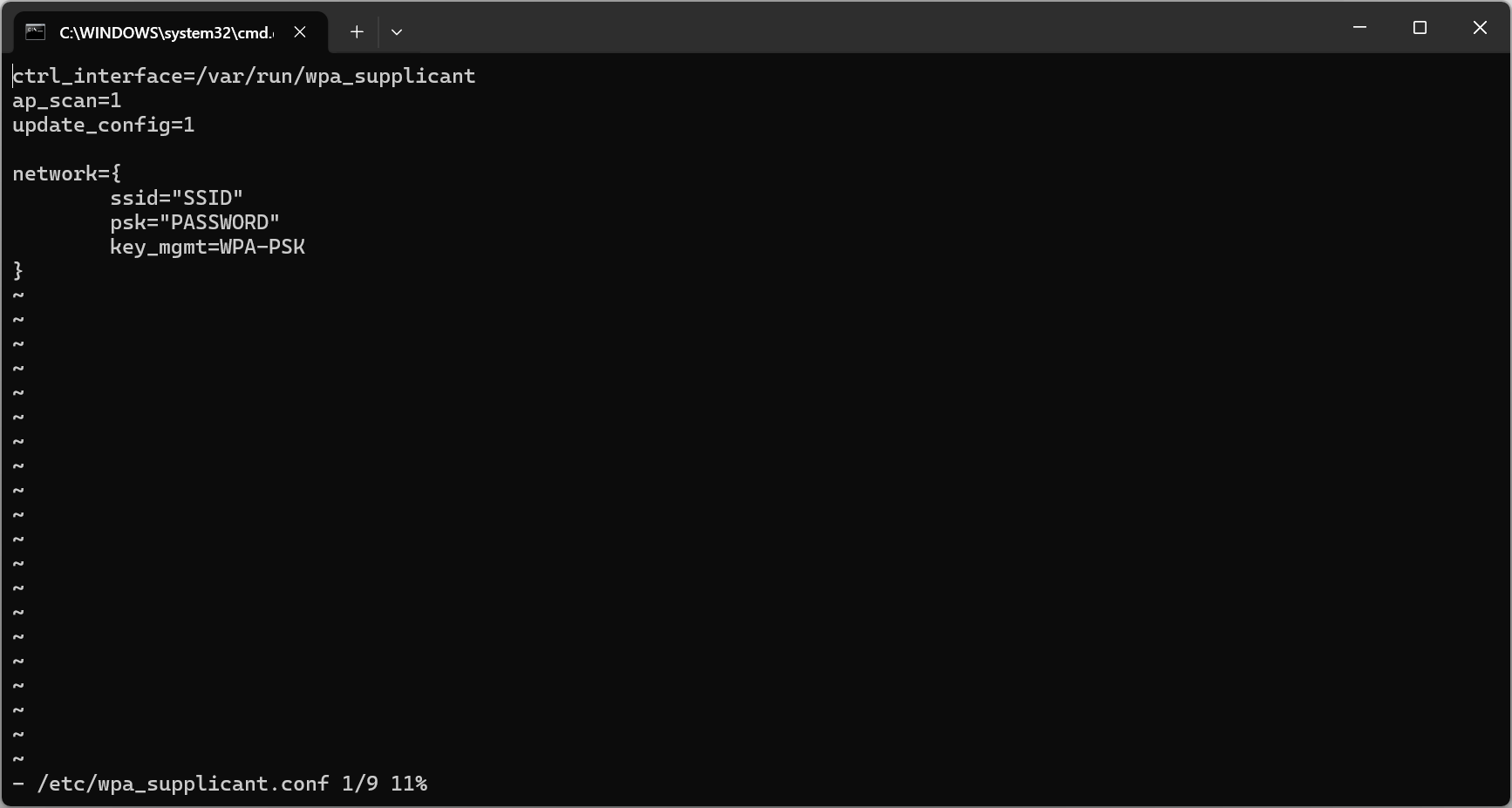
与大模型交互之后照做。
构建自动执行脚本文件:auto.sh
interface="wlan0"
max_attempts=100
attempt=0
log_file="/var/log/auto.sh.log"

# Continuously attempt to detect if the interface exists, up to $max_attempts times
echo "start auto.sh" > "$log_file"
while [ $attempt -lt $max_attempts ]; do
    # Check if the wlan0 interface exists
    ip link show "$interface" > /dev/null 2>&1
    if [ $? -eq 0 ]; then
        echo "$(date +'%Y-%m-%d %H:%M:%S') $interface interface exists, starting wpa_supplicant..." >> "$log_file"
        wpa_supplicant -B -i "$interface" -c /etc/wpa_supplicant.conf >> "$log_file"
        break  # Exit the loop if the interface is found
    else
        echo "$(date +'%Y-%m-%d %H:%M:%S') $interface interface not found, waiting..." >> "$log_file"
        sleep 1  # Wait for 1 second before checking again
        attempt=$((attempt + 1))  # Increment the attempt counter
    fi
done

# If the maximum number of attempts is reached and the interface still not found, output an error message
if [ $attempt -eq $max_attempts ]; then
    echo "$(date +'%Y-%m-%d %H:%M:%S') Interface $interface not found after $max_attempts attempts" >> "$log_file"
fi
给 auto.sh 脚本赋权限:
chmod +x /mnt/system/auto.sh
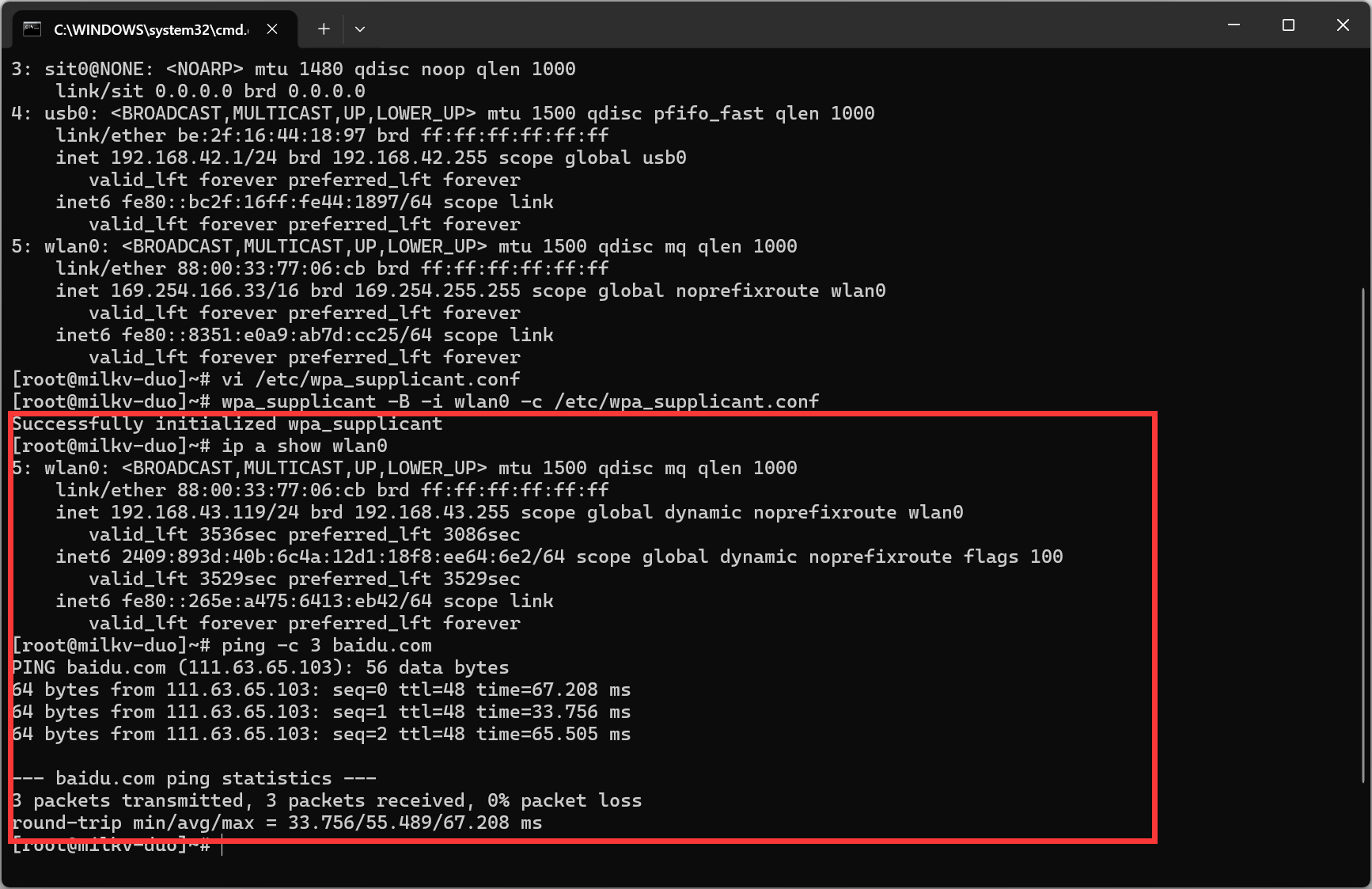
手动测试脚本:
/mnt/system/auto.sh
ip a show wlan0
ping -c 3 baidu.com
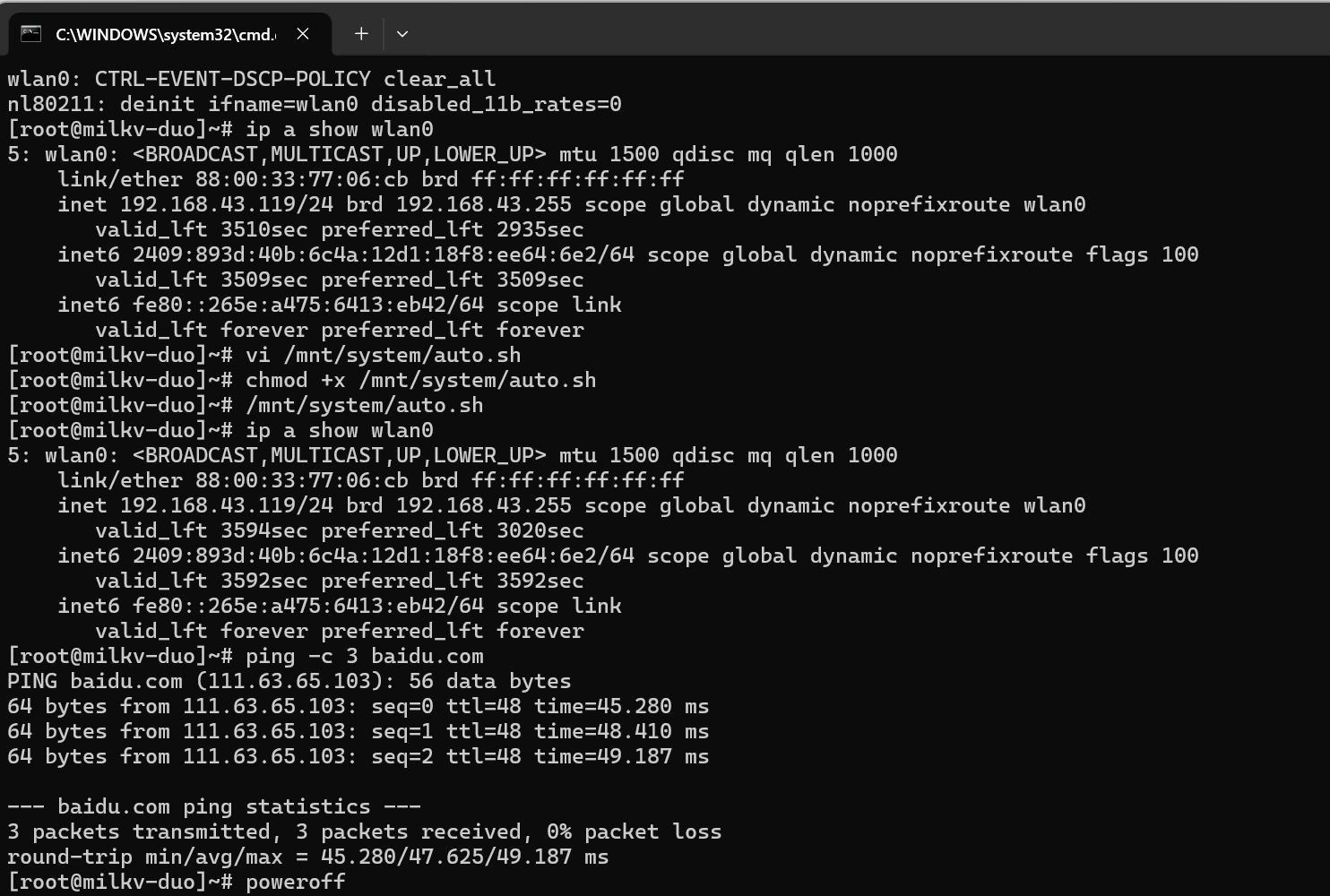
启发项目后续怎么让机器人与Duo S连接之后自动运行云端agent Json指令解析系统
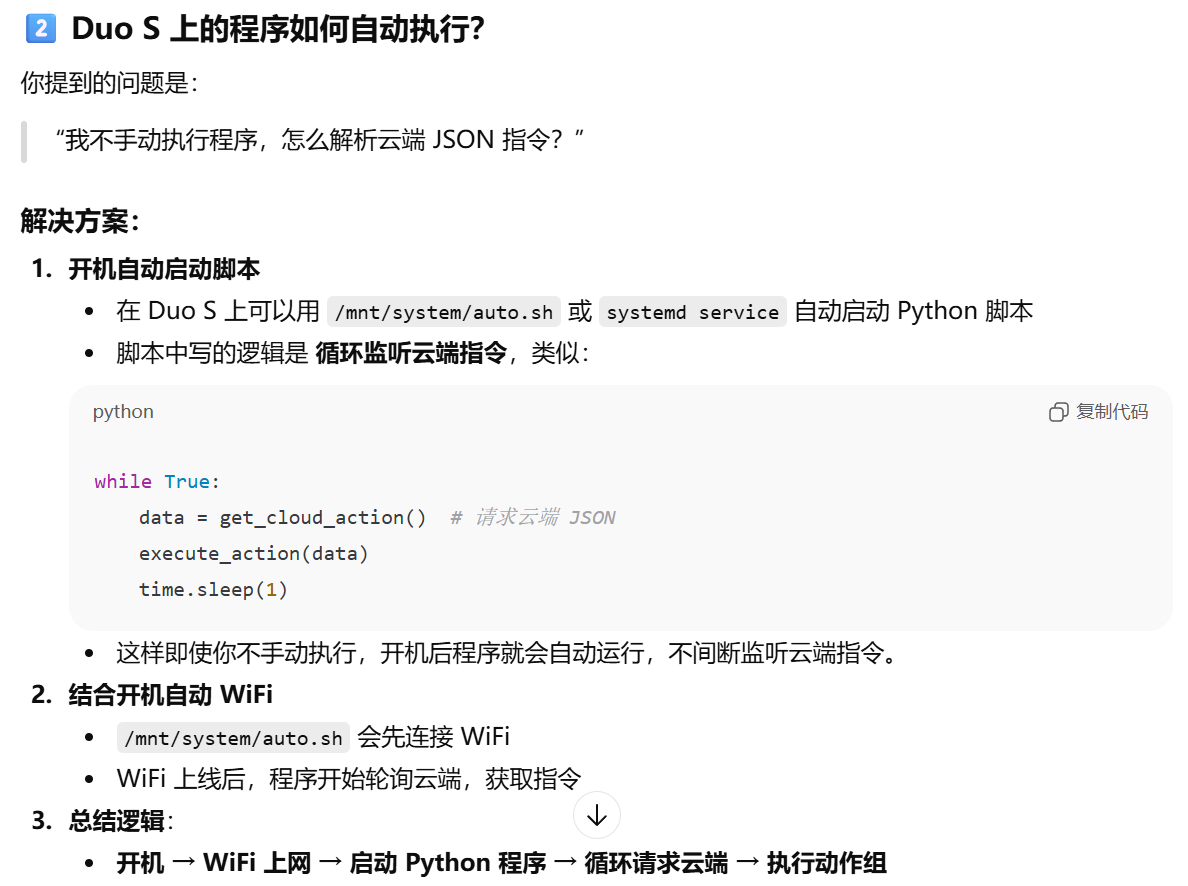
通过这种循环请求自动执行程序的方式来让机器人与Duo S连接之后自动运行云端agent Json指令解析系统。

腾讯云面向开发者汇聚海量精品云计算使用和开发经验,营造开放的云计算技术生态圈。
更多推荐
 0
0 0
0- 0


 已为社区贡献2条内容

所有评论(0)