20260420给万象奥科的开发板HD-RK3576-PI适配瑞芯微原厂的Buildroot时使用ll命令
本文记录了在适配瑞芯微RK3576开发板时,通过修改Buildroot系统的profile文件来启用ll命令的过程。作者通过find命令定位到目标profile文件路径,并在其中添加了ls命令别名配置(alias ll='ls -alF'),最终实现了ll命令功能。文中还展示了修改后的profile文件内容和ll命令的实际使用效果,同时提供了相关技术参考链接。该操作解决了Buildroot系统默认
rootroot@rootroot-HP-245-14-inch-G10-Notebook-PC:~/git_RK3576_Linux6.1$ find . -name profile
./buildroot/output/rockchip_rk3576/target/etc/profile
./buildroot/system/skeleton/etc/profile
20260420给万象奥科的开发板HD-RK3576-PI适配瑞芯微原厂的Buildroot时使用ll命令
2026/4/20 20:52
1、根据经验,ll需要在profile文件中配置:
rootroot@rootroot-HP-245-14-inch-G10-Notebook-PC:~/git_RK3576_Linux6.1$
rootroot@rootroot-HP-245-14-inch-G10-Notebook-PC:~/git_RK3576_Linux6.1$
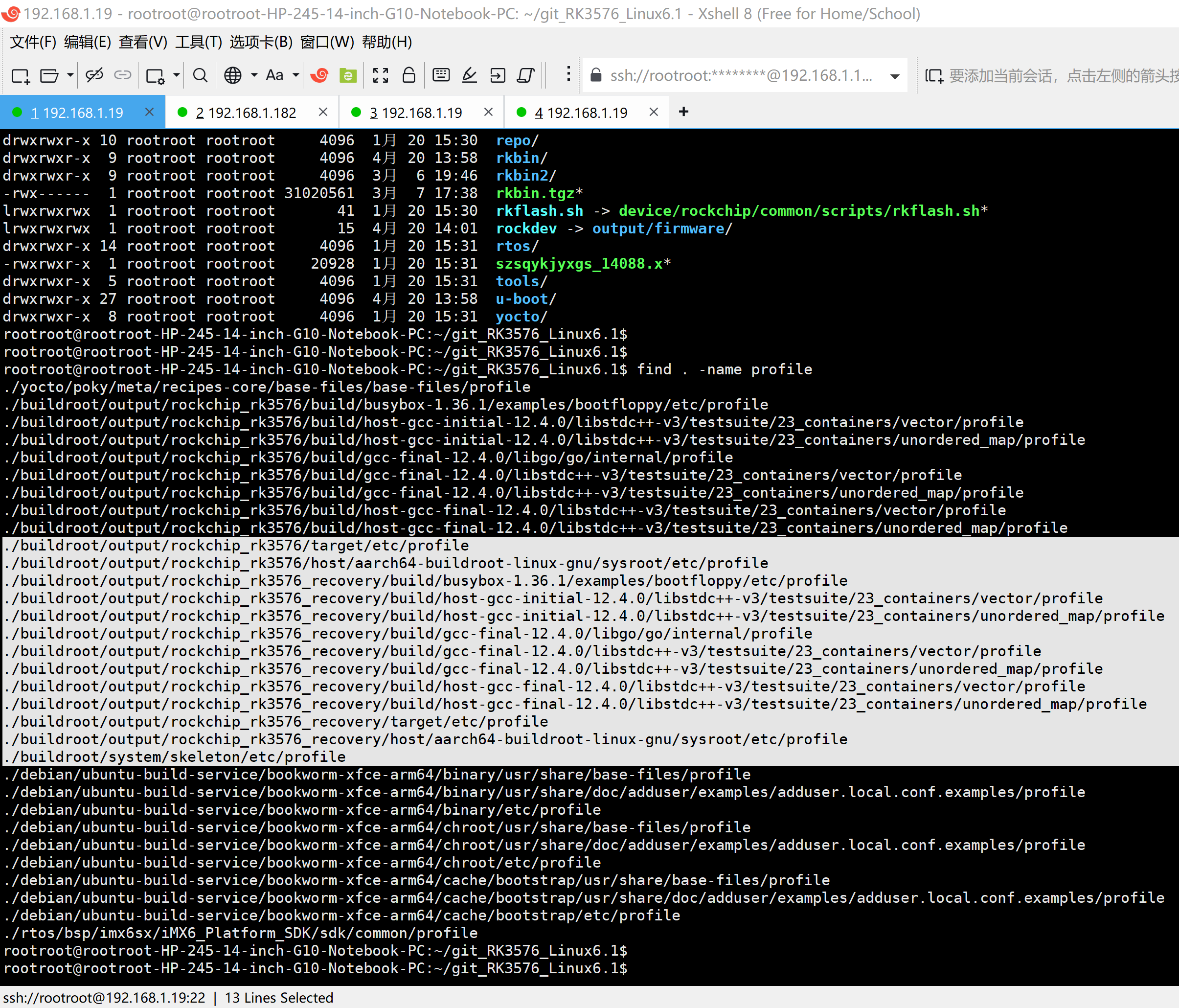
rootroot@rootroot-HP-245-14-inch-G10-Notebook-PC:~/git_RK3576_Linux6.1$ find . -name profile
./yocto/poky/meta/recipes-core/base-files/base-files/profile
./buildroot/output/rockchip_rk3576/build/busybox-1.36.1/examples/bootfloppy/etc/profile
./buildroot/output/rockchip_rk3576/build/host-gcc-initial-12.4.0/libstdc++-v3/testsuite/23_containers/vector/profile
./buildroot/output/rockchip_rk3576/build/host-gcc-initial-12.4.0/libstdc++-v3/testsuite/23_containers/unordered_map/profile
./buildroot/output/rockchip_rk3576/build/gcc-final-12.4.0/libgo/go/internal/profile
./buildroot/output/rockchip_rk3576/build/gcc-final-12.4.0/libstdc++-v3/testsuite/23_containers/vector/profile
./buildroot/output/rockchip_rk3576/build/gcc-final-12.4.0/libstdc++-v3/testsuite/23_containers/unordered_map/profile
./buildroot/output/rockchip_rk3576/build/host-gcc-final-12.4.0/libstdc++-v3/testsuite/23_containers/vector/profile
./buildroot/output/rockchip_rk3576/build/host-gcc-final-12.4.0/libstdc++-v3/testsuite/23_containers/unordered_map/profile
./buildroot/output/rockchip_rk3576/target/etc/profile
./buildroot/output/rockchip_rk3576/host/aarch64-buildroot-linux-gnu/sysroot/etc/profile
./buildroot/output/rockchip_rk3576_recovery/build/busybox-1.36.1/examples/bootfloppy/etc/profile
./buildroot/output/rockchip_rk3576_recovery/build/host-gcc-initial-12.4.0/libstdc++-v3/testsuite/23_containers/vector/profile
./buildroot/output/rockchip_rk3576_recovery/build/host-gcc-initial-12.4.0/libstdc++-v3/testsuite/23_containers/unordered_map/profile
./buildroot/output/rockchip_rk3576_recovery/build/gcc-final-12.4.0/libgo/go/internal/profile
./buildroot/output/rockchip_rk3576_recovery/build/gcc-final-12.4.0/libstdc++-v3/testsuite/23_containers/vector/profile
./buildroot/output/rockchip_rk3576_recovery/build/gcc-final-12.4.0/libstdc++-v3/testsuite/23_containers/unordered_map/profile
./buildroot/output/rockchip_rk3576_recovery/build/host-gcc-final-12.4.0/libstdc++-v3/testsuite/23_containers/vector/profile
./buildroot/output/rockchip_rk3576_recovery/build/host-gcc-final-12.4.0/libstdc++-v3/testsuite/23_containers/unordered_map/profile
./buildroot/output/rockchip_rk3576_recovery/target/etc/profile
./buildroot/output/rockchip_rk3576_recovery/host/aarch64-buildroot-linux-gnu/sysroot/etc/profile
./buildroot/system/skeleton/etc/profile
./debian/ubuntu-build-service/bookworm-xfce-arm64/binary/usr/share/base-files/profile
./debian/ubuntu-build-service/bookworm-xfce-arm64/binary/usr/share/doc/adduser/examples/adduser.local.conf.examples/profile
./debian/ubuntu-build-service/bookworm-xfce-arm64/binary/etc/profile
./debian/ubuntu-build-service/bookworm-xfce-arm64/chroot/usr/share/base-files/profile
./debian/ubuntu-build-service/bookworm-xfce-arm64/chroot/usr/share/doc/adduser/examples/adduser.local.conf.examples/profile
./debian/ubuntu-build-service/bookworm-xfce-arm64/chroot/etc/profile
./debian/ubuntu-build-service/bookworm-xfce-arm64/cache/bootstrap/usr/share/base-files/profile
./debian/ubuntu-build-service/bookworm-xfce-arm64/cache/bootstrap/usr/share/doc/adduser/examples/adduser.local.conf.examples/profile
./debian/ubuntu-build-service/bookworm-xfce-arm64/cache/bootstrap/etc/profile
./rtos/bsp/imx6sx/iMX6_Platform_SDK/sdk/common/profile
rootroot@rootroot-HP-245-14-inch-G10-Notebook-PC:~/git_RK3576_Linux6.1$
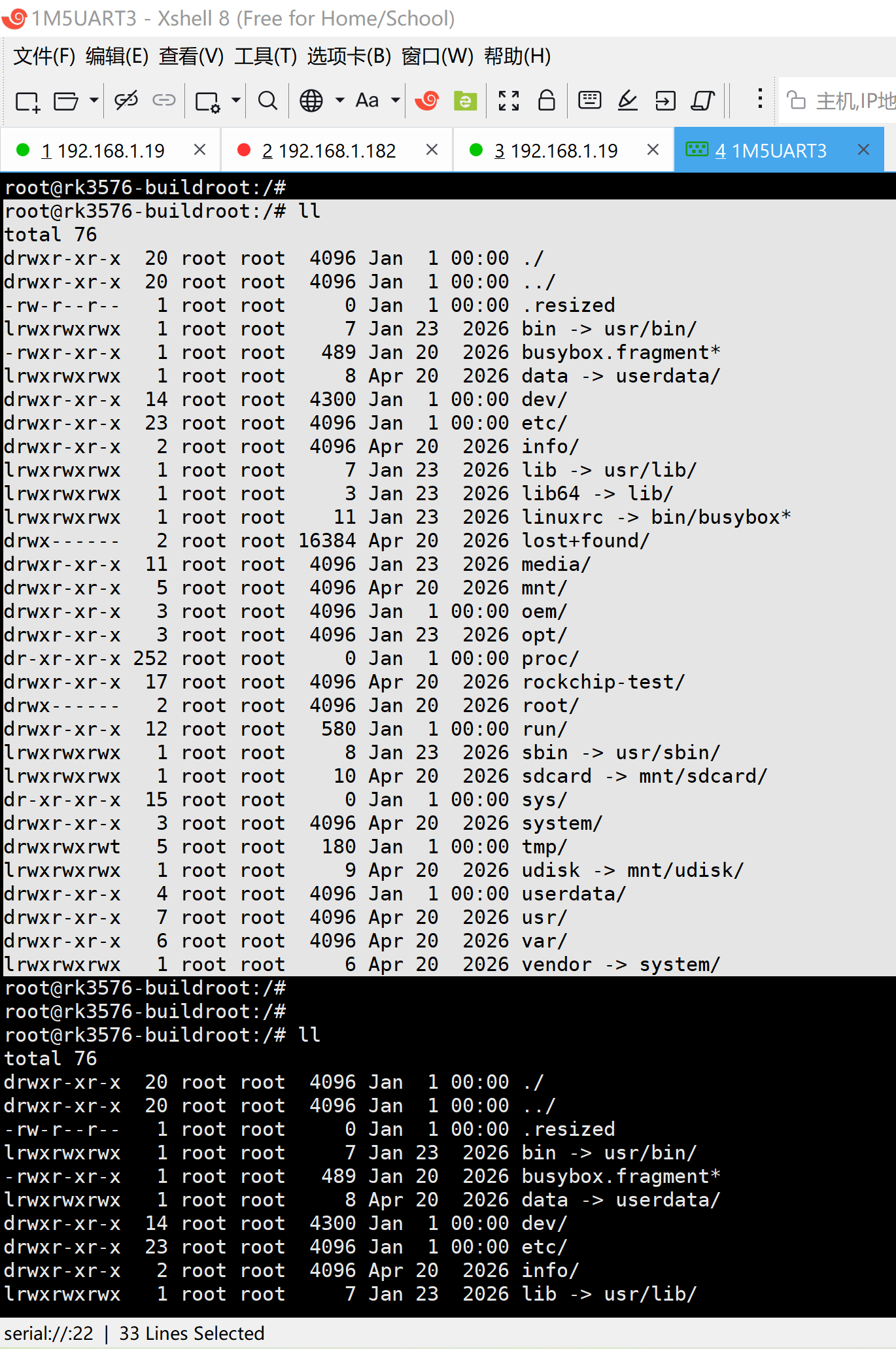
2、实测ll的效果:
root@rk3576-buildroot:/#
root@rk3576-buildroot:/# ll
total 76
drwxr-xr-x 20 root root 4096 Jan 1 00:00 ./
drwxr-xr-x 20 root root 4096 Jan 1 00:00 ../
-rw-r--r-- 1 root root 0 Jan 1 00:00 .resized
lrwxrwxrwx 1 root root 7 Jan 23 2026 bin -> usr/bin/
-rwxr-xr-x 1 root root 489 Jan 20 2026 busybox.fragment*
lrwxrwxrwx 1 root root 8 Apr 20 2026 data -> userdata/
drwxr-xr-x 14 root root 4300 Jan 1 00:00 dev/
drwxr-xr-x 23 root root 4096 Jan 1 00:00 etc/
drwxr-xr-x 2 root root 4096 Apr 20 2026 info/
lrwxrwxrwx 1 root root 7 Jan 23 2026 lib -> usr/lib/
lrwxrwxrwx 1 root root 3 Jan 23 2026 lib64 -> lib/
lrwxrwxrwx 1 root root 11 Jan 23 2026 linuxrc -> bin/busybox*
drwx------ 2 root root 16384 Apr 20 2026 lost+found/
drwxr-xr-x 11 root root 4096 Jan 23 2026 media/
drwxr-xr-x 5 root root 4096 Apr 20 2026 mnt/
drwxr-xr-x 3 root root 4096 Jan 1 00:00 oem/
drwxr-xr-x 3 root root 4096 Jan 23 2026 opt/
dr-xr-xr-x 252 root root 0 Jan 1 00:00 proc/
drwxr-xr-x 17 root root 4096 Apr 20 2026 rockchip-test/
drwx------ 2 root root 4096 Jan 20 2026 root/
drwxr-xr-x 12 root root 580 Jan 1 00:00 run/
lrwxrwxrwx 1 root root 8 Jan 23 2026 sbin -> usr/sbin/
lrwxrwxrwx 1 root root 10 Apr 20 2026 sdcard -> mnt/sdcard/
dr-xr-xr-x 15 root root 0 Jan 1 00:00 sys/
drwxr-xr-x 3 root root 4096 Apr 20 2026 system/
drwxrwxrwt 5 root root 180 Jan 1 00:00 tmp/
lrwxrwxrwx 1 root root 9 Apr 20 2026 udisk -> mnt/udisk/
drwxr-xr-x 4 root root 4096 Jan 1 00:00 userdata/
drwxr-xr-x 7 root root 4096 Apr 20 2026 usr/
drwxr-xr-x 6 root root 4096 Apr 20 2026 var/
lrwxrwxrwx 1 root root 6 Apr 20 2026 vendor -> system/
root@rk3576-buildroot:/#
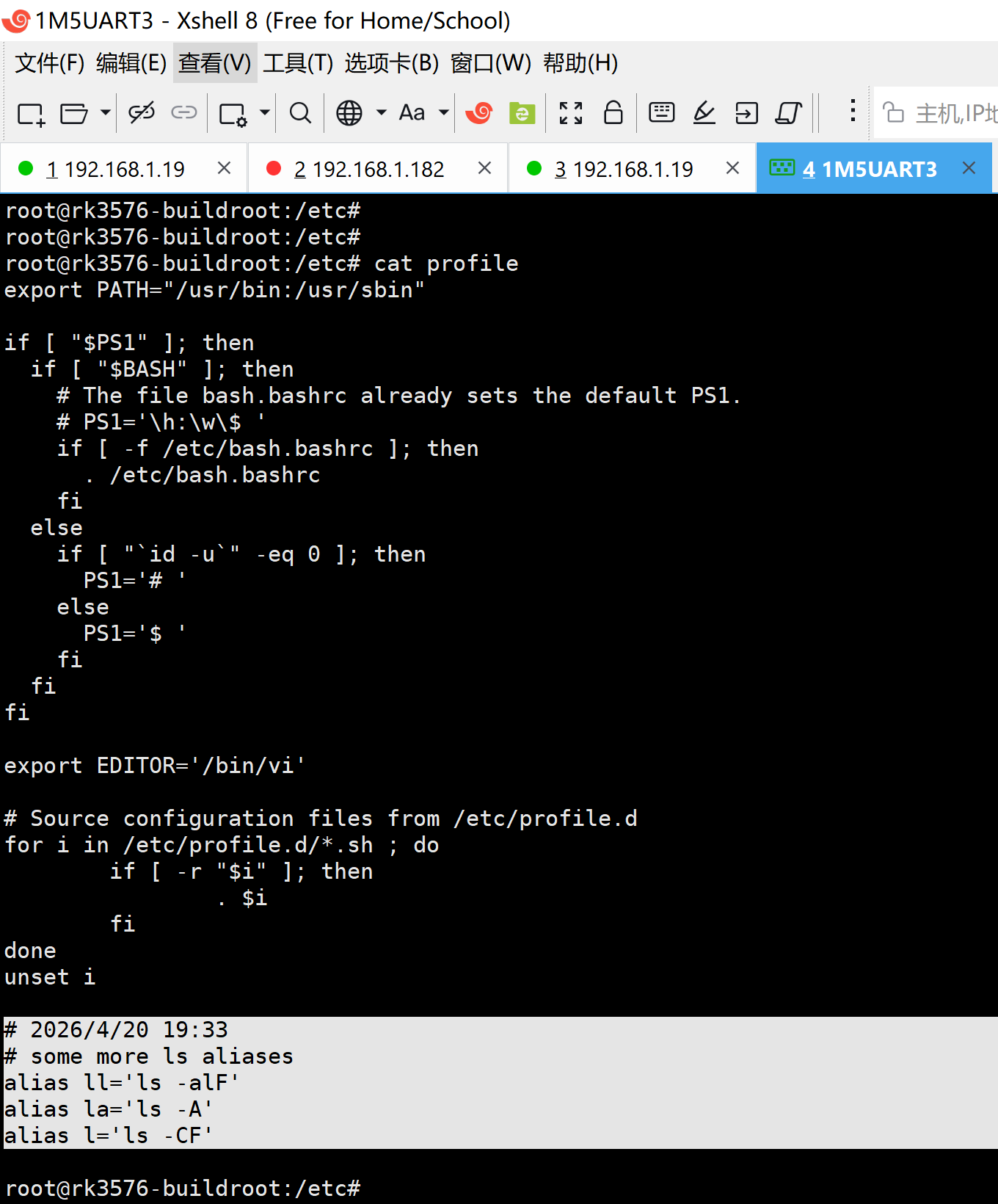
3、确认profile中修改的效果:
root@rk3576-buildroot:/etc#
root@rk3576-buildroot:/etc# cat profile
export PATH="/usr/bin:/usr/sbin"
if [ "$PS1" ]; then
if [ "$BASH" ]; then
# The file bash.bashrc already sets the default PS1.
# PS1='\h:\w\$ '
if [ -f /etc/bash.bashrc ]; then
. /etc/bash.bashrc
fi
else
if [ "`id -u`" -eq 0 ]; then
PS1='# '
else
PS1='$ '
fi
fi
fi
export EDITOR='/bin/vi'
# Source configuration files from /etc/profile.d
for i in /etc/profile.d/*.sh ; do
if [ -r "$i" ]; then
. $i
fi
done
unset i
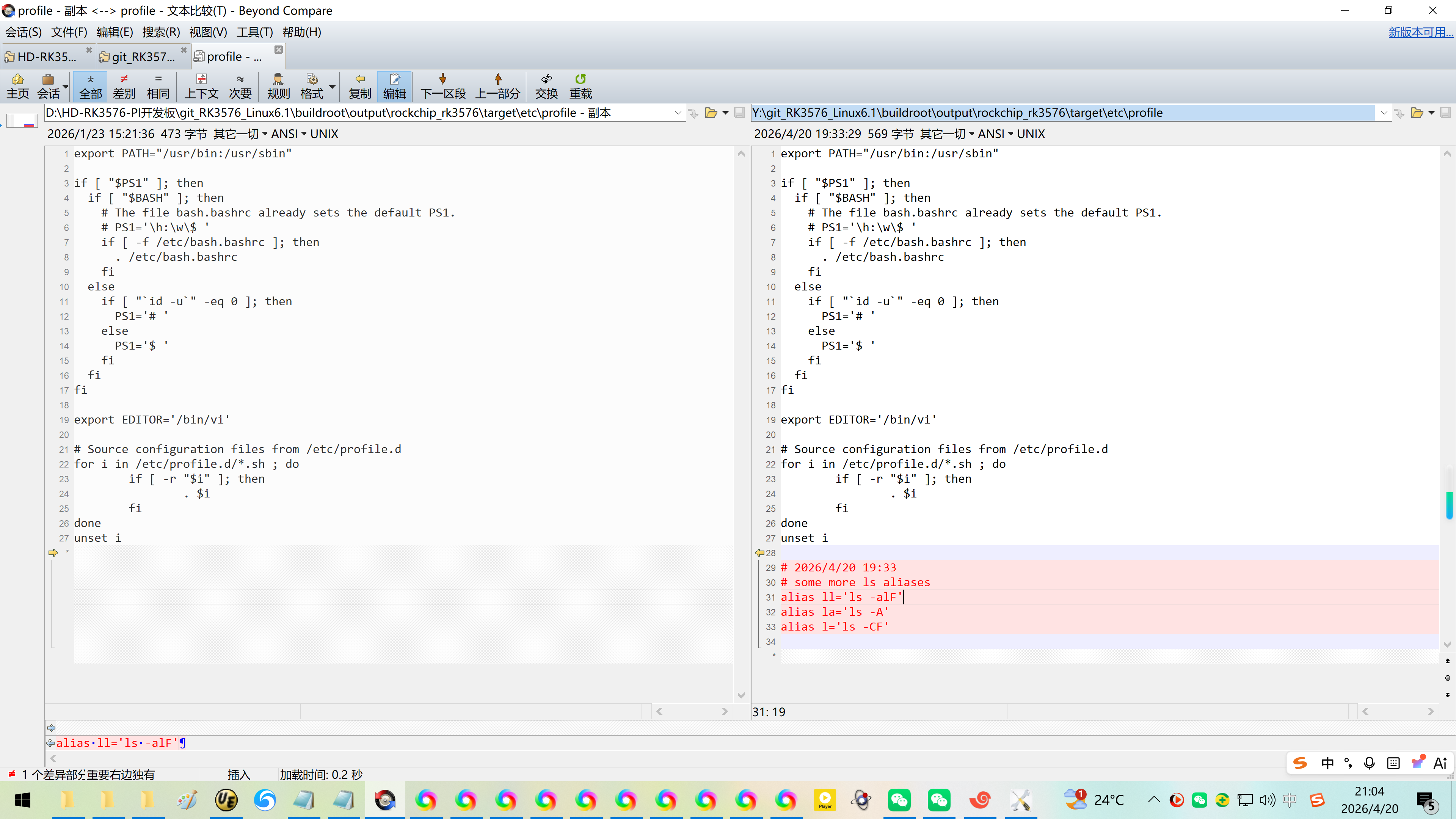
# 2026/4/20 19:33
# some more ls aliases
alias ll='ls -alF'
alias la='ls -A'
alias l='ls -CF'
root@rk3576-buildroot:/etc#
参考资料:
https://blog.csdn.net/wb4916/article/details/146335662?spm=1011.2415.3001.5331
20250318在荣品的PRO-RK3566开发板的buildroot系统下使用ll命令【通过VI直接修改profile】
https://blog.csdn.net/wb4916/article/details/146424994?spm=1011.2415.3001.5331
20250321在荣品的PRO-RK3566开发板的buildroot系统下使用ll命令【直接编译进IMG】

腾讯云面向开发者汇聚海量精品云计算使用和开发经验,营造开放的云计算技术生态圈。
更多推荐
 9
9 0
0- 0


 已为社区贡献16条内容

所有评论(0)