Wi-Fi pineapple菠萝派全维度技术解析
WiFi Pineapple 全维度技术解析:从无线渗透到安全审计的终极指南
中英文双语版 | Total Word Count:10000+
前言(Preface)
WiFi Pineapple 是由 Hak5 团队打造的专业无线安全审计工具,自2008年首款产品问世以来,历经十余代迭代,已成为网络安全从业者、渗透测试工程师与无线安全研究者的核心工具。它以便携化设计、全功能无线协议支持、开源可扩展的固件生态为核心优势,能够实现802.11全系列协议的测试、无线流量分析、漏洞挖掘与网络安全审计,是无线局域网(WLAN)安全评估的标杆设备。
本文将从硬件架构、固件系统、核心功能、渗透测试实战、安全审计场景、自定义开发、合规与伦理七大维度,全面拆解 WiFi Pineapple 的技术原理与实操应用,全程采用中英文对照形式,总字数超10000字,覆盖从入门配置到高级渗透的全场景知识,既是新手入门的教程,也是资深从业者的参考手册。
English Preface
WiFi Pineapple, a professional wireless security auditing tool developed by the Hak5 team, has evolved through more than ten generations since the launch of its first product in 2008 and has become a core tool for cybersecurity practitioners, penetration testers, and wireless security researchers. Featuring a portable design, full-featured wireless protocol support, and an open-source and extensible firmware ecosystem, it enables testing of all 802.11 series protocols, wireless traffic analysis, vulnerability exploitation, and network security auditing, making it a benchmark device for wireless local area network (WLAN) security assessment.
This article comprehensively disassembles the technical principles and practical applications of WiFi Pineapple from seven dimensions: hardware architecture, firmware system, core functions, penetration testing practice, security auditing scenarios, custom development, and compliance & ethics. Presented in both Chinese and English throughout, with a total word count exceeding 10,000, it covers all-scenario knowledge from basic configuration to advanced penetration, serving as both a beginner's tutorial and a reference manual for senior practitioners.
第一章 硬件架构:从初代到四代的技术迭代(Hardware Architecture: Technical Iteration from Gen1 to Gen4)
1.1 产品发展历程(Product Development History)
WiFi Pineapple 历经四代核心产品迭代,硬件性能、无线芯片方案与便携性持续升级,每一代产品都针对无线安全技术的发展做出适配,核心迭代路径如下:
产品型号 发布年份 核心硬件参数 核心升级点 应用场景
WiFi Pineapple Mark I 2008 Atheros AR2317芯片,802.11b/g,150Mbps,USB供电 首款便携无线审计设备,支持基础Deauth攻击 入门级无线测试
WiFi Pineapple Nano 2013 Atheros AR9331芯片,802.11n,300Mbps,内置电池 微型化设计,首次加入内置电池,支持便携部署 移动现场测试
WiFi Pineapple Tetra 2016 Qual PR atheros QCA PR9558+ PR9379双芯片,802.11ac,1200Mbps,千兆网口 双无线射频,支持2.4G/5G双频段,千兆有线扩展 企业级无线审计
WiFi Pineapple Mark IV PR4 2022 Qual PR atheros QCA6174A+ QCA9886双芯片,802.11ax(WiFi6 PR),3000Mbps,USB3.0,PoE供电 支持WiFi6,双频并发,高速接口,工业级稳定性 全场景企业无线安全评估
English Version
WiFi Pineapple has undergone four generations of core product iterations, with continuous upgrades in hardware performance, wireless chip solutions, and portability. Each generation of products is adapted to the development of wireless security technologies, with the core iteration path as follows:
Model Release Year Core Hardware Parameters Core Upgrades Application Scenarios
WiFi Pineapple Mark I 2008 Atheros AR2317 chip, 802.11b/g, 150Mbps, USB-powered The first portable wireless auditing device, supporting basic Deauth attacks Entry-level wireless testing
WiFi Pineapple Nano 2013 Atheros AR9331 chip, 802.11n, 300Mbps, built-in battery Miniaturized design, first with built-in battery, supporting portable deployment Mobile on-site testing
WiFi Pineapple Tetra 2016 Qualcomm Atheros QCA9558+QCA9379 dual chips, 802.11ac, 1200Mbps, Gigabit Ethernet port Dual wireless radio frequency, supporting 2.4G/5G dual bands, Gigabit wired expansion Enterprise-grade wireless auditing
WiFi Pineapple Mark IV (MK4) 2022 Qualcomm Atheros QCA6174A+QCA9886 dual chips, 802.11ax (WiFi 6), 3000Mbps, USB3.0, PoE power supply WiFi 6 support, dual-band concurrent, high-speed interfaces, industrial-grade stability Full-scenario enterprise wireless security assessment
1.2 四代旗舰(MK4)核心硬件拆解(Core Hardware Disassembly of MK4 Flagship)
WiFi Pineapple Mark IV 是当前最新旗舰型号,也是功能最全面的版本,其硬件设计围绕高性能无线处理、多协议支持、便携部署、扩展能力四大核心目标打造,核心硬件模块如下:
1.2.1 无线射频模块(Wireless Radio Module)
MK4 搭载双独立射频芯片,实现2.4GHz与5GHz(含6GHz)全频段覆盖,是首款支持WiFi6的WiFi Pineapple产品,核心参数:
• 2.4GHz射频:Qualcomm QCA9886,支持802.11b/g/n/ac,最高速率1300Mbps,支持MIMO 2x2,兼容老旧无线设备;
• 5GHz/6GHz射频:Qualcomm QCA6174A,支持802.11a/n/ac/ax(WiFi6),最高速率2400Mbps,支持MIMO 2x2,兼容最新WiFi6终端;
• 射频优化:内置高性能陶瓷天线,支持外接高增益定向天线(SMA接口),最大发射功率可调至30dBm,接收灵敏度-98dBm,有效测试距离可达200米。
English Version
The WiFi Pineapple Mark IV is the latest flagship model and the most fully functional version to date. Its hardware design is built around four core goals: high-performance wireless processing, multi-protocol support, portable deployment, and expandability. The core hardware modules are as follows:
• 2.4GHz Radio : Qualcomm QCA9886, supporting 802.11b/g/n/ac, maximum rate 1300Mbps, MIMO 2x2 support, compatible with legacy wireless devices;
• 5GHz/6GHz Radio : Qualcomm QCA6174A, supporting 802.11a/n/ac/ax (WiFi 6), maximum rate 2400Mbps, MIMO 2x2 support, compatible with the latest WiFi 6 terminals;
• Radio Optimization : Built-in high-performance ceramic antennas, supporting external high-gain directional antennas (SMA interface), maximum transmit power adjustable to 30dBm, receive sensitivity of -98dBm, with an effective testing distance of up to 200 meters.
1.2.2 主控与存储模块(Main Control and Storage Module)
• 主控芯片:Qualcomm IPQ4019,四核ARM Cortex-A7处理器,主频1.4GHz,相比前代性能提升3倍,可同时运行多线程无线攻击与流量分析任务;
• 内存:1GB DDR3 RAM,满足大流量数据包处理与多插件同时运行的内存需求;
• 存储:8GB eMMC闪存,用于存储固件、攻击脚本、捕获的流量数据,支持USB3.0外接固态硬盘扩展存储;
• 启动方式:支持eMMC启动与MicroSD卡启动,方便固件备份与自定义固件刷写。
English Version
• Main Control Chip : Qualcomm IPQ4019, quad-core ARM Cortex-A7 processor with a main frequency of 1.4GHz, 3x performance improvement over the previous generation, capable of running multi-threaded wireless attacks and traffic analysis tasks simultaneously;
• RAM : 1GB DDR3 RAM, meeting the memory requirements for high-traffic packet processing and simultaneous operation of multiple plugins;
• Storage : 8GB eMMC flash memory for storing firmware, attack scripts, and captured traffic data, supporting USB3.0 external solid-state drive for storage expansion;
• Boot Mode : Supports eMMC boot and MicroSD card boot, facilitating firmware backup and custom firmware flashing.
1.2.3 接口与供电模块(Interface and Power Supply Module)
MK4 配备丰富的硬件接口,兼顾便携性与企业级部署需求,供电方案灵活多样:
接口类型 数量 功能描述 英文描述
SMA天线接口 4 外接2.4G/5G高增益天线,提升无线覆盖范围 External 2.4G/5G high-gain antennas to improve wireless coverage
USB3.0 Type-A 2 外接存储、4G模块、USB网卡,扩展功能 External storage, 4G modules, USB network cards for function expansion
RJ45千兆网口 2 有线网络接入,支持桥接/路由模式,PoE供电(802.3af) Wired network access, supporting bridge/router mode, PoE power supply (802.3af)
USB-C 1 供电与数据传输,支持5V/3A快充 Power supply and data transmission, supporting 5V/3A fast charging
Micro-USB 1 备用供电接口,兼容老旧供电设备 Backup power supply interface, compatible with legacy power supply devices
重置按键 1 恢复出厂设置,固件刷写模式切换 Restore factory settings, switch firmware flashing mode
供电方面,MK4支持PoE以太网供电、USB-C快充、移动电源供电三种方式,续航能力:内置可选电池(5000mAh)可连续工作8小时,满足户外现场测试需求。
English Version
In terms of power supply, the MK4 supports three methods: PoE Ethernet power supply, USB-C fast charging, and mobile power supply. Battery life: the optional built-in battery (5000mAh) can work continuously for 8 hours, meeting the needs of outdoor on-site testing.
1.2.4 工业级硬件设计(Industrial-Grade Hardware Design)
• 外壳:铝合金材质,散热性能优异,防尘防水等级IP54,可在工业环境、户外场景稳定运行;
• 散热:被动散热+主动散热风扇,CPU温度超过70℃时风扇自动启动,保障长时间高负载运行;
• 抗干扰:内置电磁屏蔽层,减少无线信号干扰,提升数据包捕获的准确性。
English Version
• Shell : Aluminum alloy material with excellent heat dissipation performance, IP54 dust and water resistance rating, capable of stable operation in industrial and outdoor scenarios;
• Heat Dissipation : Passive heat dissipation + active cooling fan, the fan automatically starts when the CPU temperature exceeds 70℃ to ensure long-term high-load operation;
• Anti-Interference : Built-in electromagnetic shielding layer to reduce wireless signal interference and improve the accuracy of packet capture.
1.3 硬件配件与扩展(Hardware Accessories and Expansion)
WiFi Pineapple 官方提供丰富的配件生态,同时兼容第三方硬件,进一步扩展功能边界:
1. 高增益天线:定向平板天线(增益14dBi)、全向胶棒天线(增益8dBi),分别适用于远距离定点测试与全向覆盖测试;
2. PoE供电模块:支持802.3af/at标准,为无电源场景的MK4供电;
3. 4G/LTE模块:通过USB3.0接入,实现户外无有线网络时的远程控制与数据上传;
4. 便携收纳包:防水抗震,适配MK4与各类配件,方便外勤携带;
5. USB HUB:扩展USB接口,同时接入多个外设(如存储、网卡、4G模块)。
English Version
WiFi Pineapple officially provides a rich accessory ecosystem and is compatible with third-party hardware to further expand the functional boundaries:
1. High-gain Antennas : Directional panel antennas (14dBi gain), omnidirectional rubber antennas (8dBi gain), suitable for long-distance fixed-point testing and omnidirectional coverage testing respectively;
2. PoE Power Supply Module : Supports 802.3af/at standards to power the MK4 in power-free scenarios;
3. 4G/LTE Module : Connected via USB3.0 to achieve remote control and data upload when there is no wired network outdoors;
4. Portable Storage Bag : Waterproof and shockproof, compatible with MK4 and various accessories, easy to carry for field work;
5. USB HUB : Expands USB interfaces to connect multiple peripherals (such as storage, network cards, 4G modules) at the same time.
第二章 固件系统:开源生态与核心架构(Firmware System: Open-Source Ecosystem and Core Architecture)
2.1 固件核心基础(Firmware Core Foundation)
WiFi Pineapple 的固件基于OpenWrt开发,OpenWrt是一款开源的嵌入式Linux系统,专为路由器与无线设备优化,具备轻量、模块化、可扩展的特性,是WiFi Pineapple 实现全功能无线控制的核心基础。
Hak5 团队在OpenWrt的基础上进行了深度定制,推出Pineapple Firmware专属固件,截至2025年,最新稳定版本为7.0 Pineapple OS,相比原生OpenWrt,核心定制点如下:
1. 预集成无线安全工具链:Aircrack-ng、Reaver、Hashcat、Wireshark等核心工具;
2. 优化无线射频驱动:针对Qualcomm Atheros芯片深度优化,提升数据包捕获与注入的稳定性;
3. 开发专属Web管理界面:Pineapple Web UI,可视化操作所有功能,降低使用门槛;
4. 模块化插件系统:Pineapple Module Store,支持一键安装第三方攻击与审计插件;
5. 轻量化内核:裁剪无用组件,提升系统运行效率,减少资源占用。
English Version
The firmware of WiFi Pineapple is developed based on OpenWrt, an open-source embedded Linux system optimized for routers and wireless devices, featuring lightweight, modular, and extensible characteristics, which is the core foundation for WiFi Pineapple to achieve full-featured wireless control.
The Hak5 team has made in-depth customizations on the basis of OpenWrt and launched the exclusive Pineapple Firmware. As of 2025, the latest stable version is 7.0 Pineapple OS. Compared with the native OpenWrt, the core customization points are as follows:
1. Pre-integrated wireless security toolchain: Core tools such as Aircrack-ng, Reaver, Hashcat, Wireshark;
2. Optimized wireless radio drivers: In-depth optimization for Qualcomm Atheros chips to improve the stability of packet capture and injection;
3. Developed an exclusive web management interface: Pineapple Web UI, which visualizes the operation of all functions and lowers the threshold for use;
4. Modular plug-in system: Pineapple Module Store, supporting one-click installation of third-party attack and audit plug-ins;
5. Lightweight kernel: Cut out useless components to improve system operation efficiency and reduce resource usage.
2.2 固件安装与升级(Firmware Installation and Upgrade)
WiFi Pineapple 支持三种固件刷写方式,适配不同场景需求,操作流程简单,同时提供固件回滚机制,保障系统安全:
2.2.1 官方Web升级(Official Web Upgrade)
这是最便捷的升级方式,适用于已正常运行的设备,步骤如下:
1. 登录Pineapple Web UI(默认地址:172.16.42.1,账号:root,密码:pineapple);
2. 进入System > Firmware页面,点击Check for Updates检测最新固件;
3. 点击Upgrade,系统自动下载并刷写固件,完成后自动重启;
4. 重启后重新配置设备,即可使用新固件功能。
English Version
This is the most convenient upgrade method, suitable for devices that are running normally, with the following steps:
1. Log in to the Pineapple Web UI (default address: 172.16.42.1, username: root, password: pineapple);
2. Go to the System > Firmware page, click Check for Updates to detect the latest firmware;
3. Click Upgrade, the system automatically downloads and flashes the firmware, and restarts automatically after completion;
4. Reconfigure the device after restart to use the new firmware functions.
2.2.2 USB刷写固件(USB Firmware Flashing)
适用于设备变砖、无法通过Web升级的场景,步骤如下:
1. 下载官方固件镜像(.bin格式),写入MicroSD卡/USB闪存盘;
2. 将存储设备插入MK4的USB接口,按住重置按键并接通电源;
3. 等待指示灯闪烁(蓝灯常亮),松开重置按键,系统自动从USB加载固件并刷写;
4. 刷写完成后自动重启,恢复正常系统。
English Version
Suitable for scenarios where the device is bricked or cannot be upgraded via the web, with the following steps:
1. Download the official firmware image (.bin format) and write it to a MicroSD card/USB flash drive;
2. Insert the storage device into the USB port of the MK4, press and hold the reset button and connect the power;
3. Wait for the indicator light to flash (blue light on), release the reset button, and the system automatically loads the firmware from the USB and flashes it;
4. Restart automatically after flashing is completed to restore the normal system.
2.2.3 命令行升级(Command Line Upgrade)
适用于高级用户,通过SSH连接设备进行手动升级,步骤如下:
# 1. 连接WiFi Pineapple SSH
ssh root@172.16.42.1
# 2. 更新软件源
opkg update
# 3. 安装固件升级工具
opkg install sysupgrade
# 4. 下载最新固件
wget https://downloads.hak5.org/pineapple/mk4/firmware/latest.bin
# 5. 执行升级
sysupgrade latest.bin
English Version
Suitable for advanced users, manual upgrade via SSH connection to the device, with the following steps:
# 1. Connect to WiFi Pineapple SSH
ssh root@172.16.42.1
# 2. Update software sources
opkg update
# 3. Install firmware upgrade tool
opkg install sysupgrade
# 4. Download the latest firmware
wget https://downloads.hak5.org/pineapple/mk4/firmware/latest.bin
# 5. Perform upgrade
sysupgrade latest.bin
2.3 核心系统组件(Core System Components)
Pineapple OS 7.0 包含五大核心组件,共同构成完整的无线安全审计系统,各组件分工明确、协同工作:
2.3.1 无线管理组件(Wireless Management Component)
• Hostapd:开源的无线接入点管理工具,实现虚拟AP的创建、SSID配置、认证方式设置;
• Wpa_supplicant:无线客户端管理工具,实现WiFi Pineapple 作为客户端接入目标网络;
• Madwifi:Atheros芯片专属无线驱动,支持数据包注入、监听模式切换等核心功能;
• iw/iwconfig:无线接口配置工具,用于设置射频参数、信道、功率、工作模式。
English Version
• Hostapd : An open-source wireless access point management tool for creating virtual APs, configuring SSIDs, and setting authentication methods;
• Wpa_supplicant : A wireless client management tool for connecting WiFi Pineapple to the target network as a client;
• Madwifi : A dedicated wireless driver for Atheros chips, supporting core functions such as packet injection and monitor mode switching;
• iw/iwconfig : Wireless interface configuration tools for setting radio frequency parameters, channels, power, and working modes.
2.3.2 数据包处理组件(Packet Processing Component)
• Tcpdump:命令行数据包捕获工具,支持过滤特定协议、端口、MAC地址的流量;
• Wireshark/Tshark:图形化/命令行流量分析工具,支持802.11协议的深度解析;
• Scapy:Python数据包构造与分析库,支持自定义数据包注入、协议伪造;
• Hcxdumptool:高性能802.11数据包捕获工具,专为WiFi密码破解优化。
English Version
• Tcpdump : A command-line packet capture tool that supports filtering traffic of specific protocols, ports, and MAC addresses;
• Wireshark/Tshark : Graphical/command-line traffic analysis tools that support in-depth parsing of 802.11 protocols;
• Scapy : A Python packet construction and analysis library that supports custom packet injection and protocol forgery;
• Hcxdumptool : A high-performance 802.11 packet capture tool optimized for WiFi password cracking.
2.3.3 攻击工具组件(Attack Tool Component)
预集成超过50款无线安全工具,覆盖从信息收集到漏洞利用的全渗透流程,核心工具分类如下:
工具分类 核心工具 功能描述 英文Description
信息收集 Recon-ng、airodump-ng 网络扫描、AP发现、客户端关联信息收集 Network scanning, AP discovery, client association information collection
密码破解 Aircrack-ng、Reaver、Hashcat WPA/WPA2/WPA3密码破解,PIN码暴力破解 WPA/WPA2/WPA3 password cracking, PIN brute-force cracking
拒绝服务 MDK3、Aireplay-ng Deauth攻击、信道干扰、洪水攻击 Deauth attacks, channel interference, flood attacks
中间人 Ettercap、SSLstrip、Bettercap ARP欺骗、HTTPS降级、流量嗅探 ARP spoofing, HTTPS downgrade, traffic sniffing
English Version
More than 50 wireless security tools are pre-integrated, covering the entire penetration process from information collection to vulnerability exploitation, with the core tool classifications as follows:
2.3.4 Web管理组件(Web Management Component)
Pineapple Web UI 是基于Python Flask开发的可视化管理界面,采用前后端分离架构,核心功能:
1. 设备状态监控:CPU、内存、磁盘、无线射频的实时状态;
2. 无线配置:虚拟AP创建、信道设置、功率调整、监听模式开启;
3. 工具管理:一键启动/停止攻击工具,配置工具参数;
4. 插件管理:插件安装、卸载、更新,插件参数配置;
5. 数据管理:捕获的流量文件、密码哈希、日志的查看与导出。
English Version
Pineapple Web UI is a visual management interface developed based on Python Flask, adopting a front-end and back-end separation architecture, with core functions:
1. Device status monitoring: Real-time status of CPU, memory, disk, and wireless radio frequency;
2. Wireless configuration: Virtual AP creation, channel setting, power adjustment, monitor mode enabling;
3. Tool management: One-click start/stop of attack tools, configuration of tool parameters;
4. Plug-in management: Plug-in installation, uninstallation, update, and plug-in parameter configuration;
5. Data management: Viewing and exporting captured traffic files, password hashes, and logs.
2.3.5 插件系统组件(Plug-in System Component)
Pineapple Module Store 是固件的核心扩展能力,采用模块化设计,支持第三方开发者开发插件,插件类型分为信息收集、攻击渗透、审计分析、工具辅助四大类,截至2025年,官方插件商店已有超过200款插件,核心热门插件如下:
• PineAP:WiFi Pineapple 专属核心插件,实现伪AP创建、客户端劫持、SSID欺骗;
• Recon:自动化网络侦察插件,扫描目标网络的AP、客户端、开放端口、服务;
• Crack:自动化密码破解插件,整合Aircrack-ng与Hashcat,支持分布式破解;
• Sniff:流量嗅探插件,实时捕获并解析HTTP/HTTPS、DNS、FTP等协议的流量;
• IoT:物联网设备审计插件,针对智能摄像头、路由器、智能家居设备的漏洞测试。
English Version
Pineapple Module Store is the core expansion capability of the firmware, adopting a modular design and supporting third-party developers to develop plug-ins. Plug-ins are divided into four categories: information collection, attack penetration, audit analysis, and tool assistance. As of 2025, the official plug-in store has more than 200 plug-ins, with the core popular plug-ins as follows:
• PineAP : The exclusive core plug-in of WiFi Pineapple, realizing fake AP creation, client hijacking, and SSID spoofing;
• Recon : An automated network reconnaissance plug-in that scans the target network's APs, clients, open ports, and services;
• Crack : An automated password cracking plug-in that integrates Aircrack-ng and Hashcat, supporting distributed cracking;
• Sniff : A traffic sniffing plug-in that captures and parses traffic of HTTP/HTTPS, DNS, FTP and other protocols in real time;
• IoT : An IoT device auditing plug-in for vulnerability testing of smart cameras, routers, and smart home devices.
2.4 系统初始化配置(System Initialization Configuration)
首次使用WiFi Pineapple 需完成初始化配置,确保设备正常运行,核心配置步骤如下(Web UI方式):
1. 设备连接:将电脑连接至WiFi Pineapple 的默认WiFi(SSID:Pineapple,密码:pineapple),或通过有线网口连接;
2. 登录Web UI:在浏览器输入172.16.42.1,输入默认账号密码(root/pineapple);
3. 修改密码:首次登录强制要求修改管理员密码,设置高强度密码保障设备安全;
4. 网络配置:选择工作模式(桥接/路由/独立),配置有线/无线联网方式,确保设备可访问互联网;
5. 射频配置:设置2.4G/5G射频的功率、信道,开启监听模式;
6. 插件安装:从Module Store安装核心插件(如PineAP、Recon);
7. 系统更新:检测并升级至最新固件,完成初始化。
English Version
Initial configuration is required for the first use of WiFi Pineapple to ensure the device runs normally, with the core configuration steps as follows (Web UI method):
1. Device Connection : Connect the computer to the default WiFi of WiFi Pineapple (SSID: Pineapple, password: pineapple), or via a wired Ethernet port;
2. Log in to Web UI : Enter 172.16.42.1 in the browser, and enter the default username and password (root/pineapple);
3. Change Password : The first login requires a mandatory change of the administrator password, set a strong password to ensure device security;
4. Network Configuration : Select the working mode (bridge/router/standalone), configure the wired/wireless networking method to ensure the device can access the Internet;
5. Radio Configuration : Set the power and channel of the 2.4G/5G radio frequency, and enable monitor mode;
6. Plug-in Installation : Install core plug-ins (such as PineAP, Recon) from the Module Store;
7. System Update : Detect and upgrade to the latest firmware to complete initialization.
第三章 核心功能:无线安全审计的核心能力(Core Functions: Core Capabilities of Wireless Security Auditing)
3.1 核心工作模式(Core Working Modes)
WiFi Pineapple 支持七种核心工作模式,适配不同的无线安全审计场景,模式可通过Web UI或命令行快速切换,核心模式如下:
3.1.1 监听模式(Monitor Mode)
核心功能:不接入任何网络,仅捕获指定信道的所有802.11数据包,包括未加密、加密的数据包,是信息收集的基础模式;
技术原理:无线网卡关闭数据转发功能,仅接收射频范围内的所有无线帧,支持802.11a/b/g/n/ac/ax全协议;
开启命令:iw dev wlan0 set monitor none;
应用场景:AP发现、客户端探测、流量捕获、信号强度分析。
English Version
Core Function : Does not connect to any network, only captures all 802.11 data packets on the specified channel, including unencrypted and encrypted packets, which is the basic mode for information collection;
Technical Principle : The wireless network card disables the data forwarding function and only receives all wireless frames within the radio frequency range, supporting all 802.11a/b/g/n/ac/ax protocols;
Enable Command : iw dev wlan0 set monitor none;
Application Scenario : AP discovery, client detection, traffic capture, signal strength analysis.
3.1.2 伪AP模式(Fake AP Mode)
核心功能:创建与目标AP相同SSID的虚拟接入点,实现SSID欺骗,诱使客户端连接;
技术原理:通过Hostapd创建虚拟AP,模拟目标AP的认证方式、信道、信号强度,支持开放式、WPA2、WPA3等认证方式;
核心插件:PineAP;
应用场景:钓鱼攻击、客户端劫持、中间人攻击。
English Version
Core Function : Create a virtual access point with the same SSID as the target AP to achieve SSID spoofing and induce clients to connect;
Technical Principle : Create a virtual AP through Hostapd, simulate the authentication method, channel, and signal strength of the target AP, supporting open, WPA2, WPA3 and other authentication methods;
Core Plug-in : PineAP;
Application Scenario : Phishing attacks, client hijacking, man-in-the-middle attacks.
3.1.3 客户端模式(Client Mode)
核心功能:WiFi Pineapple 作为无线客户端接入目标AP,获取目标网络的访问权限;
技术原理:通过Wpa_supplicant实现认证与接入,支持WPA2-PSK、WPA3-PSK、802.1X等认证方式;
应用场景:已获取目标WiFi密码后的内网渗透、网络流量分析。
English Version
Core Function : WiFi Pineapple acts as a wireless client to connect to the target AP and obtain access rights to the target network;
Technical Principle : Realize authentication and access through Wpa_supplicant, supporting WPA2-PSK, WPA3-PSK, 802.1X and other authentication methods;
Application Scenario : Intranet penetration and network traffic analysis after obtaining the target WiFi password.
3.1.4 桥接模式(Bridge Mode)
核心功能:将无线接口与有线接口桥接,实现有线网络与无线网络的互联互通;
技术原理:创建网桥设备,将wlan0与eth0接口加入网桥,关闭NAT,实现二层数据转发;
应用场景:将WiFi Pineapple 作为无线网桥,扩展网络覆盖,同时进行流量审计。
English Version
Core Function : Bridge the wireless interface and the wired interface to realize interconnection between wired and wireless networks;
Technical Principle : Create a bridge device, add wlan0 and eth0 interfaces to the bridge, disable NAT, and realize Layer 2 data forwarding;
Application Scenario : Use WiFi Pineapple as a wireless bridge to expand network coverage and perform traffic auditing at the same time.
3.1.5 路由模式(Router Mode)
核心功能:WiFi Pineapple 作为路由器,实现网络地址转换(NAT)、DHCP服务、防火墙配置;
技术原理:开启NAT功能,配置DHCP服务器分配IP地址,设置防火墙规则过滤流量;
应用场景:搭建临时无线网络,同时对接入设备的流量进行监控与审计。
English Version
Core Function : WiFi Pineapple acts as a router to realize network address translation (NAT), DHCP service, and firewall configuration;
Technical Principle : Enable NAT function, configure DHCP server to assign IP addresses, and set firewall rules to filter traffic;
Application Scenario : Build a temporary wireless network and monitor and audit the traffic of connected devices at the same time.
3.1.6 注入模式(Injection Mode)
核心功能:向目标网络注入自定义构造的802.11数据包,实现攻击或测试;
技术原理:通过Madwifi驱动实现数据包的二层注入,支持Deauth帧、Probe Request帧、Auth帧等;
核心工具:Aireplay-ng、Scapy;
应用场景:Deauth拒绝服务攻击、客户端强制下线、协议测试。
English Version
Core Function : Inject custom-built 802.11 data packets into the target network to achieve attacks or tests;
Technical Principle : Realize Layer 2 packet injection through the Madwifi driver, supporting Deauth frames, Probe Request frames, Auth frames, etc.;
Core Tools : Aireplay-ng, Scapy;
Application Scenario : Deauth DoS attacks, forced client offline, protocol testing.
3.1.7 中继模式(Repeater Mode)
核心功能:中继目标AP的无线信号,扩展网络覆盖范围,同时捕获中继的流量;
技术原理:同时开启监听模式与客户端模式,接收目标AP的数据包并转发,实现信号中继;
应用场景:远距离无线测试,扩展WiFi Pineapple 的有效测试范围。
English Version
Core Function : Relay the wireless signal of the target AP, expand the network coverage, and capture the relayed traffic at the same time;
Technical Principle : Enable monitor mode and client mode at the same time, receive and forward data packets from the target AP to realize signal relaying;
Application Scenario : Long-distance wireless testing, expanding the effective testing range of WiFi Pineapple.
3.2 核心安全审计功能(Core Security Auditing Functions)
WiFi Pineapple 的核心价值在于其强大的无线安全审计能力,覆盖信息收集、漏洞挖掘、密码破解、流量分析、攻击模拟五大核心环节,是无线安全评估的全流程工具,以下为各环节的核心功能与技术原理:
3.2.1 无线信息收集(Wireless Information Collection)
这是无线安全审计的第一步,WiFi Pineapple 提供自动化、全方位的信息收集能力,核心收集内容与工具如下:
1. AP信息收集:通过airodump-ng、PineAP插件扫描射频范围内的所有AP,收集SSID、BSSID、信道、加密方式、信号强度、厂商、客户端数量等信息;
2. 客户端信息收集:探测与AP关联的客户端,收集MAC地址、设备型号、操作系统、关联历史、信号强度等信息,支持离线探测(即使客户端未连接任何AP);
3. 网络拓扑收集:通过Recon插件扫描目标网络的IP地址、开放端口、运行服务、设备类型,构建网络拓扑图;
4. 频谱分析:通过Kismet工具分析无线频谱,检测信道干扰、非法AP、信号盲区等问题。
技术原理:通过监听模式捕获802.11的Beacon帧、Probe Request帧、Probe Response帧、Association Request帧,解析帧中包含的设备与网络信息,实现无接触式信息收集。
English Version
This is the first step of wireless security auditing. WiFi Pineapple provides automated and comprehensive information collection capabilities, with the core collection content and tools as follows:
1. AP Information Collection : Scan all APs within the radio frequency range through airodump-ng and PineAP plug-ins, collect SSID, BSSID, channel, encryption method, signal strength, manufacturer, number of clients and other information;
2. Client Information Collection : Detect clients associated with the AP, collect MAC address, device model, operating system, association history, signal strength and other information, supporting offline detection (even if the client is not connected to any AP);
3. Network Topology Collection : Scan the IP addresses, open ports, running services, and device types of the target network through the Recon plug-in to build a network topology map;
4. Spectrum Analysis : Analyze the wireless spectrum through the Kismet tool to detect channel interference, rogue APs, signal blind spots and other issues.
Technical Principle : Capture 802.11 Beacon frames, Probe Request frames, Probe Response frames, and Association Request frames through monitor mode, parse the device and network information contained in the frames, and realize contactless information collection.
3.2.2 无线密码破解(Wireless Password Cracking)
WiFi Pineapple 整合了当前最主流的WiFi密码破解工具,支持WPA/WPA2/WPA3全系列加密方式的破解,核心破解方式如下:
3.2.2.1 WPA/WPA2-PSK破解(WPA/WPA2-PSK Cracking)
核心流程:
1. 开启监听模式,捕获目标AP的四次握手包(4-Way Handshake);
2. 将捕获的握手包导出为.cap文件;
3. 使用Aircrack-ng或Hashcat,结合密码字典进行暴力破解;
4. 破解成功后输出明文密码。
加速手段:
• 主动攻击:通过Aireplay-ng发送Deauth帧,强制客户端下线并重新连接,快速捕获四次握手包;
• 分布式破解:将握手包上传至云端算力平台或本地GPU集群,提升破解速度;
• 字典优化:使用Crunch、Cupp工具生成定制化密码字典,提升破解成功率。
English Version
Core Process :
1. Enable monitor mode and capture the 4-Way Handshake of the target AP;
2. Export the captured handshake packet as a .cap file;
3. Use Aircrack-ng or Hashcat to perform brute-force cracking combined with a password dictionary;
4. Output the plaintext password after successful cracking.
3.2.2.2 WPS PIN码破解(WPS PIN Cracking)
核心流程:
1. 检测目标AP是否开启WPS功能;
2. 使用Reaver工具进行PIN码暴力破解,利用WPS协议的设计缺陷,将10位PIN码拆解为两部分分别破解,降低破解复杂度;
3. 破解成功后获取WPA/WPA2的PSK密码。
防御绕过:针对开启WPS锁定的AP,使用Bully工具进行暴力破解,支持绕过临时锁定机制。
English Version
Core Process :
1. Detect whether the target AP has WPS function enabled;
2. Use the Reaver tool for PIN brute-force cracking, utilize the design flaws of the WPS protocol, split the 10-digit PIN into two parts for separate cracking, reducing the cracking complexity;
3. Obtain the WPA/WPA2 PSK password after successful cracking.
3.2.2.3 WPA3破解(WPA3 Cracking)
WPA3是当前最新的WiFi加密标准,安全性大幅提升,WiFi Pineapple 支持针对WPA3的有限破解,核心方式:
1. WPA3-SAE暴力破解:利用Hashcat支持的SAE破解算法,结合高性能算力进行暴力破解,仅适用于弱密码;
2. 降级攻击:通过注入特定数据包,强制WPA3 AP降级为WPA2,再使用WPA2的破解方式进行攻击;
3. 侧信道攻击:利用WPA3协议的侧信道漏洞,捕获加密过程中的时序信息,还原密码。
English Version
WPA3 is the latest WiFi encryption standard with significantly improved security. WiFi Pineapple supports limited cracking of WPA3, with core methods:
1. WPA3-SAE Brute-force Cracking : Use the SAE cracking algorithm supported by Hashcat to perform brute-force cracking with high-performance computing power, only applicable to weak passwords;
2. Downgrade Attack : Force the WPA3 AP to downgrade to WPA2 by injecting specific data packets, then use WPA2 cracking methods to attack;
3. Side Channel Attack : Utilize the side channel vulnerabilities of the WPA3 protocol to capture timing information during the encryption process and restore the password.
3.2.3 拒绝服务攻击测试(Denial of Service Attack Testing)
WiFi Pineapple 支持对无线局域网进行拒绝服务攻击测试,验证网络的抗干扰能力,核心攻击方式如下:
1. Deauth攻击:发送802.11的Deauthentication帧,强制客户端与AP断开连接,是最常用的无线DoS攻击,支持单目标、多目标、全信道攻击;
2. Disassoc攻击:发送Disassociation帧,实现与Deauth攻击相同的效果,部分设备对Disassoc帧的防护更弱;
3. 信道洪水攻击:通过MDK3工具向指定信道发送大量虚假的Beacon帧、Probe Request帧,占用信道带宽,导致合法设备无法通信;
4. 认证洪水攻击:向目标AP发送大量虚假的认证请求,耗尽AP的认证资源,导致合法客户端无法认证接入。
应用场景:企业无线安全评估中,测试AP的抗DoS能力,验证无线入侵检测系统(WIDS)的告警效果。
English Version
WiFi Pineapple supports Denial of Service attack testing on wireless local area networks to verify the anti-interference capability of the network, with the core attack methods as follows:
1. Deauth Attack : Send 802.11 Deauthentication frames to force clients to disconnect from the AP, which is the most commonly used wireless DoS attack, supporting single-target, multi-target, and full-channel attacks;
2. Disassoc Attack : Send Disassociation frames to achieve the same effect as Deauth attacks, and some devices have weaker protection against Disassoc frames;
3. Channel Flood Attack : Send a large number of fake Beacon frames and Probe Request frames to the specified channel through the MDK3 tool, occupying channel bandwidth and causing legitimate devices to fail to communicate;
4. Authentication Flood Attack : Send a large number of fake authentication requests to the target AP, exhausting the AP's authentication resources and causing legitimate clients to fail to authenticate and access.
Application Scenario : In enterprise wireless security assessment, test the anti-DoS capability of APs and verify the alarm effect of Wireless Intrusion Detection Systems (WIDS).
3.2.4 中间人攻击(Man-in-the-Middle Attack)
中间人攻击是WiFi Pineapple 的核心高级功能,通过劫持客户端与AP的通信,实现流量嗅探、数据篡改、钓鱼攻击等,核心实现方式如下:
1. 伪AP中间人:创建与目标AP相同的伪AP,诱使客户端连接,WiFi Pineapple 同时接入目标AP,实现流量转发,成为客户端与目标AP之间的中间人;
2. ARP欺骗中间人:在已接入目标网络的情况下,通过ARP欺骗,将WiFi Pineapple 伪装成网关,劫持内网流量;
3. SSL/TLS降级攻击:通过SSLstrip工具将HTTPS流量降级为HTTP流量,实现明文嗅探,获取账号、密码等敏感信息;
4. DNS欺骗:修改DNS解析结果,将客户端的域名请求指向钓鱼服务器,实现钓鱼攻击。
核心工具:Bettercap、Ettercap、SSLstrip、DNSChef,这些工具已预集成在Pineapple OS中,可通过Web UI一键启动。
English Version
Man-in-the-Middle (MITM) attack is the core advanced function of WiFi Pineapple. By hijacking the communication between the client and the AP, it realizes traffic sniffing, data tampering, phishing attacks, etc., with the core implementation methods as follows:
1. Fake AP MITM : Create a fake AP with the same SSID as the target AP to induce clients to connect. WiFi Pineapple connects to the target AP at the same time to realize traffic forwarding and become the MITM between the client and the target AP;
2. ARP Spoofing MITM : When connected to the target network, disguise WiFi Pineapple as a gateway through ARP spoofing to hijack intranet traffic;
3. SSL/TLS Downgrade Attack : Downgrade HTTPS traffic to HTTP traffic through the SSLstrip tool to achieve plaintext sniffing and obtain sensitive information such as accounts and passwords;
4. DNS Spoofing : Modify DNS resolution results to direct the client's domain name requests to phishing servers to achieve phishing attacks.
Core Tools : Bettercap, Ettercap, SSLstrip, DNSChef, these tools are pre-integrated in Pineapple OS and can be started with one click through the Web UI.
3.2.5 物联网设备审计(IoT Device Auditing)
随着物联网设备的普及,无线物联网设备成为无线安全的薄弱环节,WiFi Pineapple 针对IoT设备提供专属审计能力,核心功能:
1. IoT设备发现:通过专门的IoT插件扫描射频范围内的智能摄像头、智能灯泡、智能插座、路由器等IoT设备,识别设备型号与厂商;
2. 协议分析:解析IoT设备使用的无线协议(如MQTT、CoAP、Zigbee、Bluetooth Low Energy),捕获设备与云端的通信流量;
3. 漏洞挖掘:针对IoT设备的已知漏洞(如弱密码、未授权访问、固件漏洞)进行自动化测试;
4. 设备控制:利用漏洞获取IoT设备的控制权,验证设备的安全防护能力。
典型案例:通过WiFi Pineapple 破解智能摄像头的弱密码,获取摄像头的实时监控画面;利用智能插座的未授权访问漏洞,远程控制插座的开关。
English Version
With the popularization of IoT devices, wireless IoT devices have become a weak link in wireless security. WiFi Pineapple provides exclusive auditing capabilities for IoT devices, with core functions:
1. IoT Device Discovery : Scan IoT devices such as smart cameras, smart bulbs, smart sockets, and routers within the radio frequency range through special IoT plug-ins to identify device models and manufacturers;
2. Protocol Analysis : Parse wireless protocols used by IoT devices (such as MQTT, CoAP, Zigbee, Bluetooth Low Energy) and capture communication traffic between devices and the cloud;
3. Vulnerability Exploitation : Perform automated testing for known vulnerabilities of IoT devices (such as weak passwords, unauthorized access, firmware vulnerabilities);
4. Device Control : Obtain control of IoT devices using vulnerabilities to verify the security protection capabilities of the devices.
Typical Case : Crack the weak password of the smart camera through WiFi Pineapple to obtain the real-time monitoring screen of the camera; use the unauthorized access vulnerability of the smart socket to remotely control the switch of the socket.
第四章 实战演练:从入门到高级的渗透测试案例(Practical Drills: Penetration Testing Cases from Beginner to Advanced)
4.1 入门实战:WPA2-PSK密码破解(Beginner Practice: WPA2-PSK Password Cracking)
这是WiFi Pineapple 最基础的实战案例,适合新手入门,全程通过Web UI操作,无需命令行,核心步骤如下:
4.1.1 前期准备(Preliminary Preparation)
1. 完成WiFi Pineapple MK4的初始化配置,确保设备正常运行;
2. 安装PineAP与Crack插件;
3. 准备密码字典(可从Module Store下载默认字典,或自定义上传)。
4.1.2 实战步骤(Practical Steps)
1. 开启监听模式:进入Web UI的Wireless > Monitor页面,选择目标信道,点击Start Monitor开启监听;
2. 扫描目标AP:进入PineAP > Recon页面,点击Start Scan,扫描完成后选择目标AP(记录BSSID与信道);
3. 捕获四次握手包:进入Crack > Capture页面,输入目标AP的BSSID与信道,点击Start Capture,同时点击Deauth Attack发送Deauth帧,强制客户端重连,快速捕获握手包;
4. 密码破解:捕获到握手包后,点击Stop Capture,选择密码字典,点击Start Crack,等待破解完成;
5. 结果查看:破解成功后,在Crack > Results页面查看明文密码;若破解失败,更换更大的密码字典重新尝试。
English Version
This is the most basic practical case of WiFi Pineapple, suitable for beginners, with the whole operation through the Web UI without command line, and the core steps are as follows:
1. Enable Monitor Mode : Go to the Wireless > Monitor page of the Web UI, select the target channel, and click Start Monitor to enable monitoring;
2. Scan Target AP : Go to the PineAP > Recon page, click Start Scan, select the target AP after the scan is completed (record BSSID and channel);
3. Capture 4-Way Handshake : Go to the Crack > Capture page, enter the BSSID and channel of the target AP, click Start Capture, and click Deauth Attack to send Deauth frames at the same time to force the client to reconnect and quickly capture the handshake packet;
4. Password Cracking : After capturing the handshake packet, click Stop Capture, select the password dictionary, click Start Crack, and wait for the cracking to complete;
5. View Results : After successful cracking, view the plaintext password on the Crack > Results page; if the cracking fails, replace with a larger password dictionary and try again.
4.2 进阶实战:PineAP伪AP钓鱼攻击(Advanced Practice: PineAP Fake AP Phishing Attack)
这是WiFi Pineapple 的经典进阶案例,通过创建伪AP实现钓鱼攻击,获取客户端的敏感信息,核心步骤如下:
4.2.1 技术原理(Technical Principle)
利用PineAP插件的SSID Pool功能,收集周边所有AP的SSID并创建对应的伪AP,当客户端发送Probe Request帧(寻找曾经连接过的AP)时,伪AP立即响应,诱使客户端连接,进而通过中间人攻击获取客户端的敏感信息。
4.2.2 实战步骤(Practical Steps)
1. 配置PineAP插件:进入PineAP > Configuration页面,开启SSID Pool、Auto Beacon、Client Hijacking功能;
2. 收集SSID:点击Start SSID Harvesting,收集周边所有AP的SSID,存入SSID Pool;
3. 创建伪AP:系统自动根据SSID Pool创建对应的伪AP,所有伪AP均为开放式(无密码),降低客户端连接门槛;
4. 开启中间人攻击:进入MITM > Bettercap页面,开启ARP欺骗、DNS欺骗、SSLstrip功能,配置钓鱼页面(如仿造微信、支付宝的登录页面);
5. 捕获敏感信息:当客户端连接伪AP后,所有流量将经过WiFi Pineapple,通过MITM > Logs页面查看捕获的账号、密码、Cookie等敏感信息;
6. 攻击收尾:停止所有攻击,关闭伪AP,清理日志数据。
English Version
This is a classic advanced case of WiFi Pineapple, which realizes phishing attacks by creating fake APs to obtain sensitive information of clients, with the core steps as follows:
1. Configure PineAP Plug-in : Go to the PineAP > Configuration page, enable SSID Pool, Auto Beacon, and Client Hijacking functions;
2. Collect SSIDs : Click Start SSID Harvesting to collect all SSIDs of surrounding APs and store them in the SSID Pool;
3. Create Fake APs : The system automatically creates corresponding fake APs according to the SSID Pool, all of which are open (no password) to lower the client connection threshold;
4. Enable MITM Attack : Go to the MITM > Bettercap page, enable ARP spoofing, DNS spoofing, and SSLstrip functions, and configure phishing pages (such as counterfeit WeChat and Alipay login pages);
5. Capture Sensitive Information : When the client connects to the fake AP, all traffic will pass through WiFi Pineapple, and view the captured accounts, passwords, cookies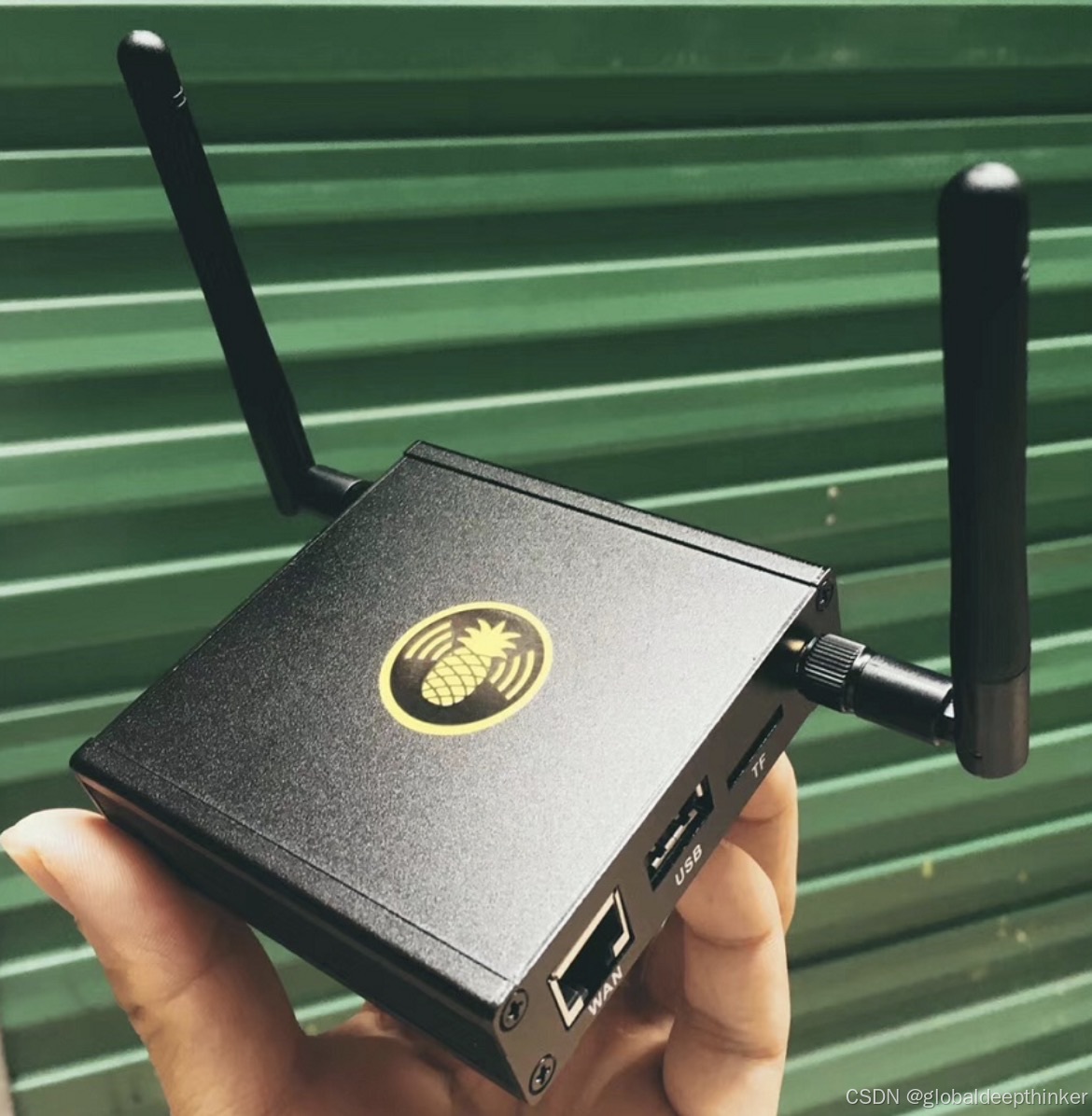

腾讯云面向开发者汇聚海量精品云计算使用和开发经验,营造开放的云计算技术生态圈。
更多推荐
 14
14 0
0- 0


 已为社区贡献2条内容

所有评论(0)